

In the era of booming AI technology, Claude AI is emerging as a powerful tool for streamlining automation processes. But what exactly is Claude AI, and how can you use it to generate intelligent automated Prompt Scripts? This article will explain in detail and share SEO strategies that can boost your website ranking by leveraging this topic.
1. What is Claude AI? Overview of an Advanced AI Tool
Claude AI is an artificial intelligence model developed by Anthropic, designed to process natural language intelligently and safely. Unlike traditional AI, Claude stands out with its deep contextual understanding, multilingual support (including Vietnamese), and a strong focus on ethics and reducing misinformation. With the ability to handle long texts (up to 75,000 words), Claude is an ideal solution for creating automated Prompt Scripts, enabling businesses to automate tasks such as content generation, data analysis, and multi-account management.
Main keywords like What is Claude AI should be naturally repeated throughout the article, especially in the headings, introduction, and conclusion to optimize on-page SEO. Additionally, using secondary keywords such as create automated Prompt Scripts in H2 and H3 tags can improve visibility on search engines.

2. Creating Automated Prompt Scripts with Claude AI – A New Approach to Automation
One of Claude's most outstanding applications is generating automated Prompt Scripts – especially when integrated with Hidemium, a powerful AI-supported antidetect browser.
2.1 What is a Prompt Script?
A Prompt Script is a type of instruction written in natural language that describes user behavior, which the AI then translates into specific automated actions. No coding required – just write a prompt, and Claude will handle the rest!
2.2 Why is Claude ideal for Prompt Scripts?
Deep contextual understanding: Claude excels at interpreting logical or multi-step prompts.
Efficient command generation: Low error rate and stable performance in repetitive workflows.
Professional-grade accuracy: Perfect for high-precision industries like law, finance, and business.
Enhanced productivity with Hidemium: Automate large-scale tasks without coding, with multi-account and multi-thread support.
3. How Hidemium Supports Claude AI
Hidemium – a leading antidetect browser – not only helps users mask their digital identity but also pioneers AI integration in automation workflows. One of its standout features is the direct integration of Claude AI into its Automation & Prompt Script system, offering an optimal experience for both beginners and experts.
3.1 Use Claude as the AI brain in workflows
When creating or editing a workflow in Hidemium, users can select Claude as the primary AI model to process prompts. Claude acts as a virtual assistant, analyzing instructions and generating precise automation scripts tailored to the context.
3.2 Automatically translate prompts into executable scripts
Instead of manually coding, users can input prompts in natural language like:
“Access site X, filter the data table, export to Excel.”
Claude interprets the logic and automatically converts it into compatible code ready to run in the Hidemium browser.
3.3 Accelerate repetitive tasks
Claude combined with Hidemium’s automation significantly reduces time spent on complex tasks like:
Auto-posting on social platforms or forums
Scraping and analyzing web data
Managing multiple accounts across browsers
Form filling, customer responses, and messaging
3.4 AI + Antidetect = Superior Advantage
👉 Thanks to the integration of Claude AI and Hidemium's advanced antidetect technology, users can:
Create complex automation workflows with zero coding
Leverage AI for smart, context-aware execution
Stay anonymous and avoid detection during automation
In conclusion, Hidemium is not just a privacy tool—it’s a full-featured automation platform empowered by Claude AI, streamlining the entire process from idea to execution for smarter and faster operations.
4. How to Write a Prompt Script Using Claude on Hidemium
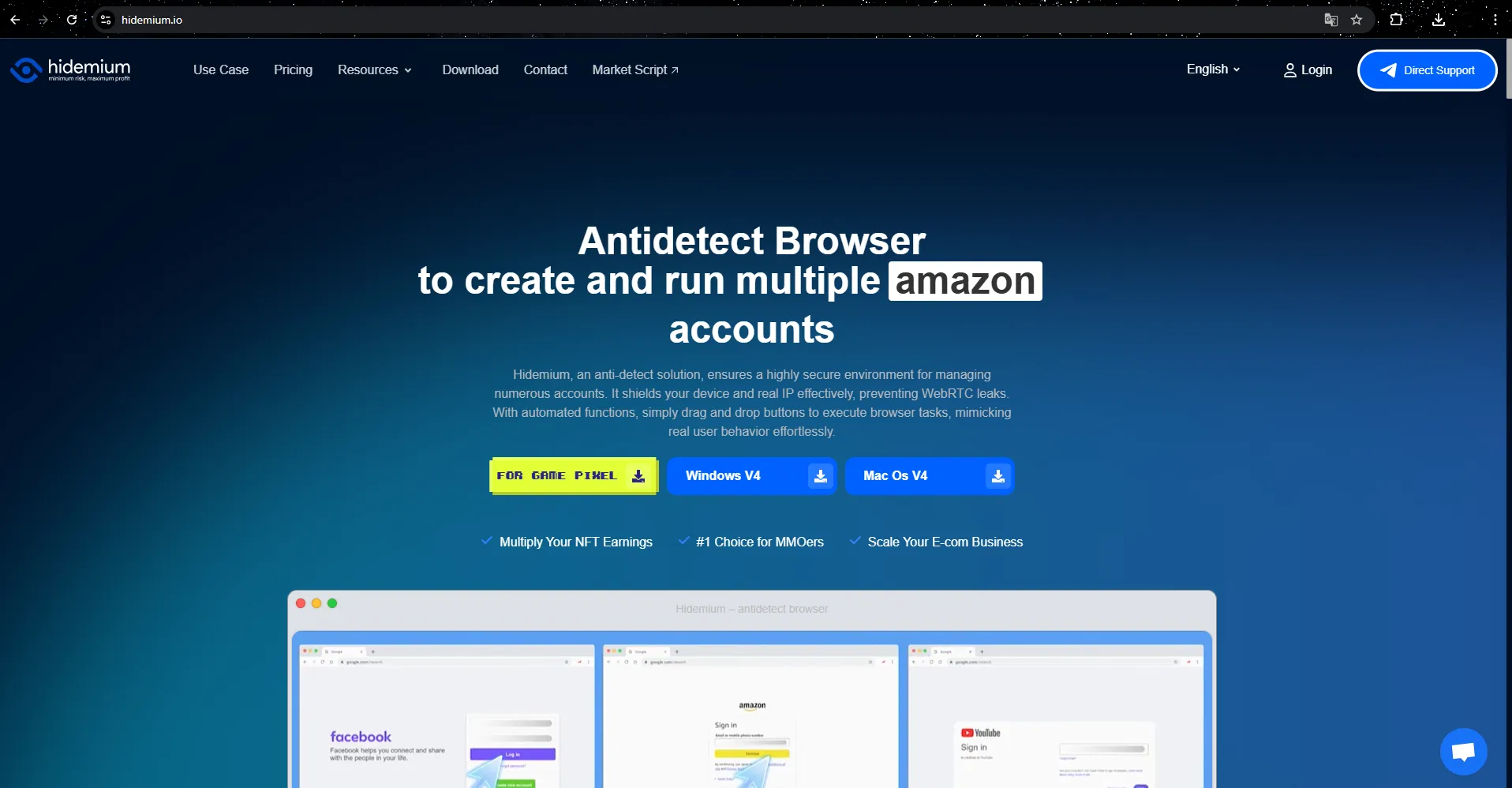
Hidemium – one of the leading antidetect browsers today – has integrated Automation + AI Prompt Script functionality. Here's how to get started:
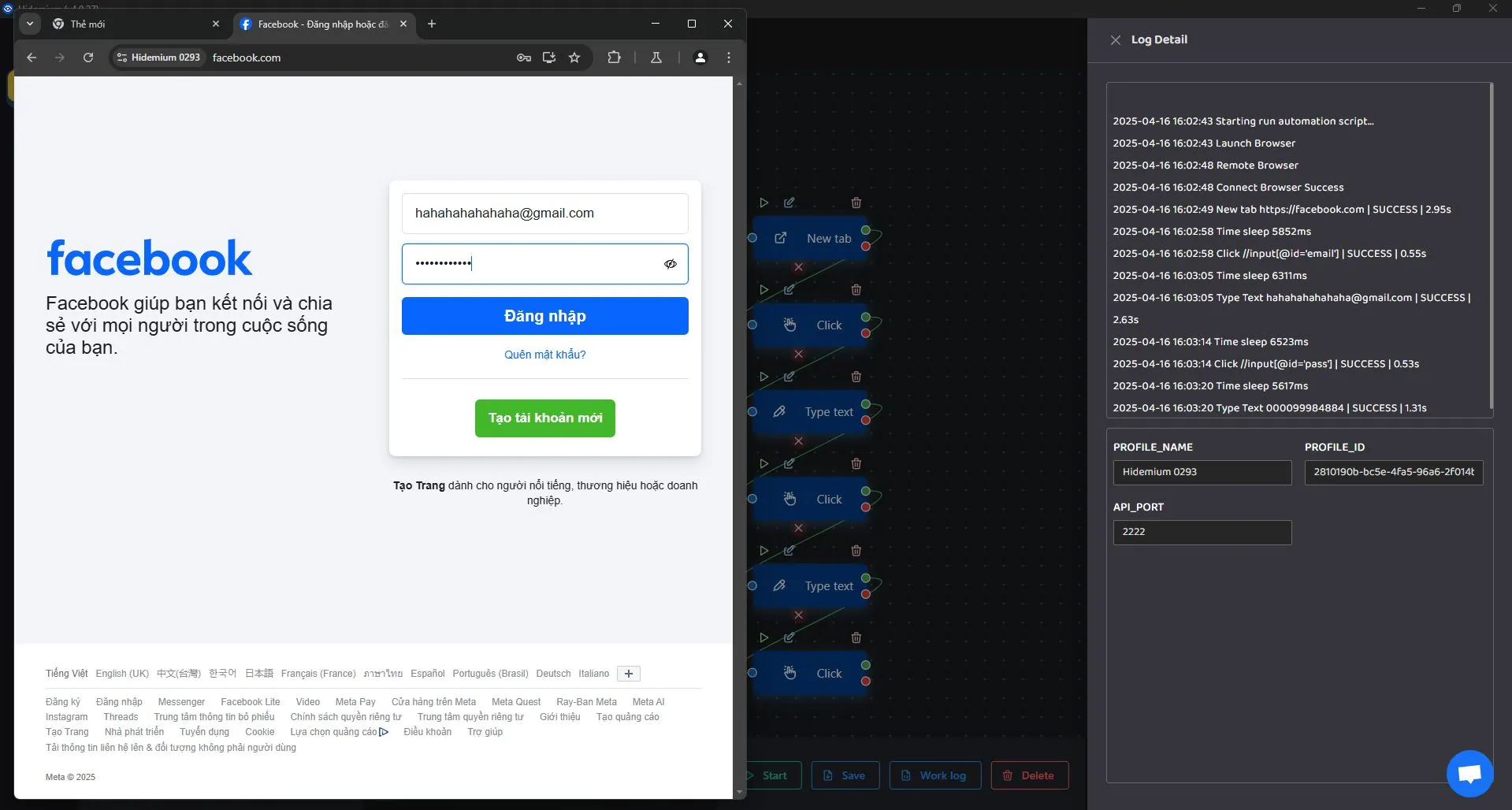
Step 1: Download the Hidemium app to receive 1000 free profiles and a 3-day trial.
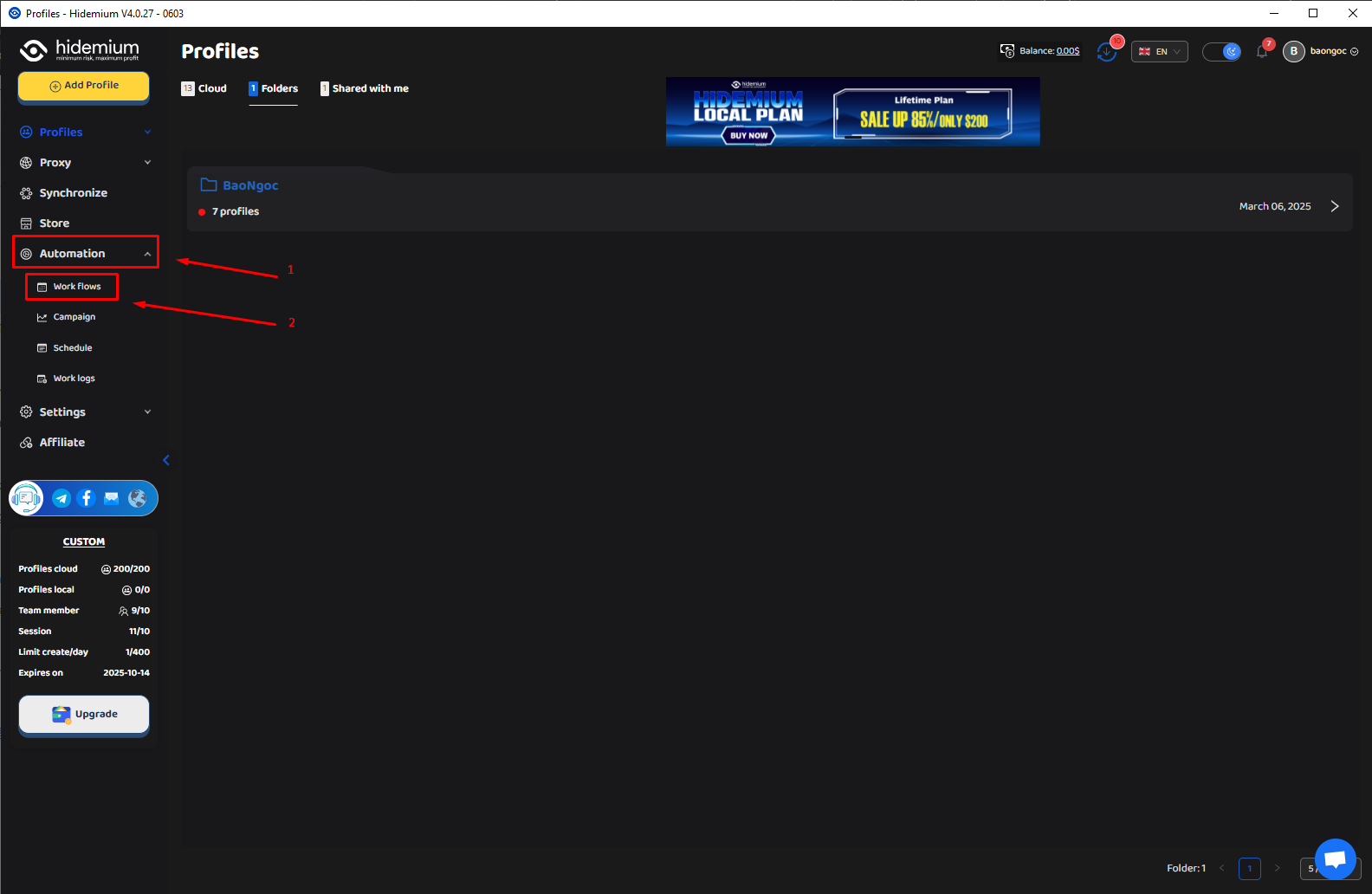
Step 2: Click on Automation → Workflows within the app.
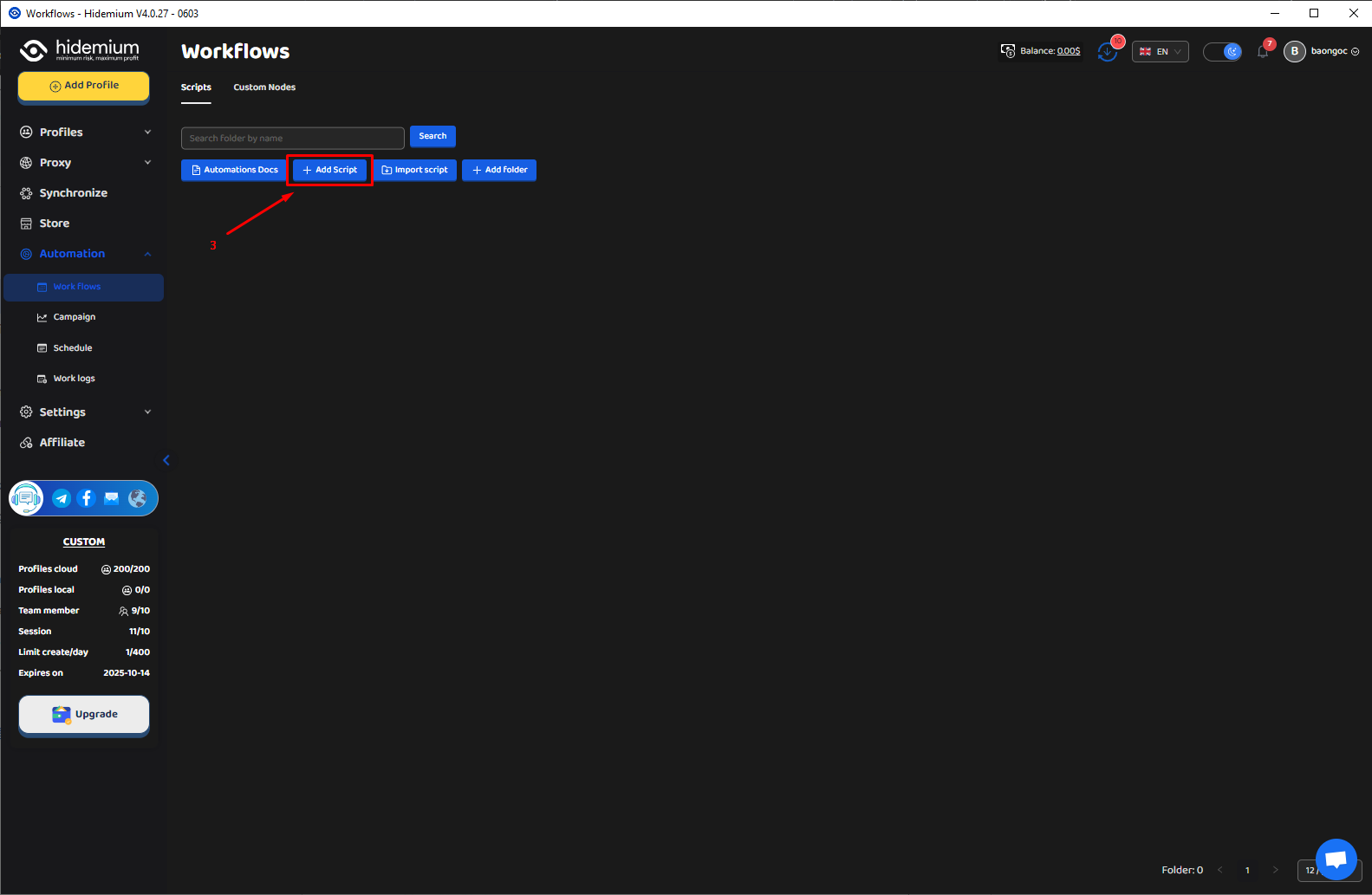
Step 3: Click Add Script.
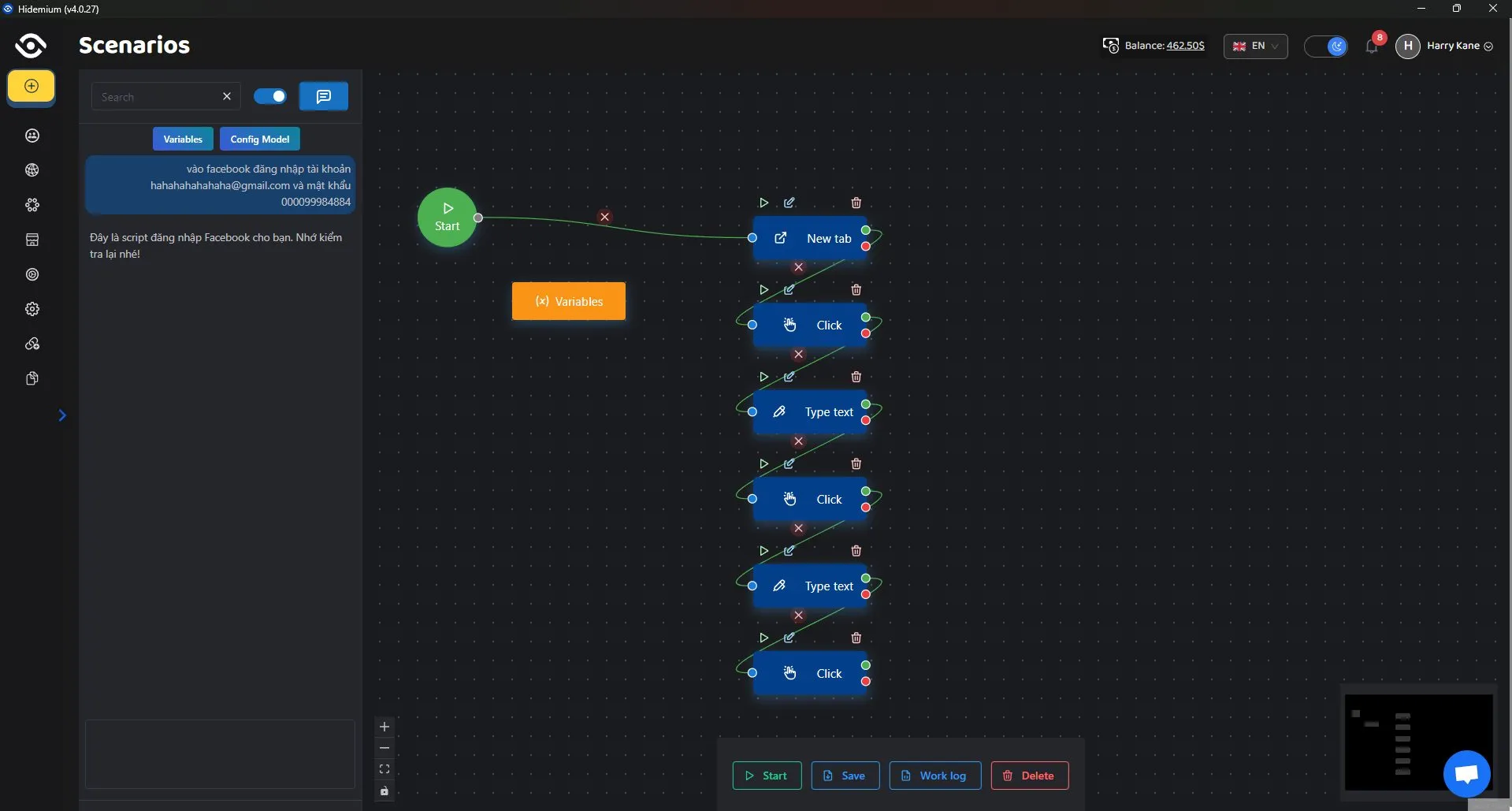
Step 4: Select Config Model → Claude. Enter your prompt content – the AI will automatically convert it into an automation script compatible with the browser.
5. Conclusion: Claude AI – Your Smart Assistant for Modern Automation
Claude AI is not just a powerful AI model – it’s a smart assistant that helps automate your daily tasks. With its ability to generate intelligent Prompt Scripts, especially when integrated with Hidemium, Claude enables you to save time, boost productivity, and simplify complex workflows — no coding required.
Learn more:
👉 What is ChatGPT? Easily automate tasks with Prompt Script
👉 What is Google Gemini? Integrate Gemini into Prompt Script Automation
Related Blogs

Are you doing business in the traditional direction and want to find a new guide? Do you have a headache because the number of customers is decreasing, and the competition is increasing? So let me reveal that Facebook ads can help you troubleshoot the above problems. Through the article, let’s find helpful information about creating and managing Facebook ad accounts!Ad accounts and things to[…]

In today's digital landscape where cybersecurity is paramount, Cloudflare emerges as a powerful shield against malicious bots and cyber attacks. However, what happens when legitimate data access or task automation is required? This detailed guide explores proven techniques and methodologies for navigating Cloudflare's security measures. Whether you're a data extraction specialist, automation[…]

Here's a number that should keep product managers up at night: 62.54% of global website traffic now comes from mobile devices. Not desktops. Not tablets. Phones.And if you're building anything for the web in 2025, that stat changes everything about how you approach development and testing. The desktop-first mentality that dominated web development for two decades? It's basically over.Why Mobile[…]

Websites are always on the lookout for bots. If your data collection tool is recognized as automated, it will be quickly blocked. Today, most platforms deploy advanced detection technologies such as CAPTCHAs, browser fingerprinting, and behavioral tracking to prevent bots.When collecting data at scale for SEO, ecommerce, or market research, getting blocked not only wastes your time, but also[…]
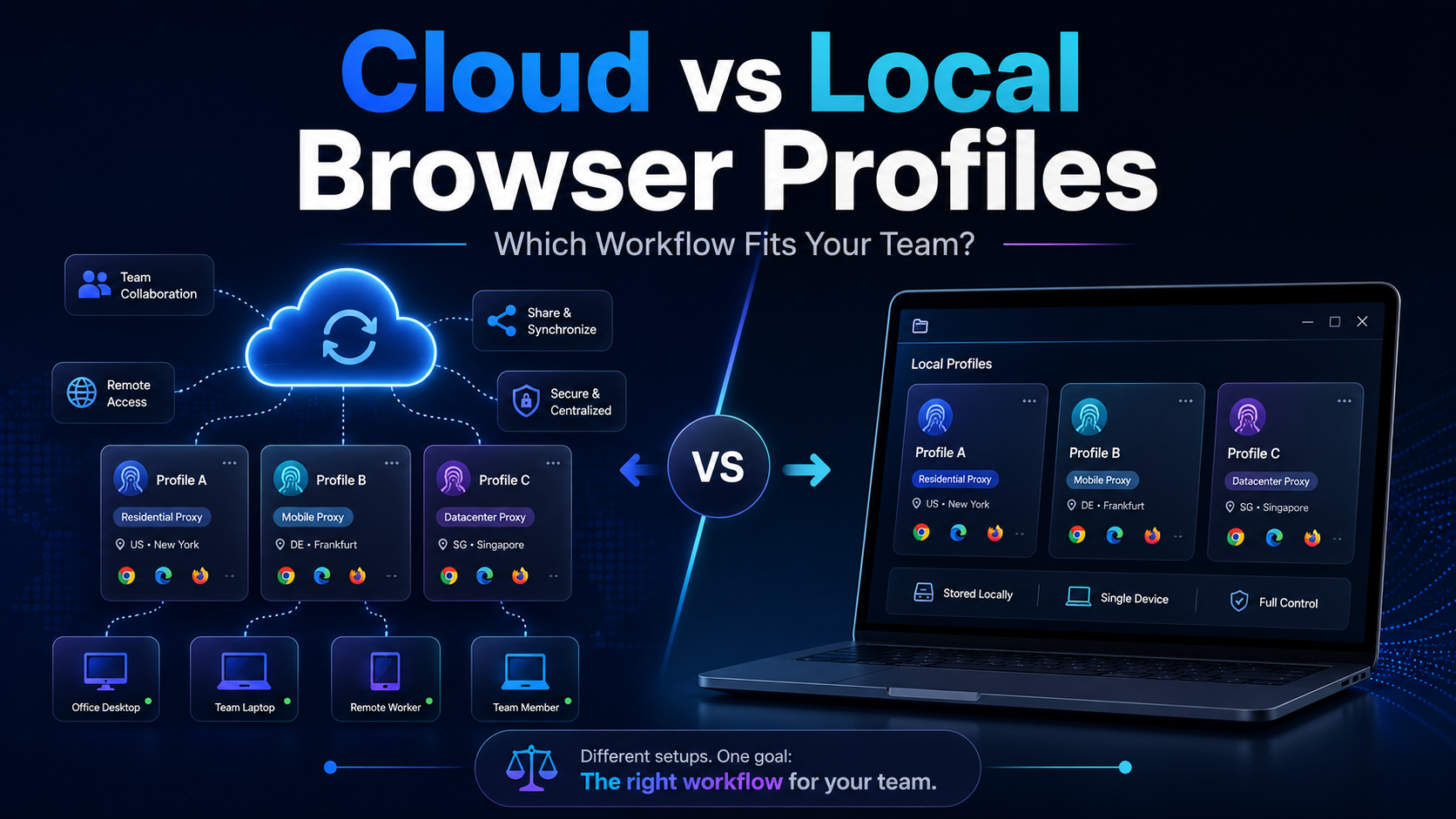
Cloud vs Local Browser Profiles: Which Workflow Fits Your Team?When a team starts managing multiple browser profiles, one of the most important decisions is whether to use cloud profiles or local profiles.Local profiles can be attractive because profile data is primarily stored and operated on the user's device, providing more direct control and reducing reliance on synchronization. Cloud[…]

The restricted or locked account is probably a headache for businesses and advertising people. Facebook advertising is the leading trend in promoting online business in the 21st century. Most companies choose to advertise if they want to reach the right potential customers and generate sales quickly. Having an account problem will directly affect revenue.So how to create multiple Facebook ad[…]
