

In the digital age, Artificial Intelligence (AI) is becoming an indispensable assistant across many fields, especially in automating workflows. Among the most notable is ChatGPT – a natural language processing AI model developed by OpenAI. Not only can it engage in conversations, but it can also understand and execute complex requests in text form.
So, what is ChatGPT? And how can it be applied to automation without writing a single line of code? Let Hidemium guide you in turning manual tasks into automated processes with just a few clicks!
1. What is ChatGPT?
ChatGPT is an artificial intelligence (AI) model developed by OpenAI, based on the GPT (Generative Pre-trained Transformer) architecture. This powerful AI tool can understand and generate natural language, enabling users to interact with computers as if they were talking to a person.
Thanks to its advanced language processing capabilities, ChatGPT is widely used in areas like customer service, content creation, data analysis—and especially in automating web tasks via Prompt Script.
Unlike traditional tools that require coding skills or complex technical operations, ChatGPT allows users to interact using natural language. This makes it easier to create content or perform tasks in a more intuitive and straightforward way. Because of its user-friendliness, ChatGPT is increasingly favored in no-code automation systems, especially by non-technical users.
In today's digital transformation landscape, ChatGPT is not just a support tool—it acts as a “smart virtual assistant” that helps users complete tasks more quickly, accurately, and efficiently. When integrated with the Hidemium platform, ChatGPT unleashes its full potential through the Prompt Script feature, allowing you to automate web actions using simple text descriptions—an innovative, time-saving approach that leads the way in practical AI application.

2. What is Prompt Script? How Prompt Script Works with ChatGPT
Prompt Script is a special scripting language designed to simplify browser automation. Instead of writing complex code in JavaScript or Python, users can simply enter commands in natural language, and the system will understand—thanks to the support of AI models like ChatGPT.
2.1 How Prompt Script Works
When you enter a prompt (a command that describes an action), the AI analyzes the text, understands the context, and converts it into specific actions on the web. Some common actions include:
Form-filling: AI automatically identifies input fields such as name, email, password, and fills in the appropriate information.
Clicking buttons: Just write “click the login button,” and AI will detect the button on the interface and execute the click action.
Scrolling: Easily instruct it to scroll to the bottom, to a specific section, or by a number of pixels.
Filtering results: Apply filters on e-commerce websites or data tables with a simple natural language prompt.
Link navigation: Navigate to a new page, open another tab, or go back—just with a natural prompt.
2.2 Who Should Use Prompt Script?
Marketers and MMO users who need to automate repetitive tasks
Testers who want to create quick test scripts
Dropshippers or SEO professionals managing multiple accounts
Beginners who don’t know how to code but want to optimize workflows
In short, Prompt Script is the bridge between ideas and actions. Thanks to the integration with ChatGPT in the Hidemium Antidetect Browser, anyone can create automation workflows with just a few lines of description—no coding, no complicated setup required. This is the future of no-code AI-powered automation, helping you save time, boost productivity, and take full control of your processes.
3. Benefits of Integrating ChatGPT into Automation Workflows
Combining ChatGPT with the Prompt Script feature in Hidemium not only simplifies the way automation is operated but also introduces a smarter, faster, and more accessible working method than ever before. Here are the key benefits you shouldn’t miss:
3.1. No-code automation
Previously, building an automation workflow required programming knowledge – from DOM manipulation and event handling to advanced JavaScript operations. This posed a significant barrier for non-technical users.
Now, with ChatGPT integrated into Hidemium, you don’t need to write code. Simply describe your actions in natural language, and ChatGPT will:
Understand the request
Break down each step logically
Generate a complete and accurate script
🔍 Example:
Visit page A
Search for product B
Add to cart
Proceed to checkout
📌 ChatGPT will turn these simple descriptions into a complete Prompt Script that performs the exact actions like a real user.
➡️ This marks a major advancement in the AI no-code trend, enabling everyone – from content creators and marketers to beginners – to easily build their own automation systems.
3.2. Boost speed, reduce errors, and optimize performance
When integrating ChatGPT into the Prompt Script creation process, you'll immediately notice superior results:
Save time
Instead of spending hours writing or fixing each line of code, you only need a few lines of description. ChatGPT will handle the rest—from basic actions to complex logic.Increase accuracy
The AI understands context and intent, ensuring each step is executed correctly—minimizing errors and enhancing script stability.Reduce manual errors
Manual tasks often lead to mistakes such as clicking the wrong button or inputting incorrect data. With AI, every action is consistently and intelligently automated.Flexible in any scenario
You can freely change the prompt content to update the workflow without touching the source code—extremely convenient, quick, and adaptable.
3.3. Easily integrates with other AI models
Besides ChatGPT, Hidemium also supports other top AI models like Claude and Gemini—offering a comprehensive and optimized automation solution for any need.
Choose the AI model that best fits your specific requirements: response speed, tone, or accuracy.
Compare output results to select the most suitable option for each scenario.
Expand AI applications into diverse areas such as sales, customer support, and automated marketing.
4. How to Write Prompt Scripts Using ChatGPT on Hidemium
Hidemium – one of today’s leading antidetect browsers – has integrated the Automation + AI Prompt Script feature. Here’s how you can get started:
Step 1: Download the Hidemium app to receive 1,000 free profiles and 3-day trial.
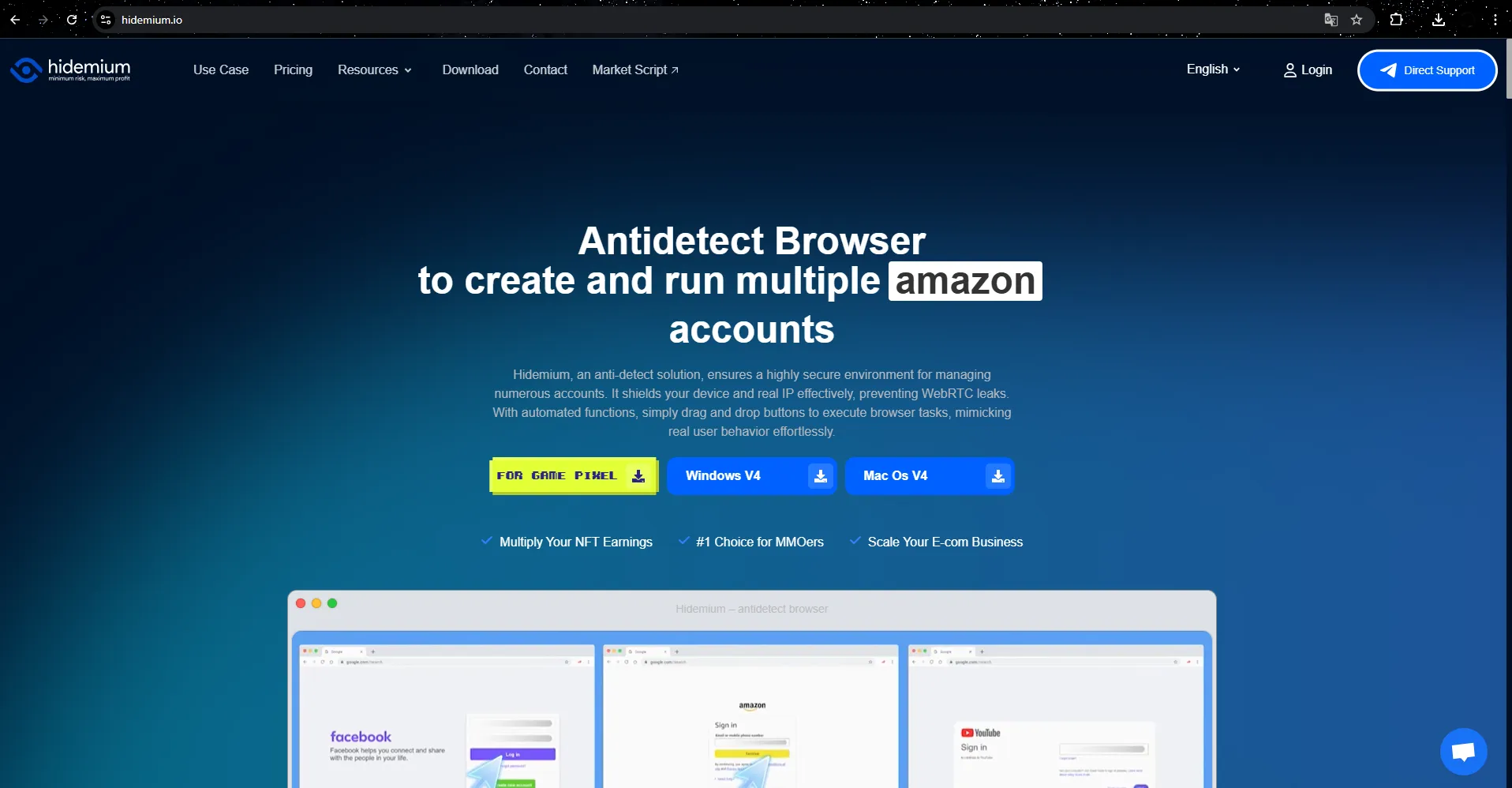
Step 2: Click on “Automation” -> “Workflows” in the Hidemium app.

Step 3: Click on “Add Script.”

Step 4: Enter your prompt. The AI will automatically convert your prompt into an automation script compatible with the browser.

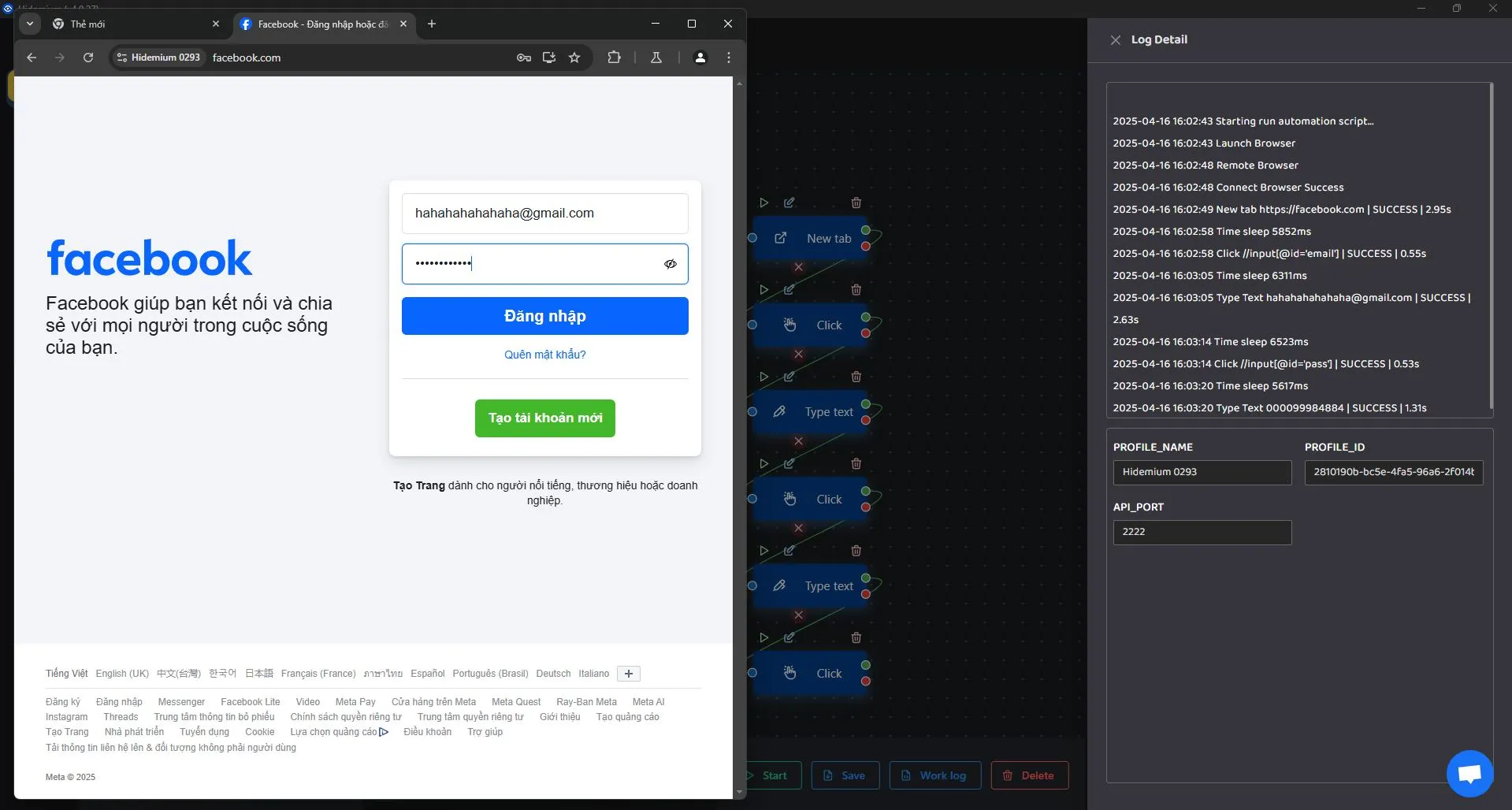
5. Conclusion: Hidemium Antidetect Browser Now Supports ChatGPT for Smart Automation
The integration of ChatGPT into Hidemium’s Automation feature is not only a technological leap, but a major shift in how we approach automation today.
Now, you don’t need to know how to code or write complex scripts. Just describe the task in plain language, and ChatGPT will analyze and transform it into a complete automation workflow. Actions such as form filling, button clicking, page scrolling, or data filtering can all be handled automatically with speed and accuracy.
This is the future of automation: AI-powered, no-code, faster, more flexible, and easier than ever before.
Hidemium is not just a powerful antidetect browser for safeguarding your online identity – it’s also an intelligent automation platform where humans and AI work hand in hand to optimize operations.
🎯 No coding needed – just your ideas.
Prompt Script with ChatGPT on Hidemium helps you turn complex actions into simple, efficient, and fast automation scripts.
👉 Try Prompt Script with ChatGPT on Hidemium now to master every automation workflow – just bring your idea, and let AI do the rest!
Related Blogs
What is the best Dolphin Anty alternative in 2026?The best Dolphin Anty alternative in 2026 is Hidemium for teams that need stronger control over browser profiles, proxies, workspaces, team access, and multi-account operations.Dolphin Anty is known among affiliate marketers and media buyers. It can be useful for campaign-focused workflows where speed matters. But not every team wants only a fast[…]

In the digital age, most of our devices are constantly connected to networks like Wi-Fi or mobile data. Each connection is identified by a MAC (Media Access Control) address. While you don’t need to change your MAC address often, it can affect your privacy and security online.Thanks to the development of technology, methods of protecting digital identity are also increasingly diverse and[…]

A Suspended Google Adwords account adversely affects the work and business performance of the business when interrupting the advertising campaign. So how to fix and limit the suspension of your account in Google Adwords advertising? Let’s find out through the article!Account suspension due to related errors violates Google Ads policies1. Dodge the systemModify the ad element (text, video, image,[…]

AI tools make our lives much easier today because they can handle a large pool of repetitive tasks that often take a lot of time and effort from humans. The most scrupulous attention is directed at writing because of the integrity rules. Today, if you use AI tools to generate content, you are more likely to face risks of various penalties. Thus, an AI content detector is a tool that should[…]

Having your Reddit account temporarily suspended can be frustrating, especially if you don't know why. Understanding the reasons and how to fix it can help you regain access quickly or safely create a new account. In this article, Hidemium will break down the common reasons why Reddit accounts get suspended, how long they last, and what to look for when creating a new Reddit account.1. Common[…]

In today’s internet ecosystem, online platforms increasingly rely on advanced detection systems to identify devices and analyze user behavior. One of the key signals used in this process is the browser User-Agent.A User-Agent is more than just a string that identifies your browser and operating system. In practice, it is a critical component of browser fingerprinting, which websites use to[…]
