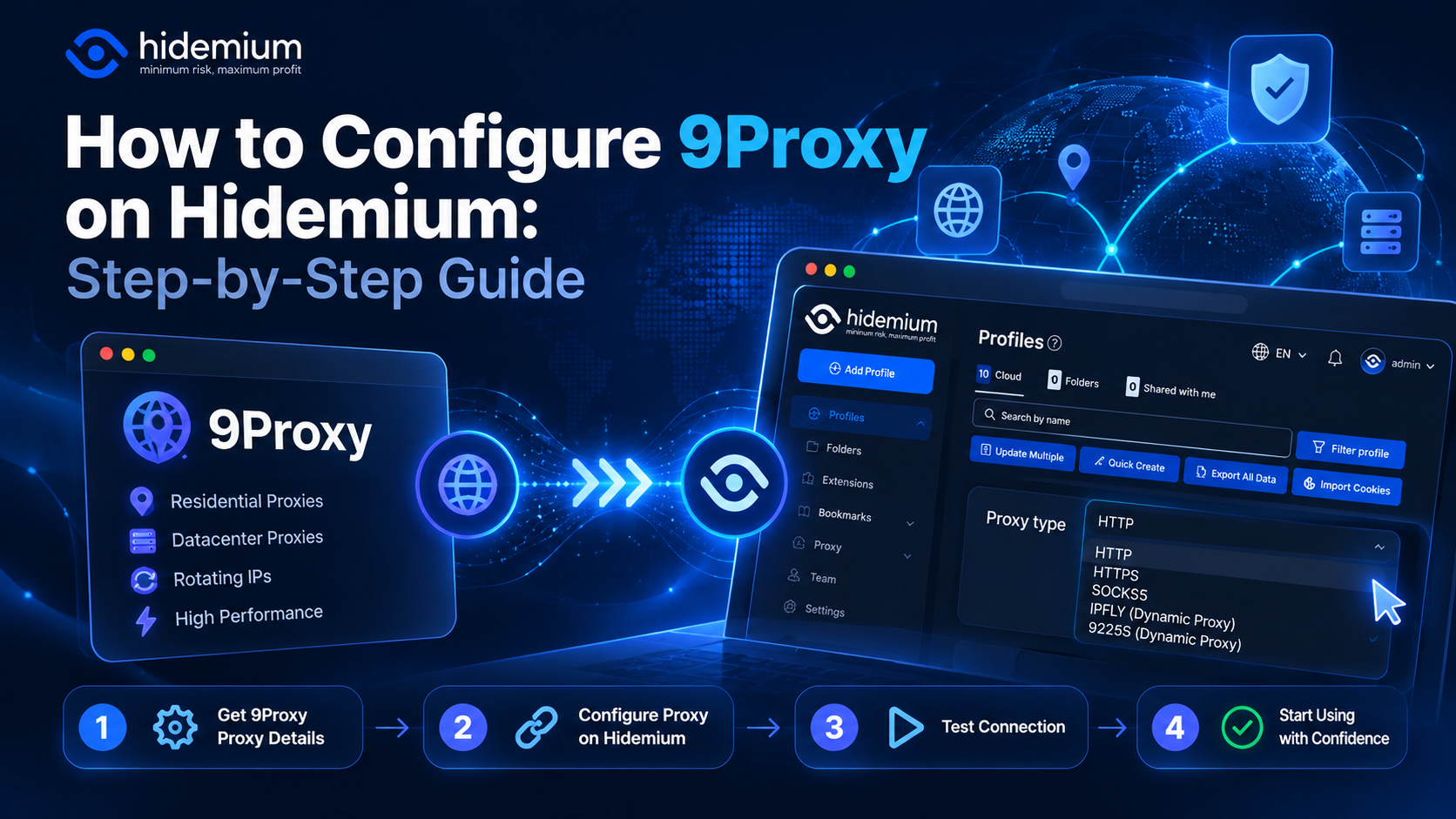

Managing multiple online accounts can become challenging when browser profiles use incorrect proxy settings, display unexpected IP addresses, or experience connection failures. Combining Hidemium with 9Proxy allows you to configure proxy connections for individual browser profiles and manage your browsing environments more efficiently.
This guide explains how to set up 9Proxy on Hidemium, verify your connection, and troubleshoot common proxy issues.
Quick Answer: How to Set Up 9Proxy on Hidemium
To configure 9Proxy on Hidemium, obtain your proxy credentials from 9Proxy, create or edit a browser profile in Hidemium, and enter the required connection details, including Host, Port, Username, and Password (if required). Save the settings, test the proxy connection, and verify your IP address before using the profile.
Quick setup: Get 9Proxy credentials → Create a Hidemium profile → Enter proxy details → Verify IP → Start browsing.
1. What Are Hidemium and 9Proxy?
Hidemium is an antidetect browser designed to create and manage multiple browser profiles with separate browsing data and configurations. It supports workflows involving multi-account management, digital marketing, e-commerce, and browser automation.
9Proxy is a residential proxy provider that enables users to route internet traffic through proxy IP addresses.
When used together, Hidemium manages browser environments while 9Proxy provides proxy connectivity. This combination allows users to assign proxy settings to individual profiles and maintain better control over their browsing workflows.
2. Why Use Hidemium with 9Proxy?
Combining an antidetect browser with residential proxies offers several practical advantages.
- Organized browser profiles: Create separate browsing environments for different accounts or projects.
- Flexible IP configuration: Assign specific proxy connections to individual profiles.
- Location-based testing: Access publicly available content from different geographic locations when supported by your proxy plan.
- Easier troubleshooting: Identify which profile uses a particular proxy and investigate connection issues.
- More structured workflows: Manage multiple browsing environments without mixing their configurations.
For example, an agency handling multiple clients can create separate Hidemium profiles for each project and configure proxies based on the target market.
3. How to Configure 9Proxy on Hidemium
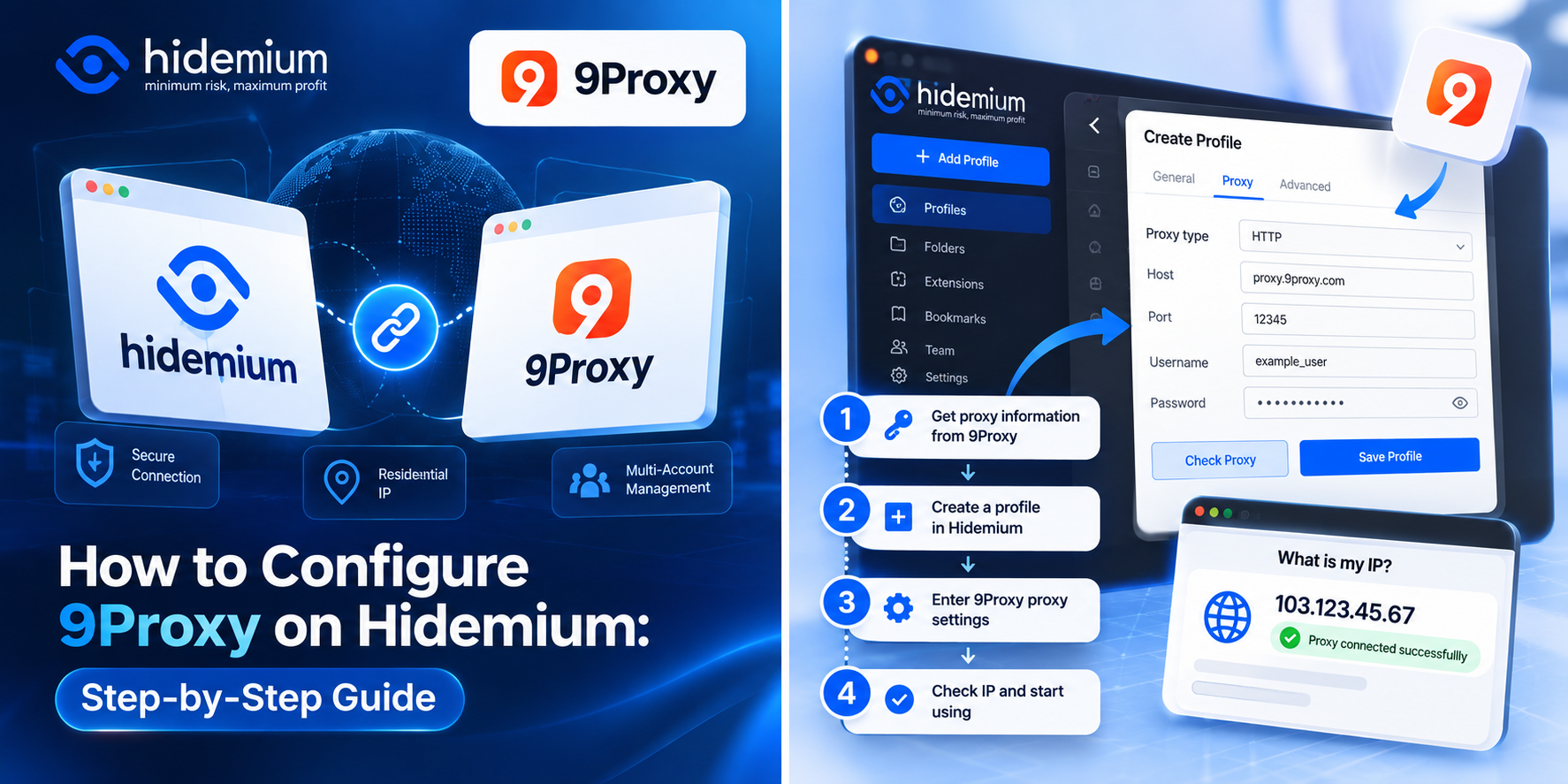
Setting up 9Proxy on Hidemium involves four main steps.
Step 1: Get Your Proxy Details from 9Proxy
Visit 9Proxy and log in to your account.
Open the proxy management section and select the proxy service that matches your requirements.
Depending on your proxy product, you may need the following details:
Setting | Description |
| Host / IP | Proxy server address |
| Port | Proxy connection port |
| Username | Authentication username |
| Password | Authentication password |
| Protocol | Supported proxy protocol |
Some products may use alternative authentication methods, such as IP whitelisting. Always follow the connection instructions provided in your 9Proxy account.
Step 2: Create a Browser Profile in Hidemium
Open Hidemium and sign in to your account.
To create a new browser profile:
- Navigate to the browser profile management area.
- Select the option to create a new profile.
- Enter a recognizable profile name.
- Adjust the browser settings based on your workflow.
- Locate the Proxy configuration section.
If you already have a profile, open its settings to update the proxy configuration.
Tip: Use consistent naming conventions such as Project-US-01 or Client-A-01 to make profiles easier to organize.
Step 3: Add 9Proxy Credentials to Hidemium
In the profile's Proxy settings, enter the connection information obtained from 9Proxy.
Follow these steps:
- Select the appropriate proxy protocol.
- Enter the Host or IP address.
- Add the corresponding Port.
- Enter the Username and Password if required.
- Save the proxy configuration.
Example:
Field | Example Value |
| Protocol | HTTP |
| Host | proxy.example.com |
| Port | 12345 |
| Username | example_user |
| Password | example_password |
These values are illustrative examples, not actual 9Proxy connection credentials.
Make sure the selected protocol and authentication method match the information provided by 9Proxy.
Incorrect credentials, ports, or protocols are common causes of connection failures.
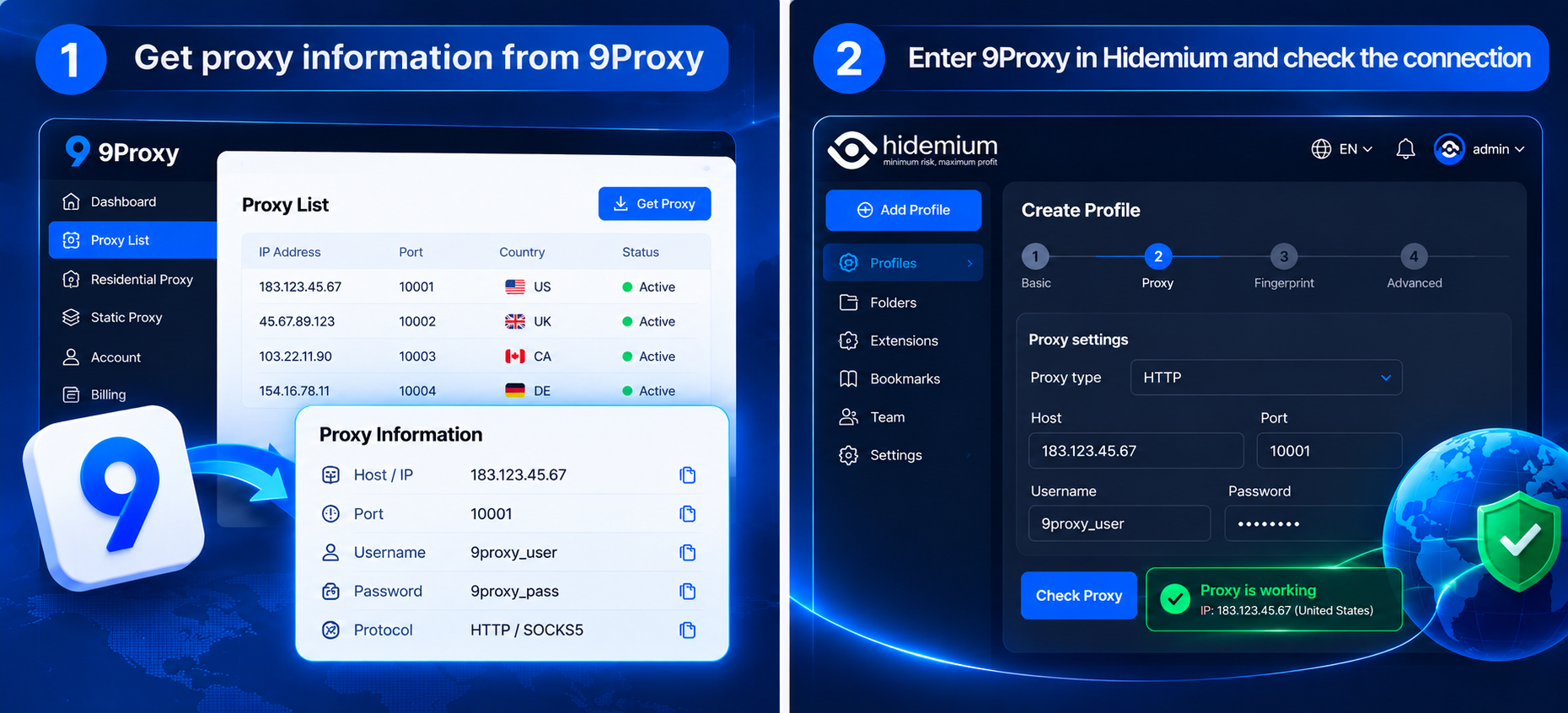
Step 4: Test Your Proxy Connection and Verify the IP
After configuring the proxy, verify that the connection works as expected.
- Use Hidemium's built-in proxy testing feature if available in your version.
- Save and launch the browser profile.
- Open an IP checking website such as BrowserScan.
- Check the displayed public IP address and location.
- Compare the results with your expected proxy configuration.
If the displayed IP corresponds to your configured proxy, the browsing connection is likely being routed through the proxy successfully.
If the location or IP appears incorrect, review your proxy settings before continuing.
4. Common 9Proxy Connection Problems and How to Fix Them
Proxy configuration errors can cause failed connections, authentication issues, or unexpected IP addresses.
The table below summarizes several common problems.
Problem | Possible Cause | Recommended Fix |
| Proxy connection failed | Incorrect Host, Port, or protocol | Verify the connection settings |
| Authentication error | Invalid credentials or missing IP whitelist | Check the authentication method |
| Wrong IP address | Incorrect endpoint or rotating IP behavior | Review proxy and session settings |
| Slow connection | Network latency or proxy performance | Test the network and another endpoint if available |
| Website fails to load | Proxy interruption or website issues | Test another website and verify connectivity |
4.1. Proxy Authentication Failed
Authentication errors usually occur when the proxy credentials are incorrect or the required authentication method has not been configured properly.
Check your Username and Password, or confirm the IP whitelist settings if your proxy product uses that method.
If the issue persists, consult the 9Proxy dashboard or contact its support team.
4.2. Proxy Works but Shows the Wrong IP Address
If an IP checking website shows an unexpected location, confirm that the correct proxy endpoint has been assigned to your Hidemium profile.
Some proxy services use IP rotation or session-based IP assignment, which means the displayed IP address may change over time.
IP geolocation databases can also provide different results for the same address.
4.3. Slow or Unstable Proxy Connection
Slow loading speeds may result from network conditions, proxy latency, or the website being accessed.
First, test your regular internet connection. Then check the proxy connection and compare loading performance across different websites.
If the issue continues, contact 9Proxy support to verify the availability of the proxy endpoint.
5. Best Practices for Using Hidemium with 9Proxy
To improve workflow organization and reduce configuration mistakes, follow these recommendations.
Test your proxy before starting work. Verify the connection and IP address, especially when reopening a profile after a long period.
Keep browser profiles organized. Use consistent names based on projects, clients, or target markets.
Choose the right proxy for each task. Workflows requiring long sessions may need different proxy characteristics from location-based testing or other short-lived tasks.
Review browser environment settings. Check whether the IP location, timezone, language, and other relevant browser settings are appropriate for your testing requirements.
Protect proxy credentials. Avoid sharing authentication information publicly or storing passwords in unsecured documents.
Using Hidemium and 9Proxy can make browser environment management more structured, but it does not guarantee that accounts will be protected from every type of platform restriction or verification process.
6. Frequently Asked Questions (FAQ)
Can I Use 9Proxy with Hidemium?
Yes, you can configure a compatible 9Proxy connection in Hidemium by entering the proxy details and selecting the supported protocol. Always test the connection before using the profile.
Do I Need a Proxy for Every Hidemium Profile?
No. A proxy is optional, depending on your browsing requirements. It can be useful when you need a particular IP address, separate network environments, or location-based testing.
Can I Use Multiple 9Proxy Connections with Multiple Hidemium Profiles?
This depends on your 9Proxy subscription, available proxy resources, connection limits, and Hidemium configuration. Review the service limits before setting up multiple profiles.
How Can I Check Whether 9Proxy Is Working on Hidemium?
Launch the configured profile and visit an IP checking website. Compare the public IP address and location with the expected proxy settings.
Does Hidemium with 9Proxy Prevent Account Bans?
No solution can guarantee protection from account bans. Hidemium helps organize browser environments, while 9Proxy provides proxy connectivity. Account status also depends on platform policies, account activity, and other factors.
7. Conclusion
Combining Hidemium and 9Proxy provides a practical way to organize browser profiles and manage proxy connections for different workflows.
The setup process is straightforward: obtain your proxy information, create a browser profile in Hidemium, enter the proxy settings, and verify your IP address.
Once configured correctly, you can use your browser profiles for project management, market research, website testing, and other legitimate online activities.
Ready to get started?
Download Hidemium to create and manage your browser profiles.
Explore 9Proxy to find a residential proxy solution for your needs.
With the right configuration, Hidemium and 9Proxy can help you build a more organized and manageable multi-profile browsing workflow.
Related Blogs

Swiftproxy 2025: Residential Proxy Service Review In 2025, Swiftproxy continues to stand out in the competitive proxy market. Whether you're an individual prioritizing privacy and anonymity or a business requiring large-scale IP resources, Swiftproxy delivers convenience, reliability, and robust performance.With high-quality IP pools, global reach, and a 99.89% connection success rate, Swiftproxy[…]
.png)
What Is an Anti Detect Browser — and Why Does It Matter in 2026?Every time you open a browser, you broadcast a fingerprint. Not your IP address — something far more specific: your canvas hash, WebGL output, installed fonts, screen resolution, timezone, audio context, and dozens of other signals that websites use to identify you as a unique device.Standard browsers send this fingerprint[…]

2025 is the time of explosion of AI (artificial intelligence) and MMO (Make Money Online – make money online). It is no longer a game for the technology giants, now anyone who owns a laptop, internet connection and a little curiosity can also make money from the digital world.From writing content in ChatGPT, designing photos with Midjourney, to automating your money making with Hidemium API— all[…]
.png)
Residential proxies enable breathing of browsing software. Residential proxies are more effective at connecting you than data center proxies since they originate from actual devices. Reading this post right now if you’re unsure about the circumstances under which and from whom to get a residential proxy.What is a residential proxy?Proxies are more difficult to identify than datacenter IPs because[…]
.png)
Beyond the Bot: How to Humanize AI and Safely Bypass AI DetectionThe year 2026 has brought us to a strange crossroads. On one hand, we have large language models that can write poetry, code, and 3,000-word essays in the blink of an eye. On the other, we have an "AI police force"—detectors like Turnitin, Originality.ai, and GPTZero—that are getting increasingly aggressive.If you’re a student or a[…]

Whether you are a gamer looking to coordinate raids, a student collaborating on a group project, or a hobbyist searching for like-minded individuals, Discord has become the ultimate digital gathering place. The best part? Getting started costs absolutely nothing. Securing a free Discord account is your gateway to thousands of vibrant communities, crystal-clear voice chats, and seamless text[…]
