



For people working in online income generation (MMO), airdrops, affiliate marketing, and lead generation, Gmail often serves as the hub of their workflow. Email receives notifications, confirms sign-ins, connects services, and supports account recovery. Losing access to an inbox can disrupt several related activities at once.
Managing multiple Gmail accounts therefore requires organization across both the connection layer and the browser environment. Operators need to know which IP address is being used, which profile belongs to each task, how the configuration has been checked, and what activities have taken place.
This article presents a five-step standard operating procedure (SOP) connecting Hideproxy, HideIP.us, Hidemium, HideGuard, and HideAuto, based on a workflow that the person responsible confirms they have personally implemented and validated. The thresholds mentioned here are criteria used within this workflow; they are not official Google thresholds or a guarantee that every account will be exempt from verification.
1. Understanding reCAPTCHA v3 and Interpreting Test Results Correctly
reCAPTCHA v3 evaluates website interactions on a scale from 0 to 1. Higher scores indicate interactions that are more likely to be legitimate, while lower scores indicate interactions that are more likely to come from bots. Google advises websites integrating the service to choose thresholds appropriate to their own context.
This score is not a universal “trust certificate” that applies across all websites. In this SOP, test results are therefore used as a reference indicator alongside IP, DNS, WebRTC, and profile configuration checks. A score shown on a testing page should not be treated as Gmail’s internal score.
This approach gives the operations team a consistent set of criteria: check the environment before use, record the results, and refer back to them when problems arise.
2. Five Tools, One End-to-End Workflow
Each component in the ecosystem is assigned a clear role.
| Tool | Role in the SOP |
|---|---|
| Hideproxy | Provides proxy connections based on operational needs |
| HideIP.us | Screens IP addresses by connection type, fraud score, and blacklist results |
| Hidemium | Creates, configures, and manages browser profiles |
| HideGuard | Checks the environment’s observable output against technical criteria |
| HideAuto | Runs preparation scripts and repetitive tasks according to internal procedures |
The workflow follows this sequence: IP screening → profile creation → validation → activity preparation → sign-in and monitoring.
The key principle is that the output of each step becomes the entry requirement for the next. If a configuration issue appears, operators address it at the appropriate stage instead of continuing with an environment whose status is unclear.
3. Step 1 — Screen IP Addresses with HideIP.us
Prepare a Connection from Hideproxy
First, choose a proxy from Hideproxy that meets the requirements of the task. For workflows that need a consistent connection, clarify the conditions for retaining the same IP address, the plan’s validity period, and the procedure for handling connection interruptions.
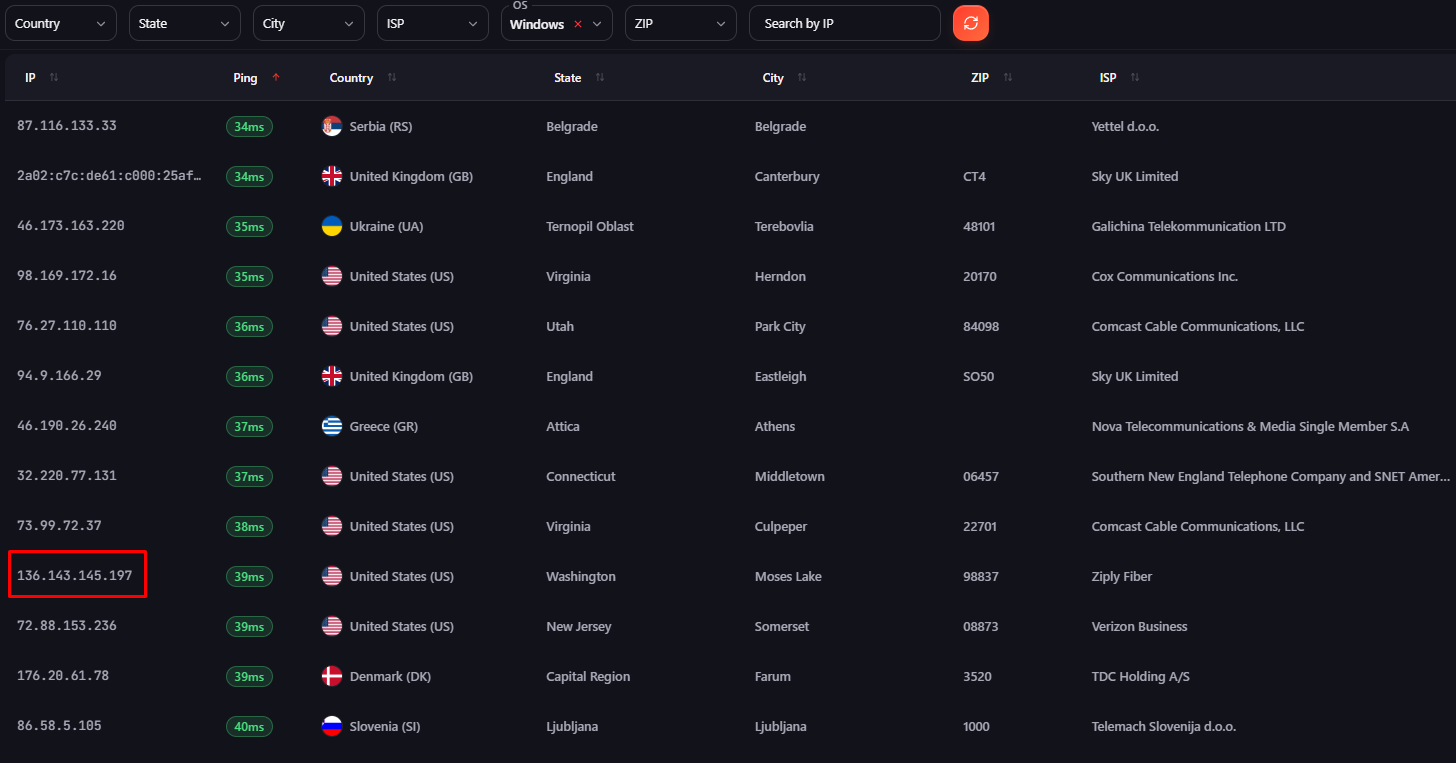
Next, assess the IP address with HideIP.us using the team’s chosen testing configuration.
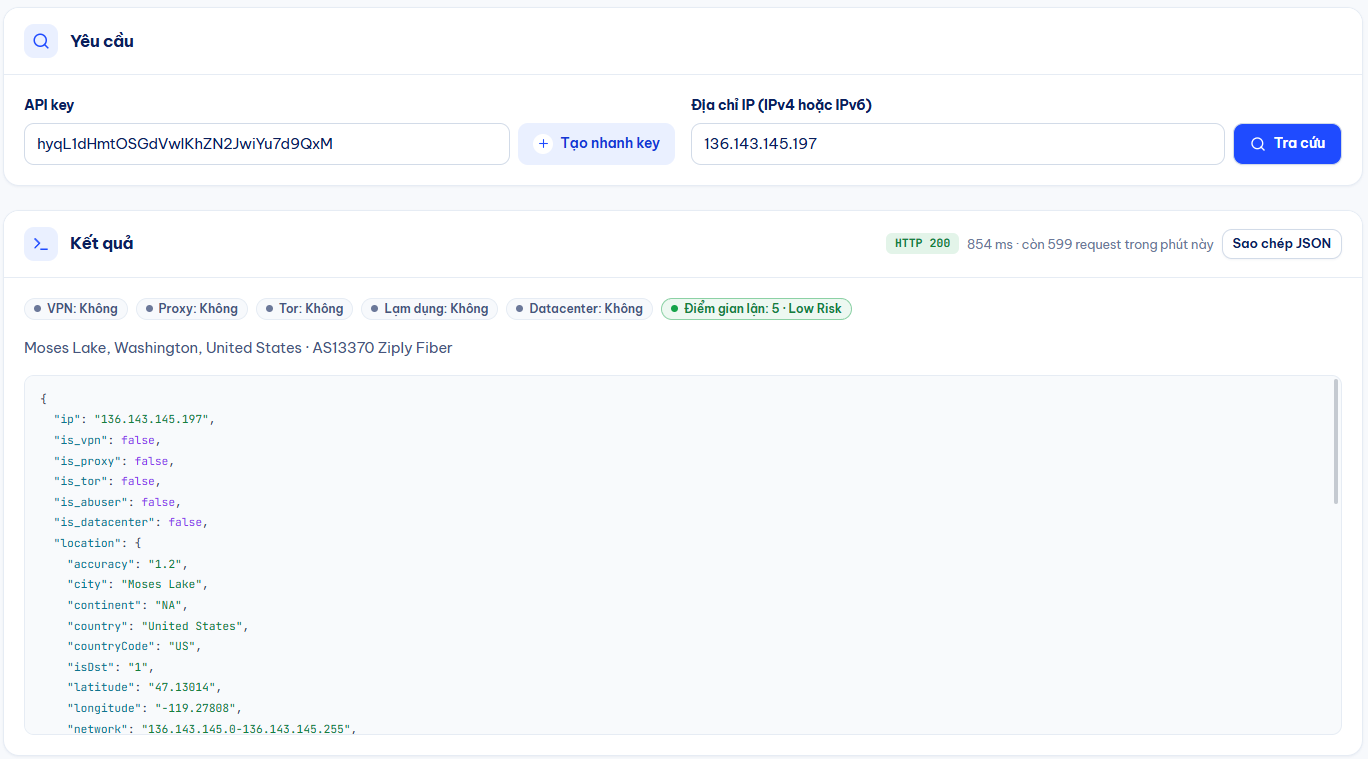
Apply the Entry Criteria
In the supplied SOP, IP addresses are checked against the following criteria:
- Type: Residential or Mobile.
- Fraud Score: Below 20 on the scoring scale being used.
- Blacklist: Not listed on the blacklists checked, including Spamhaus/DNSBL where available through the tool.
- Location and connection: Suitable for the intended environment.
This SOP excludes Datacenter IPs from its approved input pool. This is the team’s screening standard, not a claim that Gmail rejects all Datacenter IPs.
Record the Results Before Moving On
Record the IP address, connection type, assessment tool, score, blacklists checked, and test timestamp. A “Clean” result should always be understood within the scope of those checks.
Output: A screened connection with a record available for future reference.
4. Step 2 — Set Up the Environment in Hidemium
After selecting an IP address, create a profile in Hidemium and assign the corresponding proxy configuration. Name the profile by project or task to avoid confusion when managing multiple environments.
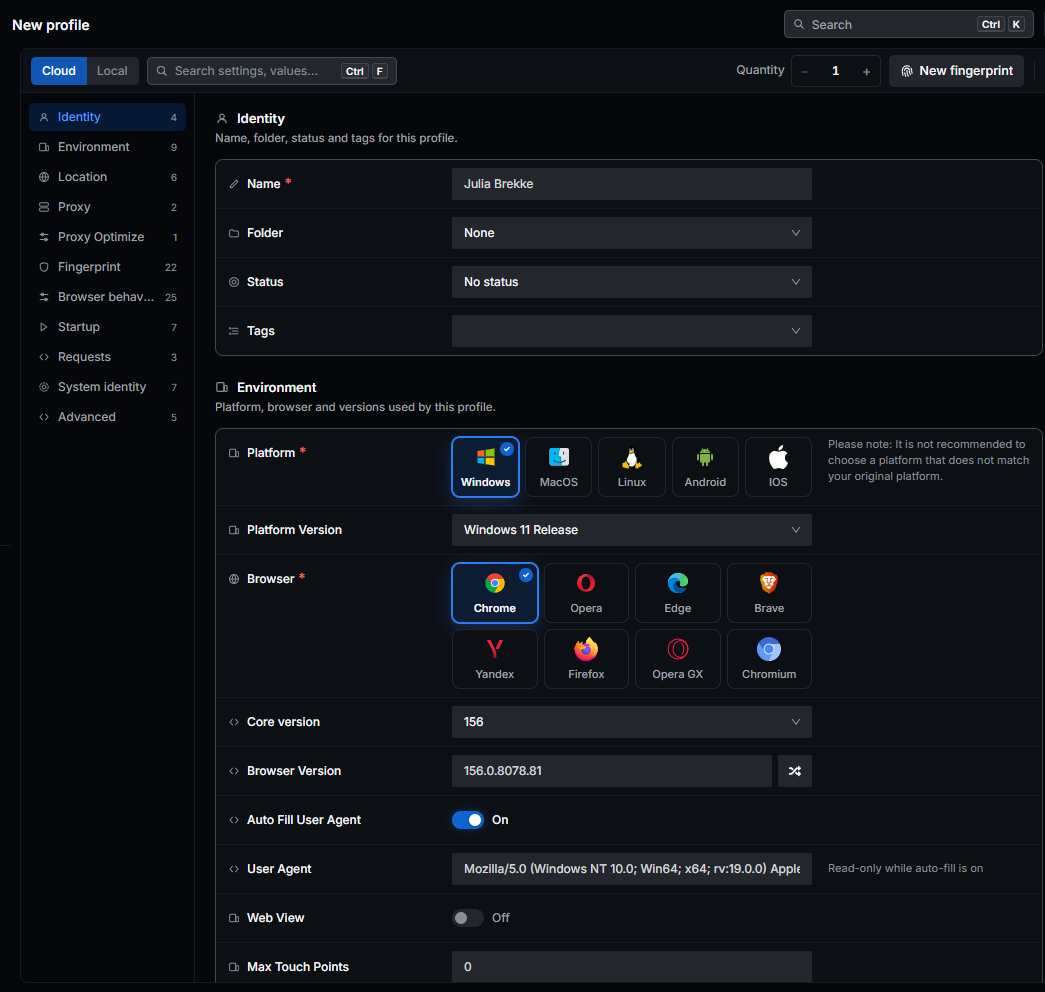
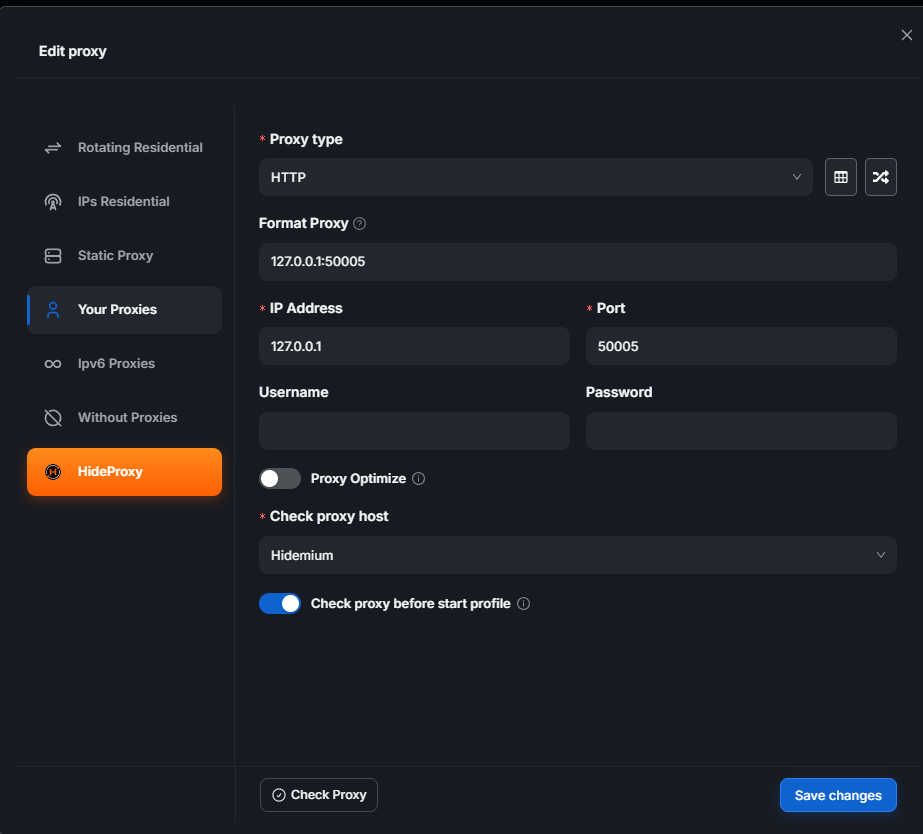
Align the Configuration with the Intended Use
Check the following components:
- Operating system and browser version.
- Time zone, language, and geolocation.
- Proxy configuration and outgoing IP address.
- WebRTC handling mode.
Hidemium’s documentation describes options for setting the time zone, WebRTC, geolocation, and language based on the IP address or through manual configuration.
Choose an operating system appropriate to the actual working environment; an IP address does not have an operating system that the profile needs to match. For the time zone, location, and language, apply settings consistent with the profile’s purpose and verify the resulting output.
Manage Each Profile as a Unit of Work
Each profile should have a defined purpose, an assigned owner, and configuration notes. Avoid changing multiple parameters at once when diagnosing an issue. If you replace the proxy or adjust settings, record when the change occurred so it can be compared with subsequent test results.
Output: A configured profile with an assigned owner, ready for validation.
5. Step 3 — Validate the Environment with HideGuard
Open HideGuard directly within the Hidemium profile you have just configured so that you test the exact environment you intend to use.
WebRTC: Check the Reported Addresses
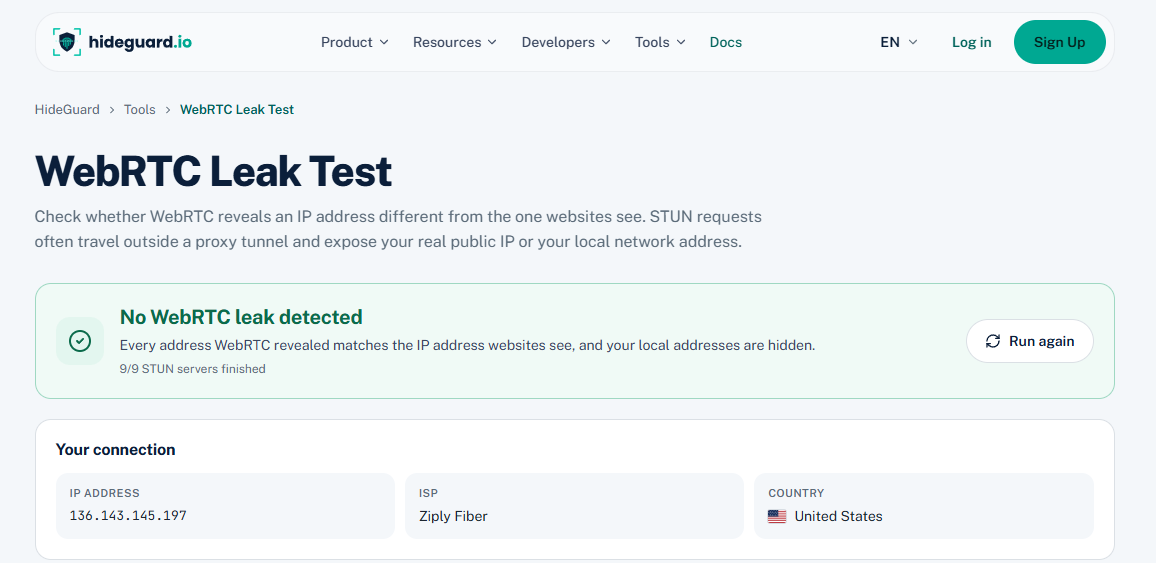
HideGuard’s WebRTC Leak Test page helps identify addresses exposed through test connections. When interpreting the results, distinguish between public IP addresses, local addresses, and mDNS names.
The SOP’s criterion is that the test must not detect a public IP address outside the intended connection route. If anything unusual appears, check the WebRTC configuration and connection route before testing again.
DNS: Check the Resolution Path
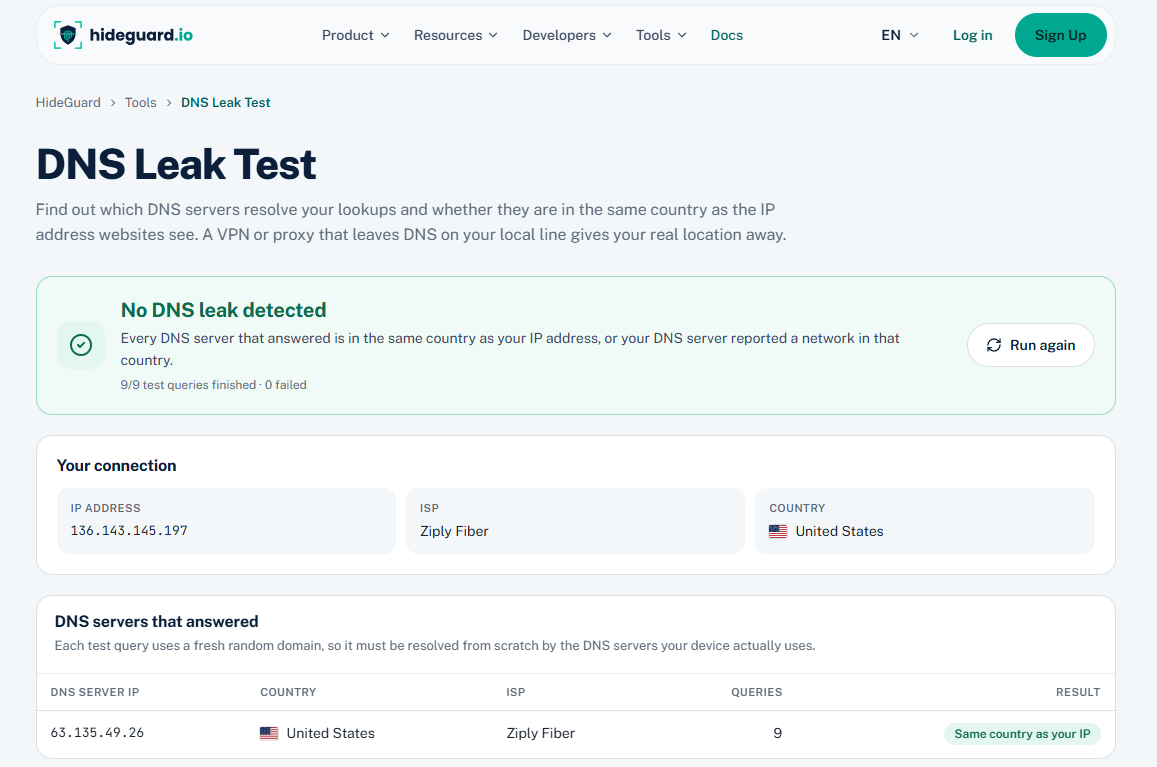
The DNS Leak Test identifies the DNS resolvers handling test queries. A resolver’s address is not the same as the device’s public IP address. HideGuard also notes that public DNS services using anycast may appear to be located in another country.
For this reason, compare the resolver provider and DNS configuration rather than drawing conclusions solely from the country displayed.
reCAPTCHA: Compare Results Against the Internal Target Range
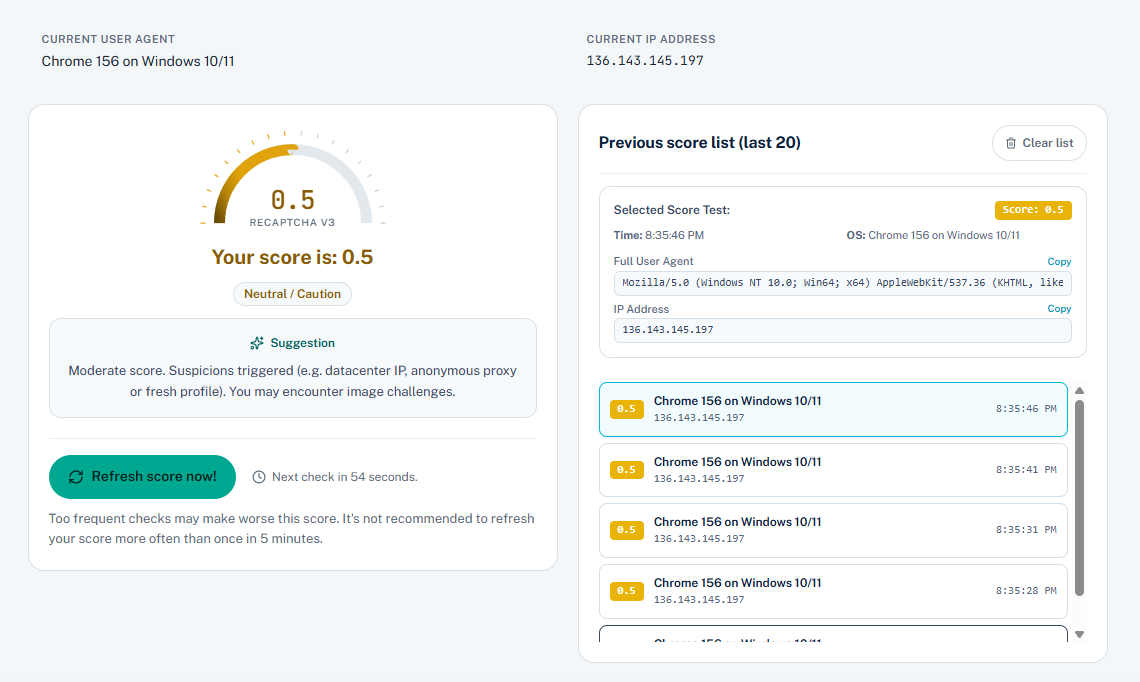
According to the workflow supplied by the person responsible, the target range is 0.7–0.9. Record the result together with the timestamp, profile, and configuration to maintain consistent tracking.
If a result does not meet the criteria or a warning appears, review the IP address and profile settings. A test that returns no data must be recorded as “no result available,” rather than automatically treated as a pass.
Output: A set of validation results captured at the time of testing, including pass status or issues requiring attention.
6. Step 4 — Prepare the Profile with HideAuto
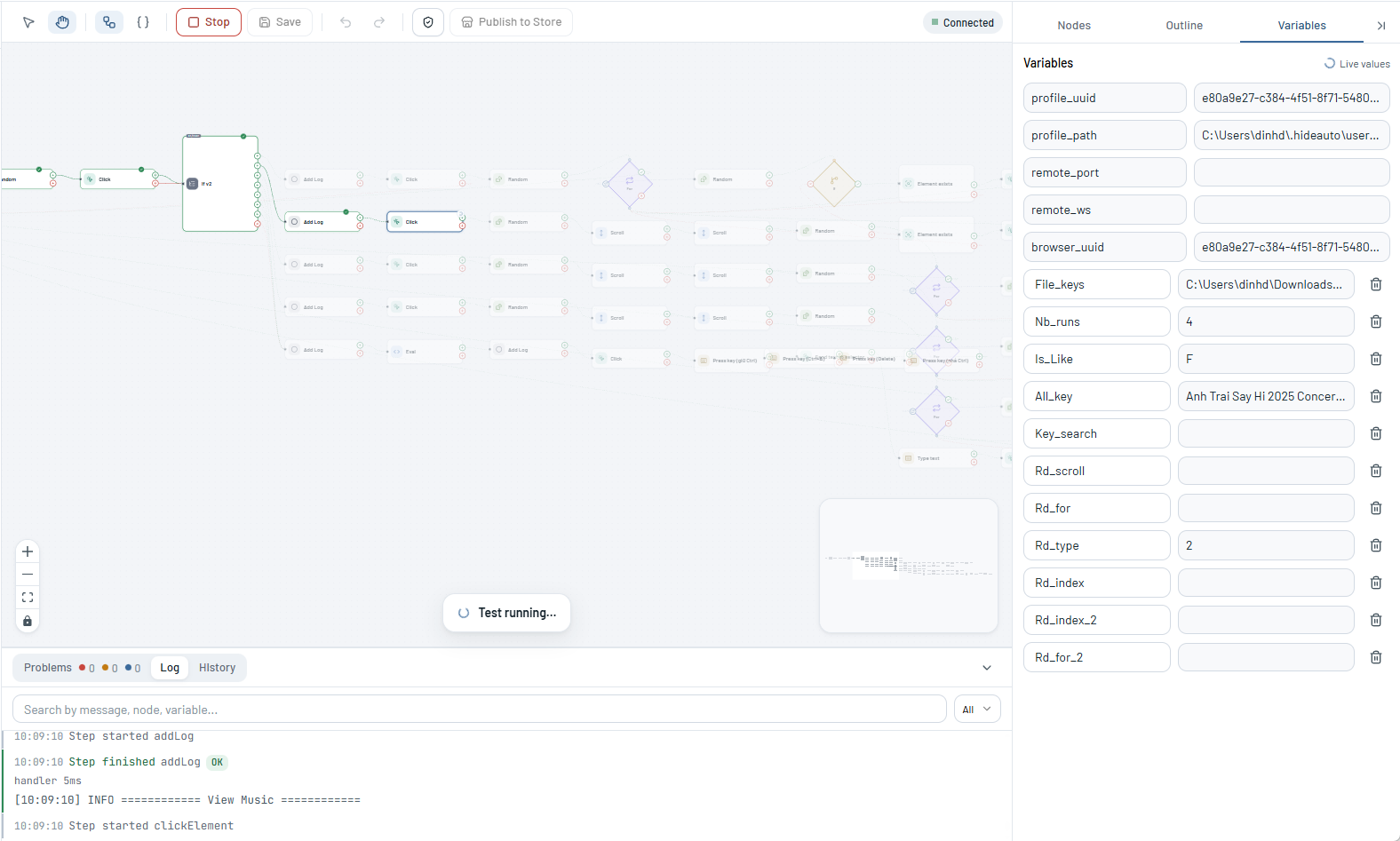
After validation, the SOP moves to an activity preparation stage before the profile enters the main workflow. HideAuto is used to organize repetitive tasks according to internal scripts and record their execution status.
In the workflow supplied by the person responsible, the tracked benchmarks include 2–3 days of preparation and 30–50 cookies. These figures describe how the team organizes its pre-warm-up stage; they should not be interpreted as Google requirements for allowing sign-in.
Monitoring should cover more than elapsed time or cookie counts. It should also assess execution quality:
- Were the tasks completed within the defined scope?
- Was the connection interrupted or changed?
- Did the profile retain its validated configuration?
- Are there any errors that need to be resolved before the account is used?
Output: A profile with an execution history, a clear status, and documented errors.
7. Step 5 — Sign In and Manage Long-Term Activity
Once preparation is complete, register or sign in through Gmail’s standard process. Google may require phone verification during account creation or sign-in, so users should have suitable verification and recovery methods ready.
Maintain Operational Records
Each account should be linked to an assigned owner and a defined working environment. When an issue occurs, record the exact message rather than using the generic term “checkpoint.” Examples include verification requests, expired sessions, verification codes not received, disabled accounts, or an inability to send email.
Monitor Email Sending and Receiving
The SOP’s schedule of 2 → 5 → 15 emails per day is documented as the team’s gradual increase during its testing phase. Any increase in volume should be based on actual communication needs, system feedback, and monitoring results.
Exchanging messages between internal mailboxes can help test mail flow, but it is not enough to conclude that messages sent to external recipients will reach their inboxes. Google publishes separate requirements for email authentication, transmission, and delivery; browser configuration does not replace those factors. [6]
Output: An account with an assigned owner, recovery methods, and operational data for long-term assessment.
8. Checklist for Managing the Entire SOP
| Step | Tool | Requirements for Moving Forward |
|---|---|---|
| IP screening | Hideproxy + HideIP.us | Meets internal IP criteria, with the source and time of testing recorded |
| Profile creation | Hidemium | Working connection, documented configuration, and a clearly assigned owner |
| Validation | HideGuard | Results available for each test; anomalies resolved or explained |
| Preparation | HideAuto | Assigned tasks completed, with logs and status recorded |
| Operation | Hidemium + HideAuto according to the SOP | Sign-in, recovery, and email activity monitored according to actual needs |
The operations team can use this table as a checkpoint when handing profiles over between team members. After changing a proxy, updating the browser, or adjusting the configuration, recheck the affected items.
Build a Trackable Operational Workflow with Hachitech
A well-organized working environment helps the team understand what has been configured, tested, and changed. This provides a foundation for evidence-based troubleshooting as the number of accounts and operators grows.
In this SOP, Hideproxy, HideIP.us, Hidemium, HideGuard, and HideAuto work together across the connection layer and activity management. Start with a clearly defined scope of work, record actual results, and use that data to refine the workflow before scaling up.
Explore Hidemium and Hideproxy to choose a browser environment and connection setup that fit your team’s needs.
9. FAQ — Frequently Asked Questions
Does this SOP guarantee that Gmail will not require phone verification?
The SOP standardizes environment preparation and management. Verification requirements are still determined by Google, and results may vary from one account to another.
Why are both HideIP.us and HideGuard needed?
Under the workflow’s division of responsibilities, HideIP.us screens incoming IP addresses, while HideGuard checks the environment after it has been configured in the browser. Together, these steps help compare the selected connection with its actual output.
Can the same workflow be used for Outlook?
The framework for managing IP addresses, profiles, validation, and logs can be reused. However, verification, recovery, and email-sending procedures must follow Microsoft’s guidance. A reCAPTCHA score does not represent Outlook’s internal assessment.
How should the workflow’s effectiveness be evaluated?
Track environment preparation time, configuration errors, connection incidents, verification requests, and resolution outcomes. Any published improvement claims should be supported by before-and-after data collected under clearly defined, comparable conditions.
.png)
.png)