

Have you ever wondered what makes it possible for you to surf the web, watch movies, send emails, or work online? The answer is your ISP – Internet Service Provider. This article is from Antidetect Browser Hidemium will explain in detail what an ISP is, how it works, the common types of ISPs, the benefits and risks, and how to choose the right provider for your needs.
1. What is ISP? Basic concepts and roles
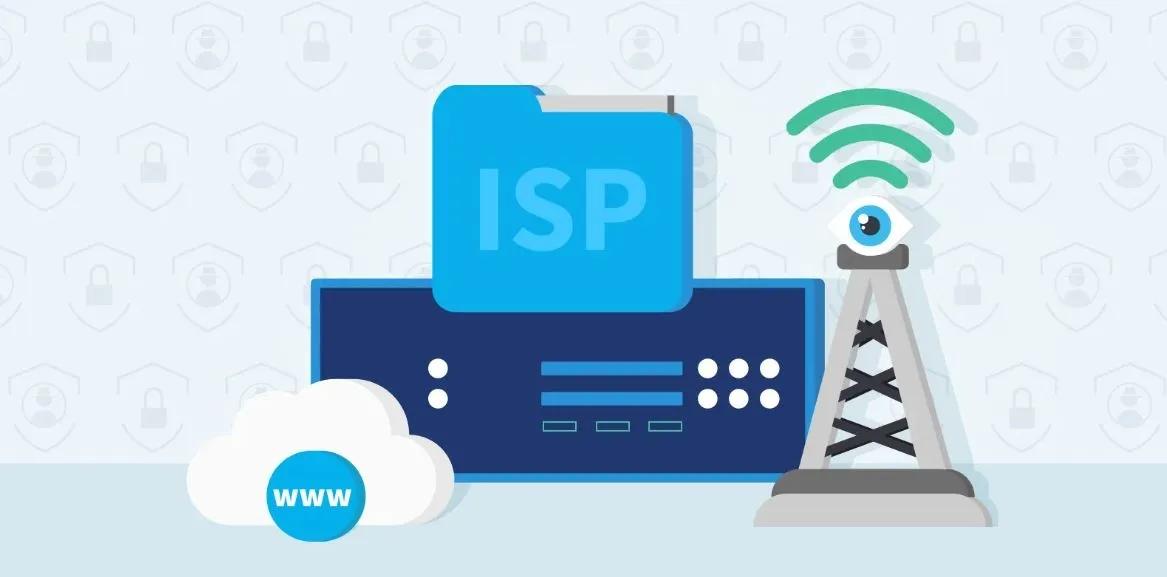
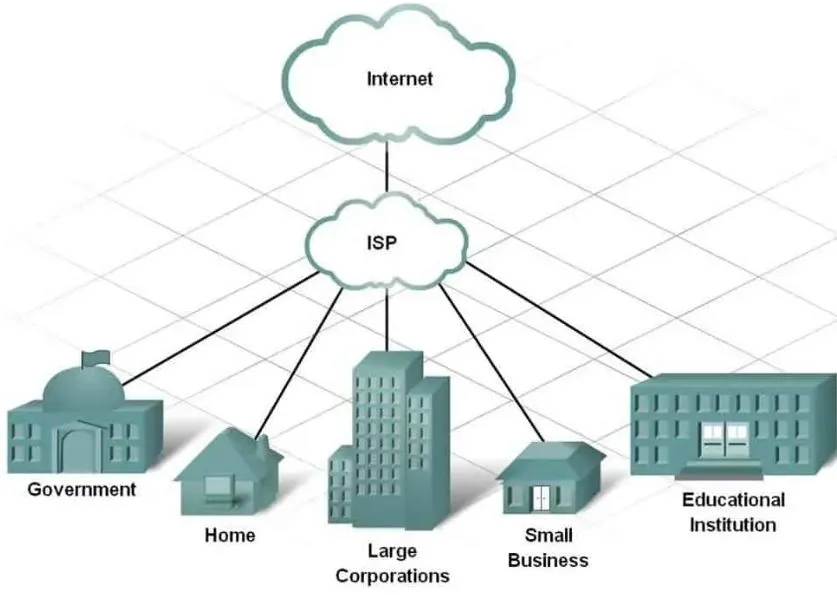
ISP (Internet Service Provider) is a company or organization that provides Internet connection services to individuals, businesses and other organizations. Simply put, ISP is the bridge that helps your devices – computers, phones – access the global Internet.
The role of an ISP is not only to provide connectivity, but also to provide an essential foundation for online learning, remote work, video streaming entertainment, and social networking. For example, when you use Zoom for online meetings, your ISP ensures that data is transmitted reliably between you and your colleagues.
With over 10 years of experience in the field of network technology, we affirm that ISP is an important link that helps connect people with the digital world effectively and sustainably.
>>> Learn more: What is Postman?The leading API testing solution for modern developers
2. Popular types of ISPs today
Currently, there are three most popular types of ISPs on the market: DSL, Cable Internet and Fiber Internet.
DSL:Connects to the Internet via a telephone line, providing download speeds of 5 to 35 Mbps and upload speeds of 1 to 10 Mbps. DSL is suitable for users who live far from access points or who only use the Internet for simple needs such as surfing the web and watching videos on one device.
Cable Internet:Popular for its fast speeds and low latency, with download speeds ranging from 10 to 500 Mbps and upload speeds from 5 to 50 Mbps, suitable for a wide range of usage needs.
Fiber Internet:Also known as optical Internet, it provides superior access speeds, hundreds of times faster than DSL and cable Internet. Fiber Internet is increasingly popular thanks to its ability to accommodate large bandwidths, suitable for applications that require high speed and stability.
>>> Learn more: What is a Port? Role and exact classification
3. How ISP works
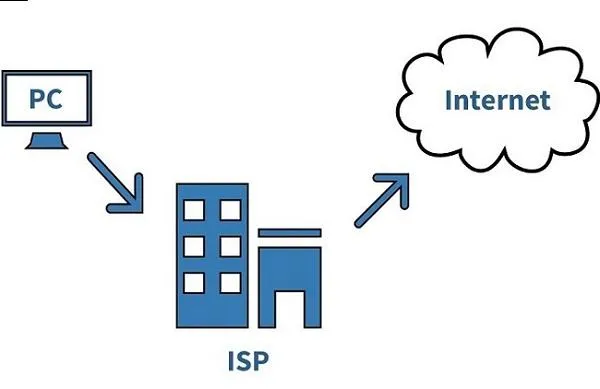
ISP (Internet Service Provider) acts as an intermediary bridge that helps your device connect seamlessly to the Internet. When you send a request to access a website through your modem or router, the ISP receives and forwards the request to a DNS server to translate the domain name (e.g. google.com) into the corresponding IP address. The data is then transmitted through the relay stations to the destination server and the response is sent by the ISP to your device.
To maintain connection speed and stability, ISPs apply QoS (Quality of Service) technology to prioritize important network traffic such as video calls instead of focusing on processing large downloads. For example, when you watch a movie on Netflix, this technology helps video data to be transmitted continuously, minimizing lag if the connection is stable.
4. Services provided by ISP
In addition to providing Internet connection, ISPs also diversify services to meet the needs of users and businesses, including:
Web access:Support users to surf the web quickly on popular platforms such as Google and YouTube.
Email hosting:Provide professional email service with suitable storage capacity.
Web hosting:Allows businesses to host and operate websites directly on ISP servers.
Data transfer (FTP):Support sending and receiving large files quickly and safely.
Social Network Support:Ensure a stable connection when accessing platforms like Facebook and TikTok.
For example, when you sign up for FPT Telecom's Internet package, you can also receive email hosting services - a practical benefit that helps small businesses optimize their business operations.
>>> Learn more: What is NordVPN? Pros and Cons to Know Before Using It
5. Risks associated with ISPs
While ISPs provide many essential benefits, users should also be aware of some potential risks. Some internet service providers may track your online activities to collect personal data and even sell this information to third parties. Additionally, when the network connection is not encrypted, sensitive information is at risk of being stolen or hacked.
To protect yourself, you should use a VPN to encrypt your transmitted data and only access websites with the HTTPS protocol, which helps ensure information security when surfing the web.
Real life example: I once experienced unusually slow internet speeds due to bandwidth limitations from my ISP. After using a VPN, my connection speed improved significantly and became stable again.
>>> Learn more: What is Cloudflare WARP? Benefits and detailed installation method
6. Guide to choosing the right ISP
Choosing the right ISP is not difficult if you clearly define your needs. First, determine the purpose of the internet connection: just basic web surfing or need high speed for gaming, online work? Next, compare packages based on price, speed and accompanying services. Don't forget to refer to user reviews on forums or social networks to have an objective and accurate perspective.
Some suggestions when choosing an ISP: gamers should prioritize using Fiber Internet from carriers such as Viettel or FPT to ensure fast speed and low latency. Small families can choose a basic DSL or fiber optic package from VNPT to save costs. In addition, always read the service contract carefully to avoid unexpected additional fees.
Hopefully, this article has helped you better understand ISPs, the risks you may encounter, and how to choose the right provider. In today's digital age, ISPs play a key role in connecting to the internet, becoming an indispensable part of modern life. Hidemium hopes that you will apply this knowledge to use ISP services safely and effectively.
Related Blogs
Looking for a VPN for China in 2026? Choosing the right service is more complicated than downloading a popular VPN app. China's Great Firewall restricts access to many international websites and can interfere with VPN connections, meaning a service that works elsewhere may struggle on mainland Chinese networks.Free VPNs can be attractive for travelers, students, and remote workers, but they often[…]

Affiliate marketing is currently one of the most popular and sustainable ways to make money online. Whether you are a beginner or a veteran, using the right support tools will help save time, easily manage campaigns and improve conversion efficiency.In this article, Hidemium will introduce 15 top affiliate marketing tools, divided into many groups: tracking & analytics, link management, SEO,[…]
.png)
To log in to X/Twitter Web, open x.com, select “Log in,” and enter your email, phone number, or username and password. If login fails, check your credentials, browser cookies, network connection, and account status before trying another browser or device.For businesses managing multiple legitimate X accounts, separate browser profiles can help keep cookies, sessions, and account environments[…]

Getting your Reddit account banned can be frustrating, especially if you don't know why it happened. Understanding the reasons and how to fix it can help you regain access quickly or safely create a new account. In this article, Hidemium will analyze in detail the common reasons why Reddit accounts get banned, how long the ban lasts, and what to consider when creating a new Reddit account after[…]

Is CapCut Getting Banned in 2026?If you've been searching “is CapCut getting banned” lately, you're definitely not alone. Millions of creators started worrying back in January 2025 when CapCut suddenly disappeared from US app stores overnight. Since then, the concern keeps coming back every few months — and for good reason. Is CapCut Banned in the US Right Now?As of 2026, CapCut is not banned in[…]
Owning and operating a large number of accounts on social media platforms like X (Twitter) or Discord has become essential for those involved in MMO, airdrops, and marketing. However, the biggest challenge users face is that their accounts are frequently suspended or flagged for identity verification when multiple accounts are logged in on the same device.So how can this issue be resolved? The[…]
