

What is Postman? This is a comprehensive platform that supports programmers in building, testing and managing APIs effectively. With an intuitive interface and a powerful toolkit, Postman has become the top choice in software development workflows, especially when working with complex API systems. This article Antidetect Browser Hidemium will help you learn about Postman in detail and how to exploit its full potential.
1. What is Postman? Overview of the leading API testing tool
Postman is a development tool and API (Application Programming Interface)widely used in the programming community. Thanks to the ability to quickly create API requests, check server responses, and manage the entire API lifecycle, Postman helps optimize the software development and testing process. soft.
This tool originated from a personal project of Abhinav Asthanain 2012, when it was just an extension for the Chrome browser. However, thanks to theWith strong development and increasing demand from programmers, Postman has quickly become a standalone application, supporting multiple platforms (Windows, macOS, Linux) and trusted by millions of developers worldwide.
In the next section,Antidetect Browser Hidemiumwill go deep with you into the outstanding features ofa Postman tool, helping you maximize your potential inefficient API development and API testing.

>>> Learn more: What is a Port? Role and exact classification
2. Outstanding features of Postman
What is Postman? Postman is an indispensable tool for programmers and testers to interact, test and manage APIs effectively. Below are the outstanding features that make Postman a comprehensive solution in software development:
2.1. Flexible API request creation and management
Postman allows users to easily create and send API requests with all popular HTTP methods such as GET, POST, PUT, DELETE,... Main operations include:
Customize URLs, headers, and request parameters in detail.
Select the data format for the request body: raw, form-data, x-www-form-urlencoded, binary,...
Store and organize requests into Collections for easy reuse.
For example, when you want to make a POST request to create a new post via API, just enter the endpoint URL, select the POST method, fill in the body information and send the request. The response from the server will be displayed directly in the Postman interface, making it easy for you to check the correctness of the API.
2.2. Automated testing and efficient debugging support
One of Postman’s great strengths is its ability to automate API testing through writing test scripts. You can check response data, HTTP status codes, and implement advanced testing logic. In addition, Postman also supports pre-request scripts – code snippets that run before sending a request, helping to set up dynamic environments or generate authentication tokens.
For example, you can write a script that generates a JWT token and attaches it directly to the header before sending a request to the server.
Using a combination of test scripts and pre-request scripts helps to detect errors accurately, shorten processing time, and ensure API stability. All test results are displayed visually in the interface, helping you quickly evaluate the performance and reliability of the API.
2.3. Manage environments and variables intelligently
Postman allows you to create and manage multiple environments such as development, staging, and production. Each environment can contain its own variables to support testing and reuse values across multiple requests.
For example, if your API uses different URLs depending on the environment, you could declare the "url" variable like this:
Development: {{url}} = https://api.dev.example.com
Production: {{url}} = https://api.example.com
When switching environments, Postman automatically replaces the corresponding variable values in every request, saving time and ensuring accuracy during multi-environment API testing.
>>> Learn more: What is Port 443? Its role and usage in internet security
3. Basic instructions for installing and using Postman
Once you understand what Postman is, you can start exploring how to install and use this tool effectively through the detailed guide below from Hidemium.
3.1. Postman installation instructions
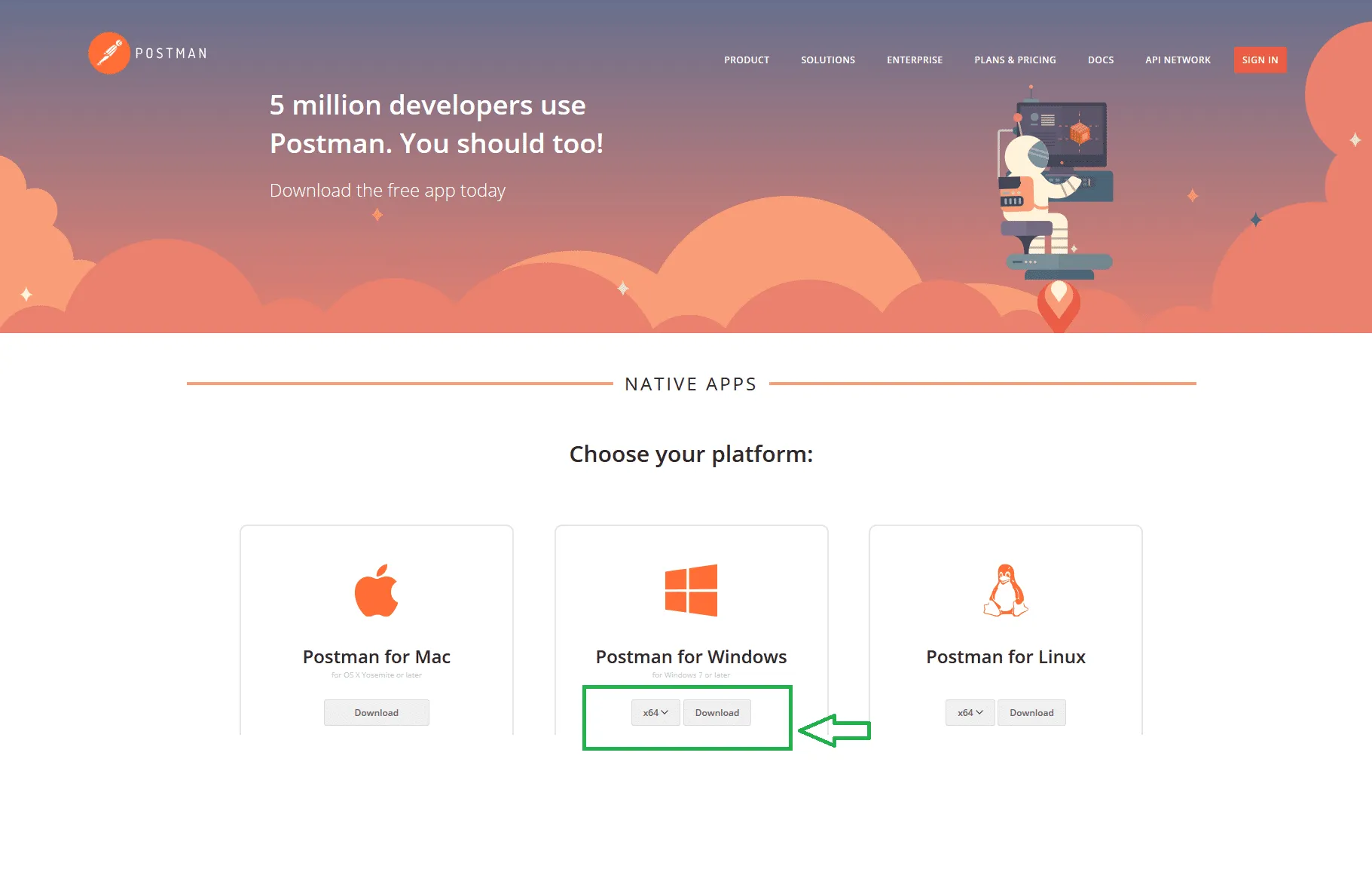
To use Postman, you first need to download and install this software on your computer. Postman currently supports most popular operating systems including:
Windows
macOS
Linux
Visit the official Postman page at https://www.postman.com/, select the version that matches your operating system and follow the instructions to complete the installation process. Once installed, you can log in with your Postman account or use it directly without an account.
3.2. Create your first API request on Postman
Once you have opened the Postman app, you can make your first API request by following these steps:
Step 1:Select the appropriate HTTP method (GET, POST, PUT, DELETE,...) from the drop-down list to the left of the URL input field.
Step 2:Enter the API endpoint path in the URL field.
Step 3:If needed, add parameters in the “Params” tab, request headers in “Headers”, and data content in the “Body” tab.
Step 4:Click the “Send” button to send the request to the server.
Step 5:Monitor server responses under “Response”, including HTTP status code, response time, size, and returned data.
3.3. Managing Collections and Workspaces in Postman
Postman provides powerful tools to help you manage API requests scientifically and effectively. Collections is a feature that allows you to group related requests into the same set.
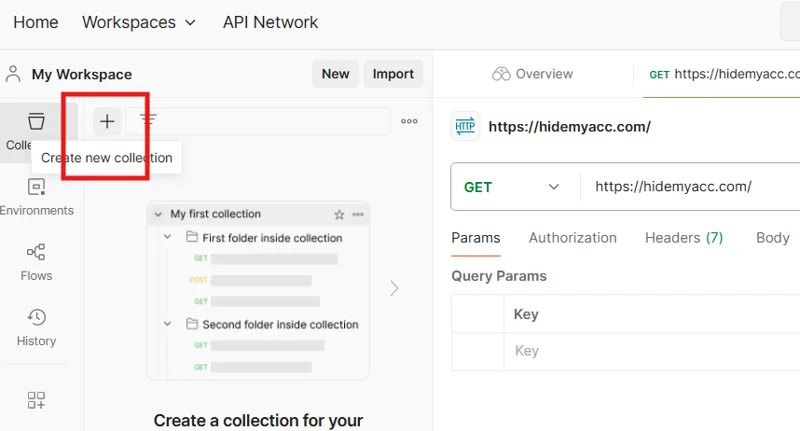
To create a new Collection, do the following:
Click the “New Collection” button in the left sidebar
Name the Collection, then click “Create”
Drag and drop related requests into the created Collection
Additionally, Workspaces in Postman allow you to collaborate more efficiently. You can create shared Workspaces to share Collections, configure environments, and collaborate on API projects in a synchronized and flexible way.
4. Advantages and disadvantages of Postman
4.1. Advantages
Postman has a friendly, intuitive and easy-to-use user interface, suitable for both beginners and experts in the field of software development. The application supports multiple platforms, allowing flexible installation and use on popular operating systems such as Windows, macOS and Linux. In addition, Postman is also highly appreciated for its large and active user community sharing experiences and resources. The ability to deeply integrate with other software development tools and services such as Git, Jenkins, or CI/CD systems helps optimize the API testing and deployment process.
4.2. Disadvantages
Despite its power, the free version of Postman still has certain limitations, especially the limitation on advanced features such as the number of concurrent requests or the ability to run tests in parallel. When dealing with large-scale projects, containing many requests and complex environments, the performance of the tool may be affected. In addition, to effectively use Postman, users need to equip themselves with basic knowledge of API, HTTP protocol as well as technical concepts related to software testing and development.
5. Practical applications of Postman
5.1. Postman in software testing
Postman is an indispensable tool in the API testing process of modern software development projects. Thanks to features such as Postman Collections and the Newman command line tool, users can easily automate API testing scenarios, helping to reduce errors and increase work efficiency.
In addition, Postman supports automatic testing of response data, HTTP status codes, and test report generation, helping development teams ensure comprehensive API quality. Integrating Postman into the software testing process not only saves time but also improves system stability and reliability.
5.2. Postman in software development
During the development phase, Postman helps developers test, interact with, and debug APIs in a visual and efficient way. In particular, with the ability to automatically generate API documentation, Postman helps share information among team members more transparently and accurately.
For example, when building a web application with a microservices architecture, Postman allows you to easily send requests between services, test compatibility, and ensure the API works as designed. This is a huge advantage in developing software quickly, efficiently, and on schedule.
Not only that, Postman also supports CI/CD processes, organizes flexible working environments, and writes automated tests, helping to optimize the entire software development cycle.
Postman has established itself as one of the most powerful and easy-to-use API tools available today. If you are looking for a comprehensive solution for efficient API testing and development, try Postman today.
Through the article sharing about “What is Postman?” from Hidemium, we hope you have a more comprehensive view of the practical applications of this tool. Take advantage of Postman to speed up your workflow, improve programming efficiency and be ready to face any challenges in the volatile API world.
Related Blogs

LinkedIn Premium offers a variety of plans to suit every professional's needs. In this article, you'll learn how to get LinkedIn Premium for free completely, along with a list of outstanding offers in 2025.Whether you're looking for a job, generating leads, growing your business, or recruiting top talent, LinkedIn Premium is the tool to help. Plus, Hidemiumalso share one New alternatives in 2025,[…]

The GoLogin antidetect browser is a long-standing and reputable option, outstanding with the ability to protect personal identity and enhance privacy when accessing the Internet. Thanks to the ability maintain anonymity, GoLogin is trusted by the MMO community and professional users for secure multi-account management.However, in the context of 2026 with the appearance of many competitors[…]

What Is an ISP Proxy? And How to Use It Safely for Multi-Account ManagementManaging multiple accounts today isn’t just about creating more profiles—it’s about staying undetected.Whether you're running stores on Amazon, scaling TikTok accounts, or doing affiliate marketing, your setup is only as strong as your proxy—especially when using an antidetect browser.One wrong IP choice can lead to[…]

What is WebGL fingerprinting?WebGL fingerprinting is a browser fingerprinting technique that uses WebGL graphics rendering to collect signals about your GPU, graphics driver, browser, operating system, and rendering behavior. Websites can use these signals to help recognize a browser or evaluate whether a browser environment looks consistent and natural.WebGL stands for Web Graphics Library. It[…]

In the fiercely competitive landscape of SEO, managing time-consuming and labor-intensive manual tasks is a major hurdle for many professionals.API Automation Offers a powerful solution that helps you simplify your processes and SEO optimization effectively. In this article Antidetect Browser Hidemium will help you implement APIs step by step to automate everything, freeing up resources and[…]

In the digital age, online user tracking has become commonplace, conducted for both positive and negative reasons. According to a report by Ghostery—a renowned provider of free software—over 79% of websites with unique domains use tracking tools to gather user data. Among these methods, canvas fingerprinting has emerged as a popular and effective technique. This article by Hidemium will help you[…]
