

The GoLogin antidetect browser is a long-standing and reputable option, outstanding with the ability to protect personal identity and enhance privacy when accessing the Internet. Thanks to the ability maintain anonymity, GoLogin is trusted by the MMO community and professional users for secure multi-account management.
However, in the context of 2026 with the appearance of many competitors possessing advanced technology, reasonable prices and easier-to-use interfaces, will GoLogin Is it still a choice worth investing in? Let's go together Hidemium Detailed review in the article below.

GoLogin is an antidetect browser that creates isolated browser profiles with separate fingerprints, cookies, proxies, and device settings. It is commonly used for multi-account management, advertising, e-commerce, web testing, and privacy-focused browsing.
1. What Is GoLogin and How Does It Work?
GoLogin is user support software digital anonymity through customization and control browser fingerprint – a set of device identifiers that websites often use to track visitors.
GoLogin allows you to create and manage a series of independent browser profiles, helping you operate multiple accounts on the same device without being detected, minimizing the risk of account lockout.
GoLogin is mainly used by:
- Digital marketers managing separate browser environments
- E-commerce teams working with multiple stores
- Advertising teams managing campaigns
- Affiliate marketers and MMO users
- Developers and QA teams testing websites
- Users who need separate browser profiles for privacy
When you access the Internet, your device leaves a digital trace through many factors such as:
Operating system
Browser and browser version
Screen resolution
Active extensions (plugins).
IP address and geographical location
Time zone and system time...
Even if you use a VPN, turn on incognito mode or delete cookies, websites can still identify you through this information.
That's why, GoLogin become an effective tool in work emulate and hide browser fingerprints, helping users increase privacy and minimize the risk of being traced or locked when operating multiple online accounts.
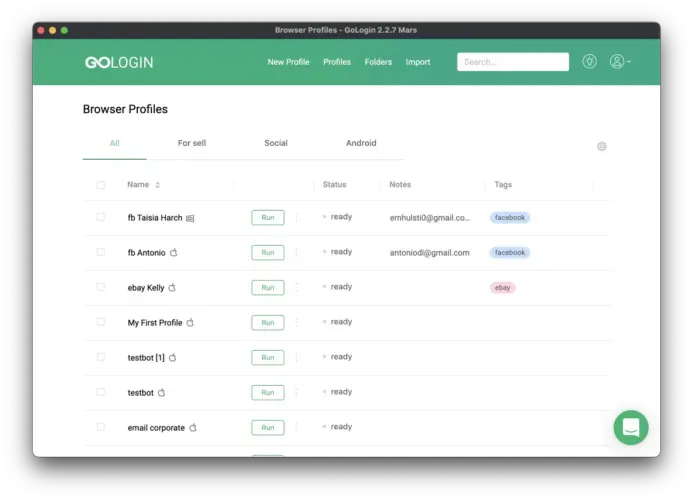
👉 Discover more outstanding Antidetect browsers here:
MULTILOGIN REVIEW - ANTIDETECT BROWSER Worth the investment for MMO players
Review of Hidemyacc - Popular Antidetect browser software in Vietnam
2. What Is the GoLogin Browser Used For?
Compared to browsers that support multiple account logins today, GoLogin Web Stands out thanks to its intuitive, easy-to-use interface and high compatibility with a variety of account platforms. This is a tool trusted by many businesses and individuals when they need to effectively manage online activities across multiple profiles without encountering technical barriers.
The GoLogin browser is commonly used for:
- Multi-account management
- E-commerce
- Affiliate marketing
- Advertising
- Web testing
- Data collection/scraping where permitted
- Privacy-focused browsing
3. GoLogin Review 2026: Pros & Best Use Cases
Establish GoLogin Free or use GoLogin Offline brings many practical benefits to users, especially those in need information security and anonymous when accessing the Internet. Below are notable strengths:
3.1 Advanced security – Prevent tracking and censorship
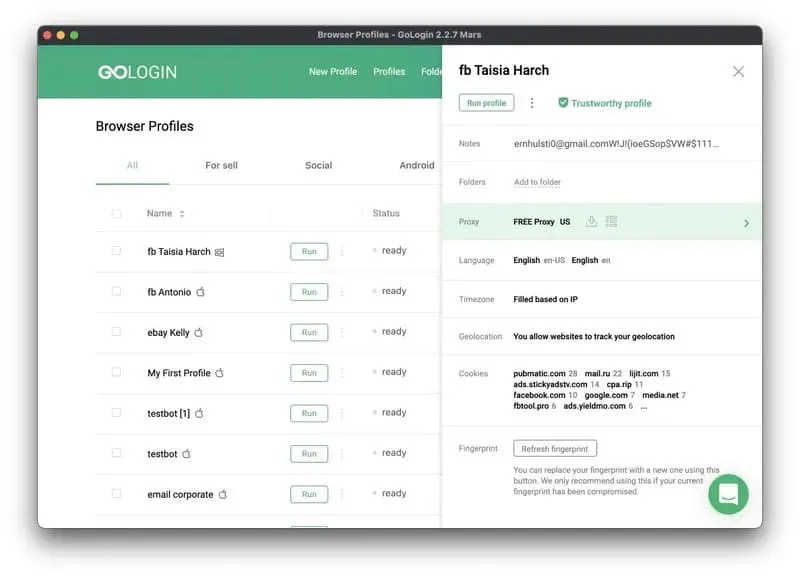
GoLogin allows creating multiple browser profiles with different fingerprint parameters. Thanks to that, websites cannot identify that you are using the same device to log in to multiple accounts. This helps minimize the risk of being tracked, ensuring personal data is always safe.
3.2 Access restricted content – Surf the web privately
Thanks to the built-in feature proxy For each profile, GoLogin helps change the IP address dynamically. Users can easily Access restricted content by region, maintain Fast page loading speed and low latency, even when operating on multiple accounts at the same time.
3.3 Customize browser fingerprint - Personalize each profile
GoLogin supports pre-setting basic configurations such as operating system, language, screen resolution, etc. At the same time, users can customize browser fingerprints to create each completely different profile. However, some limitations still exist such as not supporting iOS or not allowing you to choose a specific operating system version.
3.4 Free trial – Experience without strings attached
As soon as you register an account, you can start with a GoLogin free trial and then continue on a free or paid plan, depending on how many profiles you need. Trial length and profile limits can change over time, so check GoLogin’s official website for the current terms.
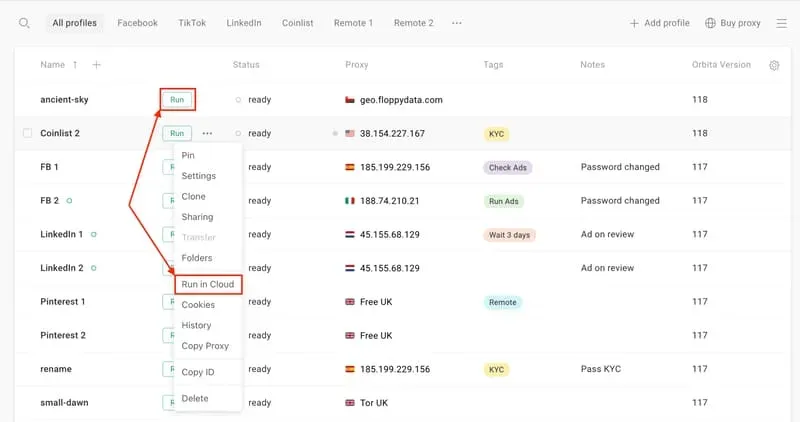
3.5 How Much Does GoLogin Cost?
GoLogin offers free/trial and paid plans with different profile and team limits. Because pricing and plan limits can change, check the official GoLogin pricing page for the latest information. You can also review plan details on the GoLogin official website.
>>> Learn more: Best Antidetect Browser: Top choice for managing multiple accounts
4. What Are GoLogin’s Main Cons?
In spite of GoLogin is one of the outstanding browsers in Anonymity and multi-account management, but some still exist Noteworthy limitations when used. These negative points can affect user experience and work efficiency, especially for those who require high flexibility and automation technology.
4.1 Lack of automation integration
GoLogin doesn't offer built-in automation tools like some Antidetect Browser other. Users are forced to use APIs or third-party tools for automatic operations - this makes it difficult for those without programming knowledge.
4.2 Not yet supported on iOS
Currently, GoLogin only supports the Android operating system. The lack of ability to create and use profiles on iOS is a major drawback, reducing flexibility for Apple device users.
4.3 Unfriendly user interface
Although GoLogin provides quite complete documentation, the overall interface still lacks intuitiveness and modernity, making it difficult for new users to get used to.
4.4 Profile conversion is limited
GoLogin only supports importing records from the browser Dolphin Anty, causing inconvenience for users using other platforms such as Hidemium or Incogniton, reducing the ability to switch flexibly between tools.
4.5 Low quality free proxy
The free proxies that come with GoLogin are often fingerprinted quickly by the system. This directly affects the ability to remain anonymous, while browsers such as Hidemium provides higher quality, more stable and less detectable proxies.
4.6 Not suitable for individual users
GoLogin is aimed at large-scale businesses. The basic plan requires a minimum of 100 profiles, while premium plans start at 2,000 profiles – making the service inaccessible to individual users or small groups.
4.7 Customer support is slow
GoLogin only has two main support channels and often responds slowly, especially in situations that require urgent handling, affecting the user's work progress.
4.8 Negative reviews on reputable platforms
GoLogin has received both positive and negative feedback on third-party review platforms such as Trustpilot. Check recent reviews before making a purchase decision.
Although it was once the top choice in the field of anonymous browsing, GoLogin is now gradually facing fierce competition from new alternative tools such as Hidemium – stands out with a modern interface, reasonable price, AI integration to support automation of creating high-quality Scripts and proxies. This is why many users are considering switching to more flexible and efficient solutions.
Overall, GoLogin offers useful browser-profile and fingerprint-management features, but users should compare its pricing, automation options, platform support, and user experience with other GoLogin alternatives before choosing a plan.
5. How to Download and Install GoLogin
5.1 How to Download GoLogin
Step 1: Visit the official website Gologin.com, select the button “Download” corresponding to your operating system (Windows, macOS, Linux...).
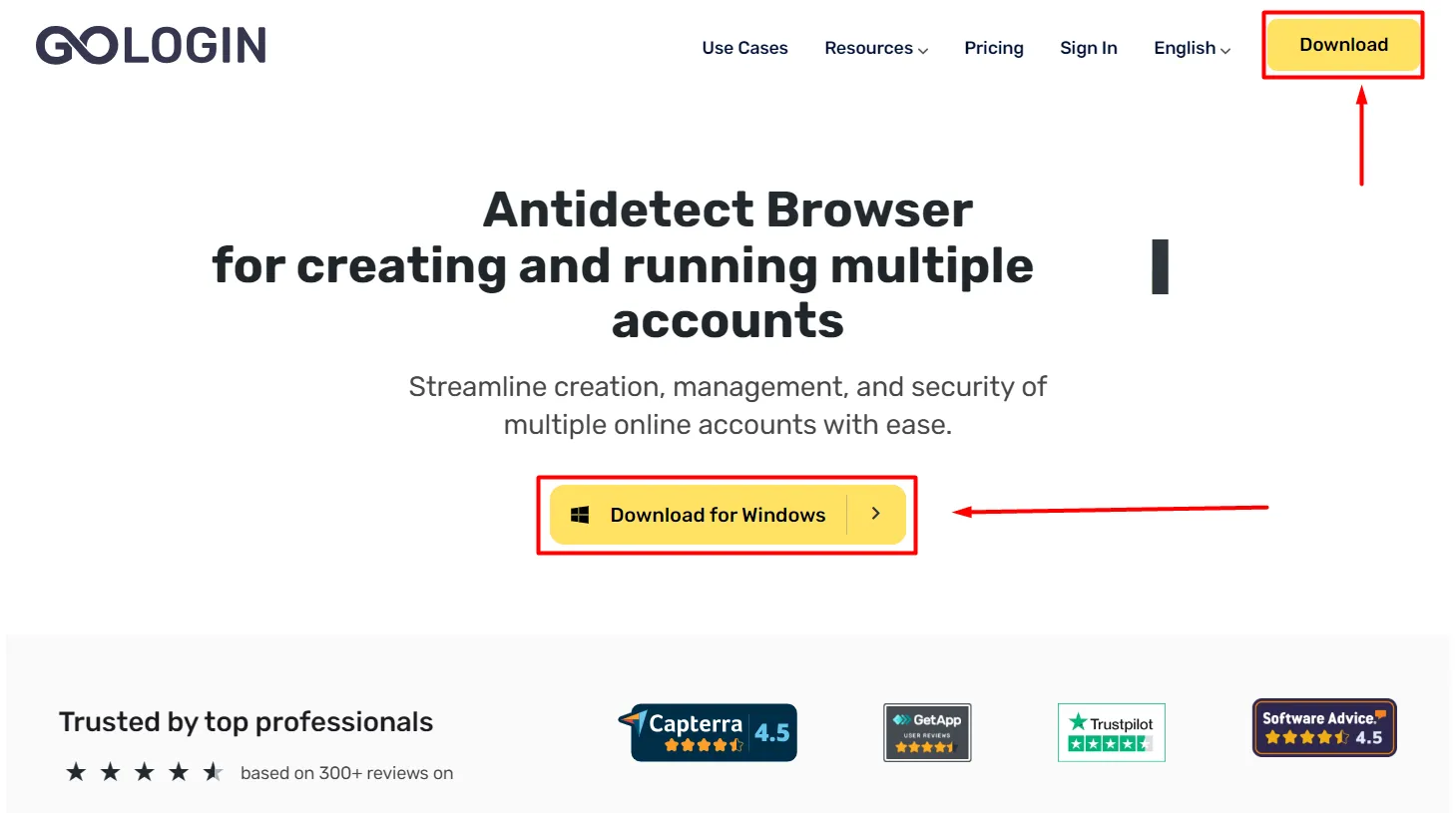
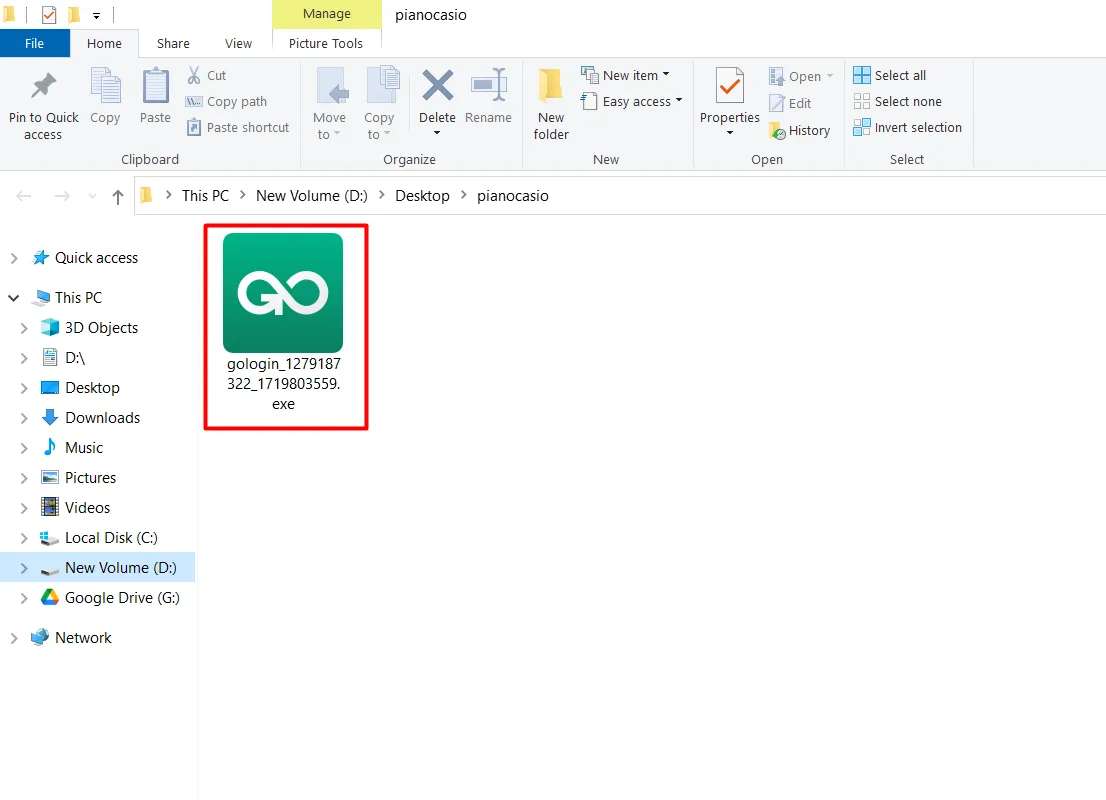
Step 2: Installation file gologin.exe will be downloaded automatically. Once downloaded, double-click to launch the file and begin the installation process.
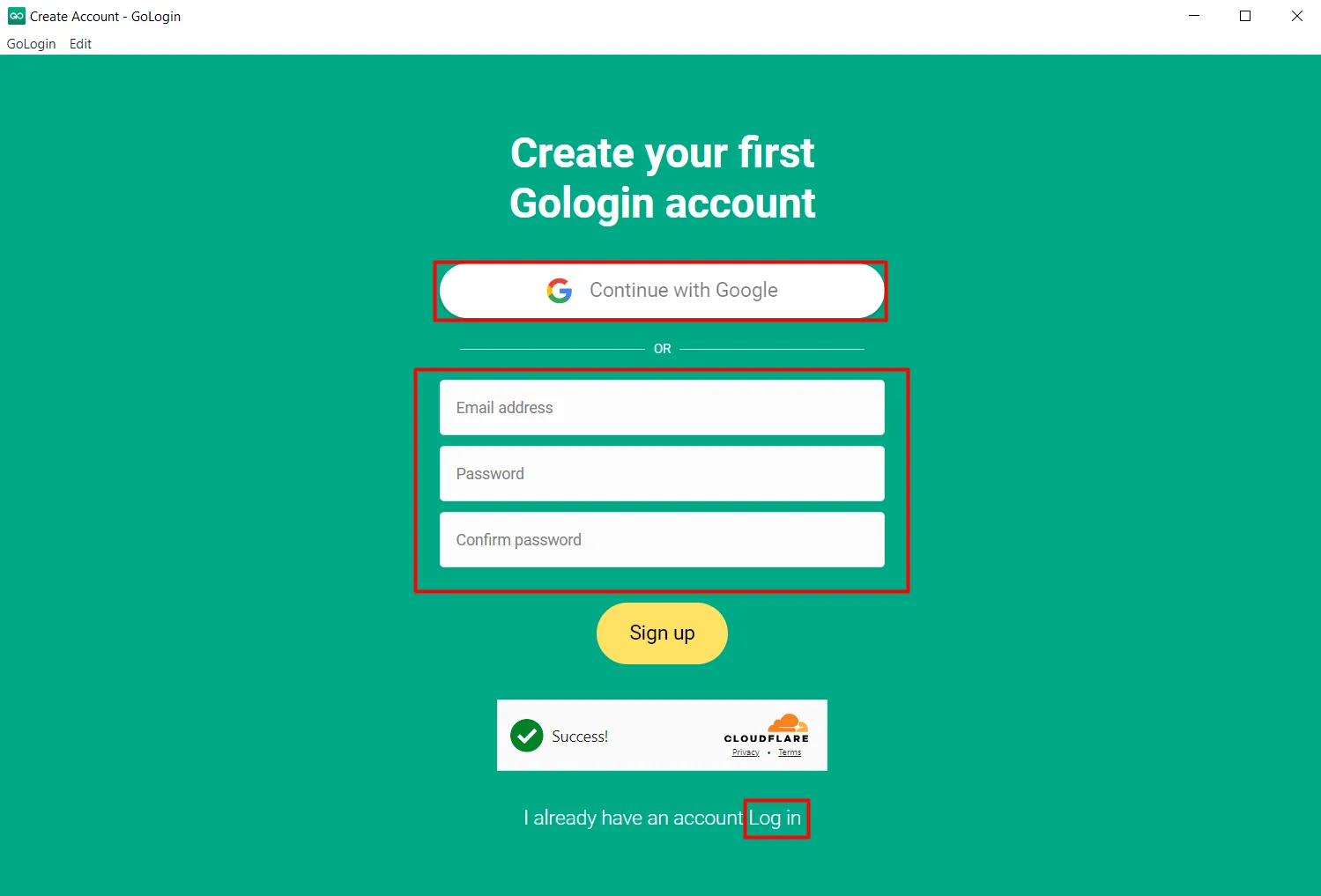
Step 3: The login window appears with three options:
Sign in with your Google account,
Register a new account,
Or log in with an existing account.
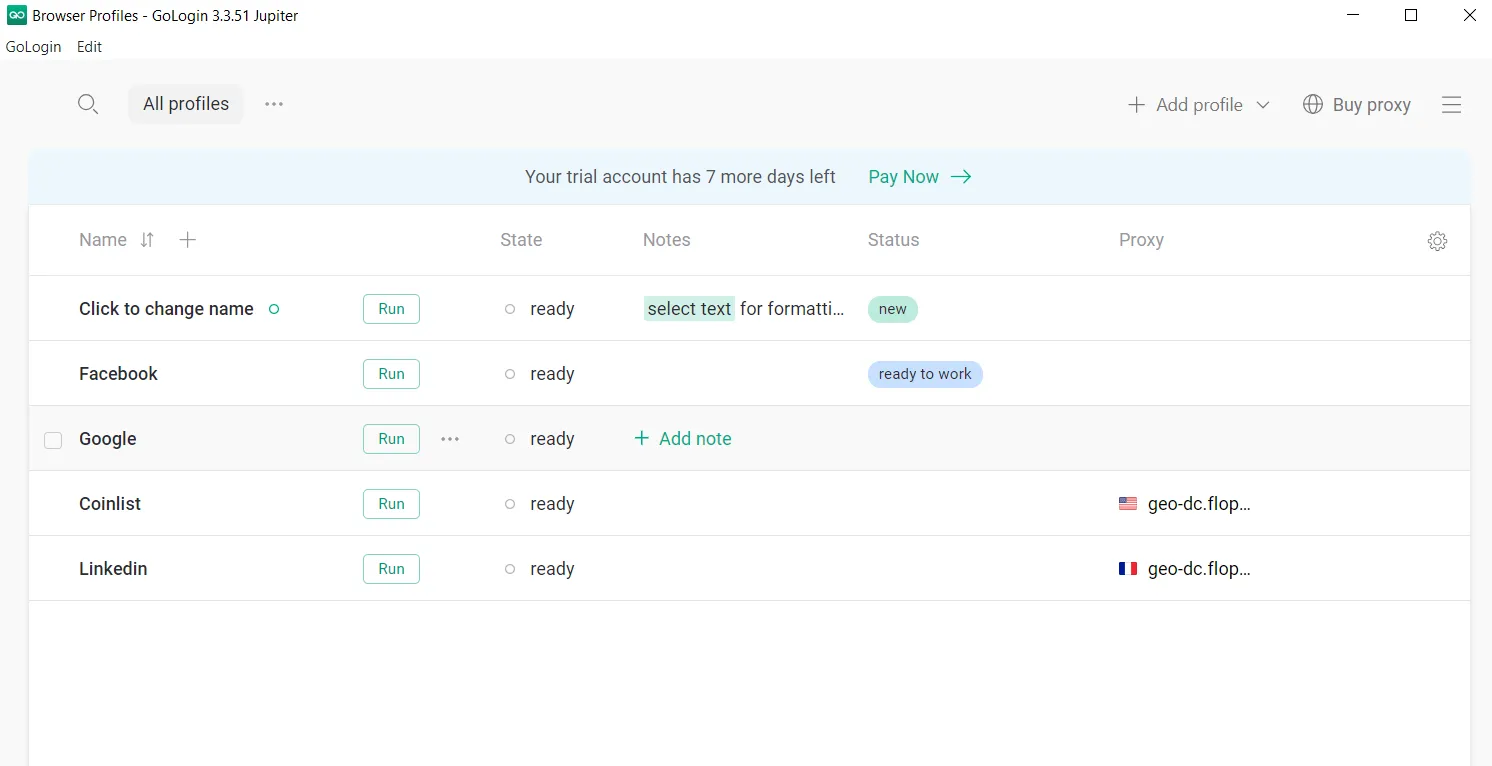
Step 4: After successfully logging in, you will be taken to GoLogin's main interface. The installation is complete and you can start using the software.
5.2 How to Create a GoLogin Browser Profile
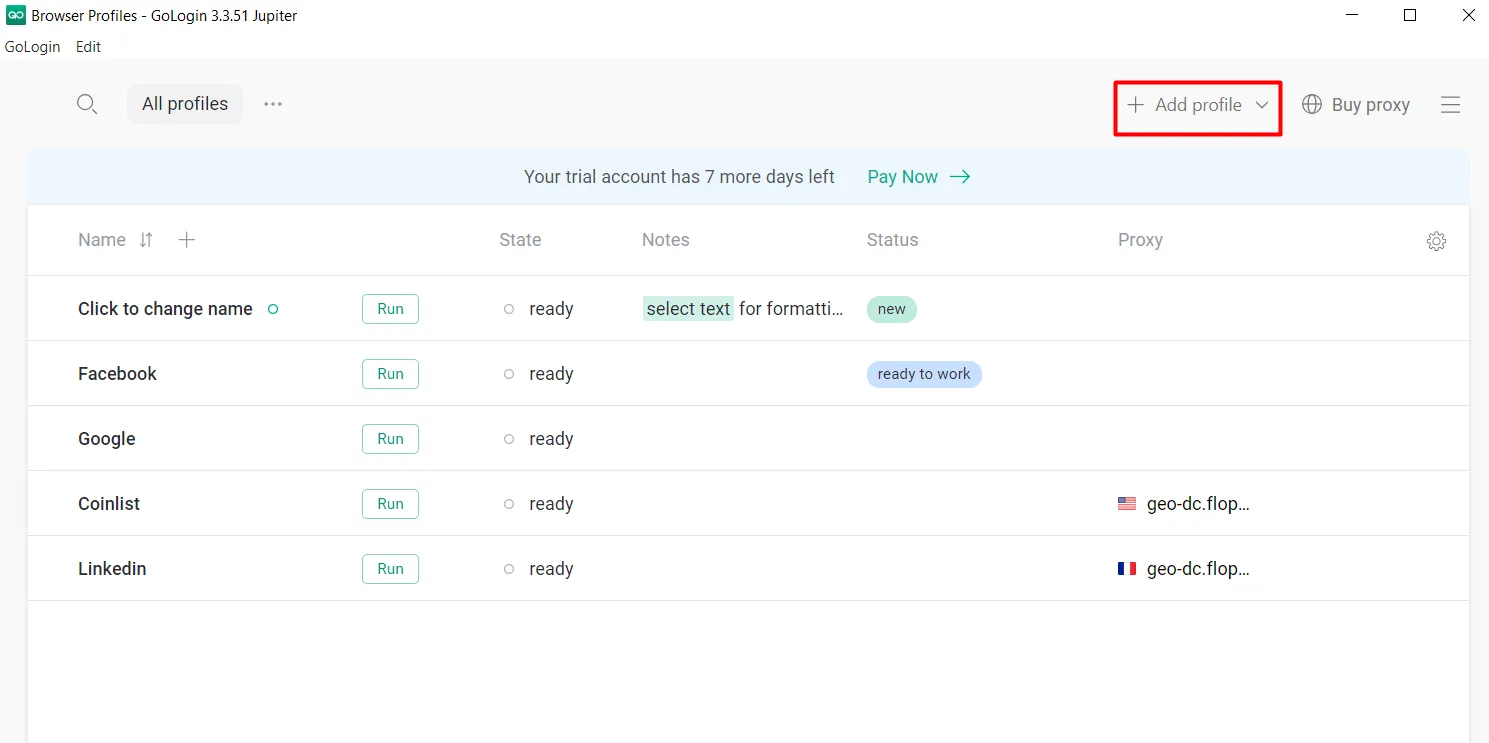
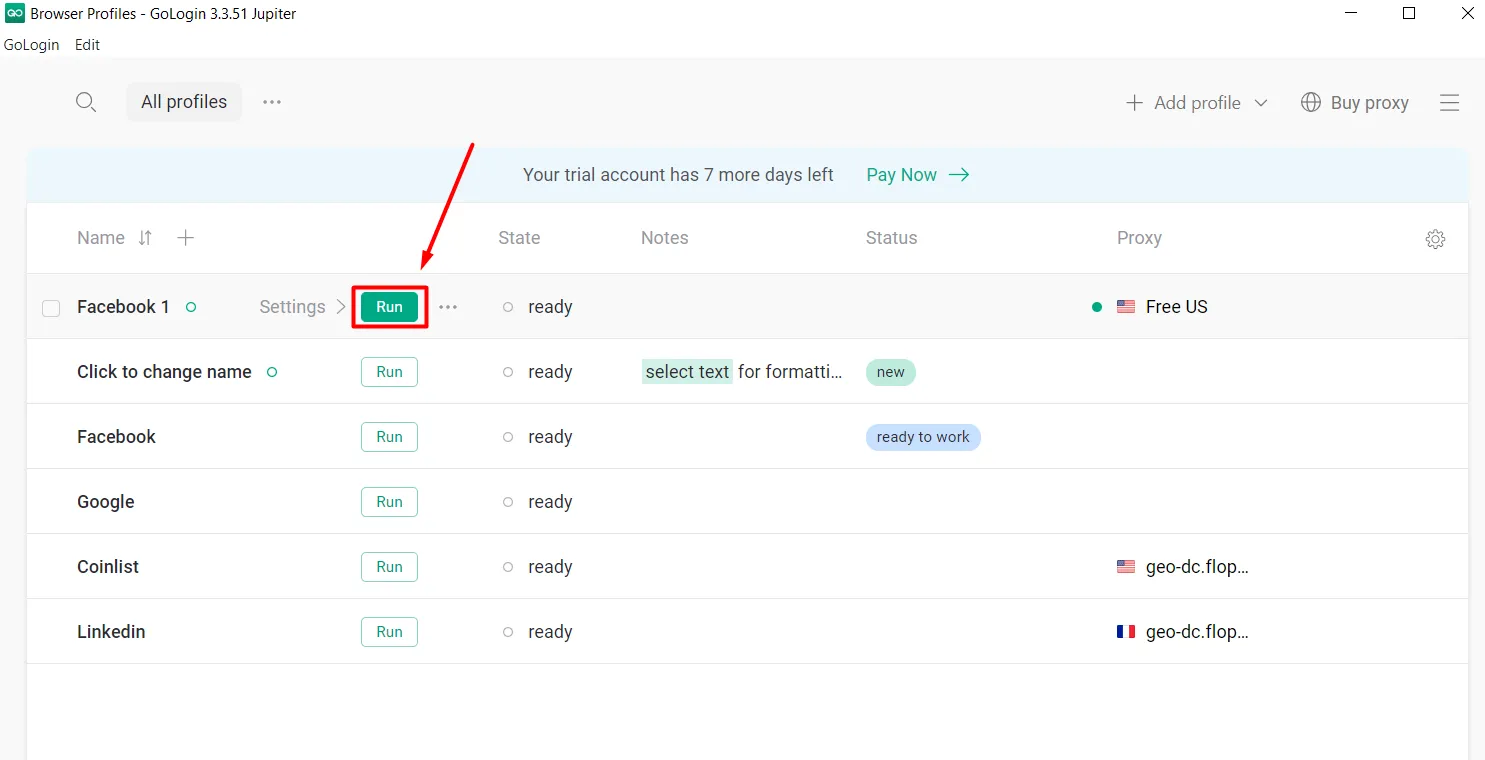
Step 1: At the home screen, tap the button “Add Profile” to create a new profile.
Step 2: Enter the profile name and customize parameters such as: Proxy, simulated operating system (Platform), language (Languages), simulated browser (User Agent)...
You can also choose “New fingerprint” Let GoLogin automatically randomly generate suitable specifications.
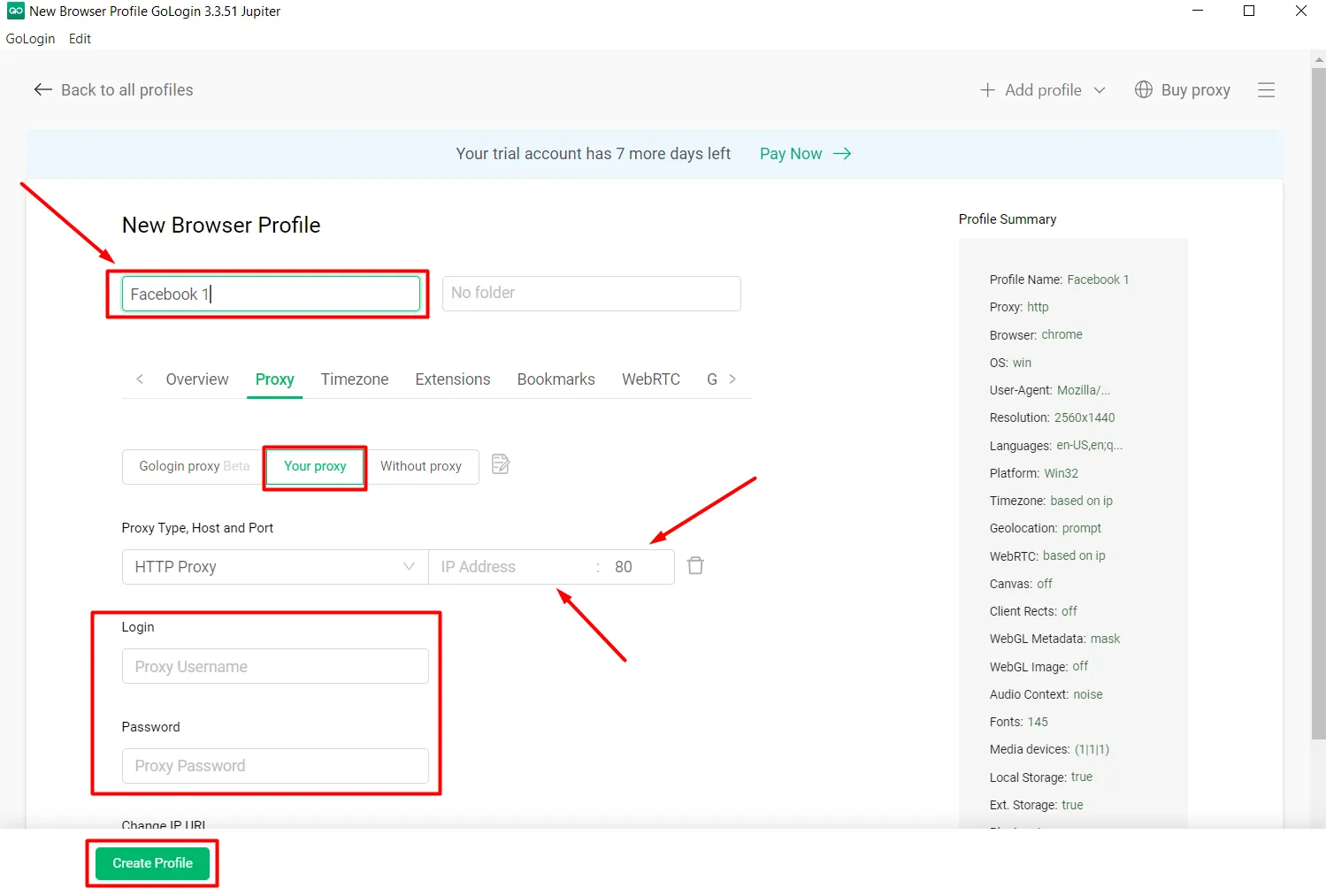
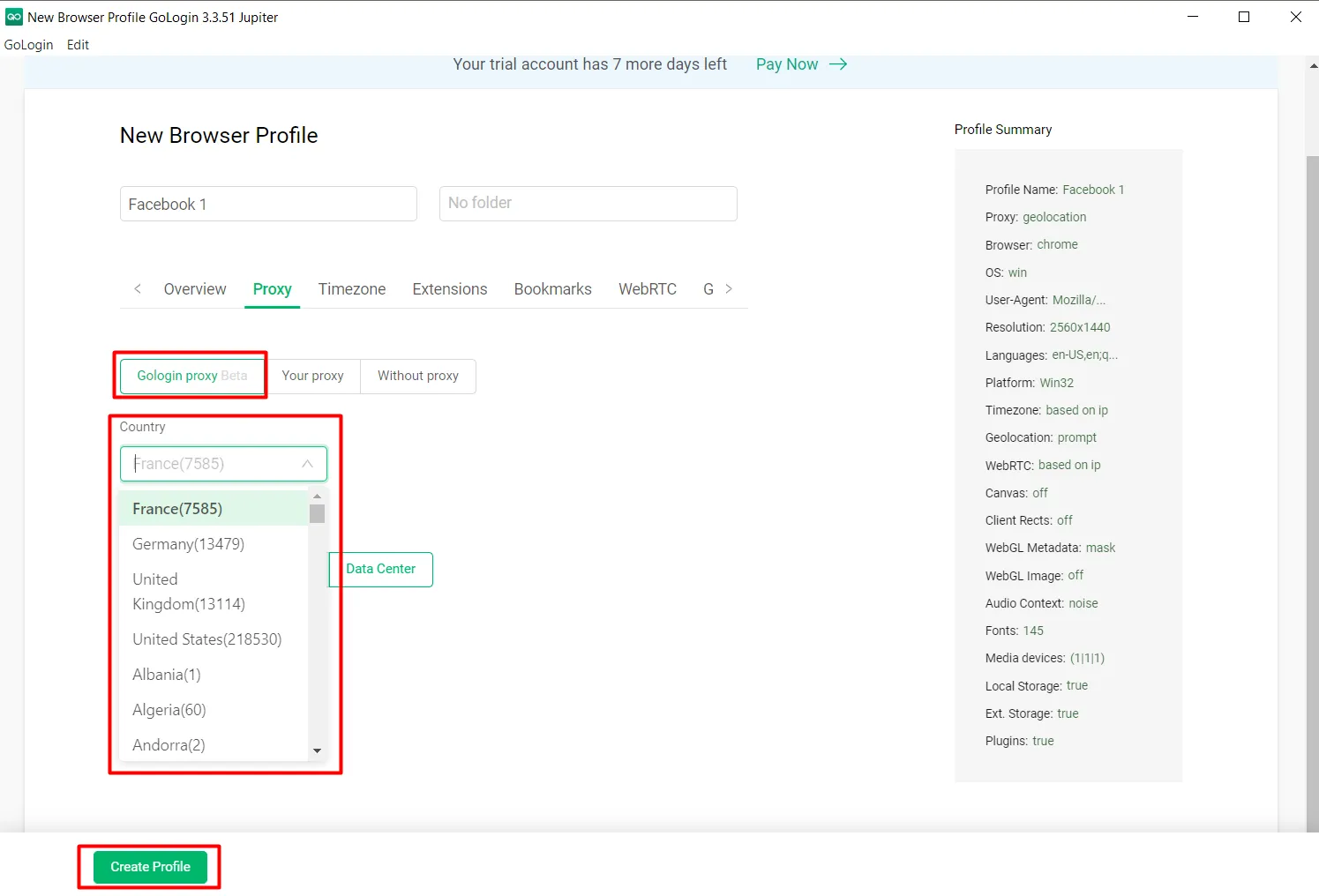
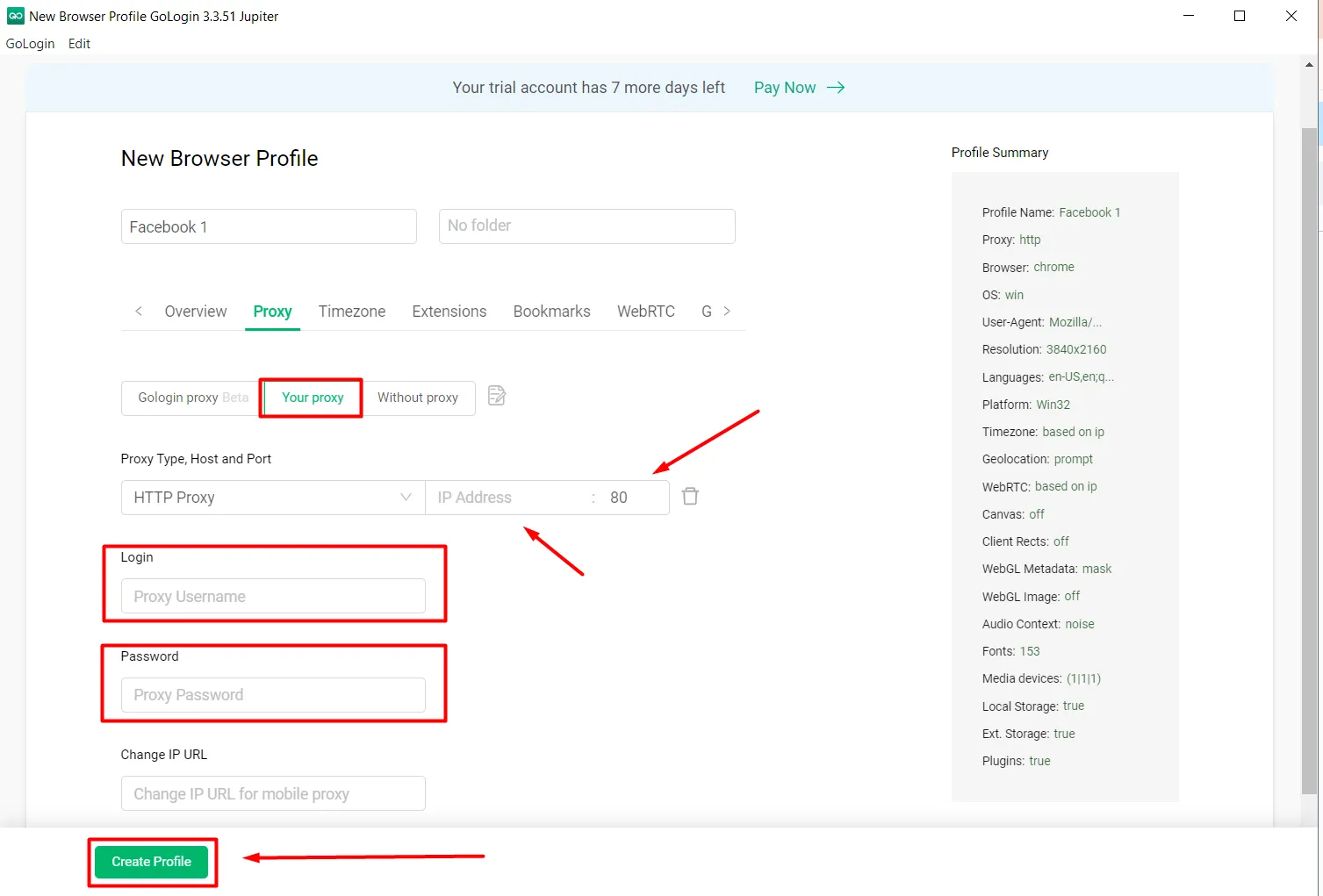
Step 3: Set up a Proxy connection using one of three options:
Use proxies available from GoLogin,
Configure your personal proxy yourself: Enter full Proxy address, port, username and password,
Do not use proxies: The profile will use the real IP address from your device.
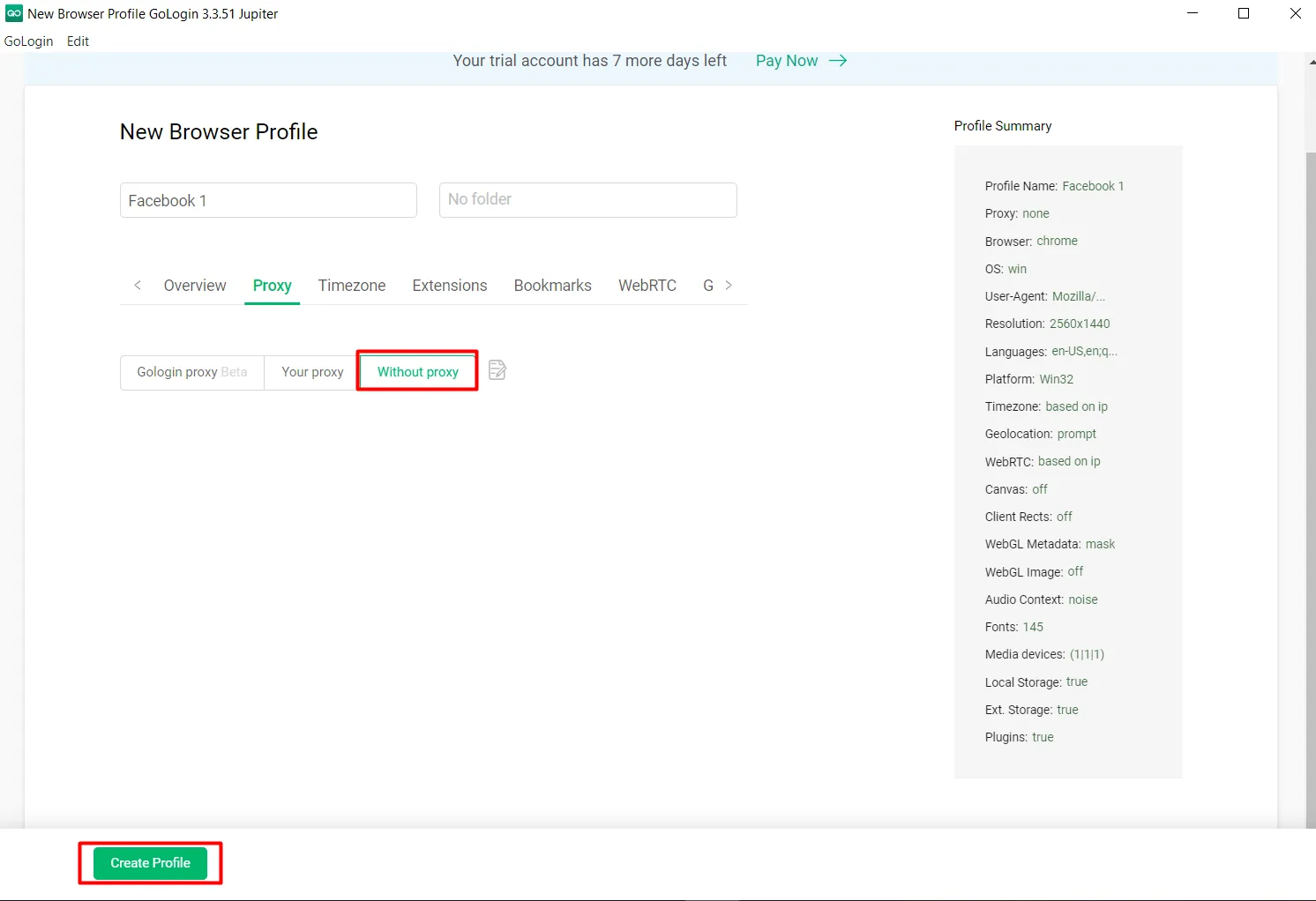
Step 4: Press “Create Profile” to complete profile creation.
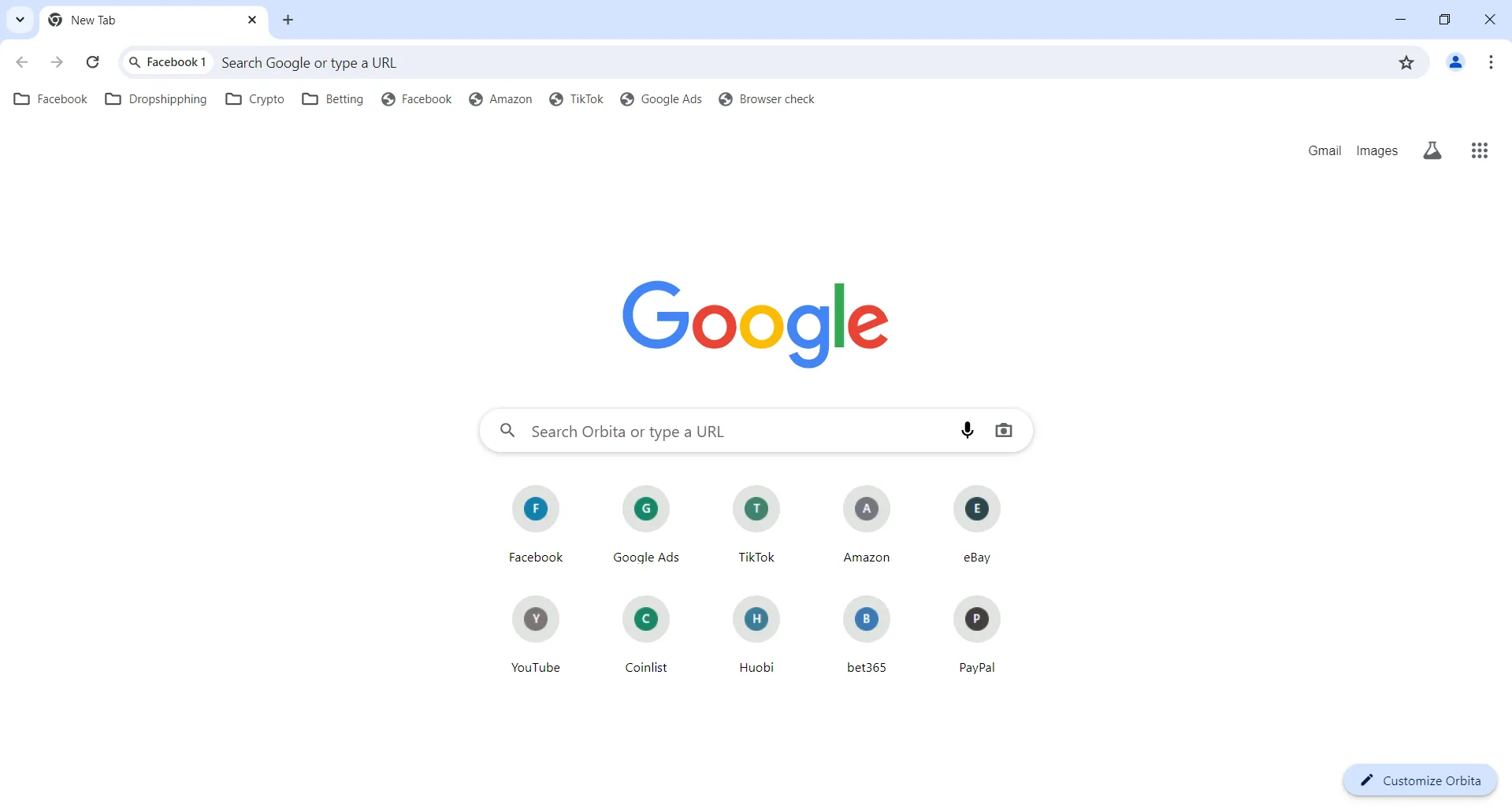
Step 5: Press “Run” to launch the profile and start using incognito browsing with the configured profile.
6. Best GoLogin Alternative: Hidemium vs GoLogin
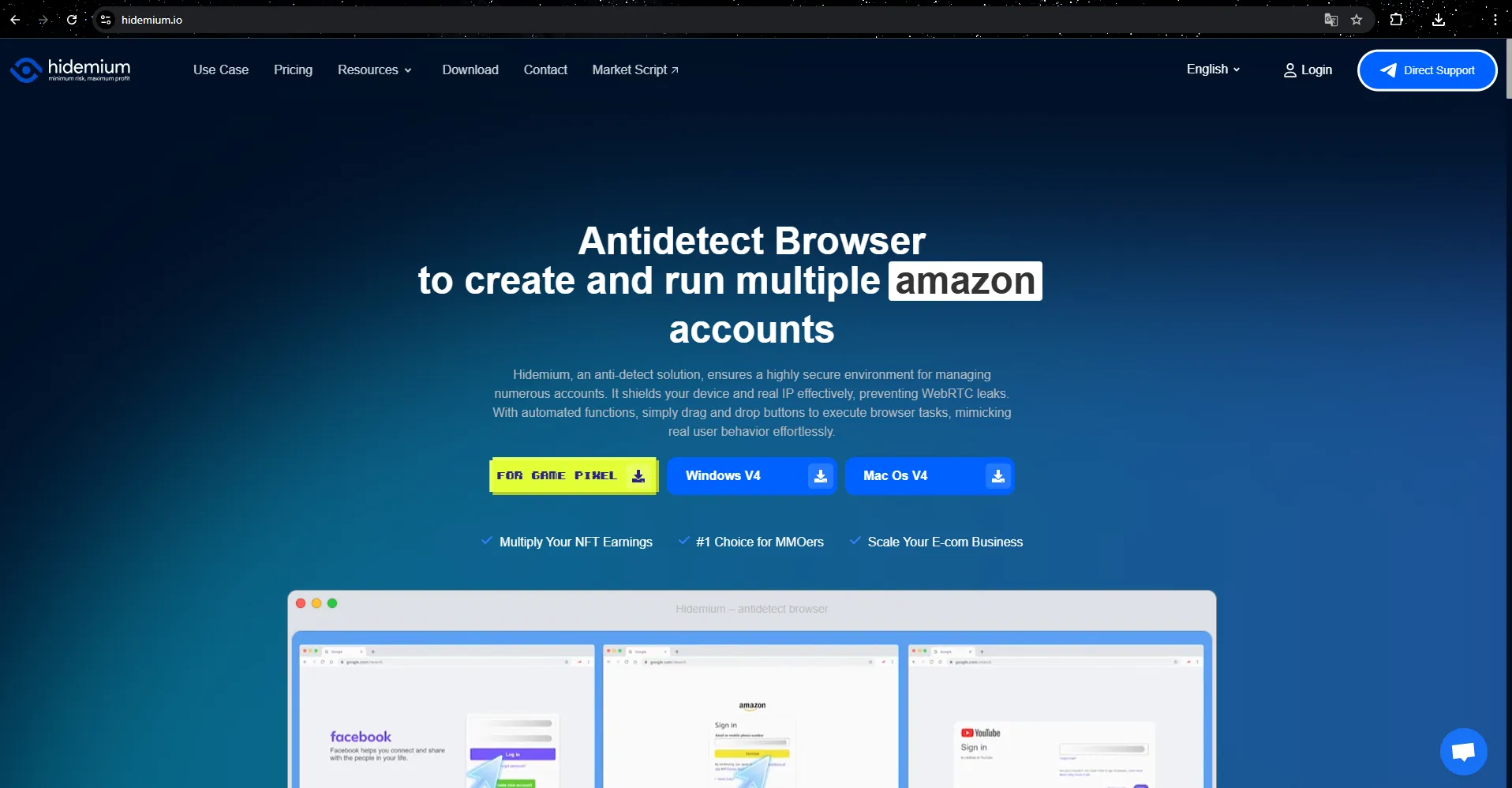
Hidemium is a separate antidetect browser focused on browser-profile management, fingerprint configuration, proxies, team workflows, and automation. It can be considered a GoLogin alternative for users comparing multi-account browser solutions.
In , Hidemium stands out as a strong alternative to GoLogin thanks to its range of outstanding features and notable advantages in the field of security and automation. Here are the reasons why Hidemium could become the ideal replacement for GoLogin in the future:
Outstanding flexibility and versatility
Hidemium is not only suitable for simple tasks like GoLogin but also meets complex requirements, from high security to automation and synchronization of many different tools. Support for features such as managing multiple browser profiles with separate custom parameters, including country, device, cookies, proxy, Fingerprint, language and screen resolution, helps users optimize and control many factors at the same time.
Smart automation mode with built-in AI
One of the highlights of Hidemium compared to GoLogin is its ability to integrate AI, especially models like ChatGPT, Gemini, and Claude. These models help users create and use Prompt Script without programming knowledge. With just a few simple lines of command, AI will automatically build smart scripts to perform operations such as filling out forms, scrolling pages, or clicking buttons accurately and quickly.
Superior security and Fingerprint change feature
Hidemium offers flexible IP address changes thanks to diverse proxy and VPN support. At the same time, the software also uses advanced technology to effectively simulate and change Fingerprint browser, helping to hide user traces and ensure high security. This feature not only helps avoid detection by anti-bot systems, but also helps protect identity and personal data throughout the web browsing process.
Preferential trial package and dedicated support
Hidemium especially attracts users with its attractive trial package, providing clean proxies updated daily and the ability to create up to 1000 profiles in the experience package. This provides high quality of use and meets the needs of both beginners and professionals in the MMO field. Furthermore, with the Vietnamese support team, all problems will be resolved quickly and accurately, ensuring maximum peace of mind for customers.
Compatible with many platforms and devices
Hidemium operates smoothly on many different operating systems such as Windows, macOS, Linux and Android, ensuring convenience for users on diverse devices. This is a great strength, helping Hidemium be able to serve many users with different requirements.
With such outstanding features, Hidemium is not only a perfect alternative to GoLogin but also the optimal tool for digital marketing, affiliate, dropshipping, and personal data security campaigns in .
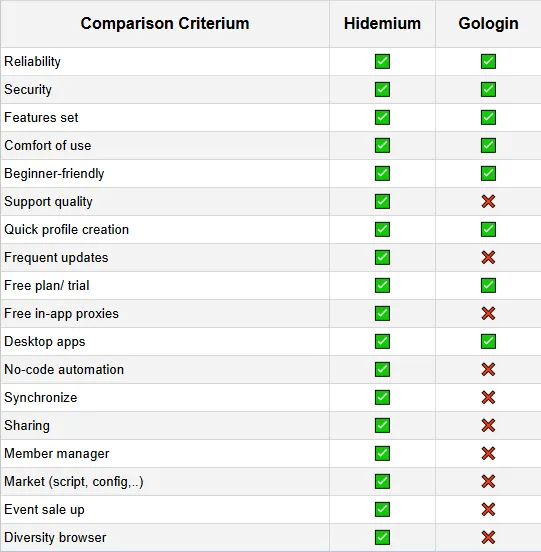
To compare more clearly, we make a comparison table below:
| Criteria | GoLogin | Hidemium |
|---|---|---|
| Browser profiles | Yes | Yes |
| Fingerprint management | Yes | Yes |
| Proxy support | Yes | Yes |
| Automation | Compare current features | Hidemium automation tools |
| Team features | Compare by plan | Compare by plan |
| Pricing | Check GoLogin pricing | Check Hidemium pricing |
| User experience | Depends on workflow | Depends on workflow |
Based on the comparison table above, Hidemium outperforms Gologin in some important criteria such as support quality, regular updates, free in-app proxy, codeless automation, synchronization, sharing, membership management, marketplace, sales events and browser diversity. With these advantages, Hidemium is considered a better choice than Gologin.
7. Is GoLogin Worth It in 2026?
GoLogin may be a good choice for users who need isolated browser profiles, fingerprint customization, and proxy support. However, users who prioritize automation, different workflow tools, or alternative pricing should also compare GoLogin with Hidemium and other antidetect browsers before deciding.
8. Conclusion: Should You Use GoLogin in ?
GoLogin continues to be an effective tool for people who need to manage multiple online accounts, protect personal information, and browse the web without any limitations. With rich features, ease of use and flexible customization, GoLogin is a popular choice in the Antidetect Browser field.
However, investing in a virtual browser like GoLogin still requires careful thought. Currently, many new anti-detection browsers are popular, with a prominent example being Hidemium. Hidemium not only has an easy-to-use interface, but also ensures stable operation, many outstanding features, reasonable price and enthusiastic customer support. With these advantages, Hidemium is worth comparing as a GoLogin alternative alongside other antidetect browsers.
GoLogin is an established antidetect browser for managing isolated browser profiles and separate online sessions. It is suitable for users who need fingerprint and proxy configuration, but pricing, automation, UX, and platform support should also be considered. If you are looking for a GoLogin alternative, Hidemium is another option worth comparing for browser-profile management and automation workflows.
To experience Hidemium's features for free, you can download it right here.
If you have any questions or suggestions, don't hesitate to contact us via Telegram, X or Facebook. We are always ready to support you!
9. GoLogin FAQs
What is GoLogin?
GoLogin is an antidetect browser that lets you create and manage isolated browser profiles. Each profile has its own fingerprint, cookies, and proxy, so websites treat it as a separate device and user.
Is GoLogin safe to use?
GoLogin is a commercial browser-profile and fingerprint management tool. How safe it is in practice depends on how you use it: follow the terms of service of the platforms you work with and use trusted proxies.
Does GoLogin have a free trial?
GoLogin offers a free trial and a limited free plan alongside its paid options. Trial length and profile limits can change, so check the official GoLogin pricing page for the current terms.
How much does GoLogin cost?
GoLogin paid plans are priced by the number of browser profiles and team members you need. Because plans are updated regularly, check the GoLogin pricing page for the latest figures.
What is the best GoLogin alternative?
There are several antidetect browsers on the market. Hidemium is one GoLogin alternative worth comparing, with browser-profile management, fingerprint configuration, proxy support, and built-in automation tools.
>>> Learn more:
Related Blogs
Need to use multiple accounts or storefronts to service your online business? But usually, this will cause many dangers because of browser fingerprinting problems. So is there a way to optimize the management of these multiple accounts?Benefits of running multiple accounts Social networking and e-commerce platforms have become extremely popular in today’s internet world, and the trend of making[…]
Agility in business used to mean fast reactions—responding quickly to change. Today, agility means anticipation: the ability to see patterns before they unfold and act with precision. Yet this level of awareness can't come from instinct alone. It comes from data—and more importantly, from how that data moves between people, processes, and decisions.A CRM app may reveal customer behavior, but[…]
.png)
In the digital era, no-code automation has become an essential trend for individuals and businesses to optimize their workflows. However, many people struggle with automation due to a lack of coding skills, making repetitive task automation seem out of reach.So how can someone with no coding background still create powerful automation scripts?The answer lies in the AI Prompt Script on Hidemium –[…]

1. What is DNS Encryption?DNS encryption is a security technology that protects domain name queries when you visit websites. Instead of sending plain-text requests, your DNS queries are encrypted to prevent third-party tracking or interference. This is a key method to enhance online privacy and security.>>> Learn more: Latest Viettel DNS & How to change DNS to improve Internet speed2. Why Does[…]

In the highly volatile world of cryptocurrency, airdrops are something every investor wants to take advantage of. However, completing tasks manually, one account at a time, often fails to generate meaningful returns. This is why the concept of “Airdrop farming” or large-scale airdrop participation has emerged. Today, one of the most effective solutions for this approach is using Hidemium.1. Why[…]
.png)
You're still posting on X as usual, but performance is unusually low. Tweets aren't appearing in search results, engagement has plummeted, and replies are practically disappearing from your timeline. There are no notifications from the platform, the account is still active — but everything seems silently restricted.This is when many people began to have doubts about shadowban. The problem is that[…]
