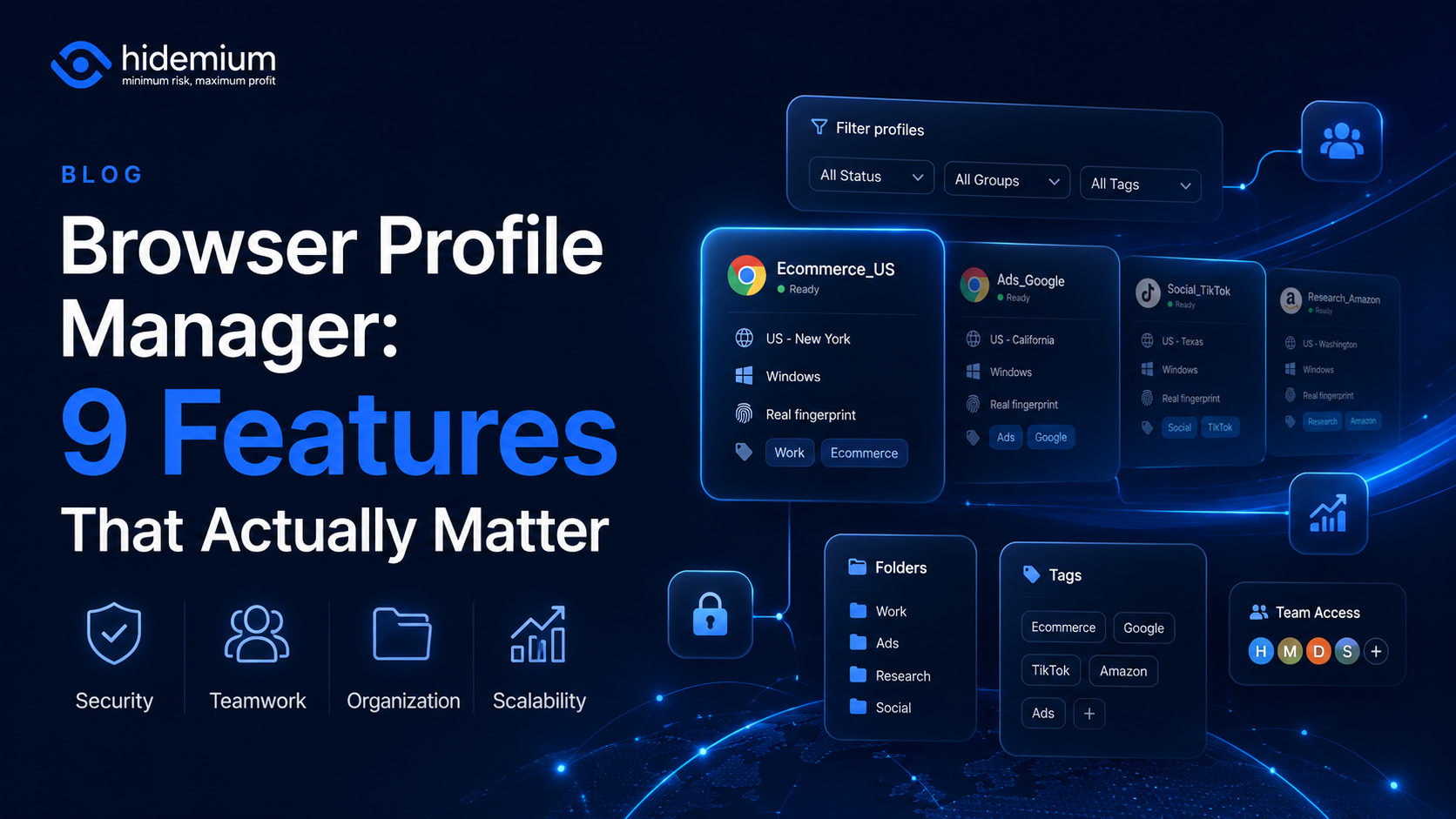

Managing three browser profiles is easy.
Managing 10 is still manageable.
But once your workflow grows to 50, 100, or hundreds of browser profiles, the problem changes completely.
You are no longer asking:
“How do I create another browser profile?”
You start asking:
- Which profile belongs to which client?
- Who is allowed to access it?
- Which proxy is connected to it?
- Can another team member use the same environment?
- Which profiles are still active?
- Can repetitive browser tasks be automated?
- What happens when the team grows from 5 people to 20?
That is where a browser profile manager becomes useful.
But not every profile manager is built for the same type of workflow.
Some are fine for individual use. Others are designed for teams managing large numbers of browser environments.
So what should you actually look for?
What Is a Browser Profile Manager?
A browser profile manager is a tool that helps users create, organize, and manage multiple browser profiles from one system.
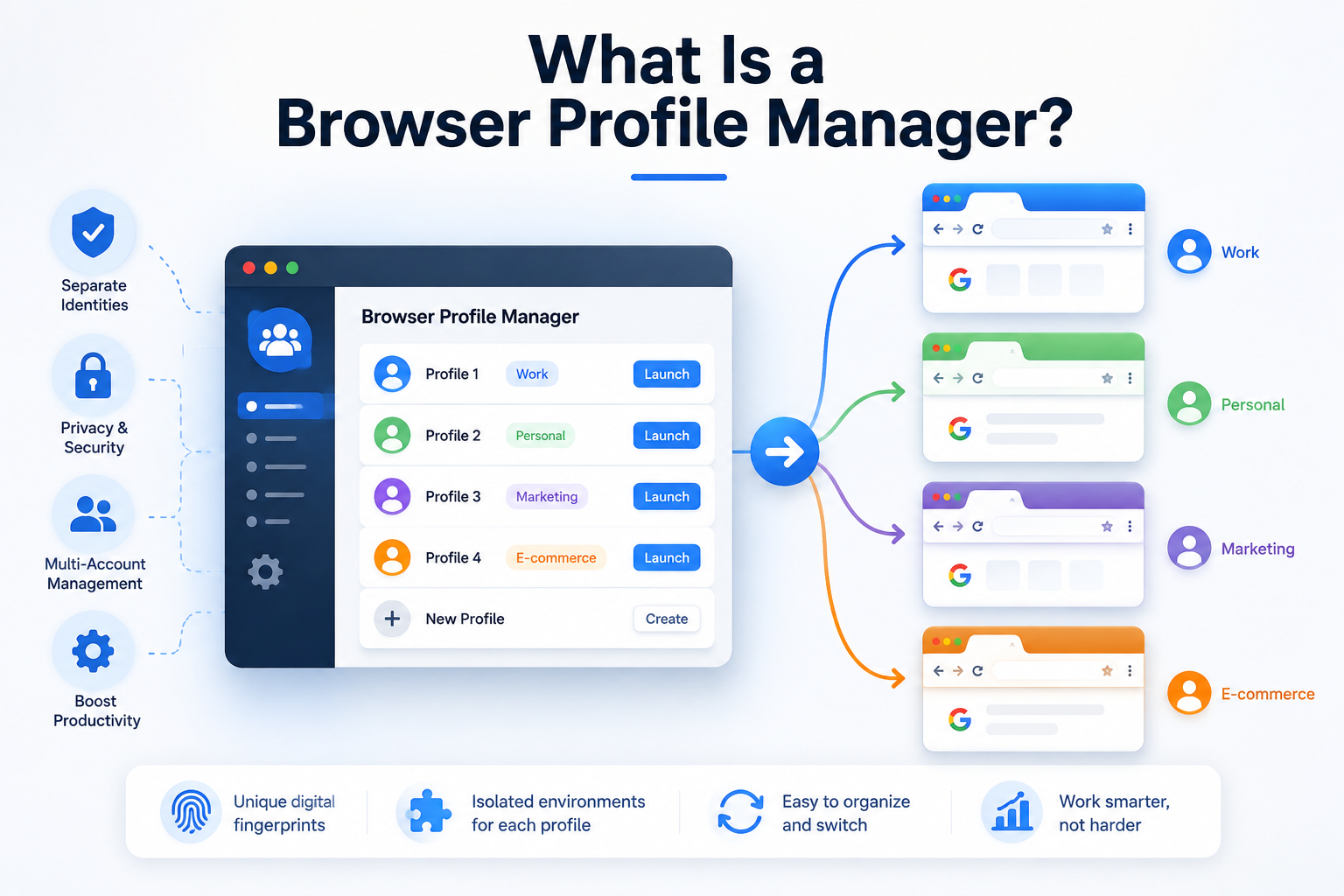
Each browser profile can function as an independent browser environment with its own:
- cookies;
- login sessions;
- local storage;
- browser settings;
- extensions;
- proxy configuration;
- and, depending on the platform, browser fingerprint settings.
Instead of mixing multiple accounts inside one Chrome window, users can separate them into dedicated profiles.
For example:
Client-A-Facebook
Client-A-Google
Brand-B-Research
Store-C-Operations
The more accounts, clients, and team members you manage, the more important structured profile management becomes.
Why Not Just Use Chrome Profiles?
For personal use, Chrome Profiles may be all you need.
If you only manage a few accounts and work alone, there is little reason to make the workflow more complicated.
The difference becomes noticeable when scale enters the picture.
Imagine an agency with:
20 clients × 5 browser environments = 100 profiles.
Now add 10 employees.
Suddenly, creating profiles is the easy part.
The difficult part is managing them.
You need a system that answers questions such as:
Who owns this profile?
Which project does it belong to?
Which team member should have access?
What proxy is assigned to it?
Can it be transferred to another employee?
Which profiles should be archived?
A dedicated multiple browser profile manager is designed to make these workflows easier to control.
1. Easy Profile Organization
The first feature sounds obvious, but it is one of the most important.
A good browser profile manager should make it easy to organize a large number of profiles.
Look for options such as:
- folders;
- groups;
- tags;
- search;
- filters;
- notes;
- status labels;
- custom profile names.
Why does this matter?
Because 100 profiles with names like:
Profile 1
New Account
Test 2
Final Account
will become difficult to manage very quickly.
A better naming structure could be:
Client-Platform-Number
For example:
ABC-Facebook-01
ABC-Google-02
XYZ-Research-01
Good profile management starts with being able to find the correct environment in seconds.
2. Strong Profile Isolation
The main reason for creating multiple browser profiles is separation.
A profile manager should keep browser environments logically separated so that one profile does not simply become another tab in the same session.
Depending on the tool, profiles may maintain separate:
- cookies;
- browser sessions;
- local storage;
- cached website data;
- extensions;
- browser preferences.
This is useful when you regularly switch between different clients, projects, brands, or testing environments.
For example, a social media manager working with five brands should be able to open the correct environment without repeatedly logging out of one account and into another.
The goal is simple:
Open the profile and continue where you left off.
3. Browser Fingerprint Management
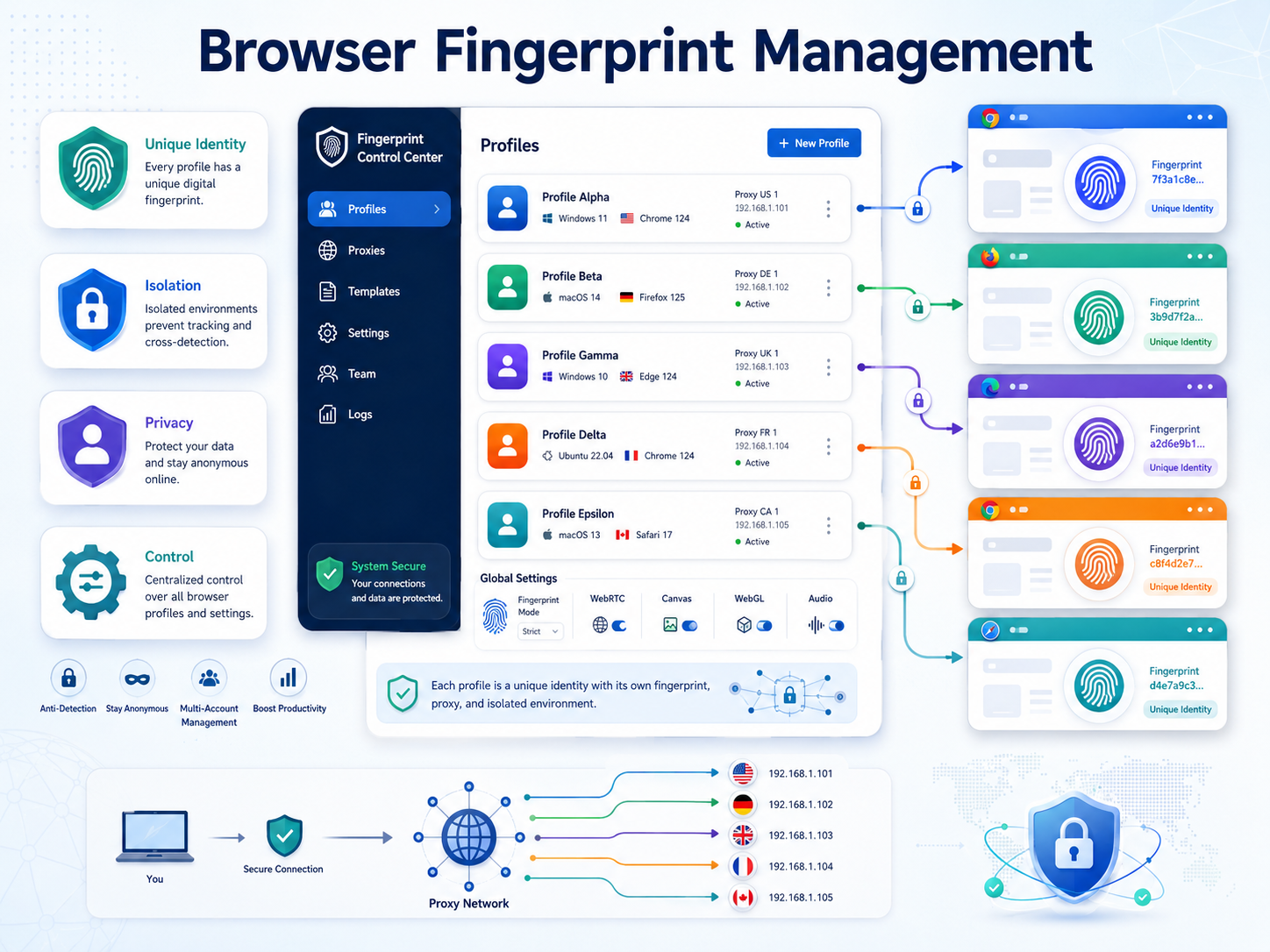
Cookies are only one part of a browser environment.
Modern websites can receive a range of signals from a browser, including:
- operating system;
- User Agent;
- screen resolution;
- language;
- time zone;
- Canvas;
- WebGL;
- fonts;
- hardware-related browser signals.
Together, these signals may contribute to what is commonly called a browser fingerprint.
A browser profile manager designed for more advanced workflows may provide controls for managing browser environments at the fingerprint level.
The important factor here is consistency.
A profile should behave like a coherent browser environment rather than a collection of random settings.
Any browser profile technology should, of course, be used in accordance with applicable laws and the terms of the platforms being accessed.
4. Proxy Integration
For many users, browser profiles and proxies are part of the same workflow.
But they solve different problems.
A browser profile manager organizes the browser environment.
A proxy controls the network route and IP address used by that environment.
A good profile manager should make proxy configuration simple.
Useful capabilities may include support for common proxy protocols, profile-level proxy assignment, proxy testing, and clear visibility into which proxy belongs to which browser profile.
Why does this matter?
Imagine managing 100 profiles and manually checking a spreadsheet every time you need to remember which proxy belongs to which environment.
That workflow does not scale particularly well.
A more structured system keeps the browser profile and its network configuration together.
5. Team Collaboration and Permissions
This is where the difference between a personal browser tool and a professional profile management system becomes much clearer.
If multiple people use the platform, you should look for team-focused features.
For example:
- workspace sharing;
- user roles;
- profile-level permissions;
- team groups;
- profile transfer;
- access control.
Consider an agency with separate Social Media, Ads, Research, and Operations teams.
Not every employee needs access to every profile.
A social media employee may only need access to a group of client profiles.
A team lead may require broader permissions.
An administrator may need visibility across the entire workspace.
Good permission management makes it easier to apply a simple principle:
Give people access to what they need — and not everything else.
6. Profile Sharing and Handover
Teams change.
Employees move between projects.
Clients get reassigned.
New team members join.
A browser profile manager should make these transitions easier.
Imagine an employee has managed 15 client profiles for six months.
Without a structured system, handing those environments to another person may involve:
- sharing login credentials;
- exporting bookmarks;
- explaining which account is which;
- transferring proxy information;
- rebuilding browser environments.
That is a lot of unnecessary friction.
A better profile management workflow allows the organization to keep the browser environment associated with the project instead of with one employee's computer.
For agencies and growing teams, this can be one of the most valuable features of a multiple browser profile manager.
7. Automation Capabilities
Once you have organized browser profiles, another question usually appears:
“Can we automate some of this?”
For teams running repetitive browser workflows, automation can become important.
Depending on the platform, useful capabilities may include:
- browser automation;
- API access;
- profile launch automation;
- scripted workflows;
- integration with internal tools.
Automation is not necessary for every user.
If you manually work with 10 profiles, it may be irrelevant.
But if your team repeatedly performs the same legitimate workflow across hundreds of browser environments, automation can significantly reduce repetitive work.
The key question is not:
“Does this platform have automation?”
It is:
“Can its automation fit the workflow we actually use?”
8. Performance When Managing Many Profiles
A tool may work perfectly with 10 profiles and become painful with 500.
That is why scalability matters.
When evaluating a browser profile manager, consider what happens when your profile count increases.
Can you still:
- search quickly;
- filter profiles;
- launch environments efficiently;
- organize hundreds of profiles;
- maintain a clean workspace;
- manage a growing team?
A common mistake is selecting software only for today's workload.
If you currently manage 30 profiles but expect to manage 300 within a year, evaluate the tool for the second scenario.
Switching systems later may be much more expensive than selecting a scalable platform from the beginning.
9. Security and Access Management
Browser profiles may contain active sessions and access to important business platforms.
That makes security an essential part of profile management.
When evaluating a platform, consider areas such as:
- account security;
- authentication options;
- team permissions;
- profile access controls;
- session management;
- recovery procedures.
For businesses, the biggest risk is often not the browser itself.
It is uncontrolled access.
If an employee changes departments or leaves the company, their access should be reviewed.
If a profile is no longer used, it should be archived or removed according to your organization's policies.
A browser profile manager works best when it is part of a broader access-management process.
Browser Profile Manager Checklist
If you are comparing several solutions, use this quick checklist.
| Feature | Why It Matters |
|---|---|
| Profile organization | Makes large profile libraries easier to manage |
| Profile isolation | Keeps sessions and browser environments separated |
| Fingerprint management | Helps maintain consistent browser environments |
| Proxy integration | Connects profiles with the correct network configuration |
| Team permissions | Controls who can access specific profiles |
| Profile sharing | Simplifies collaboration and handover |
| Automation | Reduces repetitive browser workflows |
| Scalability | Supports growth from dozens to hundreds of profiles |
| Security | Protects access to business environments |
You may not need every feature.
The right choice depends on your workflow.
Which Browser Profile Manager Is Right for You?
There is no single answer for every user.
A freelancer managing 10 profiles has very different requirements from an agency managing 500.
For Individual Users
Prioritize:
- simple profile creation;
- easy search;
- profile isolation;
- proxy configuration;
- reasonable resource usage.
You probably do not need complex team permissions.
For Agencies
Prioritize:
- folders and tagging;
- team collaboration;
- profile sharing;
- permissions;
- proxy management;
- scalable profile organization.
Agencies often experience the biggest benefit from structured profile management because profiles need to survive beyond one employee or one computer.
For Large Operations Teams
Prioritize:
- scalability;
- role-based permissions;
- automation;
- API capabilities;
- organized profile management;
- reliable handover processes.
At this level, the browser profile manager becomes part of your operational infrastructure.
Where Does Hidemium Fit?
If you are looking for a dedicated solution for managing multiple browser environments, Hidemium is designed around the browser profile management workflow.
Instead of keeping accounts scattered across different Chrome profiles, devices, and team members, businesses can use browser profiles to organize environments by client, project, account, or purpose.
For example:
Client A → Social
Client A → Ads
Client B → Research
Store C → Operations
This type of structure becomes increasingly useful as the number of profiles grows.
You can explore Hidemium and its browser profile management solutions at Hidemium.io.
The important question is not simply whether a platform can create multiple profiles.
Almost any browser can do that.
The more useful question is:
Can the platform still keep those profiles organized when your operation grows 10×?
That is where dedicated profile management becomes valuable.
Common Mistakes When Managing Multiple Browser Profiles
Even the best software will not fix a poor workflow.
A few mistakes are especially common.
No Naming Convention
If every employee names profiles differently, search becomes difficult.
Create a naming convention before your profile library becomes large.
Giving Everyone Access to Everything
Convenient today can become difficult to manage later.
Use role-based access whenever possible.
Never Archiving Old Profiles
An active workspace should not become a storage room for every environment ever created.
Review profiles periodically.
Keeping Important Information Outside the Profile System
If profile names are stored in one tool, proxy details in another, and ownership in a spreadsheet somewhere else, management becomes harder.
Reduce unnecessary fragmentation.
Choosing Based Only on Price
The cheapest solution can become expensive if the team spends hours every week fighting the workflow.
Consider the cost of employee time as well as software pricing.
Final Thoughts
Creating browser profiles is easy.
Managing them at scale is the hard part.
If you only have five profiles, almost any browser can handle the job.
At 50 profiles, organization starts to matter.
At 500 profiles, organization, permissions, proxy management, automation, and scalability can become essential.
That is why choosing a browser profile manager should not start with the question:
“How many profiles can it create?”
Start with:
“How easily can my team manage those profiles when our workload doubles?”
Look for strong profile organization, isolation, proxy integration, collaboration, permissions, automation, performance, and security.
If your current workflow is already becoming difficult to manage, exploring a dedicated browser profile manager such as Hidemium may be the logical next step.
Frequently Asked Questions
What is a browser profile manager?
A browser profile manager is a tool used to create, organize, and manage multiple separate browser profiles from one system. Profiles can maintain their own sessions, cookies, settings, and other browser environment data.
Why do I need multiple browser profiles?
Multiple browser profiles help separate accounts, clients, projects, or testing environments so users do not need to constantly log in and out of the same browser session.
What is a multiple browser profile manager?
A multiple browser profile manager is a platform designed to manage many browser profiles from one interface, often adding features such as grouping, search, proxy integration, teamwork, permissions, and automation.
Is a browser profile manager the same as Chrome Profiles?
Not exactly. Chrome Profiles can separate personal browser environments, but dedicated browser profile management tools typically provide additional functionality for organizing larger numbers of profiles, team collaboration, proxy management, and workflow automation.
What is the most important browser profile management feature?
For individuals, profile isolation and organization are usually the most important. For teams, permissions, profile sharing, organization, and scalability often become equally important.
Can browser profiles use different proxies?
Depending on the browser profile manager, individual profiles may support their own proxy configurations, allowing each environment to use a separate network route.
How many browser profiles should one person manage?
There is no universal number. The point at which a dedicated manager becomes useful depends on how frequently profiles are used, how many people need access, and how complicated the workflow has become.
Related Blogs

In today’s digital age, using sample Prompt Scripts to automate browser tasks is becoming more and more popular, especially when combined with the Hidemium antidetect browser. With the powerful support of AI models like ChatGPT, Claude, and Gemini, users can easily perform tasks such as form filling, page scrolling, or content analysis – all without any coding knowledge.This article will[…]

The old story of VPNs is simple. Hide. Mask. Browse. But the world has moved on. So must the tools.Why anonymity alone isn't enoughPeople still think of VPNs as a cloaking device. That belief is narrow. Modern threats are layered. Attacks target devices, cloud apps, telemetry, supply chains, and identities — not just IP addresses. A good encrypted internet connection should do more than hide[…]
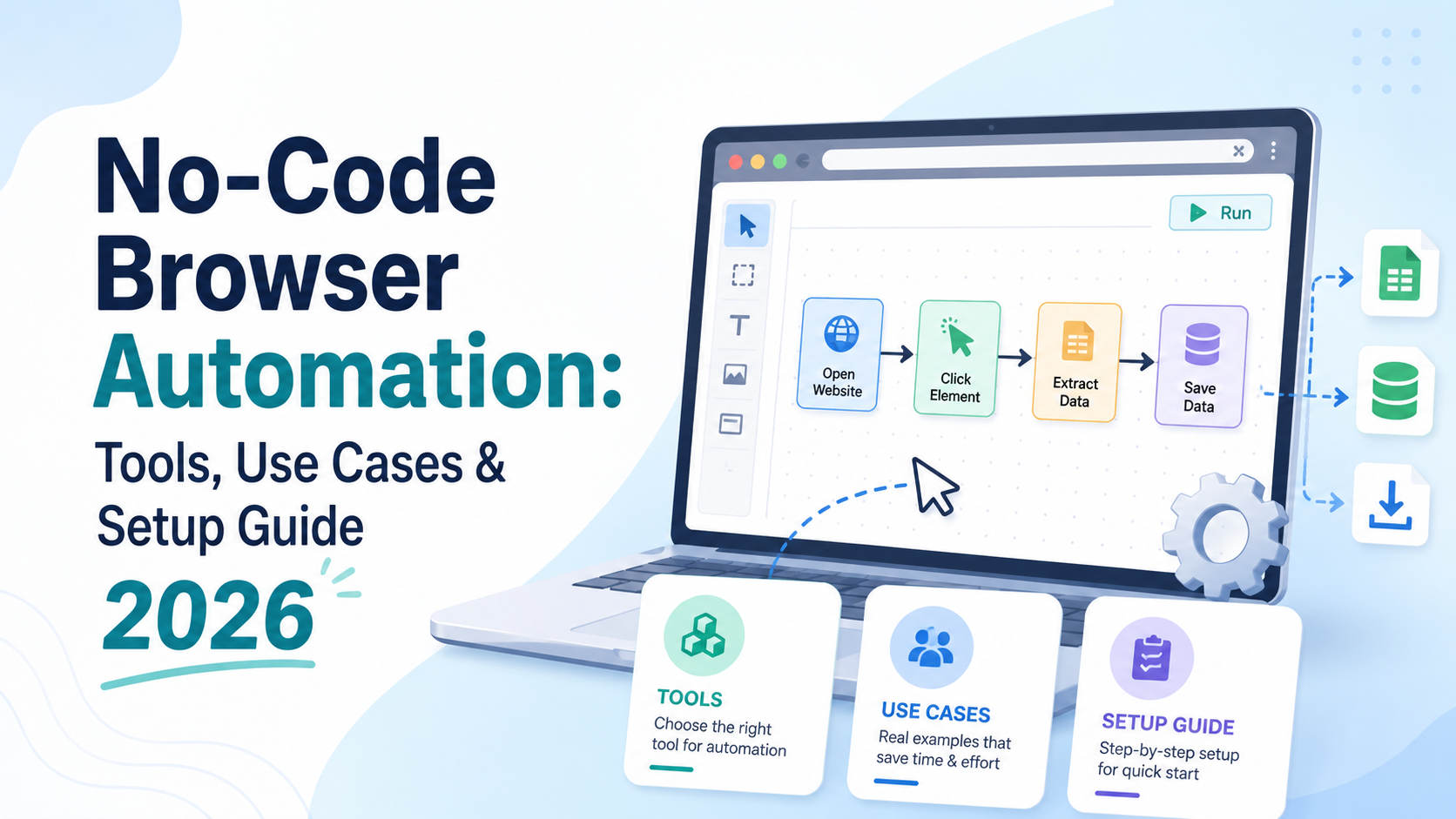
What Is No-Code Browser Automation — and Why Does It Matter in 2026?For years, browser automation was the exclusive domain of developers. If you wanted to automate repetitive web tasks — filling forms, scraping data, clicking through workflows, or managing multiple accounts — you needed to write code in Python, JavaScript, or another language. Tools like Selenium, Playwright, and Puppeteer were[…]
.png)
Managing multiple Amazon accounts sounds like a smart way to scale your business—until things go wrong.Many sellers start with good intentions: separating brands, testing new products, or organizing operations. But without the right setup, multiple accounts can quickly get linked, flagged, or even permanently banned.In this guide, we’ll walk through how to create and manage multiple Amazon[…]
.png)
In an age where digital privacy is increasingly emphasized, anonymity on the Internet is more than just changing IP address. Websites today can identify users through browser fingerprint – set of unique device parameters. If you are active in the field of making money online and need to create a large number of accounts on the same device, the risk of your account being locked is very high. In[…]

IPv6 (Internet Protocol version 6) is the latest version of the Internet protocol, developed to replace IPv4 which is gradually being exhausted. In this article, Antidetect Browser Hidemium will help you learn what IPv6 is, clarify the difference between IPv6 and IPv4, and explore the outstanding benefits of IPv6 in the context of digital transformation and Internet of Things (IoT) development.1.[…]
