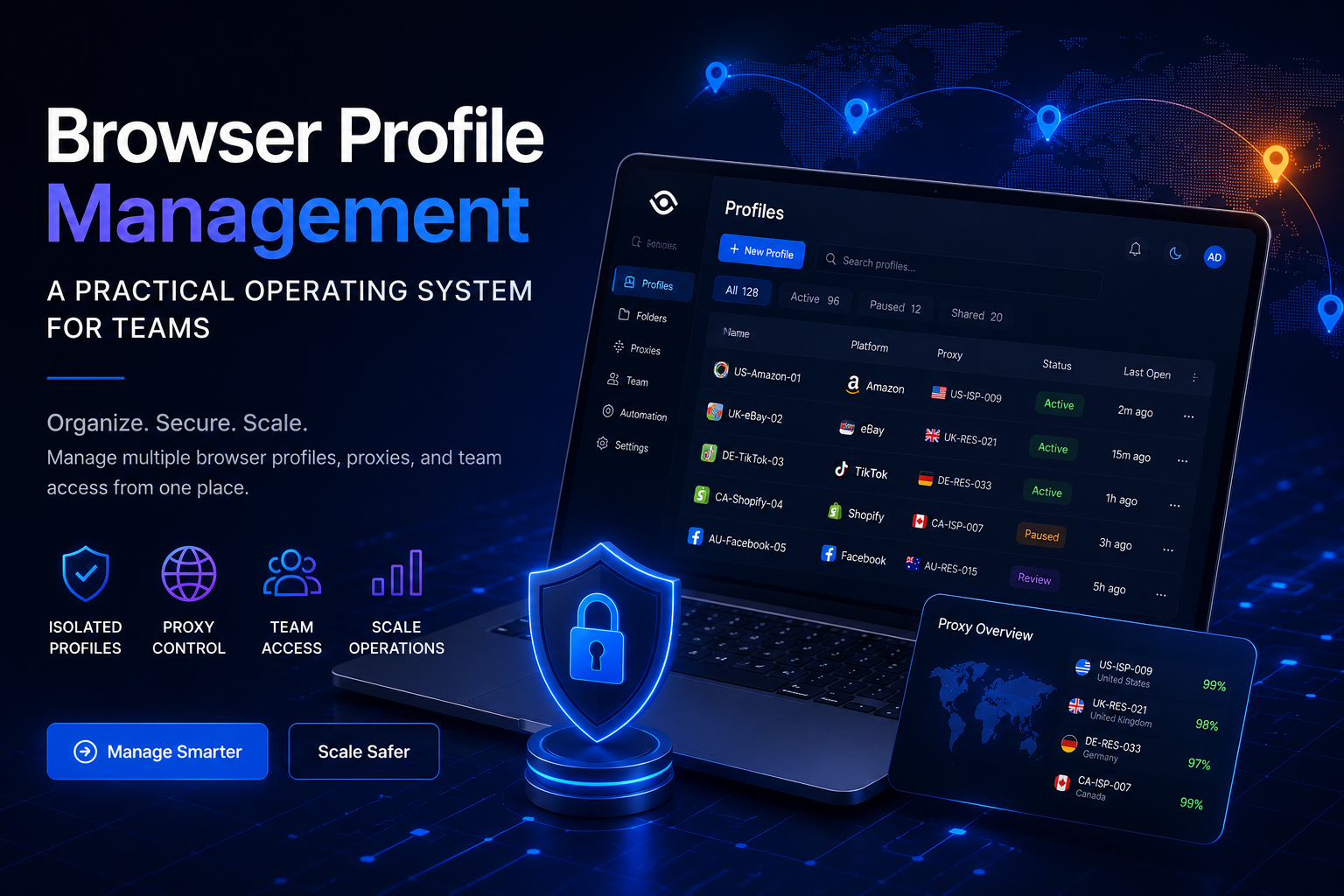

Browser Profile Management: A Practical Operating System for Teams
Browser profile management is often misunderstood as the simple process of creating multiple browser profiles and assigning a different proxy to each one.
That approach may work for an individual managing a small number of accounts. However, it becomes difficult to maintain when a team is responsible for dozens or hundreds of browser environments across different clients, markets, platforms, and projects.
At that scale, teams need clear answers to practical questions:
- Which account belongs to each profile?
- Who is responsible for operating it?
- Which proxy is assigned to the profile?
- When was the configuration last changed?
- Where are login credentials stored?
- How is access transferred between team members?
- What happens when a profile encounters an error?
- How are inactive profiles archived or removed?
Effective browser profile management therefore requires more than software. It requires a repeatable operating system that combines profile isolation, asset organization, network configuration, access control, documentation, and standard operating procedures.
This guide explains how marketing teams, agencies, affiliate teams, e-commerce businesses, and other multi-account operations can build a practical browser profile management system that remains manageable as the organization grows.
What Is Browser Profile Management?

Browser profile management is the process of creating, organizing, assigning, operating, monitoring, and maintaining separate browser environments through a structured system.
Each browser profile may contain its own:
- Cookies
- Login sessions
- Local storage
- Session storage
- Browsing history
- Browser settings
- Extensions
- User Agent
- Screen resolution
- Language
- Time zone
- WebRTC configuration
- Canvas and WebGL data
- Network connection or proxy
The purpose of this separation is to prevent data from one working environment from being mixed with another.
For example, an agency may create separate profiles for different clients. An e-commerce team may create one profile for each store or regional marketplace. A quality assurance team may use different profiles to test localized website experiences.
In a well-organized system, a browser profile is not just another browser window. It is an operational asset connected to a specific account, project, employee, proxy, and business purpose.
Why Teams Need More Than Multiple Browser Profiles
Creating additional profiles is easy. Managing them consistently is the more difficult task.
When only one person controls five profiles, information may be stored in memory or a simple spreadsheet. Once several people manage 50, 100, or 500 profiles, small inconsistencies can develop into serious operational problems.
Profiles Become Difficult to Identify
Names such as “Profile 01,” “New Store,” or “Facebook Backup” do not provide enough information for a team environment.
A new employee may not know:
- Which client owns the account
- Which country the profile represents
- Which platform it belongs to
- Whether it is active or paused
- Who used it most recently
- Whether the profile is safe to open
Without clear naming and classification, employees can easily open the wrong profile or perform actions in the wrong account.
Proxies Are Assigned Incorrectly
Proxy information is often managed separately from browser profile information. This creates opportunities for mistakes.
A single proxy may be assigned to multiple unrelated profiles. A profile that has used the same location for several months may suddenly be connected through a different country. An expired proxy may remain attached to an active profile without anyone noticing.
These problems are less likely when profiles and proxies are managed as connected assets.
Access Is Shared Without Control
Some teams share passwords, session information, or verification codes through personal messaging applications.
This creates several risks:
- It is difficult to determine who has access.
- Access cannot always be revoked quickly.
- Former employees may retain sensitive information.
- Login data may be copied outside approved systems.
- Managers cannot easily review access history.
A browser profile management system should reduce uncontrolled credential sharing and make access responsibilities more visible.
Handovers Are Incomplete
When an employee takes leave, changes departments, or leaves the company, another person may need to continue managing the profile.
Without a handover process, the replacement may not know:
- What tasks were completed
- What changes were made
- Whether the account has recent warnings
- Which proxy should be maintained
- Which actions require approval
- What work is still pending
This makes the operation dependent on individual memory rather than shared processes.
Configurations Become Inconsistent
If every employee creates profiles according to personal preference, the organization gradually loses control over its operating standards.
One person may use automatic time zone detection. Another may configure the time zone manually. One employee may document every proxy change, while another changes network settings without recording anything.
The purpose of a browser profile management system is to replace these individual habits with standardized procedures.
The Seven Layers of a Browser Profile Management System
A practical system can be organized into seven connected layers.
1. Profile Asset Inventory
Before creating new profiles, the team should define what each profile represents.
Every browser profile should be connected to a specific business asset, such as:
- A marketplace store
- A social media account
- An advertising account
- An affiliate campaign
- A client workspace
- A regional testing environment
- A customer support account
- A research project
A basic profile record may include:
| Field | Example |
|---|---|
| Profile ID | US-AMZ-BRAND-A-001 |
| Client or Brand | Brand A |
| Platform | Amazon |
| Market | United States |
| Purpose | Store operations |
| Responsible Operator | Team Member 02 |
| Assigned Proxy | US-ISP-014 |
| Status | Active |
| Creation Date | August 6, 2026 |
| Notes | Approval required before proxy changes |
Each profile should have a clearly identified business purpose and responsible owner.
Profiles that do not have an assigned owner, clear status, or valid purpose should be reviewed and either reassigned, archived, or removed.
2. Naming, Folder, and Tagging Rules
A standardized naming structure helps team members identify profiles without opening them.
One practical format is:
[MARKET]-[PLATFORM]-[PROJECT]-[NUMBER]
Examples include:
- US-AMZ-BRANDA-001
- UK-TTS-CLIENTB-003
- DE-META-CAMPAIGN2-012
- CA-SHOPIFY-STORED-004
The exact format is less important than consistency. Every team member should follow the same naming rules.
Folders can then be used to group profiles by broader categories:
- Client
- Department
- Region
- Platform
- Brand
- Campaign
- Team
Tags can provide additional detail without making profile names too long.
Useful tags may include:
- Active
- Paused
- High priority
- Requires review
- New account
- Static proxy
- Mobile proxy
- Finance team
- Weekend coverage
A profile should be easy to find through either its name, folder, tag, assigned operator, or status.
3. Browser Identity Consistency
A browser profile contains several characteristics that together form its operating environment.
These may include:
- Operating system
- Browser version
- User Agent
- Screen resolution
- Device memory
- Language
- Time zone
- Geolocation
- WebRTC settings
- Canvas characteristics
- WebGL information
- IP address
The goal is not to change every available parameter. Excessive customization can make profiles harder to maintain and troubleshoot.
Instead, teams should focus on logical consistency.
For example, a profile connected through an IP address in the United States should not normally use a time zone associated with another region unless there is a clear operational reason.
Similarly, the operating system, browser version, device type, and User Agent should be compatible with one another.
When a profile is created, the team should document at least:
- Selected operating system.
- Browser version.
- Device type.
- Proxy country and city.
- Time zone.
- Browser language.
- Profile creator.
- Responsible operator.
- Activation date.
- Intended workflow.
Configurations should remain stable unless a change is necessary and approved.
4. Proxy and Network Management
Proxy management should be integrated into the browser profile management process.
A proxy is not simply an address copied into a settings field. It is a network asset with its own location, provider, expiration date, performance history, and assigned purpose.
A proxy inventory may include:
| Field | Information |
|---|---|
| Proxy ID | Internal identifier |
| Proxy Type | Residential, ISP, mobile, or datacenter |
| Country | IP country |
| City or Region | More precise location |
| Provider | Proxy source |
| Assigned Profile | Connected profile ID |
| Start Date | First day of use |
| Renewal Date | Subscription deadline |
| Status | Active, unstable, expired, or under review |
For long-term login environments, a stable connection is generally easier to manage than an IP address that changes frequently.
Rotating proxies may be appropriate for some research, data collection, or testing workflows, but they should not automatically be assigned to profiles used for persistent account sessions.
Before connecting a proxy to a browser profile, teams should verify:
- The proxy is online.
- Authentication details are correct.
- The location matches the required market.
- Connection speed is acceptable.
- The time zone is consistent.
- WebRTC and DNS behavior have been reviewed.
- The proxy is not already assigned to an unrelated profile.
- The IP rotation policy matches the workflow.
Teams creating an internal proxy configuration process can use Proxy Setup for Antidetect Browsers: A Practical Checklist as a reference for choosing a proxy type, checking connection settings, and avoiding common setup mistakes.
The final proxy choice should be based on stability, location requirements, workflow duration, and team budget rather than only the number of advertised IP addresses.
5. User Roles and Access Permissions
Not every employee should have full access to every profile.
A role-based permission structure may include four levels.
Administrator
The administrator manages the overall workspace and may be allowed to:
- Add or remove team members
- Create access policies
- Transfer ownership
- Approve major configuration changes
- Archive profiles
- Review security settings
Project Manager
The project manager supervises a defined group of profiles and may:
- Assign profiles to operators
- Review status changes
- Approve proxy replacements
- Monitor incidents
- Confirm handovers
Operator
The operator performs daily work inside assigned profiles.
Operators should generally have access only to the profiles required for their responsibilities. Critical settings should not be changed without approval.
Reviewer or Auditor
A reviewer may inspect profile information, notes, incidents, and access records without being able to modify login credentials or configuration settings.
This structure follows the principle of least privilege: users receive only the access needed to perform their work.
When an employee leaves the team, the offboarding process should include:
- Revoking workspace access.
- Transferring assigned profiles.
- Reviewing recent activity.
- Changing credentials where necessary.
- Revoking tokens or API keys.
- Confirming that local copies of sensitive data have been removed.
- Recording the handover completion date.
6. Standard Operating Procedures
Technology becomes more useful when important actions follow documented procedures.
SOP for Creating a New Profile
A profile creation process may include:
- Confirm the business purpose.
- Create a unique profile ID.
- Assign the correct folder and tags.
- Select a compatible browser configuration.
- Assign an available proxy.
- Check IP location and time zone.
- Add the responsible operator.
- Store credentials through an approved method.
- Complete an initial login or environment test.
- Update the status from “New” to “Ready.”
No profile should move into active use before its basic information has been verified.
SOP for Daily Profile Use
Before opening a profile, the operator should check:
- Is this the correct client and project?
- Is another team member using the profile?
- Is the proxy active?
- Are there new notes or warnings?
- What task has been assigned?
- Does the profile require manager approval before use?
After completing the work session, the operator should record:
- Tasks completed
- Important account changes
- Errors or warnings
- Pending work
- Current account status
- Handover instructions
- Last usage time
This information does not need to become a long report. Even a short structured note can significantly improve team coordination.
SOP for Changing a Proxy
A proxy should not be changed immediately because of one slow connection.
The team should first determine whether the issue is temporary or persistent.
A proxy replacement workflow may include:
- Test the current connection again.
- Confirm whether the provider is experiencing an outage.
- Record the existing IP address.
- Obtain approval when required.
- Select a replacement from a compatible location.
- Test the new proxy before using the account.
- Update the proxy inventory.
- Record the reason for the change.
- Monitor the profile after reconnecting.
This prevents unnecessary network changes and makes later troubleshooting easier.
SOP for Handling Profile Incidents
When a profile receives a warning, login error, checkpoint, or unexpected verification request, operators should avoid continuing unnecessary activity.
A basic incident process should include:
- Stop non-essential actions.
- Record the time of the incident.
- Save the exact error message.
- Capture relevant screenshots.
- Review recent configuration changes.
- Check the current proxy.
- Identify the last operator.
- Change the profile status to “Under Review.”
- Escalate the issue to the responsible manager.
- Resume normal activity only after a decision has been made.
The purpose is to preserve information and avoid making the situation more difficult to investigate.
7. Monitoring and Auditing
Browser profile management should be evaluated through measurable operational indicators.
Stable Profile Rate
This is the percentage of active profiles that complete their normal workflows without serious technical or access problems.
Proxy Change Frequency
A profile that requires frequent proxy replacements may indicate:
- Poor proxy quality
- An unsuitable proxy type
- Incorrect configuration
- An unstable provider
- Unnecessary changes by operators
Complete Handover Rate
This measures how many transferred profiles include:
- A responsible owner
- Current status
- Recent activity notes
- Proxy information
- Pending tasks
- Known issues
Profiles Without Owners
The number of active profiles without a responsible operator should remain close to zero.
Unauthorized Access or Changes
Teams should track cases in which users:
- Open profiles outside their assigned projects
- Change settings without permission
- Export data without approval
- Share access through unapproved channels
Incident Resolution Time
This measures the time between identifying an issue and restoring, transferring, pausing, or archiving the affected profile.
These metrics help managers identify whether the problem comes from technology, proxy quality, employee training, or the operating process itself.
Managing the Browser Profile Lifecycle
Every profile should move through a defined lifecycle.
A practical status model may include:
- Requested: The profile has been proposed but not created.
- New: The profile exists but has not been tested.
- Ready: Configuration and network settings have been verified.
- Active: The profile is in regular use.
- Paused: The profile is temporarily inactive.
- Under Review: The profile has an error, warning, or unresolved change.
- Archived: The profile is no longer active, but its data must be retained.
- Deleted: The profile has been removed according to company policy.
A clear lifecycle prevents teams from opening profiles that are under investigation, deleting profiles that still contain important data, or paying for inactive environments that no longer serve a business purpose.
Choosing a Browser Profile Management Platform
A browser profile management platform should support the operating model rather than define it.
Teams should evaluate whether a tool offers:
- Separate browser environments
- Folder and tag organization
- Proxy assignment
- Profile sharing
- Role-based permissions
- Ownership transfer
- Activity records
- Data synchronization
- Profile backup
- API or automation options
- Clear export and deletion controls
Platforms such as Hidemium can be considered alongside other available solutions, but the final decision should depend on team size, workflow complexity, permission requirements, automation needs, and budget.
A tool may simplify profile creation and collaboration, but it cannot replace naming rules, access policies, proxy standards, handover procedures, or incident documentation.
Teams should test any platform with a limited number of profiles before moving critical operations into it.
Common Browser Profile Management Mistakes
Creating Too Many Profiles Too Early
More profiles do not automatically create a stronger system.
Profiles without clear purposes increase:
- Subscription costs
- Proxy costs
- Training requirements
- Search difficulty
- Handover complexity
- Risk of operator mistakes
Create profiles based on real operational requirements rather than future assumptions.
Using the Same Template for Every Profile
Templates can save time, but they should not remove the review step.
Each profile still needs to be checked for:
- Market
- Platform
- Device type
- Proxy location
- Browser language
- Time zone
- Responsible operator
- Intended workflow
Changing IP Addresses Too Often
Frequent network changes reduce operational consistency and make troubleshooting more difficult.
A stable profile should normally keep a stable network identity unless there is a documented reason to make a change.
Giving Everyone Full Access
Full workspace access may appear convenient for small teams, but it becomes risky as the organization grows.
Access should be assigned according to projects, responsibilities, and approval levels.
Failing to Record Changes
A small configuration change may appear unimportant at the time it is made. Several weeks later, it may become the key detail needed to understand an account error.
Teams should record meaningful changes to proxies, browser settings, ownership, permissions, and account status.
Treating Browser Tools as a Way to Bypass Policies
Browser profile management should support legitimate workflows such as:
- Separating client environments
- Managing authorized accounts
- Conducting regional quality assurance
- Protecting browser session data
- Controlling employee access
- Organizing team responsibilities
A browser profile tool does not grant permission to violate platform policies or operate accounts that are not authorized.
Teams remain responsible for complying with platform terms, client agreements, privacy obligations, and applicable laws.
Browser Profile Management Checklist
Before scaling a browser profile operation, confirm that:
- Every profile has a unique ID.
- Every active profile has an owner.
- Profile names follow a consistent structure.
- Folders and tags are used consistently.
- Each profile has a clear business purpose.
- Each proxy has its own internal record.
- Proxy assignments are documented.
- IP location is checked before important login sessions.
- Browser settings remain logically consistent.
- Access is assigned according to user roles.
- Credentials are not shared through unapproved channels.
- Important configuration changes are recorded.
- SOPs exist for profile creation and daily use.
- A proxy replacement process has been documented.
- An incident response process is available.
- A handover procedure exists.
- Employee offboarding includes access revocation.
- Inactive profiles are reviewed regularly.
- Archived profiles follow a data retention policy.
- Activities comply with the target platform’s policies.
Conclusion
Browser profile management is not only a technical configuration task. It is a team operations challenge.
A reliable system connects four essential components:
- Isolated and clearly identified browser profiles.
- Proxies selected and assigned according to workflow requirements.
- Access permissions based on team responsibilities.
- Standard operating procedures that can be repeated and reviewed.
When these components work together, organizations can manage more clients, markets, projects, and accounts without relying on individual memory or informal communication.
The goal is not to create the highest possible number of browser profiles.
The goal is to make every profile a controlled operational asset that can be identified, assigned, monitored, transferred, audited, paused, and archived throughout its lifecycle.
Standardize Your Profiles Before Scaling
When profile names are inconsistent, proxies are assigned without documentation, and employees cannot complete clean handovers, adding more profiles will usually make the problem worse.
Start by reviewing the profiles you already have.
Assign each profile a unique ID, owner, status, business purpose, and proxy record. Then document the procedures for creation, access, configuration changes, incident handling, and archiving.
Once the basic operating system is working on a small scale, the team can evaluate browser profile tools, proxy providers, and automation features with clearer requirements.
Frequently Asked Questions About Browser Profile Management
How Is Browser Profile Management Different From Password Management?
A password manager focuses on storing and filling login credentials.
Browser profile management covers a broader environment, including cookies, sessions, browser settings, local storage, extensions, proxies, profile ownership, and team access permissions.
Should One Browser Profile Contain Multiple Accounts?
This depends on the workflow and platform policies.
For important business assets, a one-profile-per-account structure is often easier to document, transfer, monitor, and troubleshoot. However, teams should choose a structure that matches their authorized operating model.
Does Every Browser Profile Need a Proxy?
No. Some workflows can use a normal business or office connection.
A proxy may be appropriate when teams require a specific regional connection, network separation, location testing, or a dedicated connection for an authorized account.
Are Static or Rotating Proxies Better for Browser Profiles?
Static or ISP proxies are generally easier to manage for long-term sessions because the connection remains more consistent.
Rotating proxies may be useful for certain data, research, or testing tasks. The correct choice depends on the purpose of the profile.
Can a Browser Profile Tool Prevent Account Suspensions?
No tool can guarantee that an account will remain active.
Account status may depend on platform policies, verification information, content, payment details, user behavior, security systems, and many other factors.
How Often Should Browser Profiles Be Reviewed?
Important profiles should be checked before use.
The complete inventory of profiles, proxies, permissions, owners, and statuses should be reviewed weekly or monthly, depending on the number of profiles and the importance of the accounts.
When Should a Team Stop Using Spreadsheets?
Spreadsheets may be sufficient for a small operation.
A dedicated system becomes more useful when:
- Several employees manage the same profiles.
- Profiles are transferred frequently.
- Configuration changes are difficult to track.
- Permissions need to be restricted.
- The spreadsheet no longer reflects the real operating status.
Is Browser Profile Management Useful for Agencies?
Yes. Agencies can separate environments by client, project, brand, or regional market.
However, agencies should obtain proper authorization from clients, protect account credentials, define employee access, and follow the policies of each platform they manage.
Related Blogs

Are you concerned about protecting your identity and personal information while browsing the internet or performing web scraping tasks? Residential proxies might be the solution you're looking for. In today's digital landscape, many internet users rely on residential proxies to secure their data and improve their web scraping efforts. Simply put, a residential proxy acts as a "bridge" to hide[…]
The “big five” business functions - campaign management, audit, and commercial asset management - are common to modern digital marketing agencies, e-commerce, or performance teams working across several geographic regions. For optimized local asset management, it’s important to have strong controls over network connections and browser environments.Without having to package physical SIMs, send[…]

In the context of fierce competition on social networking platforms, THIS IS FACEBOOK is increasingly becoming a key factor to help businesses improve visibility and reach target customers. To support efficient optimization, many Free Facebook SEO software was born, helping users manage Fanpage, improve content quality and automate marketing processes.In this article, Antidetect Browser Hidemium[…]

IPFoxy TikTok Proxy Review: Performance and How to Test Them TikTok’s global reach demands reliable residential proxies to avoid IP hopping flags and boost local traffic. Yet most proxies fall short—data center IPs get blocked, cheap options risk contamination, and blacklisted IPs trigger bans.Now we test IPFoxy’s residential proxies and share a review and tutorial to dodge these risks.1. Why[…]

Data represents a valuable asset for any organization. Financial records, employee details, and proprietary information all require protection. The boundaries of data security have shifted because cloud solutions and remote work continue to expand. Protecting this information demands a comprehensive approach to online privacy and security across the entire organization.Financial penalties,[…]
.png)
How to Use Proxy302’s Proxies with Hidemium Try Proxy302 For Freewith the link:https://share.proxy302.com/hidemiumClick 【Start free trial】 and enter your personal information. Click【Register account】, the account is created successfully. If you have an account, just【Log in】.Why Use Hidemium?Hidemium is a modern antidetect browser trusted by professionals across the globe. It offers strong[…]
