
Why Online Privacy Matters More Than Ever
Every time you open your laptop or unlock your phone to surf the web, you leave a trail. From the ads that eerily follow you across different websites to the invisible trackers logging your device details, the internet is designed to collect data. This reality makes protecting personal data online one of the most critical digital skills you can master today.
Why Your Browser Is the First Line of Defense
But where does this protection begin? The answer lies in the very tool you use to access the web. Upgrading your browser security is the fastest, most effective way to take back your digital privacy.
In this comprehensive guide, we will explore exactly what a secure browser is, how it protects you, and how to choose the right one for your daily needs—whether you are a casual surfer, a privacy enthusiast, or a student taking a locked-down online exam.

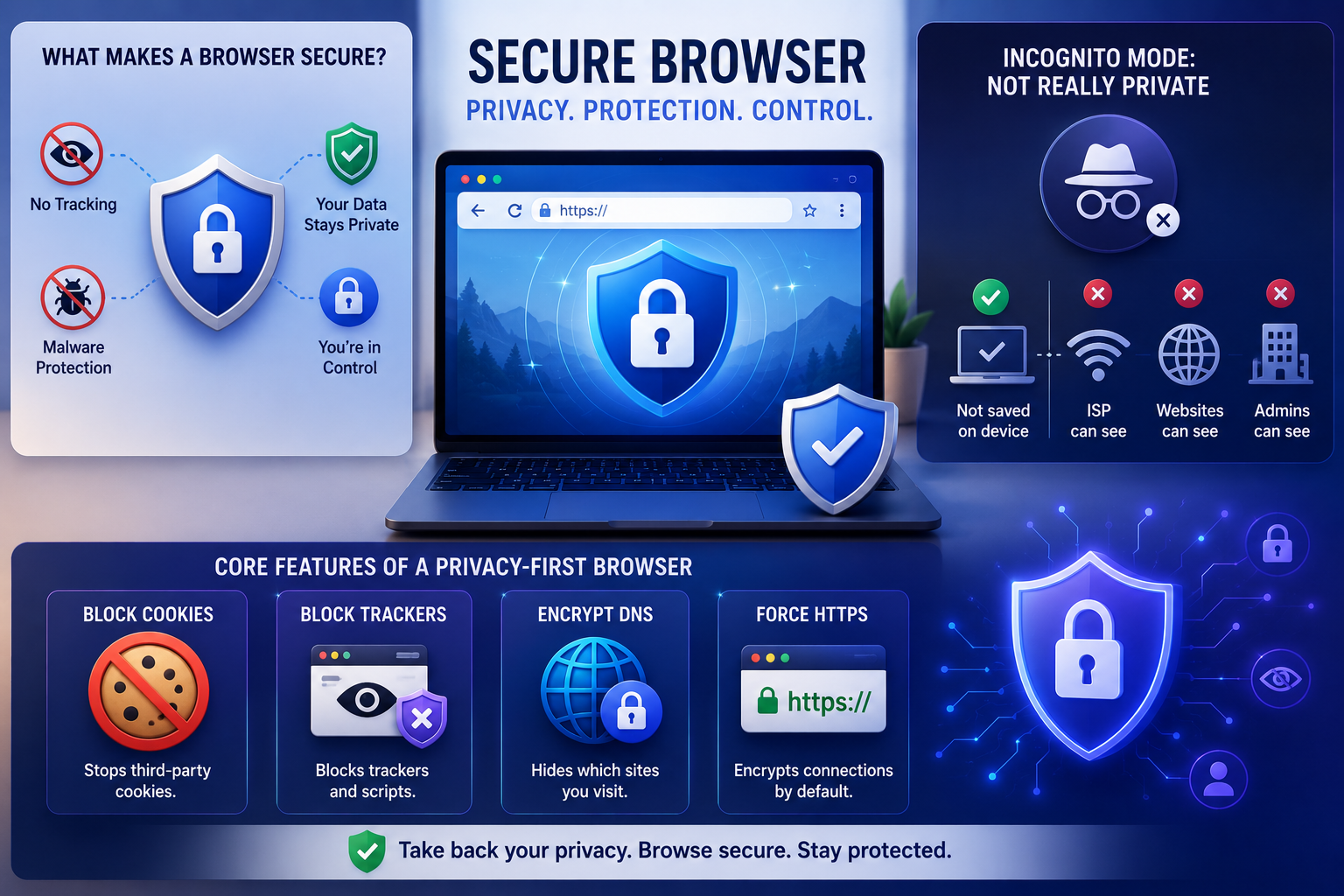
What Makes a Browser "Secure"?
At its core, a secure browser is a web browser built with a primary focus on user privacy and data security. While mainstream browsers prioritize speed and ecosystem integration (often tying you into search engines and targeted advertising networks), secure alternatives strip away the intrusive elements.
A truly private browser focuses on giving you control. It achieves this by aggressively preventing cross-site tracking scripts from monitoring your habits and providing robust phishing protection and malware filtering to stop you from accidentally landing on malicious sites.
The Great Myth: Is Incognito Mode Actually Private?
When discussing anonymous browsing for beginners, the first feature that usually comes to mind is "Incognito" or "Private" mode. But is incognito mode actually private? The short answer is: no.
Incognito mode does one thing well: it stops your browser from saving your browsing history, cookies, and form data locally on your device. Once you close the window, your roommate or partner won't see what you searched for. However, your Internet Service Provider (ISP), the websites you visit, and network administrators (like your employer) can still see every page you load. To achieve real privacy, you need tools built into the browser's architecture, not just a temporary amnesia toggle.
Core Features of a Privacy-First Browser
To understand how to stop website tracking, you need to know what a privacy-focused browser actually does behind the scenes. Here are the core features you should look for:
- Cookie Blocking: The ability to block third-party cookies effectively is non-negotiable. These are the small files advertisers use to follow you from site to site.
- Tracker Blocking: Beyond cookies, secure browsers actively block invisible pixels and analytics scripts that monitor your clicks and scroll behavior.
- Upgraded Network Security: Top-tier browsers support encrypting dns queries (DNS over HTTPS). Normally, your request to visit a website is sent in plain text. Encrypting this request means your ISP cannot see which specific sites you are trying to access.
- Forced Encryption: While browsers don't create end-to-end encryption for web traffic on their own, secure browsers will force connections to use HTTPS (the encrypted version of HTTP), ensuring that data traveling between you and the website is scrambled and safe from hackers.
Anti-Fingerprinting Technology Explained
You might be blocking cookies, but advertisers have a more devious trick: browser fingerprinting. Websites can read your device's unique characteristics—like your screen resolution, installed fonts, operating system, and hardware graphics—to create a unique "fingerprint" of you.
So, what is the solution? Anti-fingerprinting technology explained simply: it involves the browser either blocking websites from reading these specific hardware details or giving every website a randomized, generic set of details. This makes your device look identical to millions of others, allowing you to blend into the crowd.
For users who need a higher level of anonymity—such as digital marketers, multi-account managers, or affiliate marketing professionals—a more advanced solution is using an antidetect browser. Unlike standard browsers, antidetect browsers like Hidemium let you create multiple independent browser profiles, each with a unique fingerprint. This ensures accounts are completely isolated technically and cannot be linked to each other.
Under the Hood: Rendering Engines and Security
When choosing a browser, you are essentially choosing between two major web engine families. The debate around chromium vs gecko engine security is ongoing in the developer world.
- Chromium (Blink Engine): Used by Chrome, Brave, Edge, and Vivaldi. Chromium is incredibly fast, open-source, and highly secure against malware due to its excellent sandboxing (keeping website code isolated from your computer system).
- Gecko Engine: Developed by Mozilla and used by Firefox. Gecko is highly customizable and allows for deeper structural changes regarding how privacy features are implemented, which is why privacy purists often prefer it.
Both engines are highly secure against hacking; the real difference lies in how much data the developer of the browser chooses to collect from you.
Choosing the Right Browser for You
Let's look at how the biggest names stack up against each other.
The Heavyweights: Firefox vs Brave for Privacy
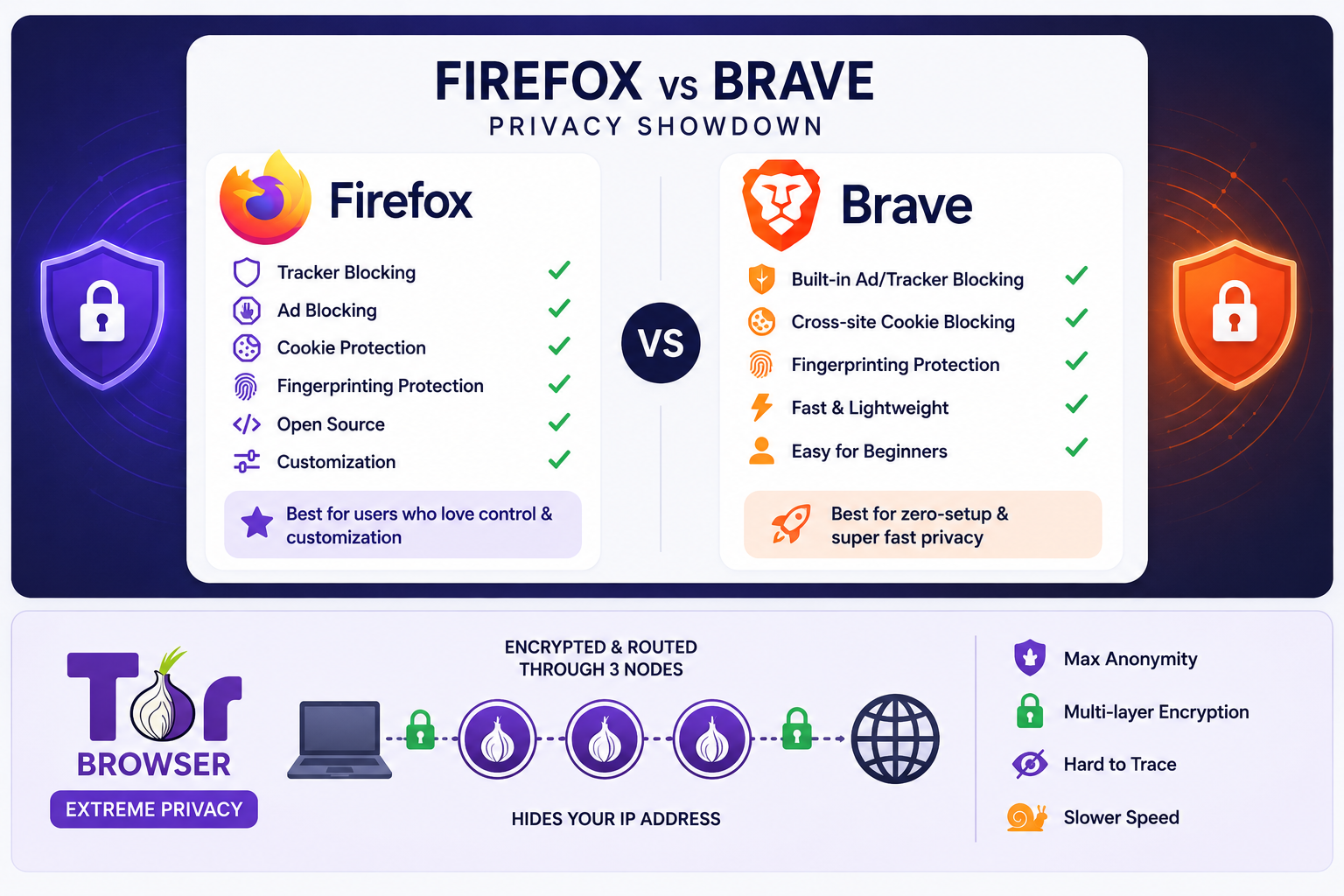
When users decide to ditch standard browsers, the ultimate showdown is usually Firefox vs Brave for privacy.
Brave Browser is built on Chromium. Out of the box, it is arguably the most secure browser for absolute beginners. Its built-in "Shields" feature automatically blocks ads, trackers, and cross-site cookies without requiring you to install any extensions. It also features robust fingerprinting protection.
Mozilla Firefox, on the other hand, is a privacy powerhouse if you are willing to tweak its settings. Because it runs on Gecko, it isn't beholden to Google's web standards. By switching Firefox's Enhanced Tracking Protection to "Strict," you block nearly all known trackers.
The Verdict: Choose Brave for a zero-setup, hyper-fast experience. Choose Firefox if you want to support an independent web engine and customize your privacy controls deeply.
If you are a power user who needs to manage multiple accounts on the same platform without being detected, neither Brave nor Firefox will be sufficient. In that case, a dedicated antidetect browser like Hidemium is the better choice. Learn more about how to apply antidetect browsers to build a multi-profile management system effectively.
Extreme Privacy: The Tor Browser
If your goal is absolute anonymity, you need to look beyond standard browsers. The Tor Browser routes your internet traffic through the onion routing network.
Instead of connecting directly to a website, your connection is encrypted multiple times and bounced through three random volunteer servers (nodes) around the globe. By the time your request reaches the website, it is virtually impossible to trace the connection back to your original IP address. While Tor is incredibly secure, this routing process makes it quite slow, making it better suited for sensitive research rather than streaming Netflix.
Secure Browsers for Testing and Education
It is worth noting that the term "secure browser" has a completely different meaning in the academic and professional certification world. In these contexts, a secure browser is a locked-down application designed to prevent cheating during online exams.
K-12 and State Assessments
Many state education departments require specific software for standardized testing. For instance, schools in Florida utilize the florida secure browser (often colloquially referred to as the fl secure browser). When a student launches this software, it prevents them from opening other tabs, taking screenshots, or accessing unauthorized calculators, ensuring the integrity of the state assessments.
Academic and Device Environments
Schools frequently deploy these tools across various hardware. Running a secure browser on chromebook devices is incredibly common in education, as Chromebooks allow administrators to easily push "kiosk mode" apps that lock the student into the exam environment seamlessly.
Professional Certification Exams
If you are an adult taking a proctored professional certification from home, you will likely encounter similar software. For example, remote test-takers often receive instructions requiring a psi bridge secure browser macos monterrey download (or the equivalent for Windows).
When preparing for these exams, users frequently search for a psi bridge secure browser macos monterrey download free, but a word of caution: you should only download proctoring software directly from your official exam dashboard. Downloading test-taking software from third-party sites poses a severe security risk and can lead to immediate exam disqualification.
Actionable Tips to Maximize Your Browser Security
Even if you aren't ready to switch your daily browser, you can significantly upgrade your current setup. Here are some actionable steps to take today:
- Install the Best Privacy Extensions for Chrome (and others): If you must use a standard browser, arm it with extensions. uBlock Origin is the gold standard for blocking ads and malicious scripts. Privacy Badger (created by the EFF) learns to block invisible trackers automatically.
- Audit Your Settings: Dive into your browser settings and manually disable third-party cookies. Ensure that "Do Not Track" requests are turned on (though keep in mind, websites can legally ignore these requests, which is why active blocking is better).
- Practice Good Digital Hygiene: Make it a habit to clear digital footprint regularly. Clear your cache, delete your search history, and purge old cookies every few weeks. This prevents trackers from building a long-term profile of your habits.
- Check Your Permissions: Periodically review which websites have access to your microphone, camera, and location. Revoke access for any site that doesn't strictly need it.

Conclusion
Understanding what a secure browser is—and how it functions—is your first line of defense in the modern digital age. The internet doesn't have to be a place where your data is harvested and sold to the highest bidder.
Whether you are configuring Firefox to stop cross-site trackers, using Brave to block intrusive ads, or downloading a required locked-down browser for an upcoming certification exam, taking an active role in your web setup pays dividends. Take five minutes today to review your browser settings, install a privacy extension, or download a dedicated privacy browser. Your digital identity is yours—make sure you are the one protecting it.
If your needs go beyond regular browsing—such as managing multiple accounts, running marketing campaigns, or protecting your privacy at a professional level—explore how to choose the right antidetect browser or check out the guide on the best proxy software to pair with a secure browser.
Related Blogs
Flipkart is one of the largest e-commerce platforms in India, providing access to millions of customers nationwide. In this article, Hidemium will guide you in detail on how to create a sales account on Flipkart, how to optimize business performance and protect your account from the risk of being temporarily suspended using tools Hidemium Antidetect Browser.1. What is the Flipkart sales[…]
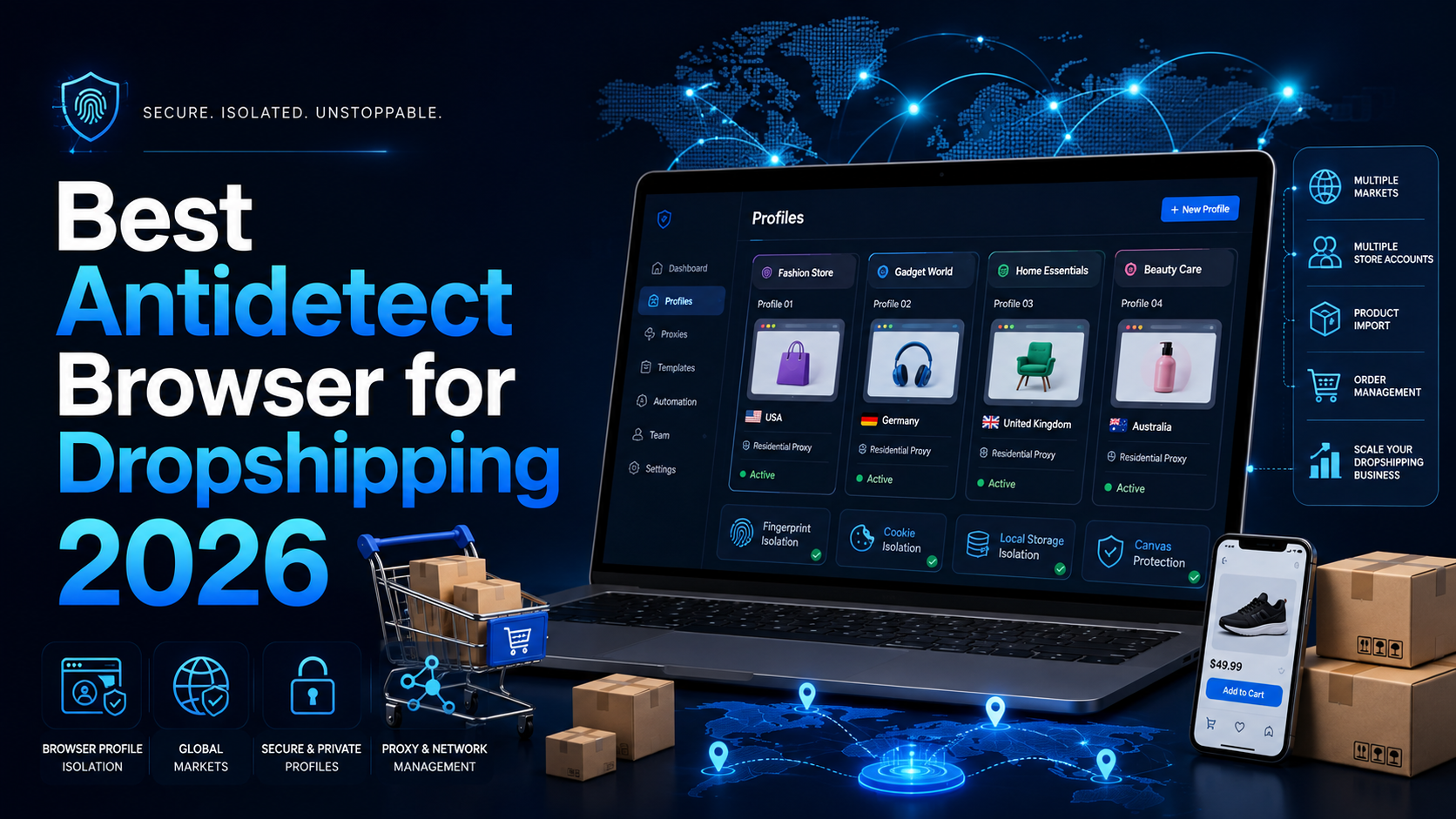
Best Antidetect Browser for Dropshipping 2026Dropshipping may begin with one store, one supplier, and one operator. However, the workflow can quickly become more complicated when a business expands across multiple brands, markets, advertising accounts, storefronts, or team members.Each store may use its own email address, cookies, login sessions, product research tools, advertising accounts, and[…]
When applied correctly, the 10 Antidetect Browser tips not only significantly reduce the risk of account restrictions but also enhance stability in multi-account management. Close synchronization between browser fingerprints, IP addresses, and access behavior helps platform AI systems assess activity as more natural.In addition, these techniques optimize marketing operations, save management[…]
Accessing blocked websites in Vietnam is no longer too difficult if you know how to use it. Proxy through firewall properly. This is an ideal solution, which helps free internet access, just to make sure safety and security of personal information. Together Hidemium Antidetect Browser Discover the 3 most effective methods of using Proxy to bypass firewalls today.1. Use free Proxy websites to[…]

IPv6 (Internet Protocol version 6) is the latest Internet protocol designed to replace IPv4, which is gradually running out of available addresses. With its 128-bit length, IPv6 provides an almost unlimited number of IP addresses while also improving connection speed, security, and support for IoT devices.However, not all users know whether their network already supports IPv6. Below are 4 simple[…]
.png)
Nowadays, websites can easily track user behavior through IP address and device parameters. This means that, even if you have changed your IP or used incognito mode on your browser, the system can still detect that you are logging in and operating multiple accounts at the same time.An effective solution to overcome this situation is to use it antidetect browser – specialized tool to help simulate[…]
