
Choosing an antidetect browser is easy when every product page promises the same things:
“Realistic fingerprints.”
“Secure profiles.”
“Fast automation.”
“Team collaboration.”
The harder question is:
How do you actually compare them?
A tool may look impressive in a feature list and still become frustrating when you manage 100 profiles, add a team, connect proxies, or automate recurring browser workflows.
That is why this guide is not another generic list of “best antidetect browsers.”
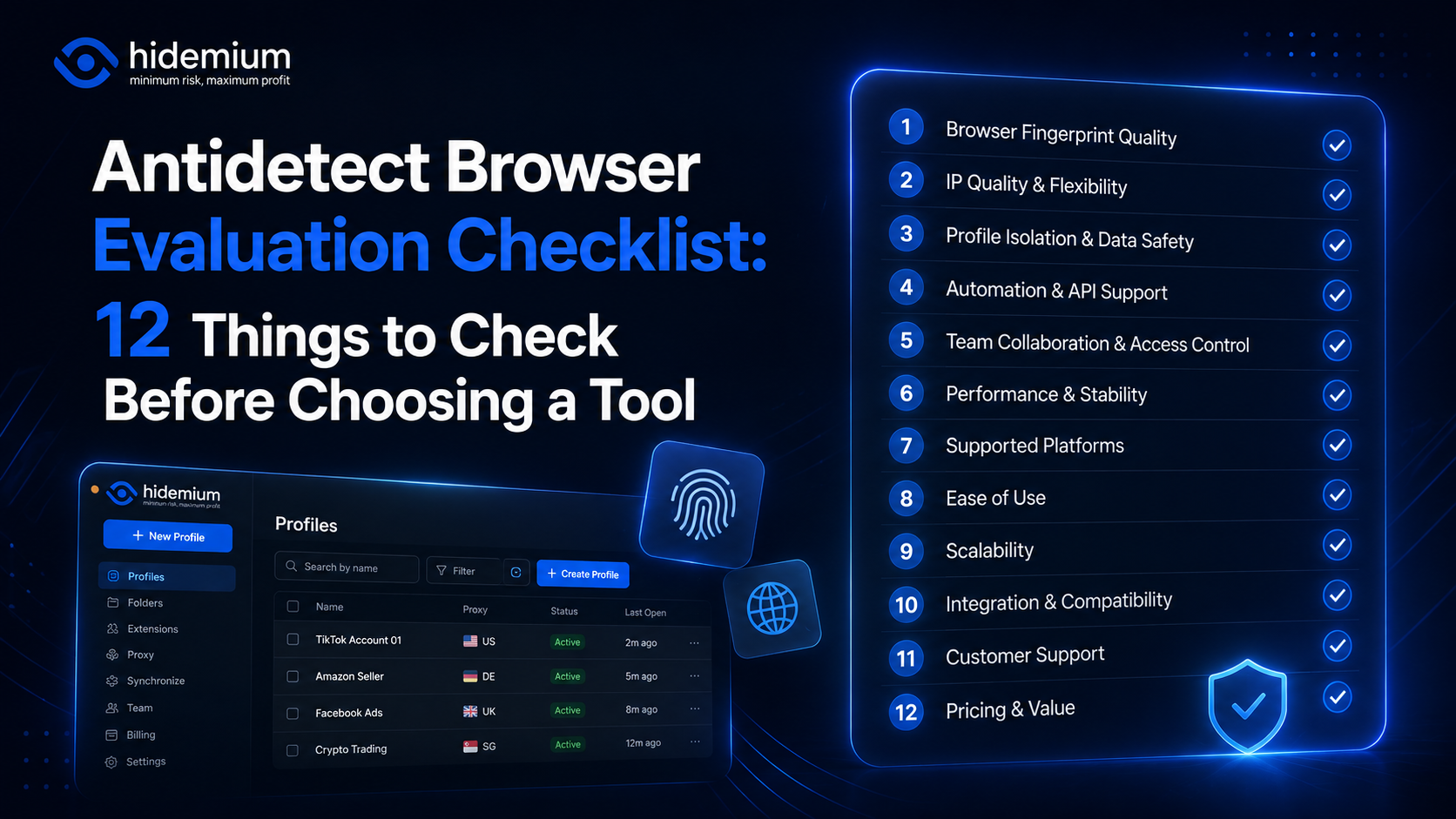
Instead, it gives you a 12-point evaluation checklist you can use before committing to any platform.
The goal is simple:
Do not choose an antidetect browser based on feature count. Choose it based on how reliably those features work in your real workflow.
Quick Answer: What Should You Check Before Choosing an Antidetect Browser?
Before you choose an antidetect browser, evaluate these 12 areas:
- Fingerprint consistency
- Proxy compatibility
- Browser profile isolation
- Data storage and synchronization
- Team permissions
- Automation and API capabilities
- Import and export
- Performance and reliability
- Security and access controls
- Documentation and support
- Pricing at your expected scale
- Real-world testing with your own workflow
A good antidetect browser should not only create multiple browser profiles.
It should help those profiles remain organized, consistent, isolated, manageable, and scalable as your operation grows.
1. Is the Browser Fingerprint Consistent?
Fingerprint management is one of the first things people associate with an antidetect browser.
But more settings do not automatically mean better results.
The real question is:
Does the browser profile produce a coherent environment?
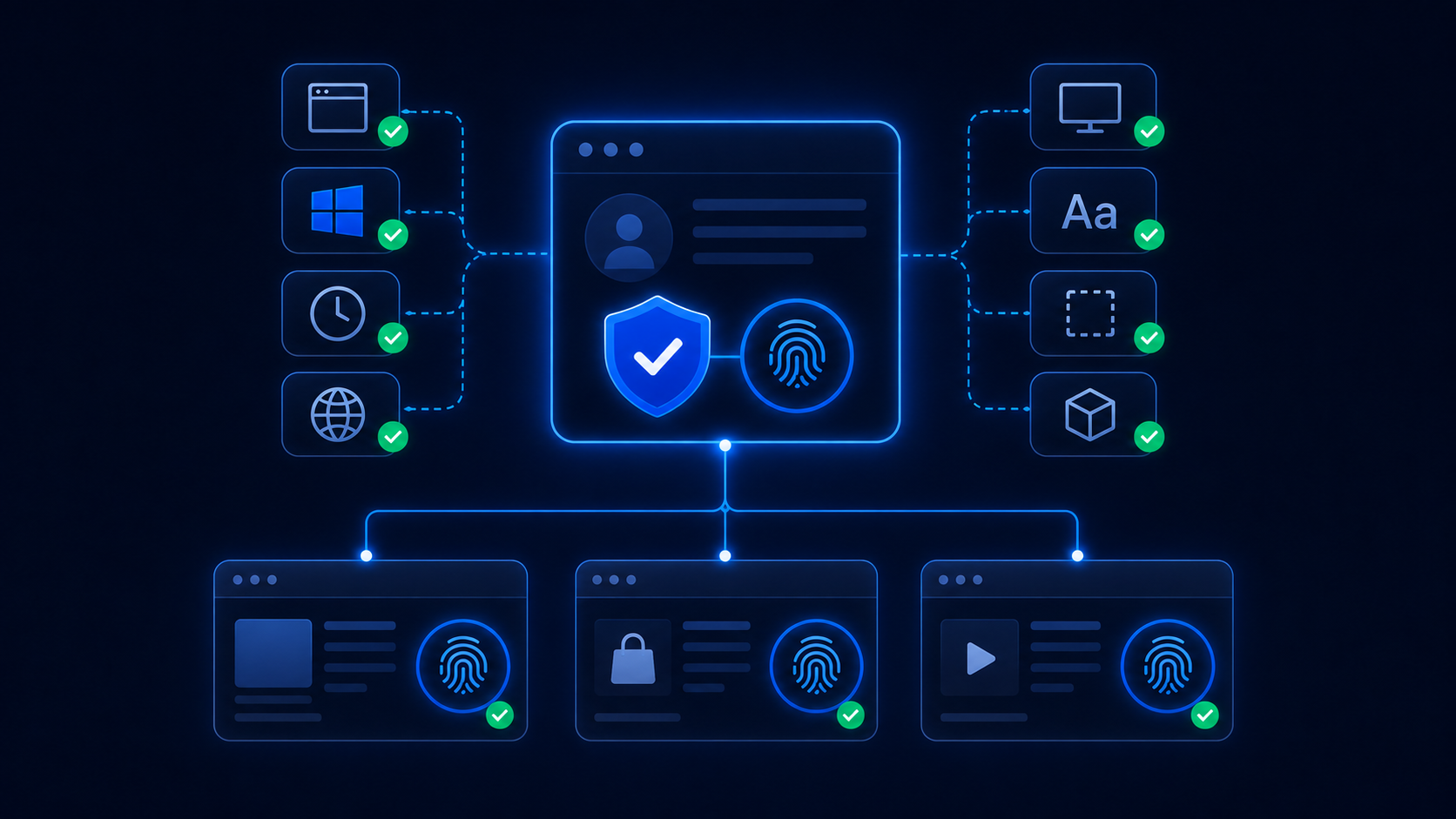
A browser fingerprint may involve signals such as:
- operating system;
- User Agent;
- screen resolution;
- language;
- time zone;
- Canvas;
- WebGL;
- fonts;
- hardware concurrency;
- device memory;
- browser APIs.
When evaluating a tool, look beyond the number of fingerprint parameters it lets you edit.
What matters more is whether those values make sense together.
For example, a profile should not appear to be one operating system while exposing browser or hardware characteristics that clearly conflict with that environment.
What to check
Ask:
- Are fingerprint settings generated automatically?
- Can you customize them when necessary?
- Do profile values remain stable between sessions?
- Does reopening a profile preserve the same environment?
- Are settings internally consistent?
A strong antidetect browser should prioritize consistency over randomness.
That distinction matters.
Random fingerprint values may look sophisticated, but inconsistent environments can create more problems than they solve.
2. How Well Does It Handle Proxies?
An antidetect browser and a proxy are not the same thing.
The browser controls the browser environment.
The proxy controls the network route and IP address.
For many workflows, however, they need to work together.
A good antidetect browser should make proxy management straightforward.
Check for support for:
- HTTP proxies;
- HTTPS proxies;
- SOCKS5 proxies;
- username/password authentication;
- proxy testing;
- per-profile proxy assignment;
- proxy import;
- clear proxy status indicators.
If you manage only five profiles, entering proxies manually may be fine.
If you manage 500 profiles, it becomes a different problem.
The important question becomes:
Can I quickly tell which proxy belongs to which profile?
Also check whether the browser lets you test a proxy before launching the profile.
That small feature can save a lot of time when endpoints expire, credentials change, or a proxy becomes unavailable.
3. Are Browser Profiles Truly Isolated?
This is one of the most important antidetect browser features to evaluate.
Each profile should function as its own browser environment rather than simply behaving like another tab in the same browser.
Depending on the platform, isolation may include:
- cookies;
- local storage;
- IndexedDB;
- browser sessions;
- cache;
- extensions;
- bookmarks;
- profile settings;
- proxy configuration.
Why does this matter?
Imagine you manage several clients.
Client A should not accidentally inherit Client B’s cookies or login sessions.
The point of browser profile isolation is to create persistent, separate workspaces.
A simple test
Create two profiles.
Log into different accounts in each.
Close both profiles.
Reopen them later.
Ask:
- Are sessions still separated?
- Did one profile inherit data from another?
- Are profile-specific settings preserved?
- Can each environment be reopened exactly where you left it?
If basic profile separation feels unreliable, the rest of the feature list matters much less.
4. Where Is Profile Data Stored?
This question is often ignored until teams start sharing profiles.
Different antidetect browsers may store or synchronize profile data differently.
You should understand:
- whether data is stored locally;
- whether cloud synchronization is available;
- what gets synchronized;
- whether profile data can be moved between devices;
- what happens when a device is lost;
- how profile recovery works.
This becomes especially important for agencies and distributed teams.
A freelancer working on one computer may prefer local control.
A team with 20 employees may need synchronization and centralized access.
Neither approach is automatically better.
The right choice depends on your workflow.
Ask before buying
Where is browser profile data stored, and what happens if I change devices?
If the answer is unclear, investigate before committing your entire operation to the platform.
5. How Strong Are Team Permissions?
A good personal antidetect browser is not automatically a good team antidetect browser.
Once multiple employees share a workspace, you need more than profile creation.
You need access control.
Look for capabilities such as:
- team workspaces;
- user roles;
- profile-level permissions;
- folders or groups;
- shared profiles;
- profile transfer;
- access revocation.
Suppose an agency has:
- an Ads team;
- a Social team;
- an Operations team;
- an administrator.
The Social team probably does not need access to every browser profile in the company.
A useful permission model should allow teams to access only the profiles required for their work.
This is not just a convenience feature.
It is part of antidetect browser security.
A system with poor access control can become difficult to manage as the organization grows.
6. Does It Support Automation?
Manual profile management is fine until the same tasks repeat every day.
That is where automation starts to matter.
Depending on your workflow, useful features may include:
- profile launch automation;
- API access;
- browser automation;
- scripted actions;
- batch profile creation;
- integrations with internal systems.
But do not evaluate automation with a simple checkbox.
“API available” tells you very little.
Ask:
- What can the API actually control?
- Can profiles be created programmatically?
- Can proxies be assigned automatically?
- Can profiles be started and stopped remotely?
- Is documentation complete?
- Are there practical limits?
The best automation feature is not the one with the longest documentation.
It is the one that matches the repetitive work your team already performs.
If you never automate browser tasks, this may not matter much.
If your operation runs hundreds of repetitive workflows, it may be one of the most important evaluation criteria.
7. Can You Import and Export Profiles Easily?
Many buyers only think about getting into a platform.
You should also think about getting data out.
A good evaluation should include:
- profile import;
- proxy import;
- cookie import/export;
- bulk profile creation;
- profile migration;
- CSV or structured imports;
- backup/export options.
Why does this matter?
Imagine your team has already created:
300 profiles.
Manually rebuilding them because your next tool cannot import existing data is expensive.
This is especially important if you are switching from another browser profile manager.
Before choosing a tool, ask:
How much work would it take to migrate 100 profiles into this platform — and out of it later?
A tool that creates unnecessary lock-in can become painful as your operation changes.
8. Does It Stay Fast With Hundreds of Profiles?
Most software looks good in a demo.
The real test is scale.
An antidetect browser that performs well with 10 profiles may feel very different when the workspace contains 500.
You should evaluate:
- launch speed;
- resource usage;
- search speed;
- profile filtering;
- interface responsiveness;
- stability during long sessions;
- simultaneous profile use.
If your team regularly runs multiple profiles at once, test exactly that.
Do not test one empty profile on a new laptop and assume the result represents production conditions.
Test your real scenario
If your actual workflow uses:
- 20 concurrent profiles;
- browser extensions;
- multiple open tabs;
- proxy connections;
- team synchronization;
then test those conditions.
Commercial evaluation should always be based on the environment you will actually use.
9. What Does Antidetect Browser Security Actually Include?
Security should not be treated as a marketing word.
Ask what it means in practice.
Depending on your requirements, evaluate:
- account authentication;
- user access controls;
- session security;
- local profile protection;
- cloud data handling;
- backup and recovery;
- permission revocation;
- security documentation.
For teams, one of the most important risks is uncontrolled access.
What happens when an employee leaves?
Can access be revoked immediately?
What happens to profiles they previously used?
Can administrators identify which profiles belong to which project?
These operational questions are often more important than a generic “secure browser” badge on a pricing page.
Important distinction
Fingerprint management and security are not the same thing.
A browser may provide advanced fingerprint controls while still offering weak team permission management.
Evaluate both separately.
10. How Good Are Documentation and Support?

Support does not seem important when everything works.
It becomes very important when:
- profiles fail to launch;
- proxy authentication breaks;
- automation stops;
- a browser update changes behavior;
- profile data needs recovery.
Before you subscribe, look at the documentation.
Is it clear?
Can you find answers without contacting support?
Are technical topics explained properly?
Also check which support channels are available.
For a solo user, community support may be enough.
For a business running critical workflows, response time can matter significantly.
A practical way to test support is simple:
Ask a real technical question before upgrading.
The quality of the response often tells you more than the sales page.
11. Does the Pricing Still Make Sense at Scale?
Never compare antidetect browser pricing using only the cheapest plan.
Instead, calculate the cost of your expected operation.
Suppose today you need:
- 30 profiles;
- 2 users.
But within a year you expect:
- 300 profiles;
- 10 team members;
- automation;
- additional storage.
Evaluate the cost of the second scenario.
Check whether pricing depends on:
- number of browser profiles;
- number of team members;
- concurrent profiles;
- cloud storage;
- automation;
- API access;
- advanced features.
A cheap entry plan can become expensive when every important feature requires another upgrade.
The reverse can also happen: a higher initial price may become more economical at scale.
The correct question is not:
“Which antidetect browser is cheapest?”
It is:
“Which one gives us the lowest total cost for the workflow we actually need?”
12. Run a Real Testing Checklist Before You Buy
This is the most important step.
Do not choose an antidetect browser based only on reviews, screenshots, or feature tables.
Test it.
Create a small version of your actual workflow.
For example:
- Create 5–10 profiles.
- Assign different proxies.
- Log into test environments.
- Close and reopen the profiles.
- Confirm sessions remain isolated.
- Test search, folders, and tags.
- Share one profile with another team member.
- Change permissions.
- Import existing data.
- Test an automation or API workflow.
- Run several profiles simultaneously.
- Check what the setup would cost at 10× your current scale.
Then score each category.
Antidetect Browser Evaluation Scorecard
| Category | Pass | Needs Review | Fail |
|---|---|---|---|
| Fingerprint consistency | ☐ | ☐ | ☐ |
| Proxy management | ☐ | ☐ | ☐ |
| Profile isolation | ☐ | ☐ | ☐ |
| Data storage | ☐ | ☐ | ☐ |
| Team permissions | ☐ | ☐ | ☐ |
| Automation | ☐ | ☐ | ☐ |
| Import/export | ☐ | ☐ | ☐ |
| Performance | ☐ | ☐ | ☐ |
| Security | ☐ | ☐ | ☐ |
| Documentation/support | ☐ | ☐ | ☐ |
| Pricing | ☐ | ☐ | ☐ |
| Real-world workflow | ☐ | ☐ | ☐ |
This turns software selection into a structured decision rather than a guess.
How Should You Choose an Antidetect Browser?
The right antidetect browser depends on what you are actually trying to manage.
Solo users should prioritize
- reliable profiles;
- easy proxy setup;
- reasonable performance;
- simple organization.
Agencies should prioritize
- profile isolation;
- folders and tags;
- team permissions;
- profile sharing;
- proxy management;
- scalability.
Large operations should prioritize
- automation;
- APIs;
- role-based permissions;
- bulk management;
- migration;
- performance;
- predictable pricing.
The mistake is assuming everyone needs the same product.
They do not.
A freelancer managing 10 profiles and an agency managing 1,000 profiles may both use an antidetect browser, but their evaluation criteria should be very different.
Which Antidetect Browser Features Matter Most?
If you remember only four things from this checklist, remember these:
1. Consistency
The environment should remain coherent between sessions.
2. Isolation
Profiles should keep browser data separated.
3. Manageability
You should still be able to find, transfer, and control profiles when the number grows.
4. Scalability
The browser should still fit your workflow when your operation becomes much larger.
Everything else should support those four goals.
Use This Checklist to Evaluate Hidemium
If you are considering Hidemium, do not evaluate it only by reading the product page.
Use the same 12-point checklist.
Ask:
- Does Hidemium's fingerprint workflow fit your requirements?
- Can you manage the proxy types you use?
- Are profiles sufficiently isolated for your workflow?
- Does its profile organization work at your expected scale?
- Can your team permissions match your organizational structure?
- Does the automation approach fit your recurring tasks?
- Can you migrate your existing workflow?
- Does pricing still make sense when your profile count grows?
That gives you a much more useful answer than simply asking whether Hidemium is “good.”
The better question is:
Does Hidemium fit the way your team actually works?
You can explore the platform at Hidemium.io and evaluate it against the checklist above.
Frequently Asked Questions
What should I look for in an antidetect browser?
Look for fingerprint consistency, browser profile isolation, proxy compatibility, profile organization, team permissions, automation, data storage, security, import/export, performance, support, and pricing that remains practical at your expected scale.
How do I choose an antidetect browser?
To choose an antidetect browser, first define your actual workflow, then test several profiles under realistic conditions. Evaluate how well the platform handles isolation, proxies, permissions, automation, migration, and scale rather than choosing based only on feature count.
What are the most important antidetect browser features?
The most important features are consistent browser environments, reliable profile isolation, proxy management, profile organization, permissions for teams, and scalability. Automation and APIs become more important for larger operations.
What does antidetect browser security mean?
Antidetect browser security should include more than fingerprint controls. Teams should also evaluate authentication, user permissions, profile access, data handling, recovery procedures, and the ability to revoke access when employees or projects change.
Is fingerprint consistency more important than fingerprint customization?
In many workflows, yes. A highly customizable fingerprint is not necessarily useful if its parameters conflict with each other or change unexpectedly. A coherent, stable browser environment is generally more important than simply having many editable fields.
Should I choose the cheapest antidetect browser?
Not necessarily. Compare the total cost at your expected number of profiles, users, and automation requirements. A low entry price may become expensive once your workflow scales.
How should I test an antidetect browser before buying?
Create several profiles, assign proxies, preserve sessions, test profile isolation, share profiles with teammates, change permissions, test migration and automation, and run multiple profiles simultaneously. Evaluate the tool under conditions close to your real workflow.
Final Checklist
Choosing an antidetect browser should not be a branding decision.
It should be an operational decision.
Before committing to a tool, verify:
Fingerprint consistency.
Proxy management.
Profile isolation.
Storage.
Permissions.
Automation.
Migration.
Performance.
Security.
Support.
Pricing.
Real-world reliability.
If a platform performs well across those 12 areas, it is much more likely to remain useful when your workload grows.
If you are evaluating Hidemium, use this checklist against your own requirements rather than relying on marketing claims alone.
Explore Hidemium and test whether its browser profile workflow fits the way you actually work.
Related Blogs

Managing multiple social media accounts sounds simple—until you actually do it.If you're handling 5, 10, or even 15 accounts, you probably know the feeling: writing similar captions, repeating the same workflow, and constantly switching between accounts. It quickly becomes time-consuming and hard to scale.That’s where a structured workflow using Claude AI can make a real difference. Instead of[…]

Zone DNS is an important component of the domain name management system (DNS), which plays a role in storing DNS records related to domain names. In this article, let's Antidetect Browser Hidemium Learn more about the concept Zone DNS, the benefits it brings and how to effectively manage DNS Zone to ensure the network system operates stably and securely.1. What is Zone DNS?A DNS zone is a data[…]

In the context of Surfinite no longer meeting security and automation needs well, many users are turning to more effective alternatives. 2025, Antidetect Browser Hidemium emerges as an option worth considering thanks to its capabilities hidden IP address, anti-tracking, cross-platform support, and AI automation. The article below will Hidemium detailed review – from interface to features to[…]

Advantages of using PIA S5 Proxy with HidemiumGlobal coverage: Covering 200+ countries/regions around the world, over 350 million pure residential IPs, making it easy to bypass regional restrictions.Efficient management: Hidemium simplifies the proxy management process, allowing you to easily switch and manage multiple IPs.Fast connection: PIA S5 Proxy has over 99.99% high-speed connection, and[…]
Are you looking for a way to access websites restricted at school, work, or in your region? Unblocked browsers and related browsing tools may help in certain situations by using proxy servers, privacy networks, or alternative connection methods.However, not every browser works the same way. Some tools focus on privacy and accessing restricted content, while antidetect browsers such as Hidemium[…]

In today's digital landscape where cybersecurity is paramount, Cloudflare emerges as a powerful shield against malicious bots and cyber attacks. However, what happens when legitimate data access or task automation is required? This detailed guide explores proven techniques and methodologies for navigating Cloudflare's security measures. Whether you're a data extraction specialist, automation[…]
