




Advantages of using PIA S5 Proxy with Hidemium
Global coverage: Covering 200+ countries/regions around the world, over 350 million pure residential IPs, making it easy to bypass regional restrictions.
Efficient management: Hidemium simplifies the proxy management process, allowing you to easily switch and manage multiple IPs.
Fast connection: PIA S5 Proxy has over 99.99% high-speed connection, and invalid IPs are free.
Data crawling tool: Combined with Hidemium, it can quickly complete large-scale data crawling tasks.
Ad verification: Use real residential IPs to simulate global users and verify advertising delivery.
Seamless integration: PIA S5 Proxy is seamlessly integrated with Hidemium, easy to operate and efficient to manage.
Cost-effectiveness: Flexible choice of billing by IP or GB to reduce operating costs and improve efficiency.
PIA S5 Proxy discount event
Currently, PIA S5 Proxy has launched a limited-time discount event, where you can get 700 additional IPs for free when you buy 1,000 IPs, with a total discount of up to 85%, and the price of each IP is as low as $0.045.
In addition, if you choose a package that is charged by GB, you can get an additional 20GB when you buy 100GB, ensuring that you get more traffic during use.
Register to join the PIA affiliate program and get 10% of the revenue for each invitation order
Registration link: >>[Link]<<
Applicable packages
Socks5 Proxy and Socks5 Proxy (Enterprise): IP billing, unlimited traffic and terminals
Residential Proxy: Billed by GB traffic, suitable for users with large IP demand, unlimited IP usage.
Long-term ISP: IP validity period is stable for 24 hours
Static ISP Proxy: IP validity period is 365 days, supporting America, Southeast Asia, Japan, South Korea and other regions
How to use PIA S5 Proxy with Hidemium browser?
For visual learners, please watch this video: >>[Link]<<
Using Windows desktop client as an example
Download PIA S5 Proxy and Hidemium client and log in.
1. Integration steps
1.1 Configure PIA S5 Proxy
Get proxy credentials (taking Socks5 proxy as an example)
1.1.1 View the proxy list, click to select the residential proxy, click on the package name to switch to different packages to choose from

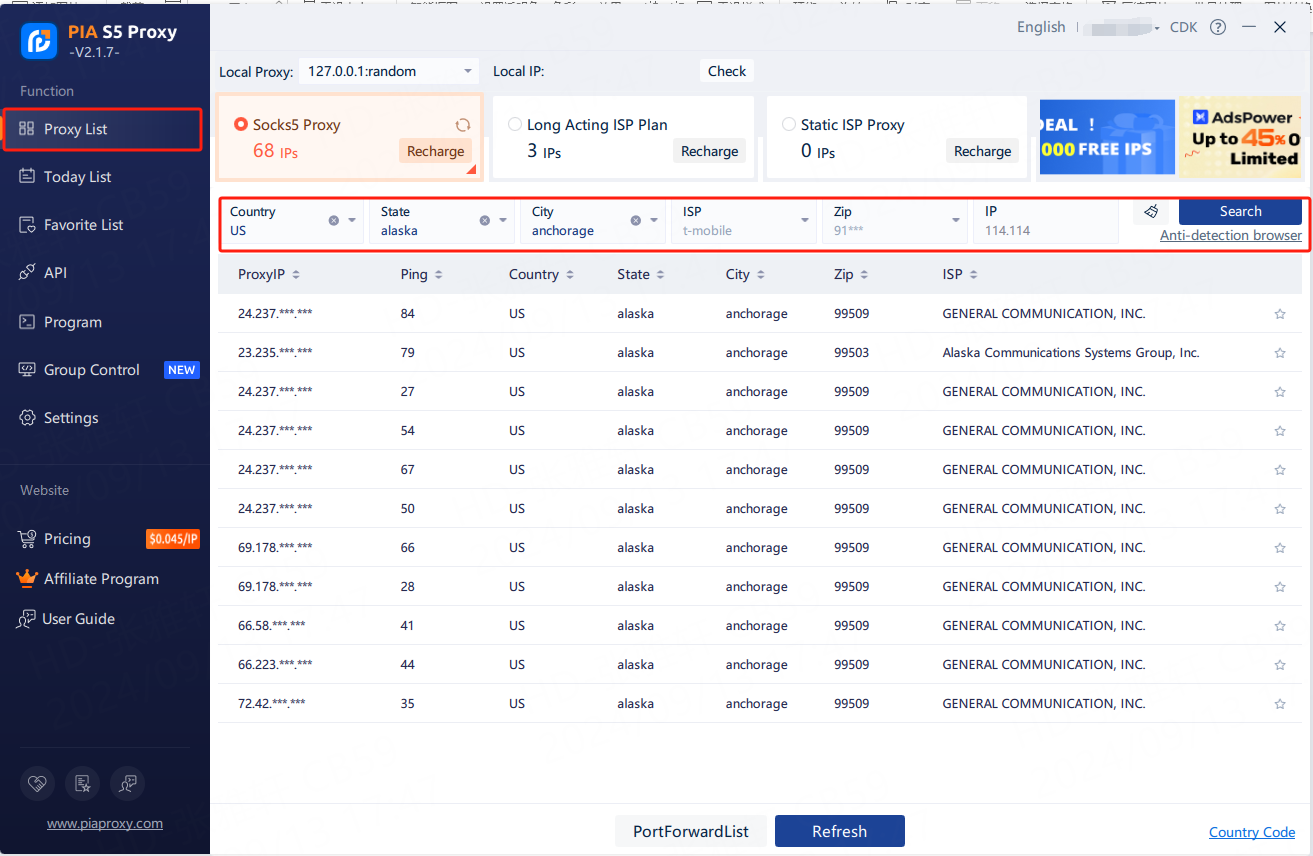
1.1.2 Fill in the "Country", "City", "Postal Code" fields and other information as needed. Click “Search” 【Such as US,alaska,anchorage】
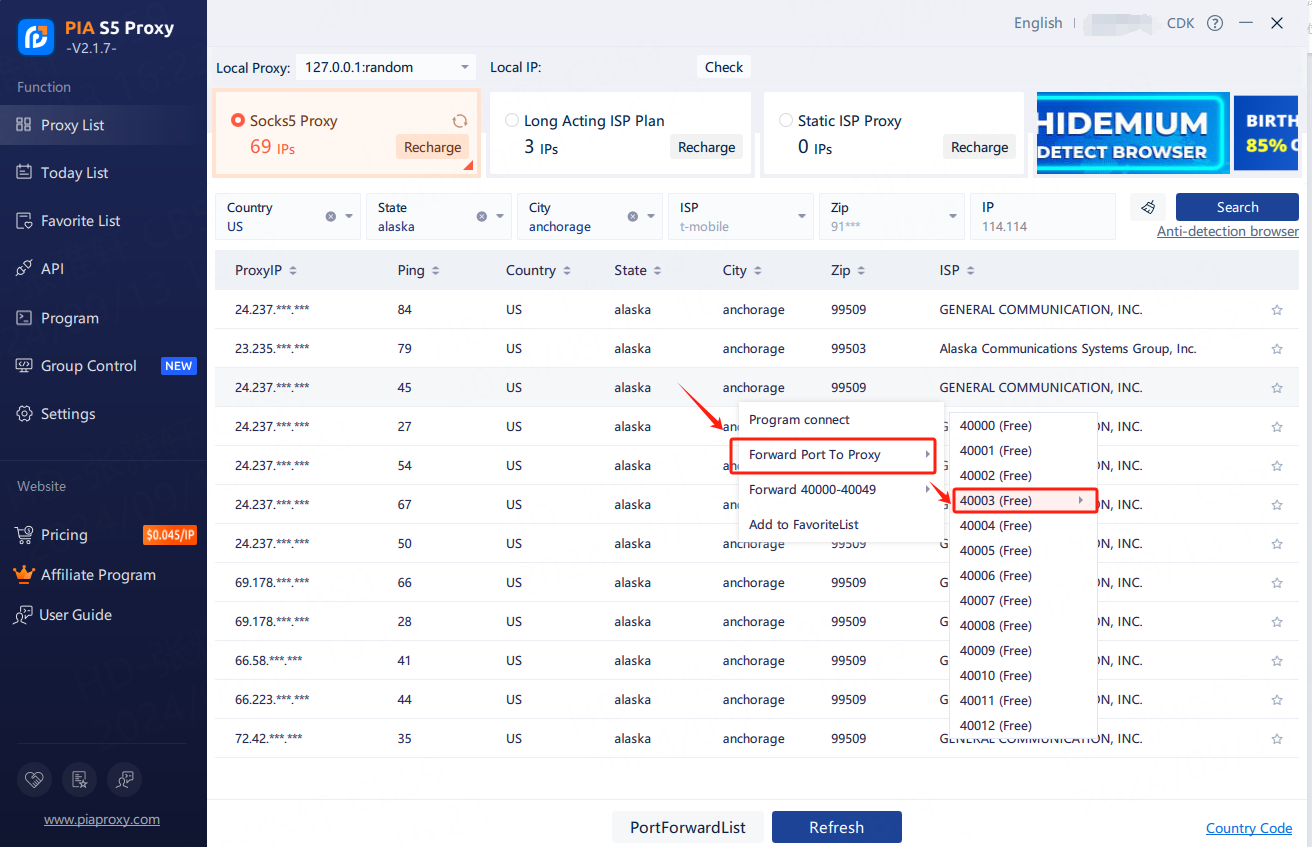
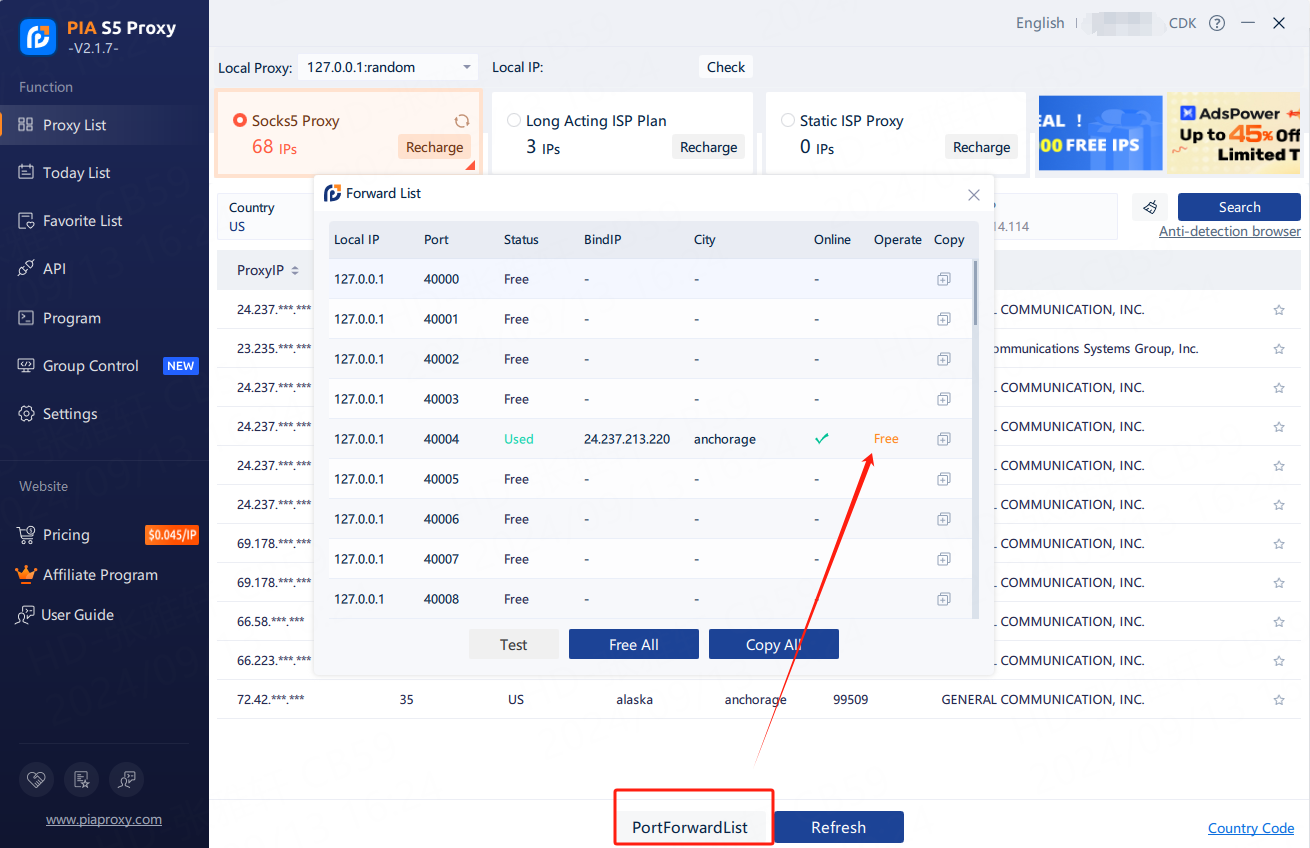
1.1.3 Select any IP, right-click the IP, select forward port to proxy-select the port [take 40003 as an example]
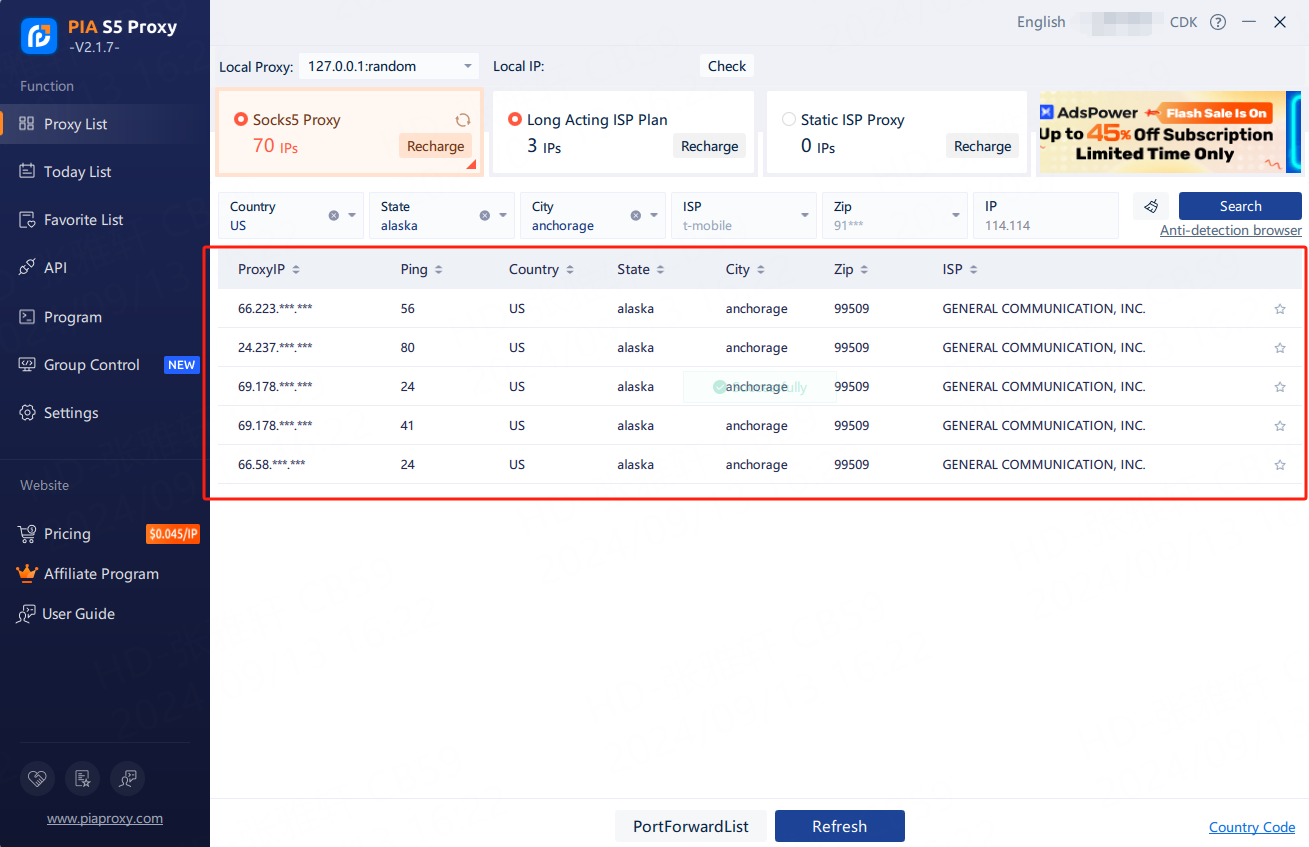
1.1.4 Click the port forwarding list to view the extracted IP information, click the plus sign to copy
1.1.5 The proxy IP credentials are extracted successfully. Next, open the Hidemium client
2. Create a configuration file
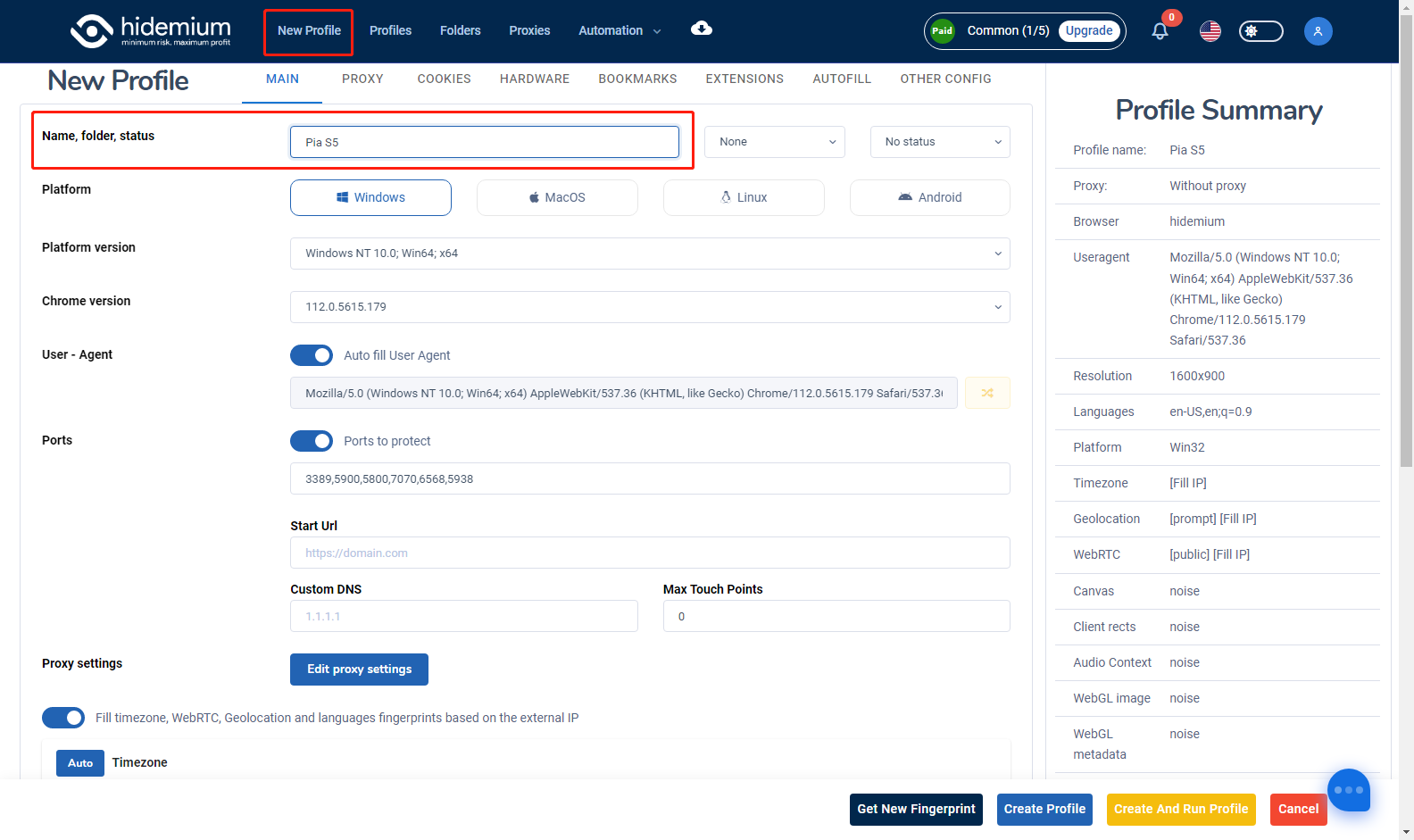
2.1.1 Open Hidemium, click New Profile above, and then enter the name
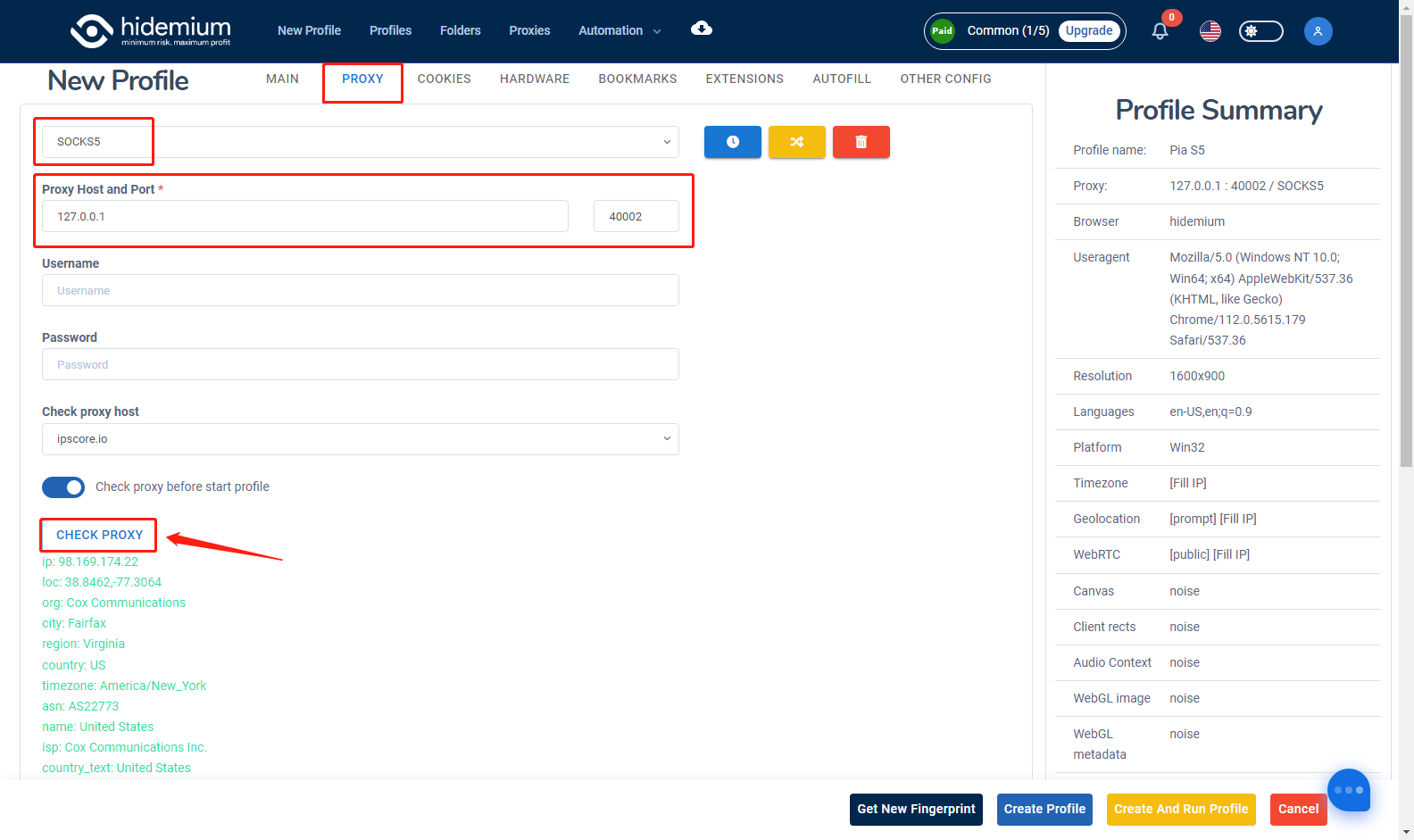
2.1.2 Click "Proxy" above, select the proxy type as socks5, then paste the proxy IP and port just copied, and finally click Check Proxy IP
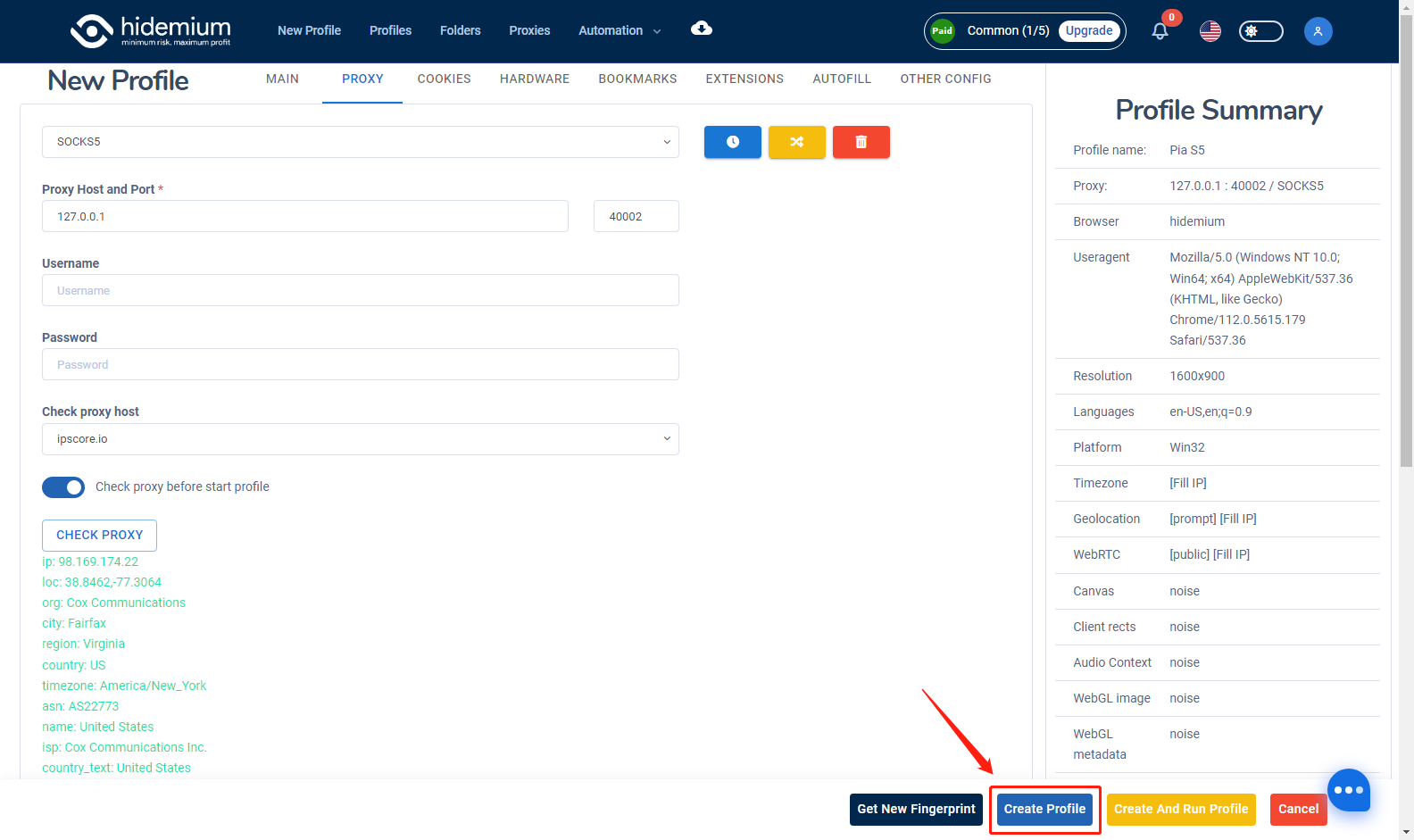
2.1.3 Finally click on create configuration file
2.1.4 Click the "Start" button to start
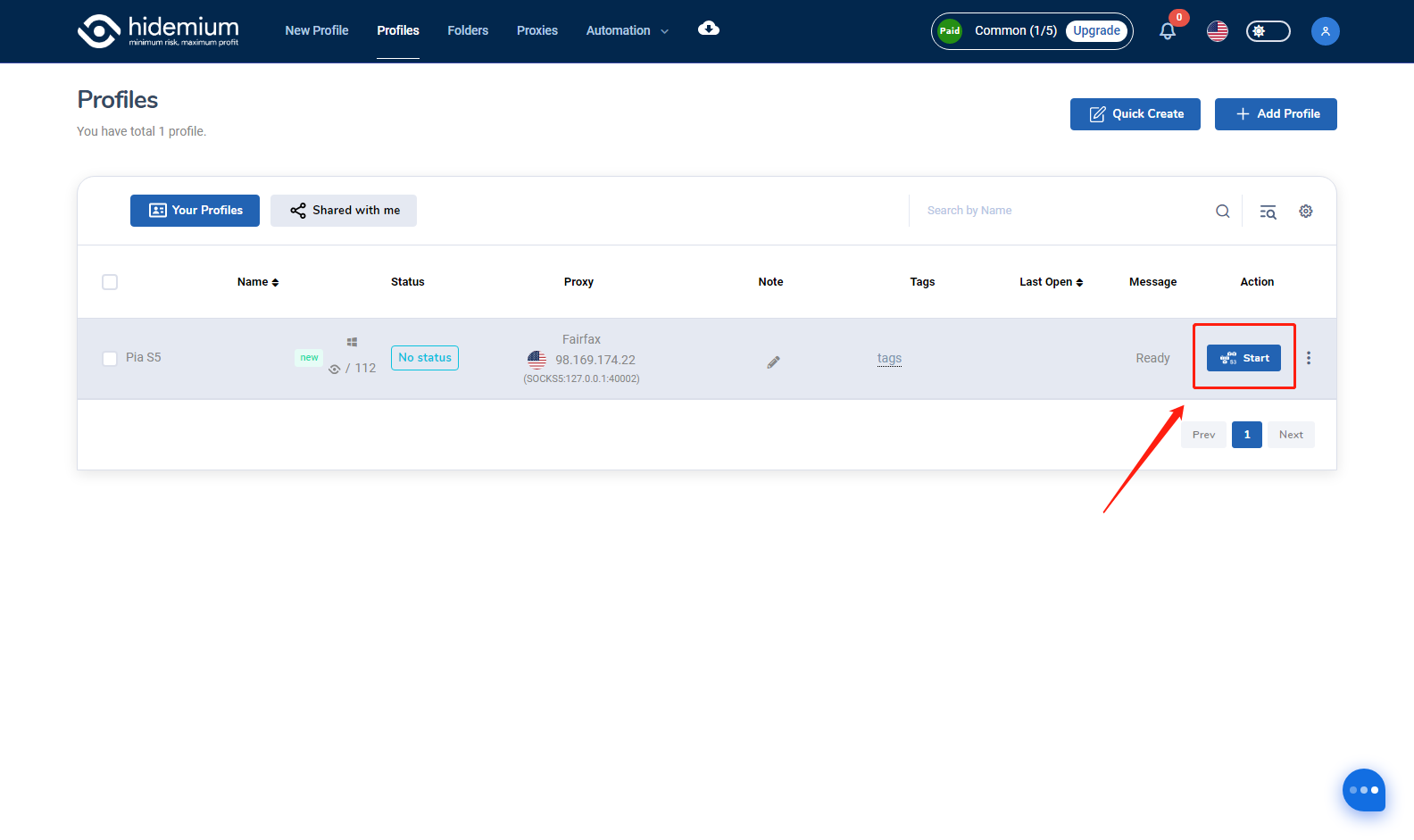
2.1.5 Your proxies are added and ready to go. Have a nice work!
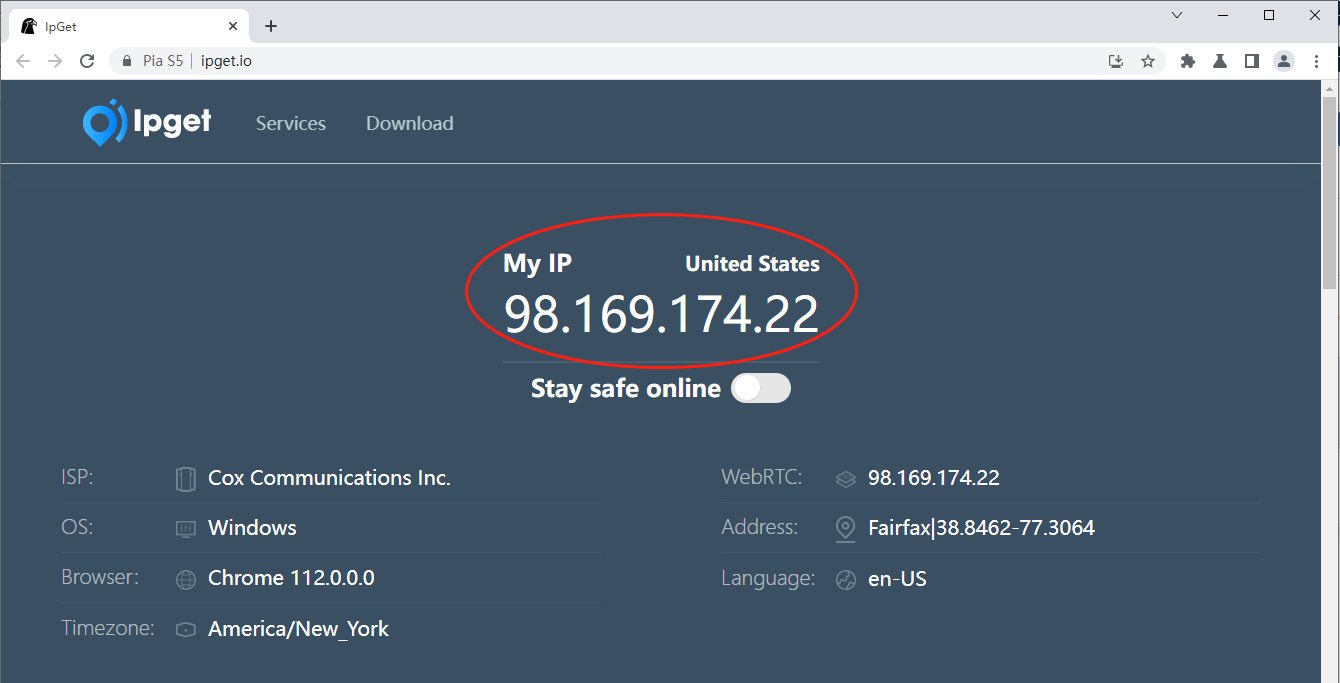
The cooperation between PIA S5 Proxy and Hidemium undoubtedly provides the ultimate solution for users who pursue anonymity, efficient management and cost-effectiveness. Whether through PIA S5 Proxy's extensive global real IP coverage or Hidemium's simplified management functions, users can experience unprecedented network freedom and security. Now is the best time to join and enjoy super value discounts, take action now and improve your network operation capabilities!