

Radmin VPN is a free Windows tool that creates a virtual LAN between computers over the internet. Unlike a traditional VPN, it is mainly designed for LAN gaming, remote access, and file sharing rather than hiding your public IP address.
In this guide, you’ll learn what Radmin VPN does, whether it is safe, how to download and install it, and how to use it for gaming or remote work in just a few steps.
1. What is Radmin VPN?
Radmin VPN is a completely free virtual private network (VPN) software that allows users to set up and manage virtual LANs securely and conveniently. Thanks to the ability to connect computers together even when separated by firewalls or uncontrolled networks, Radmin VPN is especially useful in many situations.
Despite its name, Radmin VPN is not a traditional privacy VPN. It does not primarily hide your public IP address or route all web traffic through a remote VPN server. Its main uses are LAN gaming, remote access, file sharing, and connecting computers across different locations.
Developed by Famatech – a well-known company in the field of remote control and networking software, Radmin VPN supports remote connections, allowing you to access your personal computer from anywhere: at home, office, hotel or airport. This software is not only suitable for remote businesses that need information security, but also an ideal solution for gamers who want to create a smooth and stable LAN gaming room.
>>> Learn more: Top 10 Best Free VPN Apps for Android in 2026
2. Download Radmin VPN free latest version 2026
- Software name: Radmin VPN
- Software Type: Free VPN
- Developer: Famatech
- Supported operating systems: Windows 11, 10, 8, 7
- Download link: Free Download – Official Site (2026)
For security, download Radmin VPN only from the official Famatech website. Avoid unofficial installers or third-party download pages that may contain modified versions of the software.
3. What are the outstanding features of Radmin VPN?
Why is Radmin VPN trusted by many users? Not only because the software is completely free and has a friendly interface, but also because of a series of powerful features, suitable for both personal and business needs. Below are the highlights that make Radmin VPN a reliable VPN connection tool:
- Free and Easy to Use: Radmin VPN is completely free with an intuitive, simple interface that is easy to install and use for both beginners and advanced users.
- High connection speed: Supports speeds up to 100 Mbps, ensuring a smooth experience for activities such as gaming, studying, working remotely or sharing files.
- Create secure virtual LAN: Allows users to set up virtual LAN to remotely access devices and resources such as game servers, printers, shared folders, etc., just like using a real internal network.
- Radmin Remote Control Integration: When combined with Radmin Remote Control software, users can control computers remotely easily, convenient for technical support or flexible work.
- High security with AES 256-bit: Personal data is always protected with AES 256-bit encryption technology, making VPN connection safe and secure.
- Compatible with multiple operating systems: Radmin VPN works stably on most popular Windows versions such as Windows 11, 10, 8 and 7, making installation and use more convenient.
- Multi-user support: The software allows simultaneous connection of up to 150 devices, ideal for online gaming or remote teamwork.
- Auto-reconnect feature: Ensures uninterrupted usage, maintaining a stable connection at all times.
These features make Radmin VPN particularly useful for virtual LAN networking, especially for gaming, remote access, and small-team collaboration. However, its feature set is different from tools designed for IP masking, browser privacy, or browser profile management.
>>> Learn more: Proxy, VPN and Antidetected Browser Comparison – What are the Main Differences?
4. Radmin VPN vs. Traditional VPN vs. Hidemium
Radmin VPN, traditional VPNs, and Hidemium solve different problems. Understanding the difference helps you choose the right tool for your workflow.
| Feature | Radmin VPN | Traditional VPN | Hidemium |
|---|---|---|---|
| Main purpose | Virtual LAN networking | Online privacy and IP routing | Browser profile management |
| Hide public IP | No | Yes | Via configured proxy |
| Virtual LAN | Yes | Usually no | No |
| Browser fingerprint isolation | No | No | Yes |
| Separate browser profiles | No | No | Yes |
| Cookie/storage isolation | No | No | Yes |
| Best for | Gaming, remote networking | Privacy and geo-routing | Multi-profile workflows |
In short: use Radmin VPN when you need to connect computers through a virtual LAN. Use a traditional VPN when your priority is routing and protecting internet traffic. If you need isolated browser profiles, separate fingerprints, cookies, and proxy configurations, Hidemium is designed for that purpose.
>>> Learn more: Top 15 Trusted Free Proxy Sites
5. Ideal use cases for Radmin VPN
Now that you know what Radmin VPN is, here are the real-world scenarios where Radmin VPN truly shines. Remember: Radmin VPN creates a virtual LAN — it does not hide your IP, bypass Netflix regions, or act as a traditional VPN.
LAN gaming with friends online:
Radmin VPN's most popular use case. Games that support LAN mode (such as Minecraft, Age of Empires, GTA V) can be played online with friends as if they were on the same local network. Simply create a virtual network, share the network name and password, and start gaming.
Remote file sharing between computers:
Teams or individuals who need to share files, folders, or printers across different locations can use Radmin VPN to create a secure virtual LAN, making remote collaboration feel like working on a local office network.
Remote desktop access:
When combined with Radmin Remote Control software, Radmin VPN allows you to remotely control another computer on your virtual network — ideal for IT support, managing a remote workstation, or accessing files on a home PC while traveling.
Small business or home lab networking:
Small teams that need a simple, zero-cost solution to connect multiple computers in a private network will find Radmin VPN to be a quick and reliable tool without complex configuration.
When Radmin VPN Is Not the Right Tool
Radmin VPN is not designed for hiding browser fingerprints, isolating cookies, managing multiple browser identities, or assigning separate proxies to different browser profiles.
For workflows that require these capabilities, an anti-detect browser such as Hidemium is a more specialized option.
6. How to Download and Install Radmin VPN on Windows (2026)
Installing Radmin VPN is quick and straightforward. Follow these 6 steps to get started on Windows 11, 10, 8, or 7:
Step 1: Download Radmin VPN (2026)
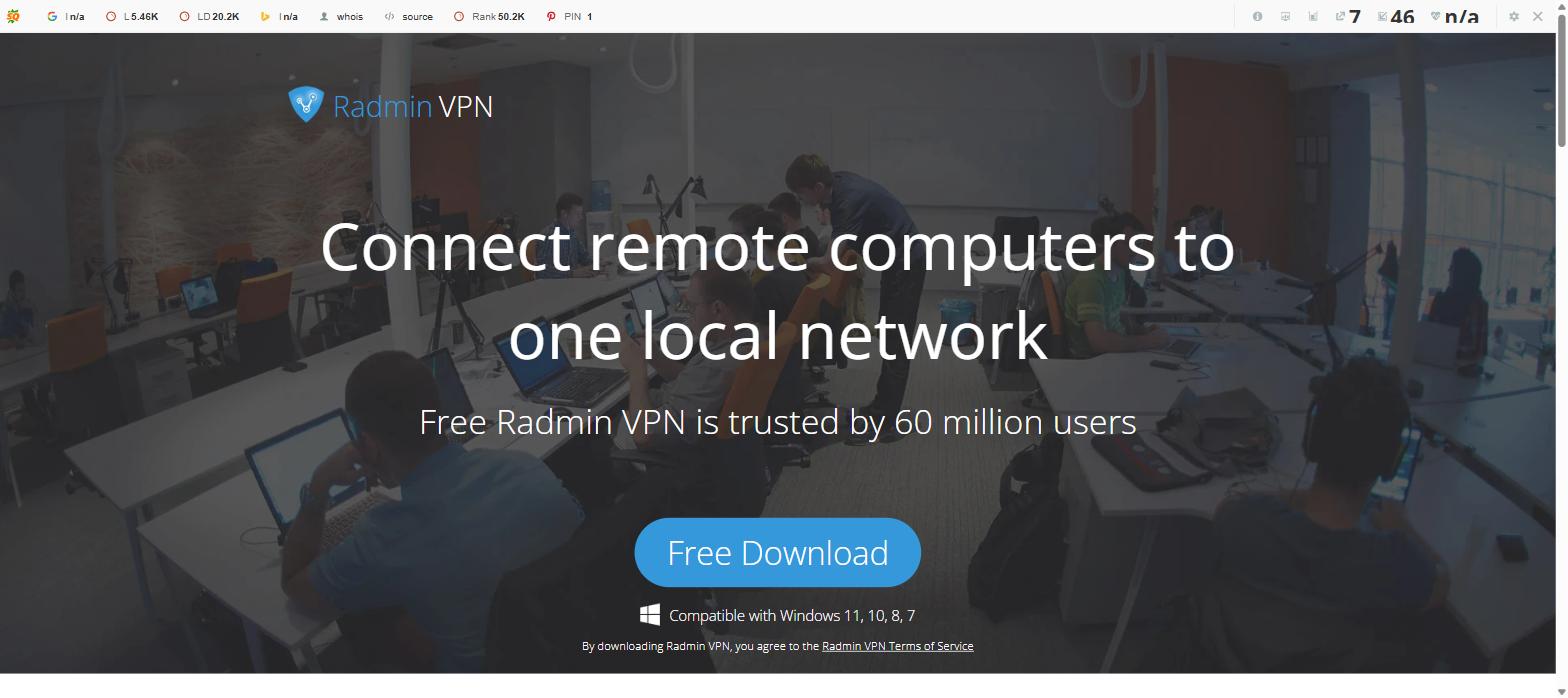
Visit the official Radmin VPN website at radmin-vpn.com and click the "Free Download" button. Always download from the official site to ensure you get the latest, safest version for 2026.
Step 2: Run the installer
Open the downloaded .exe file. If Windows shows a User Account Control prompt, click "Yes" to allow the installation to proceed.
Step 3: Follow the setup wizard
Click "Next" through the setup wizard, accept the license agreement, choose your installation folder (or keep the default), and click "Install". The installation takes less than a minute.
Step 4: Launch Radmin VPN
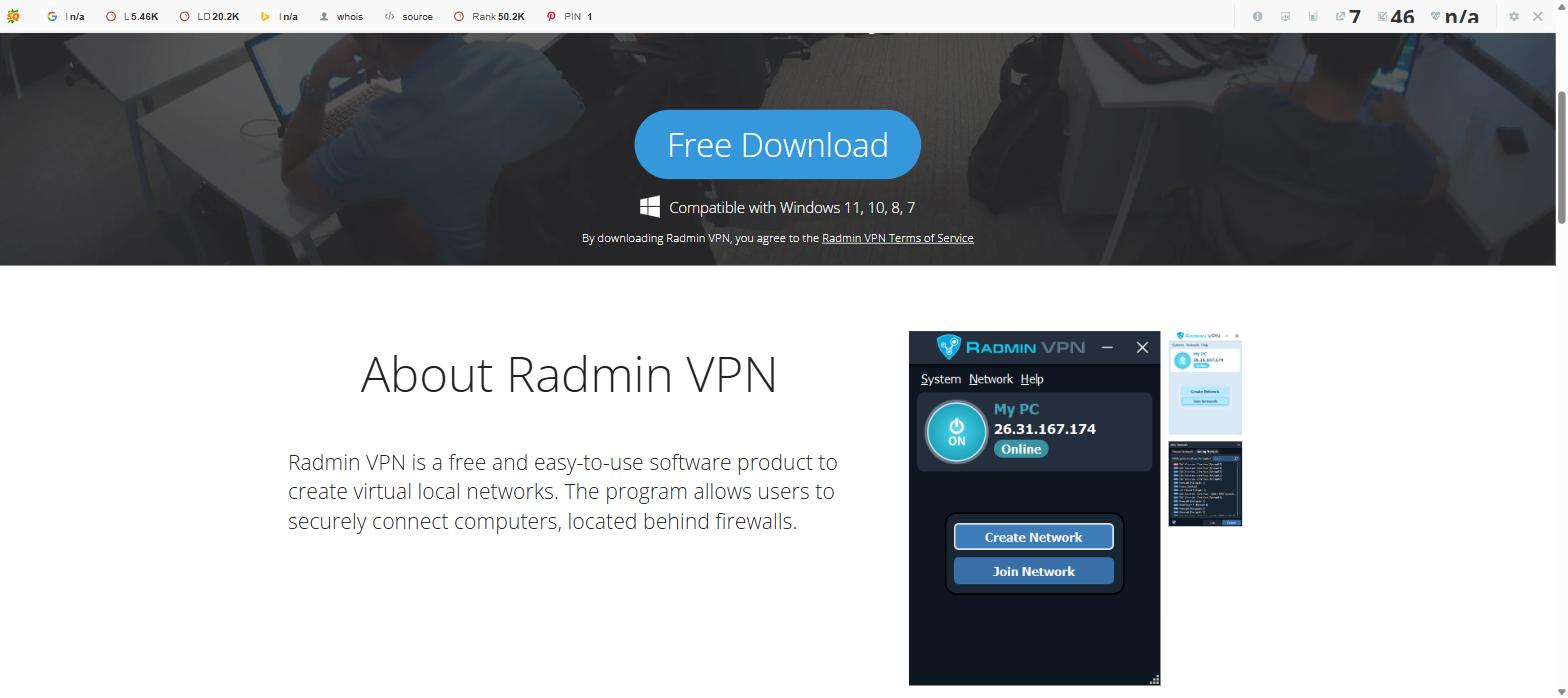
Once installation is complete, click "Finish" and Radmin VPN will launch automatically. You will see the main interface showing your PC status as "Online" with your virtual IP address.
Step 5: Create or join a network
To create a new virtual network: click "Create Network", enter a network name and password, then click "Create". To join an existing network: click "Join Network" and enter the network name and password shared by the host.
Step 6: Connect and use
Once connected, you and your friends or colleagues will appear as members of the same virtual LAN. You can now share files, play LAN games, or use remote desktop tools as if you were all on the same local network.
>>> Learn more: What is Kiwi VPN? How to Download and Use Kiwi VPN
7. Radmin VPN Pros and Cons
| Pros | Cons |
|---|---|
| Free to use | Windows only |
| Easy virtual LAN setup | Does not hide your public IP |
| Useful for LAN gaming | Not designed for anonymous browsing |
| Supports remote networking | No browser fingerprint isolation |
| Simple setup | No separate browser profiles |
Radmin VPN is a strong option when your goal is virtual LAN networking. If your workflow also requires separate browser environments, fingerprints, cookies, or proxy configurations, you will need a different type of tool such as Hidemium.
8. Radmin VPN FAQ
8.1. Is Radmin VPN safe?
Yes, Radmin VPN is safe to use. It uses AES 256-bit encryption to protect data transmitted within the virtual network. The software is developed by Famatech, a reputable company with over 20 years in the remote access software industry. However, Radmin VPN only secures traffic within the virtual LAN — it does not anonymize your internet traffic or hide your public IP address from websites you visit.
8.2. How to use Radmin VPN for gaming?
To use Radmin VPN for gaming: (1) Install Radmin VPN on all players' computers. (2) One player creates a virtual network and shares the network name and password with others. (3) All players join the same network. (4) Open your game and use the LAN/local network mode to find and connect to each other's game session. Popular games like Minecraft, Age of Empires, and Counter-Strike work effectively with this method.
8.3. Is there any lag when using Radmin VPN?
Using Radmin VPN may slightly affect speed due to: data encryption processing, distance to the VPN server, server load, and your base internet connection quality. For the best experience, connect to users geographically close to you and ensure a stable internet connection of at least 10 Mbps.
8.4. What is the maximum number of devices in Radmin VPN?
Radmin VPN supports up to 150 devices connected to the same virtual network simultaneously. This makes it suitable for small to medium gaming sessions, small office teams, or home lab setups. For larger deployments, Famatech offers Radmin Server with enterprise-grade features.
8.5. Does Radmin VPN support mobile phones?
Currently, Radmin VPN does not have an official mobile version. The software only supports Windows operating systems (Windows 7, 8, 10, 11). Note: Any Radmin VPN app found on Google Play is not the official version from the developer.
8.6. What is the difference between Radmin VPN and a traditional VPN?
Radmin VPN creates a virtual LAN between specific computers — designed for secure peer-to-peer connectivity, file sharing, and LAN gaming. A traditional VPN (like NordVPN) routes all internet traffic through a remote server to hide your IP, bypass geo-restrictions, and protect you on public Wi-Fi. Use Radmin VPN for LAN gaming and local networking; use a traditional VPN for privacy and geo-unblocking.
Hopefully, this article has helped you better understand Radmin VPN, whether it is safe, how to install it, and how to use it effectively. If you are looking for a free, secure and effective solution for LAN gaming or remote networking, Radmin VPN is a worthy choice. For any questions or further advice, please contact Hidemium for support and to explore many other optimal security tools.
8.7. Can Radmin VPN replace Hidemium?
No. Radmin VPN and Hidemium serve different purposes. Radmin VPN creates virtual LAN connections between computers, while Hidemium is designed to manage isolated browser profiles, fingerprints, cookies, and proxy configurations.
If you only need LAN gaming or remote networking, Radmin VPN may be enough. If you need multiple isolated browser environments, Hidemium is the more relevant tool.
>>> ARTICLES ON THE SAME TOPIC:
Related Blogs

I. Introduction to B2Proxy Residential ProxiesB2Proxy Official WebsiteB2Proxy is a professional provider specializing in global residential proxy services, offering high-purity residential IPs sourced from real ISP home networks. These proxies are widely used in cross-border e-commerce, online advertising, data collection, social media management, and account registration and verification.Key[…]

In the digital age, YouTube is not only an entertainment platform but also a fertile ground for building brands, making money and growing businesses. Whether you are an individual content creator or a company promoting products, increasing views for YouTube videos is a prerequisite for success.However, increasing YouTube views in 2025 is no longer as simple as before. Competition is fiercer,[…]

User Agent (UA) is an important component that helps browsers recognize and interact with websites effectively. Understanding what User Agent is and how to change it can not only protect your privacy but also optimize your browsing experience according to your personal needs. In this article,Antidetect Browser Hidemium will explain in detail about User Agent, its role and guide you how to change[…]

What Are AI Agents for HR and How to Integrate Them Into an Existing BusinessAnyone who’s worked in HR knows the routine: piles of resumes, endless follow-ups, and calendars packed with interviews that get delayed, cancelled, and end up ruining your schedule daily. The new wave of AI agents for HR and recruiting is quietly changing that.These systems don’t hire or fire on their own. They handle[…]

Automatic CAPTCHA solving is now a standard part of data scraping, web-service testing, and other automation jobs. CAPTCHAs were built to block bots. For developers and scrapers, they are just one more barrier. Anti-CAPTCHA services remove that barrier by mixing algorithms (OCR, neural nets) with human solvers when pure automation fails. This piece runs a technical comparison of eight services:[…]

In 2026, the MMO community is increasingly facing mass account suspensions even without clear policy violations. The main cause lies in managing multiple accounts within the same browser environment, making it easy for AI systems to detect overlapping digital fingerprints.That’s why antidetect browsers have become an essential tool for MMO users, dropshippers, affiliates, and multi-platform[…]
