

If you are looking for a Kiwi VPN review, the main questions are whether the service is safe, whether it keeps user logs, how much it affects internet speed, and whether the Premium version is worth paying for.
Kiwi VPN is a VPN application designed to route your internet traffic through a remote server and change the IP address websites see. It offers both free and paid options, but the right choice depends on your expectations for privacy, speed, ads, streaming, and customer support.
Quick answer: Kiwi VPN may be suitable for casual users who need a simple VPN for basic browsing. However, users who prioritize privacy, consistent speeds, streaming performance, or advanced security should review its logging policy, Premium features, and technical limitations before relying on it.
What Is Kiwi VPN and How Does It Work?
Kiwi VPN is a VPN application with free and paid options that routes supported internet traffic through a VPN server, allowing websites to see the VPN server’s IP instead of the user’s normal public IP. With a simple, intuitive interface, Kiwi VPN is designed to work on mobile devices, making it easy to use for both beginners and experienced users. By connecting to a server, you can change the IP address that websites see, which can improve privacy by masking the public IP that websites normally see and help you reach content that may be restricted in your region.
>>> Learn more: Top 10 best free VPN apps for Android
Kiwi VPN Review: Key Features, Pros and Limitations
Using Kiwi VPN offers several practical features, especially for users who frequently work online, use public Wi-Fi, or want to change the IP address associated with their connection:
- Simple interface, easy operation.
- Ability to select a server to change your IP address.
- Compatible with mobile devices.
- Free version available, with a Premium subscription offering additional options.
| Pros | Limitations to Check |
|---|---|
| Simple interface | Free version may have restrictions |
| Quick connection process | Speed can vary by server |
| Useful for changing the public IP | Privacy depends on the provider’s policy |
| Suitable for casual mobile use | Streaming access may not be consistent |
| Free option available | Premium value depends on included features |

Instructions for installing Kiwi VPN on your phone
Kiwi VPN is an application that supports secure Internet access on both iOS and Android devices. Below are detailed instructions on how to download and install Kiwi VPN on each platform.
How to Download Kiwi VPN on Android and iOS
How to Download Kiwi VPN on iPhone/iPad
- Step 1: Open the App Store application on your iPhone or iPad device.
- Step 2: Enter the keyword “Kiwi VPN” into the search bar.
- Step 3: Click Download and wait for the installation process to complete.
- Step 4: Open the Kiwi VPN application, select the appropriate server and click Connect to start using the service.
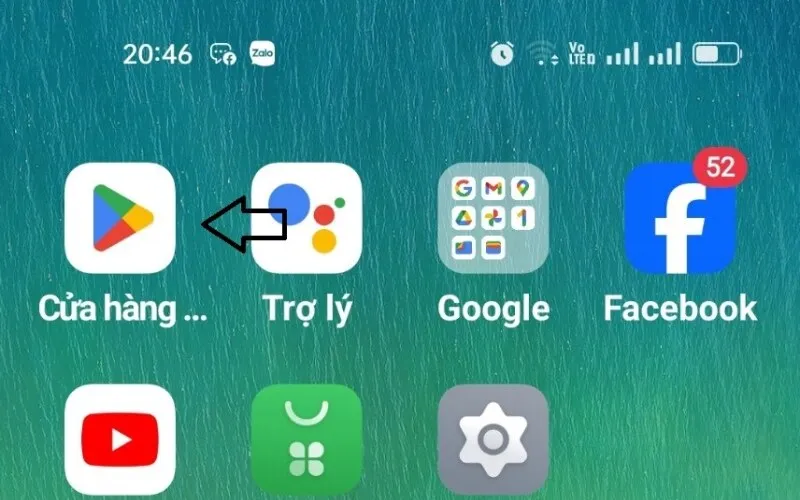
How to Download Kiwi VPN on Android
- Step 1: Access Google Play Store on your Android phone.
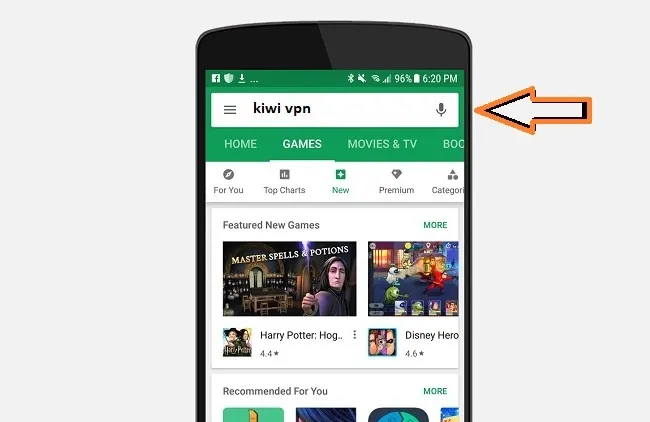
- Step 2: Search with the keyword “Kiwi VPN”.
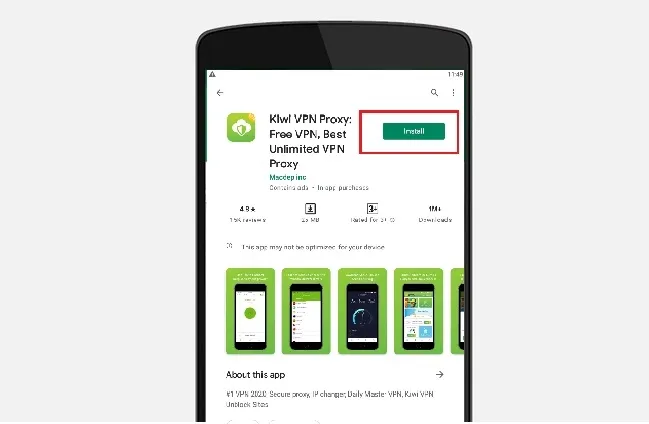
- Step 3: Click the Install button and wait for the application to automatically download.
- Step 4: Once installed, open the app, select the country you want to connect to, and start browsing securely with VPN.
How to Use Kiwi VPN and Connect to a Server
After installing Kiwi VPN, you can start using it by following these steps:
- Step 1: Open the application and select “Best Location” from the main interface.
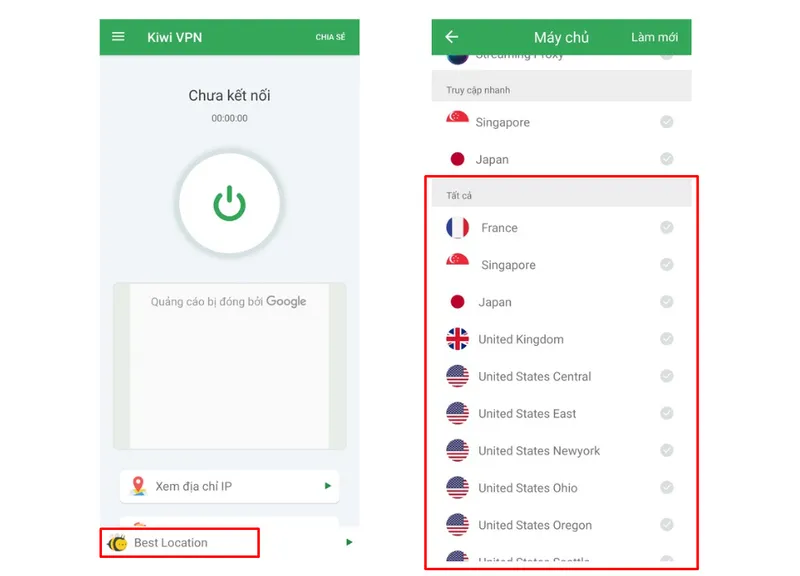
- Step 2: Select the country you want to change your IP address to.
- Step 3: Press the Connect button and confirm by pressing “OK”.
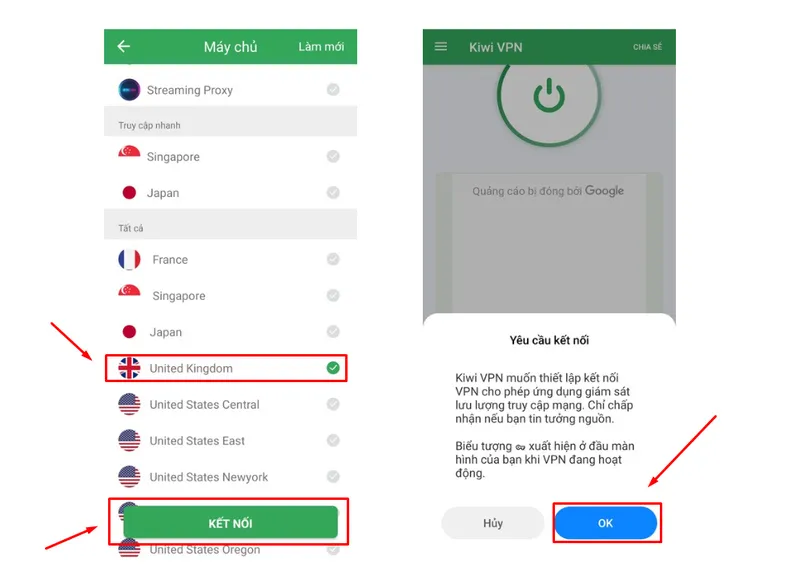
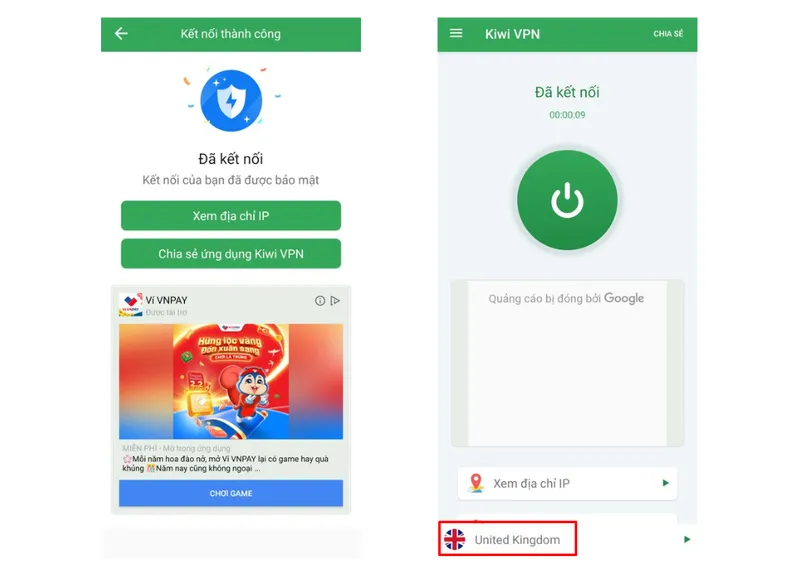
- Step 4: Wait a few seconds for the VPN to complete the connection. When the successful status is displayed, you can safely access the virtual private network.
Is Kiwi VPN Safe and Legal?
Is Kiwi VPN Safe?
Whether Kiwi VPN is safe depends on several factors, including its encryption implementation, logging policy, app permissions, ownership, and how user data is handled. It is also worth noting that more than one app is distributed under the “Kiwi VPN” name by different developers, so the exact privacy and security practices can vary depending on which app and app store listing you install.
Before relying on Kiwi VPN for sensitive browsing, users should review the specific app’s current privacy policy and official app permissions rather than assuming every “Kiwi VPN” listing behaves the same way. Useful questions to check include:
- What connection data is collected?
- Is browsing activity logged?
- Is the original IP address stored?
- How long is diagnostic data retained?
- Is information shared with analytics or advertising partners?
- What encryption or protocol does the application use?
Is Kiwi VPN Legal?
VPN technology itself is legal in many countries, but laws vary by jurisdiction. Using a VPN does not make otherwise illegal activity legal, and users should follow applicable local laws and the terms of the services they access.
Does Kiwi VPN Keep Logs?
A VPN’s logging policy is one of the most important factors in evaluating privacy. The key question is not only whether a provider calls itself “no-log,” but exactly what data it collects, how long that data is retained, and why it is processed.
According to the privacy policy published for one widely distributed Kiwi VPN app on the App Store, the published privacy policy states that it does not log browsing history, the websites or services visited, DNS queries, or the contents of traffic. The same policy also discloses that the app collects some data to operate and improve the service:
- Browsing activity: Not logged, according to the published policy.
- Original IP: Not stored in precise form; a general country or region is derived from it to select a server.
- Connection timestamps: Not clearly addressed in the sections reviewed — check the current policy for specifics.
- Device information: Collected (such as an installation ID and device details) to operate the app.
- Analytics/crash data: Collected, including advertising identifiers, and shared with third parties such as Google and Meta for analytics and advertising.
- Retention: Account and usage data are kept while the account is active or as needed to provide the service, then deleted or anonymized.
Because more than one app is published under the Kiwi VPN name and privacy policies can change over time, this should not be read as “ensuring absolute privacy.” Users who need a definitive answer should check the exact privacy policy inside the specific app they installed rather than relying only on marketing claims.
Does Kiwi VPN Slow Down the Internet?
Like any VPN, Kiwi VPN can reduce internet speed because traffic must be encrypted and routed through an additional server. The actual impact depends on server distance, server load, network quality, the VPN protocol used, and whether you use the Free or Premium plan.
What Can Affect Kiwi VPN Speed?
- Distance to the VPN server.
- Server congestion.
- Your original connection speed.
- Wi-Fi or mobile network quality.
- The VPN protocol in use.
- Free vs Premium server availability.
How to Get Better Speeds With Kiwi VPN
- Choose a server close to your real location.
- Try the “Best Location” option.
- Switch servers if latency is high.
- Use a stable Wi-Fi connection.
- Compare your speed with and without the VPN enabled.
Kiwi VPN Free vs Premium: Which Version Should You Choose?
| Feature | Kiwi VPN Free | Kiwi VPN Premium |
|---|---|---|
| Price | Free | Paid subscription (monthly or yearly plans, priced per the app store listing) |
| Ads | Varies — confirm in-app | Varies — confirm in-app |
| Server access | Varies — confirm in-app | Varies — confirm in-app |
| Bandwidth | Varies — confirm in-app | Varies — confirm in-app |
| Speed priority | Varies — confirm in-app | Varies — confirm in-app |
| Streaming servers | Varies — confirm in-app | Varies — confirm in-app |
| Customer support | Varies — confirm in-app | Varies — confirm in-app |
| Platforms | iOS and Android | iOS and Android |
Who Should Use Kiwi VPN Free?
The free version is more suitable for occasional browsing, testing a VPN for the first time, or users who do not require consistent high-speed connections.
Who Should Upgrade to Kiwi VPN Premium?
Premium may make more sense if it provides materially better server access, fewer restrictions, higher speeds, fewer ads, or additional features that you use regularly. Compare the current Kiwi VPN Premium plan with competing paid VPNs before upgrading.
Does Kiwi VPN Offer 24/7 Customer Support?
Kiwi VPN provides support options for users experiencing connection or account problems, typically through in-app help or contact options. However, the exact channels and response hours can differ between the various apps published under the Kiwi VPN name, so users should check the current official support page or in-app help section of the specific app they installed to confirm what is actually available.
Is Kiwi VPN Good for Streaming and Gaming?
Kiwi VPN for Streaming
Kiwi VPN may be able to change the region associated with your IP address, but access to streaming platforms is not guaranteed. Netflix and other streaming services regularly detect and block VPN servers, including servers used by free or lesser-known VPN apps, so results can vary by server and change over time. Test the service with the specific platform you need before choosing a paid plan.
Kiwi VPN for Gaming
For gaming, the most important factors are latency, packet stability, and server distance. A VPN normally adds an extra network hop, so ping may increase. To reduce the impact, choose a server that is close to you, avoid overloaded servers, and check your ping before and after connecting. If ping increases significantly, Kiwi VPN may not be a good fit for competitive gaming.
Kiwi VPN vs Other Free and Premium VPNs
| VPN | Free Plan | Main Strength | Best For |
|---|---|---|---|
| Kiwi VPN | Yes | Simple connection | Casual users |
| Proton VPN | Yes | Privacy-focused option | Free VPN users |
| Windscribe | Yes | Free data allowance and extensions | Occasional use |
| NordVPN | No regular free tier | Premium security features | Paid VPN users |
| ExpressVPN | No regular free tier | Simplicity and performance | Premium users |
Kiwi VPN vs Hidemium: VPN and Antidetect Browser Are Not the Same
Kiwi VPN and Hidemium solve different problems. A VPN primarily changes the network route and public IP used by your connection, while a Hidemium antidetect browser is designed to create and manage isolated browser profiles with separate browser environments.
If you only need to change your IP or protect traffic on public Wi-Fi, a VPN may be enough. If your workflow requires multiple isolated browser profiles, proxy assignment, and digital identity management, an antidetect browser addresses a different set of requirements — see the current Hidemium Pricing for available plans.
>>> Learn more: Compare Proxy, VPN and Antidetected Browser – What are the main differences?
Kiwi VPN FAQ
Is Kiwi VPN free?
Kiwi VPN offers a free version alongside a paid Premium subscription. Exact pricing and included features should be checked in the current app listing.
Is Kiwi VPN safe?
Safety depends on encryption, permissions, and how the specific app handles your data. Review the safety section above and the app’s current privacy policy before using it for sensitive browsing.
Does Kiwi VPN keep logs?
According to the privacy policy published for one Kiwi VPN app, browsing activity and traffic content are not logged, though some device and analytics data is collected. Policies can differ between apps sharing the Kiwi VPN name, so check the specific app’s current policy.
Does Kiwi VPN slow down the internet?
Like most VPNs, Kiwi VPN can reduce speed because of encryption and additional routing. The actual impact depends on your network, server location, and server load.
Is Kiwi VPN good for Netflix?
Streaming availability can vary by server and may change over time. Test the service with the specific streaming platform you need before choosing a paid plan.
Is Kiwi VPN legal?
VPNs are legal in many jurisdictions, but local laws differ. Users should follow applicable law and the terms of the services they access.
Should You Use Kiwi VPN?
Kiwi VPN can be a practical option for users who want a simple VPN for occasional browsing and basic IP switching. If the free version provides the locations and performance you need, there may be no immediate reason to upgrade.
If you use a VPN frequently and need better speed, fewer restrictions, additional server options, or other Premium-only features, compare the current Kiwi VPN Premium plan with competing paid VPNs before subscribing.
If privacy is your highest priority, review Kiwi VPN’s current privacy and logging policy for the specific app you installed rather than relying only on a “no-log” marketing claim.
Finally, if your goal is not simply to change your IP but to manage multiple isolated browser environments, a VPN and an antidetect browser serve different purposes. In that scenario, Hidemium may be more appropriate for browser profile and digital identity management.
Related Blogs
.png)
Why You Might Need Two Venmo AccountsWhether you are launching a new side hustle, organizing payments for a community group, or simply trying to separate your weekend spending from your professional income, you might find yourself wondering about the logistics of your digital wallet. If you are asking yourself, can I have two Venmo accounts, you are certainly not alone. As our financial lives[…]

Here's a number that should keep product managers up at night: 62.54% of global website traffic now comes from mobile devices. Not desktops. Not tablets. Phones.And if you're building anything for the web in 2025, that stat changes everything about how you approach development and testing. The desktop-first mentality that dominated web development for two decades? It's basically over.Why Mobile[…]
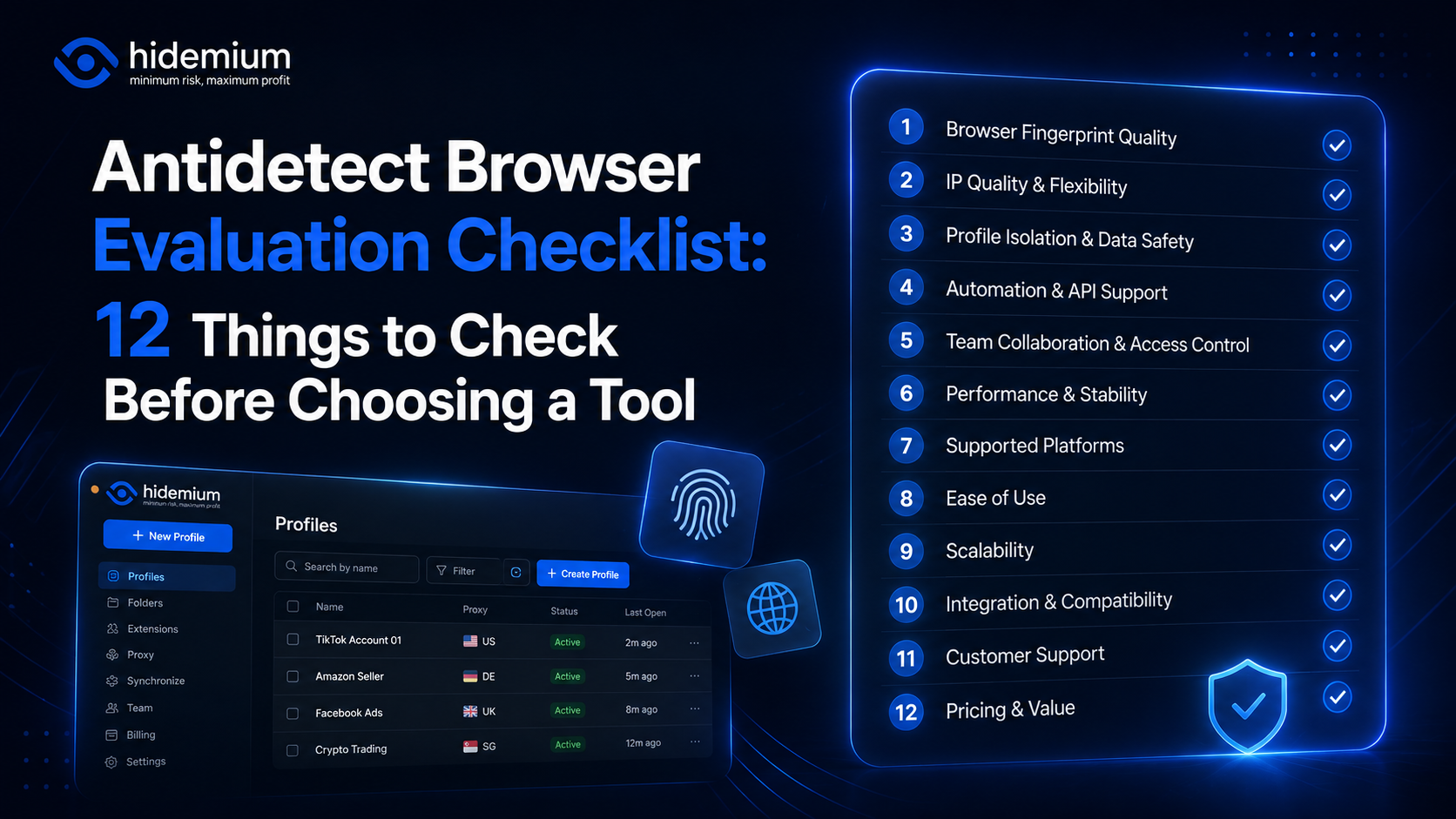
Choosing an antidetect browser is easy when every product page promises the same things:“Realistic fingerprints.”“Secure profiles.”“Fast automation.”“Team collaboration.”The harder question is:How do you actually compare them?A tool may look impressive in a feature list and still become frustrating when you manage 100 profiles, add a team, connect proxies, or automate recurring browser[…]

Doing YouTube is no longer a trend, it is a serious career and can generate sustainable passive income, witnessing the development from "just for fun" to YouTube becoming a "billion dollar money making machine".If you're wondering, "Is YouTube still viable for beginners?", the answer is yes – and even more than before. This article Hidemium Antidetect Browser will summarize all the necessary[…]
.png)
In today's online world, user security and privacy are extremely important factors. One of the advanced technologies that help protect personal information and bypass online restrictions is the Fingerprint Browser. When combined with Antidetect Browser software, this technology provides powerful anonymity, protects accounts, and allows users to manage multiple accounts without the risk of[…]
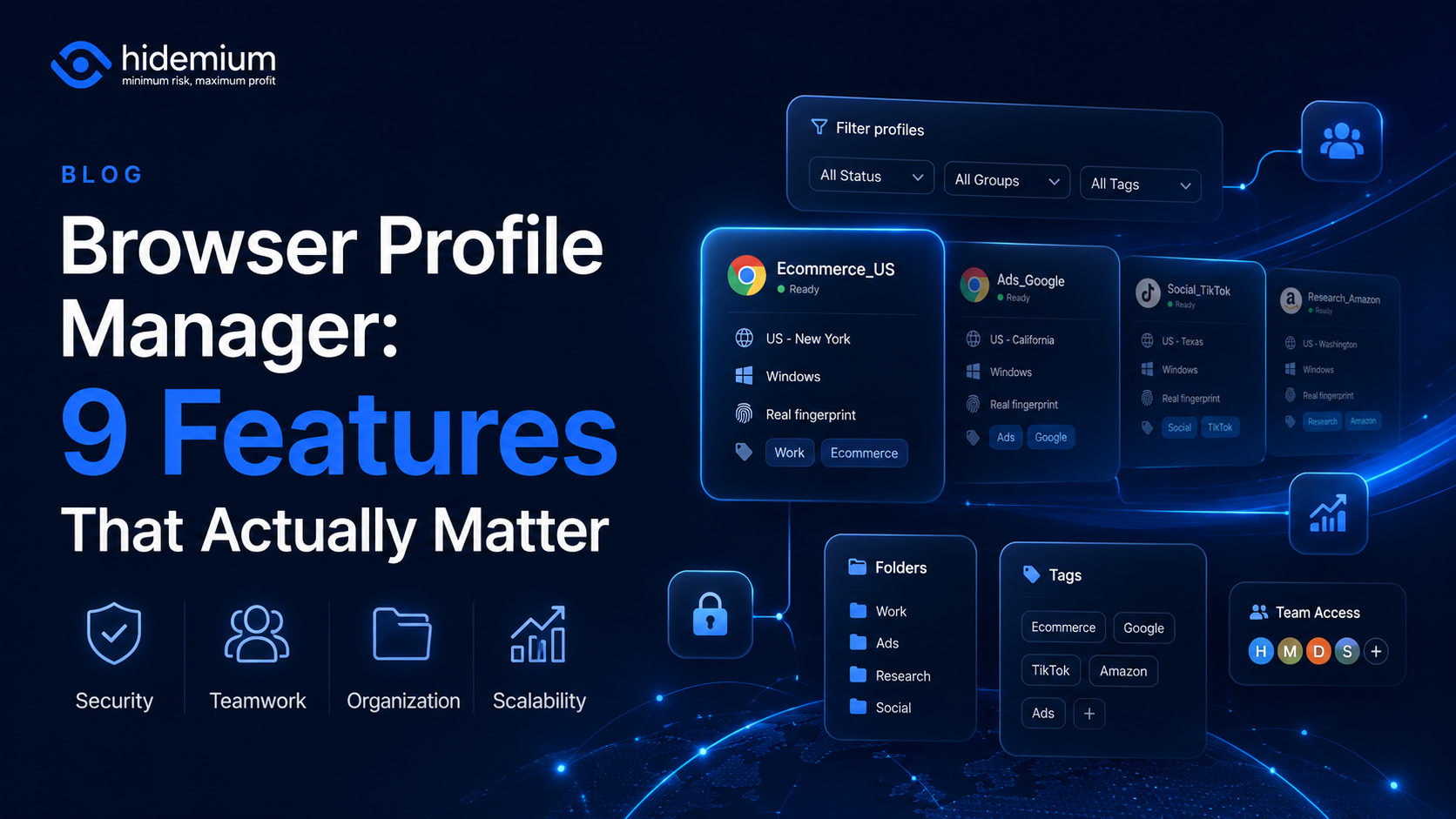
Managing three browser profiles is easy.Managing 10 is still manageable.But once your workflow grows to 50, 100, or hundreds of browser profiles, the problem changes completely.You are no longer asking:“How do I create another browser profile?”You start asking:Which profile belongs to which client?Who is allowed to access it?Which proxy is connected to it?Can another team member use the same[…]
