

BrowserLeaks is a browser privacy testing website that shows what information your browser exposes to websites, including IP data, WebRTC information, browser configuration, Canvas/WebGL signals, and other fingerprinting attributes.
A browser privacy test can help you identify potential browser data leaks and understand how browser fingerprinting may be used to distinguish one browser environment from another.
In this guide, we explain how BrowserLeaks works, what each test means, how to interpret common leaks, and how browser-profile tools such as Hidemium Antidetect Browser can help you manage more consistent browser environments.
Quick Answer: What Does BrowserLeaks Detect?
BrowserLeaks can reveal information that websites may receive from your browser, including your public IP address, WebRTC-related data, DNS/network information, Canvas and WebGL characteristics, screen and system details, browser headers, and other fingerprinting signals. It is useful for checking whether your browser configuration exposes more information than you expect.
- IP and network data – public IP, approximate location, ISP, IPv6.
- WebRTC signals – information exposed through WebRTC APIs.
- Browser fingerprinting – Canvas, WebGL, fonts, screen and browser configuration.
- System information – operating system, browser version and supported features.
- Privacy configuration – settings that may make a browser environment more identifiable.
What Is BrowserLeaks? A Browser Privacy Test for Data Leaks
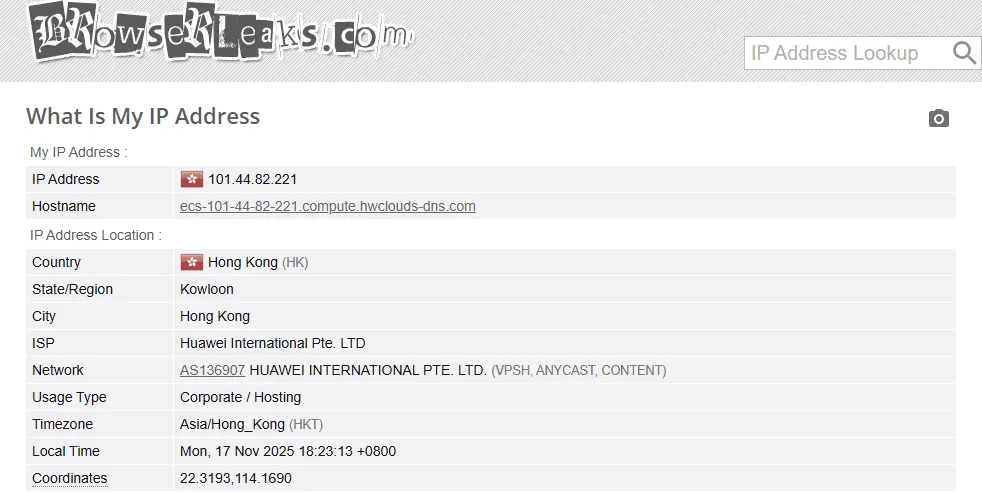
BrowserLeaks is an online browser privacy testing website that displays information your browser and network may expose to websites. It can be used to inspect browser fingerprinting signals, network information, WebRTC behavior, Canvas/WebGL characteristics, and other privacy-related data.
When you access a website, you'll see a lot of data that your browser is sharing with websites, such as:
- IP address
- Estimated geographical location
- System and equipment information
- Browser configuration
- Internet Service Provider (ISP)
By displaying this data in detail, BrowserLeaks helps users understand what information their browser is exposing, so they can take necessary measures to protect their identity and privacy while online.
Common Browser Data Leaks Detected by BrowserLeaks
Browser data leaks can include network information and browser attributes that a website can access during a normal session. Some are expected parts of how browsers work, while others may expose more identifying information than a user intends.
- Public IP and approximate network location.
- WebRTC-related information.
- DNS/network configuration.
- Canvas rendering characteristics.
- WebGL/GPU information.
- Screen and system properties.
- Browser headers and language settings.
- Fonts and supported browser features.
>>> Learn more: Compare more options in our guide to 7 free browser fingerprint and IP verification tools.
Is BrowserLeaks Safe to Use?
BrowserLeaks is primarily a diagnostic website used to inspect browser and network information that websites can access. However, as with any privacy-testing website, you should review its current privacy information before relying on claims about how test data is processed or retained.
This platform performs several common privacy-related tests, including:
- Check WebRTC
- Analyze WebGL
- Detect DNS leaks
- Check for IP address leaks.
- Analyzing the risks associated with browser fingerprinting.
These tests help you quickly determine whether your browser is working securely or if there are still vulnerabilities that could expose sensitive information. This is a useful tool for anyone who wants to enhance their privacy and limit online tracking.
>>> Learn more: Learn how VPNs and proxies change the IP address websites can see.
How Browser Fingerprinting Works: Browser Fingerprint Test Signals
Browser fingerprinting is a technique that collects a lot of small data points from your browser and device to create a nearly unique "digital ID." When you visit verification sites like BrowserLeaks, you will clearly see the information that your browser is sharing with the website. For more background on how unique browser fingerprints can be, see the EFF Cover Your Tracks project.
Understanding these signals helps you identify which data is being leaked and allows you to find ways to minimize the possibility of being tracked online.
Device and Browser Fingerprinting Signals
Many websites collect data directly from devices to create identification patterns. Some types of information commonly used include:
- Canvas fingerprint: Through the HTML5 Canvas API, the browser draws a special image. The way the device processes this image can create a distinct canvas fingerprint.
- WebGL information: WebGL can reveal data related to the device's GPU and graphics configuration.
- System font list: Websites can detect the fonts you have installed and how they display on your computer.
- Location data: Through the Geolocation API, a website can determine the user's relative location.
- Screen specifications: includes resolution, screen size, and color depth.
- CSS support capabilities: The CSS features supported by browsers may vary between versions and devices.
- Multimedia devices: the browser may provide information about the microphone, camera, or other connected audio/video devices.
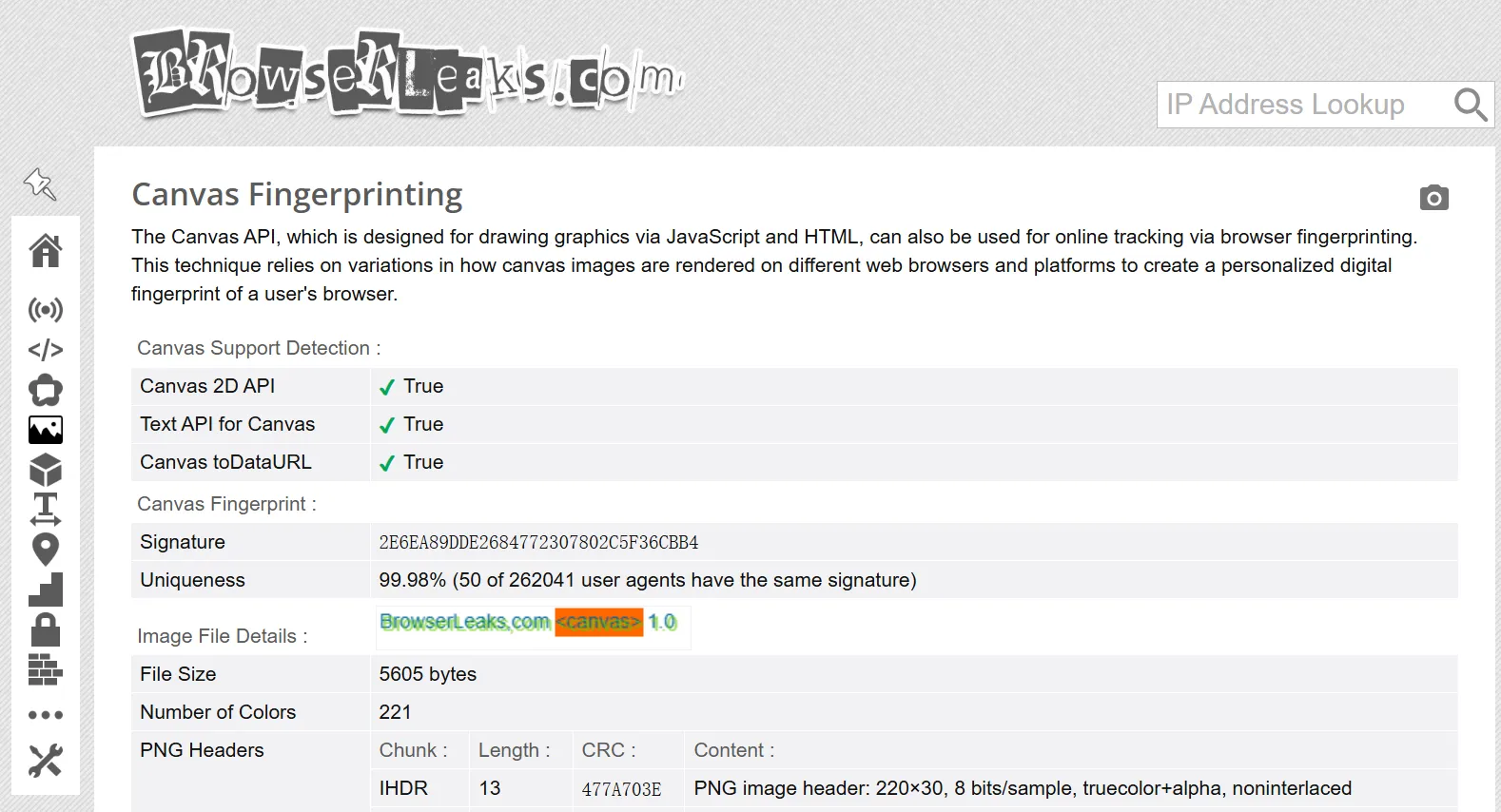
Canvas fingerprinting uses the HTML Canvas API to ask a browser to render text or graphics. Small differences in operating systems, GPUs, drivers, fonts, and rendering engines can produce different outputs, creating an additional signal that may contribute to a browser fingerprint. You can read more in the MDN Canvas API documentation.
WebGL fingerprinting uses information available through the browser's graphics APIs, such as GPU-related characteristics and rendering behavior. These attributes can be combined with other browser signals to make a browser environment easier to distinguish. Learn more in our guide to WebGL fingerprinting.
Network and WebRTC Signals
In addition to information from the device, network configuration can also reveal a lot of identifying data:
- Public IP address: Shows the current IP address along with the estimated geographic location.
- DNS server: DNS information can reveal your internet service provider or network region.
- WebRTC leak: WebRTC features can sometimes expose your internal IP address.
- HTTP headers: contain a lot of information such as browser type, operating system, and language.
- TLS fingerprint: some systems analyze the browser's TLS handshake pattern.
WebRTC is a browser technology used for real-time audio, video, and peer-to-peer communication. Privacy tests often inspect WebRTC-related network information because its behavior can reveal network details that users may want to compare with their VPN or proxy configuration. See the MDN WebRTC API documentation for technical details.
TLS fingerprinting analyzes characteristics of a client's TLS handshake to distinguish different software or network configurations. JA3 is one fingerprinting approach historically used to represent selected TLS ClientHello attributes as a compact signature.
Behavioral Signals
Not all tracking methods rely on devices. Some systems also analyze data usage behavior to identify the user.
For example:
- How you move the mouse on the screen
- Page scrolling style
- Typing rhythm and style
This data can be combined to create a unique behavioral profile. When analyzed over time, it can help tracking systems identify users across multiple browsing sessions.
>>> Learn more: See our guide to setting up a static IP address on Windows.
BrowserLeaks Tests: IP, WebRTC, DNS, Canvas and WebGL
BrowserLeaks analyzes various components of the browser to detect privacy-related leaks. It examines everything from technical configuration and network signals to data used to create browser fingerprints — attributes that websites can use to identify and track users.
Here are some of the notable features that BrowserLeaks offers.
IP, DNS and WebRTC Leak Tests
This feature helps determine if your IP address, approximate location, internet service provider (ISP), or other network information is exposed. It also detects common types of leaks through WebRTC, DNS leaks, or IPv6, which can expose network data without the user's knowledge.
Browser and System Information Test
BrowserLeaks uses JavaScript to collect various information related to the browser environment. This data may include:
- User Agent
- Screen resolution and size
- Device battery status
- Operating system
- Installed plugins and extensions
When combined, this information can form a relatively unique browser fingerprint.
Canvas Browser Fingerprint Test
Through the HTML5 Canvas API, BrowserLeaks creates a small image and analyzes how the browser displays it. Due to differences in hardware, drivers, and system configurations, the displayed results often differ. This creates a canvas fingerprint — a common browser fingerprinting attribute used for user identification.
WebGL Browser Fingerprint Test
WebGL allows a website to collect information related to the device's GPU, graphics drivers, and image processing capabilities. This data helps tracking systems build more detailed device identification profiles.
Font Fingerprinting Test
BrowserLeaks also analyzes the list of fonts installed on the system. Small differences in fonts or how they display on the device can contribute to a distinct font fingerprint.
Geolocation Privacy Test
Through the Geolocation API, this tool assesses how the browser responds when a website requests location access. It also shows how accurate the location information the browser is willing to share.
Content Blocking Tools Detected
BrowserLeaks also checks whether the browser is using tools that alter how pages load, such as an ad blocker, a privacy protection utility, or settings related to Tor Browser. These factors sometimes contribute to the creation of a browser fingerprint.
TLS and Browser Connection Fingerprinting
This tool examines how the browser handles TLS connections, including cipher suites and mixed content handling. These characteristics can provide additional identifying signals during the fingerprinting process.
List of Supported HTML5 Features
Finally, BrowserLeaks lists the HTML5 features your browser supports. Because each browser and version may support different features, this list may also become part of your device's fingerprint.
>>> Learn more: Compare more options in our guide to 7 free browser fingerprint and IP verification tools.
How to Use BrowserLeaks for a Browser Privacy Test
- Open BrowserLeaks in the browser profile you want to test.
- Check the public IP and network information.
- Review WebRTC and DNS-related results.
- Check Canvas, WebGL, fonts and other fingerprinting attributes.
- Compare the results with the browser, proxy or VPN configuration you expected.
- Change only the configuration you understand and retest.
Steps to Fix Browser Data Leaks Detected by BrowserLeaks
Identify what is exposed. Determine whether the issue involves the network layer, such as an unexpected public IP or DNS configuration, or browser-level fingerprinting attributes such as Canvas, WebGL, fonts, and headers.
Check your VPN or proxy configuration. If BrowserLeaks shows an unexpected public IP or network location, verify that the intended VPN or proxy is active and correctly assigned.
Review WebRTC behavior. Compare WebRTC-related information with your expected network configuration and browser privacy settings.
Review fingerprint consistency. Check whether language, timezone, operating system, screen characteristics, browser version, and network location form a logically consistent profile.
Retest. Run the same BrowserLeaks tests after making changes and compare the before-and-after results.
Best Browser Fingerprint and IP Leak Testing Tools
Although BrowserLeaks is one of the most popular platforms for checking browser privacy, using additional tools will give you a more comprehensive view. Each website typically focuses on different testing methods, allowing you to detect more types of data leaks that a single tool might miss.
Here are some useful platforms to consider when evaluating the security of a browser.
Iphey: Browser Fingerprint and IP Leak Checker
iPhey provides a detailed report on your browser's fingerprint. This tool checks several key factors such as:
- Canvas fingerprint
- WebRTC leak
- Public IP address
This allows you to understand what information your browser is revealing when you access the internet.
BrowserScan: Browser Privacy and Fingerprint Checker
BrowserScan focuses on analyzing the security configuration of a browser. This tool performs numerous tests to detect vulnerabilities related to:
- DNS leak
- WebRTC
- WebGL
The results of the check help users quickly identify factors that could reveal their identity or true location.
PixelScan: Detect Browser Fingerprint Inconsistencies
PixelScan is a tool specifically designed to check for common data leaks in browsers. It analyzes various factors such as:
- IP address
- Geographical location
- WebRTC leak
- Canvas fingerprint
The report from PixelScan provides a clear picture of the privacy risks associated with using current browsers.
AmIUnique: Browser Fingerprint Uniqueness Test
AmIUnique helps assess the "uniqueness" of a browser, meaning how easily your browser can be identified and tracked among millions of other users. This tool uses several analytical methods such as:
- Canvas fingerprint
- Font list analysis
- Browser configuration data
The results indicate whether your fingerprint is too easily recognizable.
Whoer: IP, DNS and WebRTC Privacy Checker
Whoer.net is a fairly popular privacy checking platform. This website allows you to quickly detect many types of data leaks, including:
- IP address leaks
- DNS leak
- WebRTC leak
Thanks to these checks, you can easily identify areas where your online privacy may be at risk.
>>> Learn more: Learn how to check IP, DNS and WebRTC information with Whoer.
How Hidemium Helps You Test Browser Profiles with BrowserLeaks
Hidemium Antidetect Browser lets users create separate browser profiles with configurable browser characteristics and dedicated proxy settings. You can test each profile with BrowserLeaks to check whether its browser and network signals match the environment you intended to configure.
By adjusting browser parameters — from the operating system and hardware configuration to the browser environment — Hidemium helps users:
- Reduce the likelihood of fingerprinting.
- Limit the leakage of identification data.
- Maintain privacy while operating online.
This tool is particularly useful for those working in fields such as managing multiple accounts, online marketing, e-commerce, or web data collection.
Why Teams Use Hidemium
Hidemium is developed to meet the needs of individuals and businesses requiring secure management of multiple online accounts. It is widely used in fields such as:
- Social media management
- Affiliate marketing
- E-commerce
- QA/testing
- Web data collection
- Team browser profile management
Hidemium offers many features to optimize workflow, including:
- Create a separate browser profile
- Flexible fingerprint configuration
- Integrate proxies for each profile
- Browser task automation
- Managing and operating multiple accounts simultaneously
This allows users to expand their online activities while still maintaining privacy and account security.
Key Hidemium Browser Profile Features
✅ Manage hundreds of accounts on one device.
Each browser profile can maintain a separate browser configuration, while users can assign a dedicated proxy when their workflow requires a separate network identity.
✅ Better account protection against detection systems.
Fingerprint profiles are designed to mimic a real user environment, helping to reduce the risk of account suspension or restrictions.
✅ Flexible proxy integration
Hidemium supports many popular proxy protocols such as HTTP, HTTPS and SOCKS5. This helps users easily manage IP addresses for each profile.
✅ Automate browser tasks
Automation features help handle repetitive browser tasks, saving time and increasing productivity.
✅ Manage multiple profiles easily.
Users can create, import, or launch multiple browser profiles simultaneously, which is useful when scaling operations is required.
✅ Effective teamwork
Hidemium supports profile sharing, access control, and activity log management, making it easier for teams to collaborate.
FAQ About BrowserLeaks and Browser Data Leaks
What is BrowserLeaks used for?
BrowserLeaks is used to inspect browser and network information that websites may be able to access, including IP data, WebRTC behavior, Canvas/WebGL characteristics, browser headers, and other fingerprinting signals.
Does BrowserLeaks show my real IP address?
BrowserLeaks can display the public IP address visible to the website. If you use a VPN or proxy, the result should be interpreted in relation to the network configuration you expect to be active.
Does BrowserLeaks store my data?
BrowserLeaks can display information your browser sends during testing. For details about retention or logging, check BrowserLeaks’ current privacy information rather than assuming that all displayed test data is or is not stored.
How do I test my browser fingerprint?
Open BrowserLeaks and review the Canvas, WebGL, fonts, screen, and header sections to see which fingerprinting attributes your browser exposes, then compare the results with the configuration you expect.
What is a WebRTC leak?
A WebRTC leak happens when WebRTC-related browser features expose network information, such as a local or public IP address, that may differ from what you expect based on your VPN or proxy setup.
Can Hidemium be tested with BrowserLeaks?
Yes. You can open BrowserLeaks inside a Hidemium browser profile and compare the reported browser and network signals with the configuration you intended to use.
Conclusion: How to Reduce Browser Data Leaks
BrowserLeaks helps you inspect the browser and network information that websites may be able to see, from IP addresses and WebRTC behavior to the data used to create browser fingerprints.
To reduce these leaks, run a BrowserLeaks test, check your IP, WebRTC and DNS results, review your Canvas, WebGL and other fingerprinting attributes, adjust your network or browser configuration where needed, and retest to confirm the changes worked as expected.
If you manage multiple browser environments, Hidemium can help you keep browser profiles separated and test each configuration independently with tools such as BrowserLeaks. Explore Hidemium Antidetect Browser.
Related Blogs

An ad campaign can look perfect inside an advertising dashboard and still fail after the click.The wrong language may appear.A regional promotion may not load.A returning visitor may see an old landing-page variation.Tracking parameters may disappear during a redirect.Or a campaign intended for one market may send users to content designed for another.These problems are difficult to catch when[…]
.png)
Quick answer: To access YouTube through a proxy, obtain a reliable proxy server address, port and—if required—login credentials. Configure the proxy in your browser or operating system, open YouTube, and test video playback. The proxy must be able to reach YouTube, and local rules may still restrict access. Avoid sending passwords or sensitive data through untrusted free proxies.YouTube may be[…]

In the digital age, using two computers in parallel to serve work is becoming more and more popular. To optimize performance and share data easily, connecting 2 computers via IP address is a useful solution, especially when both devices are on the same local network. Here are detailed instructions on how to do it.Antidetect Browser Hidemium:1. How to connect 2 computers via internal IP[…]

Are you looking for a way to access websites restricted at school, work, or in your region? Unblocked browsers and related browsing tools may help in certain situations by using proxy servers, privacy networks, or alternative connection methods.However, not every browser works the same way. Some tools focus on privacy and accessing restricted content, while antidetect browsers such as Hidemium[…]

Opening a store on Etsy is an excellent opportunity to start a business. However, to attract customers and increase traffic to your store, you need a clear strategic plan and effective execution.This article by Hidemium will guide you step-by-step on setting up an Etsy store and share effective strategies to help you drive traffic and boost sales growth. 1. What is Etsy?Etsy is a popular[…]
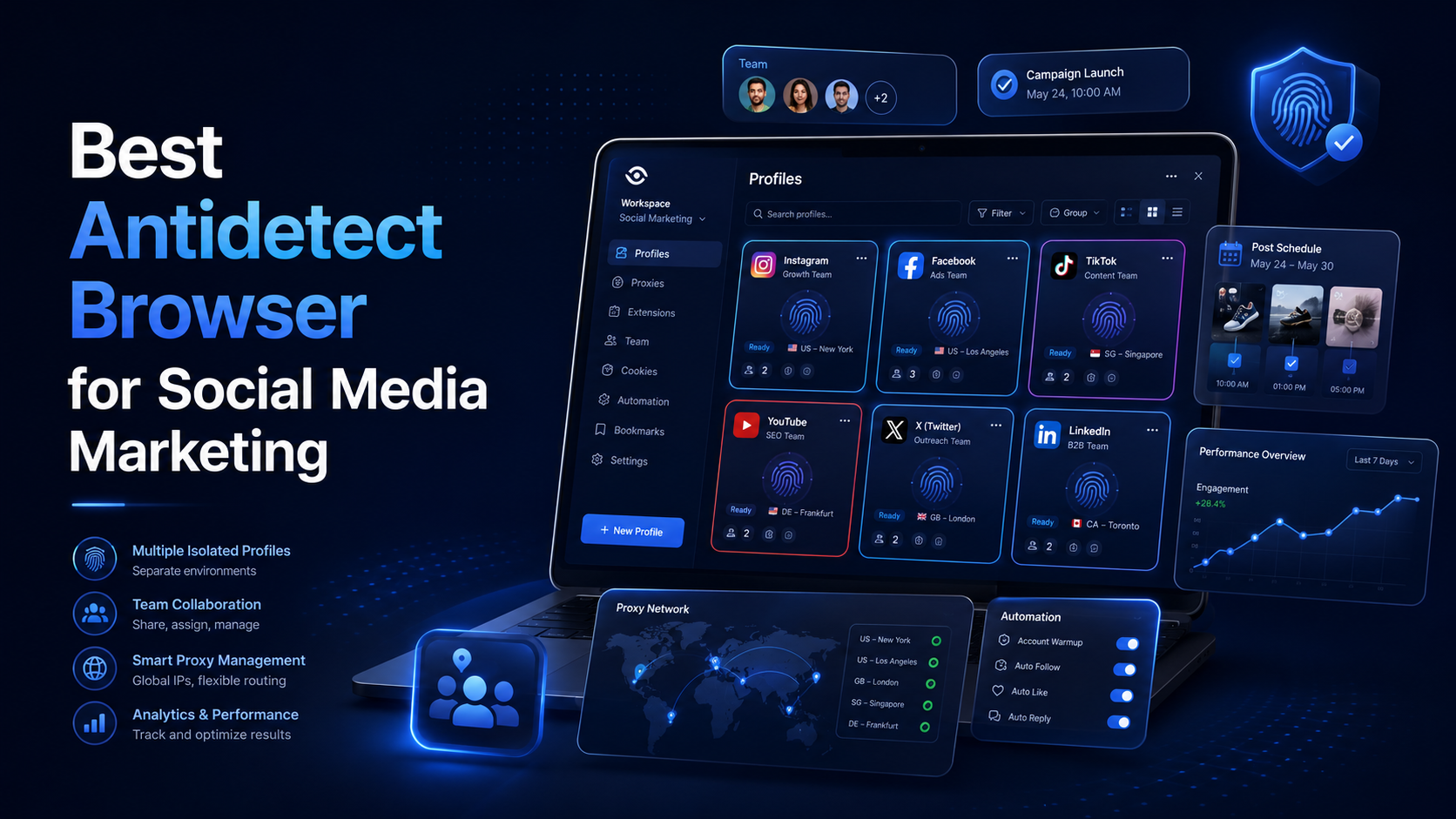
Best Antidetect Browser for Social Media MarketingSocial media marketing is no longer limited to publishing content on one Facebook or Instagram account. Agencies and in-house marketing teams may manage several brands, regional pages, advertising accounts, content calendars, and client workspaces at the same time.This creates an operational challenge. When multiple accounts are opened in the same[…]
