VideoAI vs Runway vs Kling: Choosing the Right AI Video Generator for Your Workflow
Try Hidemium for free

Creating a short AI-generated video can look simple from the outside, but producing a reliable shot often involves several decisions. The team may need to consider prompt accuracy, motion quality, subject consistency, creative control, generation time, and the number of revisions required before a final version is ready.
That is why choosing an AI Video Generator should not be based only on which platform produces the most impressive single clip. The better question is how well a tool fits into the complete creative workflow, from the initial idea and generation process to review, revision, asset management, and final delivery.
VideoAI, Runway, and Kling approach AI video creation from slightly different directions. Understanding those differences can help creators, marketers, and production teams choose the right platform for a particular type of project.
Understanding the AI Video Workflow
An AI video workflow usually starts with a creative brief. The brief defines the subject, setting, visual style, camera movement, audience, and desired outcome.
From there, creators provide a text prompt, image reference, or existing video clip to an AI video generator. The platform produces an initial result, which is then reviewed and refined through additional generations.
For example, a product team might want to create a five-second product reveal showing a ceramic bottle on a stone counter in morning light. The brief could specify a slow camera movement and a clean final frame.
The same brief can be tested across different AI video platforms. Instead of asking which tool is universally the best, the team can evaluate which one provides the right balance of motion, control, consistency, and iteration speed for that specific shot.
VideoAI: Flexible Generation Across Different Inputs
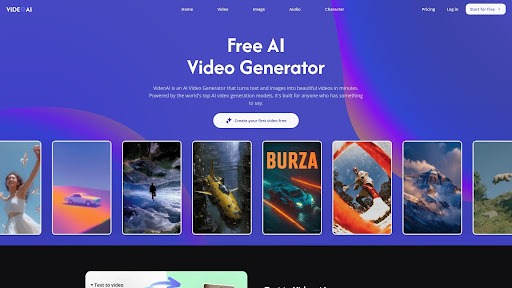
VideoAI provides multiple approaches to AI video generation within one workflow. Creators can work from text prompts, image references, or existing clips depending on the type of content they want to produce.
This flexibility can be useful during the exploratory stage of a project. A creative team may begin with a text description, test different visual directions, and then use an image reference when a particular look needs to be maintained.
VideoAI also supports video extension, which can help continue a promising clip when the original generation does not provide enough duration.
The main consideration is choice. When a platform provides multiple generation paths or models, teams need a consistent evaluation process. Otherwise, selecting between models can become another creative challenge rather than simply supporting the creative strategy.
When VideoAI Fits the Workflow
VideoAI can be useful when a project requires:
- Different approaches to text-to-video generation
- Image-based video creation
- Rapid experimentation with creative concepts
- Video extension for promising shots
- Flexibility during the early stages of production
For teams that frequently test different concepts, having several generation options can make the experimentation stage more flexible.
Runway: Generation Combined With Creative Production
Runway is designed for creators who want AI generation alongside a broader visual production environment. Rather than treating generation as an isolated step, the platform can form part of a workflow involving creative development, visual effects, and finishing.
This approach can be valuable for production-oriented teams that need more than a single generated clip. When AI-generated footage needs additional creative treatment, having generation and other visual tools within the same environment can simplify parts of the process.
The trade-off is that a broader set of controls can require more time to understand. Beginners may need to become familiar with the platform before they can use its capabilities efficiently.
When Runway Fits the Workflow
Runway may be a suitable option when:
- AI generation is part of a larger production workflow
- The project requires additional visual treatment
- Creators want more control over the finishing process
- A team is comfortable working with a broader creative environment
The best results still depend on a clear brief and human review rather than generation alone.
Kling: Focusing on Motion and Complex Shots
Kling is often considered when realistic movement is an important part of the creative brief. This can make it relevant for scenes where the quality of visible action matters as much as the appearance of the subject.
For example, a shot involving a moving person, product interaction, or more complex physical action may require careful testing of continuity and motion.
A strong individual generation does not necessarily mean that several clips will match perfectly. Teams creating sequences should therefore test continuity early instead of waiting until the final stages of production.
When Kling Fits the Workflow
Kling can be considered when:
- Motion realism is a major requirement
- The shot contains visible physical action
- A project depends heavily on movement
- The team is willing to test continuity between generations
As with other AI video tools, the final decision should be based on the requirements of the shot rather than the reputation of the model alone.
Comparing AI Video Generators by Workflow
VideoAI, Runway, and Kling can all support AI-assisted video creation, but their strengths can become more apparent when they are evaluated against specific workflow requirements.
A team focused on model choice and rapid experimentation may find VideoAI useful. A production team looking for AI generation alongside a broader creative environment may prefer Runway. When motion realism is the main consideration, Kling can be worth testing.
The important point is that there does not have to be one permanent winner. A creative team may use different AI video generators for different types of shots within the same project.
Choosing the Right Model for a Specific Shot
One useful way to select an AI video generator is to separate what the model can freely interpret from what the creative brief must protect.
The brief should clearly define essential elements such as:
- The main subject
- The intended audience
- The purpose of the video
- Important brand elements
- The desired final action
- Required visual references
Other elements, such as lighting variations, textures, transitional movement, or certain camera behaviors, can often remain open to experimentation.
This approach allows the team to maintain the core idea while giving the AI enough flexibility to explore different visual outcomes.
Best Practices for AI Video Iteration
AI video creation usually requires multiple generations. A first result may look promising but still contain problems with movement, proportions, reflections, hands, faces, or continuity.
One of the simplest ways to improve the iteration process is to change one major variable at a time.
For example, if the first generation has the correct subject but the camera movement is incorrect, change the camera instruction rather than simultaneously changing the setting, subject, lighting, and duration.
A simple change log can also make the process easier to manage. Recording the prompt, input asset, model, revision, and reason for selecting a particular take gives the team a reference for future decisions.
Diagnosing Failed Generations
When an AI-generated shot does not work, identify the specific problem before generating another version.
Ask:
- Is the prompt ambiguous?
- Is the reference image unsuitable?
- Is the requested movement too complex?
- Is the subject changing between frames?
- Does another model handle this type of shot better?
The answer determines whether the next step should be rewriting the prompt, replacing the input asset, changing the generation settings, or testing another AI video generator.
Reviewing AI-Generated Videos
The review process should happen before a generated clip is approved for publication.
A useful first review can be performed with the sound turned off. This allows the team to evaluate whether the composition, subject, and movement communicate the intended idea without relying on narration or music.
A second review can include audio and focus on timing, emphasis, voiceover, music, and accessibility.
Teams should also compare outputs under consistent viewing conditions. Resolution, playback speed, and display size can influence how visual artifacts are perceived. Keeping these conditions consistent makes it easier to compare different generations fairly.
Human Review Still Matters
AI generation does not eliminate the need for human quality control. Before publishing a video, reviewers should examine important details such as faces, hands, logos, text, reflections, product features, and claims.
A human editor can also determine whether a technically impressive shot actually supports the message. A dramatic camera movement may look visually appealing but could distract viewers from an important product instruction.
Managing Multiple AI Video Platforms
As AI video workflows become more advanced, creative teams may use several platforms rather than relying on a single AI video generator.
A team might use VideoAI for one type of generation, Runway for another stage of production, and Kling when a scene requires a different approach to motion. Managing these platforms can become more complicated when several creators, projects, or accounts are involved.
This is where Hidemium can become relevant to an AI video workflow.
Hidemium provides isolated browser profiles, proxy support, and multi-account management, allowing teams to organize different online environments separately. Instead of keeping every AI platform and project inside one browser environment, a team can structure its workflow around dedicated profiles.
Practical Hidemium Use Case for AI Video Teams
Consider a creative agency working on several client projects.
The team could create separate browser profiles for different workflows, such as:
- Profile 1: VideoAI — Client A
- Profile 2: Runway — Client A
- Profile 3: Kling — Client A
- Profile 4: VideoAI — Client B
- Profile 5: Runway — Internal creative experiments
This structure can help keep sessions, project environments, and account access organized.
For teams managing multiple AI platforms, separating browser environments can also make handoffs easier. A producer can work within a profile dedicated to one project while another team member manages a different client environment.
Hidemium can therefore complement the AI video generation process without replacing the creative tools themselves. The AI platforms remain responsible for generating and editing video, while Hidemium can help organize the browser environments used to access and manage those platforms.
Why Browser Profile Organization Matters
Managing several AI platforms in one browser can become difficult as projects grow. Multiple logins, client accounts, subscriptions, and creative workflows can create unnecessary confusion.
Isolated browser profiles provide a way to separate these environments. For agencies and teams, this can make it easier to distinguish one client or project from another.
Proxy support can also be relevant to teams that need to manage different online environments as part of their broader workflow. The exact setup should always follow the terms and policies of the platforms being used.
The goal is not simply to use more tools. It is to create a workflow in which each tool has a clear purpose and each project remains organized.
Asset Management and Handoff
The generation process is only one part of an AI video project. Once several versions have been created, asset management becomes increasingly important.
They may also need to change video file formats so each version is compatible with its intended platform or review process.. File names should identify the project, scene, and revision so stakeholders do not accidentally approve an outdated version.
For example, a naming structure such as ClientA_ProductReveal_Scene01_V03 makes it easier to identify a specific take.
Localization also benefits from good asset organization. Clean plates—video without text overlays—can make it easier to create different language versions without regenerating the entire video.
Building a Repeatable AI Video Workflow
A repeatable workflow can make AI video production easier to scale.
A practical process can look like this:
Brief → Generate → Review → Refine → Approve → Export → Archive
The generation stage can involve more than one AI video platform when necessary. Hidemium can sit around this workflow as a browser-environment management layer for teams that need to work with multiple AI services and accounts.
The objective is to make experimentation easier without allowing the number of tools to create unnecessary operational complexity.
Conclusion
VideoAI, Runway, and Kling can all play different roles in an AI video production workflow. Instead of choosing a permanent winner, creators and teams should evaluate each platform according to the requirements of the shot, the level of control needed, motion complexity, and the amount of iteration expected.
VideoAI can provide flexibility for experimentation and different generation inputs. Runway can fit production workflows that require generation alongside broader creative capabilities. Kling can be considered when realistic motion and complex movement are central to the brief.
As teams adopt multiple AI platforms, workflow organization becomes just as important as model selection. Tools such as Hidemium can help teams manage separate browser environments, multiple accounts, and different project workflows through isolated profiles and proxy support.
Ultimately, successful AI video production is not only about generating an impressive first clip. It depends on having a clear brief, testing the right model, reviewing each generation carefully, organizing assets, and creating a repeatable workflow that allows the team to move efficiently from an idea to a finished video.
Related Blogs

In blogging, if something is ranking well, then it doesn’t mean that copying it can make you rank as well. Remember, both the readers and search engines seek originality. So, your unique thoughts, presentation, clarity, and style are the only factors that can help you earn visibility.However, ignoring this, some bloggers just mimic the high-ranking content and hit “publish,” thinking they’ve[…]

Are you doing business in the traditional direction and want to find a new guide? Do you have a headache because the number of customers is decreasing, and the competition is increasing? So let me reveal that Facebook ads can help you troubleshoot the above problems. Through the article, let’s find helpful information about creating and managing Facebook ad accounts!Ad accounts and things to[…]

In today's online world, proxy IPs have become a key tool for businesses and individuals to improve data privacy, bypass geographic restrictions, and conduct efficient data capture. When choosing a proxy IP, you are often faced with two main choices: free proxy IPs and paid proxy IPs. Although "free" sounds attractive, can it really meet your needs? This article will delve into the key[…]

Want to keep your business and personal life separate on Twitter? Don’t mix business with pleasure. Just create a second (or third) Twitter account and switch quickly. So how to manage accounts on this platform at the same time easily? Continue reading the following article to learn how simple Twitter manages multiple accounts!How to create a new Twitter account on the web?How does Twitter manage[…]

In the digital age, Artificial Intelligence (AI) is becoming an indispensable assistant across many fields, especially in automating workflows. Among the most notable is ChatGPT – a natural language processing AI model developed by OpenAI. Not only can it engage in conversations, but it can also understand and execute complex requests in text form.So, what is ChatGPT? And how can it be applied to[…]

In the connected world, network speed and stability play a key role in every online activity. UDP Proxy (User Datagram Protocol Proxy) appears as an effective support tool to help optimize data transmission performance, reduce latency and improve user experience.In this article, we will learn in detail what a UDP Proxy is, how it works and the outstanding benefits when applied in practice,[…]
