.png)

Reddit "We Had a Server Error": Causes and How to Fix It (2026)
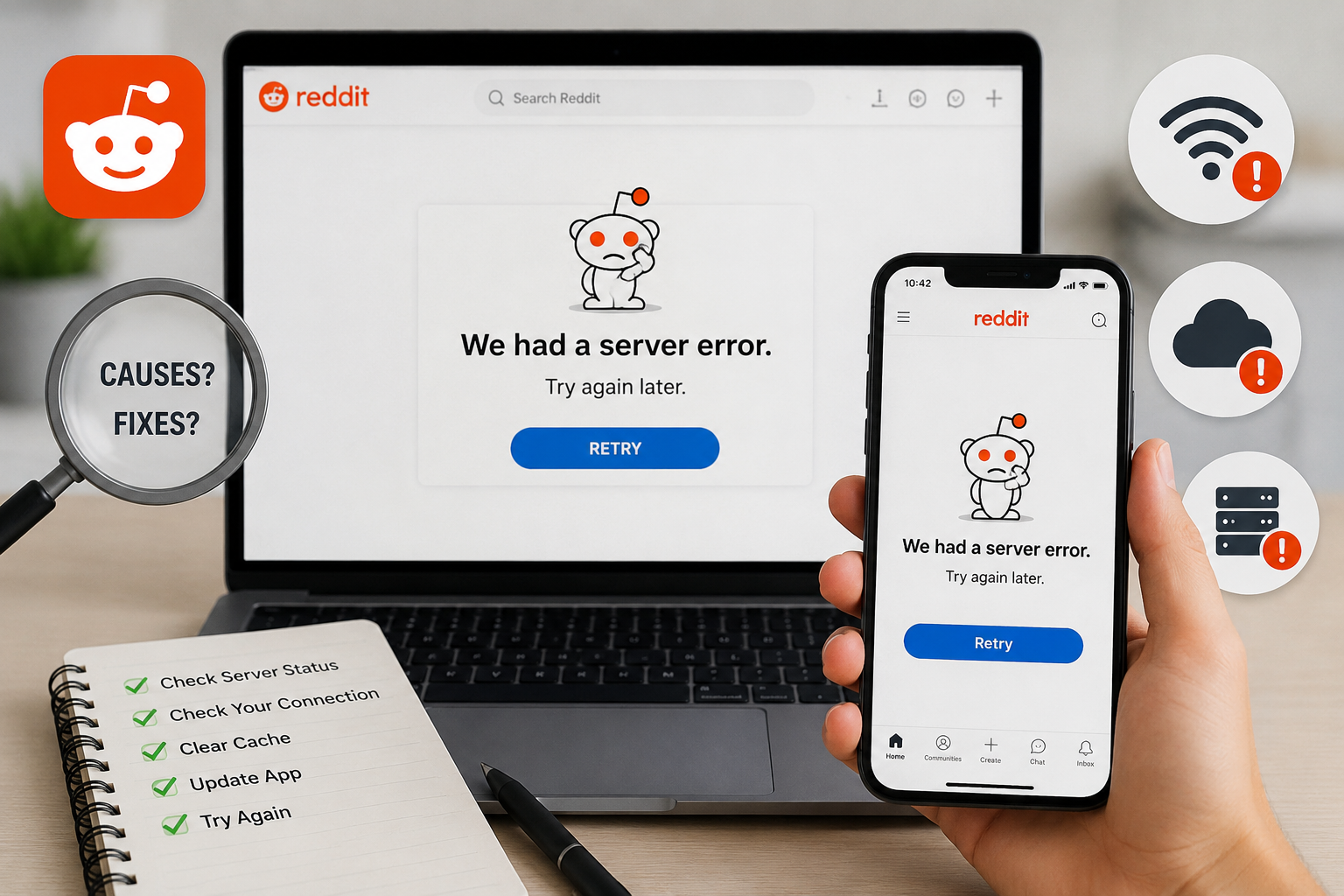
You're following an interesting thread on Reddit when a notification suddenly pops up: "We had a server error. Try again later." You're probably feeling annoyed — the message interrupts everything you're doing. So what does this error actually mean, and how do you fix it quickly?
In short, it's a message telling you there's a problem connecting your device to Reddit's servers. The cause could be on Reddit's side, or simply a minor glitch with your phone, computer, or internet connection. In this guide, Hidemium walks you through every cause of the error and exactly how to fix each one.
Quick answer: why am I getting "We had a server error" on Reddit?
In most cases, "We had a server error" means your device couldn't reach Reddit's servers — usually a temporary glitch caused by a Reddit outage, an unstable internet connection, a browser cache problem, or a VPN/IP that Reddit has blocked. Less often, it points to a flagged, rate-limited, or shadowbanned account. Try these fixes in order:
- Refresh the page (or press F5).
- Clear your browser cache and cookies.
- Switch off your VPN or change its server.
- Try a different browser, device, or incognito mode.
- Check redditstatus.com for an outage.
- Open Reddit at old.reddit.com.
If none of these work and every account or device shows the same error, your IP or account is likely flagged — read the full causes list and FAQ below.
What happens when Reddit says "We had a server error"?
When this error message appears, everything you're doing gets interrupted — from reading comments to writing a new post. Usually, this is a temporary technical error that clears up on its own within minutes. However, in some special cases, the error can be related to an account that has been suspended or shadowbanned.
According to Reddit Help, when an account is flagged you can still see the content you post, but you can no longer interact with it — commenting, messaging, or submitting new posts may quietly fail. Because Reddit doesn't always explain why an action didn't go through, this can lead users to mistakenly believe they've simply hit a server error, when in fact their account is the issue.
Is a suspended account the main cause of the error?
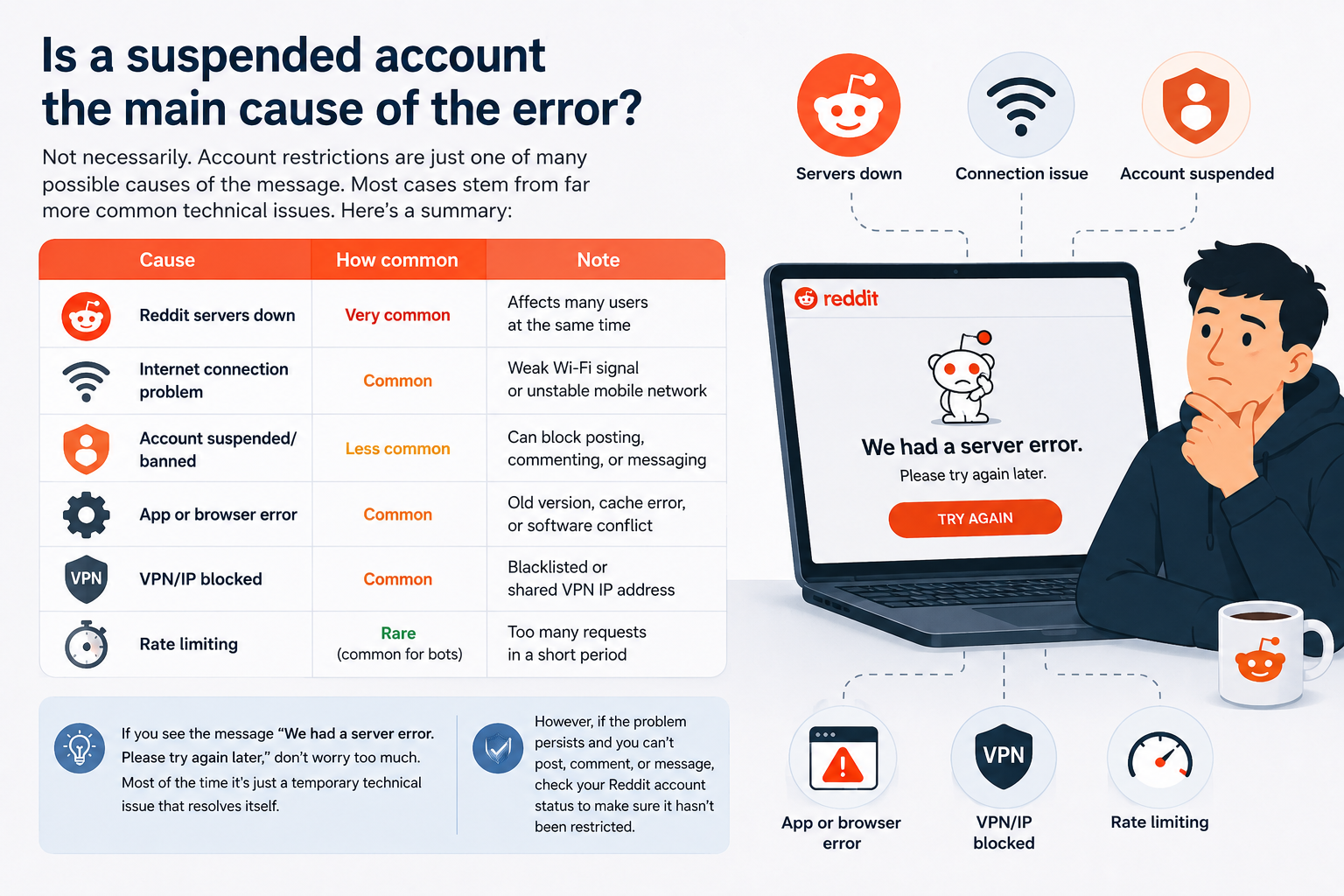
Not necessarily. Account restrictions are just one of many possible causes of the message. Most cases stem from far more common technical issues. Here's a summary:
| Cause | How common | Note |
|---|---|---|
| Reddit servers down | Very common | Affects many users at the same time |
| Internet connection problem | Common | Weak Wi-Fi signal or unstable mobile network |
| Account suspended/banned | Less common | Can block posting, commenting, or messaging |
| App or browser error | Common | Old version, cache error, or software conflict |
| VPN/IP blocked | Common | Blacklisted or shared VPN IP address |
| Rate limiting | Rare (common for bots) | Too many requests in a short period |
If you see the message "We had a server error. Please try again later," don't worry too much. Most of the time it's just a temporary technical issue that resolves itself. However, if the problem persists and you can't post, comment, or message, check your Reddit account status to make sure it hasn't been restricted.
Related reading: Suspended Reddit Accounts: What to Do.
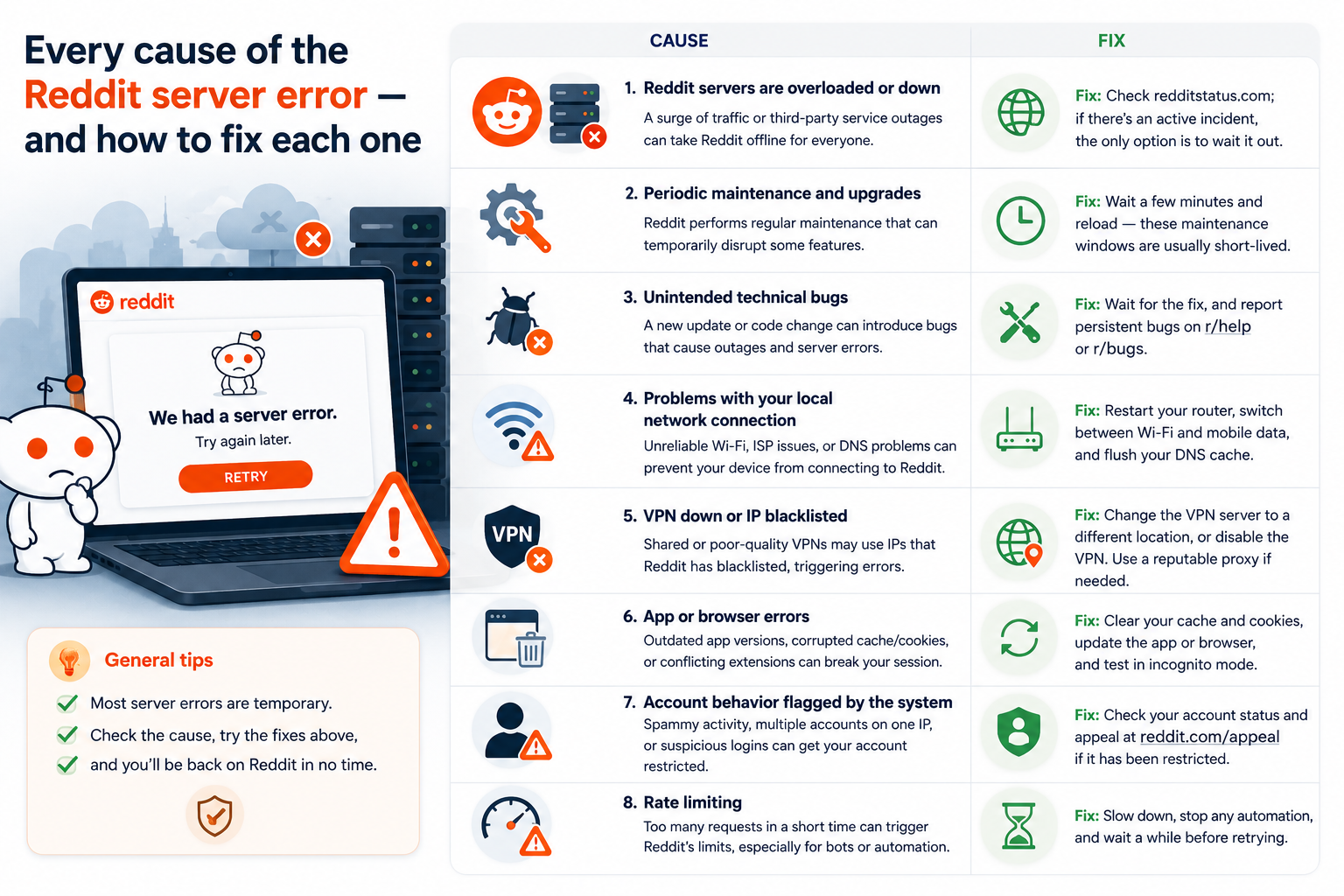
Every cause of the Reddit server error — and how to fix each one
The "server error" notification is one of the most annoying problems on Reddit, and it can easily interrupt your browsing experience — especially when you're following an important topic. So what makes it happen so often? Below is the complete list of causes, each paired with the fix.
Reddit servers are overloaded or down.
Reddit attracts millions of visitors every day. When there's a viral post, a major AMA (Ask Me Anything) event, or big breaking news that's widely shared, a sudden surge of users can overload the system — imagine hundreds of people trying to squeeze through one small door, and some get an error. Reddit also depends on third-party services to stay online; in 2021, a major outage at the cloud provider Fastly took Reddit and many other major websites offline at once. Fix: Check redditstatus.com; if there's an active incident, the only option is to wait it out.
Periodic maintenance and upgrades.
Just as your phone or computer needs software updates, Reddit's systems need regular maintenance and upgrades. During these windows, some features are temporarily disrupted and a "server error" can appear when you least expect it. Fix: Wait a few minutes and reload — these maintenance windows are usually short-lived.
Unintended technical bugs.
No platform is perfect. Occasionally a new update or code change accidentally introduces a bug that causes an outage and a "server error" message. The good news is Reddit's engineering team usually catches and patches these quickly. Fix: Wait for the fix, and report persistent bugs on r/help or r/bugs.
Problems with your local network connection.
Server errors don't always come from Reddit. Unreliable Wi-Fi, issues with your Internet Service Provider (ISP), or an incorrect DNS configuration can all cause your device to lose its connection to Reddit's servers. Fix: Restart your router, switch between Wi-Fi and mobile data, and flush your DNS cache before trying again.
VPN down or IP blacklisted.
If you use a VPN, be aware that many free or low-quality VPNs route you through shared IP addresses that Reddit has already blacklisted, which triggers the error. Fix: Change the VPN server to a different location, or disable the VPN entirely — if Reddit then loads, the VPN was the problem. If you need a clean exit IP, use a reputable free proxy instead of a blacklisted one.
App or browser errors.
An outdated app version, corrupted cache and cookies, or a conflicting browser extension can all break your Reddit session. Fix: Clear your cache and cookies, update the app or browser to the latest version, and test the site in incognito/private mode.
Account behavior flagged by the system.
This is an often-overlooked cause. Reddit uses advanced algorithms to detect and limit unusual behavior to prevent spam and rule-breaking, tracking you by your IP address and your "digital fingerprint." Behavior that can get an account flagged includes repeatedly posting low-quality content, using one IP for multiple accounts and switching constantly, or logging in with a time zone that doesn't match your IP's location. When your activity looks bot-like or suspicious, Reddit may silently restrict access and show a generic error instead of a detailed notice. Fix: Check your account status (see the FAQ) and appeal at reddit.com/appeal if it has been restricted.
Rate limiting.
To protect its systems, Reddit limits how many requests an IP can send in a short period. This is rare for regular users but common for accounts using bots or automated tools. When the limit is exceeded, Reddit temporarily blocks the connection and shows an error instead of loading the page. Fix: Slow down, stop any automation, and wait a while before retrying.
How to fix "We had a server error" on Reddit (step by step)
When the "We're having server issues" error appears, don't worry too much. In most cases, the few simple steps below will restore your access within minutes. Work through them in order.
1. Refresh the page
A small action sometimes has a big effect. Press the refresh button in your browser or use the F5 key to reload the page. This often clears a temporary error and gets you straight back to browsing Reddit.
2. Clear your browser cache and cookies
Cache and cookies that have been stored for a long time can disrupt your Reddit experience. Clearing your browsing data usually helps:
- Google Chrome: Settings → Privacy & security → Clear browsing data → tick Cookies and other site data and Cached images and files → Clear data.
- Firefox: Settings → Privacy & security → Cookies and site data → Clear data.
- Microsoft Edge: Settings → Privacy, search & services → Clear browsing data → choose the data to clear → Clear now.
- Safari: Safari → Settings → Privacy → Manage Website Data → find Reddit → Remove → Done.
3. Check your VPN or proxy connection
If you access Reddit through a VPN, remember that some free or low-quality VPNs use blacklisted IP addresses, which can cause the error. Two things to try: change the VPN server to a different location, or temporarily disable the VPN — if Reddit then works fine, the VPN you're using is the problem. For consistently clean access, switch to a trusted proxy with non-blacklisted IPs.
4. Try another browser or device
To find out whether the error comes from your current setup, try the following: change browser (for example, use Firefox instead of Chrome), switch to another device (sign in on a different phone or computer), or use incognito/private mode, which skips cached data and extensions so you can check quickly. If Reddit works fine in one of these, the problem lies with your main browser configuration or an installed plugin.
5. Check Reddit's official status
If you've tried several methods and Reddit still won't load, the cause is very likely Reddit's own systems — in which case user-side troubleshooting won't help. To verify, visit redditstatus.com and check Reddit's status in real time. If it reports a "Major incident" or "Partial failure," the only solution is to wait for Reddit's team to resolve it. If the status page shows no errors but you still can't access Reddit across multiple devices or networks, the problem is most likely a flagged account or a blocked IP. It's also worth visiting subreddits like r/redditdown or r/help to see whether the community is reporting the same issue — if many people are, it's a system-wide problem and you can only wait for a fix.
6. Switch to old.reddit.com
The lighter, legacy interface at old.reddit.com sometimes loads when the redesigned site fails. It's a quick way to keep browsing while the main site recovers.
Managing multiple Reddit accounts safely with Hidemium
If your error is tied to running several accounts from one IP, logging in and managing them manually can easily lead to detection or lockouts. A safer solution is to use Hidemium — a professional Reddit multi-account management tool.
- Centralized, simple management: Hidemium keeps all your Reddit accounts neatly organized in one interface. When you need one, just hit "Open" for direct, quick, and convenient access.
- A separate profile per account: Hidemium creates secure, independent browser profiles, which reduces the risk of suspension caused by Reddit detecting linked accounts.
- Generous free tier: you can create up to 1,000 free profiles, supporting bulk management of Reddit accounts at no cost.
Thanks to this, Hidemium is an optimal choice for anyone who needs to manage multiple Reddit accounts safely, securely, and efficiently.
Learn more: Best Antidetect Browser for Managing Multiple Accounts.
Conclusion
Reddit is one of the most vibrant social platforms online, but users still run into errors like "We experienced server issues, please try again later." The good news is that most of these problems have clear causes and specific solutions. To fix the Reddit server error, you can check the official status at redditstatus.com, follow discussions on supporting subreddits like r/redditdown and r/help, keep your browser up to date, and — if you manage several accounts — use a support tool like Hidemium for more secure multi-account management. Whether you're a regular user or a multi-account administrator, applying the methods above will help you maintain a stable experience, limit errors, and minimize the risk of account bans on Reddit.
Frequently Asked Questions
What does the "We encountered a server error" message mean?
This is a general message indicating there's a problem connecting your device to Reddit's servers. It could be due to server overload, an unstable internet connection, a blocked VPN/IP, or suspicious account activity.
Can a VPN cause this error?
Yes. Many free or popular VPN services use shared IPs that Reddit has blocked for spam-related reasons. If you connect through these IPs, Reddit may deny access and display a server error. Switch servers or disable the VPN to test.
How do I know if I'm shadowbanned?
Reddit doesn't send a direct notification when an account is shadowbanned. To check, log out and open your profile URL — if it says the page "does not exist," your account is likely shadowbanned. You can also submit an appeal at reddit.com/appeal to confirm your account status.
Does this error mean my IP address is banned?
Maybe. Sometimes Reddit uses a generic server error to silently apply IP bans. If all your accounts get the error even when using different devices or browsers, it's likely the IP has been flagged.
I've tried many ways but the error still exists — what should I do?
If you've done the basics — clearing your cache, switching devices, checking your network — and you're still having trouble, the problem may be on Reddit's end. Wait for the technical team to fix it, and contact Reddit Support directly if the problem persists.
Can I continue to access Reddit when I get a server error message?
Yes, but you may need to try some alternatives: refresh the page and clear cache and cookies, sign in with another device or browser, or use the legacy version at old.reddit.com. If none of that works, it's likely a system-wide error on Reddit's side and you'll just need to wait for a fix.
Related Blogs
.png)
In an era where online privacy and multi-account management have become vital for MMO, dropshipping or marketing people, antidetect browsers act as a "powerful assistant". Among them, XLogin used to be known as a popular choice. However, by 2025, many users began to question XLogin's stability, browser camouflage, and performance.So where is it? the most reliable XLogin alternative today? In this[…]

Bright Data is one of the top-rated premium proxy providers out there. But with its hefty price tag, is it really worth the money? In this article, Antidetect Browser Hidemium will analyze the pros and cons of Bright Data in 2025, compare performance with other proxy solutions, and help you decide whether to invest or not.1. What is Bright Data?Bright Data is a company with a huge network of IP[…]
 (1).png)
Explore how to use premium eBay proxies to protect your account and avoid getting banned while doing business on eBay. Learn the benefits of eBay proxies, how to bypass regional restrictions, and ensure your account security when accessing the platform. Use high-quality proxies to maintain safe and efficient operations on eBay in 2025.In the world of e-commerce, eBay is a well-known online[…]

Hotspot Shield VPN is one of the software virtual private network (VPN) most popular today, trusted by many users thanks to its superior security and support for anonymous Internet access. With a series of useful features, Hotspot Shield becomes the ideal choice for those who want to protect their privacy online. So what is Hotspot Shield? What are the advantages and how to download this[…]
.png)
In today's online world, user security and privacy are extremely important factors. One of the advanced technologies that help protect personal information and bypass online restrictions is the Fingerprint Browser. When combined with Antidetect Browser software, this technology provides powerful anonymity, protects accounts, and allows users to manage multiple accounts without the risk of[…]

In the world of computer networks, network Topology plays an important fundamental role in helping devices connect, transmit data and operate effectively. So what is Topology? Why is it important in LAN (Local Area Network) systems? In this article Antidetect Browser Hidemiumwill help you understand more about Topology in LAN, analysis Most common Topology types with Advantages and disadvantages[…]
