.png)

You're still posting on X as usual, but performance is unusually low. Tweets aren't appearing in search results, engagement has plummeted, and replies are practically disappearing from your timeline. There are no notifications from the platform, the account is still active — but everything seems silently restricted.
This is when many people began to have doubts about shadowban. The problem is that in 2026, this phenomenon is still very difficult to identify because the platform rarely provides clear notifications. Instead of being completely locked, accounts usually only experience reduced visibility — meaning you can still post, but almost no one sees them.
Therefore, guesswork is no longer enough. You need a concrete way to check how your content is being displayed to others, understand the possible causes of restrictions, and determine the next steps to take if it is indeed being affected.
In this article, Hidemium will guide you through the entire process: from recognizing the signs of shadowban, common causes, how to perform accurate checks, to useful tools and how to mitigate future risks.
1. Signs that account X may be shadowbanned
Before rushing to check for shadowbans, you need to understand the signs correctly. On X, being restricted rarely looks like an outright ban. Accounts can still post normally, but the content is less accessible. The platform may reduce the likelihood of posts appearing in search results, suggestions, timelines, or reply threads—especially if the system detects spamming, repetitive, or low-quality behavior.
1.1 The post does not appear in search results.
One of the clearest signs is that your posts "disappear" from search results, even when you search for the exact phrase found in the tweet. This often happens when you post duplicate content, spam links, or repeatedly follow/unfollow too many times.
For example, if you post the same ad content multiple times with very minor changes, the post will still appear on your profile, but it may no longer show up when others search. This isn't necessarily a complete ban, but it's a noteworthy sign to watch out for when checking for shadow bans.
An important tip: check the "Latest" tab instead of "Top," as "Top" is influenced by the ranking algorithm. Also, while online testing tools are available, manual checking remains the most reliable method.
1.2 Abnormally reduced interaction
A decrease in likes, retweets, or replies isn't always a sign of a shadow ban. However, if the drop is sudden and lasts for several consecutive posts, it's a suspicious sign.
For example, if your posts previously received 30–50 likes but suddenly several consecutive posts only have 2–3 likes and are not appearing in search results, it's highly likely you're experiencing visibility restrictions.
The important point is to look at trend, It's not just one single flop. One flop is normal, but multiple flops in a row are no longer a coincidence.
1.3 Answers and mentions get "buried"
Another often-overlooked indicator is the reply section. You might see your reply displayed normally on your personal account, but when viewing from another account or when logged out, it might be pushed down or hidden.
This is a very common type of restriction: the content still exists, but almost no one sees it. Compared to decreased engagement, this is a stronger sign because it directly reflects how the content distribution system is working.
Mention (@tag) sometimes works fine, making you think everything is okay. However, even if the tagged person sees the post, that doesn't mean your content is being widely displayed. So, when checking for shadowban, you should evaluate both visibility in replies and reach beyond your followers.
>>> Learn more: Logging into Twitter: A quick 5-minute guide to accessing X-Web
2. Common reasons why account X's visibility is restricted
After noticing unusual signs, the next crucial question is: what caused this situation? On X, “shadowban” usually doesn’t stem from a random error, but rather from behaviors that the system deems spam, manipulation, or content degradation. The platform may silently restrict visibility if it detects unnatural patterns of activity.
2.1 Posting too frequently and repeating content
One of the most common reasons is posting frequently but lacking content diversity. If you consistently post similar tweets, repeat promotional messages, or spam replies under multiple posts, the system may flag this as manipulative behavior.
For example, posting the same sales content multiple times a day, or copy-pasting similar replies under many viral tweets, can cause your posts to remain visible but with reduced visibility. If you check your shadowban, you'll see that your posts don't appear in search results or your replies are buried at the bottom.
2.2 Policy violations or flagged content
Not only posting frequency, but content is also crucial. If your posts or replies are reported, flagged, or violate community standards, X may reduce their distribution without locking your account.
In practice, this often happens when users engage in heated debates, use offensive language, or post sensitive content. You can still post, but your content will appear less frequently in timelines, search results, or suggestions. This is a form of "silent" restriction that directly impacts reach.
2.3 Misuse of hashtags and links
Hashtags and links aren't inherently bad, but how you use them is the issue. If you consistently use the same set of hashtags or spam the same link across multiple posts, the system may consider it low-quality behavior.
For example, attaching the same link and hashtag to every tweet for days on end can cause visibility to gradually decrease over time. This isn't because any specific hashtag is banned, but rather because the posting pattern is repetitive and unnatural.
>>> Learn more: Top 7 ways to bypass the ban IP
3. How Do You Check for a Shadowban on X in 2026?
The best way to check for a possible shadowban is to compare how your content appears when logged in versus logged out or viewed from another account. Combine search checks, reply visibility tests, and third-party tools rather than relying on one signal.
Once you understand the signs and causes, the next step is to thoroughly check the account. A common mistake is relying on only a single sign, when in reality, visibility restrictions can occur simultaneously in multiple areas such as search, replies, or suggestions. Therefore, the most effective approach is to combine manual checks, external checks, and the use of supporting tools.
3.1. Step-by-Step Checklist to Check for a Shadowban on X
- Open X while logged out or in an incognito window.
- Search an exact phrase from one of your recent public posts.
- Run the search query from:username.
- Check whether your replies appear normally in public threads.
- Repeat the test from another account that does not follow you.
- Compare several recent posts, not just one post.
- Use a third-party checker only as a secondary reference.
3.2 Manual inspection (the most reliable method)
Start by opening your browser in incognito mode and accessing X without logging in. Then, search for a specific phrase from your most recent post to see if the tweet appears.
You should also try searching by the hashtags used. If the post is public but doesn't appear in search results, this is a much clearer sign than just decreased engagement.
Another important tip is to use the search syntax:
from:username
This method helps you check if recent tweets are actually visible to the public. If only a portion of the post appears or none appears at all, it's highly likely the account is restricted.
Additionally, test the reply feature: post a short comment under a popular tweet, then check it again from incognito mode. If the reply is hidden or requires clicking "see more" to see, that's a clear sign of reduced visibility.
3.3 Using third-party testing tools
After manual checking, you can use additional shadowban checking tools for a quick overview. These tools typically analyze the account's visibility in search results, replies, or discoverability.
However, it's important to understand that this is not an official tool from X. The results are for reference only and not absolute proof. The best approach is to use the tool to compare the results with your own verification.
3.4 Check from another account or when logging out
This is the most important step, yet many people overlook it. Your content is always visible to you, even when others can't see it.
Try using a different account (one that doesn't follow you) or continue checking in incognito mode:
Search for posts
Check the reply in a thread.
Type in your username and check if it appears in the autocomplete section.
If the content is only clearly visible when you're logged in, but is restricted when viewed from the outside, then the likelihood of a shadowban is very high.

>>> Learn more: Why doesn't fingerprint blocking prevent account bans?
4. Tools to help check for shadowban on X
After performing a manual check, you can use additional tools for comparison and to save time. However, keep in mind that X does not provide an official shadowban checker tool, so third-party platforms should only be used as an initial reference.
4.1 Free tools for quick checking
Currently, there are still several free tools that allow you to check the status of your account by entering your username. Some popular ones include:
shadowban.yuzurisa.com – check search visibility and account status
His subway – a quick analysis of basic visibility levels.
TweetDeleter – provides a shadowban checker tool that doesn't require login.
Hidemium Shadowban Checker – a simple tool for quick username-based verification.
The most effective way to use it is: after you manually (anonymously) check, enter the same username into these tools. If the results match, the likelihood of being restricted from viewing your content will be much more reliable.
4.2 Paid tools with in-depth analysis
If you need more in-depth analysis, paid platforms can provide more data than just "shadowban yes/no". For example:
Circleboom: In addition to shadowban checking, it also offers account management and content optimization.
Fedica focuses on analytics such as impressions, engagement, and follower growth.
These tools are especially useful when you want to understand trend of decreasing reach over time Instead of checking at just one point in time, you might find that the reach isn't immediately "banned," but gradually decreases over several days due to content behavior.
4.3 Are X Shadowban Checker Tools Accurate?
No third-party shadowban checker can definitively confirm an X shadowban. These tools are best used to compare visibility signals alongside manual search and reply checks.
Manual verification remains the most reliable method because it accurately reflects what other users see: anonymous search, verification.from:username, see replies from other accounts.
Meanwhile, automated tools have the advantage of being fast and convenient, but sometimes lack context or require account access. Therefore, if you only need a quick check, prioritize tools that don't require login to ensure security.
5. How Can You Recover From Reduced Visibility on X?
If both manual checks and tools show signs of display restrictions, the next step isn't to "find the unban button," but rather to readjust how you use your account. On X, recovery usually comes from removing the risk signals, not a direct reset.
5.1 Reduce Spam-Like or Repetitive Activity
If your account has just gone through a period of heavy posting, spam replies, or repetitive content, continuing to post immediately could make the situation worse.
A simple solution is Temporarily closed for a few days. Then, revert to a more natural posting frequency. For example, if you previously posted many similar promotional posts or spammed comments under large tweets, stop and change your approach.
This doesn't guarantee the shadowban will disappear immediately, but it helps prevent the system from recording negative behavior. After the break, you should manually check again before resuming normal posting.
5.2 Review Potentially Risky Content
Next, review your recent posts and remove any content that might negatively impact visibility.
You should prioritize deleting:
Duplicate or nearly identical articles
Spam advertising content
Reply by copy-pasting in bulk
Hashtags are being misused.
Repeated or suspicious links are unsafe.
For example, if you post the same link with nearly identical captions multiple times, keep the best version and delete the rest. If there are offensive or potentially reported replies, remove those as well.
In many practical cases, this "account cleanup" is far more effective than repeatedly running audit tools without making any changes.
5.3 Contact X Support If the Issue Persists
If you have tried the steps above but the situation does not improve, you can send a support request directly to X.
When submitting a complaint, please describe it clearly:
The problem you're experiencing (e.g., the post doesn't appear in search results)
Changes you have made (deleting posts, reducing posting frequency)
Results from manual or tool-based testing.
Providing specific information will increase your chances of being considered, rather than just stating generally, "I think I'm shadowbanned."

6. How Can You Reduce the Risk of Visibility Restrictions on X?
After resolving the visibility reduction issue, it's even more important to ensure it doesn't recur. On X, behaviors like spamming, duplicate posting, mass replying, or using low-quality links can all lead to further account restrictions. Therefore, prevention is always more effective than addressing the issue after it has already occurred.
Maintain a natural posting style.
The most important principle is to keep your content "realistic." Avoid posting the same message repeatedly or copy-pasting replies under multiple posts. If you need to promote a product or content, vary your wording and space out your posts.
For example, instead of posting the same sales pitch 5–6 times a day, you can vary the content from different perspectives. This reduces the risk of being flagged as spam by the system.
Limit risky behavior with hashtags and links.
Hashtags and links only become a problem when they are abused. Using too many of the same hashtags or attaching the same URL to every post can lower an account's credibility.
A safer way is:
Only use hashtags that are directly related to the content.
Do not repeat the same set of hashtags in every post.
Avoid spamming links, especially short links or links with unclear sources.
The key point isn't "which hashtags are banned," but rather...Does the way you use them feel natural?.
Monitor for abnormal signs early.
Early detection will help you address the problem quickly before it becomes serious. Pay attention to indicators such as:
The article no longer appears in search results.
Reply display is reduced
Impression and interaction decreased abruptly.
Follower growth has slowed down.
If multiple symptoms occur simultaneously, check for shadowban immediately using manual methods and additional tools.
7. How Can Hidemium Help With Multi-Account X Visibility Checks?
Hidemium is an antidetect browser designed to create and manage separate browser profiles. Each profile can maintain its own cookies, local storage, fingerprint configuration, and proxy settings, which can help marketers and social media teams keep legitimate X account testing environments organized.
Hidemium does not guarantee that an account will avoid visibility restrictions or platform enforcement. X policies and account behavior still apply.
When you need to check for shadowbans across multiple X accounts, the way you set up your working environment will directly affect the accuracy of the results. If all accounts are logged in in the same browser, sharing cookies and session data, the check is very likely to be inaccurate or misleading.
Manage multiple accounts clearly and securely.h
An effective solution is to separate each account into distinct environments. Instead of logging into multiple accounts in the same session, you can use independent browser profiles to manage each account.
For example:
A profile used for posting main content.
A profile for checking replies
Another profile to test the search or view from an outsider's perspective.
This method allows you to compare results more accurately without mixing data between accounts.
Separate the environment with a proxy and a private fingerprint.
For teams testing several legitimate accounts, separate browser profiles can keep cookies, sessions, and proxy configurations isolated. This can reduce account mix-ups and make repeated visibility checks more consistent. This is especially useful for marketers, social media teams, or those who manage multiple accounts on the same device.
Hidemium supports creating independent profiles with their own cookies, local storage, and fingerprints, allowing each account to function as if on a different device. This results in cleaner and less confusing shadowban checks.
Optimizing the iterative testing process
When checking shadowbans across multiple accounts simultaneously, repeating the process manually can be very time-consuming. With tools like Hidemium's, you can synchronize actions across multiple profiles—for example, opening the same link, searching for the same keyword, or checking the same thread.
This helps:
Save time when conducting mass testing.
Maintain a consistent inspection process.
It's easy to compare results between accounts.
8. Frequently Asked Questions about Shadowban Check on X
What is the Shadowban test?
Here's how to check if your posts, replies, or profile are experiencing decreased visibility. Typically, you'll need to check search results, examine replies, and view the content from an external perspective (a different account or in incognito mode).
How do I manually check for shadowban?
You can find a specific phrase from your tweet in incognito mode using the syntax.from:usernameTo check the list of posts, and also see if your reply is clearly visible in public threads.
Are shadowban checking tools reliable?
Third-party tools can help with quick checks, but they are not entirely accurate. They should be used for reference and comparison with manual test results, rather than as the final conclusion.
When are test results considered serious?
If multiple signs occur simultaneously—such as the post not appearing in search results, replies being hidden, and engagement declining sharply and consistently—then the likelihood of being restricted from visibility is quite high.
Does checking for shadowban help prevent future occurrences?
Yes. Regular monitoring helps you detect early signs of problems, allowing you to adjust content and behavior before reach drops significantly.
9.Summary: Quick Checklist to Check for a Shadowban on X
To check for a possible shadowban on X in 2026, do not rely on engagement alone. Compare how multiple public posts and replies appear in X Search, when logged out, and from another account.
- Search an exact phrase from a recent post.
- Run from:username in X Search.
- Check replies from another account.
- Compare several posts over time.
- Use third-party tools only as supporting signals.
- Review spam-like or repetitive behavior if visibility drops.
- Follow X Rules and contact X Support if the problem persists.
For marketers managing multiple legitimate X accounts, Hidemium can keep browser profiles, cookies, sessions, and proxy configurations separated, making repeated visibility checks easier to organize.
=>> Explore Hidemium for multi-account browser profile management.
Related Blogs
We are proud to announce our Big Update: New Browser Core Versions of Hidemium of 2.1.3!Previous versions will automatically update to this version without interrupting your work✅ More advanced configuration options in the “new profile” screenDownload link:For win: https://hidemium.io/download/windowsFor mac: https://hidemium.io/download/mac

In a network system, MAC address and IP address Both serve to identify devices, but they perform completely different functions. Understanding the difference between these two types of addresses not only helps you manage your network better, but is also key to ensuringinformation security – especially for those working in the field Cyber Security or digital marketing.Let's go together Hidemium[…]
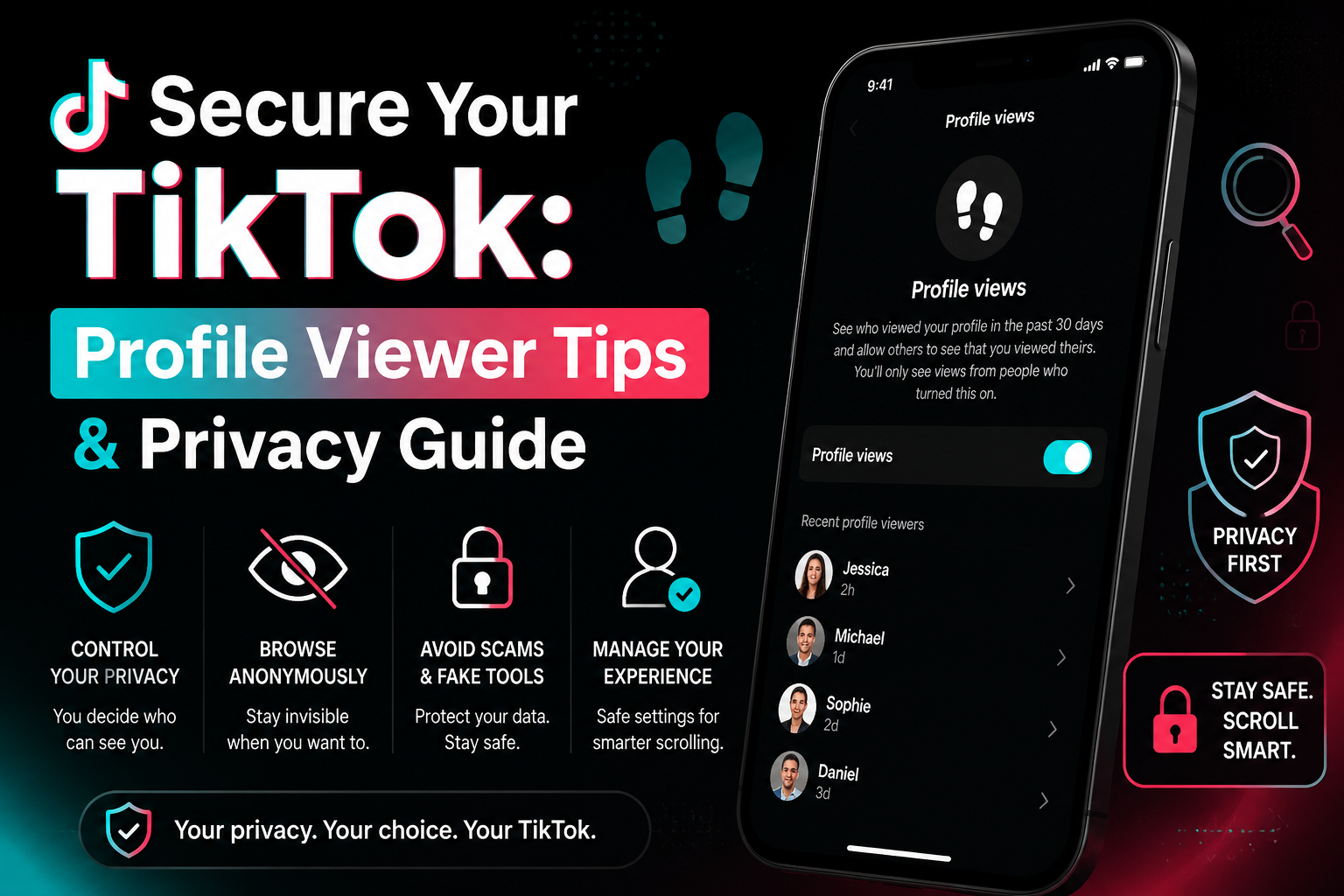
How to see who viewed your profile on TikTokWe've all been there: you're deep-diving into a new coworker's account at 2 AM and suddenly freeze. Can they see that I'm here? It is a common panic for anyone wondering how to see who viewed your TikTok profile. According to TikTok's official Help Center, the platform does actually have a native footprint tracking feature, but it might not work exactly[…]

MarsProxies and Hidemium: Integration Guide Managing multiple accounts from a single device has long been essential, especially for those handling numerous advertising, e-commerce, or social media accounts.An effective anti-detect browser simplifies this by isolating each account’s browser profile, cookies, and data, allowing safe management of multiple accounts without letting target websites[…]
.png)
To log in to X/Twitter Web, open x.com, select “Log in,” and enter your email, phone number, or username and password. If login fails, check your credentials, browser cookies, network connection, and account status before trying another browser or device.For businesses managing multiple legitimate X accounts, separate browser profiles can help keep cookies, sessions, and account environments[…]

Flipkart is one of the largest e-commerce platforms in India, providing access to millions of customers nationwide. In this article, Hidemium will guide you in detail on how to create a sales account on Flipkart, how to optimize business performance and protect your account from the risk of being temporarily suspended using tools Hidemium Antidetect Browser.1. What is the Flipkart sales[…]
