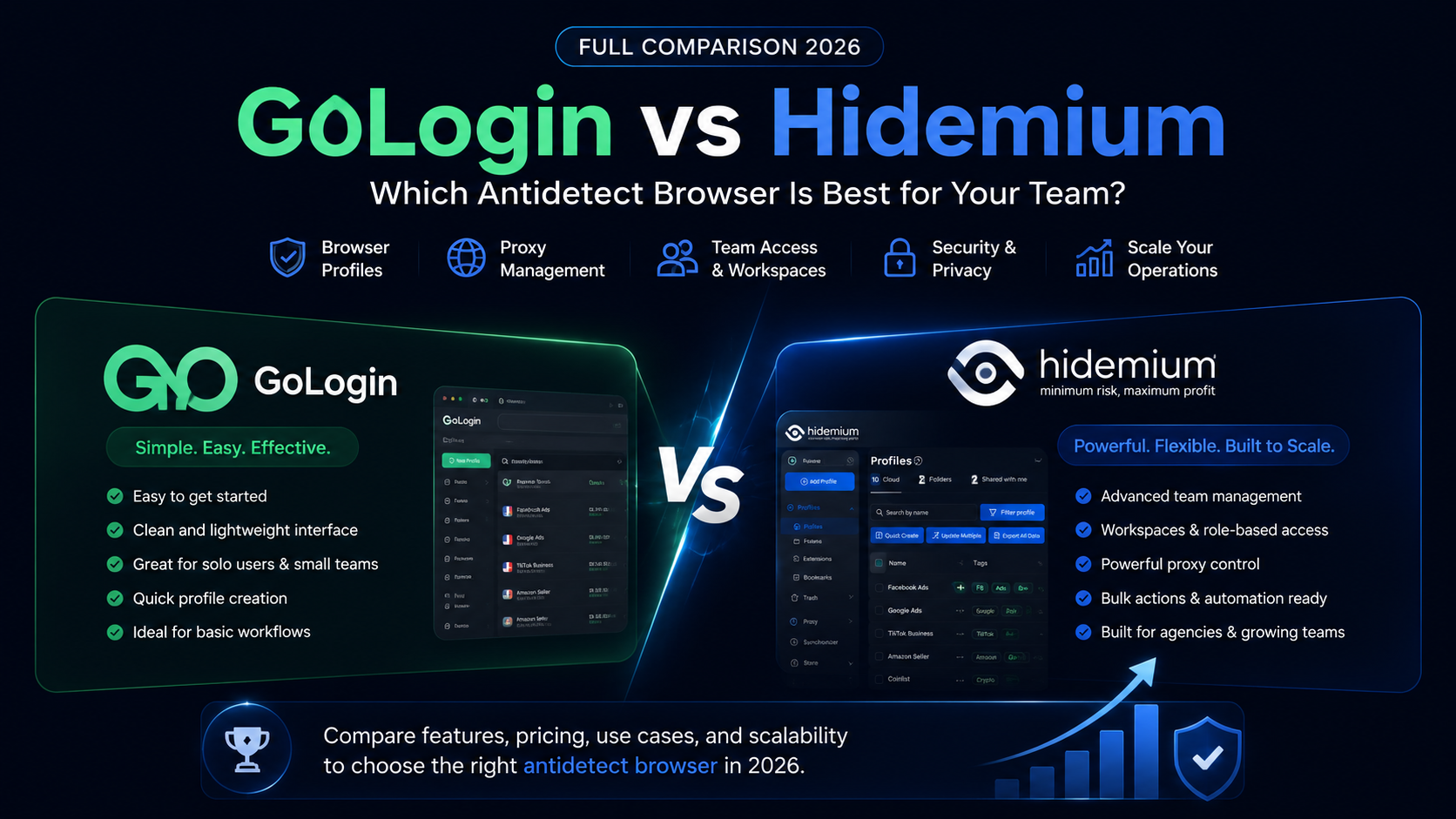

GoLogin vs Hidemium: quick answer
GoLogin vs Hidemium is a comparison between two antidetect browser platforms used for browser profiles, proxies, and multi-account workflows. GoLogin is often considered by users who want a simple and accessible way to start managing browser profiles. Hidemium is a stronger fit for teams that need structured workspaces, proxy visibility, team access, profile ownership, and scalable account operations.
Use GoLogin if you want a simple browser profile tool for a lighter workflow.
Use Hidemium if your team needs to manage profiles, proxies, operators, workspaces, and account workflows with more structure.
Introduction
Most teams do not start with a complex browser profile system.
They start with a simple need.
One user needs a few separate browser profiles. Then another teammate joins. Then the team adds more proxies. Then profiles need to be grouped by client, store, campaign, or project. Then someone asks who owns which profile. Then onboarding a new operator becomes harder than expected.
That is usually when the GoLogin vs Hidemium comparison becomes important.
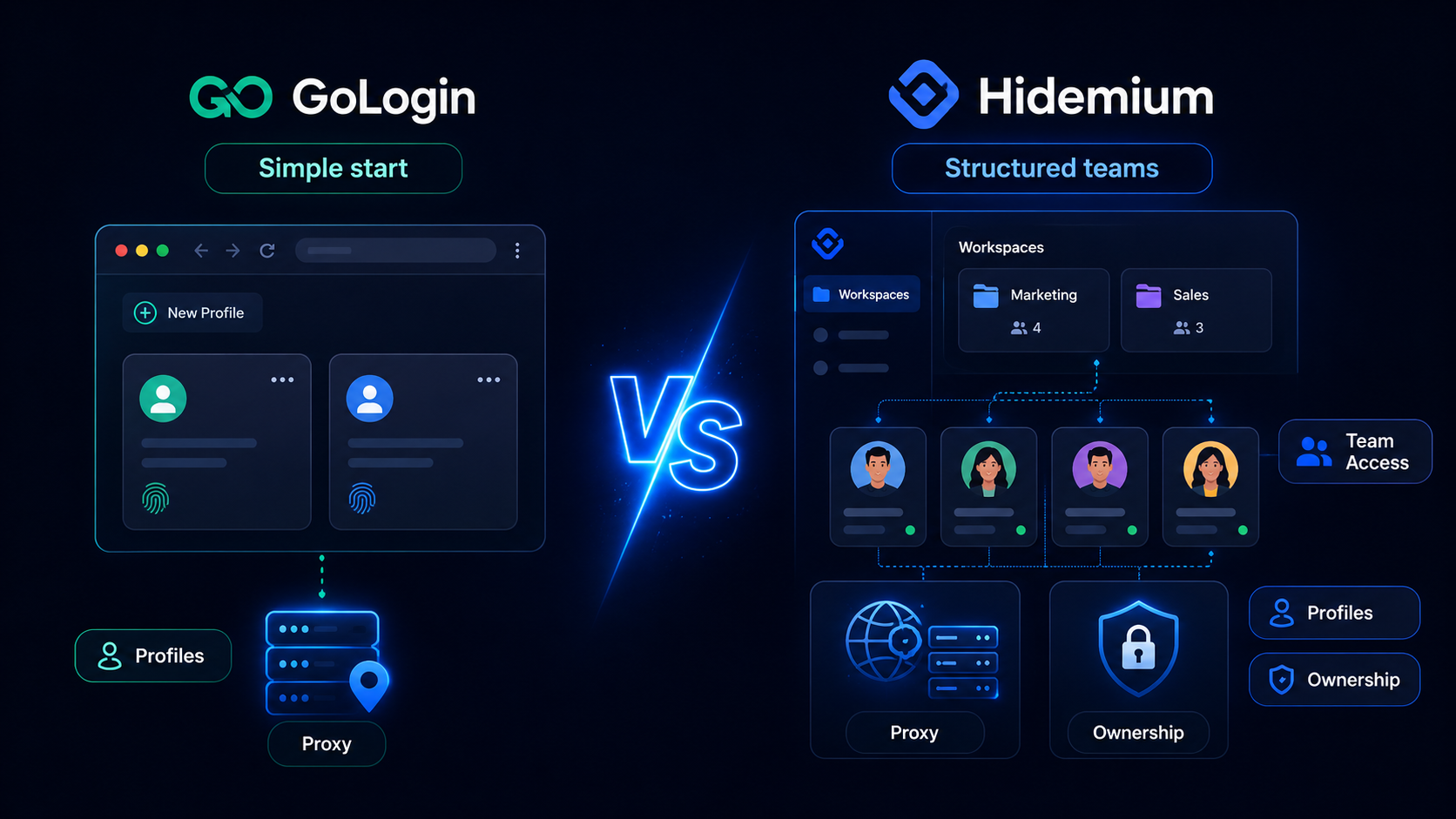
GoLogin is often attractive because it feels approachable for users who want to start with browser profile management. Hidemium becomes more relevant when the workflow grows beyond basic profile creation and turns into a team operating system.
This article compares GoLogin vs Hidemium through a growth lens: what works when you are starting, what changes when your profile count grows, and which platform is better when browser profiles become part of daily account operations.
What is GoLogin?
GoLogin is an antidetect browser platform used for creating and managing browser profiles. It is often considered by users who want a straightforward way to separate browsing environments, connect proxies, and manage multi-profile workflows.
GoLogin may fit users who need:
- Browser profile creation
- Separate browsing environments
- Proxy-based workflows
- Remote profile access
- Simple multi-account organization
- A beginner-friendly starting point
- A lightweight setup for solo users or small teams
GoLogin can be a practical option when the workflow is still simple.
It is especially relevant when the user wants to get started quickly without building a complex internal system around browser profiles.
What is Hidemium?
Hidemium is an antidetect browser and browser profile management platform built for teams that need profiles, proxies, workspaces, team access, profile sharing, and scalable account operations.
Hidemium is designed for teams that need to answer operational questions clearly:
- Which browser profile belongs to which account?
- Which proxy is assigned to this profile?
- Which workspace does this profile belong to?
- Which operator has access?
- Which client, store, campaign, wallet, or project is this profile for?
- Is this profile active?
- Can this workflow be repeated as the team grows?
In the GoLogin vs Hidemium comparison, Hidemium is the stronger option when browser profiles become part of a larger business process.
It is not only about having profiles. It is about keeping profiles organized as accounts, proxies, operators, and workflows increase.
The core difference: easy start vs structured scale
The simplest way to compare GoLogin and Hidemium is this:
GoLogin is often a good starting point for simple browser profile workflows.
Hidemium is better for teams that need structure as browser profile operations grow.
| Comparison point | GoLogin | Hidemium |
|---|---|---|
| Main appeal | Simple browser profile management | Structured browser profile operations |
| Best for | Solo users, beginners, small workflows | Teams, agencies, e-commerce, affiliate, Web3, and remote workflows |
| Browser profiles | Supported | Supported |
| Proxy workflows | Supported | Strong fit for organized proxy assignment |
| Workspaces | Useful depending on workflow | Strong focus on separating clients, stores, campaigns, and projects |
| Team access | Useful for smaller teams | Strong fit for multi-operator workflows |
| Daily operations | Good for lighter profile workflows | Better for profile ownership, workspace control, and scale |
| Best reason to choose | Easy start | Better structure as the team grows |
This does not mean GoLogin is weak.
It means GoLogin and Hidemium fit different stages of growth.
GoLogin vs Hidemium by growth stage
A good comparison should not ask only which tool has more features.
It should ask which tool fits your stage.
| Growth stage | Main problem | Better fit |
|---|---|---|
| Stage 1: Solo setup | Need a few separate browser profiles | GoLogin or Hidemium |
| Stage 2: Small team | Need profile sharing and proxy control | Hidemium |
| Stage 3: Multi-project workflow | Need workspaces by client, store, campaign, or project | Hidemium |
| Stage 4: Remote operators | Need access control, ownership, and workflow visibility | Hidemium |
| Stage 5: Account operations at scale | Need repeatable structure across many profiles and proxies | Hidemium |
GoLogin can work well in the early stage.
Hidemium becomes stronger when the team needs a repeatable system.
Why teams compare GoLogin vs Hidemium
Users usually compare GoLogin vs Hidemium when a simple setup starts creating more questions than answers.
At first, profile management may feel easy.
You create a profile.
You connect a proxy.
You open the browser.
You manage the account.
But once the team grows, the workflow becomes more layered.
Teams start asking:
- Who owns this profile?
- Which proxy is attached?
- Which account is it for?
- Which workspace should it belong to?
- Who can access it?
- Is this profile still active?
- Is this workflow documented?
- Can we repeat this setup for new clients, stores, or campaigns?
These questions matter because browser profiles are not just technical containers. For many teams, they represent business assets.
A profile may be tied to a client account, a marketplace store, a social profile, an affiliate campaign, or a Web3 wallet.
That is why Hidemium becomes a strong GoLogin alternative for teams that need more operational clarity.
Detailed Hidemium vs GoLogin comparison
| Feature area | GoLogin | Hidemium |
|---|---|---|
| Browser profile management | Supported | Supported |
| Proxy assignment | Supported | Strong fit for structured proxy workflows |
| Team access | Useful for smaller workflows | Strong fit for multi-operator account operations |
| Workspaces | Useful depending on setup | Strong fit for separating clients, stores, campaigns, and projects |
| Profile ownership | Depends on team process | Stronger fit for operational visibility |
| Remote team workflow | Useful for simple remote access | Stronger fit for distributed teams managing many profiles |
| Agency workflows | Can support profile workflows | Strong fit for client-based profile structure |
| E-commerce workflows | Useful for store-related profiles | Strong fit for stores, marketplaces, proxies, and operators |
| Affiliate workflows | Useful for multi-profile work | Strong fit for campaign-based account workflows |
| Web3 workflows | Useful for separated profiles | Strong fit for separating wallets, projects, and team access |
| Best fit | Simple or early-stage profile management | Structured team account operations |
Table summary: GoLogin is easier to position as a simple browser profile tool. Hidemium is stronger when the team needs browser profiles, proxies, workspaces, team access, and scalable account operations in one organized system.
Hidemium vs GoLogin: which tool fits your use case?
| Use case | Better fit | Why |
|---|---|---|
| Solo user managing a few profiles | GoLogin or Hidemium | GoLogin may feel simple; Hidemium gives more structure if growth is expected. |
| Small team starting multi-profile work | Hidemium | Better for profile ownership, access, and workflow organization. |
| Agency managing clients | Hidemium | Stronger fit for client workspaces, proxies, and operators. |
| E-commerce team managing stores | Hidemium | Better for store profiles, marketplace workflows, proxy assignment, and team access. |
| Affiliate team managing campaigns | Hidemium | Useful for campaign structure, operators, and repeatable workflows. |
| Remote team | Hidemium | Better for distributed access, ownership, and workspace clarity. |
| Web3 team | Hidemium | Useful for separating wallets, projects, and controlled profile access. |
| Beginner testing browser profiles | GoLogin | May be enough for a simple starting point. |
The key idea is simple:
Choose GoLogin if your browser profile workflow is still light.
Choose Hidemium if your browser profile workflow is becoming a team system.
GoLogin alternative for agencies
Agencies usually outgrow simple profile setups faster than solo users.
A single agency may manage:
- Multiple clients
- Ad accounts
- Social profiles
- Marketplace accounts
- Reporting dashboards
- Proxies
- Operators
- Campaign workflows
At that point, profile management becomes a coordination problem.
An agency needs to know:
- Which profile belongs to which client?
- Which workspace contains the client workflow?
- Which proxy is assigned?
- Which operator has access?
- Which campaign is this account for?
- Which profiles should be archived after a project ends?
Hidemium is a strong GoLogin alternative for agencies because it helps organize browser profiles around client workflows.
Example: agency workflow
Imagine an agency managing 120 browser profiles across 15 clients. This is an illustrative example, not a published case study.
With a simple setup, the team may rely on naming rules, spreadsheets, and manual communication.
With Hidemium, the agency can create client workspaces, assign profiles to each client, connect proxies, and give operators access only to the profiles they need.
That structure helps the agency reduce confusion as profile count grows.
GoLogin alternative for e-commerce teams
E-commerce teams often need more than basic browser profile separation.
They may manage:
- Seller accounts
- Marketplace profiles
- Store dashboards
- Supplier accounts
- Ad accounts
- Support profiles
- Regional proxies
- Operators
A browser profile may represent a store, region, marketplace, support workflow, or ad account.
A good GoLogin alternative for e-commerce should help teams organize profiles around the way the business actually works.
Hidemium is useful when e-commerce teams need:
- Store-based profile organization
- Marketplace account separation
- Proxy assignment by region or use case
- Workspace separation
- Team access
- Profile status visibility
- Repeatable workflows for new stores
Example: e-commerce workflow
Imagine an e-commerce team managing 70 store-related profiles across 4 marketplaces. This is an illustrative example.
A simple setup may work at first. But as the team adds new stores, regions, proxies, and operators, it becomes harder to track ownership.
With Hidemium, the team can group profiles by store, marketplace, region, workspace, and operator. That makes the workflow easier to repeat.
GoLogin alternative for remote teams
Remote teams need clarity more than anything else.
When everyone is in the same room, people can ask quick questions. When operators are distributed across locations, the platform needs to carry more of the workflow context.
A remote team needs to know:
- Who can access this profile?
- Which workspace does it belong to?
- Which proxy is connected?
- Who owns the workflow?
- Which account is this profile for?
- Is this profile still active?
Hidemium is a strong GoLogin alternative for remote teams because it helps connect profiles, proxies, workspaces, and team access in one system.
For remote teams, the best tool is not only the one that opens browser profiles.
It is the one that reduces coordination work.
GoLogin alternative for affiliate teams
Affiliate teams often need speed and repeatability.
They may manage:
- Campaign profiles
- Traffic source accounts
- Tracking dashboards
- Offer-related workflows
- Proxies
- Operators
- Testing environments
GoLogin can be useful for simple browser profile workflows, but affiliate teams may need more structure once campaigns scale.
Hidemium is useful when affiliate teams need:
- Profiles grouped by campaign
- Proxies assigned clearly
- Workspaces separated by project or traffic source
- Operators assigned to workflows
- Profile sharing
- Repeatable setup for new campaigns
This makes Hidemium a strong GoLogin alternative for affiliate teams that want a more organized way to manage campaign operations.
GoLogin alternative for Web3 teams
Web3 teams often need separated browser environments for wallets, projects, dashboards, and research workflows.
In this use case, organization matters because each profile may be connected to a specific wallet, project, network, or operator.
A good GoLogin alternative for Web3 should help teams manage:
- Separate browser profiles
- Project-based workspaces
- Wallet-related workflows
- Proxy environments
- Team access
- Profile ownership
- Clear status and responsibility
Hidemium is useful when Web3 workflows become team-based instead of solo.
It helps teams keep separated environments organized across multiple projects and operators.
Why choose Hidemium over GoLogin?
Choose Hidemium over GoLogin when your browser profile workflow needs structure, not just access.
Hidemium is a strong choice if your team needs:
- Browser profiles organized by client, store, campaign, project, wallet, or operator
- Proxies assigned clearly across many profiles
- Workspaces for separating workflows
- Team access and profile sharing
- Better visibility into profile ownership
- Repeatable workflows as account volume grows
- A flexible system for agencies, e-commerce, affiliate, Web3, and remote teams
In the GoLogin vs Hidemium comparison, Hidemium is stronger when the browser profile system becomes part of daily operations.
It helps teams move from “we have profiles” to “we can manage profiles clearly.”
When GoLogin may still be the right choice

GoLogin may still be a good choice if your workflow is simple and stable.
It may fit users who:
- Work alone
- Manage a small number of browser profiles
- Want a straightforward browser profile tool
- Do not need complex workspace separation
- Do not manage many operators
- Already have a simple proxy process
- Do not need advanced team structure
A good comparison should be fair.
If GoLogin already fits your workflow and your team does not need more structure, switching may not be necessary.
But if your profile workflow is becoming harder to manage, Hidemium is worth comparing.
Pricing: how to compare GoLogin and Hidemium
Pricing changes often across antidetect browser tools. Teams should verify current pricing on official websites before making a final buying decision.
Do not compare only the starting price.
Compare the total cost of running the workflow.
Ask:
- How many browser profiles do we need today?
- How many will we need in six months?
- How many operators need access?
- Are workspaces included?
- Is profile sharing included?
- How are proxies managed?
- What happens when profile count increases?
- Does the plan fit our team structure?
- Does the tool reduce manual work?
- Does support match our operating needs?
The best tool is not always the cheapest tool.
The best tool is the one that keeps your team efficient as profiles, proxies, accounts, and operators increase.
Pros and cons: GoLogin vs Hidemium
GoLogin pros
- Simple starting point for browser profile management
- Useful for solo users and lighter workflows
- Relevant for remote browser profile access
- Can fit smaller teams with basic profile needs
- May be enough when the workflow is not complex
GoLogin cons
- May not be the best fit for larger team operations
- Teams may need stronger internal rules for profile ownership
- Workspace, proxy, and operator structure can become more important at scale
- Users may compare alternatives when workflow complexity increases
Hidemium pros
- Strong fit for team-based browser profile operations
- Supports browser profiles, proxies, workspaces, and team workflows
- Useful for agencies, e-commerce teams, affiliate teams, Web3 teams, and remote teams
- Helps organize profiles around real business workflows
- Stronger fit when profile ownership and team access matter
- Flexible for multiple operating models
Hidemium cons
- May be more than a solo beginner needs
- Teams still need naming rules, access rules, and workspace discipline
- Users coming from a very simple setup may need time to structure their workflow
How to choose between GoLogin and Hidemium
Before choosing between GoLogin and Hidemium, do not start with the tool.
Start with your workflow.
1. Count your profiles
How many browser profiles do you manage now?
If it is only a few, a simple setup may be enough. If the number is growing, structure matters.
2. Count your operators
How many people need access?
If one person manages everything, the decision is easier. If multiple operators work in the same system, access control becomes important.
3. Map your workspaces
Do you manage profiles by client, store, campaign, project, wallet, or team?
If yes, workspaces become important.
4. Review proxy complexity
Are proxies connected to regions, accounts, stores, or campaigns?
If proxy assignment is becoming hard to track, choose a tool that supports clearer proxy workflows.
5. Test onboarding
Can a new operator understand the system quickly?
A tool that works only for the original user may slow down team growth.
6. Compare cost at scale
Do not compare only today’s price.
Compare what happens when your team grows from 10 profiles to 100 profiles, or from 1 operator to 10 operators.
7. Run one real workflow
Test both tools with a real use case.
Create profiles, connect proxies, invite a teammate, organize a workspace, and run a normal account workflow.
The better fit will show up in daily use.
Best GoLogin alternative for teams
Hidemium is one of the best GoLogin alternatives for teams that need browser profiles, proxies, workspaces, team access, and scalable account operations.
It is especially relevant for:
- Agencies managing multiple clients
- E-commerce teams managing stores and marketplaces
- Affiliate teams managing campaign workflows
- Social media teams managing client or brand profiles
- Web3 teams separating wallets and projects
- Remote teams working across locations
For these teams, the goal is not only to create browser profiles.
The goal is to manage browser profiles clearly as the operation grows.
GoLogin vs Hidemium: quick decision rule
Use GoLogin if your workflow is simple, profile count is low, and you want a lightweight way to manage separated browser environments.
Use Hidemium if your team needs a more organized system for browser profiles, proxies, workspaces, team access, and account operations.
The GoLogin vs Hidemium decision is mainly about growth stage.
GoLogin fits simpler starting points.
Hidemium fits structured scaling.
Summary: GoLogin vs Hidemium
- GoLogin is often considered by users who want a simple way to start managing browser profiles.
- Hidemium is a strong GoLogin alternative for teams that need profiles, proxies, workspaces, access control, and operational structure.
- GoLogin may fit solo users or lighter workflows.
- Hidemium is stronger when teams need to organize profiles by client, store, campaign, project, wallet, proxy, or operator.
- The best choice depends on whether your workflow is still simple or already becoming a team operation.
Conclusion: GoLogin vs Hidemium in 2026
The GoLogin vs Hidemium comparison comes down to one question:
Are you managing browser profiles, or are you operating a growing account system?
GoLogin can be a good fit for users who need a simple browser profile tool for lighter workflows.
Hidemium is a stronger fit for teams that need browser profiles, proxies, workspaces, team access, profile ownership, and scalable account operations in one organized platform.
Choose Hidemium if your team needs:
- Clear profile organization
- Proxy workflow visibility
- Workspace separation
- Team access control
- Repeatable account workflows
- A flexible platform for multiple business use cases
If your team is comparing GoLogin alternatives in 2026, Hidemium should be one of the first platforms to test.
Try Hidemium or book a demo to see how your team can manage browser profiles, proxies, workspaces, and account workflows with more clarity.
FAQ: GoLogin vs Hidemium
What is the main difference between GoLogin and Hidemium?
The main difference between GoLogin and Hidemium is growth fit. GoLogin is often used for simpler browser profile workflows, while Hidemium is stronger for teams that need profiles, proxies, workspaces, access control, and scalable account operations.
Is Hidemium better than GoLogin?
Hidemium can be better than GoLogin for teams that need structured workflows, proxy visibility, workspace separation, team access, and profile ownership. GoLogin may still fit solo users or lighter profile management workflows.
What is the best GoLogin alternative in 2026?
Hidemium is one of the best GoLogin alternatives in 2026 for teams that need browser profiles, proxies, workspaces, team workflows, and scalable account operations in one organized platform.
Should agencies choose GoLogin or Hidemium?
Agencies should choose Hidemium if they manage multiple clients, campaigns, operators, proxies, and workspaces. GoLogin may fit simpler workflows, but Hidemium is stronger for multi-client account operations.
Should e-commerce teams use GoLogin or Hidemium?
E-commerce teams should choose based on workflow complexity. GoLogin may fit simple profile setups, while Hidemium is stronger when stores, marketplaces, proxies, operators, and workspaces need clearer organization.
Can Hidemium replace GoLogin?
Yes. Hidemium can work as a GoLogin replacement for teams that need a more structured platform for browser profiles, proxies, workspaces, team access, and scalable account operations.
Is Hidemium good for remote teams?
Yes. Hidemium is useful for remote teams because it helps manage profile access, proxy assignment, workspace ownership, and operator responsibility across different locations.
Are antidetect browsers legal?
Antidetect browsers can be used for legitimate purposes such as privacy protection, testing, account separation, agency workflows, e-commerce operations, and security research. Users should always follow applicable laws and the terms of service of the platforms they use.
Related Blogs
Best Email Client for Multiple Email AccountsThe Hidden Productivity Cost of Managing Multiple InboxesYou open your laptop, stare at a row of pinned browser tabs, and immediately feel a wave of dread. Industry data reveals the average worker loses nearly a month of productive hours each year simply context-switching between different websites. Constantly clicking between your personal Gmail, work[…]
Etsy – one of the leading e-commerce platforms today – stands out thanks to its focus on handmade products, antiques and personalized items. This difference makes Etsy more approachable and "human" than its competitors who sell mass-market, impersonal goods. In an era where the market is flooded with mass-produced industrial products, Etsy is the ideal destination for those who appreciate[…]
.png)
In the digital era, information security and privacy when accessing the internet are increasingly becoming the top concerns of users. MoreLogin appears as an antidetect browser, to effectively support users' anonymity and prevent online tracking activities. In this article, Hidemium will provide a comprehensive perspective on MoreLogin — from standout features to practical applications — making[…]
.png)
Reddit "We Had a Server Error": Causes and How to Fix It (2026)You're following an interesting thread on Reddit when a notification suddenly pops up: "We had a server error. Try again later." You're probably feeling annoyed — the message interrupts everything you're doing. So what does this error actually mean, and how do you fix it quickly?In short, it's a message telling you there's a problem[…]

Mastering Facebook Account Management for Personal and Business UseWhether you are an individual casually connecting with friends or a brand striving to build a loyal community, mastering the art of facebook account management is essential. Facebook has evolved from a simple college networking site into a complex ecosystem requiring both careful personal oversight and strategic business[…]
.png)
In the context of rapidly advancing technology, mastering how to check Proxy and Firewall will help users protect their information security and optimize their web browsing experience. Let's join Hidemium to explore simple methods for checking Proxy and Firewall through the detailed instructions in the article below.How to Check Proxy and Firewall on Win 10, Win 11Proxy and Firewall are two[…]
