.png)

Posters are among the most effective visual tools for marketing. They are used for events, promotions, branding, and social media campaigns. Nowadays, online tools make designing posters quick and easy. You don’t need design experience to create something professional.
However, not all poster makers provide the same results. Some emphasize speed and automation. Others focus on creative manual design. Some offer large libraries of templates, while others emphasize control over editing.
The Importance of Poster Design Tools in 2026
Poster design tools are used in nearly every industry. They help businesses quickly promote events, products, and services. A good tool saves time and improves design quality. It also reduces manual editing.
Key Factors
- Speed of creating a finished poster
- Quality of templates and layouts
- Level of editing required
- Availability of AI features
- Branding consistency across designs
- Export options for print and digital use
In this comparison, we’ve conducted a detailed research of Design.com, VistaCreate, and PosterMyWall. We’ve focused on speed, design quality, templates, editing tools, and overall performance to find out which one works best in 2026.
1. Design.com

Design.com combines poster creation with branding tools, templates, and automated design systems. It is built for speed and professional output.
Most posters are generated instantly and need minimal editing. The system automatically balances fonts, colors, and layouts.
Pros
- Massive library of poster templates across industries.
- AI poster generator creates near-complete designs instantly.
- Minimal editing needed for most outputs.
- Integrated branding tools (logos, fonts, color systems).
- Consistent design across posters and other assets.
- Commercially safe, originality-checked designs.
- Multiple export formats, including print-ready files.
- Supports additional tools like flyers, social posts, and presentations.
- Strong typography system with over 750+ fonts & 525+ exclusive ones.
Performance Metrics
- Speed: Instant; posters generated in seconds.
- Design Quality: High; professional, structured layouts and exclusive results.
- Quantity of Options: Very high; thousands of templates.
- Editing Features: AI-assisted and beginner-friendly.
Cons
- There’s no native app yet, but the browser experience is fast and responsive across devices.

Design.com is ideal for users who want fast, professional posters with minimal effort and strong branding consistency.
2. VistaCreate
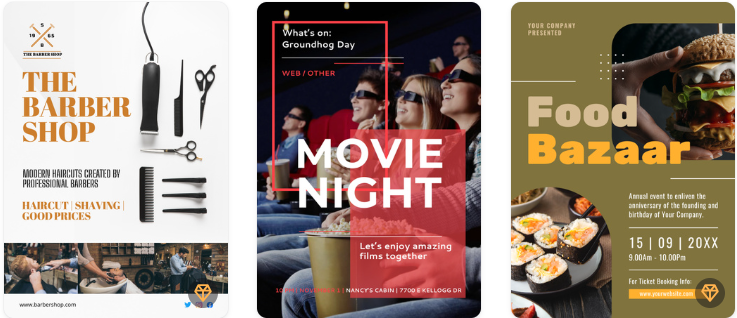
VistaCreate is a design tool focused on creating visual content. It offers a large library of templates and flexible editing tools. It suits users who want more control over design details.
Pros
- Wide variety of poster templates.
- Strong drag-and-drop editing system.
- Good animation and motion design features.
- Brand kit support for consistent styling.
- Suitable for social media and marketing content.
Performance Metrics
- Speed: Medium; requires manual editing.
- Design Quality: Amateur; modern and visually appealing.
- Quantity of Options: Large; a vast template library.
- Editing Features: Drag-and-drop editor with customization tools.
Cons
- Requires more time to refine designs.
- Some templates need heavy customization.
- AI automation is limited compared to newer tools.
VistaCreate is great for users who want creative control and flexible editing options, but it takes more time to achieve polished results.
3. PosterMyWall
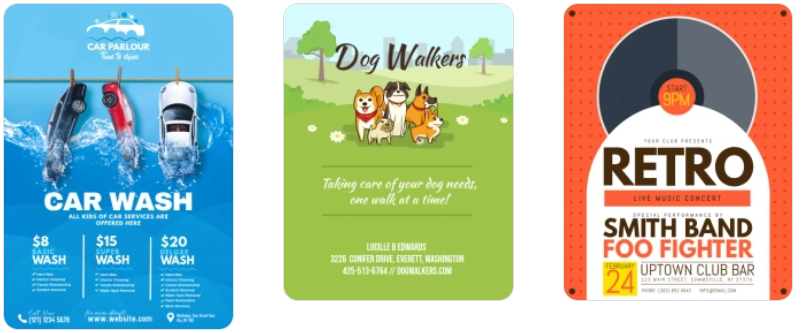
PosterMyWall is an online design tool focused on quick poster creation. It offers a large collection of templates and is widely used for basic marketing visuals.
Pros
- Large library of ready-made poster templates.
- Easy-to-use interface for beginners.
- Suitable for quick promotional designs.
- Includes basic animation and formats for social media.
- No advanced design skills are needed.
Performance Metrics
- Speed: Medium; it depends on the template selection and edits.
- Design Quality: Medium; it's decent but not always consistent.
- Quantity of Options: A wide range of templates available.
- Editing Features: Basic drag-and-drop editor with simple controls.
Cons
- Limited advanced customization options.
- Some templates feel outdated or repetitive.
- Less automation compared to AI-powered tools.
- Design consistency can vary.
PosterMyWall is best for users who need quick and simple poster designs, but it lacks advanced AI features and professional-level control.
Feature Breakdown: Which Wins?
Feature | Design.com | VistaCreate | PosterMyWall |
| Speed | Very fast – instant generation | Medium – manual editing needed | Medium |
| Design Quality | Professional | Amateur | Medium |
| Templates | Thousands of AI-generated templates | Large library | Large library |
| Editing Required | Low | Medium–High | Medium |
| Ease of Use | Very easy and an intuitive interface | Moderate | Easy |
| AI Features | Strong AI poster generation with human touch | Limited AI tools | Minimal |
| Customization Level | High (AI-guided) | Medium, manual control | Basic |
| Export Options | Print-ready + digital formats | Standard + animation formats | Standard formats |
| Branding Tools | Full integrated branding suite | Brand kits available | Limited branding tools |
| Animation Features | Yes | Yes | Basic |
| Print Readiness | Fully optimized | Supported | Supported |
| Best For | Fast professional posters | Creative control | Simple poster creation |
Final Verdict
Each tool targets a different type of user. Some users prioritize speed and automation. Others want design control and flexibility. The best choice depends on individual workflows and design requirements.
Speed and automation reduce effort and help users launch campaigns more quickly. Manual tools provide greater control but need more time and input in design.
For users seeking a fast, high-quality poster with strong branding and minimal editing, Design.com is the standout solution in 2026.
Related Blogs

If you are looking for a Kiwi VPN review, the main questions are whether the service is safe, whether it keeps user logs, how much it affects internet speed, and whether the Premium version is worth paying for.Kiwi VPN is a VPN application designed to route your internet traffic through a remote server and change the IP address websites see. It offers both free and paid options, but the right[…]
.png)
With TikTok becoming an increasingly lucrative platform for advertising and e-commerce, understanding trends and analyzing competitors is no longer an advantage—it's a necessity. However, with millions of ads running daily, how do you know which content is actually driving conversions?That's when the toolsTikTok AdspyUnleash your strengths. Platforms like Pipiads and BigSpy allow you to "spy" on[…]

What is Niche Scraper And is this the right tool to start dropshipping? That is the question that many new dropshippers ask when trying to find potential products to sell. In the journey of starting an online business, choosing the right product research tool from the beginning can determine the speed of orders and the ability to maintain profits. Niche Scraper is one of the names mentioned a[…]

In today’s digitally connected world, it’s critical that devices and networks communicate effectively with each other. That’s why gateways are more important than ever. Whether you’re an IT professional, a network engineer, or simply want to understand how networks work, this article will help you understand how your devices and networks work. Antidetect Browser Hidemiumwill help you understand[…]

In the digital age, online user tracking has become commonplace, conducted for both positive and negative reasons. According to a report by Ghostery—a renowned provider of free software—over 79% of websites with unique domains use tracking tools to gather user data. Among these methods, canvas fingerprinting has emerged as a popular and effective technique. This article by Hidemium will help you[…]
.png)
In the field of computer networks, port port is a familiar concept, acting as an important bridge in work Data transmission and connection between devices. Ports appear in both hardware and software, supporting effective communication between components in the system. So What is port?, what is its outstanding function and how is it classified? Let's go together Hidemium Antidetect Browser –[…]
