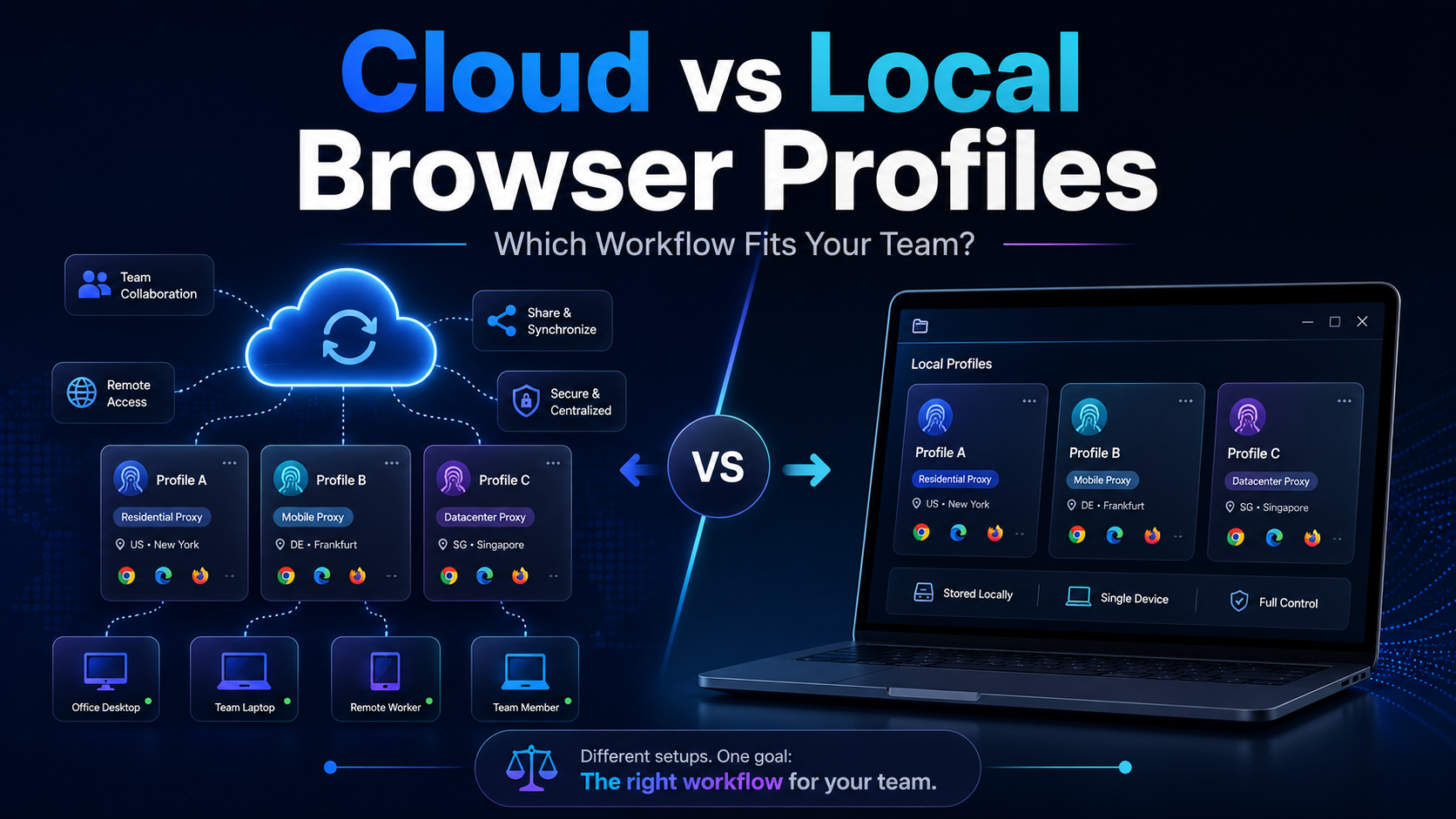

Cloud vs Local Browser Profiles: Which Workflow Fits Your Team?
When a team starts managing multiple browser profiles, one of the most important decisions is whether to use cloud profiles or local profiles.
Local profiles can be attractive because profile data is primarily stored and operated on the user's device, providing more direct control and reducing reliance on synchronization. Cloud profiles, on the other hand, are generally more suitable for workflows that require profile sharing, handovers, and collaboration across multiple team members or devices.
Neither option is better in every situation.
If one person consistently manages profiles from a single computer, local profiles may be simpler and more efficient. If several employees need to continue the same workflow from different devices or locations, cloud profiles can make collaboration easier.
Therefore, when comparing cloud vs local browser profiles, the better question is not:
“Which one is better?”
It is:
Which profile model fits the way your team actually works?
This guide compares cloud and local browser profiles from the perspectives of operations, performance, collaboration, proxies, backups, permissions, and scalability to help teams choose a more practical workflow.
Cloud vs Local Browser Profiles: Quick Answer
Cloud browser profiles are generally better suited to situations where profiles need to be synchronized, shared, or transferred between multiple team members and devices.
Local browser profiles are often more suitable when one person or one workstation is primarily responsible for the profile and direct control over local data is a priority.
Here is a simple comparison:
| Criteria | Cloud Profile | Local Profile |
|---|---|---|
| Profile storage | Cloud infrastructure | Mainly on the device |
| Multi-device use | Convenient | Requires transfer or synchronization |
| Team collaboration | Strong | More limited |
| Profile handover | Easier | Usually requires export/import |
| Internet dependency | Higher | Lower for locally stored data |
| Storage control | Depends on provider | More direct user control |
| Individual workflows | Suitable | Highly suitable |
| Remote teams | Highly suitable | Can become complicated |
| Backup | Often centralized | Requires an internal backup process |
| Team scalability | High | Depends on internal infrastructure |
The important point is that cloud and local profiles should not be evaluated only by where the data is stored.
Teams should consider the entire lifecycle of a browser profile.
What Is a Browser Profile?
A browser profile is a separate browser environment that contains data and settings related to a particular working session.
A profile may include:
- Cookies
- Login sessions
- Local storage
- Cache
- Browser settings
- Extensions
- User Agent
- Time zone
- Language
- WebRTC settings
- Canvas and WebGL characteristics
- Proxy configuration
- Login state
In multi-account or multi-client workflows, each browser profile is often treated as an independent operating environment.
For example, an agency could organize profiles like this:
Client A → US Store → Profile 001
Client B → UK Advertising → Profile 002
Client C → Canada Social Media → Profile 003
The way these profiles are stored and synchronized creates the main distinction between local and cloud browser profiles.
What Is a Local Browser Profile?
A local browser profile is a profile whose data is stored primarily on the device being used by the operator.
Rather than depending on a cloud platform to download or synchronize profile data every time it is opened, the profile data remains on the local workstation.
Advantages of Local Browser Profiles
The first advantage is simplicity for individual workflows.
If one person always uses the same computer to manage a group of profiles, there may be little need for a complex synchronization system.
Local profiles can also offer:
- Fast access to locally stored data
- Fewer synchronization steps before opening a profile
- More direct control over storage
- Suitability for fixed workstations
- Easier integration with some local automation workflows
Local profiles can be particularly practical when profiles rarely need to move from one person to another.
Limitations of Local Browser Profiles
Problems begin when the workflow is no longer limited to one device.
If a laptop fails, an operator changes computers, or another team member needs to take over, the organization needs to know where the profile data is stored and how it can be restored.
This means businesses need procedures for:
- Scheduled backups
- Export and import
- Profile version management
- Handover
- File access permissions
- Disaster recovery
For example, Hidemium provides an export/import workflow for local profiles, illustrating how local environments may require a specific transfer process when profiles need to move between devices.
Local therefore does not mean “no management required.”
Instead, it places more responsibility for data management on the organization or operator.
What Is a Cloud Browser Profile?
A cloud browser profile is a profile whose data is stored or synchronized through the infrastructure of a browser profile management platform.
When an authorized user signs in from another supported device, the profile may be available without manually copying the entire profile directory between computers.
This can significantly change how teams operate.
Advantages of Cloud Browser Profiles
Cloud profiles are especially useful when several people participate in the same workflow.
For example:
One operator handles the profile during the morning shift.
Another team member takes over during the evening.
A project manager needs to review its status.
A new employee needs access after onboarding.
With a cloud-based system, these handovers can be easier because the browser profile is not permanently tied to one specific computer.
Cloud profiles can be useful for:
- Remote teams
- Agencies
- E-commerce operations
- Marketing teams
- Customer support teams
- Multi-market operations
- Teams using multiple workstations
Some browser profile management platforms combine cloud profiles with folders, profile sharing, and team permissions to simplify centralized management.
Limitations of Cloud Browser Profiles
Cloud profiles are not automatically the best choice.
Teams should still evaluate:
- Synchronization speed
- Internet reliability
- Data storage policies
- Cloud access permissions
- Subscription costs
- Vendor dependency
- Data export options
- Disaster recovery
If a profile is used by only one person on one fixed workstation, cloud synchronization may introduce an additional layer of complexity that provides limited practical value.
Cloud vs Local Browser Profiles: Workflow Comparison
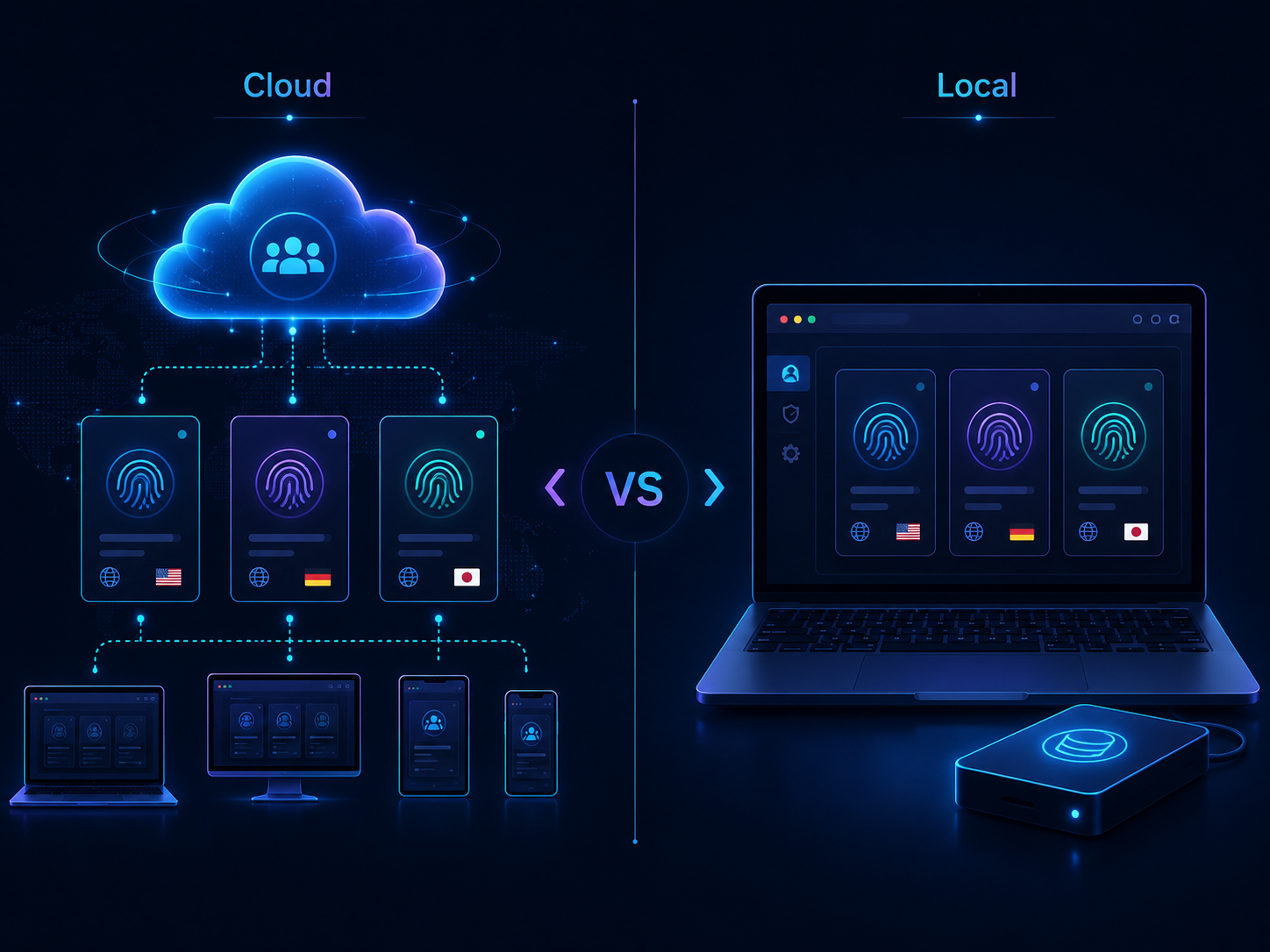
To make the choice clearer, it helps to compare the two approaches across real operational requirements.
1. Performance
Local profiles may have an advantage when most profile data is already stored on the device.
The operator does not need to rely entirely on remote synchronization before every session.
This may be useful for:
- Automation workstations
- Fixed operating computers
- Profiles containing large amounts of local data
- Workflows that run frequently on one device
Cloud profiles may require additional synchronization depending on how the platform is designed.
However, actual performance depends on more than whether a profile is cloud or local.
Other factors include:
- Computer hardware
- Number of simultaneously running profiles
- Profile size
- Internet speed
- Proxy performance
- Browser extensions
- Automation workload
Therefore, it would be inaccurate to assume that local profiles are always faster.
2. Team Collaboration
This is one of the strongest advantages of cloud profiles.
Imagine an agency with ten operators managing 100 browser profiles.
If all profile data is stored separately on individual employee laptops, managers must answer questions such as:
- Which computer currently contains each profile?
- Who has the latest version?
- How is a profile recovered when an employee leaves?
- Is another employee already using the same profile?
Cloud profiles can reduce the operational problems created by distributed data.
Local workflows can still support collaboration, but the organization usually needs stricter transfer and synchronization procedures.
3. Data Control
Local profiles can provide more direct control over where browser data is physically stored because the organization or operator controls the device or storage environment.
This may matter for businesses with internal requirements around:
- Data residency
- Backup
- Storage
- Access control
- Internal security policies
However, local storage is not automatically more secure.
A laptop that is not encrypted, has no backups, or uses shared operating-system credentials can create substantial risk.
Cloud storage may simplify centralized management, but teams should carefully assess the provider.
Useful questions include:
- Where is profile data stored?
- Is the data encrypted?
- Who can access it?
- Are activity logs available?
- Can profiles be exported?
- What happens to the data when a profile is deleted?
- What backup and recovery processes are provided?
4. Working Across Multiple Devices
Cloud profiles generally have a clear advantage here.
If an operator regularly moves between:
Office PC → Laptop → Remote Workstation
cloud synchronization can significantly reduce manual profile transfers.
Local profiles can still support multi-device workflows, but the organization must solve the synchronization problem.
If two copies of the same profile are used independently on different computers and then modified separately, version conflicts can become difficult to manage.
5. Backup and Disaster Recovery
This is one of the most commonly overlooked factors.
For a local browser profile, ask a simple question:
If this laptop fails tomorrow, how quickly can the profile be restored?
If the answer is “we do not know,” the workflow is not fully prepared.
A local profile management system should normally define:
- Backup schedule
- Backup destination
- Retention policy
- Recovery testing
- Responsible person
Cloud profiles can simplify part of this problem, but that does not mean businesses should ignore backup policies.
Teams still need to understand how the provider handles profile recovery, data synchronization, and exports.
6. Access Permissions
Cloud profiles are often easier to manage when teams require role-based permissions.
For example:
Admin → manages the complete workspace.
Manager → manages profiles associated with a specific client or project.
Operator → accesses only assigned profiles.
Reviewer → reviews profile status without changing critical settings.
With local profiles, creating equivalent permissions can become more difficult if the data simply exists as folders or files on individual devices.
7. Cost
Teams should not compare cloud and local workflows based only on subscription prices.
Instead, consider the total cost of ownership.
For cloud profiles:
Cost = Subscription + Storage + Team Seats + Proxy + Automation
For local profiles:
Cost = License + Hardware + Backup + Storage + IT Maintenance + Proxy
A local workflow may have lower subscription fees but become more expensive operationally if the team spends significant time handling synchronization, backups, and troubleshooting.
Conversely, paying for a large cloud collaboration system may be unnecessary for a solo operator managing only a few profiles.
Does Proxy Usage Change Between Cloud and Local Profiles?
There is an important distinction to understand:
Where a browser profile is stored and which IP address it uses are two different layers.
A cloud profile does not automatically use a “cloud IP.”
A local profile does not necessarily have to use the computer's direct IP address.
In either case, teams may configure a dedicated proxy depending on the workflow.
A browser profile may use:
- Residential proxies
- ISP proxies
- Mobile proxies
- Datacenter proxies
The important factor is whether the proxy matches the profile's operational requirements.
For profiles that need long-term login sessions, a stable IP address is generally easier to manage than frequent IP rotation.
Teams building an internal proxy setup process can refer to Proxy Setup for Antidetect Browsers: A Practical Checklist from HideProxy for a practical framework covering proxy selection, configuration, and common setup mistakes.
The browser profile platform and the proxy provider should still be evaluated as separate infrastructure components.
A well-configured browser profile cannot compensate for an unstable proxy, and a high-quality proxy cannot fix an inconsistent profile management process.
When Should You Choose Local Browser Profiles?
Local browser profiles may be the better option when most of the following are true:
- There is one primary operator.
- The profile always runs on one workstation.
- Handovers are rare.
- A reliable internal backup system already exists.
- Direct storage control is important.
- Automation runs on a fixed machine.
- Advanced collaboration features are unnecessary.
- The IT team can manage local profile data.
A typical example would be an operator with a dedicated workstation managing 20 long-term profiles.
If nobody else needs regular access and backup procedures are already reliable, moving every profile to the cloud may provide limited additional value.
When Should You Choose Cloud Browser Profiles?
Cloud profiles are often a better fit when:
- Multiple operators are involved.
- The team works remotely.
- Profiles are handed over frequently.
- Employees use multiple devices.
- An agency manages several clients.
- Role-based permissions are required.
- Centralized profile management is important.
- Team membership changes frequently.
- Profiles are considered business assets rather than personal assets.
For example, an e-commerce agency with 12 employees managing stores across multiple markets usually needs to think more about ownership, permissions, sharing, and handovers than a solo operator.
In this situation, cloud profiles are more closely aligned with the operational problem.
When Does a Hybrid Model Make Sense?
Teams do not necessarily have to choose 100% cloud or 100% local.
A mature browser profile system may use both.
For example:
Cloud Profiles
Use them for:
- Client accounts
- Team-managed profiles
- Customer support
- Shared workflows
- Profiles requiring frequent handover
Local Profiles
Use them for:
- Automation workstations
- Internal testing
- Development environments
- Personal workflows
- Fixed operational tasks
A hybrid model allows teams to select profile storage based on the purpose of each workflow instead of forcing every profile into the same architecture.
However, hybrid systems still require clear rules.
Without them, employees may not know which profiles belong in the cloud and which should remain local.
How to Build a Cloud vs Local Decision Framework
A simple decision framework can start with five questions.
Will More Than One Person Use the Profile?
Yes → Cloud is usually preferable.
No → Local may be sufficient.
Does the Profile Need to Be Opened From Multiple Devices?
Yes → Cloud is generally more convenient.
No → Local remains a practical option.
Does the Organization Require Profile Data to Stay Within Internal Infrastructure?
Yes → Consider local storage or private infrastructure.
No → Cloud may simplify operations.
If the Current Device Fails, How Quickly Must the Profile Be Restored?
If the profile must return to operation almost immediately, either cloud storage or a strong local backup and recovery system will be necessary.
Is the Profile Frequently Handed Over?
If yes, cloud profiles will often reduce the number of manual steps involved.
Common Mistakes When Choosing Cloud vs Local Browser Profiles
Choosing Cloud Only Because It Feels More Modern
Cloud is not automatically better.
For a single-user, single-device workflow, cloud storage may provide less value than expected.
Choosing Local Only to Save Subscription Costs
If a team has 20 employees, the cost of manual synchronization, downtime, and IT support may exceed the subscription savings.
Failing to Back Up Local Profiles
Local should never mean “this profile exists only on one laptop.”
Giving Everyone Access to Cloud Profiles
Cloud makes sharing easier, but excessive sharing can introduce unnecessary security risks.
Use the principle of least privilege: every user should receive only the access required for their responsibilities.
Opening the Same Profile on Multiple Devices Without Rules
This can create conflicting data or make the profile's state difficult to track.
Changing the Proxy Whenever the Device Changes
A device change does not automatically mean the proxy should change.
Browser storage and network identity are separate decisions.
Implementation Checklist for Teams
Before choosing between cloud and local browser profiles, answer the following questions:
- Which project does the profile belong to?
- Who is the profile owner?
- How many people need access?
- How many devices will use the profile?
- Will the profile require handovers?
- Does it contain critical data?
- Where is its backup stored?
- How long would recovery take?
- Which proxy does it use?
- Does the IP need to remain stable?
- Who is allowed to change the proxy?
- Who can export the profile?
- Can the profile be opened simultaneously?
- Is there an activity log?
- How is access revoked when an employee leaves?
If the team cannot answer these questions, the main problem is probably not whether to choose cloud or local.
The problem is the underlying browser profile management process.
Where Does Hidemium Fit Into This Workflow?
For teams that want to test both approaches within one browser profile management environment, Hidemium is one option that supports cloud and local profile workflows.
This can be useful for organizations experimenting with a hybrid structure.
However, support for both cloud and local profiles should not be the only reason to select a platform.
Teams should also evaluate:
- Profile stability
- Data portability
- Team permissions
- Backup options
- API capabilities
- Automation
- Support
- Pricing
- Proxy compatibility
- Migration procedures
A practical approach is to test any platform with a limited number of non-critical profiles before moving important operations into it.
Conclusion: Are Cloud or Local Browser Profiles Better?
There is no single answer that fits every team.
For a short answer to cloud vs local browser profiles:
Choose local profiles when the workflow is primarily tied to one person, one workstation, and direct control over profile data is important.
Choose cloud profiles when profiles need to be shared, synchronized, handed over, or accessed by a distributed team.
Choose a hybrid model when the organization has both fixed and collaborative workflows.
More important than storage location is how a profile is managed throughout its entire lifecycle:
Create → Configure → Assign → Operate → Monitor → Transfer → Archive
Once this operating model is clearly defined, cloud and local become two implementation options for different requirements rather than competing solutions.
Choose the Workflow Before Choosing the Tool
Before purchasing more profiles, proxies, or upgrading a browser management plan, review approximately 10–20 profiles that your team already uses and classify them as:
Solo / Shared / Multi-device / Automation / Critical
Then determine which profiles genuinely need cloud synchronization and which ones can remain local.
If your team is evaluating a platform that supports multiple browser environments, you can test options such as Hidemium on a small workflow first. For the network layer, test proxies separately for location, stability, and session consistency instead of treating the browser profile platform and proxy provider as one product.
The goal is not to move as many profiles to the cloud as possible.
The goal is to choose an architecture that makes the team easier to operate, easier to hand over, and easier to recover.
About Cloud vs Local Browser Profiles
Are Cloud Browser Profiles More Secure Than Local Profiles?
Not necessarily.
Cloud systems may provide centralized access management and reduce the risk of losing data when one device fails. However, security still depends on the provider, authentication methods, permissions, encryption, and data policies.
Local profiles can also be secure when devices are encrypted, regularly backed up, and protected with strict access controls.
Are Local Browser Profiles Faster Than Cloud Profiles?
In some workflows, local profiles may open faster because profile data is already stored on the device.
However, performance also depends on hardware, profile size, proxy speed, Internet quality, extensions, and how the software handles synchronization.
Should Remote Teams Use Cloud or Local Profiles?
Cloud profiles are generally more convenient for remote teams because profiles can be shared and transferred without being tightly connected to one workstation.
Local profiles remain possible if the organization maintains its own synchronization, backup, or remote-access infrastructure.
Can Cloud and Local Profiles Be Used Together?
Yes.
A hybrid model can work well for organizations with different workflow types. Shared client accounts can use cloud profiles, while fixed automation environments or internal testing can remain local.
Does a Cloud Profile Replace the Need for a Proxy?
No.
Cloud versus local primarily describes how a browser profile is stored and managed.
A proxy controls the network connection and IP address used by the browser profile.
They are separate components.
Do Local Browser Profiles Need Backups?
Yes.
If a profile contains important cookies, sessions, configurations, or other browser data, the organization should maintain scheduled backups and regularly test whether those backups can actually be restored.
When Should a Team Move From Local to Cloud Profiles?
Teams should consider cloud profiles when the number of operators increases, profiles require more frequent handovers, employees work across multiple devices, or local profile management starts creating excessive manual work.
Are Cloud Profiles Suitable for Solo Operators?
Yes, particularly when the user frequently switches devices or wants to reduce the burden of manual backups.
However, if the operator always works from the same workstation and already has reliable backup procedures, local profiles may remain the simpler option.
Should Businesses Choose a Solution Based Only on Price?
No.
The real cost should include subscriptions, hardware, backup infrastructure, IT maintenance, downtime, collaboration requirements, and time spent troubleshooting.
A platform with a lower license price does not necessarily have a lower total cost of ownership.
What Is the Most Important Factor When Comparing Cloud vs Local Browser Profiles?
The most important factor is profile ownership and workflow.
If a profile effectively belongs to one person and one device, local storage can be practical.
If the profile belongs to the organization and needs regular sharing, handovers, synchronization, or access from multiple devices, cloud profiles usually have a stronger operational advantage.
Related Blogs

When applied correctly, the 10 Antidetect Browser tips not only significantly reduce the risk of account restrictions but also enhance stability in multi-account management. Close synchronization between browser fingerprints, IP addresses, and access behavior helps platform AI systems assess activity as more natural.In addition, these techniques optimize marketing operations, save management[…]

I. Introduction to B2Proxy Residential ProxiesB2Proxy Official WebsiteB2Proxy is a professional provider specializing in global residential proxy services, offering high-purity residential IPs sourced from real ISP home networks. These proxies are widely used in cross-border e-commerce, online advertising, data collection, social media management, and account registration and verification.Key[…]
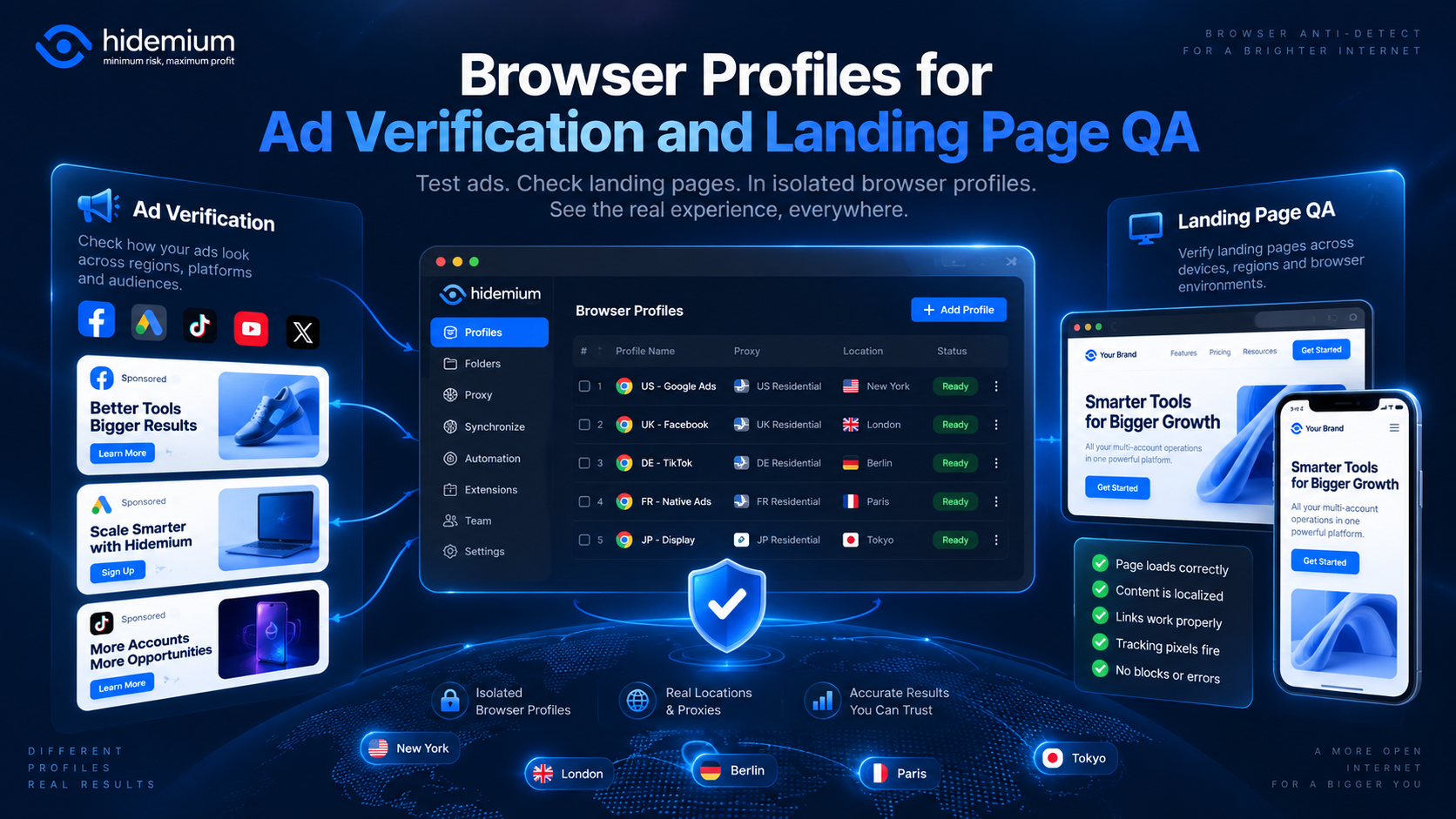
An ad campaign can look perfect inside an advertising dashboard and still fail after the click.The wrong language may appear.A regional promotion may not load.A returning visitor may see an old landing-page variation.Tracking parameters may disappear during a redirect.Or a campaign intended for one market may send users to content designed for another.These problems are difficult to catch when[…]
.png)
Best AdsPower Alternatives in 2026: Top Anti-Detect Browsers ComparedIf you're evaluating anti-detect browsers in 2026, AdsPower is likely already on your radar — but it's far from the only option. Whether you're switching because of pricing, performance, automation requirements, or team collaboration needs, there are now several mature alternatives worth considering.This guide compares the most[…]

Bright Data is one of the top-rated premium proxy providers out there. But with its hefty price tag, is it really worth the money? In this article, Antidetect Browser Hidemium will analyze the pros and cons of Bright Data in 2025, compare performance with other proxy solutions, and help you decide whether to invest or not.1. What is Bright Data?Bright Data is a company with a huge network of IP[…]

In the digital era, making money online (MMO) has become a popular trend, offering flexible and accessible opportunities for everyone. Whether you want to earn extra income or build a long-term business, there are always suitable options available. However, for beginners, the abundance of information can be overwhelming. Don’t worry! This article will guide you through 22 practical ways to make[…]
