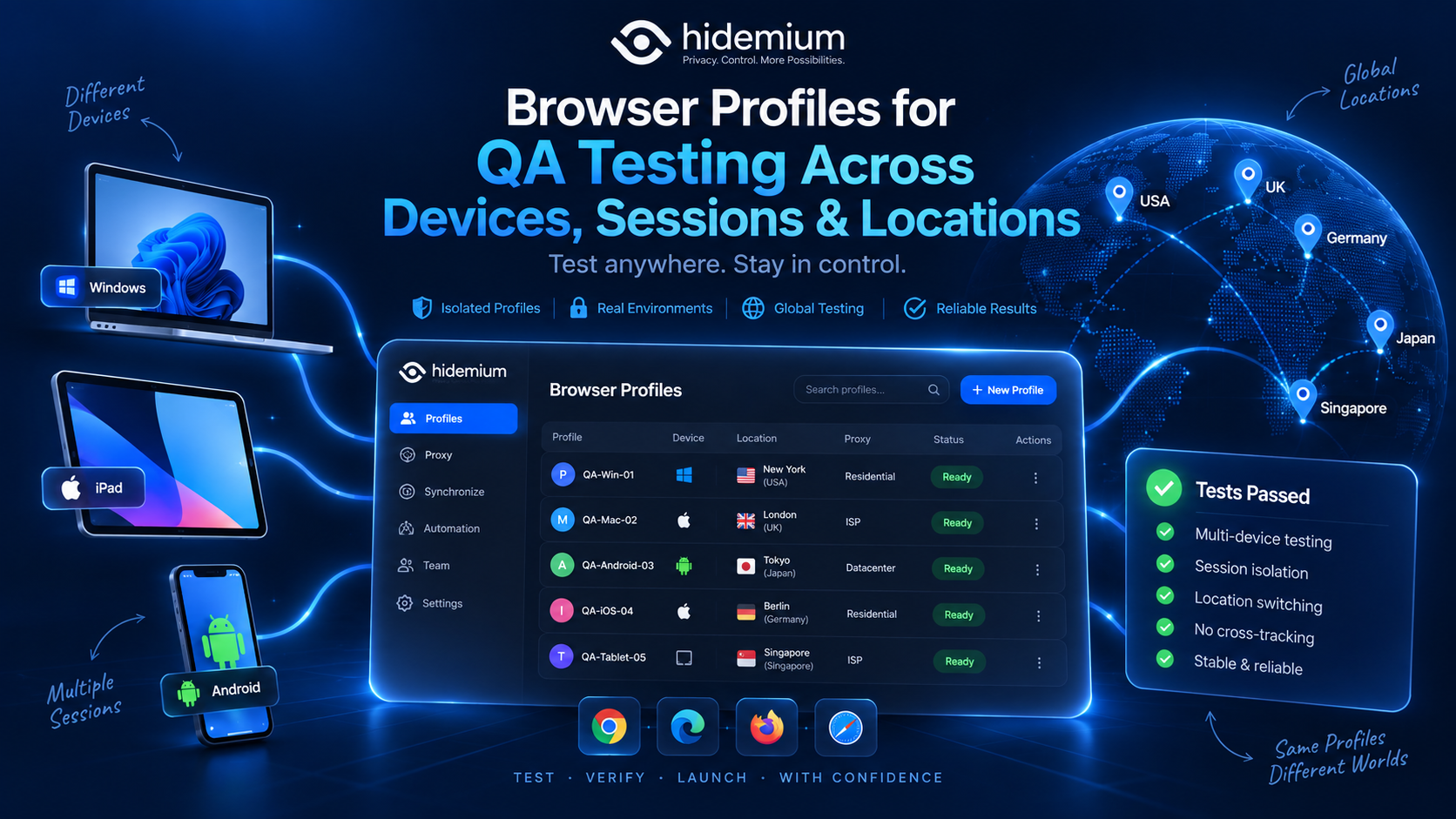

A bug that appears on one tester's machine but disappears on another is one of the most frustrating problems in QA.
The same website may behave differently depending on:
- whether the user is logged in;
- which cookies already exist;
- local storage;
- browser settings;
- proxy location;
- previous sessions;
- account state;
- device or browser environment.
That means QA is often not just about testing a page.
It is about testing the environment around the page.
This is where browser profiles become useful.
Quick Answer: Why Use Browser Profiles for QA Testing?
Browser profiles for QA testing let teams create separate, reusable browser environments with their own cookies, sessions, storage, settings, and network configuration.
Instead of constantly clearing browser data or rebuilding a test setup, QA teams can maintain profiles for specific scenarios such as:
- logged-out users;
- returning users;
- different client accounts;
- regional testing;
- checkout flows;
- staging environments;
- regression tests.
The result is a more repeatable testing process.
A useful rule is:
If a test depends on session state, location, storage, or browser configuration, it should probably have its own repeatable environment.
The QA Problem: One Browser, Too Many Test States
A typical QA engineer may test several user states in one afternoon.
For example:
Scenario A: New visitor
Scenario B: Returning customer
Scenario C: Logged-in subscriber
Scenario D: User from another region
Scenario E: Account with a specific feature enabled
If all five scenarios are tested in the same browser profile, state can leak from one test into the next.
A cookie created in Scenario B may affect Scenario C.
A previous authentication session may prevent the tester from seeing the real first-time-user experience.
Local storage may contain values from yesterday's test.
Suddenly, the team is no longer testing only the application.
They are also testing the history of the browser.
That is why multi profile browser testing can be more reliable than repeatedly resetting one environment.
How Browser Profiles Improve Session Isolation
A browser profile acts as a separate browser workspace.
Depending on the browser or profile-management tool, a profile may maintain its own:
- cookies;
- login sessions;
- local storage;
- IndexedDB;
- cache;
- extensions;
- bookmarks;
- proxy settings;
- browser configuration.
This makes it possible to keep QA states separate.
For example:
QA-New-User
QA-Returning-User
QA-Premium-Account
QA-Logged-Out
Each environment has a clear purpose.
The tester does not need to ask:
“Did I clear the cookies before running this test?”
They simply open the profile designed for that scenario.
Why session isolation matters
Session-related bugs can be difficult to reproduce because they depend on previous activity.
Examples include:
- a login redirect that only fails after logout;
- a cart that survives longer than expected;
- onboarding that disappears after the first visit;
- an authentication cookie that is not refreshed correctly;
- a feature that only appears after a previous session.
Separate browser profiles help preserve these states so testers can return to them.
Browser Profiles vs Incognito Mode for QA
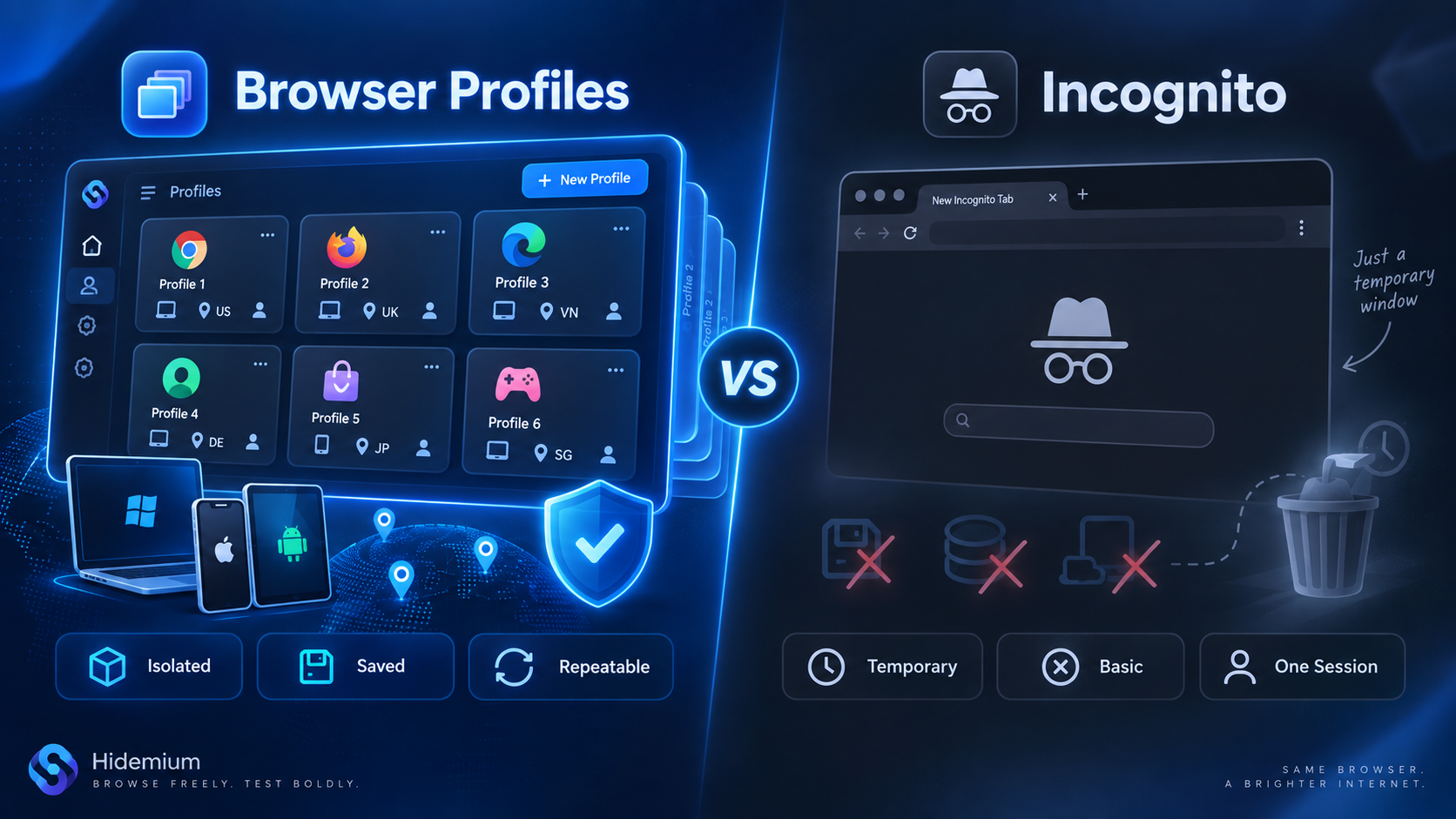
Incognito mode is useful.
But it solves a slightly different problem.
A private window gives you a temporary clean session.
Close it, and most session data disappears.
That is useful for quick testing.
It is less useful when you want to reproduce the same state tomorrow.
Browser profiles can preserve specific QA environments over time.
For example:
Incognito mode
→ “Show me a temporary clean session.”
Browser profile
→ “Give me the same test environment I used yesterday.”
For exploratory testing, incognito may be enough.
For regression testing or repeated workflows, persistent profiles are often easier to manage.
Geo Testing With Browser Profiles
Location can affect many parts of a web application.
QA teams may need to test:
- localized content;
- currency;
- language;
- shipping availability;
- regional pricing;
- store locations;
- location-based redirects;
- region-specific forms;
- search results;
- content availability.
A proxy can be combined with a browser profile to create a repeatable network location for testing.
For example:
QA-US-NewYork → US proxy
QA-UK-London → UK proxy
QA-DE-Frankfurt → German proxy
The browser profile stores the test environment.
The proxy controls the network route and public IP.
These are different layers, but they can work together.
What should QA teams verify during geo testing?
Do not only look at the IP address.
Also check:
- site language;
- currency;
- time zone;
- date and number formats;
- delivery or shipping options;
- localized content;
- regional redirects;
- cookie behavior;
- DNS behavior where relevant.
A location-dependent application may respond to several signals, not just IP geolocation.
The goal of QA should be consistency and reproducibility.
Cookies and Storage: The Hidden Source of Test Inconsistency
A surprising number of browser bugs are really state-management bugs.
Websites can store data in more places than traditional cookies.
Common examples include:
- cookies;
- localStorage;
- sessionStorage;
- IndexedDB;
- cached resources;
- service-worker data.
Imagine a tester clears cookies but leaves localStorage unchanged.
They may expect a clean user state.
The application may not.
That can produce misleading results.
Browser profiles reduce repeated cleanup
Instead of constantly deciding what to clear, teams can create known test environments.
For example:
Clean User Profile
Used only for first-visit testing.
Authenticated User Profile
Preserves a valid login session.
Existing Customer Profile
Contains the state expected from a returning user.
Corrupted-State Profile
Used to reproduce a specific storage-related bug.
This makes the test environment part of the QA process itself.
Why Reproducibility Matters More Than a “Clean Browser”
A clean browser sounds ideal.
But QA does not always need a clean browser.
QA needs a known browser state.
There is an important difference.
Suppose a bug only happens when:
- A user logs in.
- Adds an item to cart.
- Closes the browser.
- Returns the next day.
- Changes the delivery address.
A completely clean browser would destroy the state needed to reproduce the bug.
A dedicated browser profile can preserve it.
This is one of the strongest reasons to use browser profiles for QA.
The tester can save a known environment instead of rebuilding it every time.
A simple reproducibility model
Document each profile with:
Profile name
Purpose
Account state
Region
Proxy, if used
Browser version
Expected result
Example:
Checkout-US-Returning
Purpose: Returning-customer checkout regression
Region: United States
Session: Logged in
Cart: Existing product
Expected: Saved shipping address loads correctly
Now another tester can reproduce the same environment much faster.
Multi Profile Browser Testing Across User States
A QA team may need to test the same feature under several conditions.
For example, a subscription page might need testing for:
- logged-out visitors;
- free users;
- paid users;
- expired subscriptions;
- trial users;
- admin users.
Instead of repeatedly changing one account state, the team can maintain a separate profile for each scenario.
Example:
Subscription-Guest
Subscription-Free
Subscription-Pro
Subscription-Expired
This makes comparison easier.
Open two profiles side by side and compare the behavior.
That can be more efficient than repeatedly logging out, clearing storage, changing accounts, and restoring test data.
Browser Profiles Across Devices: What They Can and Cannot Test
Browser profiles are useful for environment separation, but they do not replace real device testing.
A browser profile can help simulate different browser-side configurations.
It does not magically turn a desktop computer into an iPhone or Android device.
For device QA, teams should still use appropriate tools such as:
- physical devices;
- browser developer tools;
- device emulators;
- cloud device testing platforms.
Browser profiles are most valuable for preserving the surrounding test state.
For example:
Device testing
→ checks rendering and behavior on a real or emulated device
Browser profile testing
→ preserves account, cookies, storage, proxy, and session context
These approaches complement each other.
Team Handoff: Make QA Environments Transferable
QA environments often become trapped on one tester's machine.
A bug report might say:
“It works on my test profile, but I can't reproduce it from a clean browser.”
That is a warning sign.
A good QA workflow should make environments understandable to other team members.
Each reusable profile should have:
- a clear name;
- a test purpose;
- relevant account details;
- region;
- expected state;
- issue or ticket reference;
- owner.
For example:
BUG-4821-Checkout-DE
This immediately tells the team that the profile is connected to a specific bug and region.
What should happen during handoff?
When a tester hands a case to another teammate, include:
- Profile name.
- Test account.
- Environment.
- Region.
- Reproduction steps.
- Expected result.
- Actual result.
- Relevant ticket.
The browser profile should support the bug report, not replace it.
Naming Browser Profiles for QA Teams
Good naming becomes increasingly important as the profile library grows.
Avoid names such as:
Test1
New QA
Chrome test
Account 2
They become meaningless quickly.
A better format is:
Feature – State – Region
Examples:
Checkout-Guest-US
Checkout-Returning-UK
Login-ExpiredSession-DE
Pricing-FreeUser-SG
For bug reproduction:
Ticket – Feature – Region
Example:
QA-1824-Payment-US
Tags can add another layer.
Useful QA tags may include:
- Regression
- Staging
- Production
- Critical
- Geo
- Login
- Checkout
- Mobile
The objective is simple:
A tester who did not create the profile should still understand what it is for.
Example QA Workflow Using Browser Profiles
Consider an e-commerce QA team testing a new checkout release.
The release needs to work for:
- new US customers;
- returning US customers;
- UK customers;
- German customers;
- logged-out users.
Instead of repeatedly rebuilding test states, the team creates:
Checkout-US-New
Checkout-US-Returning
Checkout-UK
Checkout-DE
Checkout-Guest
Each profile maintains the relevant browser session.
Profiles used for location-specific testing can be assigned the appropriate proxy when needed.
The QA process then becomes:
Step 1: Create the baseline profile
Prepare the account state, session, and test data.
Step 2: Document expected behavior
Record the test scenario in the QA system.
Step 3: Run the test
Open the corresponding profile.
Step 4: Preserve failures
If a bug occurs, do not immediately reset the environment.
Keep the profile available for reproduction.
Step 5: Hand off the profile context
Another tester or developer can use the documented environment to investigate.
Step 6: Reset or archive after resolution
Once the bug is fixed, restore the profile to its baseline or archive it.
This creates a much more repeatable workflow than treating every browser session as disposable.
QA Browser Profile Audit Checklist
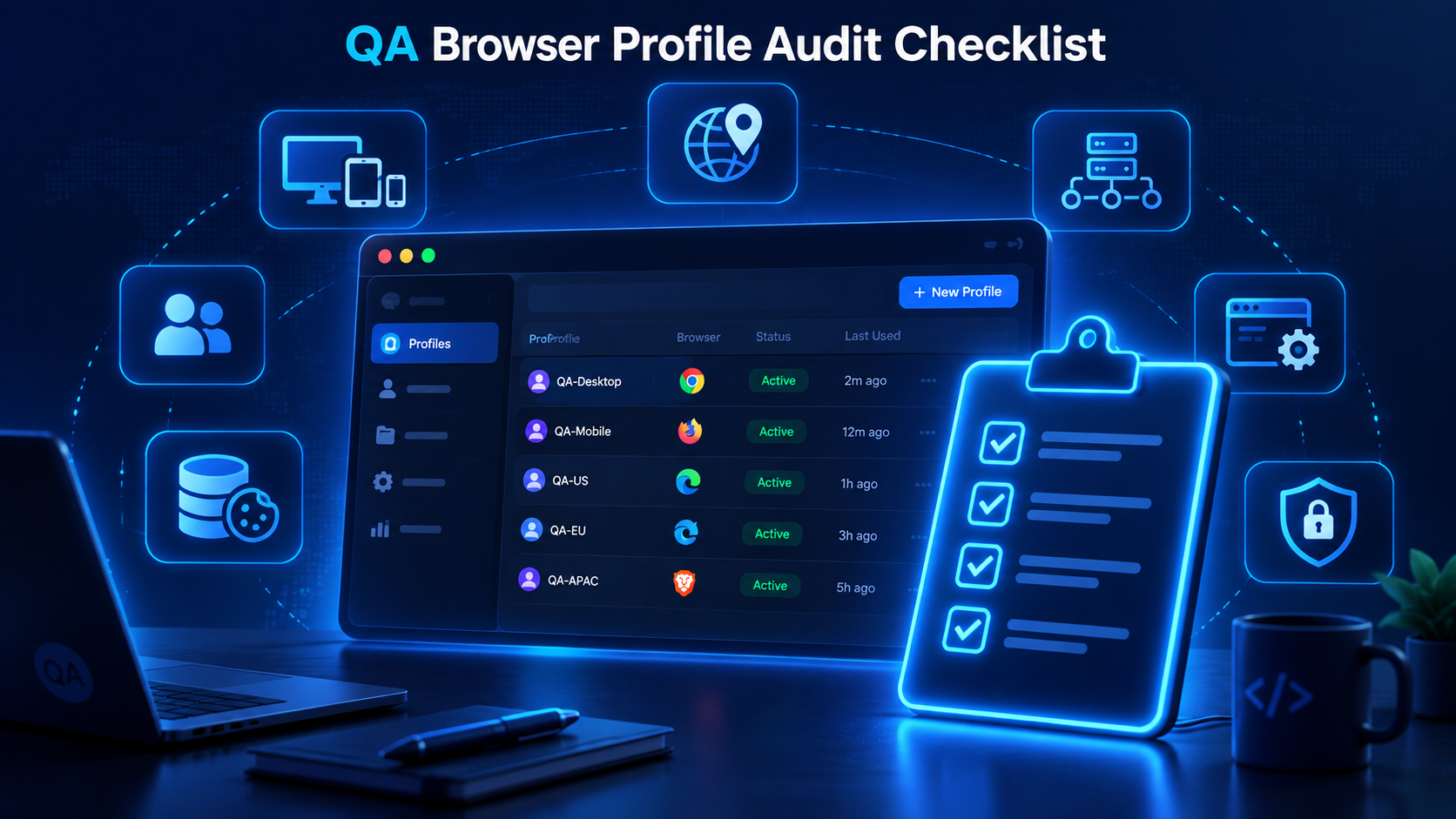
Reusable profiles are helpful only if they stay organized.
Review them regularly.
Profile purpose
- Does every profile have a documented test case?
- Is the profile still needed?
Session state
- Is the account state still valid?
- Has the session expired?
Browser data
- Are cookies and storage still appropriate for the scenario?
- Has previous testing contaminated the environment?
Location
- Is the expected region documented?
- Is the proxy still working, if one is used?
Ownership
- Does the team know who maintains the profile?
- Can another tester reproduce the scenario?
Versioning
- Is the browser version still relevant?
- Is the profile intended for staging or production testing?
Cleanup
- Can old profiles be archived?
- Are duplicate environments present?
A small quarterly cleanup can prevent hundreds of outdated QA profiles from accumulating.
When Should QA Teams Use Browser Profiles?
Browser profiles are especially useful when the test depends on persistent state.
Good use cases include:
- login and logout testing;
- onboarding;
- checkout;
- account permissions;
- regional behavior;
- returning-user flows;
- feature flags;
- regression testing;
- multi-account testing;
- bug reproduction.
They are less important when:
- the test is completely stateless;
- a fresh browser is always required;
- the workflow depends primarily on physical device hardware.
The right approach is not “use profiles for everything.”
It is:
Use profiles when preserving the browser environment makes a test more repeatable.
Build Repeatable QA Environments With Hidemium Browser Profiles
As the number of QA scenarios increases, built-in browser profiles can become difficult to organize.
A team may eventually have dozens or hundreds of environments across:
- accounts;
- features;
- regions;
- tickets;
- test stages.
This is where a browser profile management workflow becomes useful.
With Hidemium, QA teams can organize separate browser profiles for different test scenarios and keep profile-specific environments easier to manage across ongoing workflows.
A practical structure might look like:
QA → Checkout → US
QA → Checkout → UK
QA → Login → Expired Session
QA → Pricing → Returning User
When location testing is required, proxies can be configured according to the scenario.
The important benefit is not simply creating more profiles.
It is turning temporary browser states into repeatable QA environments.
Build repeatable QA environments with Hidemium browser profiles and organize your test scenarios around reusable, clearly documented browser states.
Frequently Asked Questions
What are browser profiles in QA testing?
Browser profiles in QA testing are separate browser environments used to preserve specific cookies, sessions, storage, account states, and configuration for different test scenarios.
Why use browser profiles for QA?
Browser profiles help QA teams isolate test states, reproduce bugs, preserve sessions, test regional behavior, and reduce the need to repeatedly clear or rebuild browser environments.
Can browser profiles be used for geolocation testing?
Yes. A browser profile can be combined with an appropriate proxy to test location-dependent website behavior. QA teams should also verify language, currency, time zone, and other regional signals.
Are browser profiles better than Incognito mode for QA?
They serve different purposes. Incognito mode is useful for temporary clean sessions, while persistent browser profiles are better when a test environment needs to be preserved and reused.
Can browser profiles replace device testing?
No. Browser profiles do not replace physical devices or device emulators. They are mainly useful for preserving session, storage, account, proxy, and browser-environment state.
What is multi profile browser testing?
Multi profile browser testing uses multiple separate browser profiles to test different user states, accounts, regions, or workflows without constantly resetting the same browser session.
How should QA teams name browser profiles?
A practical naming convention is Feature – State – Region, such as Checkout-Returning-US or Login-ExpiredSession-DE. Bug-specific profiles can also include a ticket number.
Final Thoughts
Reliable QA is not only about repeating the same clicks.
It is about repeating the same conditions.
A test can behave differently because of:
- cookies;
- sessions;
- local storage;
- account state;
- region;
- browser configuration.
That is why browser profiles can be valuable for QA teams.
They help turn an unstable browser history into a known environment.
For simple testing, Incognito mode or a fresh browser may be enough.
For recurring scenarios, regression testing, regional QA, and difficult bug reproduction, persistent browser profiles provide a more structured approach.
The most useful browser profiles QA testing workflow follows a few principles:
Separate important user states.
Document every reusable environment.
Keep regional configurations consistent.
Preserve profiles when a bug needs reproduction.
Make profiles understandable to other team members.
Archive environments that are no longer useful.
When implemented well, browser profiles become more than a convenience.
They become part of a repeatable QA system.
Build repeatable QA environments with Hidemium browser profiles and make browser state part of your testing methodology rather than an uncontrolled variable.
Related Blogs
Best Antidetect Browser for Affiliate Marketing 2026Affiliate marketing in 2026 is no longer limited to placing referral links on a website and tracking commissions. Agencies, media buyers, and performance marketing teams often work simultaneously across multiple advertising platforms, affiliate networks, client accounts, analytics tools, landing pages, and regional campaigns.As the number of[…]

Watching videos on Facebook has become a familiar entertainment activity for many users. However, spontaneous video errors can make the usage experience frustrating and disruptive. In the article below, Antidetect Browser Hidemium will analyze the reasons why Facebook videos don't run automatically and guide you through 4 effective, easy-to-implement solutions right on your phone or computer.1.[…]

As an agency takes on more clients, account management costs grow alongside the number of working environments and the coordination required between team members. Beyond browser and proxy subscriptions, staff spend time configuring profiles, checking connections, handing over access, and troubleshooting issues.Looking only at software invoices can lead agencies to underestimate the cost of[…]

Social media managers are tasked with producing a lot of content. Many platforms, many formats, one brand voice, daily or nearly daily publishing, all at once. Most of them now use some form of AI to help with at least a portion of that workload. There's nothing inherently wrong with using AI. The problems arise when AI-generated posts go live without getting a real editorial pass. The post that[…]

When applied correctly, the 10 Antidetect Browser tips not only significantly reduce the risk of account restrictions but also enhance stability in multi-account management. Close synchronization between browser fingerprints, IP addresses, and access behavior helps platform AI systems assess activity as more natural.In addition, these techniques optimize marketing operations, save management[…]
Title:Rotating vs Sticky Proxies for Hidemium: Which IPWeb Setup Should You Use? Meta description:Rotating or sticky proxy for Hidemium? Compare both IPWeb proxy setups, see which works best for stable sessions, research, geo testing and browser profiles. Rotating vs Sticky Proxies in Hidemium: Which IPWeb Proxy Setup Is Right for You?If you're using IPWeb proxies with Hidemium Antidetect[…]
