

In the process of doing business online, many sellers face the problem of accounts being repeatedly suspended even though their content does not violate any rules and their ads fully comply with platform policies. This leads to business disruptions, declining revenue, and major difficulties in scaling operations. The root cause lies in poor digital identity management.
That is why more and more online entrepreneurs are turning to antidetect browsers as a core solution. Among them, Hidemium is considered a tool that enables safer and more sustainable multi-account management. This article will show you how to manage multiple accounts effectively using Hidemium Antidetect Browser technology.
1. Why Does the MMO Industry Need an Antidetect Browser?
In the online money-making (MMO) community—especially those involved in airdrops, retroactive rewards, or NFT game farming—users often need to operate hundreds or even thousands of social media accounts such as Twitter and Discord.
Without an antidetect browser to simulate separate browser environments, projects can easily detect this activity as fraudulent and remove you from their reward eligibility lists.
Read more: What is browser fingerprinting? How does it work?

1.1 Why Are Online Sellers So Easily Subject to Account Suspensions?
In today’s highly competitive digital business environment, account suspensions on platforms such as Facebook Ads, TikTok Shop, or Shopee are a constant risk. The primary reasons usually stem from violations of platform policies, such as using copyrighted images, posting sensitive content, or selling products that go against platform regulations.
In addition, behaviors like spamming messages, artificially boosting engagement, or frequently changing IP addresses or login devices can also trigger account suspensions. To build a sustainable online business, it is essential to understand each platform’s rules and maintain clean, compliant content.
1.2 The Hidemium Solution
To address the root causes of account suspensions, you should use Hidemium by combining both “clean techniques” and “clean content”, as outlined below:
Instead of logging into multiple accounts on a single computer—which can easily lead to all accounts being suspended—Hidemium creates hundreds of isolated virtual browser environments. Each account is assigned its own IP address (via proxy) and unique browser fingerprint, helping you stay under the radar of linked-account detection algorithms.
To avoid being flagged for spam or fake engagement, you can use Hidemium’s automation features to manage accounts more naturally. Automated actions such as browsing feeds or reading content like a real user help strengthen accounts before running ads or opening shops.
You can divide your accounts into:
Clean Profiles: Used with Hidemium to operate main stores and compliant content.
Test Profiles: Used for running policy-restricted products or testing sensitive content. If these profiles are suspended, your clean profiles remain completely safe.
Hidemium also stores cookies and login sessions, reducing the need for frequent logins—an action that often triggers account locks due to suspected unauthorized access.
2. Real-World Applications of Hidemium in Online Business Models
If you are operating in any of the online business models below, having software like the Hidemium Antidetect Browser is not just an option—it’s a necessity.
2.1 Dropshipping and E-commerce (Etsy, eBay, Amazon)
For dropshippers or cross-border sellers, operating multiple stores is a key factor in scaling revenue. However, e-commerce platforms such as Etsy, eBay, and Amazon have extremely strict moderation systems that can easily detect accounts linked to the same device or IP address.
Hidemium helps you:
Create multiple independent browser environments for each store
Completely separate seller accounts from buyer accounts
Combine proxies for safer product listing and checkout
Minimize the risk of account scans, suspensions, or limitations
As a result, store operations become smoother, more stable, and sustainable over the long term—especially for medium- to large-scale dropshipping businesses.
Read more: Secrets to Managing Multiple Etsy Stores Successfully
2.2 Affiliate Marketing and Advertising (Facebook Ads, Google Ads)
Running ads is a high-risk, high-reward game—it burns money but can deliver massive profits. However, having advertising accounts (Business Manager or personal accounts) suspended is a constant nightmare.
Using Hidemium allows you to build a network of high-trust ad accounts, making appeals easier and helping you maintain a stable cash flow over time.
2.3 Airdrops and GameFi
In the crypto space, participating in whitelists or farming airdrops requires managing a large number of wallets and social media accounts (such as Twitter and Discord). Hidemium supports automation for repetitive tasks, helping you save time and maximize your chances of earning rewards.
Read more: A Guide to Farming Airdrops at Scale Effectively
3. Get Started with Hidemium Today
To transition from a small-scale MMO operator to a million-dollar business model, adopting the right tools is a decisive factor. Hidemium is not just software that modifies browser parameters—it is a comprehensive solution designed to protect your digital assets.
Simple steps to get started:
Download and install Hidemium.
Create a new profile and configure the settings (or use the optimized default configuration).
Import a proxy (if available) to enhance security.
Start managing accounts and scaling your business.
Choose the plan that suits you: Pricing | Hidemium.io
4. Conclusion
Online business is a long journey filled with opportunities—but also risks. The article “How Online Entrepreneurs Make Millions with Antidetect Browsers” aims to help you understand the importance of protecting your digital identity. Don’t let all the effort you’ve put into building your system go to waste because of basic mistakes related to browser fingerprinting.
Let Hidemium become your trusted companion, helping you manage multiple accounts safely, stay free from the fear of account suspensions, and focus fully on scaling your revenue. Experience the power of Hidemium today!
Related Blogs

In the digital era, making money online (MMO) has become a popular trend, offering flexible and accessible opportunities for everyone. Whether you want to earn extra income or build a long-term business, there are always suitable options available. However, for beginners, the abundance of information can be overwhelming. Don’t worry! This article will guide you through 22 practical ways to make[…]

What is Cloudflare WARP? This is a service VPN (virtual private network) Developed by Cloudflare, it helps users protect personal data while effectively increasing Internet access speed. If you are looking for a safe, fast and stable web surfing solution, let's go Antidetect Browser Hidemium Explore details about Cloudflare WARP in the article below.1.What Is Cloudflare WARP and How Does It Work[…]

Running a dropshipping business on eBay can be highly profitable, but it also comes with a major risk: unexpected account suspensions. For dropshippers, managing multiple accounts on the same computer without proper protection can easily lead to account bans.Even a small mistake—such as using duplicate IP addresses or exposing your browser fingerprint—can result in immediate suspension. So how[…]

Best Antidetect Browser for Social Media MarketingSocial media marketing is no longer limited to publishing content on one Facebook or Instagram account. Agencies and in-house marketing teams may manage several brands, regional pages, advertising accounts, content calendars, and client workspaces at the same time.This creates an operational challenge. When multiple accounts are opened in the same[…]
.png)
In international flash sale campaigns, where time is of the essence and opportunities are fleeting, having an effective tool to assist in your shopping is incredibly important. Antidetect Browser is the solution that helps you manage multiple accounts and participate in flash sales without the risk of detection. This tool changes browser fingerprints, IP addresses, and personal identification[…]
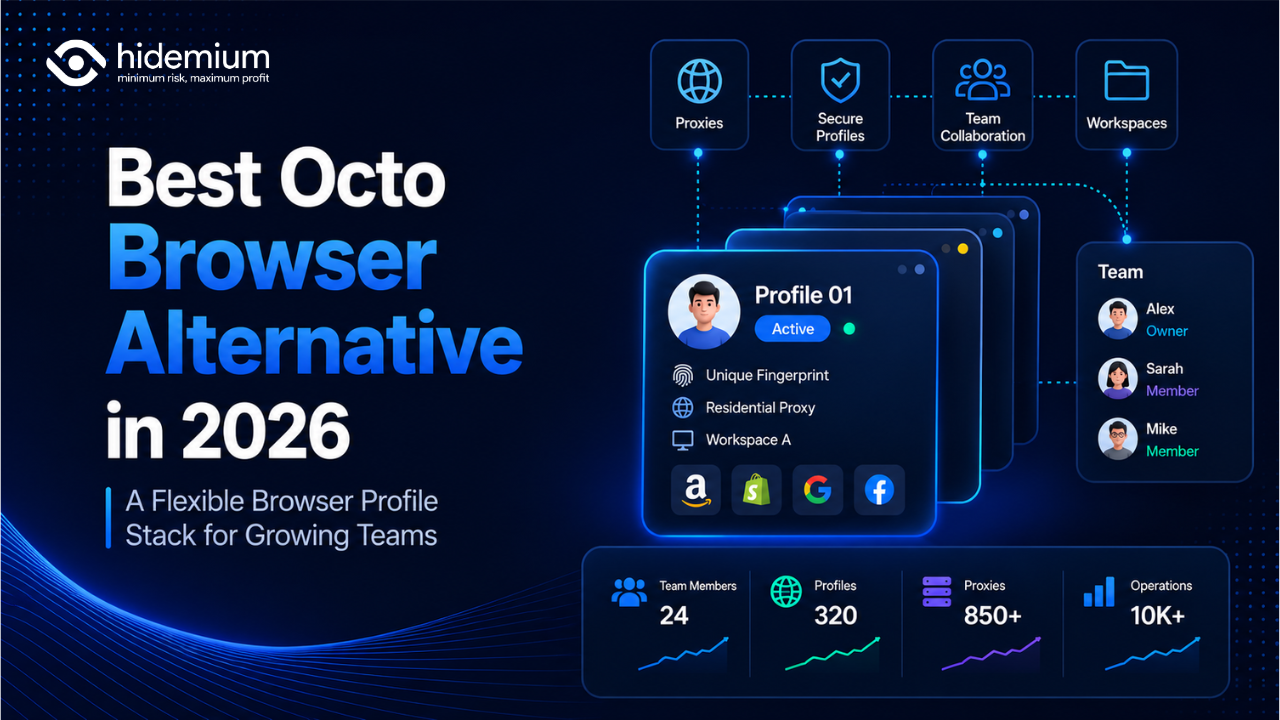
Best Octo Browser Alternative in 2026: Hidemium vs Octo Browser for Growing TeamsThe best Octo Browser alternative in 2026 is Hidemium for growing teams that need browser profiles, proxies, workspaces, team access, and scalable account operations. In the Hidemium vs Octo Browser comparison, Octo Browser is strong for polished profile control, while Hidemium is stronger for teams that need[…]
