
In the digital age, using multiple WhatsApp accounts on the same devices is no longer strange. Many users need to separate personal and work contacts, or manage customer care, sales, and marketing activities professionally and scientifically.
According to information from WhatsApp's official blog, the platform now supports ad second account on android device use dual SIM. However, this feature Not yet rolled out to iPhone and PC, which means you Cannot log in multiple root accounts at the same time without using a dedicated tool.
Here are some real-life scenarios that show why you need multiple WhatsApp accounts and how to manage them effectively on a single device.
1. When should you use multiple WhatsApp accounts?
Sales and Account Manager:
With multiple phone numbers serving different products, regions or customer groups, using separate WhatsApp accounts makes it easy for sales staff to track, categorize and store customer information without having to carry multiple devices.
Customer service staff:
One person can simultaneously be in charge of many areas such as engineering, payments, consulting... Separating WhatsApp channels according to each task will help process messages faster, clearer and more professionally, especially when supported by multi-account tools.
Virtual Assistant:
VAs who manage content or campaigns for multiple clients often need to log in to multiple WhatsApp Business accounts. With tools like Hidemium, they can create separate, secure, and convenient work environments right on one computer.
Agents and small businesses:
Marketing agencies or sales teams often run multiple campaigns in parallel, each with its own WhatsApp number. This makes it easier to segment customers, control data, and measure performance.

>>> Learn more: How to Turn Off Meta AI on Facebook, Instagram and WhatsApp
2. How to Use Multiple WhatsApp Accounts: 5 Popular Solutions You Should Try
Having multiple WhatsApp accounts to separate work and personal life is becoming increasingly popular. However, the app does not support logging into multiple accounts on the same device, forcing users to look for alternative solutions. Here are five effective solutions you can apply – each with its own pros and cons, suitable for different needs.
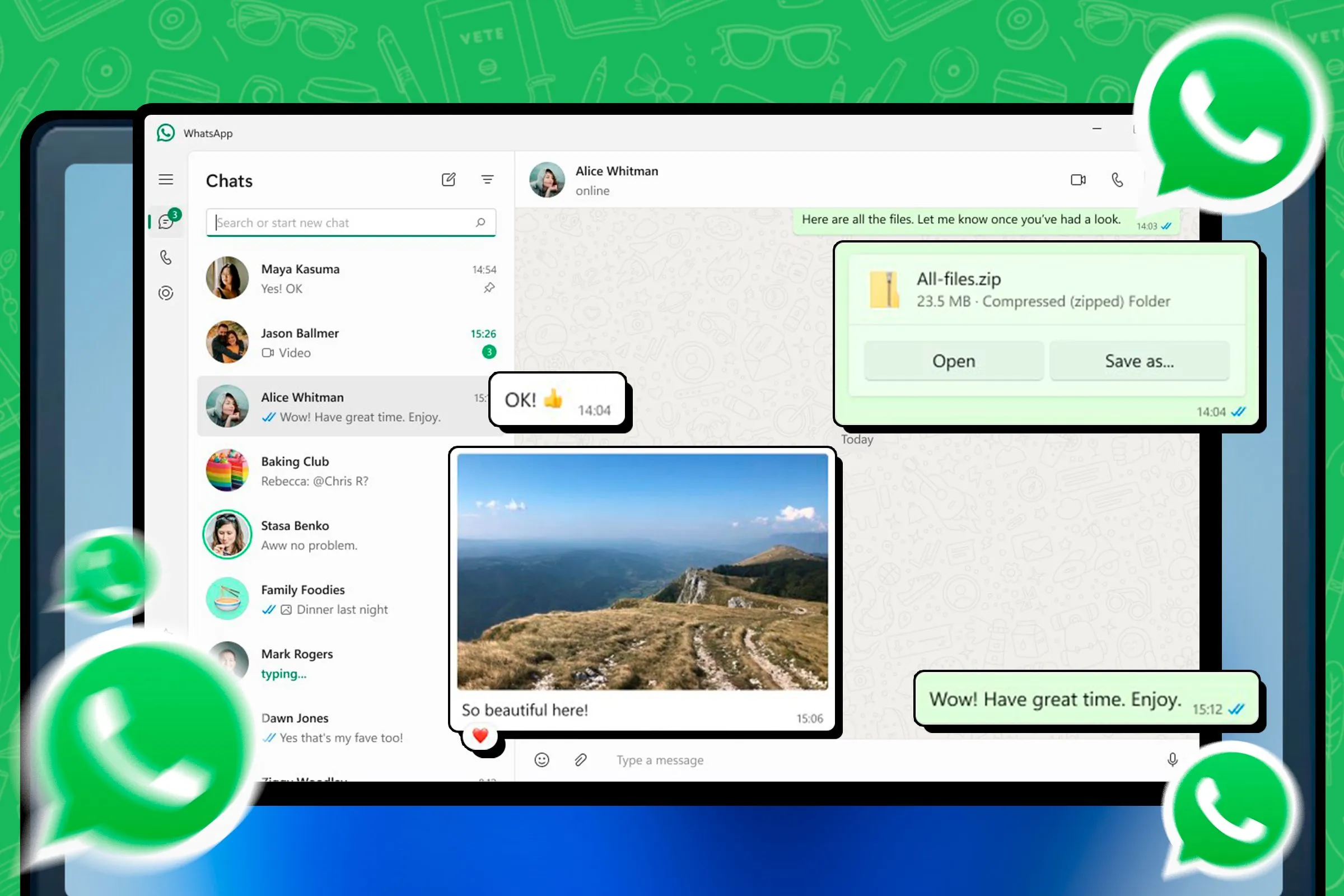
2.1. WhatsApp Web/Desktop – Quick and Simple Solution
You can use one account on your phone and the second account through WhatsApp Web or WhatsApp Desktop app. For example, I use Chrome for my personal account and Firefox for my work account.
Advantage:
No additional software installation required
Easy to use, just need web browser
Disadvantages:
Must scan QR code every time you access
Depends on stable connection to phone
Only one account can be logged in on the browser
2.2 Cloning Apps on Android
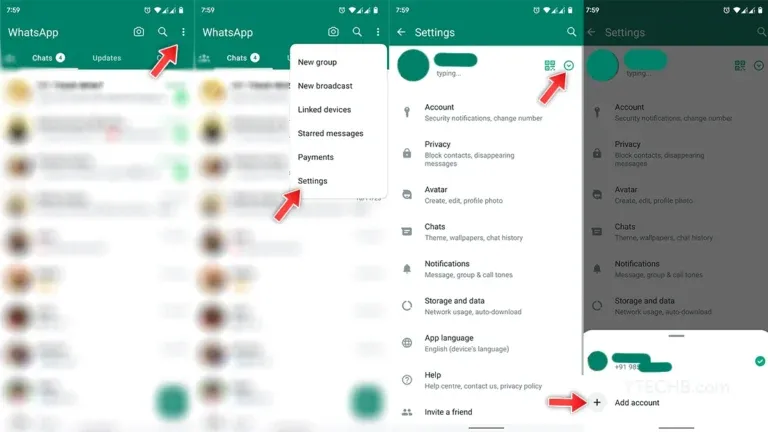
Some Android phones allow duplicate apps like WhatsApp, or you can use supporting apps like Parallel Space to run two accounts at the same time.
Advantage:
Do it right on your phone, no computer needed
No emulator required
Disadvantages:
Not supported on iPhone
Limited to per device, not cross-platform
2.3. WhatsApp Beta – Version that supports multiple accounts on PC
WhatsApp Beta is a test version that allows you to log in to an additional account on your computer, in addition to the official version.
Advantage:
Support logging in two accounts on the same PC
No need to install emulator software
Disadvantages:
Not available on Android and iOS
Only supports up to two accounts

2.4. Using multiple browsers or user profiles
Another way is to open WhatsApp Web on different browsers like Chrome, Edge, Firefox or create multiple user profiles to manage each account separately.
Advantage:
Allows running two accounts in parallel on the same device
Disadvantages:
Complicated login process
Need to scan QR code continuously
Login sessions are prone to expiration
2.5. Using Android emulator or virtual machine
You can install a WhatsApp emulator like BlueStacks or set up a virtual machine (VM) to run each account in an isolated environment.
Advantage:
Accounts operate independently, without affecting each other
Disadvantages:
Complex installation
Consumes a lot of system resources
Each computer can only handle 1-2 emulators at the same time.
Note when using multiple WhatsApp accounts
Regardless of which method you use, be careful not to use the same IP or proxy for multiple accounts. According to Wadesk's warning, WhatsApp can detect similar IPs and block accounts. Additionally, logging in from multiple sessions at the same time can result in your account being logged out, re-verified, or temporarily locked.
>>> Learn more: How to create unlimited Google account
3. How businesses use more than 2 WhatsApp accounts on computers and phones
In a corporate environment, if you need:
Manage 2 WhatsApp accounts on the same device
Allow multiple members to access different accounts
Manage multiple accounts from one central location (e.g. office, call center)
Then using a multi-account login support tool like Hidemium would be the ideal solution. These dedicated tools allow you to open multiple WhatsApp Web or WhatsApp Business sessions in parallel, without being logged out of each other.
Some platforms like WADesk, Rambox... also support access to multiple WhatsApp accounts. However, they often have many limitations: requiring a paid upgrade, limiting the number of simultaneously active accounts, using a shared IP – which increases the risk of being flagged and blocked by the WhatsApp system. In addition, performance is sometimes unstable and the interface is quite confusing.
A simpler and more effective solution is to Hidemium multi-profile browser. This is an anti-detection browser that allows you to create multiple separate browser profiles, each with its own fingerprint, IP address, and geographic location. This allows you to open multiple WhatsApp Web sessions and keep all your accounts active at the same time. Each profile acts as a separate device in WhatsApp's eyes, helping you avoid unwanted restrictions or logouts.
Hidemium is compatible with both personal WhatsApp and WhatsApp Business.
During testing, I set up two different profiles on Hidemium – one with a UK IP, one with an Australian IP. Each profile opened a Chrome-like browser. After scanning the QR code in each session, both accounts logged in successfully and worked simultaneously, without any duplication or conflicts as is common when using multiple tabs in the same browser.
>>> Learn more: How to create a Gmail account without a phone number, simple and safe
4. Why Hidemium is the Ultimate Solution for Managing Multiple WhatsApp Accounts
Each account operates in a separate environment.
Hidemium creates a separate browser space for each WhatsApp account, allowing you to log in to multiple accounts without confusion or automatically logging out of the previous session.
Each profile is like a brand new device
Each browser profile in Hidemium is simulated as a separate device, with a different IP address and time zone. This makes it easy to log in and use multiple WhatsApp accounts without being detected by the system.
Choose the right IP address for each country
You can assign IPs in different locations like the US or UK, corresponding to the country of your phone number. This increases reliability and reduces the risk of account lockout.
Easily share with your team
With just a few taps, you can share your WhatsApp profile with your teammates. They can continue their session without having to scan a QR code or re-enter their login details.
Manage all accounts in one place
Hidemium provides a central dashboard that helps you view, organize, annotate, and assign access to each account easily and efficiently.
Strong security, no data mixing
Each profile is fully encrypted and isolated. Login information and chat data are always absolutely protected, no worries about leaks or confusion between accounts.
No more hassle with QR codes
Once logged in, you don't need to scan the QR code again on subsequent visits. Sessions are always persistent, saving time and improving productivity.
Full WhatsApp Business support
Hidemium is compatible with both personal and business WhatsApp accounts, allowing you to use multiple accounts in parallel without errors or conflicts.

>>> Learn more: Best Antidetect Browser: Top Pick for Managing Multiple Accounts
5. Instructions for setting up multiple WhatsApp accounts using Hidemium
Managing multiple WhatsApp accounts on the same device is no longer a challenge thanks to Hidemium. Here is a detailed guide to help you set up and use multiple WhatsApp accounts effectively while ensuring safety and security:
Step 1: Create a separate browser profile
Visit home page hidemium.io and download the Hidemium app. Then click “Add Profile” to create new profiles and give each account a recognizable name (e.g. “Sales WA”, “Support WA”).
Select the virtual machine type, add a proxy to assign each profile a separate IP address, providing complete isolation between accounts. If you are just starting out, the default settings should be enough to work reliably.
Step 2: Open a separate browser for each profile
When you launch a profile, Hidemium opens a separate browser window with a separate identity, cookies, and operating environment — helping to avoid confusion or accidental logouts.
Step 3: Log in to WhatsApp Web
Access web.whatsapp.com, then use your phone to scan the QR code. The login session will be saved in the profile. You can open multiple profiles at the same time and switch between them easily without being logged out or having duplicate sessions.
Step 4: Manage scientific account system
Hidemium helps users manage their accounts more efficiently through a system of folders, notes, and status tags. If you work in a team, you can share profiles with members securely.
They can access the exact profile they are logged into without having to re-scan the QR code, saving time and minimizing security risks.
6. Conclusion
Typically, you can only use 1–2 WhatsApp accounts at most on the same device. Workarounds like opening multiple tabs, using a secondary browser, or cloning the app often result in errors, being logged out, or being detected by the system.
Hidemiu provides a complete solution that allows you to operate multiple WhatsApp accounts simultaneously on one computer, with each account having its own IP, separate browser and separate workspace. No worries about blocking, confusion or duplicate data.
I have experienced and highly appreciate the stability of Hidemium — especially suitable for business teams, customer service, marketing or those who need to operate multiple accounts effectively, securely and professionally.
Related Blogs

If you are reading this, chances are you are using a web browser built on Chromium. While Google Chrome is the undisputed heavyweight champion of the internet, it is far from the only fish in the sea. In fact, many of the most innovative, secure, and fast web experiences today are found on alternative chromium-based browsers.Whether you are frustrated by Chrome’s notorious memory hogging,[…]
.png)
Managing multiple Amazon accounts sounds like a smart way to scale your business—until things go wrong.Many sellers start with good intentions: separating brands, testing new products, or organizing operations. But without the right setup, multiple accounts can quickly get linked, flagged, or even permanently banned.In this guide, we’ll walk through how to create and manage multiple Amazon[…]
.png)
Whether you are a social media administrator, an affiliate marketer, or someone who needs to operate multiple accounts at the same time, antidetect browser is the ultimate solution to help each online profile act as an independent user. To optimize work efficiency and ensure safety, updating information about new anti-detection platforms is essential.In this article, we will evaluate it in[…]
.png)
In today's online world, user security and privacy are extremely important factors. One of the advanced technologies that help protect personal information and bypass online restrictions is the Fingerprint Browser. When combined with Antidetect Browser software, this technology provides powerful anonymity, protects accounts, and allows users to manage multiple accounts without the risk of[…]

When applied correctly, the 10 Antidetect Browser tips not only significantly reduce the risk of account restrictions but also enhance stability in multi-account management. Close synchronization between browser fingerprints, IP addresses, and access behavior helps platform AI systems assess activity as more natural.In addition, these techniques optimize marketing operations, save management[…]

In the digital age, using two computers in parallel to serve work is becoming more and more popular. To optimize performance and share data easily, connecting 2 computers via IP address is a useful solution, especially when both devices are on the same local network. Here are detailed instructions on how to do it.Antidetect Browser Hidemium:1. How to connect 2 computers via internal IP[…]
