.png)

BitBrowser is one of the widely used Antidetect browsers thanks to its ability to change Browser Fingerprint and create multiple independent browser profiles, helping to manage a large number of accounts effectively. However, in the context of many new anti-detection browsers being born with more modern technology, can BitBrowser still remain as competitive and effective as before? Join Hidemium in detailed analysis and evaluation in the article below.
1. What is BitBrowser?
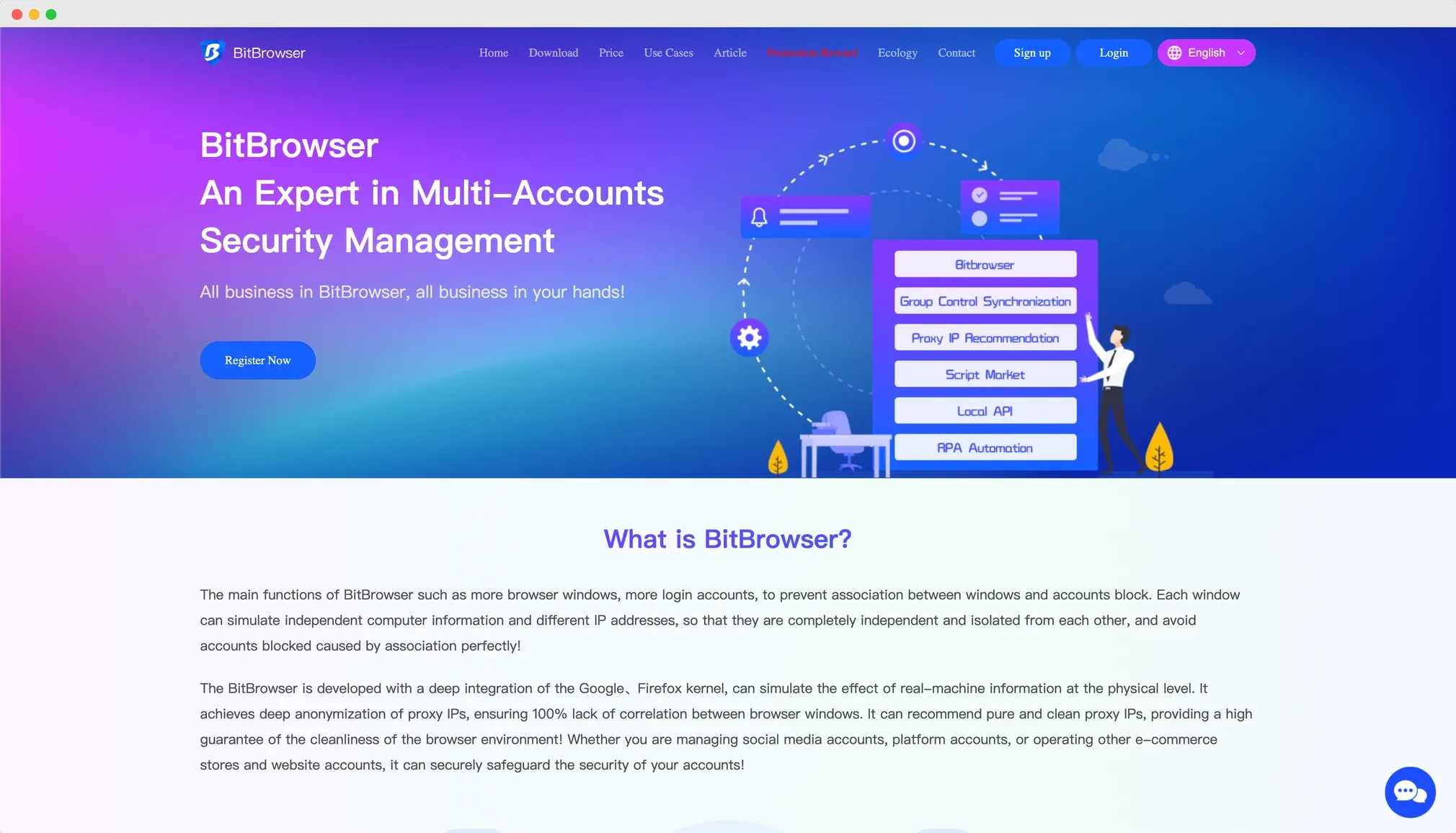
BitBrowser is an Antidetect browser from Hong Kong, designed to help users manage multiple accounts on the same device without being detected by the system. This solution is especially suitable for those working in this field marketing, online advertising, dropshipping, MMO or Manage social network accounts, which requires using multiple accounts at the same time. BitBrowser helps create a separate browser environment for each account, increasing anonymity and minimizing the risk of being tracked from websites or advertising platforms.
2. Outstanding features of BitBrowser
BitBrowser Antidetect browser is highly appreciated and trusted by the global user community thanks to its series of outstanding features, especially suitable for individuals and businesses operating on many digital platforms.
➤ Manage multiple accounts effectively
Users can create and log in to multiple accounts on the same computer, each account operates in an independent browser profile, with completely separate Fingerprint parameters. This helps platforms identify each profile as a real device, avoiding linking accounts together.
➤ Customize Browser Fingerprint flexibly
BitBrowser supports users to customize browser parameters such as operating system, browser type, screen resolution, font, etc. In addition, the software also supports multi-platform including Windows, macOS, Linux, and allows emulating Android and iOS environments.
➤ Integrated proxy management
Users can add and store multiple proxy in separately managed warehouse. BitBrowser also recommends a list of reputable proxy providers, but does not support exclusive discount codes like some other competitors.
➤ Support flexible teamwork
The ability to share and transfer profiles to other members helps workgroups or businesses easily coordinate in managing hundreds of accounts without sharing passwords. This is an important feature for marketing teams, agencies or e-commerce platforms.
➤ Compatible with Chrome Extensions
Users can install extensions from Chrome Web Store directly to BitBrowser to improve working experience and performance.
➤ Supports batch operations
BitBrowser allows performing a series of operations such as: adding/exporting cookies, exporting profiles, running or deleting multiple profiles at the same time, helping to significantly save manual operation time.
➤ Record activity history
Users can easily track their entire account usage history and activities on each profile, ensuring transparency and ease of control.
➤ Automate operations with RPA
BitBrowser feature integration RPA (Robotic Process Automation), allows automatically performing repetitive tasks such as logging in, posting, web operations,... suitable for those who automate marketing campaigns or mass account care.
3. Limitations when using BitBrowser in multi-account management
Although BitBrowser is highly appreciated in terms of features, when deployed in managing a large number of accounts, users will still encounter some limitations that need to be considered:
3.1. Complicated interface, not friendly to newbies
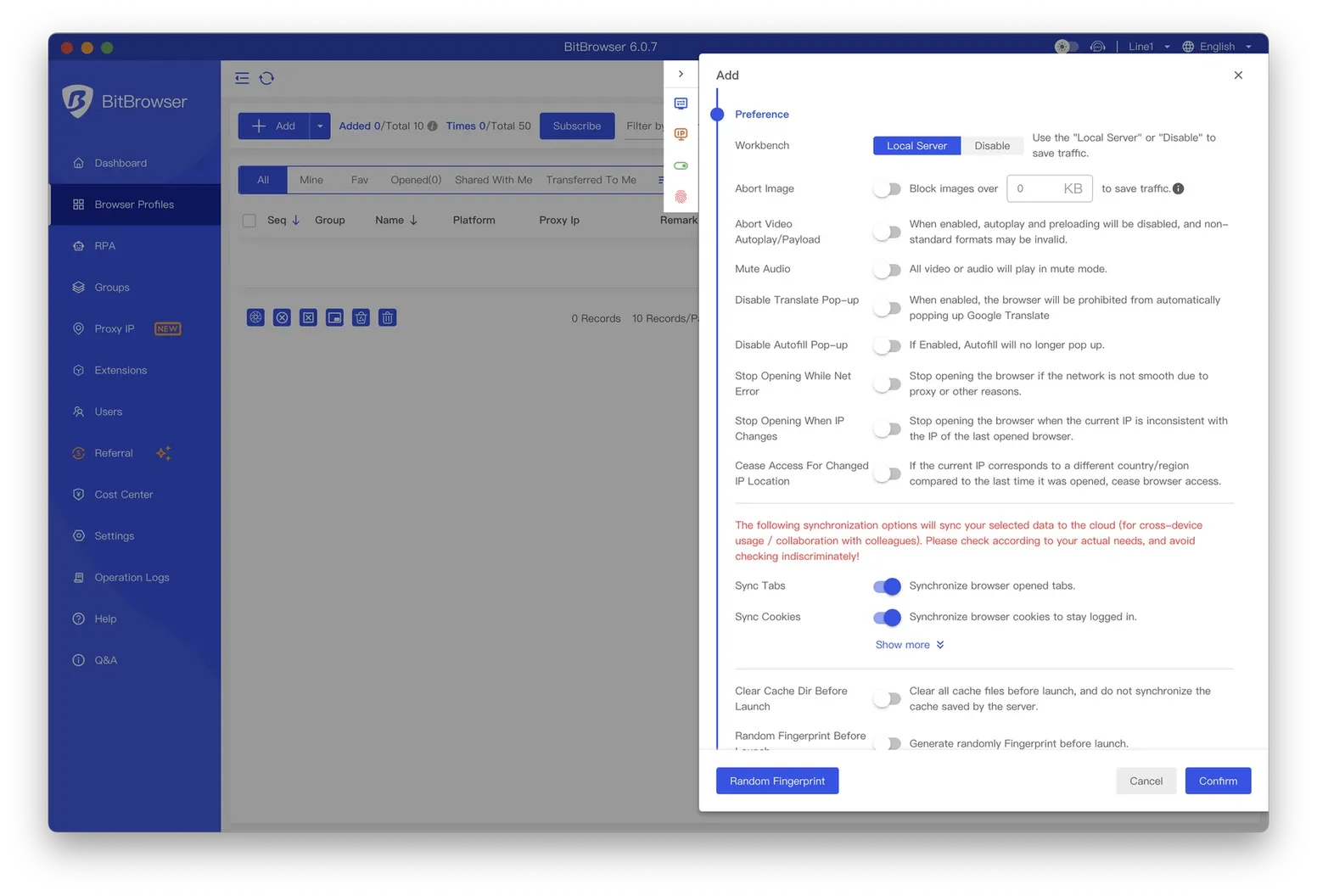
BitBrowser has an interface with many technical options, especially during the process of creating new profiles. Users need to set up many configuration parameters, making the operation cumbersome - especially for people accessing Antidetect Browser for the first time. Although the platform provides video tutorials, getting used to the profile creation process is still a big barrier for newcomers, affecting the initial experience and work performance.
3.2. Profile loading performance and automation processes are slow
The time to load and launch profiles on BitBrowser is quite long, especially after creating a new one. Users may have to wait several minutes for the system to fully load data, disrupting workflow. Additionally, RPA automation tasks are not directly integrated in the application. Instead, BitBrowser requires access to a separate dashboard to build workflows, which wastes time and affects the user experience compared to browsers with in-app automation features like Hidemium.
3.3. No free proxy support, lack of preferential policies
A notable minus point of BitBrowser is that it does not provide a free proxy for users to initially experience. Although the platform introduces many third-party proxy providers, it does not come with discount codes or built-in proxy quality guarantees. This requires users to self-test and evaluate, increasing risks during use - especially for those who need high stability when operating a multi-account system.
4. Hidemium is a better alternative to BitBrowser
In 2025, Hidemium stands out as a strong alternative to BitBrowser thanks to its range of outstanding features and notable advantages in the field of security and automation. Here are the reasons why Hidemium could become the ideal replacement for BitBrowser in the future:
Outstanding flexibility and versatility
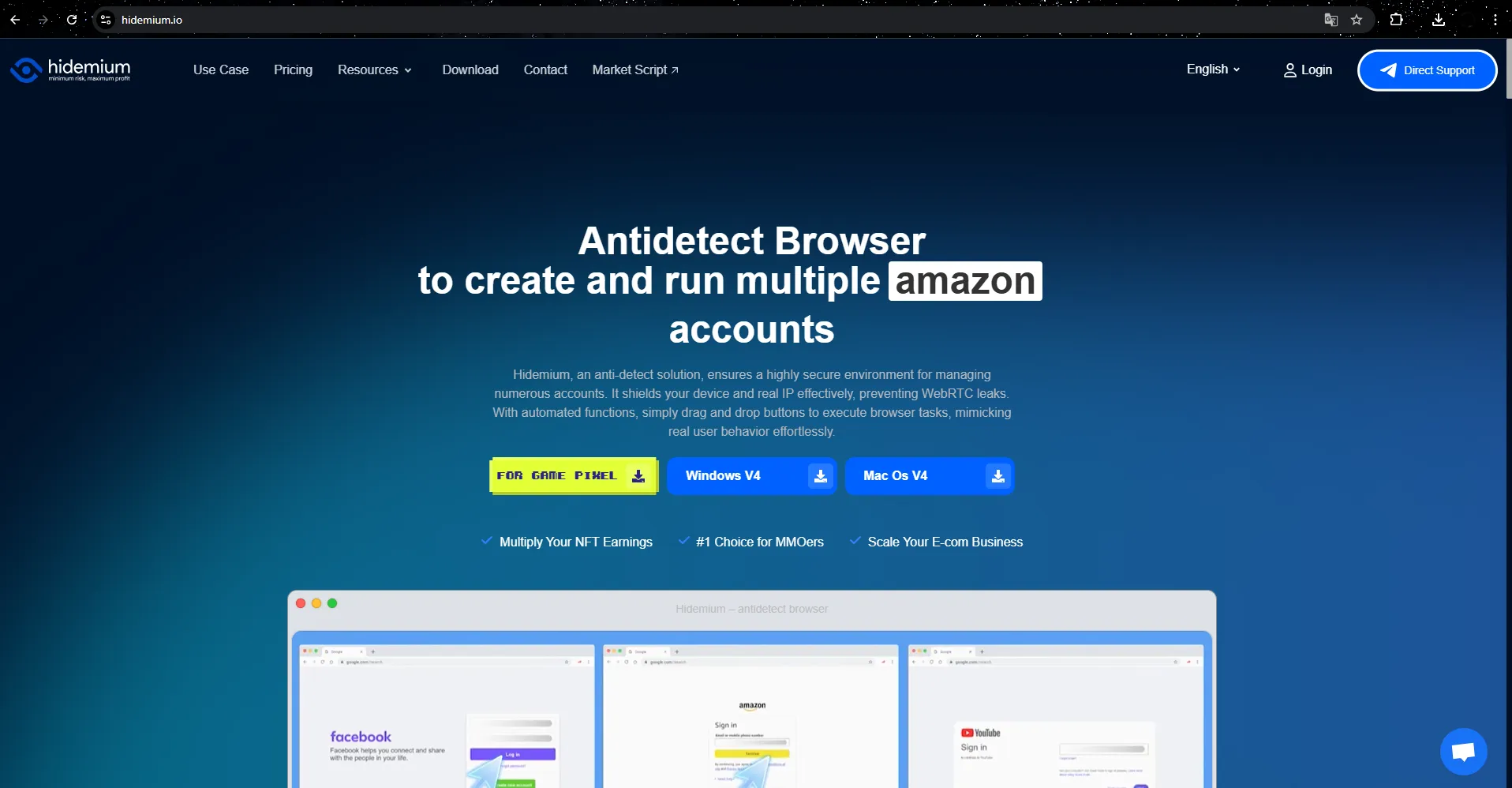
Hidemium is not only suitable for simple tasks like BitBrowser but also meets complex requirements, from high security to automation and synchronization of many different tools. Support for features such as managing multiple browser profiles with separate custom parameters, including country, device, cookies, proxy, Fingerprint, language and screen resolution, helps users optimize and control many factors at the same time.
Smart automation mode with built-in AI
One of the highlights of Hidemium compared to BitBrowser is its ability to integrate AI, especially models like ChatGPT, Gemini, and Claude. These models help users create and use Prompt Script without programming knowledge. With just a few simple lines of command, AI will automatically build smart scripts to perform operations such as filling out forms, scrolling pages, or clicking buttons accurately and quickly.
Superior security and Fingerprint change feature
Hidemium offers flexible IP address changes thanks to diverse proxy and VPN support. At the same time, the software also uses advanced technology to effectively simulate and change Fingerprint browser, helping to hide user traces and ensure high security. This feature not only helps avoid detection by anti-bot systems, but also helps protect identity and personal data throughout the web browsing process.
Preferential trial package and dedicated support
Hidemium especially attracts users with its attractive trial package, providing clean proxies updated daily and the ability to create up to 1000 profiles in the experience package. This provides high quality of use and meets the needs of both beginners and professionals in the MMO field. Furthermore, with the Vietnamese support team, all problems will be resolved quickly and accurately, ensuring maximum peace of mind for customers.
Compatible with many platforms and devices
Hidemium operates smoothly on many different operating systems such as Windows, macOS, Linux and Android, ensuring convenience for users on diverse devices. This is a great strength, helping Hidemium be able to serve many users with different requirements.
With such outstanding features, Hidemium is not only a perfect alternative to BitBrowser but also the optimal tool for digital marketing, affiliate, dropshipping, and personal data security campaigns in 2025.
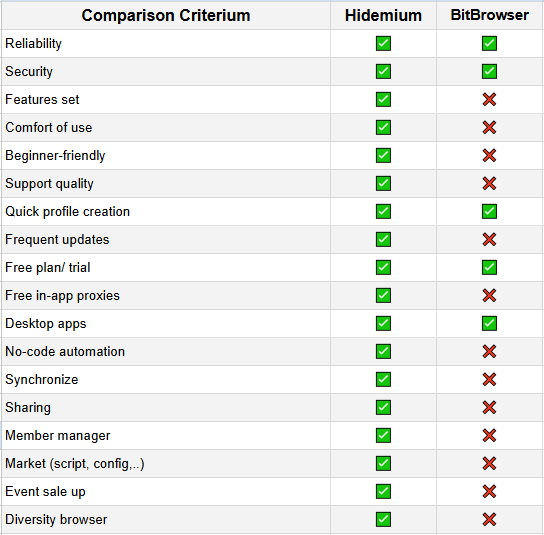
To compare more clearly, we make a comparison table below:
Hidemium and BitBrowser: Which is the optimal Antidetect Browser choice?
Hidemium is one of the most comprehensive antidetect browsers available today, with full features such as codeless automation, profile sharing and synchronization, membership support, and built-in proxy in the application. A beginner-friendly interface and regular updates help ensure a smooth and safe user experience.
Meanwhile, BitBrowser Although it offers some basic features such as good security, support for quick profile creation, and a trial version, it lacks many important elements such as programming-free automation, an integrated script market, data synchronization, or in-depth user support. In particular, the lack of a built-in proxy causes users to have to configure it manually, causing inconvenience.
In short, if you are looking for a modern antidetect solution that is easy to use and scalable to your automation or teamwork needs, Hidemium is a superior choice compared to BitBrowser. Want me to create more comparisons with GoLogin or AdsPower?
5. Conclusion
BitBrowser is a worthy choice for those who need an Antidetect Browser with full security features and support Multi-account management, and optimized for MMO, marketing or dropshipping activities.
However, if you are looking for a more robust solution, support AI automates user behavior and well compatible with the global market, Hidemium can be a worthwhile alternative. With a clear advantage in number of features, friendliness to new users, attractive free trial policy and strong automation capabilities, Hidemium proves to be an outstanding choice for those looking for a multi-talented, safe and effective browser.
Don't let technical barriers slow you down in the world of MMO or multi-account marketing.
>>> Learn more:
Related Blogs

What is Cloudflare WARP? This is a service VPN (virtual private network) Developed by Cloudflare, it helps users protect personal data while effectively increasing Internet access speed. If you are looking for a safe, fast and stable web surfing solution, let's go Antidetect Browser Hidemium Explore details about Cloudflare WARP in the article below.1.What Is Cloudflare WARP and How Does It Work[…]

In today's digital age, online account security is an important factor for every user. YouTube, the world's largest video sharing platform, is no exception. A hacked YouTube account can lead to loss of data, videos, and even personal or business reputation. In this article, learn how to recover a hacked YouTube account effectively with Hidemium Antidetect Browser.1. How to know if your YouTube[…]
Best Antidetect Browser for Dropshipping 2026Dropshipping may begin with one store, one supplier, and one operator. However, the workflow can quickly become more complicated when a business expands across multiple brands, markets, advertising accounts, storefronts, or team members.Each store may use its own email address, cookies, login sessions, product research tools, advertising accounts, and[…]
How to Change MAC Address on Mac: Complete Privacy GuideIn today's hyper-connected world, protecting your digital identity has never been more important. Every time your Mac connects to a network, it broadcasts a unique hardware identifier that can be logged, tracked, and used to build a profile of your behavior. If you've ever wondered how to change MAC address on Mac, you're not alone — it's[…]

Multilogin has affirmed its position thanks to its stable operation and has been on the market for a long time. However, this tool also attracts attention because of its high price and customized support mode according to customer size.Notably, with the latest Multilogin X update, Multilogin has made great strides, leading many to question whether this is a worthy investment. In this article, we[…]
What is the best Dolphin Anty alternative in 2026?The best Dolphin Anty alternative in 2026 is Hidemium for teams that need stronger control over browser profiles, proxies, workspaces, team access, and multi-account operations.Dolphin Anty is known among affiliate marketers and media buyers. It can be useful for campaign-focused workflows where speed matters. But not every team wants only a fast[…]
