
IP checking services today are indispensable tools for protecting your online identity and enhancing your privacy. When you connect to the Internet, your device is assigned an IP address, revealing basic information such as your approximate location, Internet service provider (ISP), and even the type of network you are using.
Thanks to the IP checker tool, you can quickly grasp this data in just a few seconds. In particular, in-depth platforms like Whoer.net also analyze the possibility of data leakage, helping you assess whether the connection is compromising your anonymity.
For those who use VPN or proxy, regularly checking your IP is extremely important to make sure your real IP is not leaked. This helps maintain privacy and reduces the risk of account lockouts. In this article, Hidemium will evaluate Whoer.net with you and introduce the best alternatives in 2026.
1. Compare popular IP checking services
To help you make the right choice, we have built a detailed comparison table of the most popular IP checker tools. This table focuses on three important factors: speed, additional features and user experience.
Right after the comparison table section, you will find detailed reviews of each service, clearly analyzing the advantages, limitations, and unique highlights of each platform.
| Service | Speed | Features & Experience |
| WhoerIP.com | Excellent | Advanced fingerprinting, privacy scoring, modern interface, useful blog, extremely user-friendly |
| Pixelscan.net | Very good | Accurate fingerprint analysis, modern dark interface, lightweight features, stable performance |
| Whoer.to | Excellent | No ads, minimalist design, clear technical information, fast and easy to use |
| IPLocation.io | Good | Data from multiple sources, rich toolkit, suitable for advanced technical users |
| WhatIsMyIP.com | Good | Detailed guides, traditional design, basic but reliable tools |
| IP.me | Good | Visual map display, privacy-focused, mobile-optimized interface |
| MyIP.com | Good | Provides network statistics, easy-to-understand charts, lightweight and intuitive interface |
| IPLocation.net | Good | Supports bulk IP processing, email tracking, professional tools |
| Whoer.com | Good | Fraud & anonymity check, many features but too many ads |
| WhatIsMyIPAddress.com | Poor | Rich content library, many guides but heavy VPN promotion, user experience not optimized |
From the comparison table above, it can be seen that many services have surpassed Whoer.net in both features and user experience. Among them, WhoerIP.com stands out the most for its fast processing speed, advanced security features, and intuitive, user-friendly interface.
>>> Learn more: How to set up a static IP on Windows quickly, simply and effectively
2. How does an IP checking service work?
IP checking services generally follow the same principle: when you visit a website, the system records the public IP address from the connection request. Scripts are then deployed to analyze the browser and network behavior, providing detailed information about geographic location, Internet Service Provider (ISP), system configuration, and potential security risks.
The difference between tools lies in the depth of analysis and the technology used. Some services only show IP and country, while advanced tools can detect DNS leaks, scan browser fingerprints, or check whether your IP is on a spam blacklist. For users looking to understand IP and portal reputation in more detail, Prefixx provides additional information on this topic.
This is also why many people search for Whoer.net alternatives. Some services focus on privacy protection, others are strong on precise location data, and some specialize in VPN/proxy detection. Therefore, the "best" IP checker will depend on the user's actual needs.
💡 SEO Tip: No service is perfect. Using multiple IP checkers in parallel will help you cross-check results, making it easier to spot hidden leaks.
2.1 Collecting IP address and location
When your browser sends a request to a server, your public IP address is automatically included in the header. The server records this data and the website sees the IP just like any other site you connect to.
Next, the system compares the IP with a geolocation database (e.g., MaxMind GeoIP or IP2Location) to map it to a real location: country, city, and even the ISP you are using.
2.2 Browser Fingerprinting
IP alone is not enough. Therefore, IP checking services often inject JavaScript code to collect additional metadata from the browser, such as:
- User-Agent string (browser, operating system, version)
- Screen resolution and color depth
- System language & time zone
- Installed plugins and fonts
- WebGL and Canvas rendering info – creating a unique "fingerprint" for the device
This method is called browser fingerprinting. It helps identify unusual settings, detect leaks when using VPN/proxy, and more accurately assess the security level of a connection.
>>> Learn more: How to Fake IP Effectively Using VPN and Proxy – Complete Guide
3. What does an IP checker actually reveal?
When using an IP checker, you will not only see the public IP address but also many other detailed pieces of information. Here are the key factors that are typically analyzed:
- Public IP Address: Retrieved directly from the browser connection request (HTTP header, server log).
- Geolocation (GeoIP): Determines country and city based on commercial databases such as MaxMind or IP2Location.
- ISP & ASN: Looked up in IP registries (RIPE, ARIN, APNIC) to identify the Internet service provider and ASN network.
- VPN/Proxy/Tor Detection: Compares IP against lists of VPN, proxy, and Tor nodes and checks if the ASN belongs to a data center.
- DNS Leak Test: Sends DNS requests to detect leaks if the connection is still using the ISP's DNS instead of the VPN's DNS.
- WebRTC Leak Test: Creates hidden WebRTC requests in the browser; if not blocked, both local and public IPs may be exposed.
- IPv6/IPv4 Status: Checks whether the connection simultaneously shows IPv4 and IPv6, as leaks often occur over IPv6.
- Browser Fingerprint: Collects User-Agent, time zone, fonts, screen resolution, and WebGL/Canvas hash to create a unique identifier.
- System & Browser Settings: Includes language, time zone, cookies, and Do Not Track status.
- IP Blacklist: Checks IP against anti-spam/security databases like Spamhaus, SORBS, and AbuseIPDB.
- Connection Type: Determines whether you are using a mobile network, home WiFi, or corporate network based on ASN.
- Privacy Score: Some tools aggregate leak and fingerprint results into an anonymity index for easy user tracking.
💡 Pro Tip: Each IP checker works differently. Some rely solely on databases (GeoIP, ASN, blacklists), while others perform real-world tests such as DNS or WebRTC leak checks. For a complete security picture, use multiple testing services in combination.
>>> Learn more: 7 Free Online IP Fingerprint Checker Tools
4. Top 10 Whoer.net Alternatives: Outstanding Features
4.1. WhoerIP.com – Next-generation IP checking solution
WhoerIP.com is rated as one of the most modern IP testing services today, built on an advanced web technology platform with a focus on security and privacy. As a result, the platform has quickly become a premium alternative to outdated, ad-heavy tools like Whoer.net.
Unlike traditional IP checking methods, WhoerIP.com integrates many advanced features such as browser fingerprinting, privacy analysis, IP leak detection, and real-time anonymity scoring. User experience is prioritized with a professional, intuitive interface free from intrusive ads. You can quickly check IP addresses directly on the official website: whoerip.com.
WhoerIP.com is ideal for:
- Individuals who need comprehensive privacy and anonymity analysis.
- Cybersecurity professionals who require accurate, reliable detection tools.
- Businesses needing professional security solutions unaffected by advertising.
- VPN/proxy users who want to verify their level of anonymity.
- Antidetect browser users who require detailed fingerprint analysis.
Key advantages of WhoerIP.com:
- Real-time privacy analysis and assessment.
- Advanced device and browser recognition.
- DNS, WebRTC leak detection and potential vulnerability alerts.
- Responsive design optimized for all mobile and desktop devices.
- Professional, user-friendly interface.
👉 If you are looking for a modern, accurate, and ad-free Whoer.net alternative, WhoerIP.com is the ideal choice.
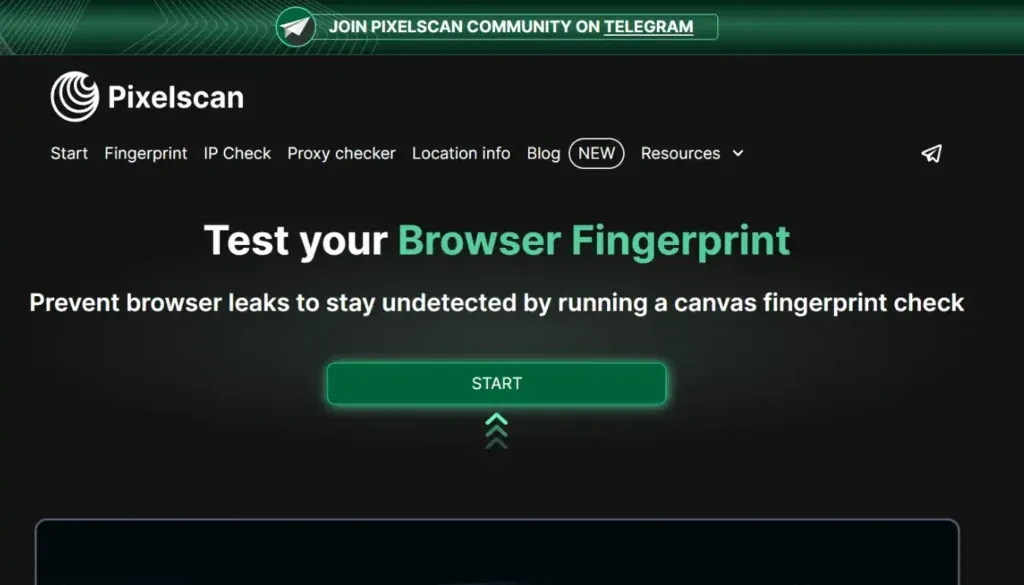
4.2. Pixelscan.net – Browser fingerprinting expert
Pixelscan.net is one of the emerging IP testing platforms, designed to meet growing security and privacy demands. Unlike basic tools, Pixelscan.net focuses on browser fingerprint analysis, bot detection, and data leak testing, giving users a comprehensive view of their online safety.
Suitable for:
- Advanced users and privacy researchers.
- Developers who need anti-detection environments.
- Cybersecurity professionals studying fingerprinting techniques.
- Privacy advocates and anonymity tool testers.
- Security-focused application developers.
Key advantages:
- Professional interface, minimal advertising, no impact on user experience.
- Superior mobile optimization, smooth on smartphones and tablets.
- Advanced analytics tools, modern design, multi-function integration.
- In-depth blog with articles and reviews on security tools, including WhoerIP.com.
Thanks to these features, Pixelscan.net is not just an IP checker but also a valuable resource for anyone interested in online security and privacy.
4.3. WhatIsMyIP.com – Pioneer in IP checking services
Launched in 1999, WhatIsMyIP.com is one of the most reputable and long-standing IP checker tools with over 25 years of operation. Originally a simple tool, the platform has since grown into a comprehensive ecosystem combining IP lookup, network tools, system diagnostics, and easy-to-understand educational content.
Suitable for:
- Internet users who want to quickly look up their IP address.
- Students and educators learning about computer networks.
- Small businesses needing simple, convenient IP tools.
Key strengths:
- Long-standing reputation with over 25 years of development.
- Rich educational content, clearly explaining networking concepts.
- Diverse toolkit meeting the needs of both individuals and businesses.
With its combination of practical value and education, WhatIsMyIP.com remains a top choice for users who want to check their IP and learn about networking easily and accurately.
4.4. MyIP.com – Internet data analysis tool
Founded in the early 2000s, MyIP.com is not just an IP lookup service — it also provides in-depth statistical reports on internet usage levels, browser trends, and global connectivity. It is an ideal choice for those who want to combine IP lookup with comprehensive data analysis.
Suitable for:
- People interested in internet data and statistics
- Researchers studying internet behavior and usage patterns
- Technical users who need detailed system information
Key strengths: Statistical analysis capabilities, accurate trend reporting, clear data presentation, and insightful perspectives on the global internet.
4.5. WhatIsMyIPAddress.com – Long-established, content-rich lookup platform
Launched in 2000, WhatIsMyIPAddress.com started as a basic IP lookup tool before evolving into a major content hub for privacy, security, and internet technology. While it offers a wealth of useful information, the heavy ad presence can impact the experience and page load speed.
Suitable for:
- Regular users who need quick IP checks
- People concerned about privacy and online security
- Those looking for VPN reviews and recommendations
- Users who are not too strict about ad-supported content
Key strengths: Diverse content repository, long-standing brand, and broad coverage of security and privacy topics.
4.6. IP.me – IP checker with built-in VPN
Launched in the mid-2010s, IP.me represents the new generation of IP checking services with a focus on security and privacy. The key differentiator is that IP.me acts as a direct gateway to Proton VPN, one of the most reputable VPN providers.
Thanks to this integration, users can both check their IP and easily access a secure VPN solution, all within an intuitive and user-friendly interface.
Suitable for:
- VPN users or potential Proton VPN customers
- People who care about security and privacy
- Those who need simple, quick IP lookups
- Users within the Proton ecosystem
Key strengths: Modern interface, security-first approach, seamless VPN integration, and high reliability backed by Proton VPN.
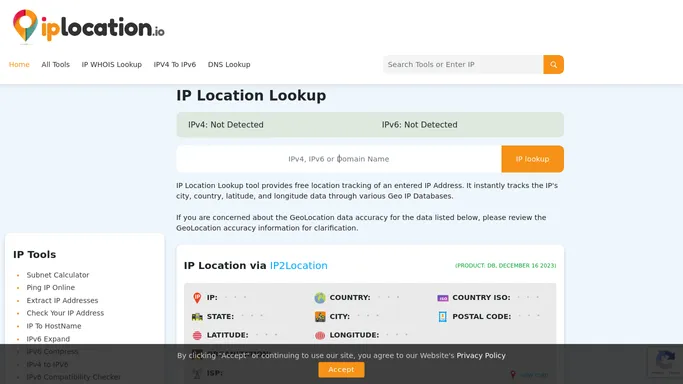
4.7. IPLocation.io – Comprehensive IP analysis tool for technical professionals
Launched in the late 2010s, IPLocation.io quickly became the go-to platform for those who need more than a standard IP lookup tool. Unlike basic services, IPLocation.io is built specifically for technical professionals, offering a deep IP analysis toolkit with the ability to cross-reference results from multiple trusted data sources.
It is the ideal solution for network administrators, security professionals, and developers seeking detailed IP intelligence. IPLocation.io not only supports traditional IP inspection but also integrates extended features for network analysis and security research.
Target users:
- System administrators and IT professionals
- Cybersecurity researchers and analysts
- Developers building IP-related applications
- High-tech users who need in-depth data
- Businesses requiring comprehensive IP intelligence reporting
Key advantages: Multi-source data integration, professional analytics toolkit, in-depth technical interface, comprehensive support for administration and security.
4.8. Whoer.com – A veteran in security and privacy
Founded in the early 2010s, Whoer.com is known as an IP analysis tool combining anonymity checks, fraud scoring, and advanced privacy assessment. It was once one of the prominent Whoer.net alternatives.
However, over time, Whoer.com has increasingly focused on commercializing proxy services, causing user experience to be affected by heavy advertising and a cluttered interface. Despite this, the platform retains its value thanks to its powerful toolkit and detailed technical information.
Target users:
- Users who prioritize enhanced privacy
- Cybersecurity experts and analysts
- VPN/Proxy users
- Businesses needing fraud risk assessment
- Data security researchers and experts
Key advantages: Comprehensive feature set including fraud scoring, advanced privacy analysis, and detailed technical information. The biggest downside is heavy advertising that affects the experience.
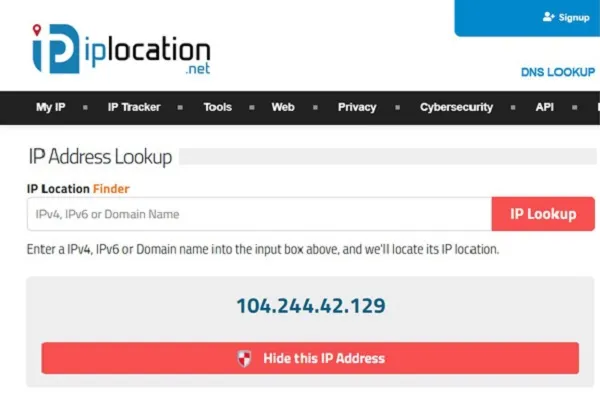
4.9. IPLocation.net – Professional IP analysis platform
Launched in the mid-2010s, IPLocation.net quickly became one of the most trusted IP analysis tools. Beyond IP address lookup, the platform provides many advanced features such as email tracking, privacy checks, and bulk IP lookup, making it especially useful for businesses and security professionals.
IPLocation.net's key strengths are stability, high accuracy, and the ability to meet in-depth analysis needs. Although ads appear in the sidebar, the overall experience remains smooth and does not affect work efficiency.
Suitable for:
- Businesses and security analysts
- Email administrators and IT teams
- Users who need to process and look up large numbers of IPs
- Privacy testing and assessment experts
- Cybersecurity departments within enterprises
👉 Key advantages: Professional analytics, email tracking tools, bulk IP processing, and advanced privacy assessment features.
4.10. Whoer.to – Minimalist alternative to Whoer.com
Born at the same time as Whoer.com, Whoer.to was designed as a lighter and more streamlined option, eliminating commercial elements and focusing solely on the core IP checking function. Data is presented visually in tabular format, making it easy for users to monitor and analyze.
The biggest advantage of Whoer.to is no ads, fast speed, and a minimalist interface, delivering a smooth and professional experience for those who want to use the IP checking feature without interruptions.
Suitable for:
- Users who want simple, clear IP lookups
- Technical users who prefer visual, organized data
- Those who want to use Whoer without being bothered by ads
- People who need a fast and efficient IP checking tool
- Professionals who value transparency and clarity in reports
👉 Key advantages: Fast processing speed, detailed IP data, minimalist interface, no ads, intuitive and easy-to-read results.
>>> Learn more: How to use Whoer.net to check your IP and achieve online anonymity
5. Conclusion: Why are more people choosing Whoer.net alternatives?
Whoer.net has long been known as a popular tool for checking IP addresses and online anonymity. However, users are increasingly turning to better alternatives. The reason is straightforward: each service has its own strengths. Some focus on advanced leak detection, others provide precise geolocation data, while many newer platforms emphasize speed and modern features.
Modern internet users are not only concerned with the visible IP address — they also want in-depth privacy analysis, transparent results, and faster processing speeds to enhance online anonymity. This is why new tools like
have emerged. Powered by advanced technology, these tools not only improve performance but also offer a more comprehensive view of your digital footprint.
This is especially important: choosing the right IP checker is not just about "peeking" at your IP address — it is also a solution for protecting your identity, preventing data leaks, and staying one step ahead of tracking technology. As privacy needs continue to rise, new services like Whoerip.com are quickly gaining trust through their combination of accuracy, ease of use, and innovation. This is the future of online anonymity checking — and something everyone who truly cares about their privacy should consider.
Direct comparison: Whoer.net vs the best alternatives
To help you decide faster, here is a direct comparison between Whoer.net and the best alternative IP lookup tools by specific criteria:
Quick conclusion: If you need simple IP lookup and are already familiar with Whoer.net, Whoer.to is the most minimalist option. If you need in-depth security analysis and comprehensive anonymity checks, WhoerIP.com or Pixelscan.net are the best Whoer.net alternatives available today. For technical users who need data from multiple sources, IPLocation.io is the top choice.
FAQ
1. How do I check the IP of a website?
You can check an IP using the ping or nslookup command in Terminal/Command Prompt. Alternatively, free online tools also support quick lookups.
2. Can others see my IP?
Yes, but they can only see your general geographic location (e.g., city or region). Specific details like your home address will not be visible.
3. Is changing your IP illegal?
No. Changing your IP is completely legal, unless it is used for fraudulent, abusive, or criminal purposes.
4. Does a VPN change my IP?
Yes. When you connect to a VPN, your real IP address is replaced with the VPN server's IP, enhancing your security and online anonymity.
5. Can websites or online services block IPs?
Yes. Many websites, apps, or games may implement IP blocking to prevent users from accessing them.
6. Does incognito mode hide my IP?
No. Incognito mode only prevents browsing history from being saved on your device, but your IP address is still visible to your Internet service provider and websites.
7. Is there a way to change my IP for free?
You can restart your modem/router, toggle mobile data on and off, or use a free VPN to change your IP at no cost.
8. Does a VPN hide browsing history from the WiFi manager?
Yes. When using a VPN, all your data is encrypted. The WiFi administrator can only see that network traffic is being transmitted, but cannot see exactly which websites you visited.
9. How does Whoer.net work and is it still effective in 2026?
Whoer.net is a popular online IP checker and anonymity tool that works by analyzing your IP address, detecting DNS/WebRTC leaks, and scoring your anonymity level. However, in 2025, many users are switching to more modern Whoer.net alternatives due to superior interfaces and features. See the detailed guide: How to use Whoer.net to check your IP and achieve online anonymity.
10. Which tool is better than Whoer.net for free IP checking?
Free IP lookup tools that are better than Whoer.net currently include: WhoerIP.com (advanced anonymity analysis), Pixelscan.net (browser fingerprint specialist), Whoer.to (minimalist, no ads), and IPLocation.io (in-depth data for technical users). All are free and require no account registration.
Related Blogs

Captcha is a popular security tool used on websites to prevent suspicious activities from automated programs (bots). However, Captcha can sometimes be frustrating for users, especially when fast access is needed or when the Captcha becomes overly complex. In this article, we will explore 7 effective ways to bypass Captcha in 2025, allowing you to overcome these barriers legally and safely.1. What[…]
The world of e-commerce and dropshipping is growing rapidly, with more and more businesses looking to take advantage of the opportunities presented by online sales. However, with this growth comes an increase in online fraud, which can lead to account locks, chargebacks, and other financial losses. To prevent these issues, many businesses are turning to use Anti-detect Browser, which provides a[…]
.png)
How to Get Social Media Help: Tips, Tools, and Resources That Actually WorkWhether you're locked out of your account, dealing with a sudden algorithm change, or trying to protect your digital footprint, navigating social media platforms can feel like a full-time job. Fortunately, social media help is well within reach — if you know exactly where to look and what strategies to apply.Platforms like[…]

Accessing blocked websites is no longer difficult if you know how to properly use a Proxy. This is considered one of the most optimal solutions to bypass internet restrictions while maintaining privacy and personal data security. Let Hidemium walk you through 3 easy-to-apply Proxy methods for firewall circumvention!1. Use web-based Proxy servicesProxy websites act as intermediaries that help hide[…]
.png)
In today's online world, user security and privacy are extremely important factors. One of the advanced technologies that help protect personal information and bypass online restrictions is the Fingerprint Browser. When combined with Antidetect Browser software, this technology provides powerful anonymity, protects accounts, and allows users to manage multiple accounts without the risk of[…]

Telegram bị chặn bởi nhà mạng tại Việt Nam đang là chủ đề nhận được sự quan tâm lớn từ cộng đồng người dùng. Sáng ngày 26/5/2025, nhiều người tại Việt Nam bất ngờ không thể truy cập và sử dụng ứng dụng Telegram như bình thường. Điều này gây gián đoạn trong quá trình liên lạc cá nhân, trao đổi công việc cũng như sao lưu tài liệu quan trọng.Nhằm giúp người dùng khắc phục tình trạng này, bài viết[…]
