

The choice AweSun – secure remote access software plays a vital role in helping large businesses, freelancers, and remote workers overcome the barriers of connecting and controlling computers in different locations. The right tools will give you the ability to seamless collaboration, session access and remote file transfer fast, efficient troubleshooting support anywhere in the world.
To help you find the optimal solution, Hidemium researched and compiled 17 Best Remote Access Software of 2025. Keep exploring to choose the tool that best suits your needs.
1. How to choose AweSun – secure remote access software
To make the right investment decision, follow these steps:
Identify specific needs: Number of users, device types, desired collaboration features.
Compare software: Evaluates authentication methods, RDP protocols, session management capabilities, and remote file transfers.
Refer to user feedback: Consider performance, quality of technical support, and overall satisfaction.
Free trial or demo: Experience it first hand before you decide.
Consider cost versus value: Compare pricing plans and choose the solution that is both efficient and cost-effective.
>>> Learn more: 5 Tips to Optimize Antidetect Browser to Protect Personal Information
2. List of safe and effective remote access software
Need a secure and flexible remote access solution? Here are our top picks, carefully selected to meet the needs of individuals and businesses alike.
2.1. Hidemium
Hidemium more than just a feature-packed browser Antidetect powerful, but also acts as a versatile remote access tool.
With the cloud, you don't need to rely on physical devices — all work is handled on online servers, eliminating the risk of power outages or connection interruptions. Your team can share work sessions and browser accounts from any device or location.
Hidemium maintains stable speeds, unlimited bandwidth, and is compatible with most popular operating systems.
Outstanding features:
Lifetime free plan for up to 1,000 profiles.
3-day trial of all premium features.
Supports Windows, MacOS, Linux, Web and Android apps.
Unattended access.
10 built-in free proxies + premium proxy options.
Collaboration feature with unlimited number of administrators.
Customize your profile board with notes and tags.
24/7 customer support.
Best suited for:
Share and collaborate remotely.
Access websites restricted by geographic location.
Protect your business from IP blocking, access restrictions or device loss.
>>> Learn more: The Important Role of Antidetect Browsers in Digital Marketing
2.2. TeamViewer
TeamViewer is a user-friendly remote access software that allows you to connect to your PC or mobile device from anywhere. The personal version is completely free.
Outstanding features:
Try a premium plan free for 14 days.
Supports Windows, MacOS, Linux, Android, iOS, ChromeOS.
Two-factor authentication.
Proxy and VPN support.
Transfer large files remotely.
Remote printing.
Unattended access.
Screen recording.
Multi-monitor support.
High quality audio and video streaming.
24/7 technical support.
Best suited for:
Individual users.
Cross-platform connectivity.
Integrated online collaboration.

2.3. AnyDesk
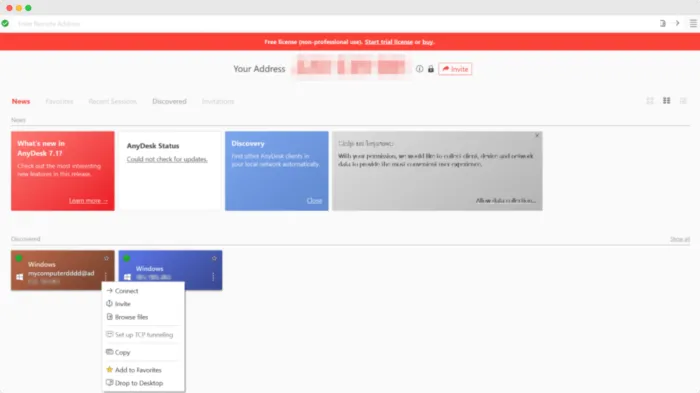
AnyDesk is another option for remote access, supporting fast connections to Windows, MacOS, Linux computers and even iOS, Android mobile devices. This tool offers many advanced features, suitable for professional users.
Outstanding features:
Free version available.
Supports Windows, MacOS, Linux, Android, iOS, ChromeOS.
Centralized management dashboard.
Transfer large files remotely.
In-depth technical support.
Unattended access.
Screen recording.
Integration with other software (e.g. antivirus).
Support group collaboration.
Best suited for:
The need for cross-platform connectivity.
High speed, low latency connection.
2.4. RustDesk
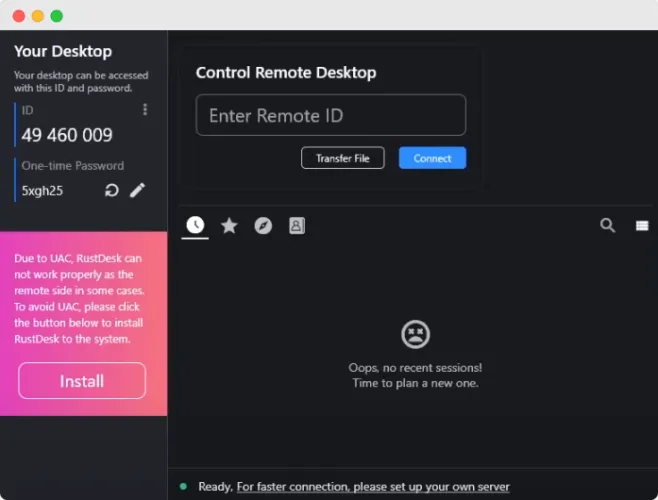
RustDesk to be open source remote access tool with intuitive interface, easy to use, especially suitable for beginners.
Outstanding features:
Completely free.
Multi-platform support: Windows, macOS, Linux, Android, iOS, Web.
Two-factor authentication (2FA) enhances security.
Unlimited simultaneous connections.
Centralized dashboard for easy management.
High speed remote file transfer.
Unattended access.
LDAP integration supports group collaboration.
Actively contribute to the open source community.
Best suited for: Users want self-hosted data and full system control.
2.5. BeyondTrust Remote Support
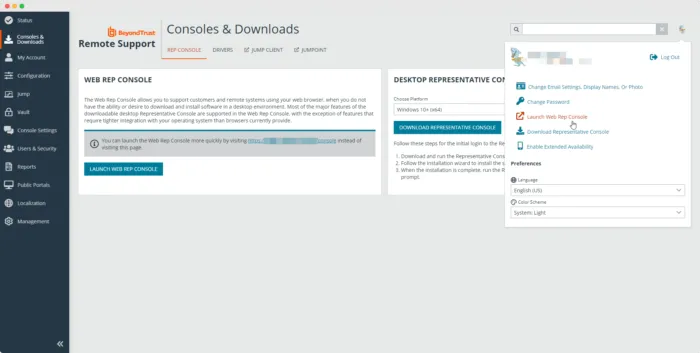
BeyondTrust Remote Support enables fast, secure remote troubleshooting and technical support, anywhere in the world.
Outstanding features:
Try it free for 45 days.
Compatible with Windows, macOS, Linux, Android, iOS, Web.
Convenient remote file transfer.
Unattended access.
Instant messaging between admin and users.
Record sessions, annotate directly on the screen.
Integrates with identity management (IAM) systems and ITSM tools.
Best suited for: Businesses need Privileged Access Management tight and professional
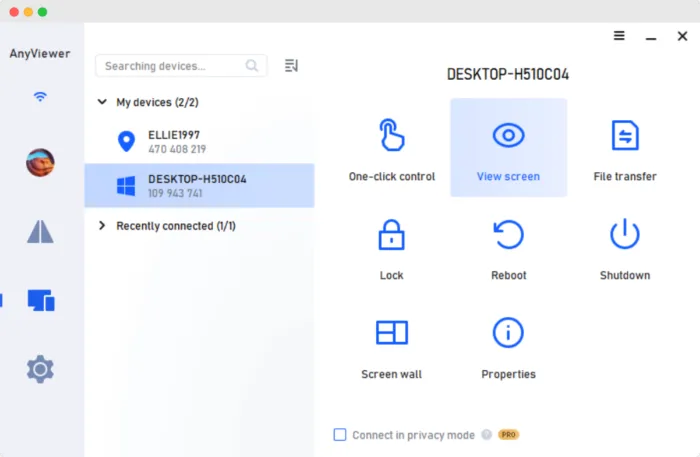
2.6. AnyViewer
AnyViewer is a simple yet powerful remote device access software, especially ideal for mobile users.
Outstanding features:
Free plan for 1 basic user.
Support iOS, Windows, Android.
Transfer large files.
Private access mode, ensuring absolute confidentiality.
Two-factor authentication, 24/7 tech support.
Multi-monitor switch, unlimited simultaneous sessions.
Support effective team collaboration.
Best suited for: People need Fast and secure access to mobile devices remotely.
2.7. Splashtop
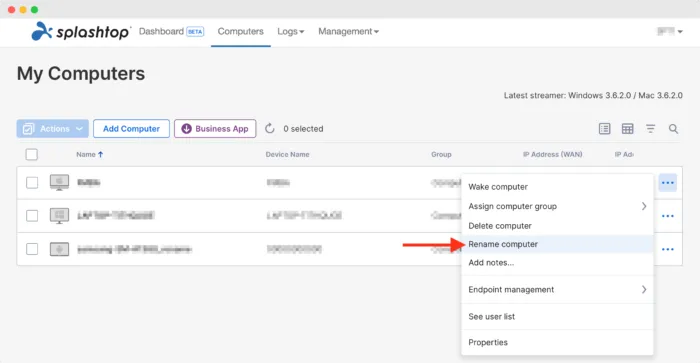
Splashtop is a versatile remote access solution that provides High quality audio and video, well meeting the needs of individuals and businesses.
Outstanding features:
Free trial.
Supports Windows, macOS, Linux, Android, iOS, ChromeOS.
Drag-and-drop file transfer.
Remote printing, screen sharing via link.
Instant messaging, session recording.
Annotate directly on the screen.
Integrates with Jira, Zendesk and many other platforms.
Best suited for: Businesses of all sizes seek Cost-effective yet efficient remote access solutions.
2.8. Zoho Assist – Comprehensive remote access solution on cloud platform
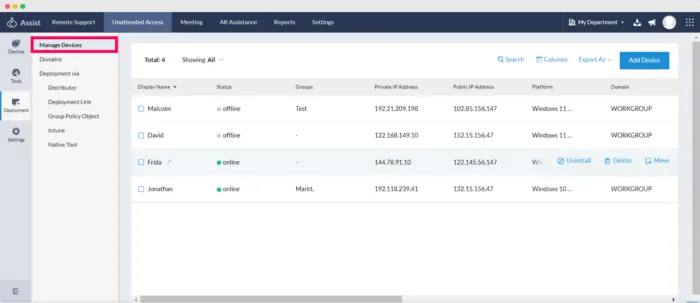
Zoho Assist is software cloud-based remote access, making it easy for users to troubleshoot issues on both desktop and mobile devices.
Outstanding features:
15 day free trial and free plan for 1 user.
Multi-platform support: Windows, macOS, Linux, Android, iOS, ChromeOS.
Transfer and print documents remotely, unattended access.
Record sessions, capture and share screenshots.
Centralized management dashboard, annotation, collaboration, and instant messaging.
Seamless integration with Slack, Jira, and many more.
Best suited: Technical support, remote work, team collaboration.
2.9. GoToMyPC – Highly secure remote access software
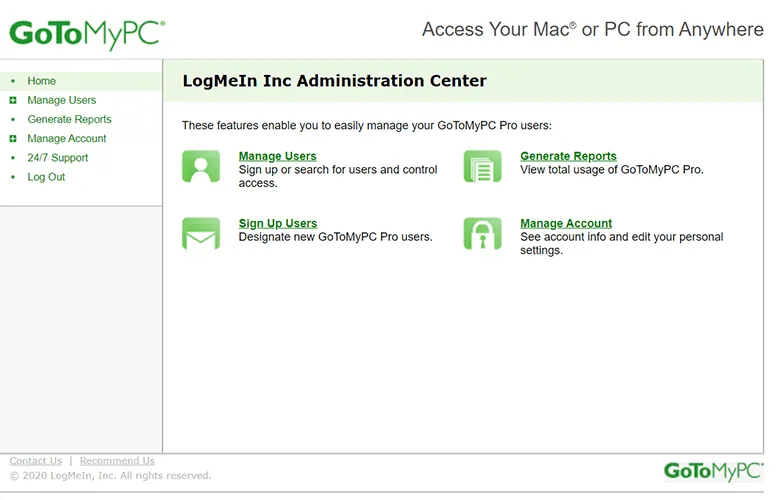
GoToMyPC offers remote device access with strong security features, with temporary access options or guest mode.
Outstanding features:
Try it free for 7 days.
Supports Windows, macOS, Android, iOS.
Multi-factor authentication, convenient mobile app.
File transfer, remote printing, multi-monitor support.
Live chat, record sessions, clear screen when needed.
24/7 customer support service.
Best suited: Frequent device access, high security required.
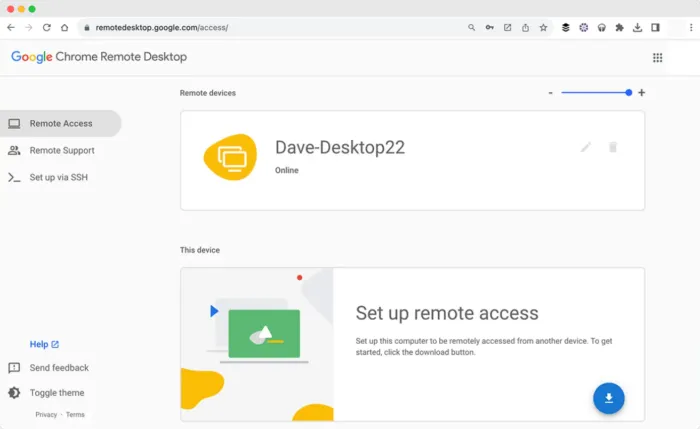
2.10. Chrome Remote Desktop – Free tool, simple installation
Chrome Remote Desktop là free remote access tools Works directly through Google Chrome browser, compatible with most operating systems.
Outstanding features:
Friendly interface, quick setup.
Supports Windows, macOS, Linux, Android, iOS, ChromeOS, Web.
Unattended access, sharing and screenshots.
Best suited: Users need solutions that are fast, free, and easy to deploy.
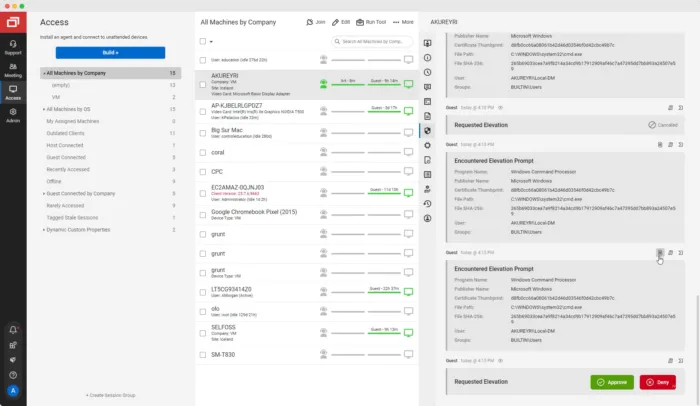
2.11. ConnectWise ScreenConnect – Remote technical support and troubleshooting
ConnectWise ScreenConnect is specifically designed for IT staff and technicians in remote troubleshooting.
Outstanding features:
Free trial and free plan for 1 user.
Supports Windows, macOS, Linux, Web.
Drag-and-drop file transfer, remote printing, unattended access.
Session management, activity recording, multiple monitor support.
Live captioning, team collaboration, and professional technical support.
Best suited: Fast, efficient remote troubleshooting.
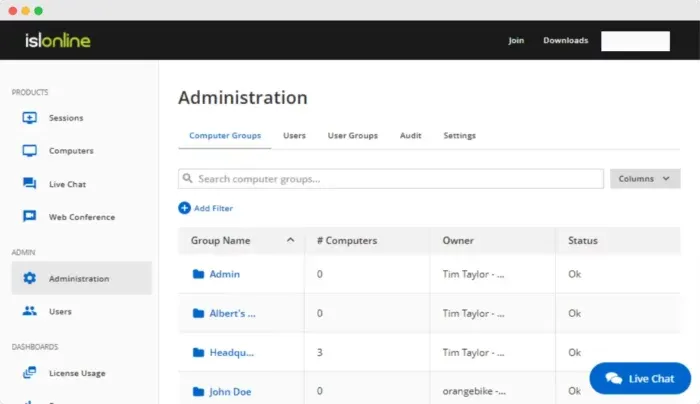
2.12. ISL Online – Multi-platform customer support solution
ISL Online is a tool Remote access and support friendly, cloud-based, supports multiple devices and operating systems.
Outstanding features:
Try it free for 15 days.
Supports Windows, macOS, Linux, Android, iOS, Web.
Mobile apps, file transfers, two-factor authentication.
Screen sharing, unattended access.
Collaborate, record sessions, and support customers effectively.
Best suited: Businesses of all sizes, remote teams.
2.13. AeroAdmin
AeroAdmin is remote computer access software easy to use with the ability to establish connections with high security in just a few steps, no complex configuration required.
Outstanding features:
Free version for basic users.
Compatible with Windows, macOS, Linux.
Support fast remote file transfer.
Manage multiple screens at once.
Unattended access.
Integrated collaboration and session recording features.
The advanced package allows Unlimited concurrent sessions.
24/7/365 technical support.
Best suited for: People who are not tech savvy but need Simple, stable and secure remote access solution.
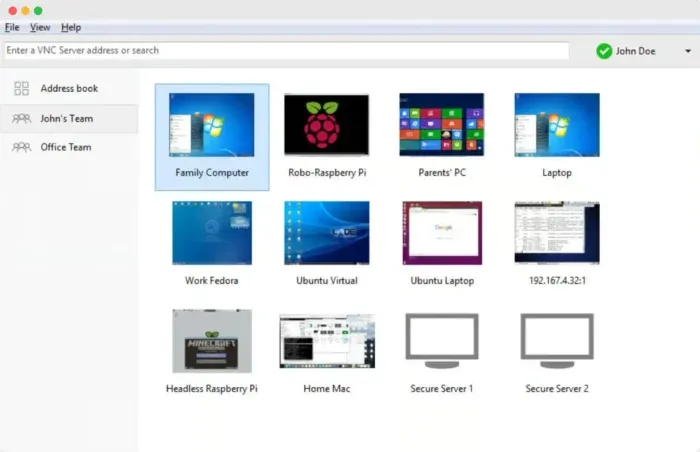
2.14. RealVNC Viewer
RealVNC Viewer brings the ability screen sharing and Control devices from anywhere, meeting the needs of flexible remote working.
Outstanding features:
Try it free for 14 days.
Multi-platform support: Windows, macOS, Linux, Android, Web, PiOS, iOS.
Two-factor and multi-factor authentication.
File transfer, remote printing.
Record sessions, clear screen, support multiple monitors.
Real-time chat, efficient team collaboration.
Centralized management via dashboard.
Professional customer support.
Best suited for: People need cross-platform compatibility and a professional remote working environment.
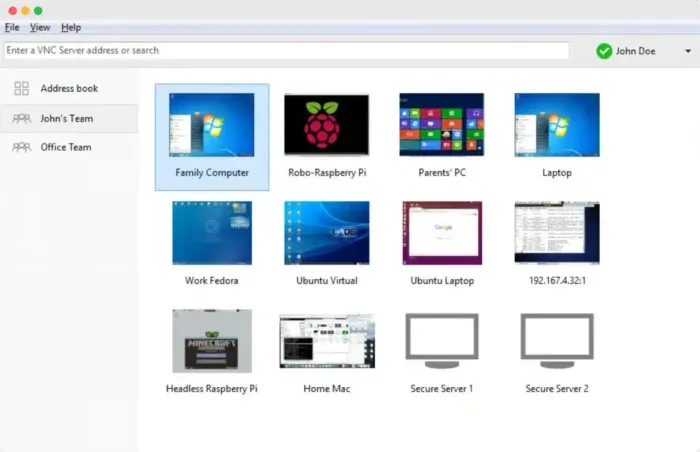
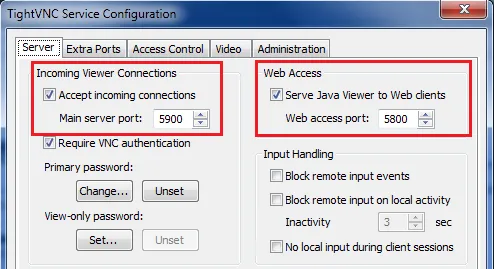
2.15. TightVNC
TightVNC is a remote access to open-source and completely free, ideal for basic system administration needs.
Outstanding features:
Compatible with Windows.
Quick screen sharing.
Flexible user permissions.
Customer support service.
Best suited for: Remote computer management and control at zero cost.
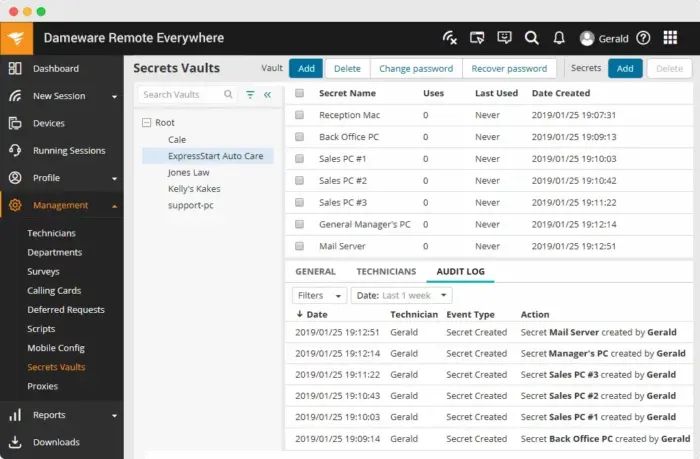
2.16. SolarWinds DameWare Remote Support
SolarWinds DameWare Remote Support is one of the most powerful remote support software, which helps Troubleshoot and manage systems effectively.
Outstanding features:
Try it free for 14 days.
Compatible with Windows, iOS, Android.
File transfer, unattended access.
Convenient mobile application.
Multi-factor authentication, session recording, screenshots.
Collaboration features, centralized management.
Best suited for: IT and Helpdesk Departments need comprehensive support tools.
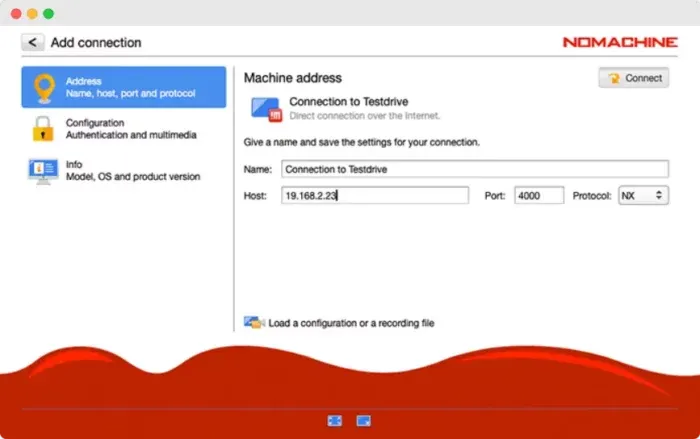
2.17. NoMachine
NoMachineis a compact yet powerful remote access solution, optimized for High quality audio and video streaming.
Outstanding features:
Free version for personal use.
Support Windows, macOS, Linux, PiOS, Web.
Full featured mobile app.
Two-factor authentication.
Drag-drop to transfer files, print remotely.
Record screen and session.
Support high quality audio and video.
Unattended access, multiple monitors support, guest mode.
Best suited for: Users need to securely stream media and control computers remotely.
>>> Learn more: Proxy, VPN and Antidetected Browser Comparison – What are the Main Differences?
3. Summary of the best remote access software
Below is a summary table of the remote access software Top 2025, helping you choose the right tools for your work, collaboration and data security needs:
Tools | Best suited for | Starting price |
| Hidemium | Share remote work, use everyday, protect against geo-restrictions, sudden bans or lost devices | Free / Paid from $15/month (billed annually) |
| TeamViewer | Personal use, cross-platform support, built-in collaboration features | From $298.80/year |
| AnyDesk | Cross-platform compatibility, low latency, high-speed connectivity | From $178.80/year |
| RustDesk | Self-storage solution | From $118.80/year |
| BeyondTrust Remote Support | Privileged Access Management | Contact for quote |
| AnyViewer | Access and control from mobile devices | From $42.96/year |
| Splashtop | Suitable for businesses of all sizes | From $60/user/year |
| Zoho Assist | Incident support, remote work and team collaboration | From $120/user/year |
| GoToMyPC | Regular access to remote computers | From $336/computer/year |
| Chrome Remote Desktop | Quick setup, easy to use | Free of charge |
| ConnectWise ScreenConnect | Remote technical support and troubleshooting | From $336/user/year |
| ISL Online | Businesses of all sizes, supporting team collaboration | From $418.80/year |
| AeroAdmin | New users, simple and secure remote computer access | From $181/year |
| RealVNC Viewer | Cross-platform compatibility, remote work support | From $44.28/device/year |
| TightVNC | Remote control and management of computers | Free of charge |
| SolarWinds Dameware Remote Support | Comprehensive IT support solutions | From $495/install |
| NoMachine | High quality audio and video streaming | From $44.50/year |
💡 Advice: When choosing best remote access software 2025, consider important factors such security, connection speed and cross-platform compatibility to ensure optimal performance and experience.
>>> Learn more: Best Antidetect Browser: Top Pick for Managing Multiple Accounts
4. Frequently Asked Questions about Awesun – Secure Remote Access Software
If you're learning about Awesun or RDP tools, the FAQ below answers common questions to help you get the most out of your remote work.
1. What is Remote Desktop Services (RDS)?
Remote Desktop Services (RDS) is a software solution that allows you to connect to and control computers remotely over the Internet. With RDS, you can work, transfer files, or print from anywhere in the world.
2. Benefits of using Awesun – Secure remote access software
Awesun offers many outstanding advantages:
Flexible access anytime, anywhere
Remote Troubleshootingfast
Collaborate easily with shared resources.
Cost savings operate.
Effective security and authorization.
No geographical restrictions, and global amniotic fluid
3. Comply with security regulations
Awesun meets international security standards such as GDPR, ISO, PCI, SCC and SOC 2, ensuring the safety of user data and privacy.
4. Important security factors when accessing a computer remotely
To ensure safety, users should:
Use a strong password.
Activate two-factor authentication (2FA).
Software Update frequent.
ConfigurationSecure RDP.
Data Backup periodically
Reasonable user authorization.
Auto login/active sessions.
Related Blogs

Affiliate marketing is currently one of the most popular and sustainable ways to make money online. Whether you are a beginner or a veteran, using the right support tools will help save time, easily manage campaigns and improve conversion efficiency.In this article, Hidemium will introduce 15 top affiliate marketing tools, divided into many groups: tracking & analytics, link management, SEO,[…]

If you are using Binance exchange to invest in crypto, or trade digital assets, have you ever wondered. “Can I create multiple Binance accounts?”. This is a common question, especially for those who want to separate personal and business accounts, or sub-accounts for capital, creating Referrals Marketing (Refer others to get rewards).In this article,Antidetect Browser Hidemium will help you[…]
How humanizing AI content Brings Back the Personal Touch OnlineThe internet has changed the way we talk share and connect. Every post story, and caption reaches people around the world in seconds. But somewhere along the way, our online voices started to sound the same. Content feels fast but not always real. As AI tools become part of daily work, from writing captions to planning posts, many[…]

By 2026, Discord will no longer be just an ordinary chat platform. The platform's security system has evolved into a sophisticated one complex anti-fraud ecosystem, using artificial intelligence, device recognition technology, and real-time user behavior analysis.This means that methods previously used to manage multiple accounts—such as changing IP addresses, deleting cookies, or logging in[…]

Websites are always on the lookout for bots. If your data collection tool is recognized as automated, it will be quickly blocked. Today, most platforms deploy advanced detection technologies such as CAPTCHAs, browser fingerprinting, and behavioral tracking to prevent bots.When collecting data at scale for SEO, ecommerce, or market research, getting blocked not only wastes your time, but also[…]
.png)
You're still posting on X as usual, but performance is unusually low. Tweets aren't appearing in search results, engagement has plummeted, and replies are practically disappearing from your timeline. There are no notifications from the platform, the account is still active — but everything seems silently restricted.This is when many people began to have doubts about shadowban. The problem is that[…]
