

In the field of information technology, Endpoint (terminal) is a term used to refer to devices that are capable of connecting to a network such as personal computers, smartphones, printers, IoT devices or routers. So What is Endpoint?, and what role does it play in modern computer systems? Together Antidetect Browser Hidemium Find out more details in the article below.
1. What is an Endpoint?
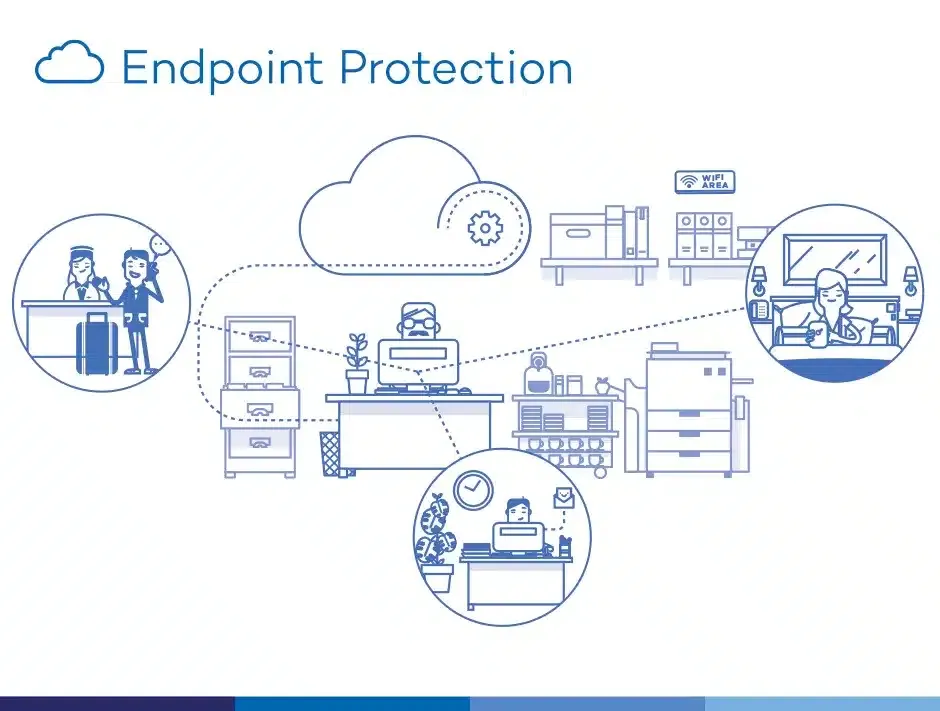
Simply put, Endpoint is the endpoint in a network where devices or applications connect to transmit and receive data. These devices include desktop computers, laptops, mobile devices, printers, routers, and many other devices that are capable of communicating over a network.
In an enterprise environment, Endpoint not only acts as an access point but also as one of the most vulnerable targets from the outside. Therefore, the implementation of Endpoint Security is of utmost importance. These solutions often include security for data centers, endpoints, and individual workspaces.

>>> Learn more: What is a Port? Role and exact classification
2. Main components in the Endpoint system
The Endpoint system in an enterprise is not simply a terminal device, but also a set of important components that support connection, security and information management in the entire IT ecosystem. Specifically including:
Data Center: Including servers, storage devices and database systems - where large amounts of information are stored and processed, playing a core role in enterprise security.
Specialized equipment: Including POS machines, ATMs, medical equipment… These devices not only serve specialized functions but also help transmit data to the central system.
Workplace Endpoint: Devices such as laptops, PCs or mobile devices used for daily work need to be carefully protected against risks from malware or unauthorized access.
Mobile Endpoint: Smartphones, tablets... not only serve communication purposes but also store internal data, requiring strict management and security measures.
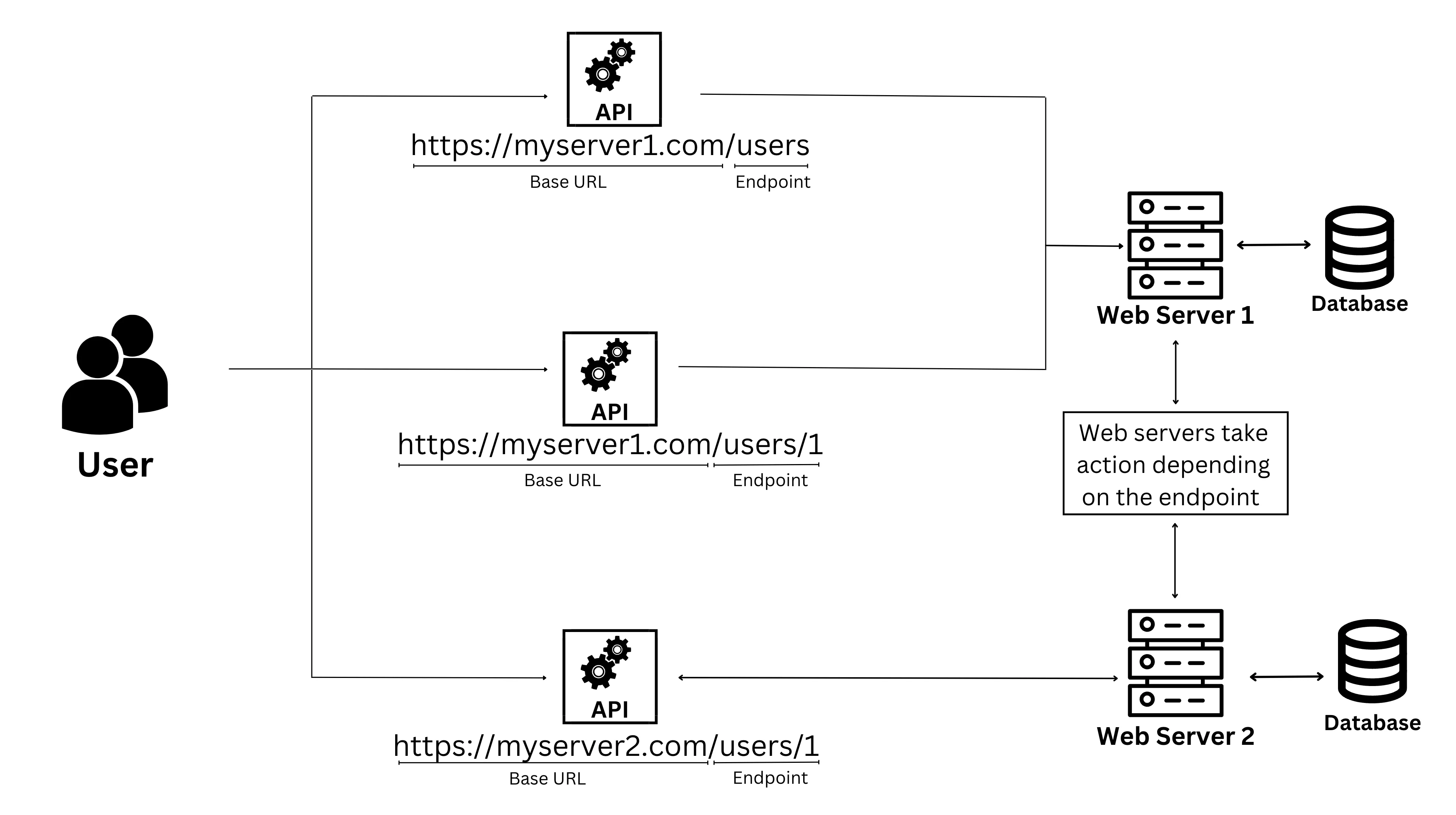
API & Restful API: Is an application programming interface that allows different software to communicate with each other. In particular, Restful API Using HTTP protocol for efficient data exchange is very important in today's web platforms and mobile applications.
>>> Learn more:What is a Gateway? Learn more about network connection gateways
3. What is an API Endpoint? How it works and common examples
Endpoint API is the connection point between the application and the server, where requests are sent to retrieve data or execute actions through Application Programming Interface (API) In other words, each Endpoint is a URL address that represents a specific resource on the server that the API can access.
In technical documentation, programmers often provide a list of Endpoints to guide users on how to access and exploit data. Some typical examples:
Twitter API
Retrieve the content of a specific tweet:
https://api.twitter.com/2/tweets/{id}Get real-time tweet data:
https://api.twitter.com/2/tweets/search/stream
Spotify API
Get information about an album:
https://api.spotify.com/v1/albums/{id}Follow playlist:
https://api.spotify.com/v1/playlists/{playlist_id}/followers
YouTube API
Retrieve video list:
https://www.googleapis.com/youtube/v3/videos
As bridge between system and application, Endpoint API makes data communication more flexible, faster and more efficient. This not only supports service integration but also serves as a foundation for automation in the modern digital environment.
>>> Learn more: What is Port 443? Its role and usage in internet security
4. The importance of Endpoint API in the technology ecosystem
Endpoint API plays a pivotal role in connecting and integrating software systems. Here are the reasons why Endpoint API is an indispensable element in technology development:
🔹 Increased flexibility and interoperability:
Endpoints enable services and applications to exchange data quickly over the Internet, contributing to improved work performance.🔹 Efficient system integration:
Helps connect different platforms into a synchronized ecosystem, facilitating management and operation.🔹 Expanded service development:
Businesses can exploit features and data from existing platforms, thereby expanding new products or services.🔹 Data security and access control:
Endpoint API supports access control, helping to protect resources against information security risks.🔹 Support for new technology applications:
APIs play an important role in integrating solutions such as artificial intelligence (AI), virtual reality (VR) into business operations.🔹 Enhance user experience:
Thanks to flexible connectivity, APIs help personalize content and optimize customer experience journeys.
Make the most of it Endpoint API Not only does it improve system integration and operation capabilities, it also opens up opportunities for innovation, product development and market expansion in the era of Industry 4.0.
5. Effective process of exploiting Endpoint API in application development
To maximize the potential of Endpoint API, businesses and programmers need to follow a methodical implementation process, from setup to actual operation. Below are important steps to help API operate stably and securely.
5.1. How Endpoints Operate in an API System
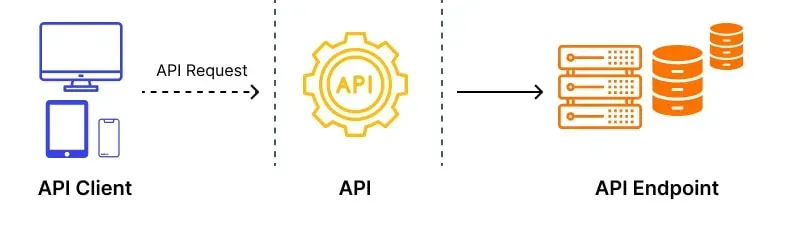
In the API integration ecosystem, endpoint acts as a bridge between the client and the server. When the client sends a request through a specific URL, the server will receive, process and return the appropriate response.
Each request must be accompanied by HTTP method corresponding to GET, POST, PUT, DELETE, along with a header containing metadata and detailed content. In practice, endpoints are often divided into dedicated controllers like UserController, CategoriesControllergoodPlacesController, which helps to organize resources clearly, easily extend and maintain.
Correct endpoint configuration not only helps the data flow between client and server smoothly but also improves the API Security, minimizes errors and optimizes overall system performance.
5.2. Some illustrative examples of API Endpoints
Endpoint is the specific access point for operations to send or receive data via the API. For example, with a requestGET /resources, GETis the HTTP method, and/resources is the endpoint address pointing to the resource to be processed.
Some typical examples of endpoints:
GET /resources – Get a list of resources, supporting pagination when needed.
GET /resources/X – Retrieves data for a specific resource with ID X.
GET /resources/X,Y,Z – Get multiple records by ID list.
GET /places/X/users – Get the list of users at location X.
GET /users/X/places – List all locations that user X has visited.
GET /users/X/places/Y – Query based on user X and location Y conditions.
Real life example: A developer who wants to get data from a business Instagram account can use Instagram Graph API to query metrics through a specific endpoint, helping to analyze account performance.
6. Top Endpoint Protection solutions commonly used today
Faced with the increase in cyber security threats, many organizations and businesses have proactively deployed Endpoint Protection Solution To protect endpoints and critical data. Here are some highly regarded and widely used endpoint security platforms today:
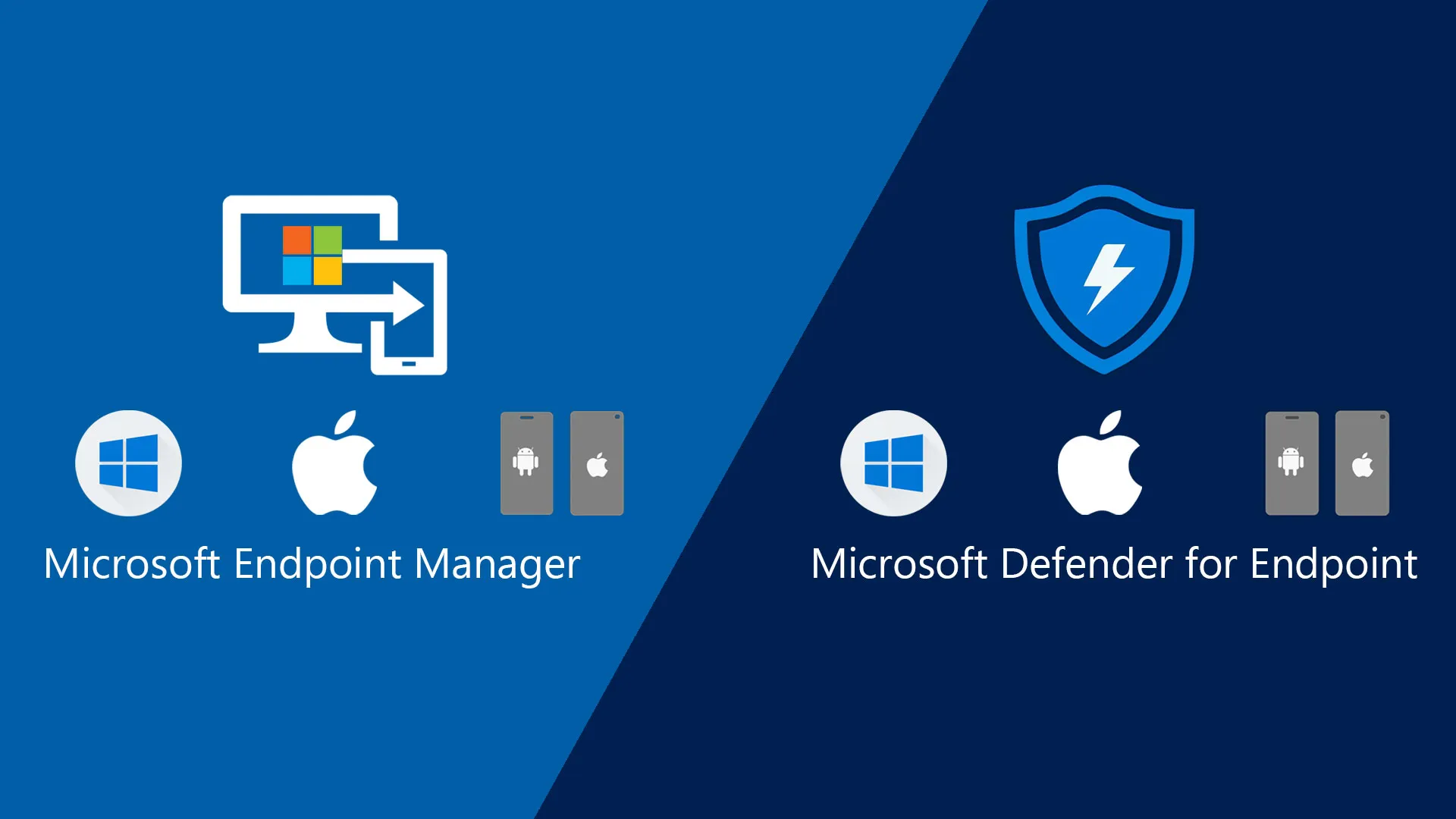
6.1. Microsoft Defender for Endpoint
Microsoft Defender for Endpoint is a security solution that integrates deeply with the Windows operating system, providing effective threat monitoring, detection and prevention. Thanks to behavioral-based antivirus technology, the system can automatically analyze and handle risks at an early stage.
In addition, the platform also has a centralized dashboard, helping administrators monitor and respond to incidents promptly. Tightly integrated with services such as Defender ATP, Office 365, Azure and Active Directory, Microsoft Defender creates a comprehensive security ecosystem for businesses.
6.2. ESET Endpoint Security
ESET Endpoint Security Provides powerful cloud security solutions that help prevent malware, ransomware, and sophisticated attacks. With a central console that supports up to 21 languages, ESET allows you to monitor and control your entire system from a single interface.
Stability, high performance and flexible deployment are the reasons why ESET is a trusted choice for many global businesses.
6.3. Kaspersky Endpoint Security
Kaspersky Provide a range of solutions for terminal protection suitable for all sizes of organizations. Advanced versions such as Security Cloud Plus and Security for Business Advanced Integrates advanced features like automatic vulnerability patching, data encryption, and Microsoft 365 protection.
The entire product line supports multiple platforms (Windows, macOS, iOS, Android) and integrates remote management tools, allowing security system monitoring and operation anytime, anywhere.

6.4. Symantec Endpoint Protection 14
Symantec Endpoint Protection 14 is an ideal solution for large-scale enterprises thanks to its flexible deployment capabilities on both traditional and cloud platforms. With a built-in network defense system, the product helps detect and prevent advanced attacks, while ensuring stable system performance.
6.5. Bitdefender GravityZone
Bitdefender GravityZone Featuring behavioral analytics and machine learning, it provides proactive protection against cyber threats. It not only detects early, but also responds quickly and automatically to minimize damage.
With its comprehensive security architecture and continuous monitoring features, GravityZone is rated as one of the top endpoint security software today.
7. Important notes when using API Endpoint effectively and safely
API Endpoints play an important role as intermediaries between systems and applications. To ensure operational efficiency and security, here are some points to keep in mind when deploying and using APIs:
Secure access and effective rights management: Always use authentication mechanisms such as tokens, OAuth, or API keys to control access. This helps reduce the risk of data leakage and prevent unauthorized access.
Accurate error handling, maintaining data integrity: The system needs to thoroughly check the data returned from the API, and establish a clear error handling process to avoid interruptions or errors in the application's operation.
Optimize API performance: Reducing the number of unnecessary requests, applying appropriate caching mechanisms, and optimizing query statements will help improve response speed, reduce server load, and enhance user experience.
API limits and policies compliance: Each API has rate limits and terms of use. Understanding and adhering to these limits will help you avoid service lockouts or system performance impacts.
Track changes and stay updated: APIs are regularly updated to add new features or patch security vulnerabilities. Timely monitoring and adjustments help the system maintain compatibility and stable operation.
Properly managing and exploiting API Endpoints will contribute to increasing the reliability, security, and overall performance of the system. This is an important factor for any organization or programmer building modern connectivity solutions.
8. Answers to frequently asked questions about API Endpoint
When starting to work with API Endpoint, many users often have difficulty in securing, using effectively and optimizing performance. Below are the most common questions to help you quickly grasp basic and advanced knowledge related to Endpoint API.
8.1. What are the common threats to Endpoints?
Endpoints Are often the target of attacks that exploit user vulnerabilities. Common threats include:
Access to malware
Granting Insecure Access to Third Parties
Sharing data over unencrypted channels
These risks can lead to personal information leaks, data loss, and loss of system control.
8.2. How to secure API Endpoint effectively?
To enhance API Endpoint Security, you should apply the following solutions synchronously:
Password encryption using asymmetric or one-way encryption algorithms, avoiding the use of less secure symmetric encryption
Use HTTPS protocol instead of HTTP to protect data transmission
Restrict access only for functions that are really needed
Input data validation to detect and prevent attacks such as SQL injection
Use online security tools to encrypt and verify data when interacting with external platforms
These measures, when implemented properly, will help protect Endpoints from cybersecurity threats.
8.3. What devices are considered Endpoints? What is the level of risk?
The devices are considered Endpoint include:
Personal computer
Mobile and Tablet Devices
Smart wearable devices
Smart home devices
The vulnerability of these devices depends on the operating system, installed software, and usage habits. If not properly protected, they can easily become weak points in the security system.
8.4. What role does the ISP play in Endpoint protection?
Internet Service Provider (ISP) plays an important role in enhancing Endpoint security through:
Content filtering and malicious access blocking services
Automatic malware scanning
Preventing Distributed Denial of Service (DDoS) Attacks
Provide secure VPN connection service
User training on information security
Thanks to the above solutions, ISPs contribute to significantly reducing risks for individual users and businesses.
Hope the above article has helped you understand more about What is Endpoint?, common risks and how to effectively protect Endpoints. Equipping yourself with knowledge and implementing appropriate security measures will help you be more proactive in protecting your data and systems against increasingly sophisticated threats.
Related Blogs
.png)
Reddit continues to maintain its position as one of the most engaging platforms today, with over 50 million daily active users. However, users cannot always access Reddit smoothly. Some regions may have restricted access, while the mechanism strict bot detection Reddit's system makes account management and data collection more difficult. Therefore, proxy has become an essential supporting[…]

Imagine you are relaxing after a day of work by playing a game on your browser, when suddenly a message appears: “Your browser does not support WebGL.” This will definitely make you upset as you cannot continue your experience.At that point, you might be wondering: “Is there anything wrong with my device?” Don't worry! The problem is not with your device, but usually WebGL is not enabled in the[…]
.png)
Our software, Hidemium, masks all common browser fingerprints, such as screen size, operating system, and others that websites use to track and identify you. Using the same browser fingerprint across your accounts can lead to account suspension.But ultimately, the most extensive fingerprint of all is your IP address. Using the same IP address with multiple accounts is a big red flag that can and[…]
.png)
Every time a user accesses a website, a host of tracking mechanisms are silently at work — from collecting device information to creating browser fingerprints, even when they use incognito mode or a VPN. This is no longer a hypothesis, but a reality of the modern web.In the context of increasing user concerns about personal data and tightening regulations such as the General Data Protection[…]
.png)
In the online business and social network management environment, using multiple accounts on the same platform such as Facebook, Twitter or Amazon is a common need. Ghost Browser was born as a convenient solution, helping users easily manage multiple accounts in a single browser interface. This article Hidemium will explain what Ghost Browser is, why it has become the favorite choice of many[…]

Affiliate marketing is currently one of the most popular and sustainable ways to make money online. Whether you are a beginner or a veteran, using the right support tools will help save time, easily manage campaigns and improve conversion efficiency.In this article, Hidemium will introduce 15 top affiliate marketing tools, divided into many groups: tracking & analytics, link management, SEO,[…]
