PIA S5 Proxy Review 2026: Fast & Secure SOCKS5 Proxy for Multi-Account Management
Try Hidemium for free

As cyber threats and tracking technologies continue to advance, proxy servers have become a core layer of digital identity protection—used to isolate browser environments, prevent IP-based associations, and support stable multi-account operations. For data teams, marketers, and cross-border businesses, combining a high-quality SOCKS5 proxy with stealthy anti-detection browsers is now essential infrastructure.
This review examines PIA S5 Proxy, a high-performance residential SOCKS5 proxy, focusing on its features, IP network scale, protocol support, pricing, and real-world use cases. It also explains how PIA S5 Proxy integrates with stealthy browsers to reduce detection risks, avoid bans, and maintain consistent cross-platform performance—helping you determine whether it’s the right choice for secure, large-scale operations in 2026.
What Is PIA S5 Proxy?
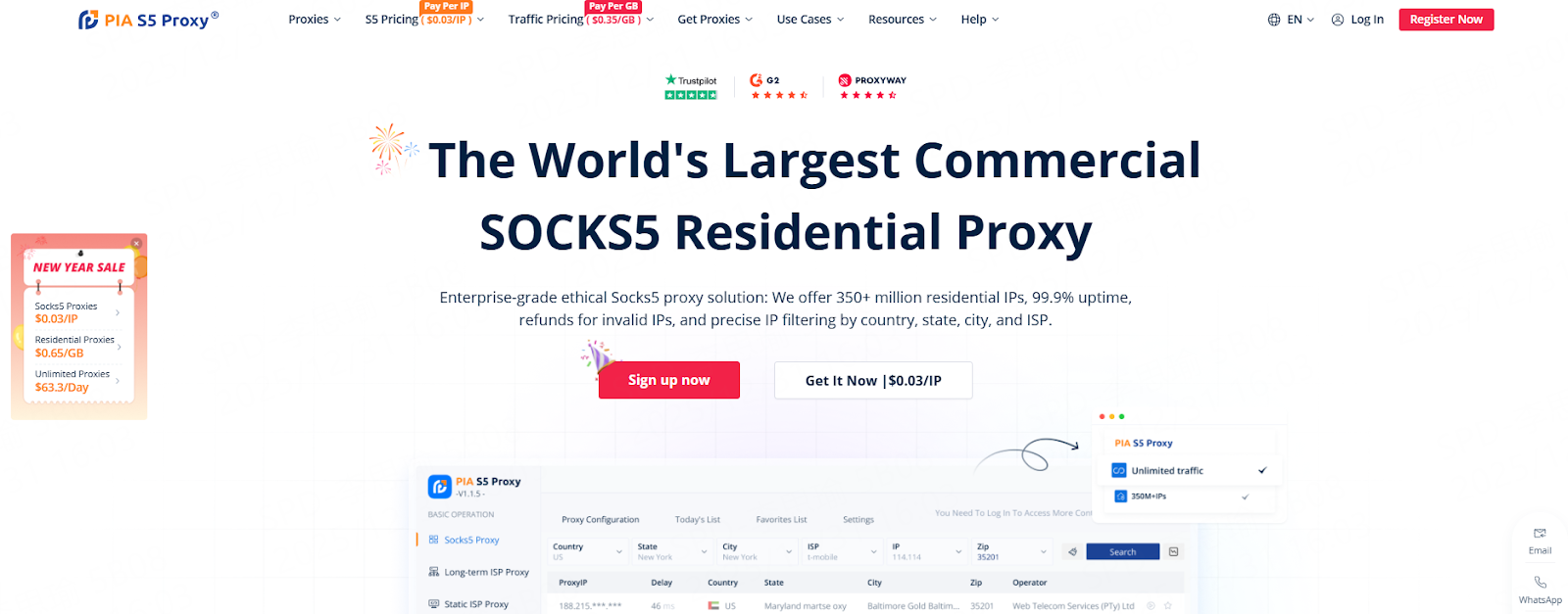
PIA S5 Proxy is a high-performance SOCKS5 residential proxy that uses IPs from real devices, providing superior anonymity, reliability, and coverage across 200+ countries and regions. Built for tasks like web scraping, ad verification, and SEO, it ensures minimal downtime and consistent performance. Whether managing large-scale data collection or running geo-targeted marketing campaigns, PIA S5 Proxy delivers fast, secure, and stable access across multiple platforms.
Proxies Plans Offered by PIA S5 Proxy
PIA S5 Proxy offers 2 billing methods and 6 proxy options to meet various needs:
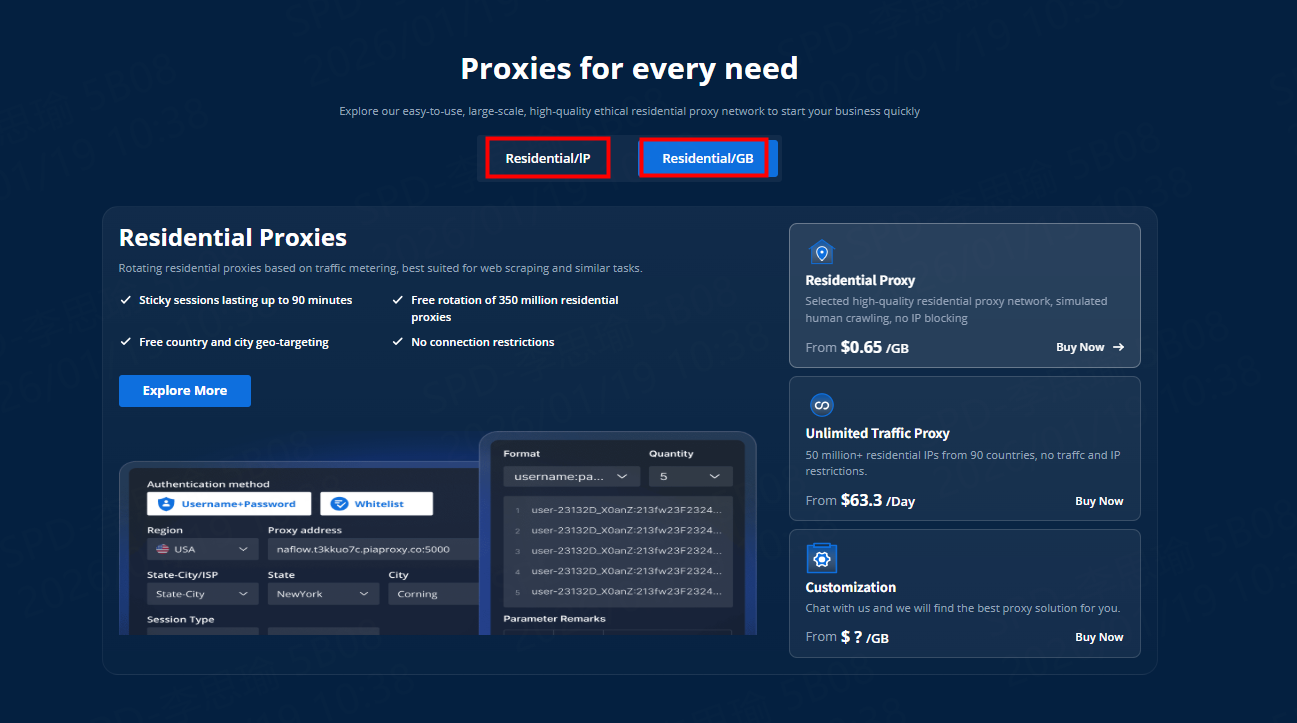
| Proxy Plan | Starting Price | Key Features |
| SOCKS5 Proxies | $0.03/IP |
|
| Residential Proxies | $0.65/GB |
|
| Unlimited Traffic Proxy | $63.3/day |
|
| Static Residential Proxies | $5.00/mo
|
|
| Datacenter Proxy | $0.35/GB |
|
| Long-acting (ISP) Proxy | $0.22/IP |
|
Note: Prices are subject to change during promotional periods; please visit the official website for the latest pricing information.
Why Consider PIA S5 Proxy? (Core Features)
- Vast Network of 350 Million+ IPs
PIA S5 Proxy offers global coverage with access to one of the largest residential IP pools, ensuring fast and reliable proxy performance across North America, Europe, and Asia. - Global Coverage (200+ Regions)
Access residential IPs worldwide for seamless browsing and data scraping without restrictions. - 99.9% Uptime Guarantee
Trust PIA S5 Proxy for uninterrupted performance in critical tasks like web scraping, SEO, and ad verification. - Enhanced IP Targeting
Filter IPs by country, state, city, or ISP for precise geo-targeting, ideal for regional ad testing and local SEO. - Fast & Secure SOCKS5 & HTTPS Protocol
PIA S5 Proxy uses SOCKS5, offering faster speeds and better security for web scraping, gaming, and bypassing geo-restrictions. - Affordable Pricing
Save 10% on SOCKS5 proxies with code PIAdisof10, making PIA S5 Proxy cost-effective for your needs. - Seamless Integration
Easily integrate with popular scraping tools and automation platforms, optimizing your data extraction and digital marketing workflows. - Scalable Pricing Plans
Choose from flexible pay-as-you-go or enterprise-scale pricing plans to fit your budget and requirements. - 24/7 Customer Support
Access continuous support for any technical issues or account management needs.
How do I configure a PIA S5 proxy on Hidemium?
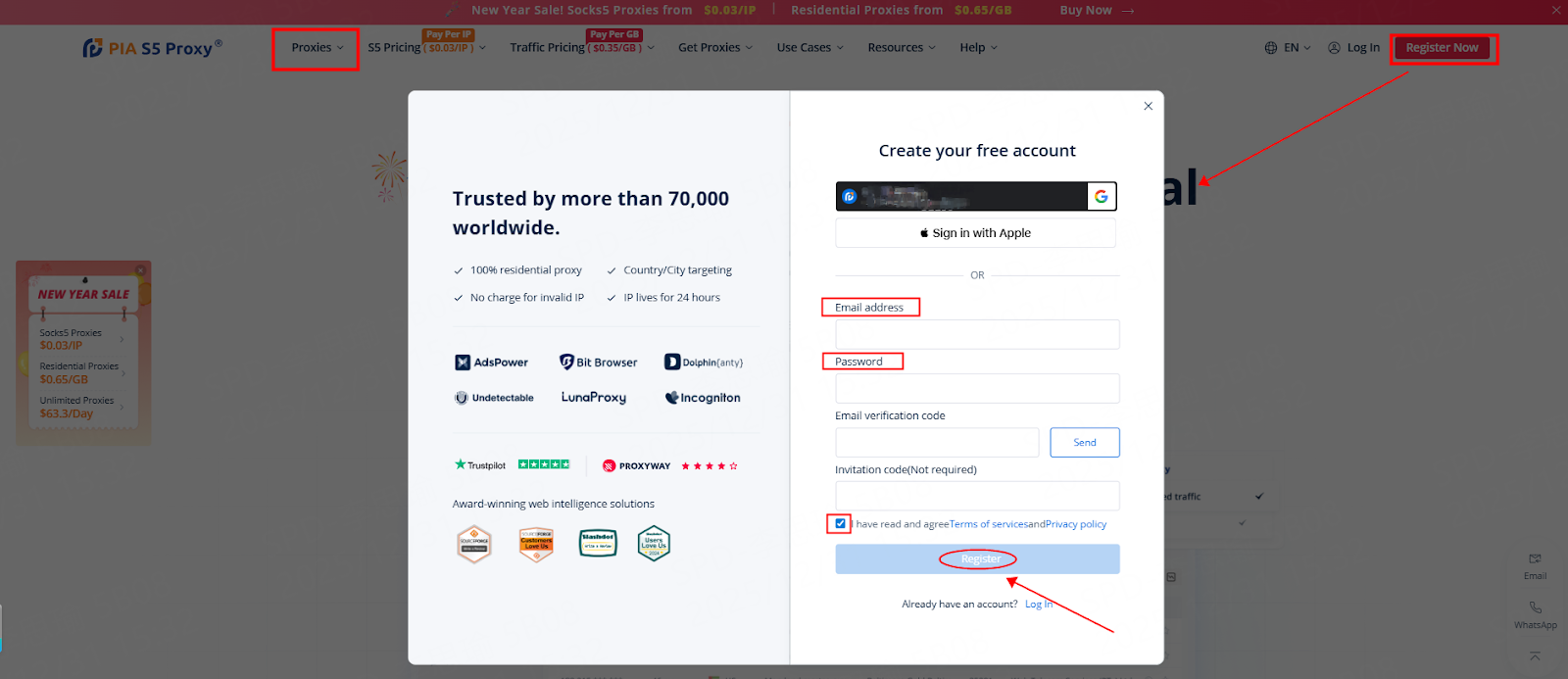
Step 1: Open PIA S5 Proxy > Register an account using your email > Select a proxy package (using S5 Proxy as an example)
Step 2: Download and log in to the "PIA S5 Proxy Client" > Click "SOCKS5 Proxy" > Filter by "Country", "City", "ISP", etc. > Select one randomly.
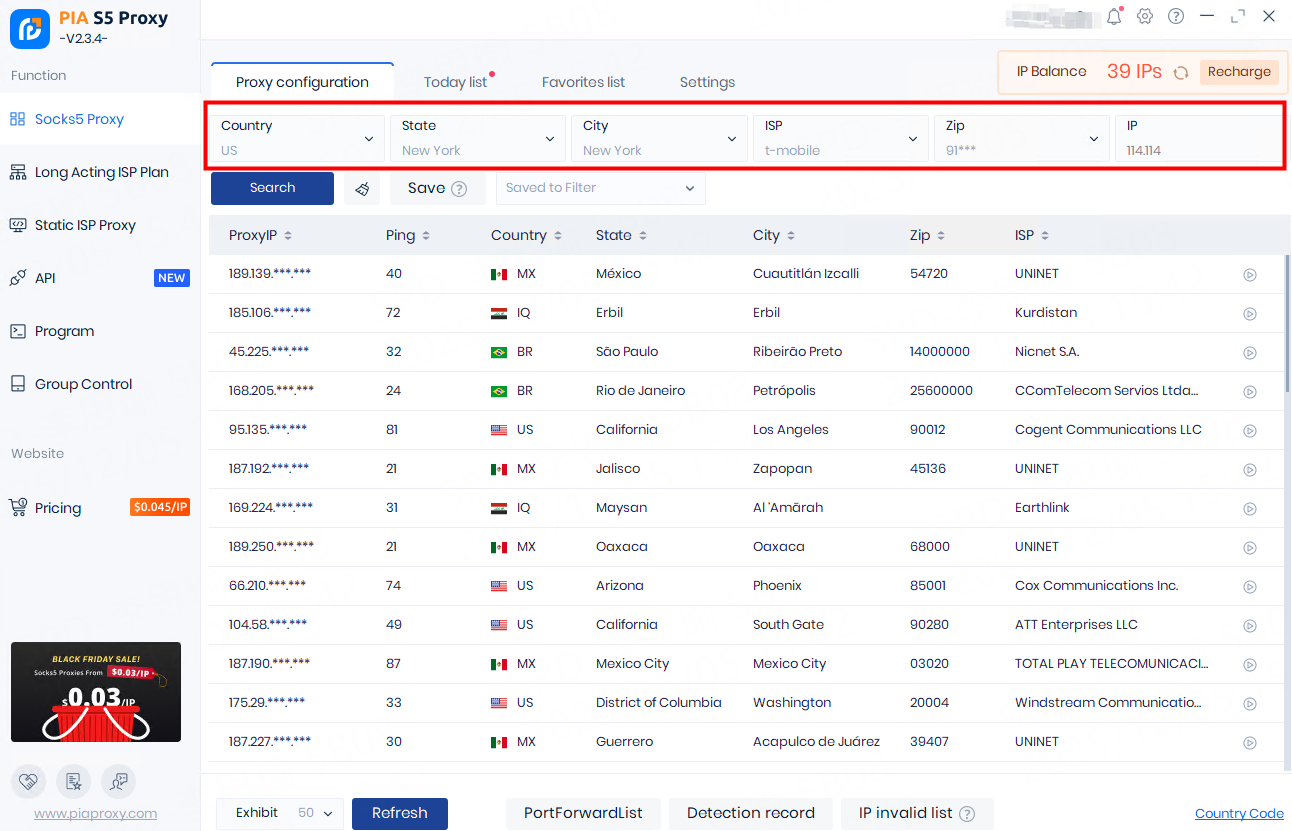
Step 3: Select any IP address>right-click on the IP address,>select "Forward Port to Proxy" > select the port [e.g., 40004].
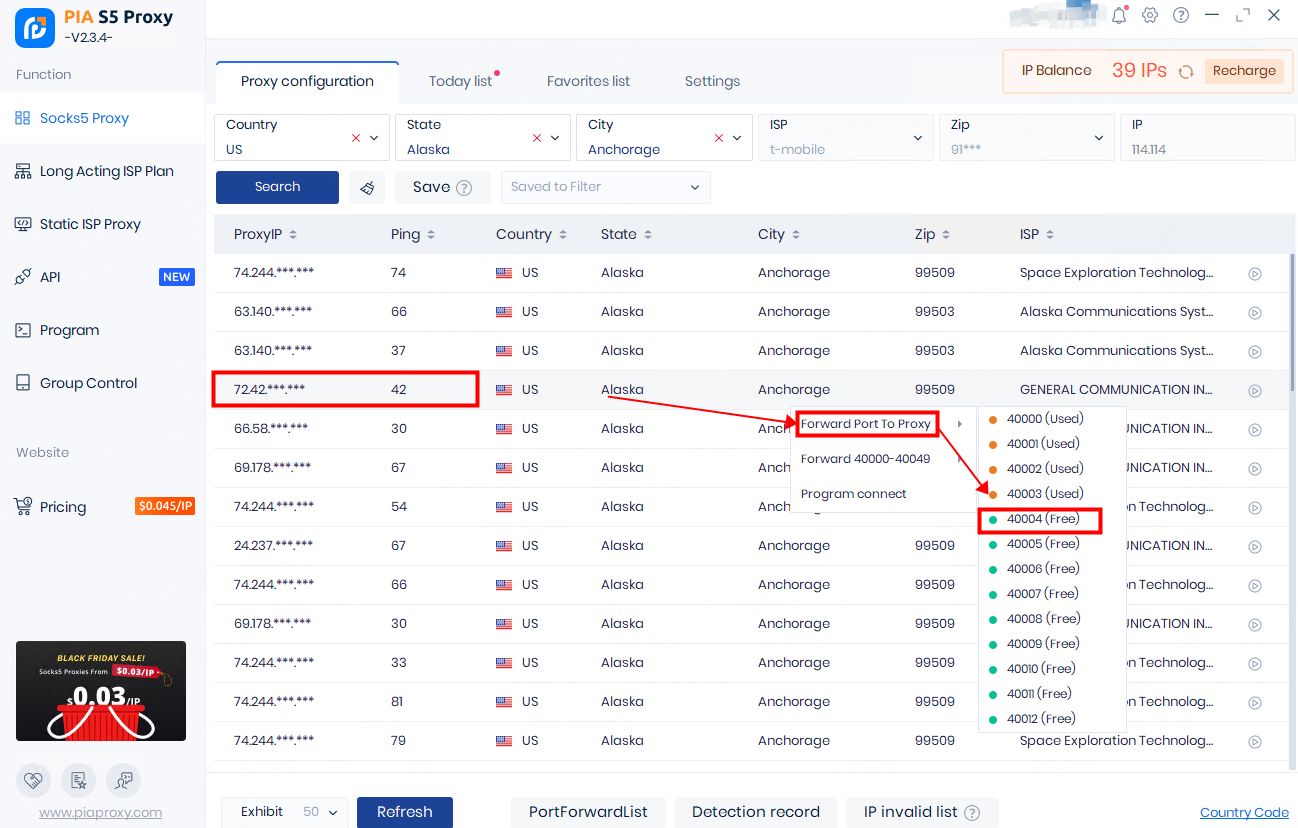
Step 4: Register for Hidemium > Download the client
Hidemium, an anti-detect solution, ensures a highly secure environment for managing numerous accounts. It shields your device and real IP effectively, preventing WebRTC leaks. With automated functions, simply drag and drop buttons to execute browser tasks, mimicking real user behavior effortlessly.
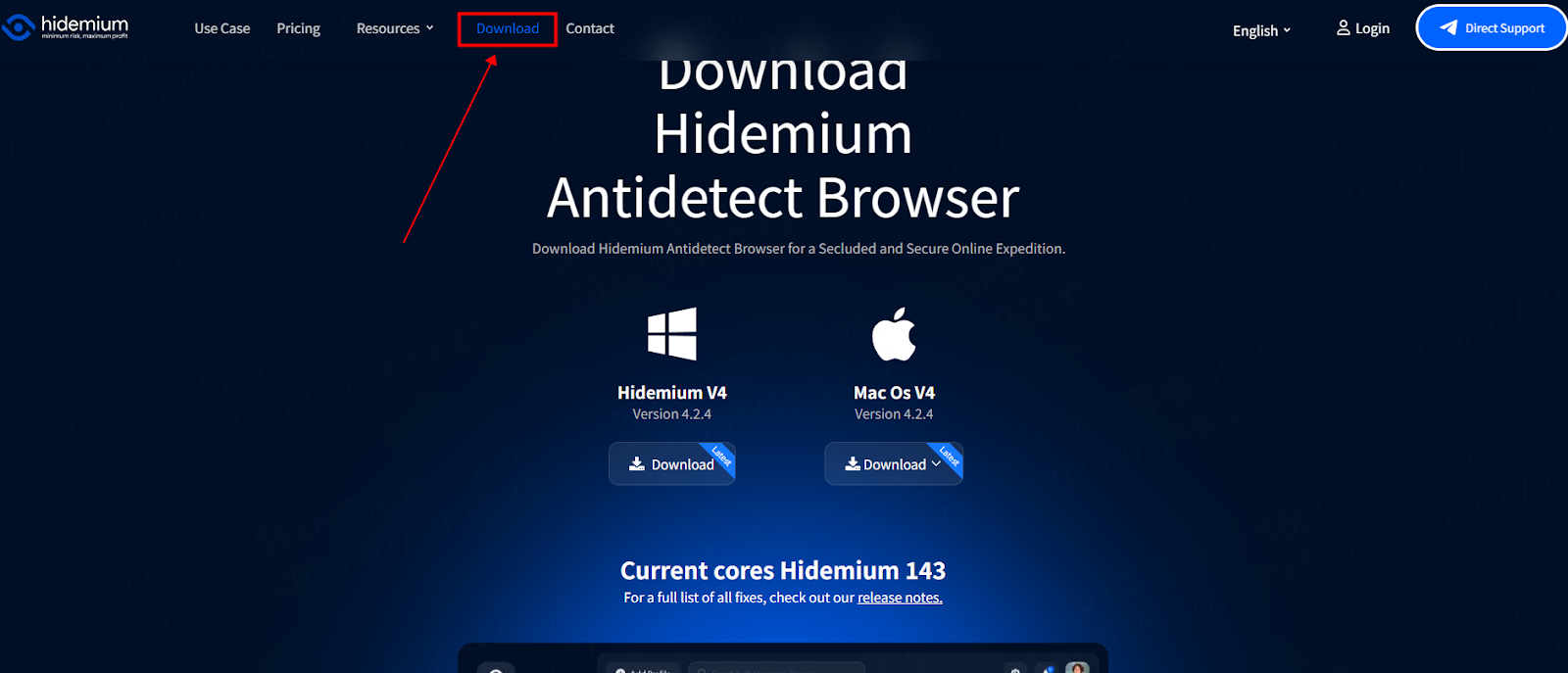
Step 5: Click "Add Profile" > Click "Proxy" > Click "Add Profile" > Select type - socks5 > Specify the proxy address and port (the local address and port you selected for the operation): 127.0.0.1:40004
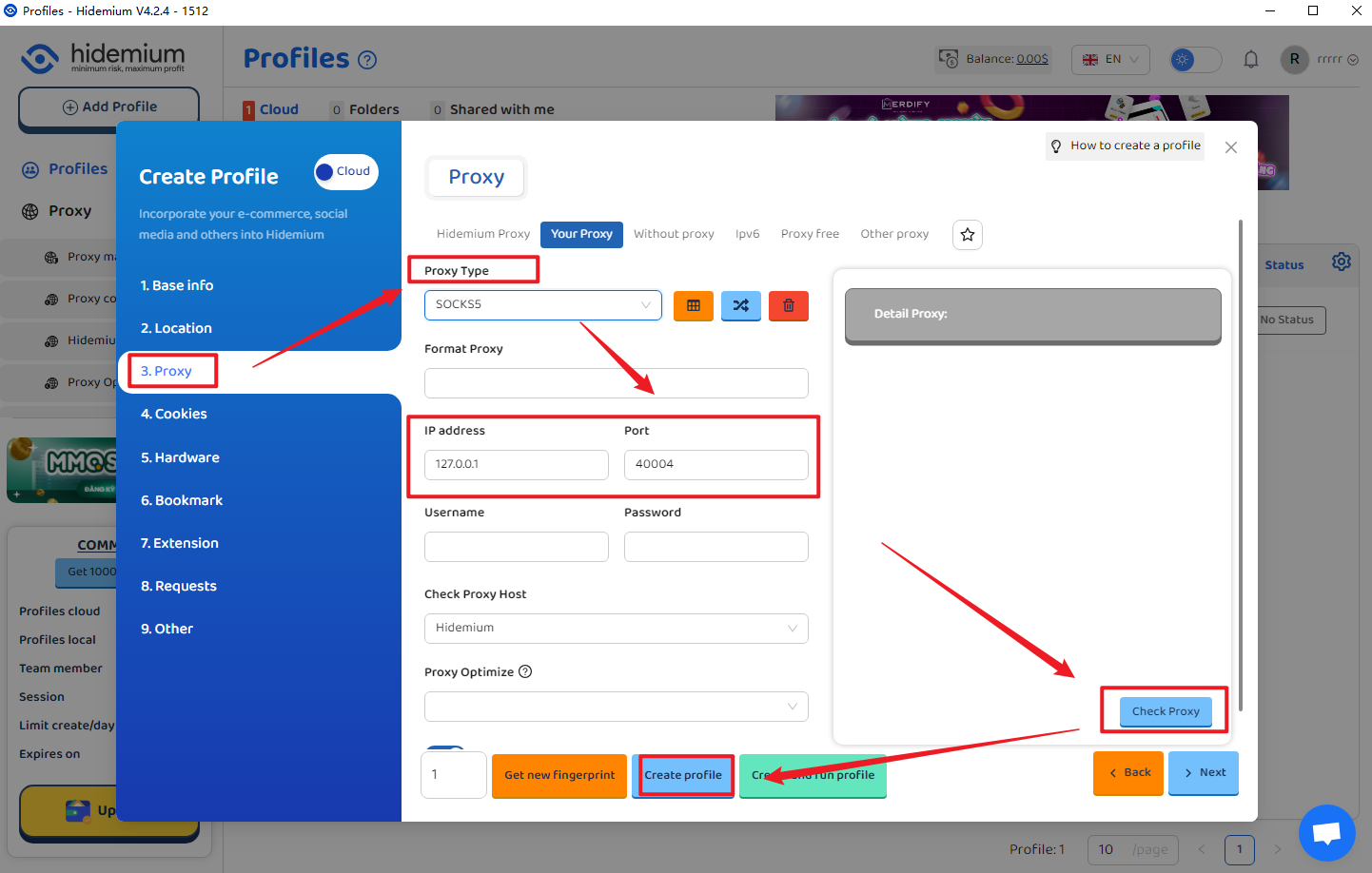
Step 6: Click "Check Proxy" > Click "Create Profile" > Configuration complete
Note: A green test result indicates a successful test.
Conclusion: Is PIA S5 Proxy Right for Your Needs?
PIA S5 Proxy stands out with its vast IP pool, high uptime, and advanced geo-targeting, making it an ideal solution for data scraping, SEO, and ad testing. With competitive pricing, exceptional customer support, and top-tier performance, it's a reliable proxy solution for both individuals and businesses.
Whether you're involved in web scraping, social media management, or ad verification, PIA S5 Proxy paired with an Undetectable Browser is a powerful combination for seamless browsing and secure online activities
Related Blogs
.png)
How to Use Proxy302’s Proxies with Hidemium Try Proxy302 For Freewith the link:https://share.proxy302.com/hidemiumClick 【Start free trial】 and enter your personal information. Click【Register account】, the account is created successfully. If you have an account, just【Log in】.Why Use Hidemium?Hidemium is a modern antidetect browser trusted by professionals across the globe. It offers strong[…]
.png)
In an age where digital privacy is increasingly emphasized, anonymity on the Internet is more than just changing IP address. Websites today can identify users through browser fingerprint – set of unique device parameters. If you are active in the field of making money online and need to create a large number of accounts on the same device, the risk of your account being locked is very high. In[…]
Have you ever searched for a pair of shoes online, only to see ads for them minutes later across every website you visit? Most people assume "Incognito Mode" stops this. In reality, standard private browsing only hides your local history from others using the same computer — external websites and ad networks continue tracking you without interruption.Every time you go online, you leave behind a[…]
Last updated: October 2026If you are looking for Proxyium alternatives, the first question is whether you want another simple web proxy or a more configurable proxy solution.For users who need more control over IPs, locations, sessions, or browser profiles, HideProxy is the first option worth considering. If you only want quick browser-based access without setup, services such as CroxyProxy,[…]

Are you doing business in the traditional direction and want to find a new guide? Do you have a headache because the number of customers is decreasing, and the competition is increasing? So let me reveal that Facebook ads can help you troubleshoot the above problems. Through the article, let’s find helpful information about creating and managing Facebook ad accounts!Ad accounts and things to[…]
Snapchat has evolved far beyond a simple, ephemeral photo-sharing application. Today, it is a robust platform for communicating with close friends, consuming media, following creators, and even building brand awareness. But as your digital footprint expands, your needs change. You might suddenly find yourself wondering: can you have multiple snapchat accounts?Managing Multiple Snapchat Accounts:[…]
