.png)

In the context of rapidly advancing technology, mastering how to check Proxy and Firewall will help users protect their information security and optimize their web browsing experience. Let's join Hidemium to explore simple methods for checking Proxy and Firewall through the detailed instructions in the article below.
How to Check Proxy and Firewall on Win 10, Win 11
Proxy and Firewall are two essential tools for managing network traffic and protecting systems from external threats. Regularly checking your Proxy and Firewall settings is crucial to ensure they are working effectively and have no security vulnerabilities. Below are detailed methods for checking Proxy and Firewall.
How to Check Proxy using Free Online Services
To check your Proxy, you can use free online services. Simply open your web browser on your device and visit websites such as https://www.whatismyproxy.com/ or https://ipfighter.com/. After checking, the results will be displayed on your screen, showing you the Proxy's IP address, location, and status.
How to Check Firewall on Win 10, Win 11
To check the firewall on Windows 10 and Windows 11 accurately, you can follow these steps:
Step 1: Open Windows Settings
Go to Control Panel or press the Windows + X key. In Control Panel, select "System and Security", then select "Windows Defender Firewall".
Step 2: Complete the check
In the left-hand menu, select "Turn Windows Defender Firewall on or off". Options will appear, allowing you to turn off Windows Defender Firewall for both "Private network settings" and "Public network settings".
Check the boxes as shown in the illustration below and click "OK" to save the changes.
Related Blogs

How to Turn Your Phone into a Passive Income Machine The Untapped Potential in Your Pocket That smartphone you're constantly checking? It could be making you money right now. While you're scrolling through social media or letting it sit idle on your desk, you're missing out on legitimate income opportunities that require almost zero effort.Here's the thing most people don't realize: your phone is[…]

In the context of fierce competition on social networking platforms, THIS IS FACEBOOK is increasingly becoming a key factor to help businesses improve visibility and reach target customers. To support efficient optimization, many Free Facebook SEO software was born, helping users manage Fanpage, improve content quality and automate marketing processes.In this article, Antidetect Browser Hidemium[…]

iOS on PC: Best Emulators, Gaming & Integration GuideApple's ecosystem is famous for its "walled garden" approach — seamless, secure, and tightly optimized. But what happens when you need to step outside that ecosystem? Whether you are a software developer testing a new application, a gamer wanting a larger screen, or a professional streamlining a cross-platform workflow, the desire to run iOS on[…]

In today's article, we will explore Multilogin – one of the prominent names in the Antidetect Browser field. Multilogin has established its position due to its stable operation and long-standing presence in the market. However, it also attracts attention because of its high price and customer-specific support options. Notably, with the latest Multilogin X update, there have been significant[…]
.png)
The Secret to Flawless Writing in the AI Era: A Deep Dive into BypassGPT and Undetectable AILet’s be honest: the way we write has changed forever. Whether you are a college student pulling an all-night session or a non-native English speaker trying to land a remote job, AI has likely become your silent co-pilot. But there is a growing shadow over this digital revolution—AI detection.You spend[…]
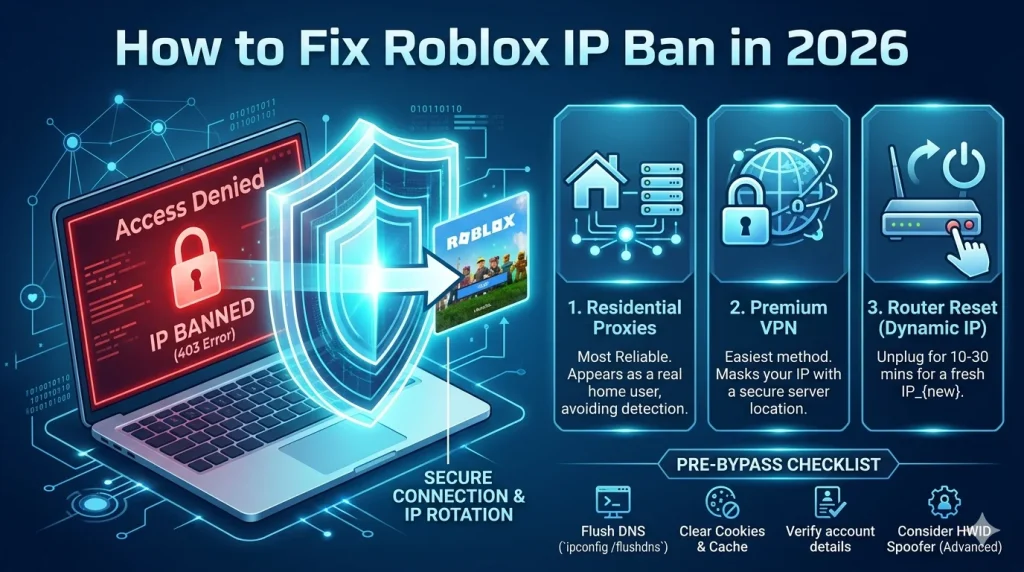
What Is a Roblox IP Ban?A Roblox IP ban is one of the most severe enforcement actions Roblox can take against a player. Unlike a regular account ban, which restricts a specific username, an IP ban blocks all activity from your internet connection's IP address — meaning every account you try to create or use from that IP will also be blocked.IP bans are typically reserved for the most serious[…]
