

Error dns_probe_finished_nxdomain on the phone often makes users unable to access some websites, even though the Internet connection is still working normally. Don't worry! In this article, Antidetect Browser Hidemium will guide you through how to fix this DNS error simply and effectively, restoring web accessibility in just a few steps.
1. What is dns_probe_finished_nxdomain error?
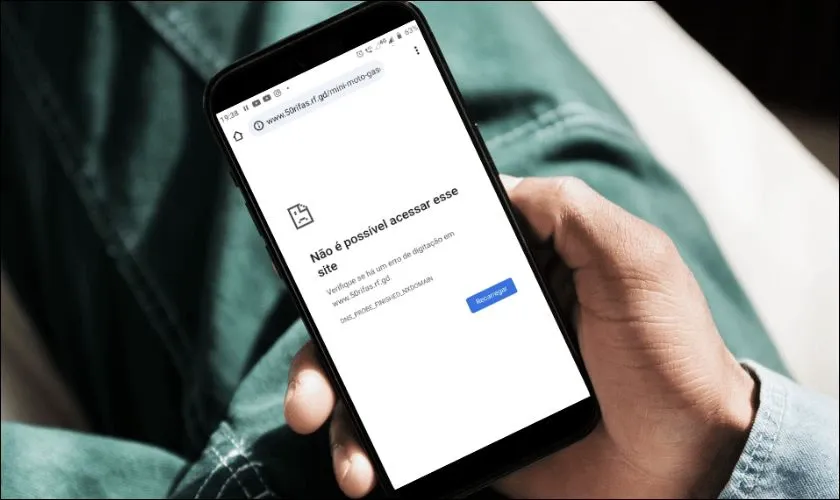
Error DNS_PROBE_FINISHED_NXDOMAIN occurs when the browser is unable to resolve the domain name you are visiting into its corresponding IP address. This results in the message"NXDOMAIN", which means the domain name does not exist or the host cannot be found.
>>> Learn more: What is DNS 1.1.1.1? Easy guide to install & change DNS 1.1.1.1
2. Signs of dns_probe_finished_nxdomain error on phone
You can easily detect this error through the following symptoms:
Certain websites are inaccessible, while others work fine.
Other devices on the same network can access the website, but your phone cannot.
The screen displays error messages such as:“Server not responding” or “DNS server not responding”, indicating that the DNS server is not responding.
>>> Learn more: How to Fix "Network Blocking Encrypted DNS" Error on iOS
3. Common causes of dns_probe_finished_nxdomain error
Error dns_probe_finished_nxdomain can originate from a variety of causes, including:
Incorrect URL entered: If you type the domain name incorrectly, the browser will not be able to access the corresponding IP address correctly.
Problem from DNS server: The DNS server being used is faulty or unstable, which can cause domain name resolution to fail.
Inappropriate VPN or Proxy Settings: VPN or Proxy applications can change DNS settings, causing conflicts and errors.
Incorrect network configuration: Errors in the configuration of IP addresses, DNS or gateways on the phone are also common causes of DNS errors.
>>> Learn more: What is Chrome net internals DNS? How to clear DNS cache in Chrome
4. Instructions to fix dns_probe_finished_nxdomain error on phone simply and effectively
Error dns_probe_finished_nxdomain is one of the common problems that prevent the phone from accessing the Internet. In this section,Hidemium will guide you how to handle this error quickly and easily right on your mobile device.
4.1. Change the web browser you are using
When you encounter the dns_probe_finished_nxdomain error, you can try switching to other browsers such as Microsoft Edge, Firefox, instead of default browsers like Google Chrome good Safari. Changing browsers can help fix temporary DNS errors and improve your browsing experience.

4.2. Reset Wi-Fi connection
If switching browsers doesn't solve the problem, it's possible that the problem lies with your Wi-Fi network configuration – specifically, your static IP settings don't match your device's dynamic IP. Follow these steps to reset:
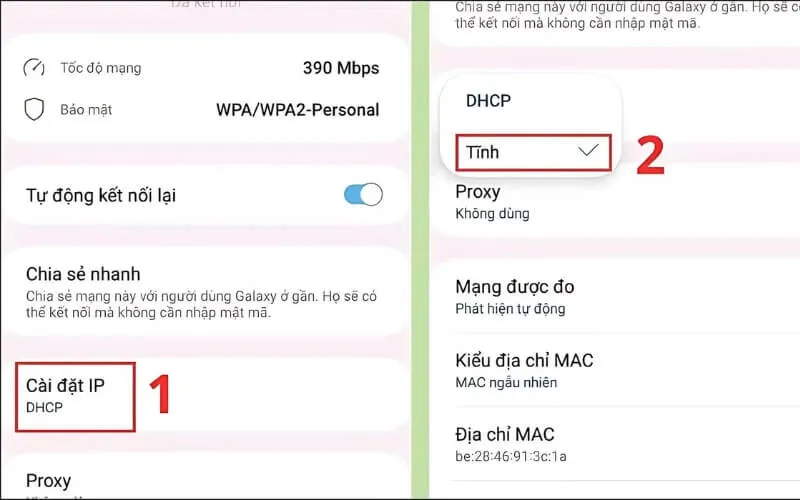
Step 1: Access the application Setting on phone → select item Connect→ click on the icon gear of the Wi-Fi network you are using.

Step 2:Select section IP Settings and switch to mode Static.
Step 3:Enter complete information including IP, DNS1, DNS2 and Gateway, then press Save to complete.
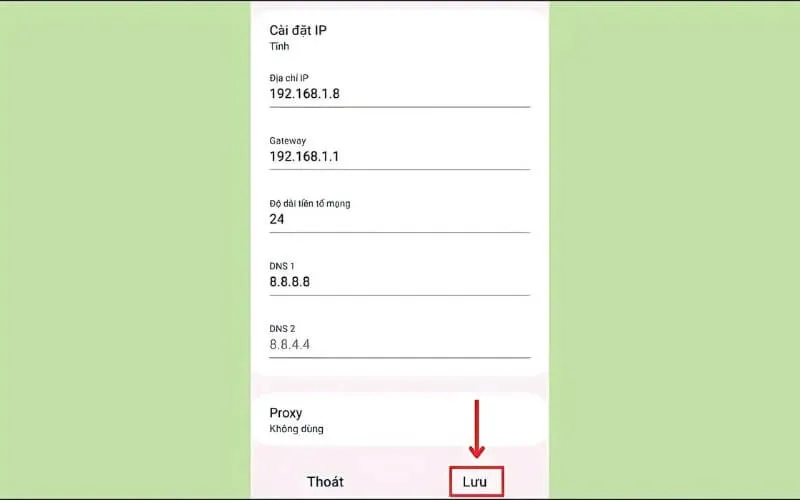
With the three simple steps above, you can fix the error. dns_probe_finished_nxdomain and restore network connection easily.
Above are ways to handle dns_probe_finished_nxdomain errors on your phone that you can do yourself at home. Hopefully the information from Hidemium will help you quickly fix problems and maintain a stable connection. Don't forget to follow us for more useful tech tips!
>>> See related articles:
Related Blogs

In 2026, the MMO community is increasingly facing mass account suspensions even without clear policy violations. The main cause lies in managing multiple accounts within the same browser environment, making it easy for AI systems to detect overlapping digital fingerprints.That’s why antidetect browsers have become an essential tool for MMO users, dropshippers, affiliates, and multi-platform[…]
What Is an Anti-Fingerprinting Browser?An anti-fingerprinting browser — also called an antidetect browser — is a specialized browser designed to mask or spoof the unique digital fingerprint your device broadcasts to every website you visit. Unlike a regular browser or even a VPN, an antidetect browser gives each browsing session a completely separate, unique identity at the hardware and software[…]

Are you starting your content creation journey and struggling to get free YouTube views? Getting your first 1,000 views can be a big challenge, especially if you don’t want to run ads or use support tools. However, it is completely possible to get free YouTube views without using tools and without running ads if you apply the right strategy. In this article, you will discover effective, safe and[…]

Google Gemini, also known as Google’s new AI, is reshaping the field of artificial intelligence with impressive multimodal capabilities. Developed by Google, Gemini not only processes text but also supports images, videos, and integrates tightly with Google tools. This article provides an overview of Gemini, compares it with traditional AI models, and explores how Hidemium supports Gemini in[…]

Have you ever wondered why the SEO rankings you see are completely different from those of your customers or competitors? This is a common problem that causes many businesses to lose millions of dollars in profits every year.The bottom line is this: over 79% of SEO professionals admit that the search results they see don't match the actual results users get. This is because of personalized[…]

In the rapidly evolving world of cryptocurrencies,airdrophas become a familiar term for those interested in crypto and blockchain. Not only does it provide the opportunity to receive free tokens, airdrop is also an important part of the marketing strategy of many cryptocurrency projects. So what is crypto Airdrop, how does it work, and how to participate in Airdrop effectively and safely using[…]
