
Reaching the image creation limit in ChatGPT can significantly disrupt your creative process. You might be experimenting with ideas, refining every detail to get the perfect image—and then suddenly you're "blocked" because you've run out of attempts. This is a common situation for many people working with AI image creation.
That's why more and more people are looking for ways to...Exceeding ChatGPT image limits while ensuring account security and avoiding workflow disruption.
The good news is: you don't necessarily have to upgrade to the most expensive plan or find ways to circumvent the risks. Instead, simply understanding how the system limits activity will allow you to do so. Optimize the number of image creation iterations and maintain a smoother creative process..
In this section,HidemiumThis will help you find out:
What are the current limits of realistic image creation?
What makes you run out of turns so quickly?
How the limit reset system works
Differences between usage packages
1. What is the image creation limit in ChatGPT in 2026?
To find the optimal solution, you first need to understand the current limitations of ChatGPT.
Currently, this platform offers several different packages:
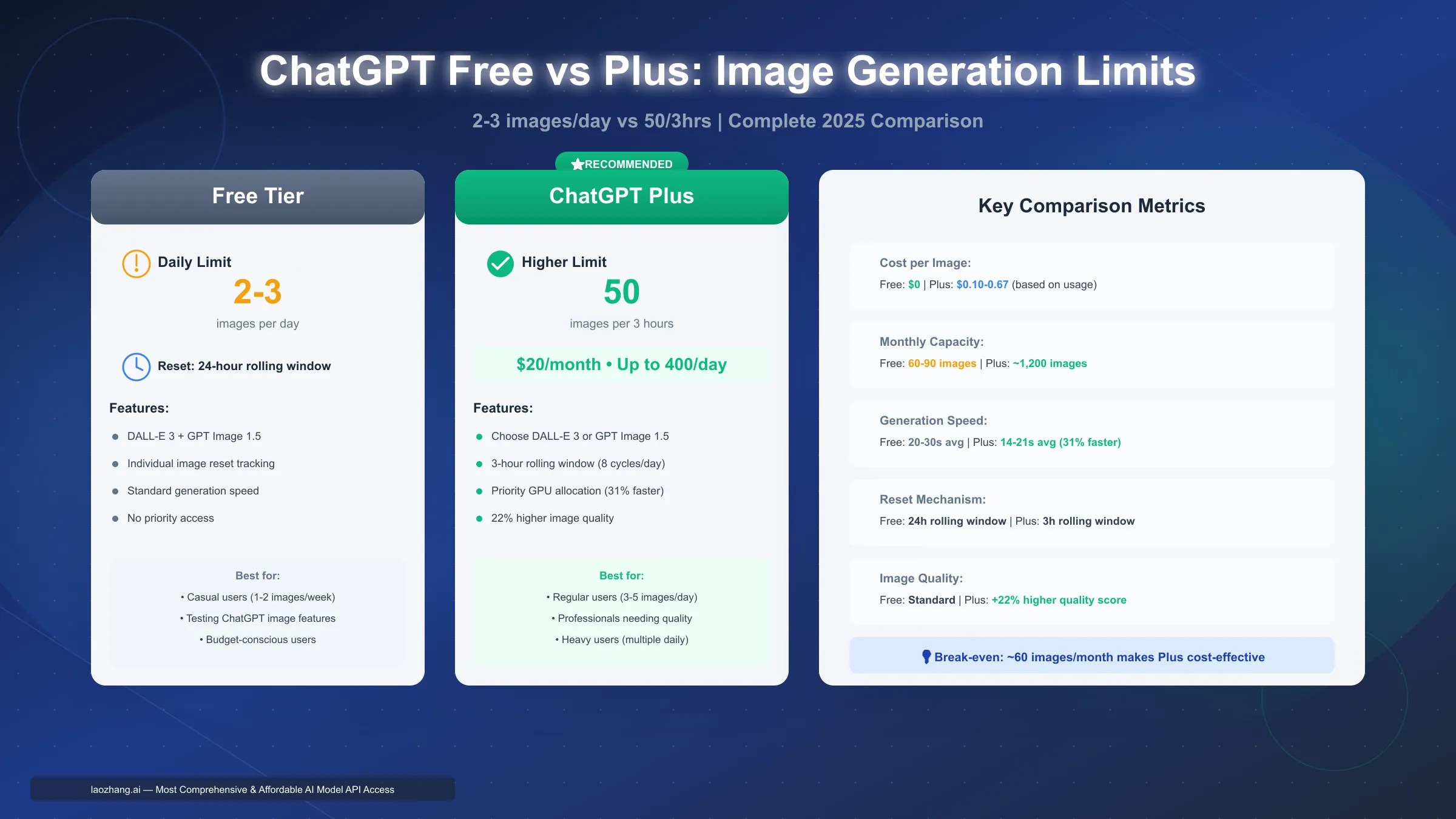
Free: very low limit, suitable for trial use
Plus (~20 USD/month): increase the speed and number of image creation
Pro (~200 USD/month): Supports virtually unlimited image creation (with abuse control)
According to many sources of real-life experience:
User Free: about 2–3 photos per day
User Plus: about 40–50 photos every 3 hours
If allocated properly, Plus can achieve 160–200 photos/day
👉 Note: This is a reference figure, not a fixed limit from the system.
1.1 What causes you to reach your limits so quickly?
Most users don't "run out of turns" simply because they create too many photos, but because...trial and error.
For example:
Try different color variations.
Adjust the layout
Add text, adjust details.
👉 Each edit or recreation counts as a bonus single use.
In addition, the Edit photos multiple times also consumes the quota very quickly. Therefore, the limit is not only on the final number of photos, but also on...total number of create and edit actions.
1.2 How does the limit reset mechanism work?
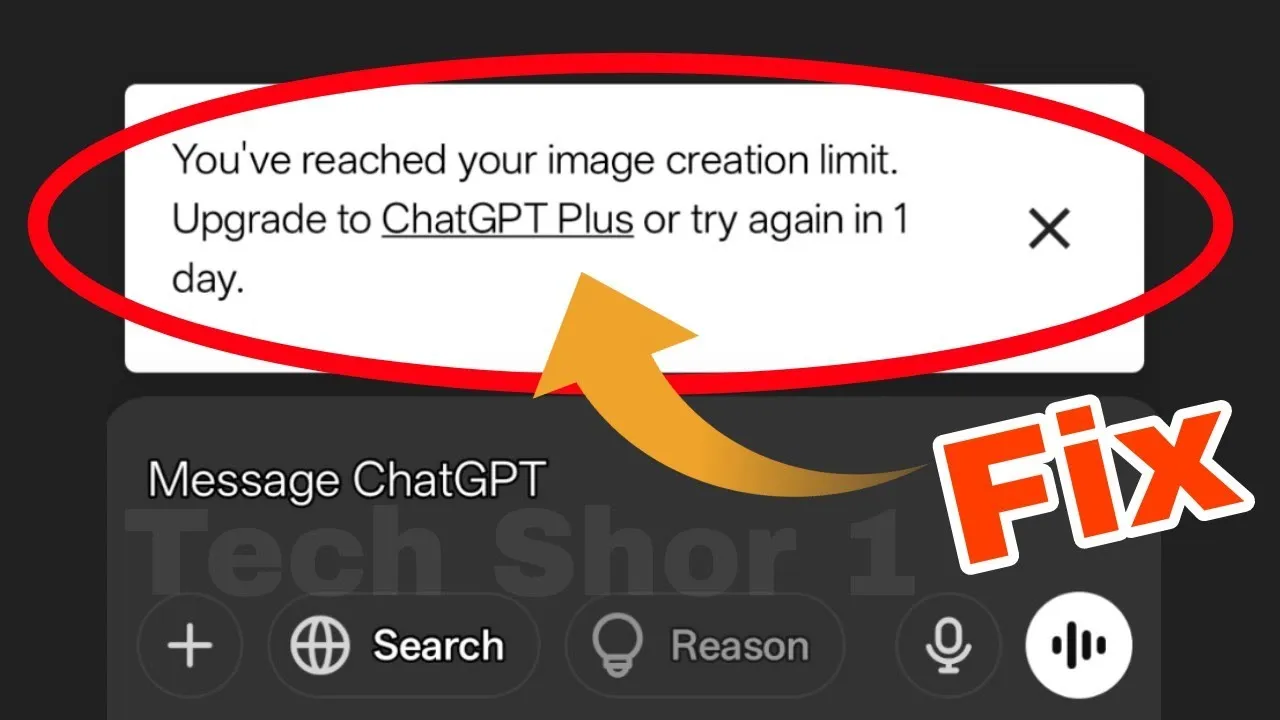
One point that can easily cause confusion is The limit does not reset at fixed times., which usually operates in a "rolling time" format.
With Free: Usually resets after about 24 hours from the first image creation.
For example: if you create an image at 2:30 PM → the limit can be reset at 2:30 PM the next day.
With Plus: operates in cycles of approximately 3 hours
Each image creation will occupy 1 slot.
The slot will "respawn" after approximately 3 hours.
Therefore, the person who knows the usage time will allow you to use more times than using them all at once.
Additionally, the image creation time also varies:
Simple prompt → faster
Complex prompts → may take up to ~2 minutes
1.3 Differences between Free, Plus, and Pro
The biggest difference between the packages is image processing capabilities:
Free
Suitable for: trial use, light needs
Limitation: It's very easy to reach the limit.
Plus
Suitable for: creators, marketers, designers
It's possible to create approximately 50 images in 3 hours.
Ideal for testing and optimizing multiple versions.
Pro
Suitable for: those who work intensively with AI.
Almost unlimited (with controls)
It is possible to create multiple images simultaneously in a single workflow.
>>> Learn more: What is ChatGPT? Automate tasks easily with Prompt Script.
2. Why do many people hit the image resolution limit faster than expected?
After understanding the basic limits, many people still wonder why the image creation space runs out so quickly. In reality, the reason isn't simply "creating too many images," but rather how users interact with ChatGPT during the creation process.
An image creation process typically doesn't stop at a single generation. It involves multiple steps such as: initial image creation, editing, prompt retrying, detail changes, etc. Each of these operations consumes one image creation attempt. Furthermore, with complex prompts, processing time can extend to approximately 2 minutes, causing many users to lose patience and resubmit requests too early—unnecessarily wasting extra attempts.
It's also important to note that not every failure is due to exceeding the quota. Sometimes, the cause stems from a restricted prompt, a temporary system error, or an overly complex request. Therefore, if you're looking to optimize your ChatGPT image limits, clearly distinguish between "technical errors" and "quota overrun."
2.1 The more complex the prompt, the more likely it is to require… multiple retries.
It may sound counterintuitive, but the more detailed the prompt, the more likely you are to have to regenerate it multiple times.
For example, you might request an advertisement image for a high-end perfume, with cinematic lighting, a detailed background, clear text, and a realistic-looking hand holding the product. This is a "multitasking" request—and if just one detail isn't right, you'll want to try again.
Result?
An initial idea can quickly be generated 4–6 times.
Furthermore, complex prompts often take longer to process, increasing the likelihood of users becoming impatient and resubmitting the request—further wasting attempts.
Key Insight:
The problem isn't the number of projects, but the number of retests in each project.
2.2 Small edits that get a huge number of views
Most users don't "run out of limits" because they're working on too many large projects, but rather because of repeated small edits:
"Increase the brightness a little."
"Delete this text"
"To make it more realistic"
"Change the shooting angle"
Each seemingly simple change actually represents a new generation.
Here's a real-world example:
A shop owner created an advertising banner:
First image: incorrect color
Image 2: The color is correct, but the text is bad.
Image 3: Text removed but layout is unbalanced.
Photo 4: Better, but needs a square version for Instagram.
➡️ Just one banner can require 4–6 image creation attempts in a few minutes.
With the Plus package (estimated at ~40–50 photos/3 hours), this number is no longer as "generous" as you might think.
2.3 Misunderstandings about reset time and "accumulated" quota
One of the most common misconceptions is:
❌ Limits will reset at 0:00 every day
❌ Unused uses will be carried over.
In fact, OpenAI's system operates on a "rolling window" mechanism:
Free: usually valid for a period of approximately 24 hours from the first creation.
Plus: resets in blocks of approximately 3 hours.
There is no clear evidence of "accumulating" unused uses.
This leads to a familiar situation:
You create the photos the night before, come back the next morning, but are still limited — because a portion of the old quota hasn't yet "escaped" the time window.
👉 Important lesson:
It's not just about using less — it's about using smarter.
3. Safe ways to “expand” image creation capacity in ChatGPT
In reality, most users don't need to resort to "workarounds." What they really need is...Optimizing workflows If you're looking to overcome the image limitations of ChatGPT, the safest and most sustainable approach is:
Reduce wasted image creation attempts.
Use the right package to suit your needs.
Optimize your planning and timing.
Here are some of the most effective methods you can apply right away.
3.1 Take advantage of the "golden moment" during the reset cycle.
Timing is one of the most underestimated yet extremely important factors.
If you use all your image creation attempts within a short period, the system will quickly limit your usage for the following hours. Conversely, if you allocate your time wisely across different reset time slots, the total number of images created in a day can be significantly higher.
Example:
Instead of opening ChatGPT and experimenting randomly, try this:
Start when the image creation "window" has just reset.
Prepare your ideas in advance before generating.
Focus on creating images when you have a clear plan.
Additionally, according to OpenAI, image creation can take up to ~2 minutes (especially with complex prompts). Therefore:
⚠️ Don't resend the prompt before receiving the results.
➡️ Waiting will help you avoid losing unnecessary turns.
3.2 Upgrade your package when your actual needs increase.
Sometimes, the simplest solution is the right one: Choose the right package.
Free Suitable for light needs (quick testing, creating single images)
Plus (~$20/month) Suitable for frequent creators
Pro ($200/month): For advanced users requiring high output
OpenAI stated:
Plus offers the ability to create more images and faster.
Pro offers virtually "unlimited" usage (but still has mechanisms to prevent abuse).
One point worth noting:
👉 If you're using the Free version and have just reached your limit, upgrading is possible Reset usability immediately in many cases.
Therefore, if your work is constantly being interrupted, the problem is most likely not with the tool—but with the process itself. The current package is not sufficient to meet the workload..
3.3 Planning before creating images – the most effective way to save time.
One of the most common mistakes is:
👉 "Open ChatGPT first, then think about what you need."
This will almost certainly lead to:
Prompt is vague.
The results were not as expected.
It needs to be regenerated multiple times.
A better approach is to define it clearly before starting:
Topic (product, concept, etc.)
Style (realistic, minimalist, luxury…)
Layout (square, horizontal, banner, etc.)
With/without text
Color, light, background
📌 Example:
❌ Prompt is ineffective:
"Create a great advertising image for me."
✅ Prompt is more optimized:
"Create square-shaped advertising images for skincare products, with a minimalist white background, soft lighting, no text, and a high-end style."
➡️ The clearer the prompt → the more accurate the result → the less likely you are to need to retest.
4. Mistakes to avoid when reaching the image creation limit in ChatGPT
After learning how to safely optimize storage space, you also need to understand...Things you shouldn't do Because in the process of trying to "push boundaries," many people inadvertently choose risky solutions—and the price to pay can be...lost account.
According to OpenAI, intentionally bypassing control mechanisms or violating the terms of use may result in restricting or suspending account. Therefore, not every "quick way" is the right way.
4.1 Be cautious with unofficial extensions and scripts.
One common "trap" is external extensions or scripts that promise:
Increase the number of image creations.
Unlock limits
Optimize for a faster user experience.
However, these tools can:
Causing conflicts with the ChatGPT system.
Errors in image creation or login functionality.
This makes the experience unstable.
👉 In fact: if you see ChatGPT behaving abnormally, the cause is most likely the extension — not a limit.
4.2 Security risks from third-party tools
A more serious problem is data privacy.
When you use external tools to "assist" in creating images, you might inadvertently share:
Prompt exclusive
Creative ideas
Customer data
Product information
The worrying thing is:
👉 You have no control over how that data will be stored, used, or re-exploited.
According to OpenAI, third-party services operate in the following way: specific policies is outside the control of OpenAI.
➡️ A "free tool" can turn a small problem (running out of image creation attempts) into a major risk (data leakage).
4.3 Avoid excessive "loophole" tactics.
The biggest mistake many people make is trying to "bypass" the rules using unconventional methods, for example:
Sharing accounts is unsafe.
Find a way to bypass the system.
Using tools to interfere with the operating mechanism.
These actions may lead to:
Limited features
Account temporarily or permanently locked
👉 Even if a method "works immediately," the long-term cost is often not worth it.
5. How to create better photos with fewer attempts.
After avoiding common mistakes, the next, more important step is: Optimize output quality with the fewest number of iterations. This is a clever way to "bypass the limits" when using ChatGPT.
In many cases, the problem isn't the service package or the limitations—it's about...Wasting too many generate attempts on poor drafts. According to OpenAI, the image creation tool can:
Understand prompt in detail
Photo editing
Add text
Supports transparent background
However, each image creation can take up to ~2 minutes, especially with complex requests. Therefore,the clearer the prompt, the more time and creations are saved..
5.1 Write clear prompts to minimize the number of retries.
A vague prompt almost always leads to poor results — and results in multiple regenerative attempts.
❌ The example is not optimized:
"Create a beautiful product advertisement for me."
➡️ Problem: lack of direction (composition, lighting, style, etc.)
✅ A more optimal example:
"Create a square advertising image for a skincare serum, glass bottle, clean white background, soft lighting, no text, high-end minimalist style."
Benefits:
The result was closer to what we expected.
Reduce the number of edits.
Significant savings in quotas.
In addition, a clear prompt also helps increase processing speed Because when the system doesn't have to "guess the intent," image creation time is usually faster and more stable.
5.2 Test ideas with text before using image generation.
Here's an extremely effective tip that few people use:
👉 Use text chat for testing first.
Instead of creating the image immediately, you can request ChatGPT:
Suggest multiple prompt versions
Compare the styles (minimalist, cinematic, bright, etc.)
Suggestions for layout, lighting, and concept.
Then, you choose the best option before generating the image.
Benefits:
Avoid wasting turns on weak drafts.
Optimized right from the first creation.
This is especially important for Plus users — because even with more uses, the quota can still be used up very quickly if not used responsibly.
5.3 Building a simple but effective workflow
To maintain consistent performance, you should have a fixed process each time you create an image:
Step 1: Define your goals (ads, social media, banners, etc.)
Step 2: Provide detailed information (product, color, lighting, etc.)
Step 3: Choose a format (square, portrait, landscape, etc.)
Step 4: Write a clear prompt → generate
👉 Practical example:
A coffee brand wants to create Instagram photos:
Format: square
Subject: coffee bag
Background: light beige
Style: realistic, warm
Light: soft daylight
No text
➡️ Result: Prompt has a clear structure → output image closely matches requirements → less need for revisions
>>> Learn more: Top 5 AI scenarios for beginners using ChatGPT, Claude & Gemini
6. When should you consider using a different image creation tool?
At a certain point, the question is no longer "how to overcome the limitations" of ChatGPT — but rather:
👉 Is this still the right tool for your needs?
If you've optimized your prompts, improved your workflow, allocated your time wisely, etc., but still frequently hit your limits, it's very likely that:
➡️ Your workload has exceeded ChatGPT's optimal capacity.
6.1 When you need high output: APIs and dedicated platforms
The first solution to the high demand is to use OpenAI API.
Compared to the standard ChatGPT interface, the API offers:
The ability to create images on a large scale.
Deep customization (size, quality, format, etc.)
Easy to integrate into existing systems or automated workflows.
Suitable for:
Businesses
Content Production Team
The project requires batch generation.
In addition, several other popular tools are also worth considering:
Midjourney: strong in artistic imagery, creative style
Adobe Firefly: optimized for the Adobe ecosystem (Photoshop, Illustrator, etc.)
Ideogram: focuses on creating specialized images, especially text within images.
➡️ Each tool is suitable for a different need; there is no "best for all" option.
6.2 Quick comparison of popular image creation tools
Tools | Most suitable | Strengths | Limit |
| ChatGPT | Conceptualization & Refinement | All-in-one (chat + photo creation) | There is a limit on the number of entries. |
| Midjourney | Art, creativity | Bold style, great photos. | Limited support for workflow chat. |
| Adobe Firefly | Designers use Adobe. | Seamless integration | Dependent on the Adobe ecosystem |
| Ideogram | The image has text and a clear concept. | Specialized platform | Less flexible brainstorming |
| OpenAI API | Large-scale production | Automation, good scaling. | Technical setup required. |
What should I choose?
👉 Use ChatGPT if you need it:
Quick brainstorming
Combining writing and image creation.
Simple, all-in-one workflow
👉 Switch to another tool if you need to:
Continuous high production
Automation
Distinctive visual style
>>> Learn more: ChatGPT vs. Gemini vs. Claude: Which AI is best for automation?
7. Is it advisable to use multiple ChatGPT accounts?
After exploring other solutions, many people ask the question:
👉 Is it possible to use multiple ChatGPT accounts?
The answer is Yes, but with one important condition:
➡️ It must be used for its intended purpose and not to circumvent restrictions.
According to OpenAI, users should not:
Sharing accounts without control.
Deliberately bypassing security limits or mechanisms.
When is having multiple accounts reasonable?
In practice, using multiple accounts can be useful if you need to:
Separate work and personal life.
Managing multiple different projects
Combining ChatGPT accounts and workflow APIs.
Example:
1 account for individuals
1 account for clients
1 account for testing prompt
➡️ This method helps:
Avoid data confusion.
Keep the conversation clear.
Reduce the risk of errors when working with clients.
But don't use multiple accounts to "circumvent the rules."
A common mistake is creating multiple accounts just to:
Increase the number of image creations.
Bypass system limitations
⚠️ This is not a sustainable solution and may lead to:
Restricted access
Encountering security issues.
Difficult to control workflow
👉 If your need is for high production volume, the right solution should be:
Upgrade Plus / Pro
Or switch to the API
8. Manage multiple accounts more efficiently with Hidemium.
As your work expands—from individual to client-side, from testing to production—the issue is no longer about limitations, but rather:
👉 How can I manage multiple accounts clearly, stably, and securely?
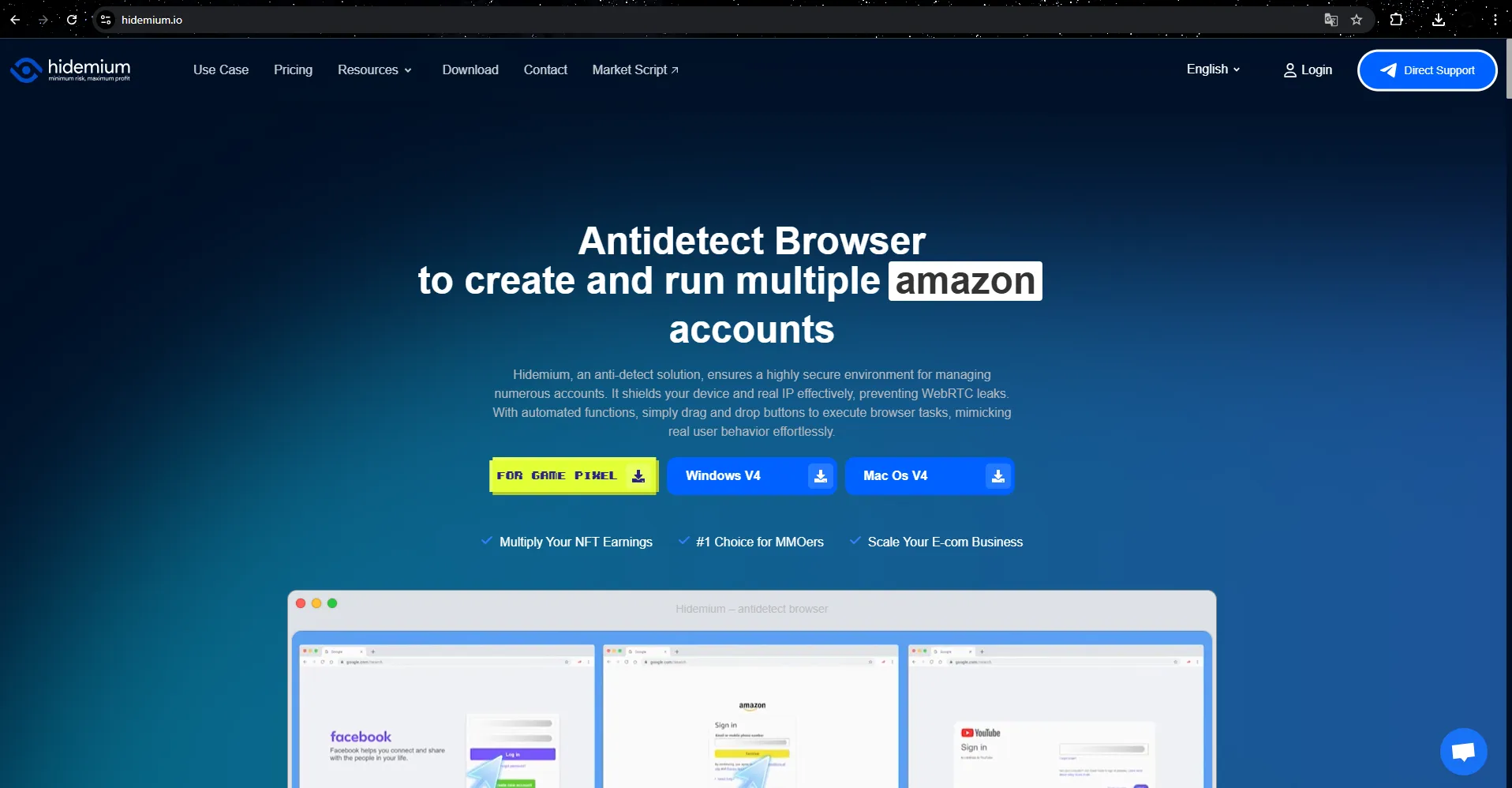
This is where tools like Hidemium become incredibly useful, especially in workflows that require managing multiple accounts or running multiple projects.
Separate your account using browser profiles.
One of Hidemium's core features is creation independent browser profile:
Each account = a separate profile
Cookies, sessions, and fingerprints are completely separate.
Simulating a real device environment.
Benefits:
Avoid duplicate logins.
Minimize system errors and checkpoints.
Clear management by purpose (personal, client, test, production)
Assign a separate proxy to each environment.
With advanced workflows, Hidemium allows:
Assign a separate proxy to each profile.
Maintain a fixed IP address for each account.
Supports various types of proxies (residential, datacenter, mobile, etc.)
➡️ This helps:
Increase account stability.
Reduce the risk of being flagged or restricted.
Suitable for running multiple projects simultaneously (MMO, TikTok, Ads, etc.)
Share controlled access within the team.
When working in a team, sharing accounts always carries risks. With Hidemium, you can:
Create a shared profile for the team.
Assign permissions based on roles (admin, member, etc.)
Synchronize login status without sharing your password.
➡️ Help:
Increase account security
Smoother teamwork
Avoid conflicts when multiple people are using it at the same time.
>>> Learn more: How can I easily and securely share my ChatGPT account?
9. Frequently Asked Questions (FAQ)
1. How can I optimize ChatGPT's image creation limits while still complying with regulations?
You don't need to "bend the rules" to achieve better results. Instead, try:
Write a clear and detailed prompt right from the start.
Limit the number of retakes.
Timing the system reset
Upgrade to a higher package if your needs are greater (Plus/Pro)
👉 This approach helps you increase efficiency while remaining safe.
2. Why did I run out of image creation attempts so quickly?
The most common causes are:
The prompt is not clear enough → needs to be regenerated multiple times.
No specific usage plan.
Too much experimentation, but no optimization.
Solution:
Normalize the prompt before creating it.
Establish clear workflows.
Reduce the number of trial and error attempts.
3. Does upgrading to ChatGPT Plus really help?
The answer isHave.
OpenAI's Plus package offers:
Higher image creation limits
More stable performance
Suitable for frequent users.
👉 This is often a logical first upgrade if you work extensively with images.
4. Does using multiple accounts help increase the limit?
✔️ Can help better work organization
❌ Do not use this to bypass system restrictions.
➡️ A neat and clear system is always:
Safer
Easier to manage
More sustainable in the long term
5. What is the long-term solution for the business?
If you're using it at a high level (team, agency, production), the optimal solution is usually:
Good prompts + clear workflow
Suitable subscription package
Or switch to the API
👉 On a large scale, APIs will help:
More flexible
Better automation
More effective cost control
10. Conclusion
Understanding and optimizing ChatGPT's image creation limitations isn't about finding "bypasses," but about using it more intelligently and strategically. When you understand how the system works, invest in quality prompts, and minimize trial and error, image creation efficiency will improve significantly without any tricks.
In reality, unofficial solutions like extensions or external scripts often carry more risks than benefits, ranging from data loss to policy violations. Instead, the safe and sustainable option is:
Upgrade to the appropriate package when needed.
Establish clear workflows.
Or switch to API if the demand is high.
Ultimately, the most important thing is not creating it more photos, which is to create Better photos with fewer attempts. When you choose the right tools and the right approach, limitations will no longer be obstacles but simply a part of the system that needs to be optimized. 🚀
Related Blogs

What is Cloudflare WARP? This is a service VPN (virtual private network) Developed by Cloudflare, it helps users protect personal data while effectively increasing Internet access speed. If you are looking for a safe, fast and stable web surfing solution, let's go Antidetect Browser Hidemium Explore details about Cloudflare WARP in the article below.1.What Is Cloudflare WARP and How Does It Work[…]

In the current market, when consumers form an opinion about your business by just taking a glance at your visuals, it is essential to pay attention to your brand identity.The logo, brand colors, slogan, and even fonts and text styles are what make your brand stand out. Especially in 2026, when the market is more competitive than ever before, it is essential to create unique features for your[…]

If you run dozens or hundreds of accounts across social networks, e-commerce marketplaces, or ad platforms, you're probably familiar with antidetect browsers. These tools give each account its own browser identity, reducing the risk of accounts being linked and banned in bulk.GoLogin is one of the best-known names in this space, recognized for its ability to create and manage profiles. But as[…]

Best Octo Browser Alternative in 2026: Hidemium vs Octo Browser for Growing TeamsThe best Octo Browser alternative in 2026 is Hidemium for growing teams that need browser profiles, proxies, workspaces, team access, and scalable account operations. In the Hidemium vs Octo Browser comparison, Octo Browser is strong for polished profile control, while Hidemium is stronger for teams that need[…]
.png)
Posters are among the most effective visual tools for marketing. They are used for events, promotions, branding, and social media campaigns. Nowadays, online tools make designing posters quick and easy. You don’t need design experience to create something professional.However, not all poster makers provide the same results. Some emphasize speed and automation. Others focus on creative manual[…]
.png)
BitBrowser is one of the widely used Antidetect browsers thanks to its ability to change Browser Fingerprint and create multiple independent browser profiles, helping to manage a large number of accounts effectively. However, in the context of many new anti-detection browsers being born with more modern technology, can BitBrowser still remain as competitive and effective as before? Join Hidemium[…]
