

Canvas Fingerprinting: What It Is & How to Block It
What is canvas fingerprinting?

Canvas fingerprinting is a browser tracking technique that uses the HTML5 canvas element to generate a unique signal from your device, browser, graphics hardware, fonts, and rendering behavior. Websites can use this signal to recognize a browser even when cookies are cleared or blocked.
Unlike cookies, canvas fingerprinting does not need to store a visible file on your device. Instead, it asks your browser to draw hidden graphics or text, then reads the tiny differences in how your system renders that image.
Those differences can help create a browser fingerprint.
In simple terms:
Canvas fingerprinting turns the way your browser draws images into a tracking signal.
This is why canvas fingerprinting matters for privacy, anti-tracking, browser profile management, and secure multi-account workflows.
Why canvas fingerprinting exists
Websites use many signals to understand users, prevent fraud, secure sessions, and personalize experiences.
Some tracking methods are obvious. Cookies, login sessions, and local storage are easier to understand because they store data directly in the browser.
Canvas fingerprinting is different.
It works by observing how your browser behaves.
A website can ask your browser to draw a small image, shape, emoji, or text string inside a canvas element. The result may look identical to a human, but the pixel-level output can vary slightly depending on:
- Browser version
- Operating system
- GPU
- Graphics driver
- Installed fonts
- Anti-aliasing
- Screen settings
- Language settings
- Device rendering behavior
These tiny differences can become part of a browser fingerprint.
This makes canvas fingerprinting useful for tracking, but also controversial from a privacy perspective because many users do not know it is happening.
How canvas fingerprinting works
Canvas fingerprinting usually follows a simple process.
First, a website loads a script in your browser.
Then the script uses the HTML5 canvas API to draw text, shapes, colors, gradients, or hidden visual elements.
After that, the script asks the browser to export or read the rendered canvas output.
Finally, the website analyzes the result and converts it into a fingerprint value.
The process may look like this:
| Step | What happens |
|---|---|
| 1. Canvas request | A website asks the browser to draw something using HTML5 canvas |
| 2. Rendering | The browser renders the image based on your device, fonts, GPU, and settings |
| 3. Output reading | The script reads the pixel output or canvas data |
| 4. Hashing | The output is converted into a fingerprint-like value |
| 5. Matching | The value may be compared with other browser signals |
The canvas fingerprint alone may not always identify a person. But when combined with other signals, it can help create a stronger browser fingerprint.
Canvas fingerprinting vs cookies
Canvas fingerprinting and cookies are both used for recognition, but they work in different ways.
| Tracking method | How it works | User visibility | Can clearing browser data remove it? |
|---|---|---|---|
| Cookies | Store small files in the browser | More visible | Usually yes |
| Local storage | Stores data inside browser storage | Somewhat visible | Usually yes |
| Canvas fingerprinting | Reads how the browser renders graphics | Less visible | Not directly |
| Browser fingerprinting | Combines many device and browser signals | Less visible | Harder to remove fully |
Cookies are storage-based.
Canvas fingerprinting is behavior-based.
That is the main difference.
If a tracker uses cookies, deleting cookies can remove the stored identifier. But if a tracker uses canvas fingerprinting, the browser may produce a similar canvas signal again because the underlying device and browser environment did not change.
This is why canvas fingerprinting can continue to work even when cookies are blocked.
Canvas fingerprinting vs browser fingerprinting
Canvas fingerprinting is one part of browser fingerprinting.
Browser fingerprinting is broader. It may include many signals, such as:
- Canvas rendering
- WebGL rendering
- Audio fingerprinting
- Fonts
- Timezone
- Language
- Screen size
- Device memory
- Hardware concurrency
- User agent
- Platform
- Touch support
- Browser plugins
- IP address and proxy behavior
Canvas fingerprinting focuses specifically on how the browser renders canvas graphics.
Browser fingerprinting combines canvas with many other signals to create a more complete browser identity.
So the relationship is simple:
Canvas fingerprinting is one fingerprint signal. Browser fingerprinting is the full identity map.
Why canvas fingerprinting is hard to notice
Canvas fingerprinting is difficult for normal users to notice because it does not always create a visible pop-up, file, or permission request.
A website can run canvas-related scripts in the background while the page loads.
The user may only see a normal webpage.
This makes canvas fingerprinting different from more obvious tracking methods.
You may not know:
- When a canvas fingerprint was requested
- Which script requested it
- Whether the result was stored
- Whether it was combined with other signals
- Whether it was used for analytics, security, or tracking
That invisible nature is why privacy-focused users often care about canvas fingerprinting protection.
Why canvas fingerprinting matters in 2026
Canvas fingerprinting matters because online tracking is moving beyond cookies.
As browsers and privacy regulations limit third-party cookies, more websites and analytics systems rely on alternative recognition methods.
Fingerprinting methods can be used for different purposes.
Some are legitimate, such as fraud prevention, bot detection, session security, and risk analysis.
Some are privacy-invasive, especially when used to track users across websites without clear consent.
For users, teams, and businesses, the main problem is control.
You should know when your browser environment is giving away unique signals, and you should be able to reduce unnecessary exposure.
This is especially important for:
- Privacy-conscious users
- Security researchers
- QA testers
- Agencies managing multiple client environments
- E-commerce teams separating account workflows
- Remote teams using browser profiles
- Web3 users separating wallets and projects
- Teams using antidetect browsers for legitimate account separation
Is canvas fingerprinting legal?
Canvas fingerprinting is not automatically illegal. It depends on how it is used, what data is collected, what jurisdiction applies, and whether users are informed or given proper choices.
Many websites use fingerprinting-related techniques for security, fraud prevention, analytics, or abuse detection.
However, using fingerprinting to track users without transparency can raise privacy concerns.
For businesses, the safer approach is to follow privacy laws, disclose tracking practices clearly, and respect user consent requirements.
For users, the practical approach is to reduce unnecessary exposure and choose browsers or tools that provide better control over fingerprinting signals.
How to check if a website uses canvas fingerprinting
You can look for canvas fingerprinting in a few ways.
1. Use browser privacy reports
Some privacy-focused browsers and extensions can warn users when a site attempts fingerprinting-related behavior.
These reports may not show every detail, but they can help identify suspicious tracking patterns.
2. Use developer tools
Advanced users can inspect scripts and canvas API calls through browser developer tools.
Look for JavaScript methods related to canvas reading, such as:
- toDataURL()
- getImageData()
- toBlob()
These methods are not always bad. Many legitimate web apps use canvas. But when a hidden canvas is created only to read rendering output, it may be part of fingerprinting.
3. Use browser fingerprint test websites
Some websites allow users to test how unique their browser fingerprint is.
These tools can show whether your browser exposes canvas, WebGL, fonts, audio, and other fingerprinting signals.
Use these tests for awareness, not as a perfect scorecard. Fingerprinting is complex, and results can vary by browser, settings, and testing method.
How to block canvas fingerprinting
There is no single perfect way to block all canvas fingerprinting without affecting some websites.
However, you can reduce canvas fingerprinting exposure with several methods.
1. Use a privacy-focused browser
Some browsers include built-in fingerprinting protection.
Privacy-focused browsers may block or randomize canvas access, limit fingerprinting scripts, or make many users look more similar.
This can reduce canvas fingerprinting risk.
The tradeoff is that some websites may behave differently if canvas access is restricted.
2. Enable anti-fingerprinting settings
Some browsers include privacy settings that reduce fingerprinting signals.
These settings may limit canvas reading, reduce device-specific details, or standardize browser behavior.
This can help reduce uniqueness.
However, overly aggressive settings may break certain web apps, especially apps that use canvas for graphics, maps, design, games, or visual tools.
3. Use trusted privacy extensions
Some browser extensions can block known fingerprinting scripts or warn when a site attempts canvas access.
This can be useful for everyday users.
Be careful with extensions, because installing too many can make your browser more unique. Extensions themselves can become part of a browser fingerprint.
Use fewer, trusted privacy tools instead of stacking many random extensions.
4. Block unnecessary JavaScript
Canvas fingerprinting often depends on JavaScript.
Blocking JavaScript can reduce fingerprinting, but it can also break many websites.
This approach is usually better for advanced users who understand how to allow scripts only on trusted sites.
For most users, full JavaScript blocking may be too inconvenient.
5. Avoid unusual browser configurations
A browser that looks too unusual can become easier to fingerprint.
For example, a rare combination of extensions, fonts, screen size, timezone, language, and privacy settings may make your browser stand out.
Privacy is not always about changing everything randomly.
Sometimes the better strategy is consistency and blending in with a larger group of similar users.
6. Use separate browser profiles for separate workflows
If you use the same browser profile for every activity, many signals can connect across sessions.
Separate browser profiles can help isolate cookies, storage, sessions, and fingerprint-related behavior between workflows.
This is useful for:
- QA testing
- Privacy separation
- Agency account workflows
- E-commerce operations
- Web3 project separation
- Remote team operations
- Security research
A browser profile platform like Hidemium can help teams manage separate profiles, proxies, workspaces, and access rules in one place.
7. Use a browser profile platform for controlled environments
For teams, blocking canvas fingerprinting is not only about one browser setting.
The bigger challenge is environment control.
A team may need to manage:
- Browser profiles
- Fingerprint settings
- Proxy assignment
- Timezone consistency
- Language settings
- Cookies and storage
- Workspace separation
- Team access
- Profile ownership
Hidemium helps teams manage browser profiles and related workflow controls more clearly.
The goal is not to create random fingerprints. The goal is to create stable, separate, and controlled browser environments for legitimate workflows.
Why randomizing canvas fingerprints is not always the best answer
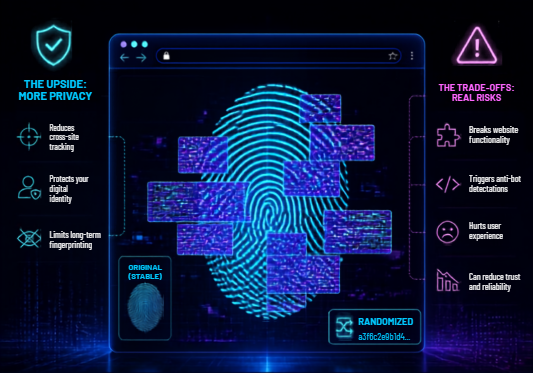
Many people think the best way to stop canvas fingerprinting is to randomize everything.
That can help in some cases, but it can also create problems.
If your canvas fingerprint changes too often while other signals stay the same, the browser may look suspicious or unstable.
For example, imagine a browser profile where:
- Timezone stays the same
- Language stays the same
- IP region stays the same
- User agent stays the same
- But canvas output changes every session
That mismatch can make the environment look less natural.
For privacy and profile management, consistency often matters more than constant randomization.
A stable browser profile should make signals align logically:
| Signal | Why consistency matters |
|---|---|
| Canvas | Should fit the browser and device environment |
| WebGL | Should match graphics behavior |
| Timezone | Should align with IP region when needed |
| Language | Should match the user environment |
| Proxy | Should be stable for the workflow |
| Cookies | Should stay isolated by profile |
| Behavior | Should look consistent within the same profile |
The best strategy is not always “change everything.”
The better strategy is controlled consistency.
Canvas fingerprinting and antidetect browsers
Antidetect browsers are often used to create separate browser profiles with controlled fingerprint settings.
A good antidetect browser helps users manage browser environments more carefully.
For legitimate use cases, this can be useful for:
- Privacy testing
- QA and localization testing
- Account separation
- Agency workflows
- E-commerce operations
- Social media team workflows
- Web3 wallet separation
- Security research
However, users should always follow applicable laws and the terms of service of the platforms they use.
Antidetect browsers should not be used for fraud, abuse, or unauthorized access.
How Hidemium helps with canvas fingerprinting workflows
Hidemium helps users and teams manage browser profiles with better structure.
For canvas fingerprinting and broader browser fingerprinting concerns, Hidemium can help teams work with:
- Separate browser profiles
- Controlled fingerprint settings
- Proxy assignment
- Workspace organization
- Profile ownership
- Team access
- Account workflow separation
- Repeatable browser environments
This is useful when one person or team needs multiple browser environments without mixing cookies, sessions, storage, or account workflows.
Hidemium is especially relevant when browser profile management becomes part of daily operations, not just one-time privacy testing.
Canvas fingerprinting protection checklist
Use this checklist to reduce canvas fingerprinting exposure:
- Use a privacy-focused browser when possible
- Enable built-in anti-fingerprinting settings
- Use trusted privacy extensions carefully
- Avoid installing too many unique extensions
- Block unnecessary scripts on untrusted websites
- Keep browser profiles separated by workflow
- Avoid mixing personal and business sessions
- Use consistent profile settings instead of random changes
- Align proxy, timezone, language, and fingerprint settings logically
- Use a browser profile platform for team-based workflows
- Review privacy settings regularly
The goal is not to become invisible.
The goal is to reduce unnecessary tracking and keep browser environments controlled.
Common mistakes when trying to block canvas fingerprinting
Mistake 1: Randomizing everything
Randomization can help, but too much randomization may create inconsistent signals.
A browser environment should be believable and stable.
Mistake 2: Using too many privacy extensions
More extensions do not always mean more privacy.
A rare extension combination can make your browser more unique.
Mistake 3: Ignoring other fingerprint signals
Canvas fingerprinting is only one part of browser fingerprinting.
WebGL, audio, fonts, timezone, language, device memory, and proxy behavior also matter.
Mistake 4: Mixing workflows in one browser profile
Using one profile for everything can connect activities through cookies, storage, and fingerprint signals.
Separate profiles are better for separate workflows.
Mistake 5: Focusing only on blocking
Blocking is useful, but consistency and isolation are also important.
A controlled browser environment is often better than a constantly changing one.
Who should care about canvas fingerprinting?
Canvas fingerprinting matters for anyone who cares about browser privacy and online tracking.
It is especially important for:
- Privacy-focused users who want to reduce passive tracking
- Security researchers testing browser identity signals
- QA teams testing websites across environments
- Agencies managing multiple client sessions
- E-commerce teams separating store workflows
- Social media teams managing brand or client profiles
- Web3 users separating wallets and projects
- Remote teams that need controlled browser profile access
For individual users, browser settings and privacy tools may be enough.
For teams, a structured browser profile platform is often more practical.
Canvas fingerprinting vs WebGL fingerprinting
Canvas fingerprinting and WebGL fingerprinting are related, but they are not the same.
Canvas fingerprinting uses 2D canvas rendering.
WebGL fingerprinting uses graphics hardware and 3D rendering behavior.
| Method | Main signal | Why it matters |
|---|---|---|
| Canvas fingerprinting | 2D rendering output | Helps identify small differences in how browsers draw text and images |
| WebGL fingerprinting | GPU and 3D rendering output | Reveals graphics-related details about hardware and drivers |
| Audio fingerprinting | Audio processing behavior | Uses sound processing differences as a signal |
| Font fingerprinting | Installed font behavior | Can reveal system and device uniqueness |
A strong privacy setup should consider canvas fingerprinting as part of a larger fingerprinting surface.
Best way to reduce canvas fingerprinting
The best way to reduce canvas fingerprinting is to combine several privacy practices.
For individual users:
- Use a privacy-focused browser
- Enable anti-fingerprinting settings
- Use trusted privacy extensions
- Avoid unusual browser setups
- Separate sensitive workflows
For teams:
- Use separate browser profiles
- Keep fingerprint settings consistent
- Manage proxies carefully
- Separate workspaces by client, project, or workflow
- Control team access
- Avoid mixing accounts in the same profile
- Use a platform like Hidemium to manage browser environments
Canvas fingerprinting is not solved by one switch.
It is managed through browser privacy, profile isolation, and consistent environment control.
Summary: canvas fingerprinting
- Canvas fingerprinting is a browser tracking method that reads how your browser renders canvas graphics.
- It can help identify a browser without relying on cookies.
- Canvas fingerprinting is one part of broader browser fingerprinting.
- Blocking canvas fingerprinting can reduce tracking, but it may affect some websites.
- Randomization is not always better than consistency.
- Separate browser profiles help isolate workflows.
- Hidemium helps teams manage browser profiles, proxies, workspaces, and controlled environments for legitimate use cases.
Conclusion: how to think about canvas fingerprinting
Canvas fingerprinting is one of the clearest examples of how modern tracking has moved beyond cookies.
It does not need to store a file on your device. It can use the way your browser draws graphics as a signal.
For individual users, the best approach is to use privacy-focused browser settings, trusted extensions, and separate profiles for different workflows.
For teams, the challenge is bigger. Teams need controlled browser environments, consistent fingerprint settings, proxy alignment, workspace separation, and access management.
That is where Hidemium can help.
Hidemium gives teams a practical way to manage browser profiles, proxies, workspaces, and account workflows in one organized system.
If your team needs to reduce fingerprinting risk while keeping browser environments stable and separated, Hidemium is a strong platform to test.
Try Hidemium to manage browser profiles, proxies, fingerprint settings, workspaces, and team access with more control.
FAQ: canvas fingerprinting
What is canvas fingerprinting?
Canvas fingerprinting is a tracking method that uses the HTML5 canvas element to read how a browser renders text or images. The result can reveal small differences in device, browser, GPU, fonts, and settings.
How does canvas fingerprinting work?
Canvas fingerprinting works by asking the browser to draw hidden graphics or text, reading the rendered output, and converting it into a fingerprint-like value that can be compared with other browser signals.
Can canvas fingerprinting track me without cookies?
Yes. Canvas fingerprinting can help recognize a browser without storing cookies. It works by observing browser rendering behavior rather than saving an identifier in browser storage.
How do I block canvas fingerprinting?
You can reduce canvas fingerprinting by using privacy-focused browsers, enabling anti-fingerprinting settings, using trusted privacy extensions, limiting unnecessary JavaScript, and separating workflows into different browser profiles.
Is canvas fingerprinting the same as browser fingerprinting?
No. Canvas fingerprinting is one part of browser fingerprinting. Browser fingerprinting combines many signals, including canvas, WebGL, fonts, timezone, language, screen size, user agent, and device behavior.
Is canvas fingerprinting bad?
Canvas fingerprinting is not always bad. It can be used for security and fraud prevention. However, it can also be used for privacy-invasive tracking if websites collect fingerprint data without clear disclosure or consent.
Does clearing cookies stop canvas fingerprinting?
Clearing cookies does not fully stop canvas fingerprinting because canvas fingerprinting is based on browser rendering behavior, not stored cookie data.
Does using a VPN stop canvas fingerprinting?
A VPN changes your IP address, but it does not directly stop canvas fingerprinting. Canvas fingerprinting comes from browser and device rendering behavior. For better protection, combine VPN use with browser privacy settings and profile isolation.
Is randomizing canvas fingerprints a good idea?
Randomization can reduce tracking in some cases, but constant randomization may create inconsistent browser signals. A stable and consistent browser profile is often better for controlled workflows.
Can Hidemium help with canvas fingerprinting?
Hidemium can help teams manage browser profiles, proxies, workspaces, and controlled browser environments. This is useful for legitimate workflows that require profile isolation, fingerprint consistency, and team-based browser profile management.
Related Blogs

Mastering Facebook Account Management for Personal and Business UseWhether you are an individual casually connecting with friends or a brand striving to build a loyal community, mastering the art of facebook account management is essential. Facebook has evolved from a simple college networking site into a complex ecosystem requiring both careful personal oversight and strategic business[…]

1. What is DNS Encryption?DNS encryption is a security technology that protects domain name queries when you visit websites. Instead of sending plain-text requests, your DNS queries are encrypted to prevent third-party tracking or interference. This is a key method to enhance online privacy and security.>>> Learn more: Latest Viettel DNS & How to change DNS to improve Internet speed2. Why Does[…]
.png)
Due to the nature of Telegram, large-scale Airdrop games cannot run on browsers and can only be played on mobile devices, causing inconvenience for players, especially with games like Hamster Kombat. To address this issue, Hidemium has developed an exclusive extension to Bypass Telegram Game Bots. This tool allows users to easily participate in Telegram Airdrops directly from the browser, saving[…]

Automatic CAPTCHA solving is now a standard part of data scraping, web-service testing, and other automation jobs. CAPTCHAs were built to block bots. For developers and scrapers, they are just one more barrier. Anti-CAPTCHA services remove that barrier by mixing algorithms (OCR, neural nets) with human solvers when pure automation fails. This piece runs a technical comparison of eight services:[…]
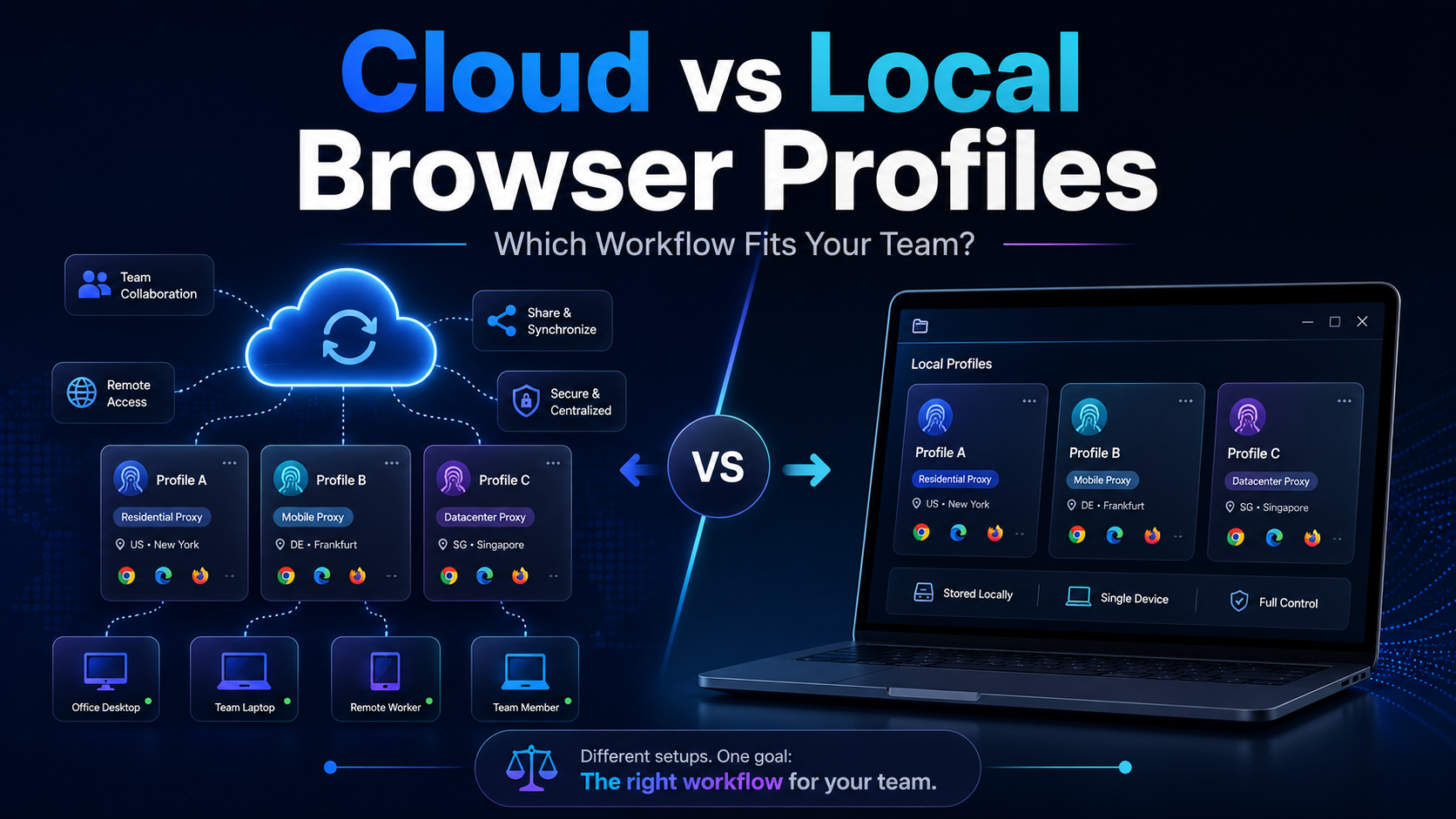
Cloud vs Local Browser Profiles: Which Workflow Fits Your Team?When a team starts managing multiple browser profiles, one of the most important decisions is whether to use cloud profiles or local profiles.Local profiles can be attractive because profile data is primarily stored and operated on the user's device, providing more direct control and reducing reliance on synchronization. Cloud[…]

Running a dropshipping business on eBay can be highly profitable, but it also comes with a major risk: unexpected account suspensions. For dropshippers, managing multiple accounts on the same computer without proper protection can easily lead to account bans.Even a small mistake—such as using duplicate IP addresses or exposing your browser fingerprint—can result in immediate suspension. So how[…]
