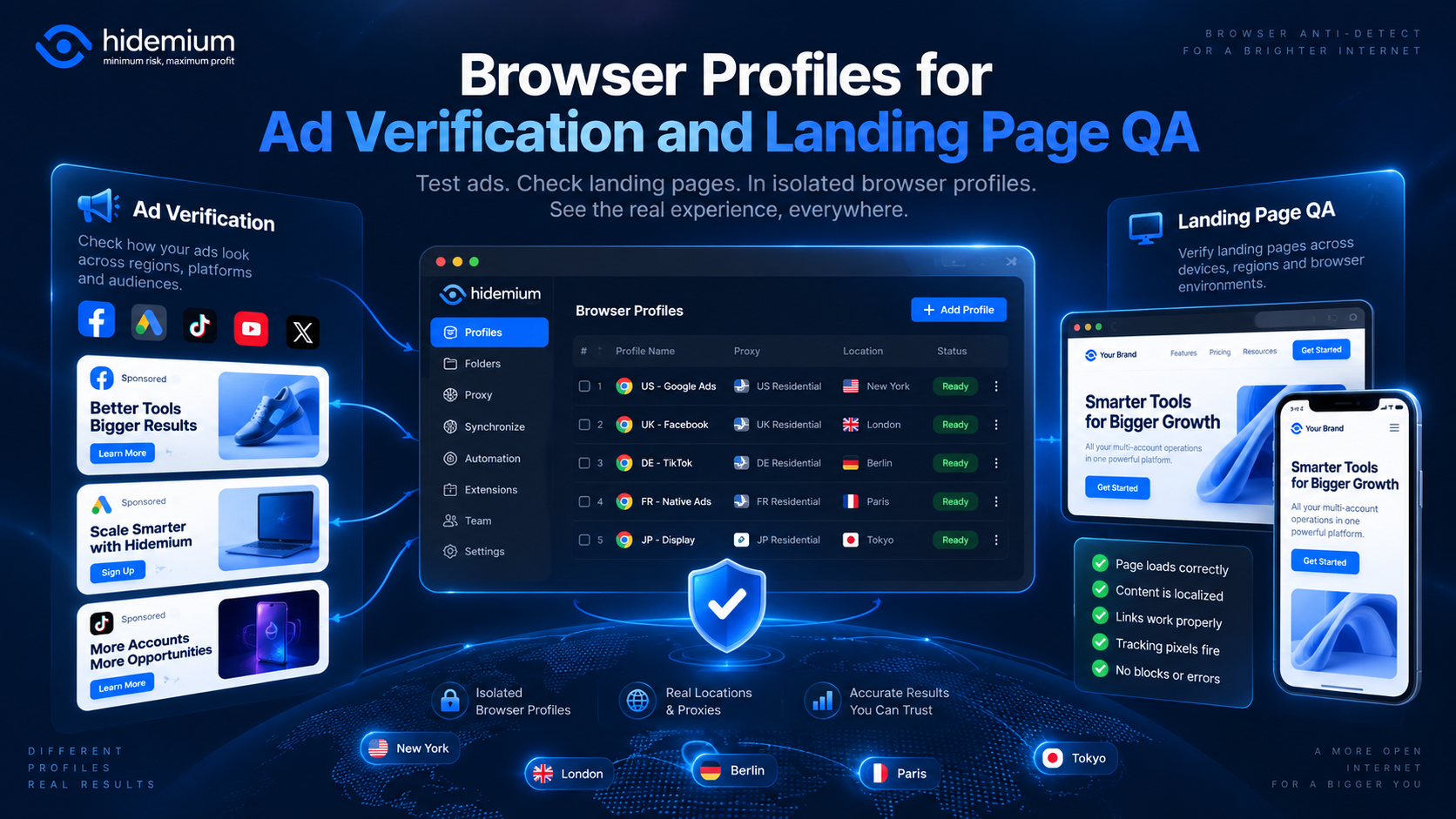

An ad campaign can look perfect inside an advertising dashboard and still fail after the click.
The wrong language may appear.
A regional promotion may not load.
A returning visitor may see an old landing-page variation.
Tracking parameters may disappear during a redirect.
Or a campaign intended for one market may send users to content designed for another.
These problems are difficult to catch when every test is performed in the same browser session.
That is where browser profiles for ad verification become useful.
A separate browser profile can preserve its own cookies, storage, language, session state, proxy configuration, and browser settings. Marketing and QA teams can use those isolated environments to test campaign experiences more consistently across regions, user states, and landing-page variations.
Quick Answer: Why Use Browser Profiles for Ad Verification?
Browser profiles help ad verification teams create separate, repeatable testing environments for different markets, campaigns, sessions, and user states.
Instead of constantly clearing cookies or changing one browser configuration, a team can maintain profiles such as:
GoogleAds-US-English-NewUser
Meta-DE-German-ReturningUser
TikTok-UK-Mobile-LandingPageB
Each profile can represent a known test condition.
This makes it easier to answer questions such as:
- Did the correct advertisement appear?
- Did the click reach the expected landing page?
- Was the correct language or currency displayed?
- Did cookies change the experience?
- Can another team member reproduce the same result?
The objective is not to simulate arbitrary identities.
It is to create controlled QA environments that make campaign verification repeatable.
What Is Ad Verification Browser Testing?

Ad verification browser testing is the process of checking how advertisements and post-click experiences appear under real browser conditions.
A verification workflow may include:
- confirming that an ad is visible;
- checking destination URLs;
- validating UTM parameters;
- testing redirects;
- checking landing-page rendering;
- confirming regional content;
- testing language variations;
- reviewing cookie-dependent experiences;
- comparing new and returning visitors.
The browser environment matters because many campaign experiences are not static.
A website may respond differently depending on:
- location;
- browser language;
- cookie history;
- login state;
- device characteristics;
- referral parameters;
- previous visits.
Testing everything in one browser profile can contaminate the result.
For example, a tester who has already visited the landing page may see a returning-user experience instead of the version intended for a first-time visitor.
Why One Browser Session Can Create QA Problems
Marketing teams often test campaigns by opening several tabs in the same browser.
That is convenient.
But the same browser may also contain:
- previous campaign cookies;
- cached content;
- localStorage values;
- analytics identifiers;
- saved language preferences;
- authentication sessions;
- prior A/B test assignments.
As a result, the tester may not be seeing the same experience as the intended audience.
Imagine a landing page has two variations:
Variant A for first-time visitors.
Variant B for returning visitors.
If the browser already contains a campaign cookie, the tester may repeatedly see Variant B.
Refreshing the page will not necessarily fix the problem.
A separate browser profile provides a cleaner boundary between test scenarios.
How Browser Profiles Help With Geo Ad Verification
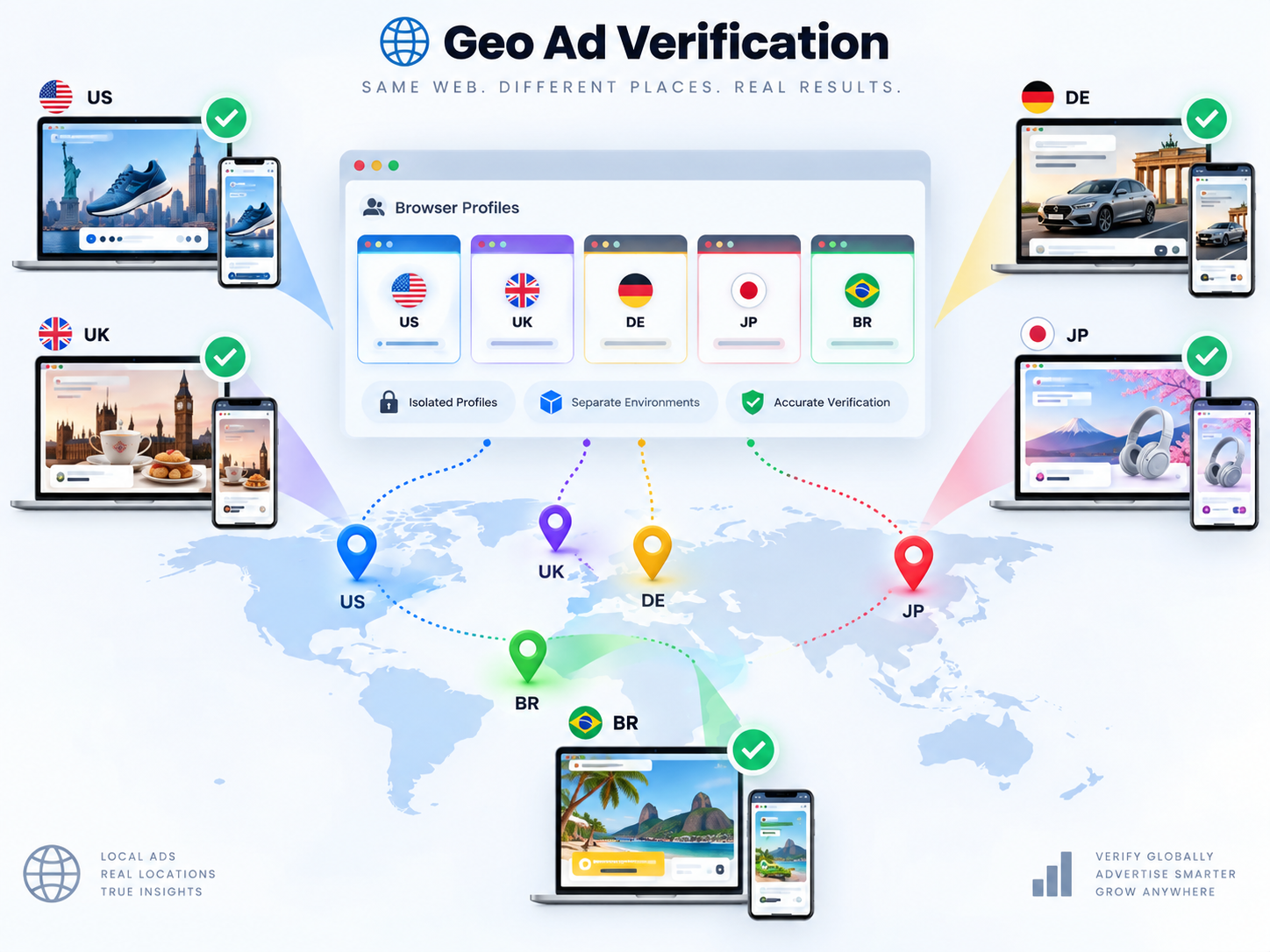
Geolocation is one of the most common reasons to separate QA environments.
Campaigns may differ by:
- country;
- state or region;
- city;
- currency;
- language;
- product availability;
- pricing;
- promotion;
- delivery area.
A browser profile can be paired with an appropriate proxy when the team needs to test a specific network location.
For example:
Campaign-US → US profile → US proxy
Campaign-DE → DE profile → DE proxy
Campaign-SG → SG profile → SG proxy
The browser profile preserves the browser state.
The proxy controls the network route and public IP.
These are separate layers, but they can work together in a structured QA process.
What should you verify in geo testing?
Do not check only whether the IP resolves to the expected country.
Also verify:
- page language;
- currency;
- regional offers;
- local shipping information;
- date and time formats;
- redirects;
- ad destination;
- consent banners;
- region-specific legal text.
The test should validate the entire user journey, not just the proxy location.
Language and Locale Testing
Location and language do not always match automatically.
A user may be physically located in Germany but browse in English.
A campaign may intentionally target Spanish-speaking users in the United States.
That means marketing QA should treat locale as a separate variable.
A useful naming system might be:
US-English-CampaignA
US-Spanish-CampaignA
DE-German-CampaignB
DE-English-CampaignB
Browser profiles can help preserve language and locale settings so teams do not need to reconfigure the same browser repeatedly.
During testing, verify:
- browser language;
- website language;
- translated headlines;
- CTA text;
- pricing format;
- date format;
- currency;
- region-specific disclaimers.
This is particularly useful when one campaign has many localized landing pages.
Cookies and Sessions Can Change the Landing Page
Cookies are a major source of QA inconsistency.
A visitor may see different content depending on whether they are:
- completely new;
- returning;
- logged in;
- logged out;
- previously exposed to a campaign;
- assigned to an A/B test;
- carrying an existing consent preference.
This makes landing page QA browser profiles especially useful.
Instead of constantly clearing browser data, create profiles that represent specific states.
For example:
LP-NewVisitor-US
LP-ReturningVisitor-US
LP-LoggedIn-US
LP-NoConsent-EU
The advantage is repeatability.
The profile itself becomes part of the test scenario.
Do cookies tell the whole story?
No.
Modern sites may also use:
- localStorage;
- sessionStorage;
- IndexedDB;
- service-worker data.
Clearing only cookies may not fully reset the environment.
For controlled testing, it is more useful to maintain known browser states than to assume a browser is clean.
Read more >> Does Clearing Cookies Change Your Browser Fingerprint? What Actually Changes
Testing Landing-Page Variations
Landing pages often change according to campaign parameters.
For example:
?utm_campaign=summer
may display a different promotion from:
?utm_campaign=retargeting
Other variations may depend on:
- ad group;
- source platform;
- referral URL;
- geographic region;
- experiment group;
- device type;
- login state.
A browser-profile QA workflow can isolate these variations.
For example:
CampaignA-Google-US-LPA
CampaignA-Meta-US-LPB
CampaignB-TikTok-UK-LPA
The naming convention makes the test condition immediately visible.
What should landing-page QA verify?
Check the entire post-click flow:
- Ad destination URL
- Redirect behavior
- Tracking parameters
- Final landing-page URL
- Page content
- CTA behavior
- Form submission
- Confirmation page
- Analytics or conversion event where appropriate
The objective is to verify that the marketing journey works as intended from the initial click through the final action.
Why Reproducibility Matters in Marketing QA
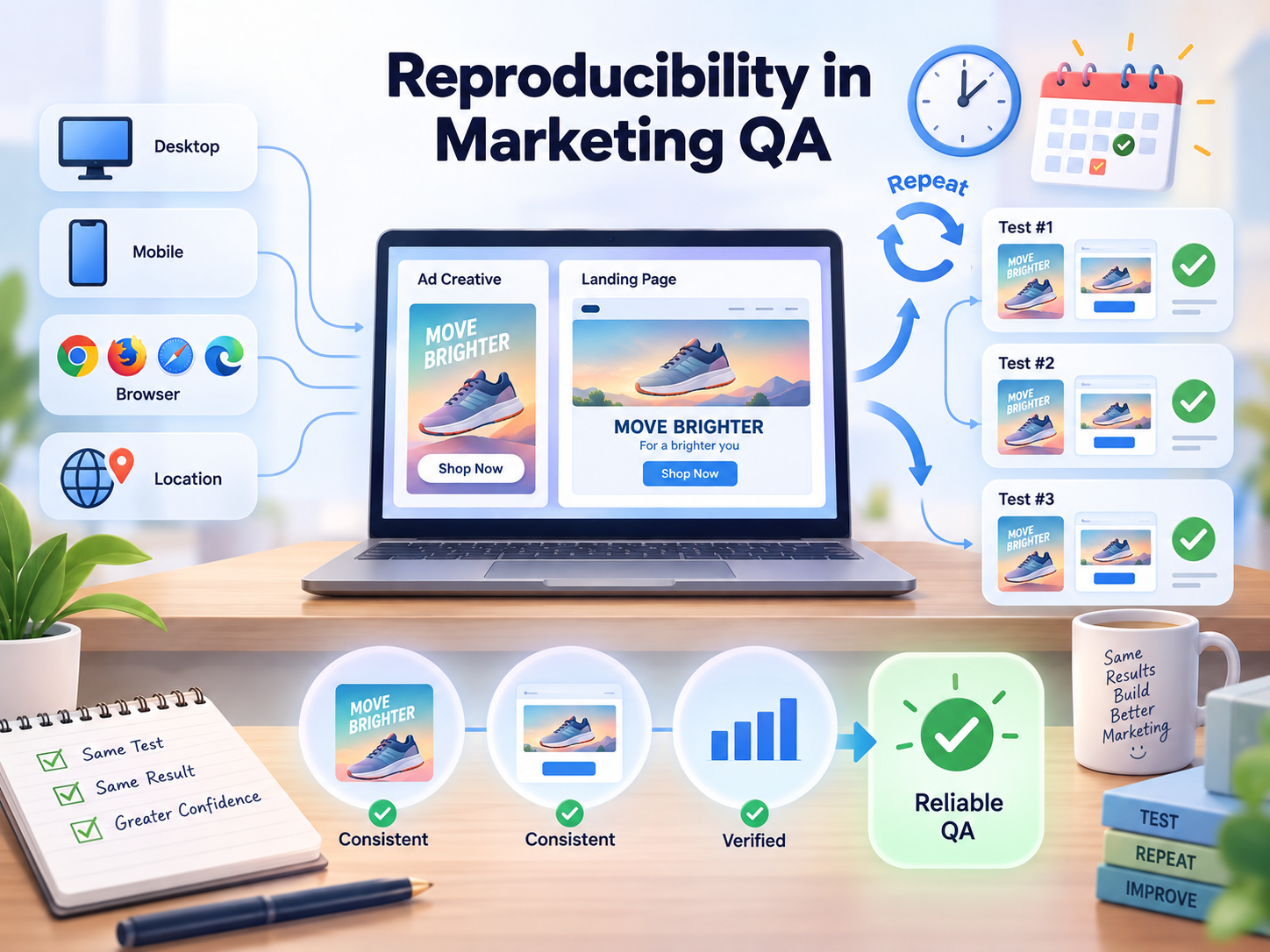
A QA result is much more useful when another person can reproduce it.
Compare these two bug reports.
Weak report:
“The German landing page looked wrong on my computer.”
Reproducible report:
Profile: Campaign-DE-German-NewUser
Region: Germany
Browser language: German
Session: New visitor
Campaign: Autumn Search
Expected: EUR pricing
Actual: USD pricing
The second report gives the team a defined environment.
That is the real value of multi-profile ad verification browser testing.
It turns an individual observation into a repeatable test case.
How Teams Should Name Ad Verification Profiles
Naming becomes important as the number of campaigns grows.
Avoid names such as:
Test 1
Germany
Landing Page
They provide too little context.
A better format is:
Campaign – Region – Language – State
Examples:
BlackFriday-US-English-New
BlackFriday-DE-German-New
Retargeting-UK-English-Returning
For larger organizations, add channel when useful:
Channel – Campaign – Region – State
For example:
Google-Brand-US-New
Meta-Retargeting-DE-Returning
TikTok-Summer-UK-New
Tags can add another layer:
- Production
- Staging
- Geo
- Regression
- Critical
- Google Ads
- Meta
- TikTok
The rule should be simple:
A team member who did not create the profile should still understand what it is for.
Example Ad Verification Workflow
Consider a marketing team launching the same campaign in the United States, Germany, and the United Kingdom.
Each market has:
- a separate landing page;
- local currency;
- localized copy;
- different promotional messaging.
The team creates:
Campaign-US-English-New
Campaign-DE-German-New
Campaign-UK-English-New
Step 1: Prepare the profile
Configure the expected browser language, session state, and network location where required.
Step 2: Open the advertisement
Verify that the correct creative, copy, and destination appear for the test scenario.
Step 3: Follow the click
Check the complete redirect chain and confirm that campaign parameters survive.
Step 4: Validate the landing page
Review:
- headline;
- currency;
- language;
- product;
- CTA;
- regional copy.
Step 5: Test the conversion path
Complete the relevant form, checkout, signup, or other test action where permitted.
Step 6: Record the result
Document:
Profile → Campaign → Region → Expected → Actual
Step 7: Preserve failed states
If something is wrong, keep the profile available until another team member can reproduce the issue.
This makes troubleshooting much easier than trying to rebuild the environment later.
Team Review and Handoff Workflow
Ad verification rarely belongs to one person.
Campaign managers, QA specialists, media buyers, developers, designers, and regional teams may all need to review the same issue.
A clear handoff should include:
- profile name;
- campaign name;
- channel;
- target region;
- language;
- session state;
- landing-page URL;
- expected result;
- actual result;
- screenshot or recording;
- ticket or task reference.
Browser profiles should support the QA record, not replace it.
The profile preserves the environment.
The bug report explains what happened.
Together, they make the test easier to reproduce.
Ad Verification and Landing Page QA Checklist
Before approving a campaign, verify the following.
Advertisement
- Correct creative
- Correct headline and copy
- Correct target region
- Correct language
- Correct destination URL
Browser Environment
- Expected session state
- Correct browser language
- Correct region where relevant
- Appropriate cookie state
- No unrelated campaign sessions
Landing Page
- Correct headline
- Correct offer
- Correct currency
- Correct language
- Correct images
- Correct CTA
- Correct regional information
Tracking
- UTM parameters preserved
- Redirects behave as expected
- Conversion events tested where appropriate
- No unexpected URL changes
Team Review
- Test profile clearly named
- Issue documented
- Expected and actual results recorded
- Another team member can reproduce the problem
This checklist can also be reused for campaign regression testing after landing-page updates.
How Hidemium Fits Ad Verification Workflows
Small marketing teams may be able to run basic verification using standard browser profiles and private windows.
The workflow becomes harder when teams need to maintain:
- many campaigns;
- several markets;
- different session states;
- multiple clients;
- proxy configurations;
- shared QA responsibilities.
This is where structured browser profile management becomes useful.
With Hidemium, teams can organize separate browser profiles around campaigns, markets, clients, and QA scenarios.
A workflow might look like:
Campaign
→ Black Friday
Region
→ Germany
Profile
→ BlackFriday-DE-German-New
Network configuration
→ regional proxy when needed
Owner
→ EU QA Team
The benefit is not simply having more profiles.
It is making each verification environment easier to identify, reproduce, review, and hand off.
Read more >> Browser Profile Management: A Practical Operating System for Teams
Final Thoughts
Ad verification is not only about asking:
“Did the ad appear?”
A complete QA process asks:
Did the right user see the right ad, reach the right landing page, receive the right regional experience, and complete the expected journey?
Browser profiles help marketing teams control more of those conditions.
They are especially useful when testing:
- different geolocations;
- multiple languages;
- new vs returning visitors;
- cookie-dependent experiences;
- campaign-specific landing pages;
- recurring regression tests.
The strongest browser profiles ad verification workflow follows a simple principle:
One defined test condition → one repeatable browser environment.
That makes campaign issues easier to reproduce, document, and hand off between teams.
For marketing teams managing many campaigns, clients, or regional QA environments, run separated verification workflows in Hidemium profiles and organize each test around a clearly defined browser state.
Frequently Asked Questions
What are browser profiles for ad verification?
Browser profiles for ad verification are separate browser environments used to test advertisements and post-click experiences under defined conditions such as region, language, cookies, session state, and proxy configuration.
Why use separate browser profiles for landing page QA?
Separate profiles prevent one test's cookies, storage, login state, or campaign history from affecting another. This makes first-time, returning-user, geo-specific, and campaign-specific landing-page tests easier to reproduce.
Can browser profiles be used for geo ad verification?
Yes. A browser profile can be combined with an appropriate proxy when a QA workflow requires regional network testing. Teams should also verify language, currency, redirects, offers, and other location-dependent behavior.
Are browser profiles better than Incognito for ad QA?
Incognito mode is useful for temporary clean sessions. Persistent profiles are more useful when teams need reusable test states, regional configurations, repeatable QA, or handoffs between reviewers.
Should every campaign have its own browser profile?
Not necessarily. Create separate profiles when campaigns require different regions, cookies, session states, clients, or QA environments. Avoid creating profiles without a clear operational reason.
Can multiple team members review the same QA workflow?
Yes, if the profile-management system supports team access. The test should also include clear documentation so another reviewer can reproduce the expected and actual results.
Related Blogs

In China, the Internet censorship system – commonly known as The Great Firewall (GFW)– continuously blocks access to thousands of international websites and applications such as Google, Facebook or WhatsApp. Therefore, for tourists, foreigners living in China or local residents, VPN became an important tool to maintain digital freedom and access the services needed for work and personal[…]
.png)
In multi-account operations, e-commerce monitoring, and ad verification scenarios, browser environment isolation and reliable proxy services have become essential “infrastructure.” For users of multi-account browsers like Hidemium, choosing a stable, secure, and widely covered residential proxy service is crucial.This article will introduce you to IPPeak, explain why it’s worth considering, and[…]

Here's a number that should keep product managers up at night: 62.54% of global website traffic now comes from mobile devices. Not desktops. Not tablets. Phones.And if you're building anything for the web in 2025, that stat changes everything about how you approach development and testing. The desktop-first mentality that dominated web development for two decades? It's basically over.Why Mobile[…]
.png)
Nowadays, websites can easily track user behavior through IP address and device parameters. This means that, even if you have changed your IP or used incognito mode on your browser, the system can still detect that you are logging in and operating multiple accounts at the same time.An effective solution to overcome this situation is to use it antidetect browser – specialized tool to help simulate[…]
.png)
The rise of AI in advertising has shifted how teams produce video creatives. Instead of long production cycles, marketers now test multiple variations in hours. At the center of this shift is the AI Ad Generator, a category of tools designed to turn scripts, prompts, or product ideas into ready-to-use ad videos.But the market is not uniform. Some tools focus on automation speed, others on design[…]
.png)
You are accessing a familiar website and suddenly receive a message: "Your IP address has been blocked"? This is a common error in 2025, especially for those who do MMO, affiliate, online marketing or use automatic tools such as auto view, auto sub, content seeding tools.... When your IP is blocked, you cannot access the website, send emails, or even get checkpointed on platforms like Facebook,[…]
