
Best VPN Extensions for Firefox | Secure Your Browsing
Enhance your Firefox experience with our top-rated VPN extensions. Protect your online privacy, bypass geo-restrictions, and enjoy fast, secure browsing. Find the perfect VPN for Firefox and start browsing confidently today.

TorGuard
TorGuard VPN offers secure and private internet access by encrypting users' online activity and sending it through a network of global servers. The service is designed to protect data from cyber threats, surveillance, and censorship, while also allowing users to bypass geo-blocks and access content from different regions.

Private VPN
PrivateVPN provides secure and private internet access by encrypting users' online activity and routing their traffic through a network of secure servers. This protects their data from surveillance, cyber threats, and unauthorized access, while also allowing them to bypass geo-restrictions and access content from different regions.

Liberty Shield VPN
Liberty Shield VPN offers secure and private internet access by encrypting users' online traffic and routing it through servers in different locations. This protects users' data from surveillance and cyber threats while also allowing them to bypass geographical restrictions and access content from various regions.

Clear VPN
ClearVPN offers a safe and private online experience by encrypting users' activities and routing their data through a worldwide network of secure servers. It is designed to be user-friendly, making it easy for anyone to use, regardless of their technical skills. ClearVPN aims to provide a smooth and tailored VPN experience, featuring smart tools that adjust automatically to meet users' needs.


FineVPN
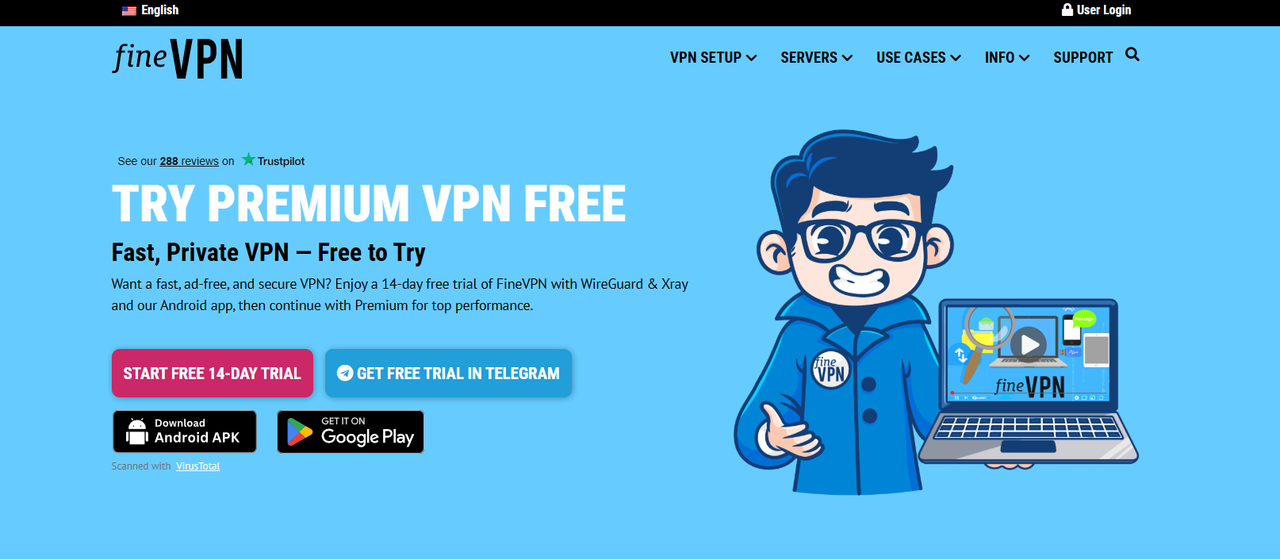 What is FineVPN?
FineVPN is a VPN service that helps users change their IP address, hide their real location, and improve their privacy when accessing the internet. When you turn on a VPN, your connection is routed through an intermediary server. As a result, the website you visit will see the VPN server’s IP address instead of your real IP address.
Simply put, FineVPN acts as an intermediary layer between your device and the internet. It does not make you completely “invisible,” but it can help reduce the exposure of your real IP address in many common situations.
FineVPN is generally suitable for users who need to:
Hide their IP address while browsing the web.
Access content restricted by region.
Improve privacy when using public Wi-Fi.
Check websites or content from a different location.
Use a basic VPN without complicated configuration.
If you are searching for and comparing multiple VPN options, check out our list of the best VPN services that we have compiled and reviewed.
FineVPN Quick Summary
Key Features of FineVPN
The first strength of FineVPN is its simplicity. Users do not need much technical knowledge to get started. For common needs such as hiding an IP address, changing access location, or protecting the connection when using public Wi-Fi, FineVPN can meet basic requirements.
Some notable features of FineVPN include:
Hiding your real IP address: makes it harder for websites to see your original IP address.
Changing your access location: allows you to access the internet through a server in another region.
Basic privacy support: helps reduce the exposure of your personal network information.
Easy to use: suitable for beginners who are new to VPNs.
Regional content checking: useful when you want to see how a website appears in different countries.
Compatibility with other tools: suitable for certain workflows that require separate working environments.
For marketers, SEO specialists, affiliates, or users who manage multiple online environments, FineVPN can play a role at the IP layer. However, it is important to understand that a VPN only handles the network address part. If you need to separate cookies, browser fingerprints, login sessions, or multiple browser profiles, you should combine it with a tool such as an antidetect browser.
In that case, FineVPN can provide a different IP address, while Hidemium helps manage separate browser profiles. This combination is suitable for legitimate workflows such as website testing, market research, client account management, or privacy protection.
Is FineVPN Speed Good?
Speed is one of the most important factors users consider when choosing a VPN. A VPN may be easy to use, but if pages load slowly, ping is high, or the connection is unstable, the overall experience can be heavily affected.
With FineVPN, speed usually depends on several factors:
Your original internet speed.
The server location you choose.
The distance between you and the VPN server.
The number of users connected to the same server.
The type of task you are performing, such as browsing the web, watching videos, downloading files, or gaming.
If you only use FineVPN to read news, browse the web, check websites, log in to accounts, or research content, the speed may be enough for basic needs. When choosing a server close to your real location, the connection is usually more stable and latency is lower.
However, if you connect to a server that is too far away, speed may drop noticeably. You may experience slower page loading, longer video buffering, or higher ping. This is quite common with most VPN services, not just FineVPN.
For a better experience, you should:
Test multiple server locations.
Prioritize servers close to your region or target market.
Avoid overloaded servers if the speed is slow.
Check the speed before using it for important work.
Avoid relying on a single server if performance is unstable.
FineVPN Security and Privacy
VPNs are commonly used to improve online privacy, but not all VPNs provide the same level of protection. When evaluating FineVPN, you should look at two key factors: how well it hides your IP address and how transparent it is about user data.
At a basic level, FineVPN can help hide your real IP address and reduce the risk of exposing your personal network information when accessing websites. This is especially useful when using public Wi-Fi in cafés, airports, hotels, or other untrusted networks.
However, privacy is not just about changing your IP address. Before using FineVPN long term, users should check whether the service stores browsing history, logs original IP addresses, records connection timestamps, or clearly explains how user data is collected, processed, and protected. It is also important to review whether FineVPN offers essential security features such as DNS leak protection and a kill switch.
A trustworthy VPN should clearly explain what data it collects and what data it does not collect. If this information is not transparent, users should be cautious, especially when using a VPN for important work.
FineVPN may be suitable for basic privacy needs. However, if you need a higher level of security, such as for sensitive work, important data, or business security requirements, you should also compare it with VPNs that offer a clear no-log policy, independent audits, a kill switch, and DNS leak protection.
FineVPN Server Network
Servers directly affect speed, connection stability, and the ability to access region-based content. The more stable the servers are, the cleaner the IP addresses are, and the more diverse the server locations are, the better the user experience will be.
When evaluating FineVPN’s server network, you should not only look at the number of servers. What matters more is the quality of the connection and the condition of the IP addresses. Users should check which countries FineVPN supports, whether speeds are stable across different locations, whether its IP addresses are frequently blocked by websites, and whether servers often become overloaded. It is also important to see if FineVPN supports the specific region you need, whether the IP addresses are shared or dedicated, and whether the server network is suitable for SEO, marketing, or ad-checking tasks.
If you only need VPN access for regular web browsing, a basic server network may be enough. However, if you work in marketing, SEO, ad verification, market research, or manage multiple online environments, IP quality becomes much more important.
A common issue with cheap or free VPNs is that many users share the same IP address. When an IP address is overused or abused, some websites may block it, request additional verification, or mark it as suspicious. This can directly affect your browsing experience and make the connection less reliable for work-related tasks.
Pros of FineVPN
FineVPN’s main advantage lies in its simplicity. This makes it suitable for beginners, users who do not want complicated configuration, or anyone who only needs a VPN for everyday use.
The main advantages include:
Easy to use: suitable for beginners who are new to VPNs.
IP masking support: helps reduce the exposure of your real IP address.
Suitable for basic needs: such as web browsing, research, and checking region-based content.
Useful on public Wi-Fi: adds an extra layer of privacy when using unsecured networks.
Can be combined with an antidetect browser: supports legitimate workflows related to browser profile management.
Accessible for new users: suitable for those who want to try a VPN before moving to a more advanced solution.
If your needs are not too complex, a simple VPN like FineVPN can be a suitable starting point.
Cons of FineVPN
FineVPN is not a perfect choice for every situation. If you need very high speed, dedicated IPs, strong security, or a more professional server network, FineVPN may not be the most optimal option.
Some drawbacks to consider include:
Speed may be inconsistent: especially when connecting to distant or overloaded servers.
Shared IPs may be blocked: some websites may flag VPN IP addresses as suspicious.
The logging policy should be checked carefully: privacy depends on how transparent the provider is about data collection.
Advanced features may be limited: such as a kill switch, DNS leak protection, or independent security audits.
Not ideal for heavy tasks: such as high-quality streaming, gaming, large file downloads, or work that requires a highly stable connection.
Does not fully replace proxies or dedicated IPs: especially for marketing needs or professional account management.
In other words, FineVPN may be enough for basic needs, but advanced users should test it carefully before relying on it completely.
Who Is FineVPN Best For?
FineVPN is best suited for general users who need a simple VPN to browse more privately, hide their real IP address, or access region-based content.
FineVPN may be suitable for:
Beginners who are new to VPNs.
General users who want to improve privacy while browsing the web.
Students or travelers who often use public Wi-Fi.
Users who need to access websites from a different location.
Marketers who need light regional content testing.
SEO specialists who need to check search results or website interfaces from another region.
Users who want to combine a VPN with a browser profile tool for legitimate workflows.
FineVPN may not be suitable for:
Users who need dedicated IPs or high-quality proxies.
Users who need enterprise-grade security.
Users who need stable speed for streaming or gaming.
Users who need a VPN with independent audits and a clear no-log policy.
Users running heavy workloads or multiple automated tasks.
Should You Use FineVPN with Hidemium?
The answer is yes, as long as you use them for legitimate purposes such as managing work profiles, testing websites, conducting market research, or separating login environments.
FineVPN and Hidemium handle two different layers:
A VPN helps websites see a different IP address. Meanwhile, Hidemium helps create separate browser profiles, with each profile having its own cookies, fingerprint, user agent, time zone, and login session. This allows users to manage multiple working environments in a more organized and consistent way.
This combination is suitable for:
Website testing.
Market research.
Separating client accounts.
Managing multiple working environments.
Protecting privacy at both the IP layer and the browser layer.
However, VPNs and antidetect browsers should not be used to violate platform policies, bypass bans, spam, or operate illegal account buying and selling activities. The proper use case is to support privacy, testing, work management, and legitimate digital identity protection.
Not entirely. VPNs and proxies can both change your IP address, but they work differently and are suited for different use cases. For managing multiple profiles, proxies are often more flexible. VPNs are generally better for protecting the overall connection or basic web browsing.
Quick Feature Comparison: FineVPN vs Proton VPN vs Windscribe vs TunnelBear
Quick Pricing Comparison: FineVPN vs Proton VPN vs Windscribe vs TunnelBear
FineVPN helps you change your IP address, but to fully separate your browser environments — including cookies, fingerprints, and login sessions — you need an antidetect browser. Hidemium offers a 3-day free trial with full access to all features.


Le-VPN
Le VPN protects users' online privacy and security by encrypting their internet connection and sending it through private servers around the globe. This process hides users’ IP addresses, shields their data from cyber threats, and lets them access content that may be restricted in their location.

Hideme VPN
Hide.me VPN ensures secure and private internet access by encrypting user data and routing it through servers around the world. This process hides the user's IP address and protects their online activities from tracking, hacking, and surveillance. Hide.me is praised for its fast performance and ease of use.


Windscribe VPN
Windscribe VPN provides secure internet access by encrypting users' online traffic and directing it through servers worldwide. This enhances users' online privacy, stops tracking, and allows access to content restricted by geography. Windscribe is especially recognized for its generous free plan and a variety of privacy tools.


Ultra VPN
UltraVPN enables users to connect to the internet securely by encrypting their web traffic and hiding their IP addresses. This helps protect against unauthorized spying, reduces the risk of data theft, and allows access to content restricted by region. It is also user-friendly, making it suitable for both new and experienced VPN users.

Hotspot Shield VPN
Hotspot Shield offers secure and private internet access by encrypting users' connections and routing them through its servers. This hides their IP addresses and protects their data from online threats. The service is known for its unique VPN technology, which boosts speed and performance.

Mullvad VPN
Mullvad VPN aims to create a safer and more private online experience by providing a user-friendly service that helps keep users anonymous. To sign up, no personal information is needed, not even an email address. Users simply generate an account number, which is the only identifier associated with their account.

CyberGhost
CyberGhost VPN provides safe and private internet access by encrypting user data and directing it through its servers. It aims to safeguard users’ online activities from spying, interference, and censorship. The service is especially recognized for its easy-to-use apps and strong security features.


Proton VPN
ProtonVPN offers secure internet connections by encrypting user data and sending it through its network of servers, ensuring privacy and anonymity. It has become popular due to its strong focus on privacy and its connection to the ProtonMail email service, which prioritizes secure communication.

Surfshark VPN
Surfshark is a newer, highly-rated VPN service known for its security features, affordability, and unlimited device connections. It provides secure and private internet access by encrypting user data and routing it through a global network of servers, which hides the user’s IP address and ensures anonymity. Its user-friendly approach and support for unlimited simultaneous connections have made it quite popular.

Express VPN
ExpressVPN is a top VPN service recognized for its fast connections, strong security features, and easy-to-use design. It provides safe and private internet access by encrypting user data and routing it through a network of servers, which hides the user's IP address and ensures anonymity. This makes it a popular choice for those looking for a reliable and secure VPN service.

Nord VPN
NordVPN is a well-regarded VPN service known for its strong security features, large server network, and easy-to-use apps. It provides secure internet access by sending user traffic through encrypted tunnels to its servers, which hides IP addresses and protects data from being intercepted. This service is great for individuals and businesses wanting to keep their online activities safe from prying eyes. NordVPN is an excellent option for anyone wanting to boost their online security and privacy, access global content, and shield their digital footprint from surveillance and cyber threats.

AstrillVPN
AstrillVPN: Fast & Private VPN Service
AstrillVPN is built for users who demand more than just basic privacy. Known for its speed, reliability, and advanced technology, Astrill is the go-to VPN for power users, travelers, and those living in countries with strict internet censorship. Its proprietary StealthVPN and OpenWeb protocols are designed to bypass firewalls and deep packet inspection effortlessly, giving you unrestricted internet access even in the most restricted regions.
Astrill also stands out with its user-friendly apps, smart routing features, and ability to protect multiple devices simultaneously. Whether you’re streaming 4K content, gaming with low latency, or working remotely with sensitive data, AstrillVPN ensures a secure, smooth, and uninterrupted online experience.

Frequently Asked Questions
What is the best VPN for Mozilla Firefox?
The top VPNs for Mozilla Firefox include popular choices like NordVPN, ExpressVPN, and Windscribe. These VPNs are well-regarded for their strong security features, fast connection speeds, and seamless integration as browser extensions, providing an easy and secure browsing experience.
How do I install a VPN on Mozilla Firefox?
To install a VPN on Mozilla Firefox, go to the Firefox Add-ons store, look for the VPN you wish to use, click on the extension, and then select "Add to Firefox" to install it directly in your browser.
Does a VPN extension for Firefox slow down browsing?
A VPN may cause a small decrease in your browsing speed because of the encryption process and the distance to the server you're using. However, top-quality VPNs are built to reduce this effect, allowing for a smooth browsing experience.
Can I use a free VPN with Firefox?
Yes, there are various free VPNs you can use with Firefox. However, these free options usually have limitations like data caps, fewer servers, and slower speeds. Be sure to read reviews and understand their restrictions before selecting a free VPN.
Will a Firefox VPN extension protect all internet traffic on my computer?
No, a VPN extension for Firefox only secures the traffic that goes through the Firefox browser. If you want to protect all internet traffic on your device, you'll need to install a full VPN application.
Is it safe to use a VPN with Mozilla Firefox?
Yes, it's safe to use a VPN with Mozilla Firefox, provided you choose a trustworthy VPN provider. Make sure to look for VPNs that offer strong encryption, a no-logs policy, and positive user reviews to keep your data secure and private.

