
FineVPN Review: Features, Pricing, Security, and Best Use Cases
Read our FineVPN review to explore its features, pricing, speed, security, pros, cons, and best use cases before choosing it as your VPN for private and secure browsing.
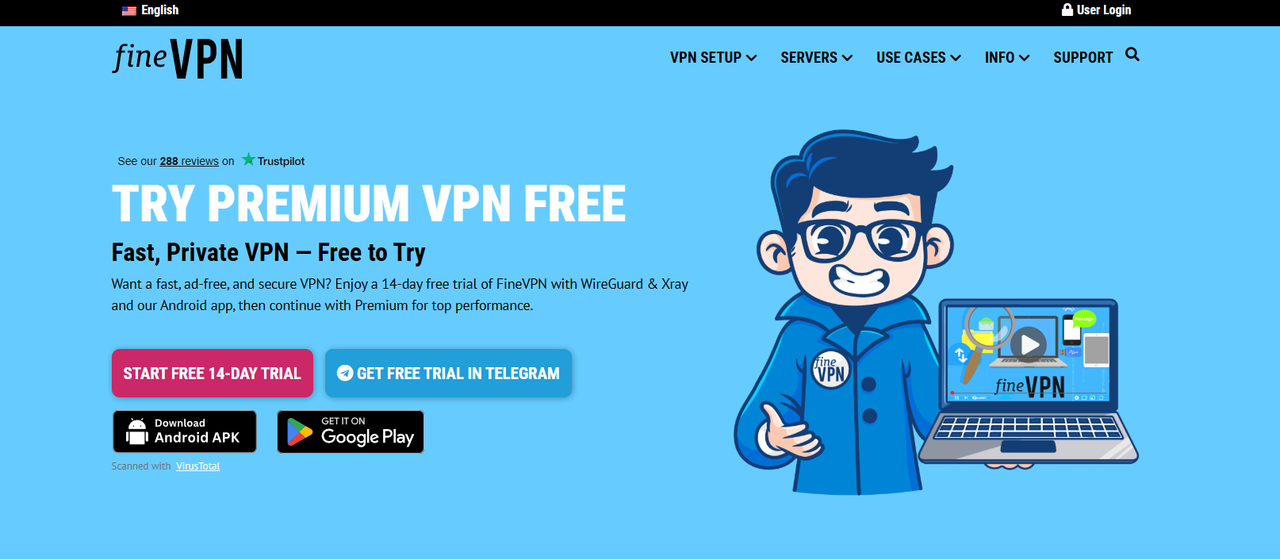 What is FineVPN?
FineVPN is a VPN service that helps users change their IP address, hide their real location, and improve their privacy when accessing the internet. When you turn on a VPN, your connection is routed through an intermediary server. As a result, the website you visit will see the VPN server’s IP address instead of your real IP address.
Simply put, FineVPN acts as an intermediary layer between your device and the internet. It does not make you completely “invisible,” but it can help reduce the exposure of your real IP address in many common situations.
FineVPN is generally suitable for users who need to:
Hide their IP address while browsing the web.
Access content restricted by region.
Improve privacy when using public Wi-Fi.
Check websites or content from a different location.
Use a basic VPN without complicated configuration.
If you are searching for and comparing multiple VPN options, check out our list of the best VPN services that we have compiled and reviewed.
FineVPN Quick Summary
Key Features of FineVPN
The first strength of FineVPN is its simplicity. Users do not need much technical knowledge to get started. For common needs such as hiding an IP address, changing access location, or protecting the connection when using public Wi-Fi, FineVPN can meet basic requirements.
Some notable features of FineVPN include:
Hiding your real IP address: makes it harder for websites to see your original IP address.
Changing your access location: allows you to access the internet through a server in another region.
Basic privacy support: helps reduce the exposure of your personal network information.
Easy to use: suitable for beginners who are new to VPNs.
Regional content checking: useful when you want to see how a website appears in different countries.
Compatibility with other tools: suitable for certain workflows that require separate working environments.
For marketers, SEO specialists, affiliates, or users who manage multiple online environments, FineVPN can play a role at the IP layer. However, it is important to understand that a VPN only handles the network address part. If you need to separate cookies, browser fingerprints, login sessions, or multiple browser profiles, you should combine it with a tool such as an antidetect browser.
In that case, FineVPN can provide a different IP address, while Hidemium helps manage separate browser profiles. This combination is suitable for legitimate workflows such as website testing, market research, client account management, or privacy protection.
Is FineVPN Speed Good?
Speed is one of the most important factors users consider when choosing a VPN. A VPN may be easy to use, but if pages load slowly, ping is high, or the connection is unstable, the overall experience can be heavily affected.
With FineVPN, speed usually depends on several factors:
Your original internet speed.
The server location you choose.
The distance between you and the VPN server.
The number of users connected to the same server.
The type of task you are performing, such as browsing the web, watching videos, downloading files, or gaming.
If you only use FineVPN to read news, browse the web, check websites, log in to accounts, or research content, the speed may be enough for basic needs. When choosing a server close to your real location, the connection is usually more stable and latency is lower.
However, if you connect to a server that is too far away, speed may drop noticeably. You may experience slower page loading, longer video buffering, or higher ping. This is quite common with most VPN services, not just FineVPN.
For a better experience, you should:
Test multiple server locations.
Prioritize servers close to your region or target market.
Avoid overloaded servers if the speed is slow.
Check the speed before using it for important work.
Avoid relying on a single server if performance is unstable.
FineVPN Security and Privacy
VPNs are commonly used to improve online privacy, but not all VPNs provide the same level of protection. When evaluating FineVPN, you should look at two key factors: how well it hides your IP address and how transparent it is about user data.
At a basic level, FineVPN can help hide your real IP address and reduce the risk of exposing your personal network information when accessing websites. This is especially useful when using public Wi-Fi in cafés, airports, hotels, or other untrusted networks.
However, privacy is not just about changing your IP address. Before using FineVPN long term, users should check whether the service stores browsing history, logs original IP addresses, records connection timestamps, or clearly explains how user data is collected, processed, and protected. It is also important to review whether FineVPN offers essential security features such as DNS leak protection and a kill switch.
A trustworthy VPN should clearly explain what data it collects and what data it does not collect. If this information is not transparent, users should be cautious, especially when using a VPN for important work.
FineVPN may be suitable for basic privacy needs. However, if you need a higher level of security, such as for sensitive work, important data, or business security requirements, you should also compare it with VPNs that offer a clear no-log policy, independent audits, a kill switch, and DNS leak protection.
FineVPN Server Network
Servers directly affect speed, connection stability, and the ability to access region-based content. The more stable the servers are, the cleaner the IP addresses are, and the more diverse the server locations are, the better the user experience will be.
When evaluating FineVPN’s server network, you should not only look at the number of servers. What matters more is the quality of the connection and the condition of the IP addresses. Users should check which countries FineVPN supports, whether speeds are stable across different locations, whether its IP addresses are frequently blocked by websites, and whether servers often become overloaded. It is also important to see if FineVPN supports the specific region you need, whether the IP addresses are shared or dedicated, and whether the server network is suitable for SEO, marketing, or ad-checking tasks.
If you only need VPN access for regular web browsing, a basic server network may be enough. However, if you work in marketing, SEO, ad verification, market research, or manage multiple online environments, IP quality becomes much more important.
A common issue with cheap or free VPNs is that many users share the same IP address. When an IP address is overused or abused, some websites may block it, request additional verification, or mark it as suspicious. This can directly affect your browsing experience and make the connection less reliable for work-related tasks.
Pros of FineVPN
FineVPN’s main advantage lies in its simplicity. This makes it suitable for beginners, users who do not want complicated configuration, or anyone who only needs a VPN for everyday use.
The main advantages include:
Easy to use: suitable for beginners who are new to VPNs.
IP masking support: helps reduce the exposure of your real IP address.
Suitable for basic needs: such as web browsing, research, and checking region-based content.
Useful on public Wi-Fi: adds an extra layer of privacy when using unsecured networks.
Can be combined with an antidetect browser: supports legitimate workflows related to browser profile management.
Accessible for new users: suitable for those who want to try a VPN before moving to a more advanced solution.
If your needs are not too complex, a simple VPN like FineVPN can be a suitable starting point.
Cons of FineVPN
FineVPN is not a perfect choice for every situation. If you need very high speed, dedicated IPs, strong security, or a more professional server network, FineVPN may not be the most optimal option.
Some drawbacks to consider include:
Speed may be inconsistent: especially when connecting to distant or overloaded servers.
Shared IPs may be blocked: some websites may flag VPN IP addresses as suspicious.
The logging policy should be checked carefully: privacy depends on how transparent the provider is about data collection.
Advanced features may be limited: such as a kill switch, DNS leak protection, or independent security audits.
Not ideal for heavy tasks: such as high-quality streaming, gaming, large file downloads, or work that requires a highly stable connection.
Does not fully replace proxies or dedicated IPs: especially for marketing needs or professional account management.
In other words, FineVPN may be enough for basic needs, but advanced users should test it carefully before relying on it completely.
Who Is FineVPN Best For?
FineVPN is best suited for general users who need a simple VPN to browse more privately, hide their real IP address, or access region-based content.
FineVPN may be suitable for:
Beginners who are new to VPNs.
General users who want to improve privacy while browsing the web.
Students or travelers who often use public Wi-Fi.
Users who need to access websites from a different location.
Marketers who need light regional content testing.
SEO specialists who need to check search results or website interfaces from another region.
Users who want to combine a VPN with a browser profile tool for legitimate workflows.
FineVPN may not be suitable for:
Users who need dedicated IPs or high-quality proxies.
Users who need enterprise-grade security.
Users who need stable speed for streaming or gaming.
Users who need a VPN with independent audits and a clear no-log policy.
Users running heavy workloads or multiple automated tasks.
Should You Use FineVPN with Hidemium?
The answer is yes, as long as you use them for legitimate purposes such as managing work profiles, testing websites, conducting market research, or separating login environments.
FineVPN and Hidemium handle two different layers:
A VPN helps websites see a different IP address. Meanwhile, Hidemium helps create separate browser profiles, with each profile having its own cookies, fingerprint, user agent, time zone, and login session. This allows users to manage multiple working environments in a more organized and consistent way.
This combination is suitable for:
Website testing.
Market research.
Separating client accounts.
Managing multiple working environments.
Protecting privacy at both the IP layer and the browser layer.
However, VPNs and antidetect browsers should not be used to violate platform policies, bypass bans, spam, or operate illegal account buying and selling activities. The proper use case is to support privacy, testing, work management, and legitimate digital identity protection.
Not entirely. VPNs and proxies can both change your IP address, but they work differently and are suited for different use cases. For managing multiple profiles, proxies are often more flexible. VPNs are generally better for protecting the overall connection or basic web browsing.
Quick Feature Comparison: FineVPN vs Proton VPN vs Windscribe vs TunnelBear
Quick Pricing Comparison: FineVPN vs Proton VPN vs Windscribe vs TunnelBear
FineVPN helps you change your IP address, but to fully separate your browser environments — including cookies, fingerprints, and login sessions — you need an antidetect browser. Hidemium offers a 3-day free trial with full access to all features.
Features
n/a


Price
FineVPN has a free version that includes basic features. There are also paid subscription plans that offer more features and improved performance. Pricing may change, so it’s best to visit the FineVPN website for the most current details.

Locations
FineVPN has servers in several countries worldwide. While the total number of locations may not be as extensive as those of larger VPN providers, it still covers important global regions.

Protocols
FineVPN supports popular VPN protocols like OpenVPN and PPTP. These protocols offer a solid balance of security and speed, making them suitable for everyday browsing as well as more data-heavy tasks.

Trustpilot score
FineVPN has received a high rating, boasting an average Trustpilot score of 4.6 stars based on user reviews.

Jurisdiction
FineVPN operates under the laws of its home country, which is not clearly stated on its website. Users who are worried about privacy should think about how the service’s location affects data retention laws and international agreements on sharing information.

Notable Features
Unlimited Bandwidth: FineVPN offers unlimited bandwidth on its paid plans, making it suitable for streaming, gaming, and extensive downloading.
Multi-device Support: Allows users to connect multiple devices under a single subscription, making it a convenient choice for individuals and families.
No-logging Policy: The service claims to have a strict no-logging policy, ensuring that users’ activities are not recorded or monitored.

Promocode
n/a

Best For
FineVPN is a good choice for users who want an easy-to-use and affordable VPN service. It helps them access geo-restricted content, improve their privacy, and secure their internet connections on public Wi-Fi networks that may not be safe.

Platforms
FineVPN works with major platforms like Windows, macOS, iOS, and Android. This compatibility enables a wide range of users to access the service on different devices and operating systems.

Frequently Asked Questions
What is FineVPN?
FineVPN is a VPN service that offers encrypted internet connections, helping users secure their online activities, access content that is restricted by location, and protect their privacy.
How much does FineVPN cost?
FineVPN has a free version that includes basic features. For more advanced features and improved performance, they offer paid subscription plans. It's best to visit their website for the latest pricing information.
In which countries does FineVPN have server locations?
FineVPN operates servers in various countries worldwide. While the exact number of locations isn't provided, they focus on key areas to give users broad global access.
What protocols does FineVPN support?
FineVPN supports several protocols, including OpenVPN and PPTP. These options help provide a good mix of security and speed for users' needs.
Can I use FineVPN on multiple devices?
Yes, FineVPN lets users connect multiple devices at the same time with one subscription, making it a great option for individuals or families.
Does FineVPN keep logs of user activity?
FineVPN states that it follows a strict no-logging policy, meaning they do not track or save users' internet activities.
Alternatives

TorGuard
TorGuard VPN offers secure and private internet access by encrypting users' online activity and sending it through a network of global servers. The service is designed to protect data from cyber threats, surveillance, and censorship, while also allowing users to bypass geo-blocks and access content from different regions.

Private VPN
PrivateVPN provides secure and private internet access by encrypting users' online activity and routing their traffic through a network of secure servers. This protects their data from surveillance, cyber threats, and unauthorized access, while also allowing them to bypass geo-restrictions and access content from different regions.

Liberty Shield VPN
Liberty Shield VPN offers secure and private internet access by encrypting users' online traffic and routing it through servers in different locations. This protects users' data from surveillance and cyber threats while also allowing them to bypass geographical restrictions and access content from various regions.


Clear VPN
ClearVPN offers a safe and private online experience by encrypting users' activities and routing their data through a worldwide network of secure servers. It is designed to be user-friendly, making it easy for anyone to use, regardless of their technical skills. ClearVPN aims to provide a smooth and tailored VPN experience, featuring smart tools that adjust automatically to meet users' needs.


