Hướng dẫn dùng màn hình Proxies Hidemium - hidemium


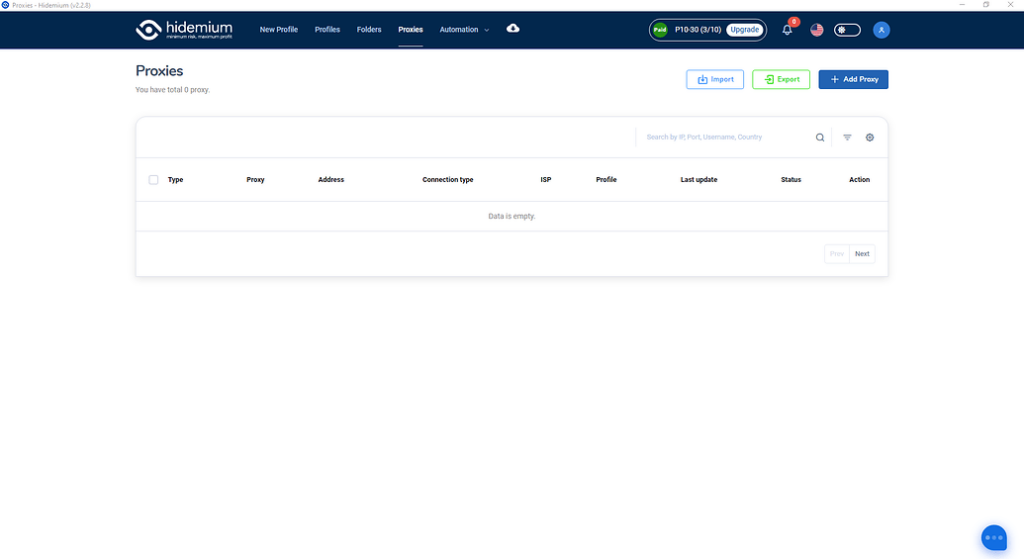
Tùy theo mục đích quản lý proxy của anh em nhé, màn hình này sẽ cho thấy bạn đã và đang dùng proxy nào, cho phép bạn check live sống chết của proxy ra sao, cho phép bạn tìm kiếm truy vấn filter theo proxy type, country, ISP, status…
Ok giờ chúng ta đi vào phần đầu tiên:

Anh em ấn vào nút Import thân thiện này hộ mình nhé.

Màn hình hiện lên ta có các lựa chọn sau đây:
Type: Kiểu proxy bạn muốn import hàng loạt
Type import: Kiểu định dạng import, nếu là text thì bạn paste text xuống ô Text bên dưới, nếu là file thì hãy chọn file để đưa vào import nhé.
Định dạng hỗ trợ của team mình đây nhé:
SSH,SOCKS5,SOCKS4,HTTP: IP|port|username|password
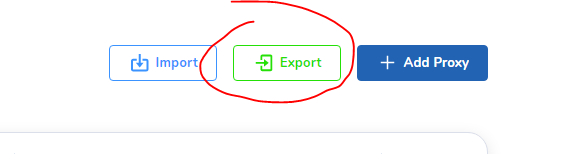
Chọn nơi cần lưu thế là đã lưu toàn bộ proxy của mình về nhé. Muốn đưa sang tài khoản khác lại chọn chức năng import có thể import nguyên data proxy từ tài khoản này sang tài khoản khác nhé.
ADD PROXY

Anh em điền loại proxy của mình vào rồi ấn Check Proxy trước khi là Add Proxy nhé. Proxy live mới cho Add vào nha.
CHECK LIVE

Anh em chọn proxy cần check, sẽ có nut Check Live hiện bên trên, việc của anh em là ấn check xong chờ kết quả nhé.

Tích xanh là Live
Tích đỏ là Die
Tương tự sẽ là chức năng delete xóa hàng loạt.
Đi vào chi tiết chúng ta có:
- Detail
- Quick create
- Edit
- Delete
Detail: Chúng ta sẽ xem được full thông tin proxy tại chức năng này

Quick create: Tạo nhanh profiles với Proxy đã chọn
Edit: Sửa lại thông tin proxy đã chọn, nhớ ấn check proxy trước khi lưu lại
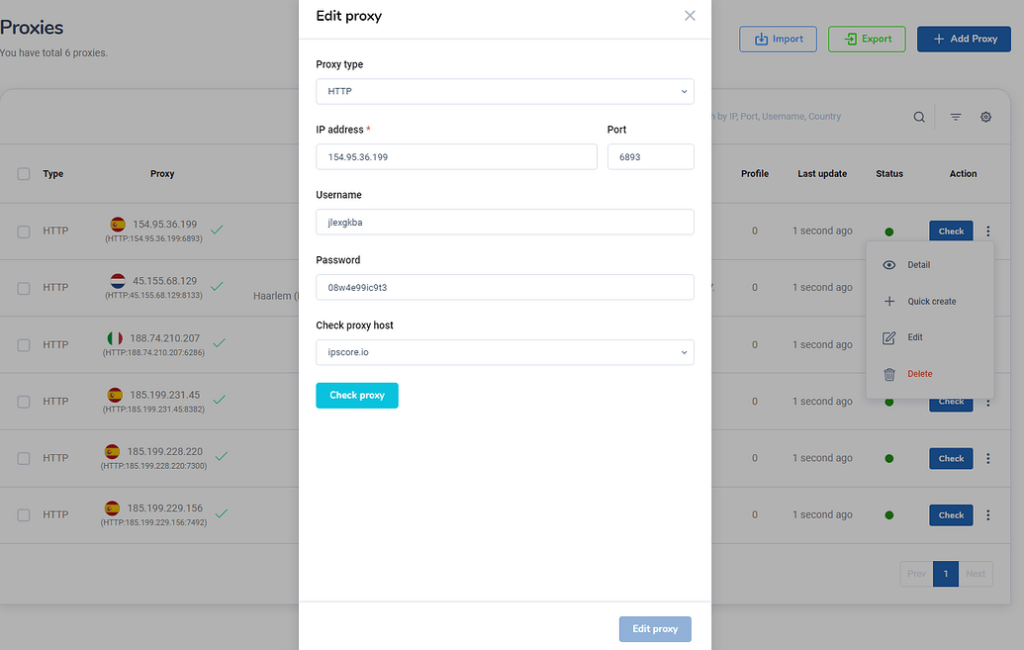
Delete: Xóa proxy đã được chọn
Và quan trọng hơn để sử dụng màn hình Proxy này anh em phải mua plan trước khi truy cập vào nhé. Link mua nâng cấp tài khoản tại: https://hidemium.io/pricing 1
Related Blogs

When managing multiple accounts for MMO, eCommerce, or multi-platform marketing, IP address and geographic location are always among the top risk factors. If multiple accounts log in from the same IP or an incorrect location, platforms can easily detect account linkage, leading to suspensions or bans.This is also why using a proxy alone is no longer sufficiently safe. A more sustainable solution[…]

Managing multiple online identities or scraping data securely requires more than just a browser extension — it demands a reliable proxy solution. If you're using Hidemium, a popular anti-detect browser, combining it with QuarkIP’s high-quality proxy services can take your anonymity, stability, and performance to the next level.In this guide, we’ll walk you through how to set up QuarkIP proxies in[…]

Major platforms such as Facebook, Google, Amazon, and eBay are increasingly tightening their policies, making multi-account management highly risky. Simply logging into multiple accounts on the same device can get you flagged for linkage and lead to mass account suspensions within minutes. So who truly needs this tool? Let’s join Hidemium in exploring the Top 5 industries that need an Antidetect[…]
Trên thị trường hiện nay có rất nhiều các app antidetect browser, tuỳ thuộc vào nhu cầu mục đích sử dụng của từng người sẽ có những lựa chọn app phù hợp với công việc của mình. Chúng ta sẽ review lại 1 lượt với app Hidemium để xem Hidemium đã và đang làm được […]

In SEO,Click-Through Rate (CTR) is always one of the important factors that directly affects search rankings. When users click on your website more often in search results, tools like Google will consider that content more valuable and relevant.One of the methods many people choose to improve CTR is to use bot CTR– A tool that helps simulate user behavior such as clicking on search results,[…]

Managing multiple social media accounts sounds simple—until you actually do it.If you're handling 5, 10, or even 15 accounts, you probably know the feeling: writing similar captions, repeating the same workflow, and constantly switching between accounts. It quickly becomes time-consuming and hard to scale.That’s where a structured workflow using Claude AI can make a real difference. Instead of[…]
