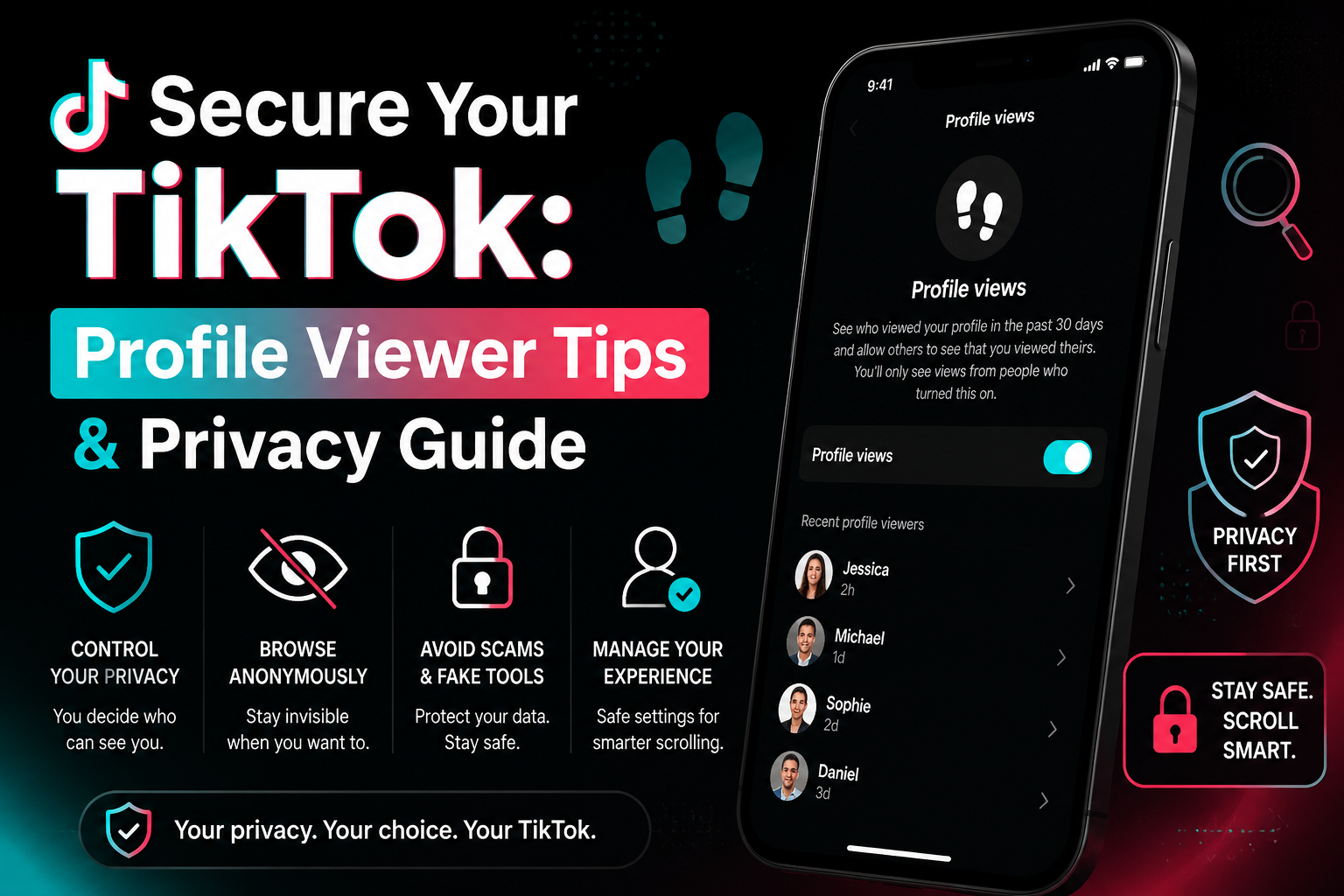

How to see who viewed your profile on TikTok
We've all been there: you're deep-diving into a new coworker's account at 2 AM and suddenly freeze. Can they see that I'm here? It is a common panic for anyone wondering how to see who viewed your TikTok profile. According to TikTok's official Help Center, the platform does actually have a native footprint tracking feature, but it might not work exactly the way you fear.

Understanding TikTok's Profile View Feature
Think of this system as a digital guest book. If you sign it by turning the setting on, you get to see who else signed your book when they visit. Privacy on the app operates as a two-way street, though. Staying completely invisible means you cannot act as a secret TikTok profile checker for your own page. You will only spot visitors who have also granted the app permission to share their viewing history.
Navigating these boundaries does not require a computer science degree. Toggling this specific feature on or off right from your phone is a straightforward process. Understanding the mechanics behind this feature, as well as why third-party TikTok profile viewers often compromise personal data, ensures you stay secure while managing your digital footprint. For those who manage multiple TikTok accounts — for content creation, brand management, or marketing — maintaining separate, isolated browser environments is an equally important layer of privacy that tools like Hidemium antidetect browser are specifically built to provide.
The "Social Mirror" Rule: How TikTok's Profile View History Actually Works
The official TikTok visitor log features operate through mutual participation. If you want to see who has been visiting your page, you have to sign your name when you visit theirs. This mutual view requirement means you can't secretly peek at others while tracking who looks at you. Both users must have the feature active for anyone to show up.
Scrolling past a funny video on your "For You" page doesn't trigger this alert. A view only counts if you actively tap a username and land directly on their main profile page.
Even if you do leave a footprint, it doesn't stay there forever. Your TikTok profile view history settings only keep records for a strict 30-day window before wiping the slate clean. Once a month passes, those old visitor logs disappear completely, giving you a fresh start.
Step-by-Step: Enabling and Disabling Your TikTok Visitor Notifications
Taking control of your digital guest book is surprisingly simple. The fastest method is tapping the small "footprint" icon at the top right of your profile page. This symbol opens your visitor list, where clicking the gear icon lets you instantly toggle the feature on or off.
If that icon is missing from your screen, you can easily adjust your TikTok profile view history settings through the main app menu. Follow these steps to find it:
- Open your Profile and tap the three-line menu at the top right.
- Choose "Settings and privacy."
- Tap "Privacy."
- Scroll down to "Profile views."
- Use the toggle switch for enabling TikTok profile visitor notifications or turning them off.
tạo ảnh mô tả đoạn
Any adjustments you make happen instantly. If you ever feel over-exposed, disabling the toggle immediately stops people from seeing your past and future visits. For users who prefer a more stealthy approach, alternative browsing methods exist outside of your primary account settings.
Browsing in the Shadows: How to View Profiles Without Being Seen
Browsing TikTok Anonymously by Turning Off Your View Toggle
We all have moments where we want to check a page without announcing our arrival. As you just learned, the easiest method for anonymous TikTok profile browsing is turning off your view toggle. This acts like a digital invisibility cloak; if your setting is off, you won't show up on anyone else's list. Remember, this tracking only applies when you actively tap on someone's profile. Watching their videos as they scroll by naturally on your "For You" feed never notifies the creator.
Using Guest Mode or Web Browsers for Private Viewing
What if you want to keep your tracker on, but need to check someone's page in secret? People often ask: can you view TikTok without an account? Yes, by using a web browser instead of the app. Opening a private window on your computer or phone browser lets you search for users as a "Guest." The difference is simple:
- Logged In (App): Visits tie directly to your username and follow the standard tracking rules.
- Guest Mode (Browser): Total anonymity as an unnamed visitor viewing public pages.
.png)
Doing this manually can feel tedious, leading some users to search for a faster fix. You might be tempted to download an anonymous TikTok profile viewer that promises easy, invisible snooping. However, before you hand your login details over to a random website, you need to understand the serious security risks hiding behind those flashy promises.
The Dark Side of 'TikTok Profile Viewer' Apps: Why They Are Dangerous Scams
Beware of Fake TikTok Profile Viewers
Typing "tiktok private profile viewer" into search engines brings up dozens of websites promising magical, anonymous access. Unfortunately, these tools are selling a digital lie. TikTok's internal code is built like a locked vault, and it simply does not share profile view data with outside developers. Any website claiming it can bypass these strict privacy rules is lying just to lure you in.
Why would someone bother building a fake TikTok profile checker in the first place? The answer is a digital trap called data harvesting. These websites treat your personal information as valuable currency. By tricking you into clicking around their fake tools, hackers quietly collect your email, device location, or browsing habits to sell elsewhere.
Protecting Your Personal Data from Scams and Phishing
Protecting your device requires spotting basic phishing red flags. Phishing happens when scammers try to steal sensitive details through deceptive, urgent requests. If a site demands your password, requires you to finish sketchy surveys, or makes you download a strange TikTok profile pic viewer, close the window immediately. These demands represent massive third-party TikTok app security risks designed to hijack your account.
The only reliable way to keep your personal data secure is by staying inside the official application. If you manage multiple TikTok accounts for business or marketing purposes, you should go a step further: running each account inside a separate browser profile with its own proxy through an antidetect browser with quality proxies ensures that no account can be linked to another through shared browser fingerprints or IP addresses.
Why is My Profile View History Missing?
Why Your TikTok Profile View History Might Be Missing
Opening your app to find a blank visitor list can be frustrating, leaving you wondering, "why is my TikTok profile view history missing?" Start with the easiest fix: checking for a software update. Running an outdated application often causes interface features to temporarily vanish from your screen.
Limitations and Requirements Affecting Visitor Tracking
The most common reason for this mystery comes down to simple math. The platform places a strict cap on this feature, automatically disabling it once you reach 5,000 followers. Think of it like a small private party versus a massive stadium concert; once your audience gets too large, TikTok decides tracking every single guest is no longer practical.
Age also restricts what your account can access. Anyone under 16 is blocked from this tool entirely, a rule clearly outlined in the official TikTok user privacy settings guide to protect teenagers online. If you meet all these requirements but still want deeper insights into your growing audience, you will need to utilize native business features rather than simple visitor logs.
Profile Views vs. Profile Visits: Understanding Your Creator Analytics
When a massive creator posts a video, you might panic that they can see you clicking repeatedly on their page. Understanding TikTok profile views vs profile visits instantly clears up this worry. The app treats everyday users and big influencers differently, acting as a reliable digital shield for your daily browsing privacy.
Influencers rely on legitimate TikTok analytics tools to track their account growth, rather than spying on specific individuals. They only see total numbers, never names. Here is a quick breakdown of how the platform divides this information:
- Visitor History (Personal): Shows exactly who looked at a page. This requires mutual opt-in and automatically turns off for large accounts.
- Creator Analytics (Business): Shows how many people looked. This reveals broad viewer trends while keeping your exact identity completely hidden.
To safely monitor TikTok profile engagement from a bird's-eye view, users can open their settings and access the "Business Suite." Relying on this native TikTok analytics tool gives creators valuable performance data without compromising their audience's privacy. Rest easy knowing your visits to a famous page remain totally anonymous. For creators or marketers running several TikTok brand accounts simultaneously, using a dedicated tool like Hidemium for multi-account management keeps each profile fully isolated with its own unique fingerprint and IP, preventing cross-account detection.
Your TikTok Privacy Checklist: Staying Secure While Staying Social
Take Control of Your TikTok Profile Visibility
You no longer have to wonder if someone is tracking your late-night scrolling. You are fully equipped to control your visibility and hide TikTok profile activity whenever you choose.
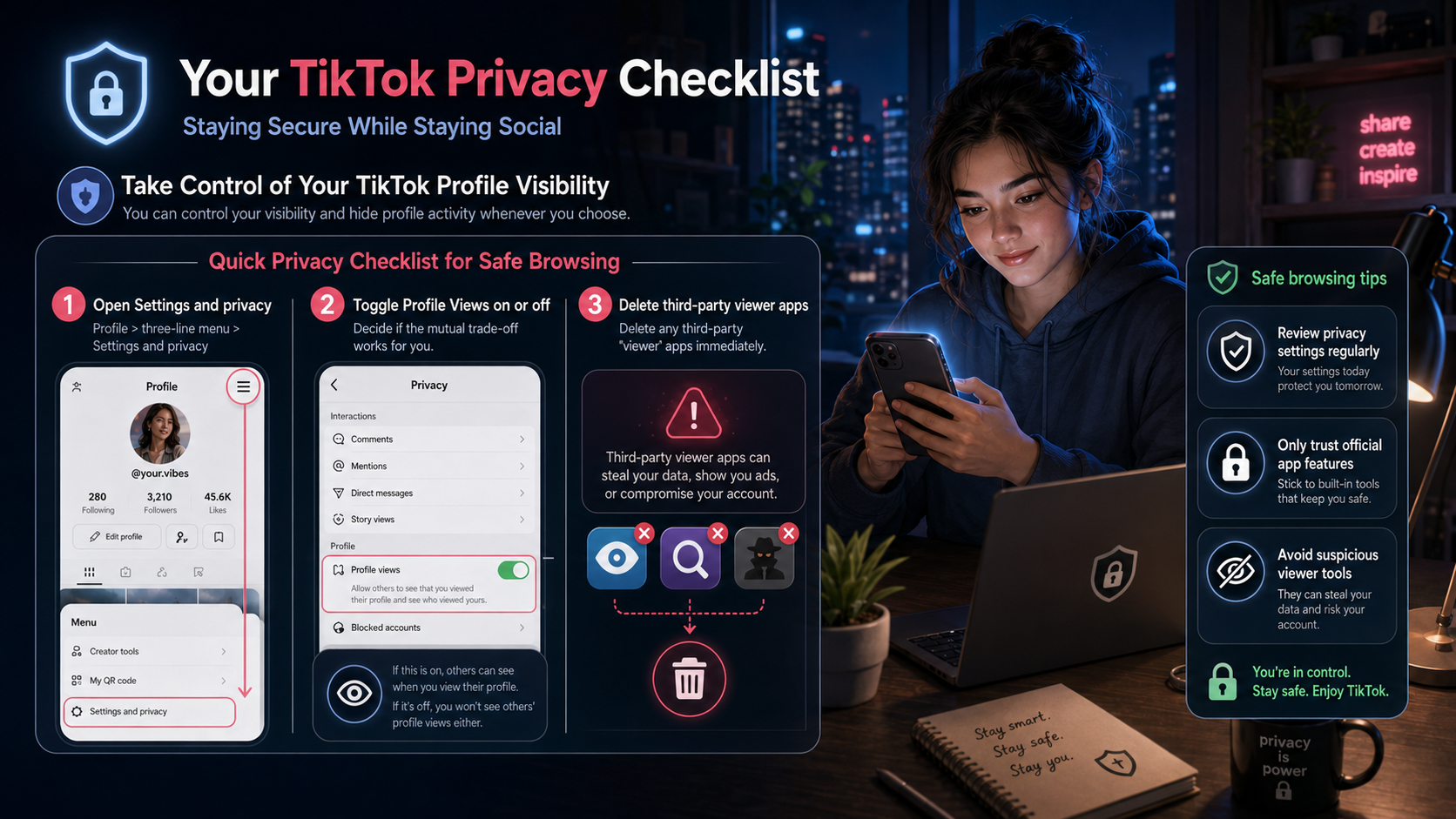
Quick Privacy Checklist for Safe Browsing
To secure your account right now, follow this quick privacy checklist:
- Tap the three-line menu on your profile and open Settings and privacy.
- Decide if the mutual trade-off works for you, and toggle Profile Views on or off.
- Delete any third-party "viewer" apps from your device immediately.
Treating this TikTok user privacy settings guide as your baseline ensures you can enjoy the platform safely. Remember, no external tool can bypass TikTok's actual security framework to reveal hidden visitors. If a site asks for your password to see viewers, it's a scam — period. Take charge of your digital footprint today, and browse your video feed with total peace of mind.
Related Blogs
.png)
In today's online world, user security and privacy are extremely important factors. One of the advanced technologies that help protect personal information and bypass online restrictions is the Fingerprint Browser. When combined with Antidetect Browser software, this technology provides powerful anonymity, protects accounts, and allows users to manage multiple accounts without the risk of[…]

You want to reach outwardly millions of potential customers and increase sales quickly? Vinted is the online sales platform that you should not miss. Along with the boom of the industry old stuff, Vinted offers the opportunity to reach a diverse group of customers with different budgets and styles.However, this platform also applies strict policy, especially restricting or prohibiting sellers[…]

What Are AI Agents for HR and How to Integrate Them Into an Existing BusinessAnyone who’s worked in HR knows the routine: piles of resumes, endless follow-ups, and calendars packed with interviews that get delayed, cancelled, and end up ruining your schedule daily. The new wave of AI agents for HR and recruiting is quietly changing that.These systems don’t hire or fire on their own. They handle[…]

Vmcard2025: Enterprise Card Issuing for Multi-Account Success When you open new ad accounts, subscribe to AI/SaaS tools, scale cloud resources, or verify stores, payment failures can derail the plan: card binding fails, extra 3DS checks pop up, renewals don’t charge. Most of the time it isn’t a random glitch—it’s the merchant’s risk engine asking for better signals. This article explains the[…]

As an agency takes on more clients, account management costs grow alongside the number of working environments and the coordination required between team members. Beyond browser and proxy subscriptions, staff spend time configuring profiles, checking connections, handing over access, and troubleshooting issues.Looking only at software invoices can lead agencies to underestimate the cost of[…]

In the rapidly evolving world of cryptocurrencies,airdrophas become a familiar term for those interested in crypto and blockchain. Not only does it provide the opportunity to receive free tokens, airdrop is also an important part of the marketing strategy of many cryptocurrency projects. So what is crypto Airdrop, how does it work, and how to participate in Airdrop effectively and safely using[…]
