

Secrets to Safely Managing Etsy & eBay Accounts
Are you struggling because your Etsy & eBay accounts keep getting suspended due to shared IPs or devices? The root cause is very likely browser fingerprints and an unclean login environment.
Don’t worry—this article will guide you on how to build a clean, secure, and anonymous environment using Hidemium, helping you protect your Dropshipping/POD business starting today
1. Why Are Your Etsy and eBay Accounts So Easy to Get Suspended?
Before looking for solutions, it’s important to understand the root of the problem. Major e-commerce platforms like Etsy and eBay use highly advanced AI systems. They don’t just look at IP addresses—they also analyze hundreds of hardware, software, and user behavior parameters to detect suspicious activity.
Some of the main reasons accounts get flagged and suspended include:
Account linking: Logging into multiple accounts on the same computer or using the same network IP address.
Inconsistent browser fingerprints: Changing the IP while fonts, user agent, or canvas fingerprints still reveal the same user.
Abnormal behavior: Newly created accounts that start listing products aggressively or perform actions too quickly, like a bot.
To better understand the specific reasons why Etsy accounts are at risk, you can refer to this detailed article: Why Is an Etsy Account Suspended?
.webp)
2. A Proper Account Management Process to Avoid Detection
Managing accounts requires time and a structured process to build trust with the platform. Below are the steps that help you manage accounts properly and avoid being flagged or detected.
Step 1: Preparation phase – build real user behavior
A common mistake beginners make is starting to sell immediately after creating an account. This makes the system classify the account as high risk.
During the first 1–2 weeks, you should:
Browse products
Add items to the cart
Favorite other shops
Log in at a moderate, natural frequency
The goal is to build a natural behavior history, making the account look like a real user before you start selling.
Step 2: Content optimization – build trust and boost top visibility
Once you start listing products, content quality becomes the key factor in retaining customers and passing moderation filters. A well-optimized product listing makes your account look professional and significantly increases conversion rates.
At this stage, you should:
Create SEO-optimized titles with relevant keywords
Use high-quality images with a clean, professional white background
Write detailed product descriptions that are transparent about specifications and condition
Clearly set up shipping and return policies
The goal is to optimize technical visibility so products can rank higher, while also building buyer trust from the very first impression.
See now: An effective guide to optimizing eBay product listings to master techniques for boosting top visibility.
.webp)
Step 3: Use identity protection tools – maintain a stable system
This is the technical foundation for long-term account management. Using regular browsers like Chrome to operate multiple accounts can easily get you “flagged” and lead to mass account suspensions due to duplicate browser fingerprints.
To operate safely, you should:
Use an antidetect browser
Create a separate environment for each account
Combine it with clean proxies to assign corresponding IP addresses
Choose tools that offer high performance with optimized costs
The goal is to fully isolate each account, making the system recognize every account as a different user on a separate device, thereby minimizing the risk of suspension.
>>> You may refer to: Top 5 antidetect browsers for eBay sellers
.webp)
3. Hidemium – A Comprehensive Solution Against Detection and Account Linking
Among the solutions available today, Hidemium stands out as an optimal tool for creating independent login environments for each Etsy and eBay account, helping to minimize the risk of device-based account linking to the greatest extent possible.
3.1 Creating Independent Environments
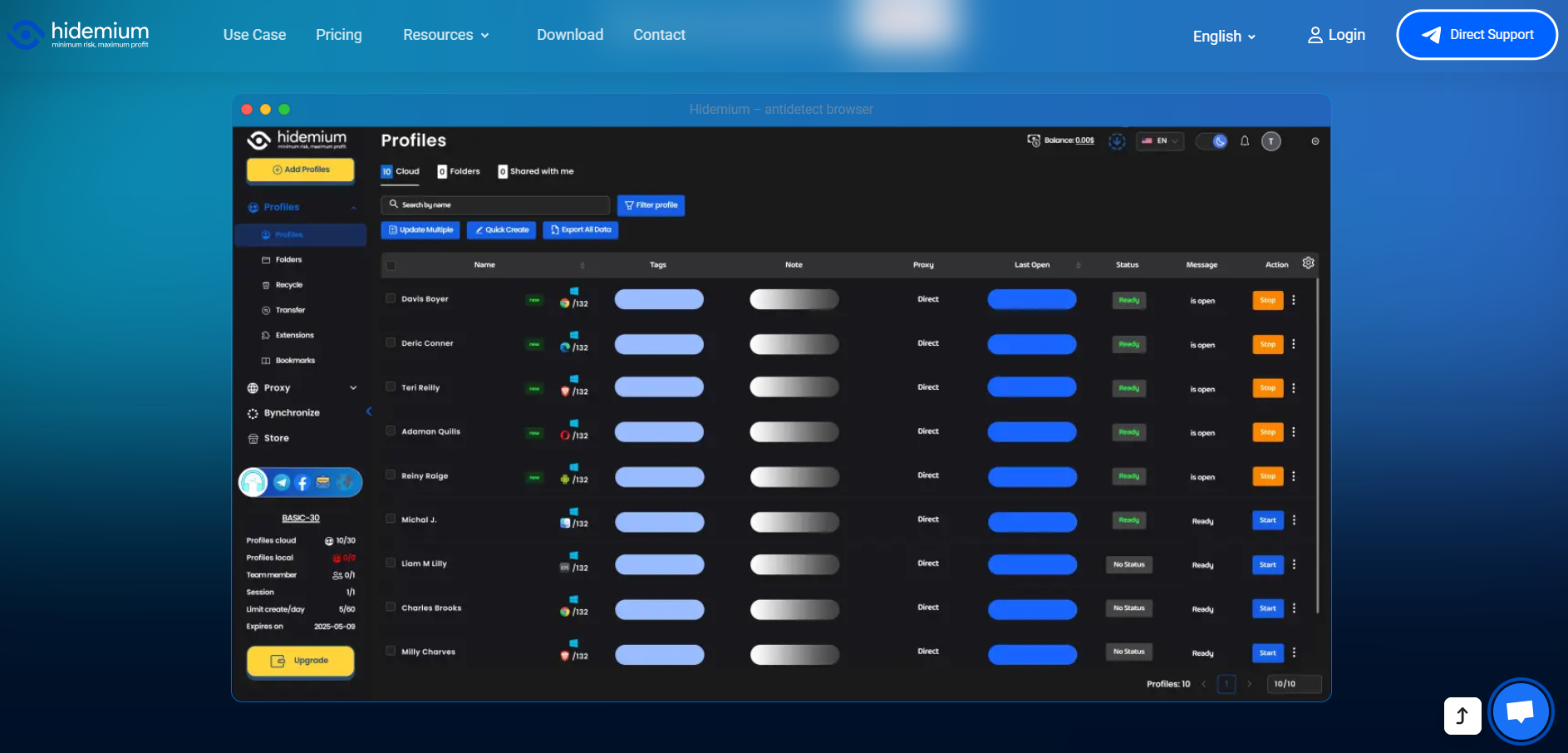
Hidemium allows you to create thousands of profiles with different hardware parameters (RAM, CPU, screen, media devices, etc.). Each profile functions like a separate physical computer. This enables you to:
Complete anti-linking protection: Etsy and eBay will see each account as being accessed from a different device.
Centralized management: Control hundreds of accounts from a single interface without worrying about cookie or cache overlap.
As a result, Etsy and eBay treat each account as coming from a different physical device, significantly reducing the risk of mass detection and suspensions.
3.2 Seamless Proxy and Automation Integration
Hidemium supports assigning a dedicated proxy to each profile and integrates smoothly with automation tools for automated account warming and management—helping you save time and minimize errors caused by manual actions.
Experience Hidemium’s powerful account protection now: Hidemium
4. Conclusion
To achieve sustainable growth, sellers need a clear process and the right identity-protection tools. Hidemium is the solution that helps you build a clean environment, prevent account linking, and manage Etsy & eBay accounts more safely in the long term.
Start standardizing your account-warming process today—and don’t forget to use Hidemium to ensure every profile is protected at the highest level.
Related Blogs

Over the past few weeks, some customers using Hidemium with Rotating Residential Proxies experienced an issue that temporarily prevented the Proxy feature in the Hidemium application from working as expected. We understand that this disruption may have affected the daily work and overall experience of many customers.On behalf of the entire Hidemium team, we sincerely apologize for the[…]

Accessing blocked websites is no longer difficult if you know how to properly use a Proxy. This is considered one of the most optimal solutions to bypass internet restrictions while maintaining privacy and personal data security. Let Hidemium walk you through 3 easy-to-apply Proxy methods for firewall circumvention!1. Use web-based Proxy servicesProxy websites act as intermediaries that help hide[…]

If you are reading this, chances are you are using a web browser built on Chromium. While Google Chrome is the undisputed heavyweight champion of the internet, it is far from the only fish in the sea. In fact, many of the most innovative, secure, and fast web experiences today are found on alternative chromium-based browsers.Whether you are frustrated by Chrome’s notorious memory hogging,[…]
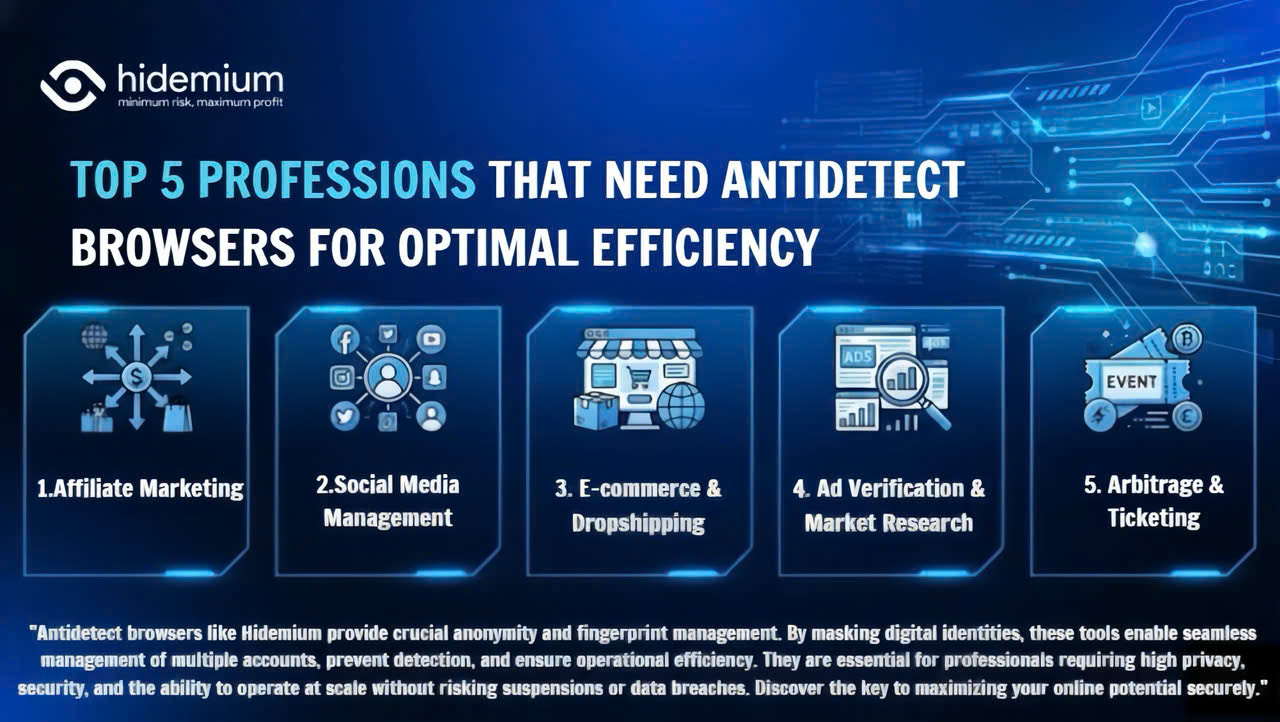
Major platforms such as Facebook, Google, Amazon, and eBay are increasingly tightening their policies, making multi-account management highly risky. Simply logging into multiple accounts on the same device can get you flagged for linkage and lead to mass account suspensions within minutes. So who truly needs this tool? Let’s join Hidemium in exploring the Top 5 industries that need an Antidetect[…]
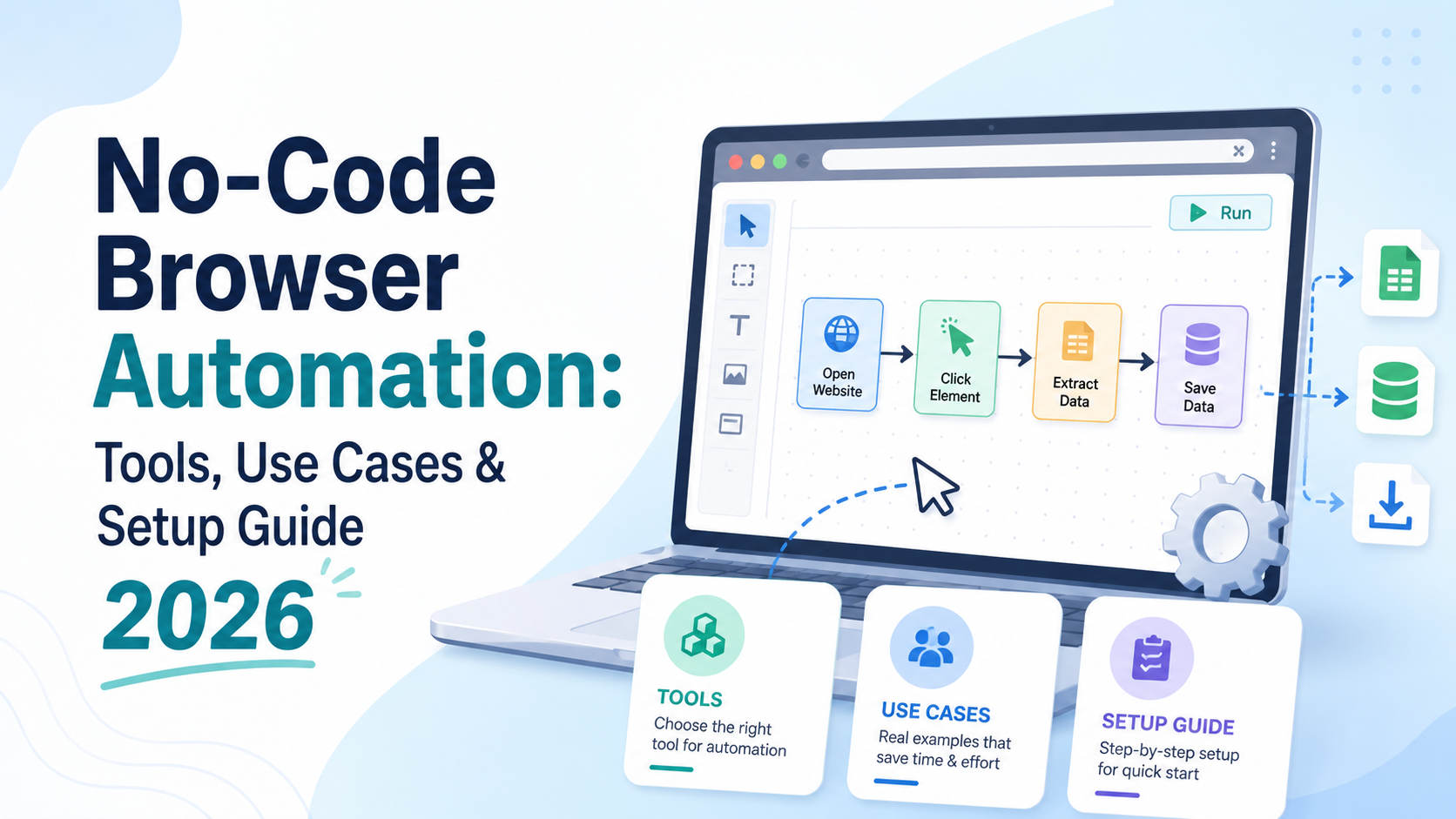
What Is No-Code Browser Automation — and Why Does It Matter in 2026?For years, browser automation was the exclusive domain of developers. If you wanted to automate repetitive web tasks — filling forms, scraping data, clicking through workflows, or managing multiple accounts — you needed to write code in Python, JavaScript, or another language. Tools like Selenium, Playwright, and Puppeteer were[…]

📅 Updated: June 2026 — This list has been reviewed and refreshed for accuracy.In the digital age, as internet usage becomes more widespread, so do threats from viruses and hackers stealing data. That’s why proxy servers have become essential tools, helping users safeguard their personal information and access the web more securely.This article by Hidemium introduces you to the 15 best free proxy[…]
