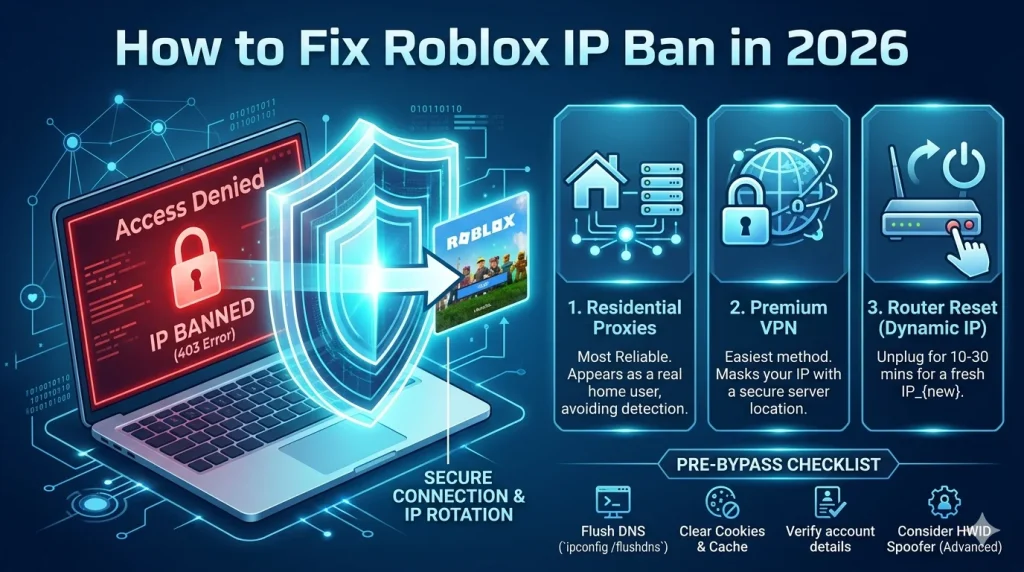

What Is a Roblox IP Ban?
A Roblox IP ban is one of the most severe enforcement actions Roblox can take against a player. Unlike a regular account ban, which restricts a specific username, an IP ban blocks all activity from your internet connection's IP address — meaning every account you try to create or use from that IP will also be blocked.
IP bans are typically reserved for the most serious violations, including exploiting, cheating, harassment, or repeated violations after multiple account bans. If you've been hit with a Roblox IP ban in 2026, here's everything you need to know about why it happened and how to get back into the game.

Why Did Roblox IP Ban You?
Roblox issues IP bans for several serious violations:
- Repeated account violations: Creating new accounts after being banned multiple times signals deliberate circumvention
- Exploiting or hacking: Using external scripts, exploit tools, or clients that give unfair advantages
- Severe harassment or threats: Making credible threats or engaging in targeted harassment campaigns
- Scamming and fraud: Using accounts to steal Robux, trade items through deception, or run phishing operations
- Botting: Running automated accounts to farm Robux, items, or in-game resources at scale
- CSAM or NSFW content: Any sexual content involving minors results in immediate permanent action
How to Check If You Have a Roblox IP Ban
Signs that you might have an IP ban rather than just an account ban:
- New accounts you create immediately receive "Account Disabled" messages at login
- You can't log in to any Roblox account, even ones that were previously in good standing
- The Roblox website shows generic errors or connection refused messages
- Your friends using the same network are also unable to access Roblox
The most reliable test is to try accessing Roblox from a different network (such as your mobile data connection). If Roblox works fine on mobile data but not on your home WiFi, you have confirmed an IP ban on your home IP address.
How to Get Unbanned from Roblox: 4 Methods
Method 1: Contact Roblox Support
For unjust or erroneous bans, the first step should always be appealing directly through Roblox's official support system. Submit a detailed appeal explaining the situation. Include any evidence that your ban was a mistake. Be polite and factual — aggressive appeals are typically rejected without review. Response times vary from days to weeks, and not all appeals are successful.
Method 2: Wait for Your IP to Change
Most home internet connections use dynamic IP addresses, meaning your IP can change when you restart your router or after a period of inactivity. If your ISP assigns you a new IP address, the Roblox ban may no longer apply to your connection. Try restarting your router and waiting several hours or overnight for a new IP assignment.
Method 3: Use a Proxy or VPN
Using a proxy or VPN routes your internet traffic through a different IP address, bypassing your banned IP. However, there are important caveats:
- Free VPNs and shared VPN IP addresses are often already blocked by Roblox
- Roblox can detect common VPN IP ranges and block them
- Residential proxies — IP addresses assigned to real residential internet subscribers — are much harder for Roblox to detect and block
For the best results, use a residential proxy service that provides clean, unblocked IP addresses.
Method 4: Use Hidemium with a Residential Proxy
The most reliable combination for accessing Roblox after an IP ban is Hidemium's antidetect browser paired with a quality residential proxy. Here's why this approach works better than a standard VPN:
- Unique browser fingerprint: Hidemium generates a completely new browser identity for each profile — Canvas signature, WebGL hash, User-Agent, screen resolution, and more. This prevents Roblox from recognizing you based on device fingerprint
- Residential IP address: Connected through a residential proxy, your connection appears as a genuine home internet user, not a VPN or datacenter IP
- Session isolation: Each Hidemium profile is completely isolated — no cookies, cache, or fingerprints shared between profiles
- Consistent geo-identity: Hidemium automatically matches your timezone and language settings to the proxy location, creating a believable geographic profile
How to Set Up Hidemium for Roblox Access
- Download and install Hidemium on your Windows or Mac computer
- Create a new browser profile with a fresh fingerprint configuration
- Add a residential proxy from a clean, unbanned location
- Launch the profile and navigate to roblox.com
- Create a new account using an email address not previously associated with banned accounts
- Play normally and follow Roblox's community standards to maintain your account in good standing
How to Avoid Roblox IP Bans in the Future
The best strategy is preventing bans from occurring in the first place:
- Follow Roblox's community standards and terms of service
- Never use third-party exploit software, cheats, or unauthorized scripts
- Don't engage in scamming, fraud, or harassment
- If you manage multiple Roblox accounts for legitimate purposes (such as testing game development), use Hidemium to keep them properly isolated
Start Fresh with Hidemium
Whether you've been unfairly banned or need to manage multiple Roblox accounts for development and testing purposes, Hidemium gives you the isolated browser environment you need. Download Hidemium for free and set up a clean, detection-resistant browsing profile today.
Related Blogs
.png)
Creating posters for events, promotions, or announcements used to require detailed design work and hours of manual effort. Today, AI poster makers like VistaCreate can generate visually striking layouts in just minutes using smart templates, automation, and ready-made design elements.While these tools all aim to simplify the design process, they differ in how much creative control they offer, how[…]

Proxies are an excellent solution for changing IP addresses, offering convenience and affordability. However, choosing a proxy provider that meets your needs isn't always easy. In this article, we'll explore TabProxy, a reputable residential proxy service, evaluating its features, performance, pros, and cons.1. What is TabProxy?abProxy is a residential proxy provider with over 200 million IP[…]

📅 Updated: June 2026 — This list has been reviewed and refreshed for accuracy.In the digital age, as internet usage becomes more widespread, so do threats from viruses and hackers stealing data. That’s why proxy servers have become essential tools, helping users safeguard their personal information and access the web more securely.This article by Hidemium introduces you to the 15 best free proxy[…]
In today's article, we will explore Multilogin – one of the prominent names in the Antidetect Browser field. Multilogin has established its position due to its stable operation and long-standing presence in the market. However, it also attracts attention because of its high price and customer-specific support options. Notably, with the latest Multilogin X update, there have been significant[…]
If your Amazon seller account is suspended, the most important thing is timely handling. This not only disrupts business operations, but also directly affects revenue and cash flow. The good news is that most suspensions can be reinstated if you understand the cause and know how to appeal properly.In this article, we will guide you through how to check your Amazon account suspension status,[…]
HubSpot’s latest marketing data shows short-form video consistently ranks among the top ROI-driving formats for marketers. That number only matters if people actually click. For freelancers who bill by the hour, every extra minute spent polishing a thumbnail is time that does not get invoiced elsewhere. I learned this the expensive way.I used to open a design file, stare at a blank frame, and[…]
