.png)

Quick answer: To access YouTube through a proxy, obtain a reliable proxy server address, port and—if required—login credentials. Configure the proxy in your browser or operating system, open YouTube, and test video playback. The proxy must be able to reach YouTube, and local rules may still restrict access. Avoid sending passwords or sensitive data through untrusted free proxies.
YouTube may be unavailable because of a school or workplace network rule, regional distribution restrictions, DNS problems, or a wider internet outage. These causes require different fixes. A proxy can change the route and public IP address used for a connection, but it cannot guarantee access to every video or bypass every network restriction.
1. What is a YouTube proxy, and how does it work?
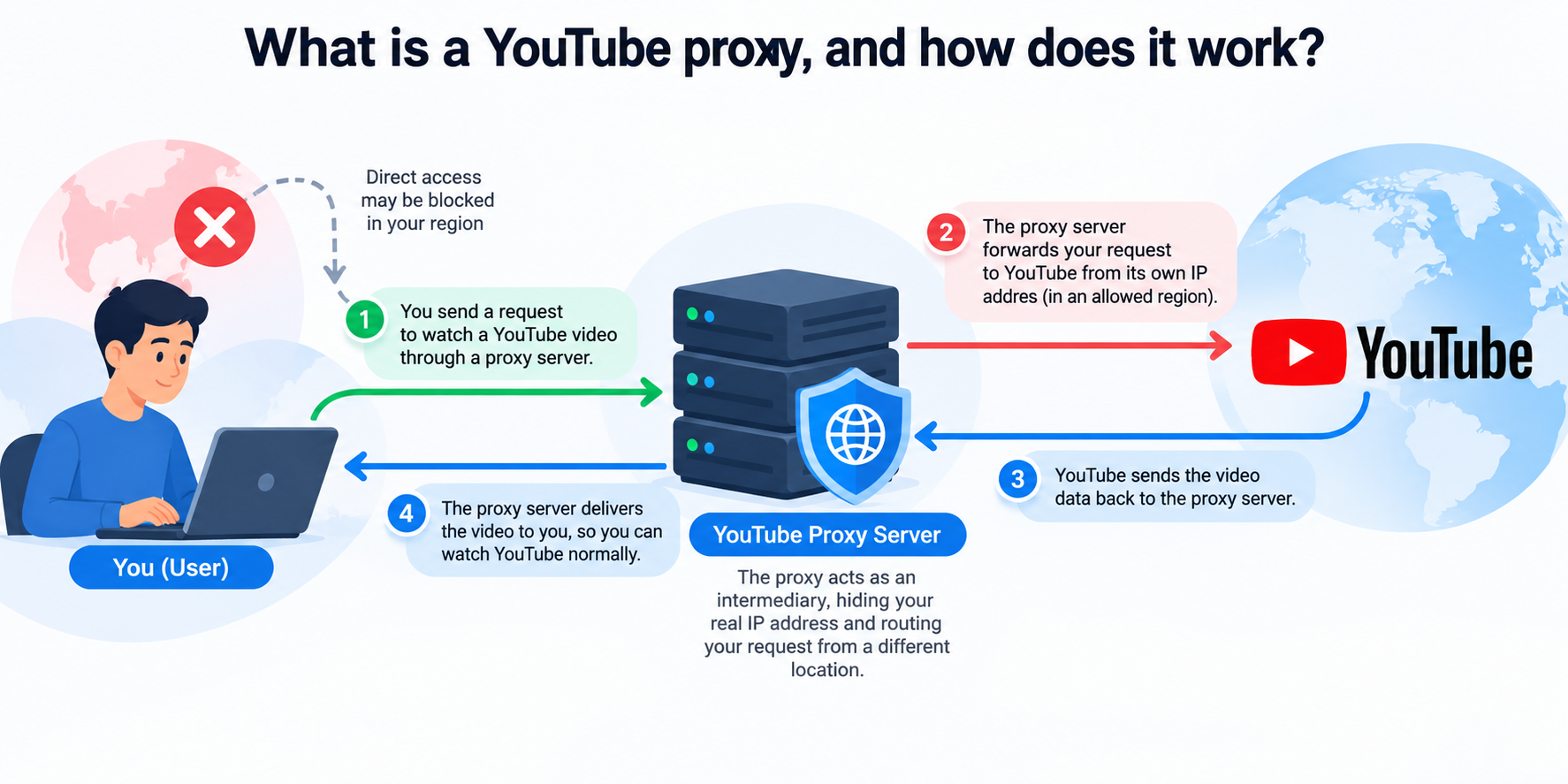
A proxy server acts as an intermediary between your device and a destination website. Depending on proxy type and application configuration, YouTube sees the proxy's IP address instead of your device's public IP address. A proxy does not automatically provide end-to-end privacy: the operator may see connection metadata, and the security of traffic depends on HTTPS, the proxy protocol and its configuration.
HTTP/HTTPS proxy vs. SOCKS5
Type | Typical use | Important limitation |
| HTTP proxy | Browser web traffic | May not handle every app or protocol |
| HTTPS-capable proxy | Web browsing through a secure proxy connection, depending on configuration | Terminology varies by provider; verify TLS support |
| SOCKS5 proxy | General TCP connections in supported applications | Encryption is not built into SOCKS5 itself |
Tip: Select a proxy based on the application you actually use. A browser-level proxy does not necessarily cover other apps on your computer.
2. How to unblock YouTube using a proxy
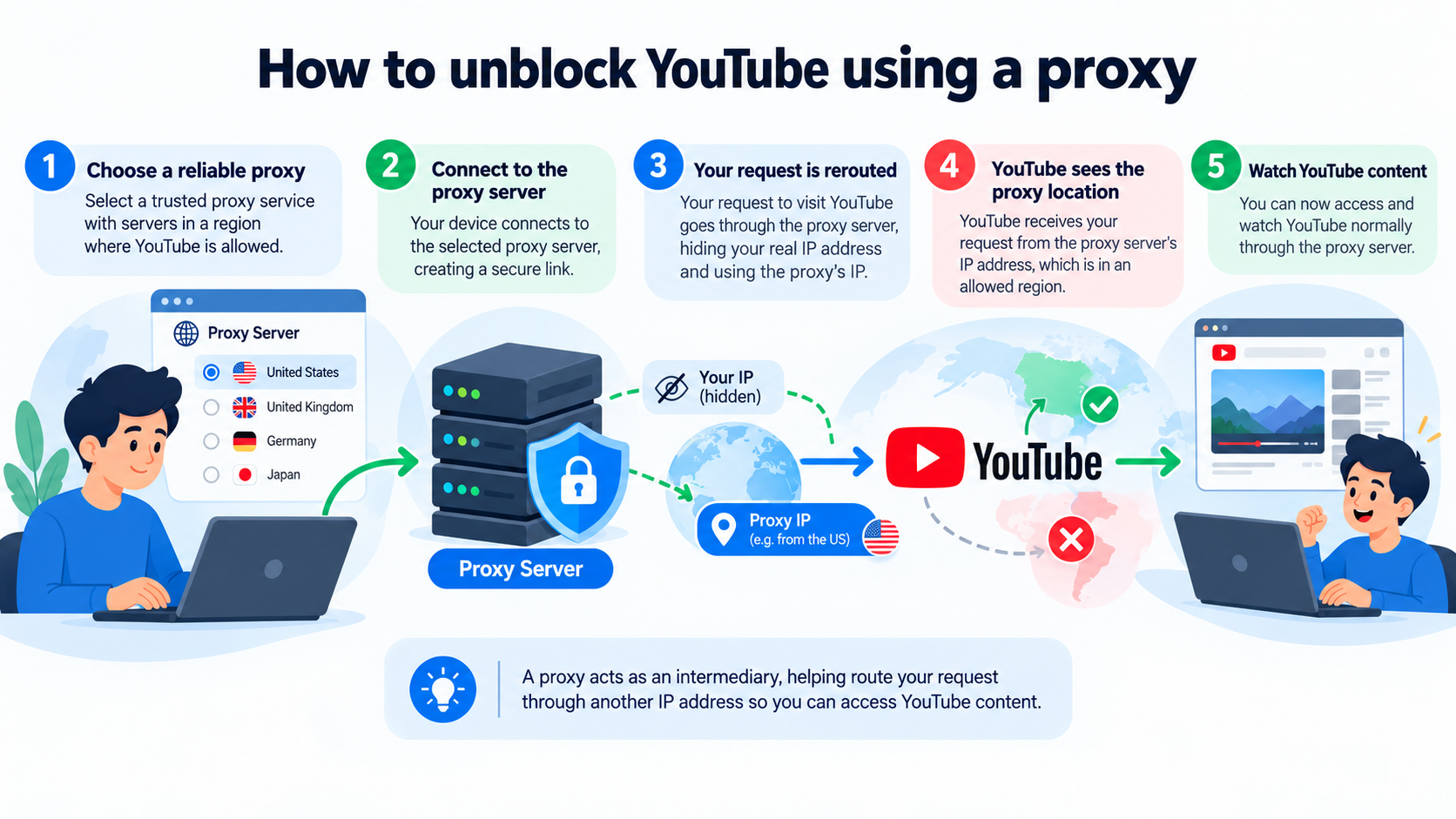
Step 1: Identify why YouTube is not working
Try opening another website, and check whether only one video is restricted or YouTube itself cannot load. If YouTube loads but a video says it is unavailable in your country, the limitation may relate to licensing. If no sites load, troubleshoot your internet connection first. Follow the rules of your network and applicable law.
Step 2: Choose a trusted proxy
Confirm its supported protocol, hostname or IP address, port, credentials, country, traffic allowance and provider privacy policy. Prefer a provider with clear ownership and support. Avoid unknown public proxy lists for account logins or sensitive activity.
Step 3: Configure the proxy
Windows 11: Open Settings → Network & internet → Proxy. Under manual proxy setup, select Set up, enter the proxy address and port, and save. This is intended for compatible HTTP-style system proxies; SOCKS5 generally requires an application that explicitly supports it.
macOS: Open System Settings → Network, select your active connection, then Details → Proxies. Enable the protocol your provider supplies, enter server, port and credentials if applicable, then apply. Labels may differ by macOS version.
Chrome: Chrome commonly uses the operating system's proxy settings. Open Chrome settings, search for “proxy,” and follow the system settings link. An extension or dedicated application may provide per-profile routing, but confirm permissions before installing it.
SOCKS5: Use a browser, extension or tool with explicit SOCKS5 configuration support. Enter hostname, port and authentication details. Check how DNS requests are handled; not every setup sends DNS through the proxy.
Step 4: Test YouTube playback
Open YouTube over HTTPS, search for a public video and play it. If the page loads but playback fails, test a different video and inspect the connection's speed, geographic exit location and proxy provider status. A working homepage does not prove that all streaming connections are functioning.
Step 5: Disable the proxy when it is no longer required
Remove or turn off the proxy configuration and confirm that traffic returns to the normal route. This prevents accidental use of an unreliable proxy on other sites.
3. YouTube proxy not working? Troubleshooting checklist
- Connection timeout: Recheck address, port, authentication and whether the proxy is online.
- Proxy authentication required (407): Verify username, password and allowed IP addresses with your provider.
- Video is unavailable in your region: A different exit location may help in some cases, but licensing and platform controls can still apply.
- Page loads, video buffers: Test latency, throughput and bandwidth limits; choose a more stable connection.
- Wrong location or DNS leak: Confirm your actual egress IP and DNS behavior; proxy coverage differs by browser and operating system.
- Only one browser fails: Check extensions, browser policies and proxy settings; test in a clean browser profile.
4. Proxy vs. VPN: which should you choose?
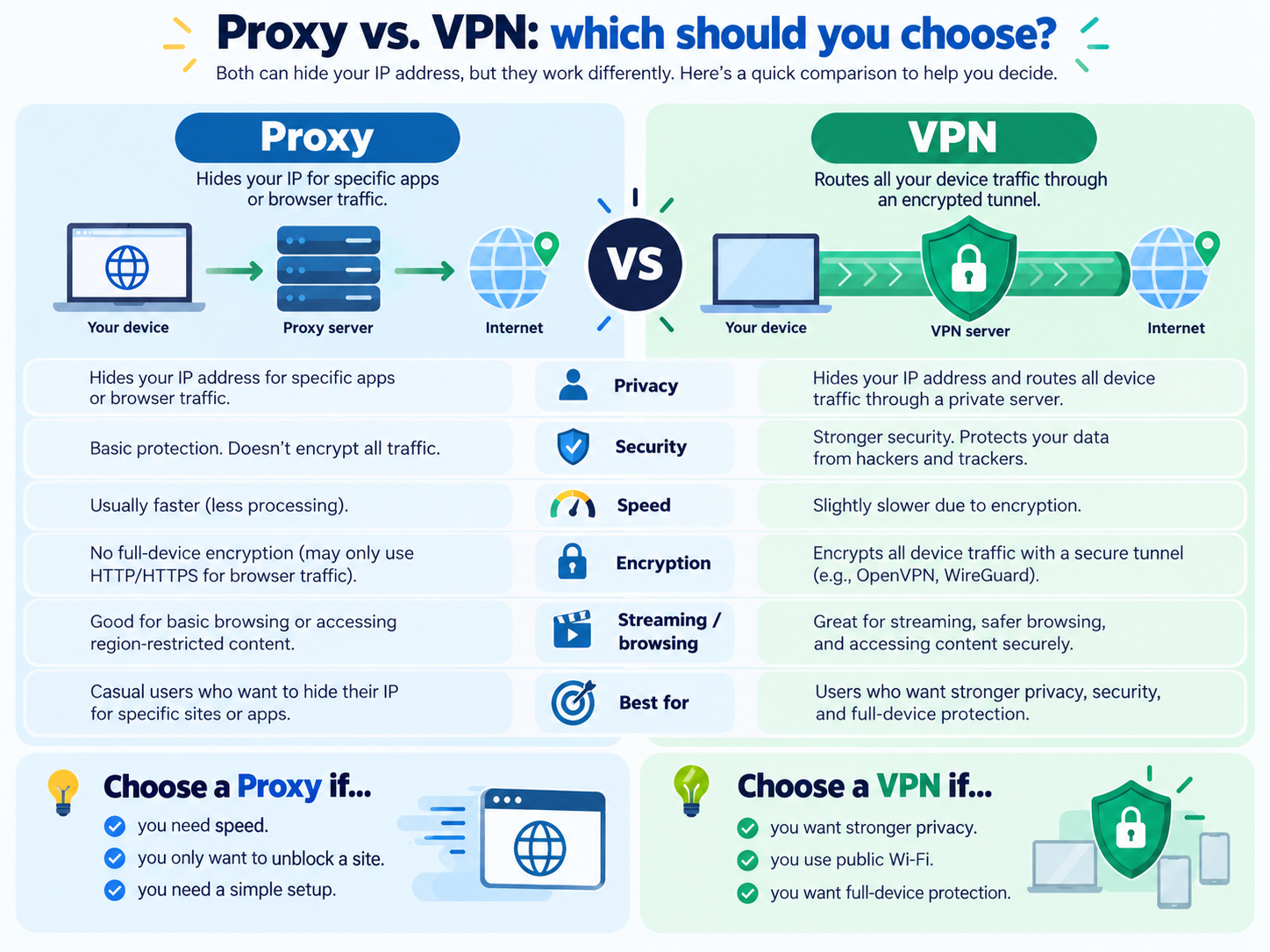
Consideration | Proxy | VPN |
| Coverage | Selected browser, app or system traffic, depending on setup | Commonly device-level traffic through the VPN tunnel |
| IP routing | Can present a proxy exit IP | Can present a VPN server IP |
| Built-in encryption | Depends on protocol and HTTPS; SOCKS5 alone does not encrypt | VPN tunnel normally encrypts traffic between device and VPN server |
| Best fit | Application-specific routing and controlled workflows | Broader network tunneling and protection on untrusted networks |
Neither option guarantees access to specific videos, anonymity or compliance with website policies.
5. When Hidemium is useful
Hidemium is an anti-detect browser for managing separate browser profiles, not a proxy provider or a VPN. For authorized workflows involving distinct browser environments, a compatible proxy can be assigned to a browser profile where supported. This may help keep profile settings and routing organized; it does not automatically unblock YouTube, make accounts untraceable or override YouTube rules.
If you manage multiple legitimate testing or research environments, read Hidemium's product documentation and confirm the proxy format before connecting. Internal link to verify: Hidemium homepage.
6. Safety and responsible use
Use reputable proxy services; browse YouTube via HTTPS; avoid sharing passwords with untrusted services; and comply with local law, network administrator policies and YouTube's terms. Some restrictions are designed for security or licensing and may not be appropriate to bypass.
7. Frequently asked questions
Can a free proxy unblock YouTube?
Sometimes, but free proxies may be slow, unreliable or unsafe. Never assume a public proxy protects your data.
Is SOCKS5 better than an HTTP proxy for YouTube?
It depends on your application and provider. SOCKS5 is flexible for supported TCP traffic, but it does not include encryption by default.
Can I unblock YouTube without installing software?
If your operating system or browser supports the proxy protocol, you may only need to enter proxy details. Other setups require an extension or application.
Does a proxy work for the YouTube mobile app?
Not always. Mobile-app routing depends on the operating system and the app's network behavior. A browser proxy configuration may not cover the YouTube app.
Does Hidemium provide YouTube proxies?
Hidemium is a browser environment management tool. Check current product documentation for supported proxy integration and any included services; do not assume a proxy subscription is included.
8. Before you start: a decision checklist
Before entering proxy credentials, check whether the problem affects every video or only one title. If the homepage opens but a particular video says it is unavailable in your country, that is a content-rights issue rather than proof that the whole website is blocked. If the homepage does not open on either mobile data or Wi-Fi, check the service status and your device clock before changing networking settings. If it works on mobile data but not on a managed office network, an administrator policy might be involved; follow applicable rules and request authorized access.
Write down the test results: network used, browser version, exact error message, and whether the same video loads without a proxy. This tiny checklist prevents guessing and makes support requests far more useful. It also helps distinguish a slow proxy from a slow internet connection. For example, when a video starts quickly at 360p but continually buffers at 1080p, bandwidth or congestion is a more likely issue than an incorrect region setting.
9. Detailed proxy setup examples
Windows: system proxy settings
Open Settings → Network & internet → Proxy. Under manual setup, switch on the option to use a proxy server, enter the address and port supplied by your provider, and save. Some providers require authentication when you browse. These settings may apply to system-aware browsers and applications, but not every program honors them. If the service is SOCKS5-only, check whether your chosen browser supports SOCKS5 directly; do not assume the Windows HTTP proxy field accepts it. To reverse the change, return to the same screen and disable manual proxy use.
Chrome, Chromium browsers and profiles
Desktop Chrome generally follows your operating system's proxy configuration unless a managed policy or an extension changes it. That means a proxy set for one browser is not necessarily isolated from all other applications. Avoid stacking a system proxy, proxy extension and profile-level proxy without a clear reason: conflicting rules can cause loops or authentication errors. If you manage separate browser profiles for authorized workflows, document which proxy belongs to which profile and test every profile independently.
10. How to evaluate a proxy provider before paying
A good provider should explain supported protocols, available regions, authentication methods, bandwidth or traffic limits, refund conditions, and acceptable-use rules. Ask whether the proxy is shared or dedicated and whether video streaming is permitted. Shared public endpoints can be oversubscribed, resulting in frequent IP changes, rate limits or blocked requests. A residential IP is not automatically faster or safer than a datacenter IP; focus on lawful sourcing, reliability and a clear privacy policy.
Test with a short subscription or trial when available. Verify the exit IP with a reputable IP-check page, then try a normal YouTube page and a video you are entitled to watch. Repeat during the hours when you actually need access. Look for startup delay, resolution stability and repeated authentication prompts rather than relying on a single speed-test number. Never publish your proxy username, password, IP or port in screenshots or support forums.
11. Privacy, account safety and realistic expectations
Changing the public IP address does not remove browser cookies, signed-in account history, device identifiers, or all techniques used for abuse prevention. Logging into the same account from unrelated locations in quick succession can trigger additional checks. A proxy also does not override copyright law, service terms or an organization's access policy. Use locations and accounts consistently, and avoid claims such as “100% anonymous” or “guaranteed unblocked” when evaluating a product.
When a proxy handles a connection, the provider can often observe metadata and may be able to log requests depending on the protocol. HTTPS protects browser-to-site content against many intermediaries, but it is not a reason to trust an unknown proxy provider. Use strong account passwords and multifactor authentication. If a provider asks you to install a root certificate for casual YouTube viewing, treat that as a major warning sign and investigate why it is necessary.
12. Where Hidemium fits in an organized browser workflow
If your work involves multiple authorized browser environments, Hidemium can be considered as a browser-profile management tool. The useful workflow is: create a clearly labeled profile, assign an appropriately sourced proxy where the product supports that configuration, verify the IP and site behavior, and keep login contexts separate according to platform rules. Proxy access and browser-profile isolation are different functions; neither guarantees unrestricted YouTube access.
To learn about available profile-management features and current plans, visit the Hidemium official website. If you want to compare with the original English guide, see Hidemium's YouTube proxy article. For a Vietnamese-language version, use the Vietnamese YouTube proxy guide. These are known URLs; add further related-post links only after verifying their live destinations in your CMS.
13. Extra questions readers often ask
What should I do if I get a 407 Proxy Authentication Required error?
Confirm the host, port, username, password and permitted authentication method. Some services authenticate by allowing your public IP rather than by username and password; mixing both without instructions can fail. If credentials are correct, ask the provider whether the endpoint is active and whether your IP is authorized. Never share credentials in a public troubleshooting post.
14. Conclusion
A reliable proxy can be a practical way to route supported browser traffic when YouTube is inaccessible, but the right solution depends on why access failed. Start with diagnosis, choose a trustworthy service, configure the correct protocol and test playback. For teams working with authorized, separate browser profiles, Hidemium can help organize those browser environments alongside compatible proxy settings.
Related Blogs

You used to post regularly but suddenly your engagement dropped sharply? No likes, comments, or shares at all? It’s very likely you are being shadowbanned – a hidden moderation mechanism that social media platforms apply to limit content visibility without issuing any kind of warning.In this article, Hidemium will help you understand more clearly what shadowban is, the signs to recognize when you[…]

Have you ever felt tired eyes from constantly staring at the tiny phone screen to text? If so, you are not alone. With nearly 3 billion WhatsApp users worldwide, many of us are also looking for a more convenient solution.The good news is: WhatsApp Web is the perfect choice to help you get rid of that inconvenience. Now, you can chat on a large screen, type faster with a computer keyboard, and[…]

To turn off fingerprint unlock for Chrome passwords, open Google Password Manager or your device’s biometric security settings and disable fingerprint, Face ID, or Touch ID authentication where available. Chrome will then use another supported device authentication method, such as a PIN, password, or passcode.In this article, Hidemium will guide you in detail on how to disable fingerprint[…]
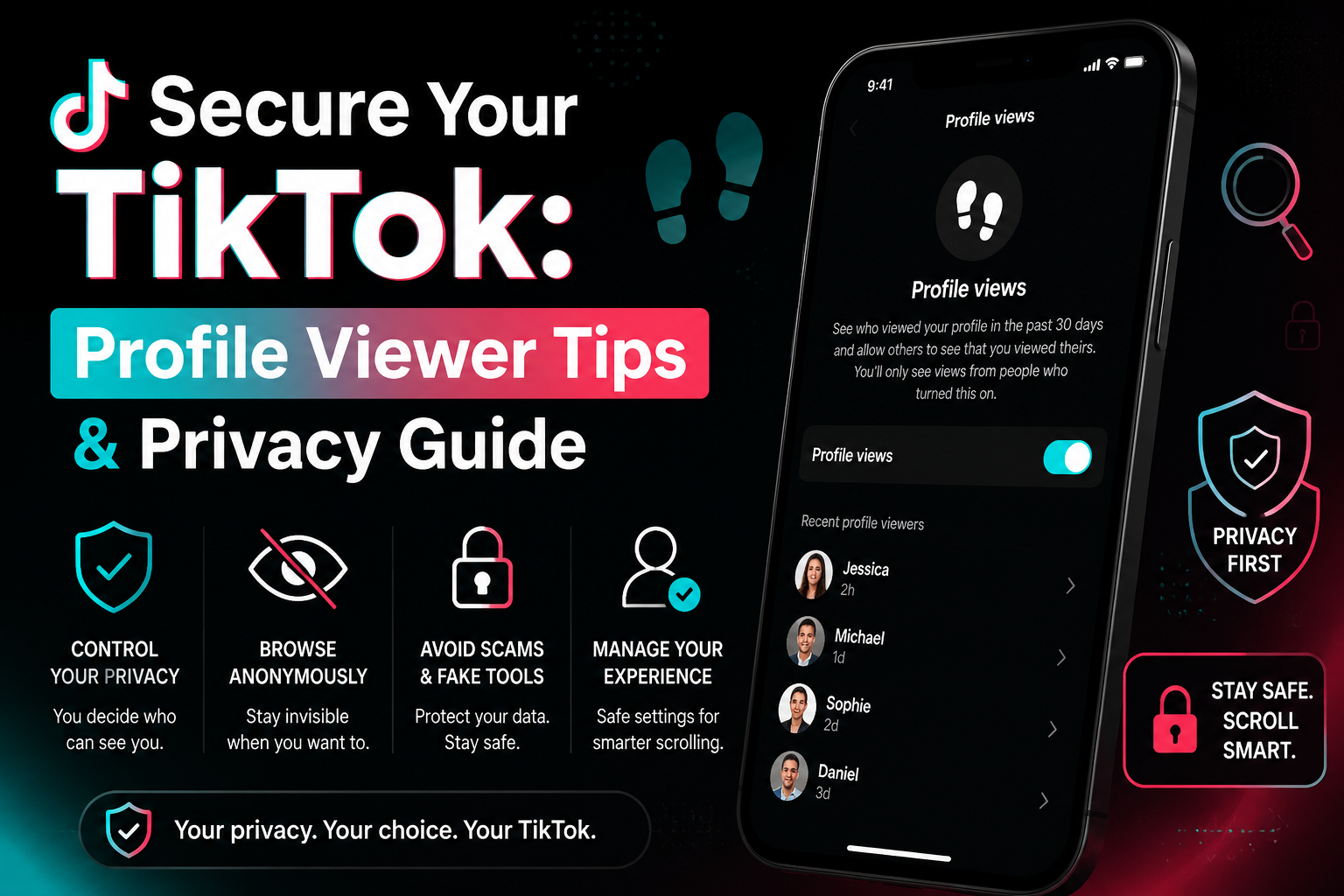
How to see who viewed your profile on TikTokWe've all been there: you're deep-diving into a new coworker's account at 2 AM and suddenly freeze. Can they see that I'm here? It is a common panic for anyone wondering how to see who viewed your TikTok profile. According to TikTok's official Help Center, the platform does actually have a native footprint tracking feature, but it might not work exactly[…]
 (1).png)
Managing multiple TikTok accounts can be a challenge, especially if you don’t want your content to be flagged or banned. If you're running multiple accounts on a single device, TikTok might mistake you for a business and stop displaying your content on the "For You" page. This means fewer views and engagement, which can seriously impact your reach, especially considering that 30% of global[…]
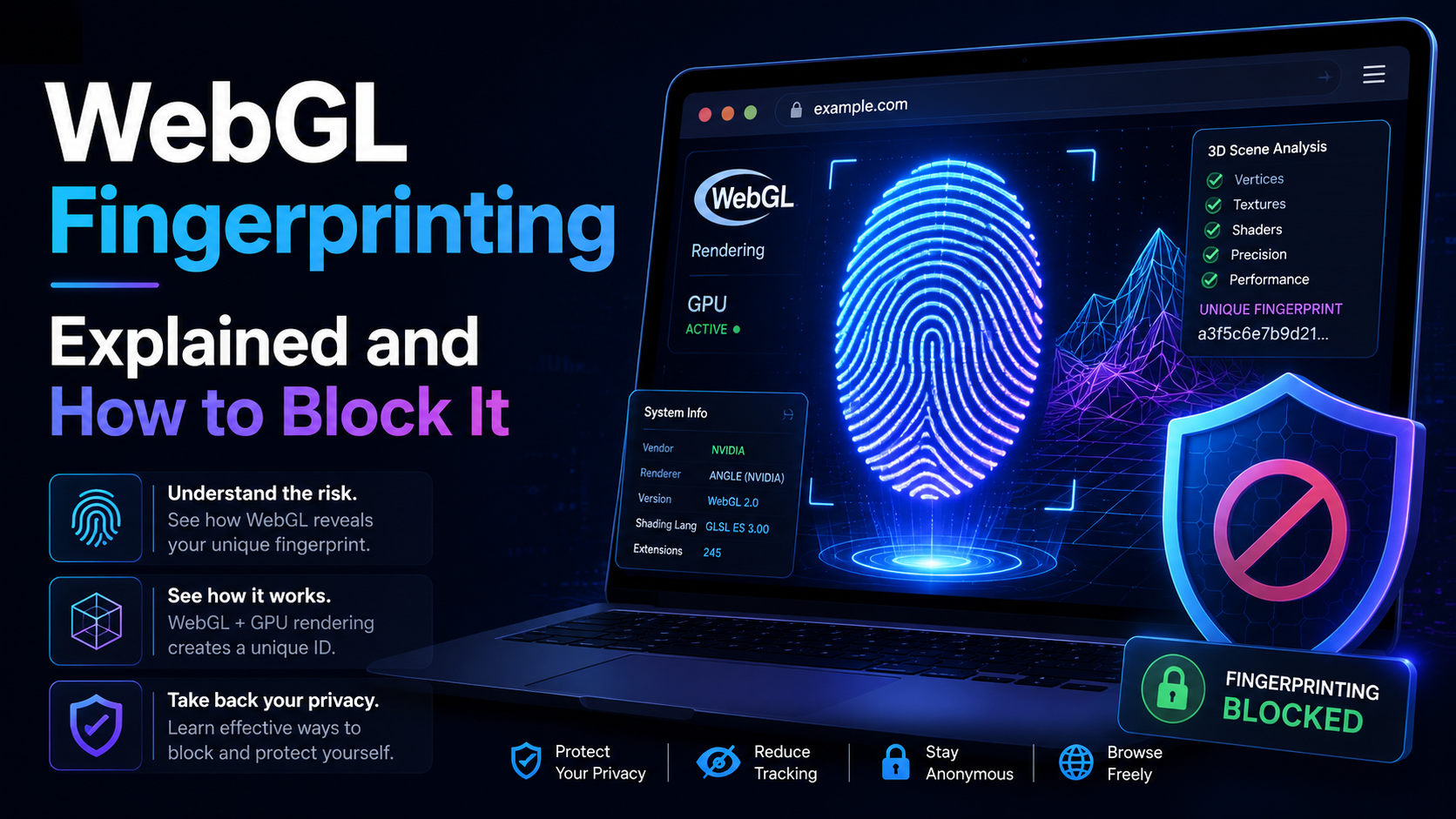
WebGL is built similar to a website. Platforms can rely on WebGL exploits to recognize browser fingerprints. So what is the nature of WebGL, advantages, and its applications? And is there a way to block websites from collecting browser fingerprints via WebGL?Overview of WebGLWhat is WebGL?WebGL stands for Web Graphics Library – a graphics library that allows drawing, displaying, or interacting[…]
