
How to Manage Multiple Facebook Accounts (Without Getting Banned)
Managing multiple Facebook accounts is a common requirement for agencies, e-commerce teams, franchise operators, social media managers, and businesses serving several markets.
However, “multiple Facebook accounts” can describe very different operating models. It may refer to managing several Facebook Pages, client assets, advertising accounts, or authorized profiles. It may also refer to one person creating several independent personal accounts, which carries significantly greater policy and security risks.
The safest approach is not to hide questionable account activity. It is to build a clear management structure based on authentic users, official Meta permissions, secure devices, isolated work environments, and documented access controls.
No browser, proxy, automation platform, or account-management tool can guarantee that a Facebook account will never be restricted. These tools can improve organization and operational consistency, but account status still depends on identity, permissions, content, advertising practices, security, and compliance with Meta’s rules.
Quick Answer
To manage multiple Facebook accounts more safely:
- Use one authentic personal account for each real team member.
- Represent businesses and brands with Facebook Pages.
- Organize Pages and advertising assets through Meta Business Suite.
- Assign individual permissions instead of sharing passwords.
- Enable two-factor authentication for every administrator.
- Keep work sessions, cookies, and account data properly organized.
- Avoid unsolicited messaging, fake engagement, and excessive automation.
- Review Account Status and Page Status regularly.
- Use browser-profile tools only for legitimate account organization and team workflows.
- Never treat account-management software as permission to bypass platform rules.
Can You Have Multiple Facebook Accounts?
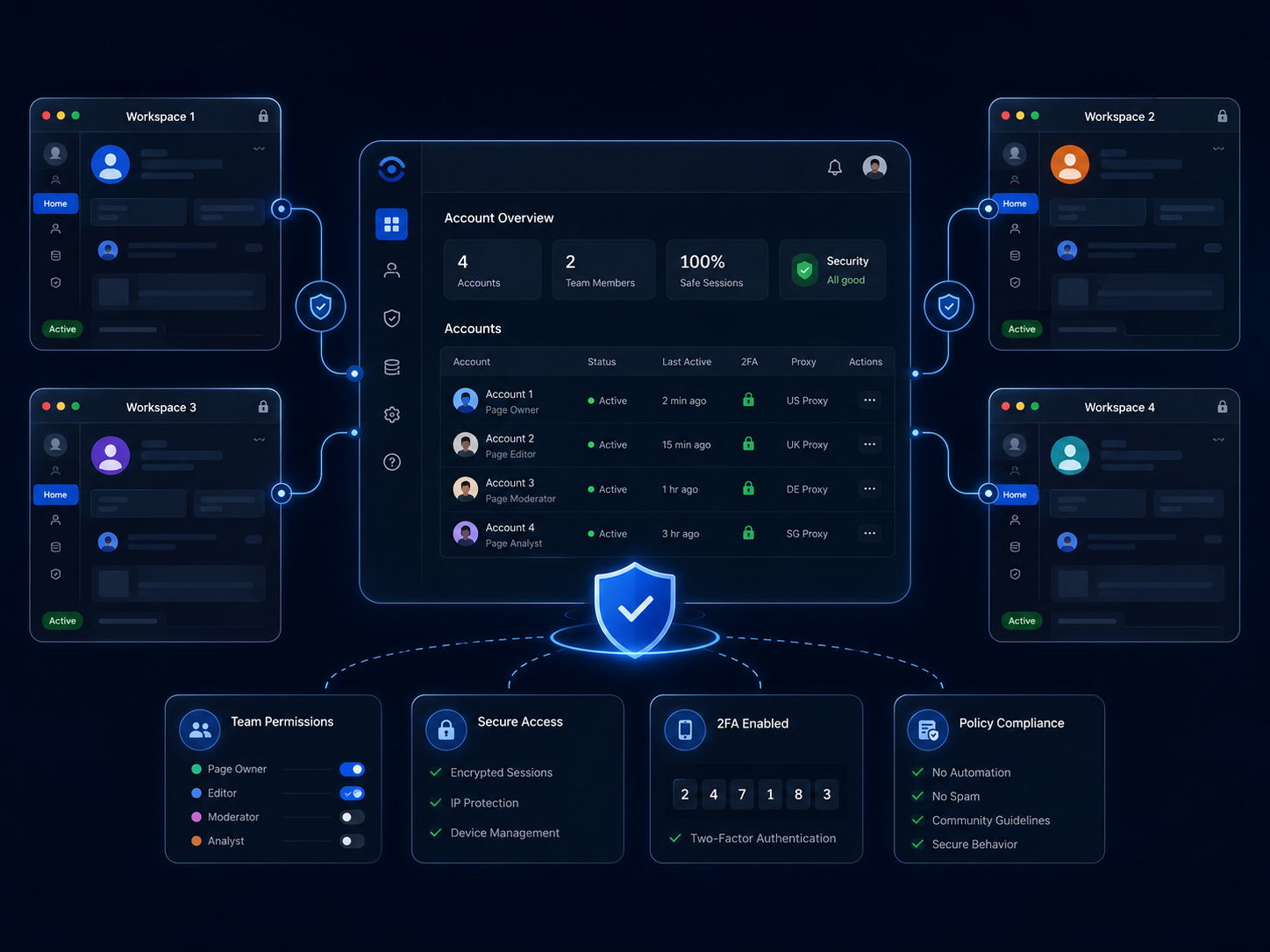
Facebook distinguishes between personal accounts, additional profiles, Pages, advertising accounts, and business assets.
Meta states that maintaining more than one independent personal account for the same individual is against its standards. A personal account can instead be used to create and manage Pages representing businesses, brands, organizations, and products. (Facebook)
This means that one business owner does not need to create a separate personal account for every store.
A more appropriate structure would be:
- One authentic personal account for the owner.
- One Facebook Page for each brand or store.
- Separate advertising accounts where there is a legitimate operational need.
- A Business Portfolio containing the relevant assets.
- Individual access for employees, contractors, and agencies.
What About Additional Facebook Profiles?
Additional profiles are different from independent personal accounts.
Meta currently says that an account may have up to four additional Facebook profiles. Each profile can have its own Feed, friends list, followed Pages, and group activity, but all profiles remain connected to the same main account. (Facebook)
Additional profiles may be useful for separating interests or communities. However, they should not replace Facebook Pages when representing commercial brands, nor should businesses depend on them as their primary asset-management system.
What Does Legitimate Multi-Account Management Look Like?
Legitimate multiple Facebook accounts management usually involves one or more of the following situations:
Managing Several Brands
A company may operate separate Pages for different stores, product lines, languages, or regional markets.
For example:
- One Page for a US store.
- One Page for a UK store.
- One Page for customer support.
- One Page for a separate product brand.
These Pages can be administered by the same authorized team without creating a different personal account for every Page.
Managing Client Assets
An agency may be responsible for Facebook Pages, Instagram accounts, ad accounts, and campaigns belonging to several clients.
The agency should request official access to each client’s assets. It should not ask clients to provide personal passwords or transfer ownership unless a genuine ownership change is taking place.
Separating Team Responsibilities
Different employees may require different permissions.
A content writer may need publishing access. A media buyer may need ad account access. A finance employee may only need access to billing information. A designer may not need direct Facebook access at all.
Meta Business Suite supports different levels of access for Business Portfolios and individual assets, allowing organizations to assign only the permissions required for each role. (Facebook)
A Recommended Account Structure
For most companies, the following model provides a practical starting point:
Real person → authentic Facebook account → authorized business assets
A small agency might use this structure:
- Each employee has one personal Facebook account.
- The agency has its own Business Portfolio.
- Each client retains ownership of its Page and ad account.
- The agency receives partner or task-based access.
- Employees are assigned only to the clients they manage.
- Two trusted internal administrators maintain emergency access.
- Former employees are removed immediately.
- Account access is reviewed every three months.
This approach makes it easier to identify who changed a campaign, published a post, added a payment method, or modified an administrator.
Why Multiple Facebook Accounts Get Restricted
Facebook does not publish a single formula that determines whether an account will be suspended. Restrictions may result from account integrity, security events, content violations, unusual activity, advertising issues, or repeated misuse of platform features.
1. Multiple Independent Personal Accounts
Creating several personal accounts for one person introduces an immediate policy risk.
Even when every account uses a different email address, phone number, device, or browser environment, that does not change the platform’s requirement concerning authentic personal accounts.
Browser separation solves an operational problem. It does not change account ownership rules.
2. Shared Passwords
Teams sometimes allow several employees to log in to the same administrator account.
This creates several problems:
- The business cannot reliably identify who performed an action.
- Former employees may retain access.
- Passwords may be exposed through messages or documents.
- Recovery information may belong to only one employee.
- A compromised login can affect every connected asset.
Meta advises users not to share login information and recommends security tools such as login alerts and two-factor authentication. (Facebook)
The safer method is to invite each person separately and assign appropriate permissions.
3. Sudden or Excessive Activity
Facebook places limits on certain features to reduce spam, harassment, and misuse. Rapid messaging, repetitive sharing, excessive friend requests, or other high-volume activity may result in temporary blocks. (Facebook)
A newly created or recently recovered account should not immediately begin performing hundreds of actions.
Operational growth should reflect genuine business activity rather than artificial volume.
4. Inconsistent Access Patterns
A legitimate global team may access business assets from different locations. However, uncontrolled access can make security management more difficult.
Potential problems include:
- Several employees using one personal account.
- Frequent switches between unfamiliar devices.
- Unknown browser extensions.
- Public computers retaining active sessions.
- Multiple people changing recovery details.
- Untracked proxy or VPN configurations.
The objective should not be to manufacture a fake identity. It should be to keep authorized work sessions controlled, documented, and secure.
5. Aggressive Automation
Automation can be useful for approved workflows such as content scheduling, reporting, data organization, and repetitive administrative tasks.
The risk increases when automation is used to:
- Send unsolicited messages.
- Generate fake likes or comments.
- Add large numbers of strangers.
- Join groups in bulk.
- Publish repetitive content across unrelated Pages.
- Imitate organic engagement.
- Continue activities after a restriction.
A workflow being technically possible does not automatically make it compliant with platform policies.
6. Weak Account Security
An account can be restricted or locked because Facebook suspects that its security has been affected. Meta may then ask the user to complete a security check or confirm their identity. (Facebook)
Weak passwords, phishing, malware, shared devices, and unsecured recovery information can therefore disrupt an otherwise legitimate multi-account operation.
How to Manage Multiple Facebook Accounts Step by Step
Step 1: Audit Your Existing Accounts and Assets
Create an inventory containing:
- Personal accounts used by current employees.
- Facebook Pages.
- Business Portfolios.
- Advertising accounts.
- Instagram accounts.
- Pixels and datasets.
- Payment methods.
- Connected applications.
- Current administrators.
- External agencies and freelancers.
For each item, record:
- Legal owner.
- Current operator.
- Business purpose.
- Permission level.
- Recovery contact.
- Last access review.
- Whether the asset is still active.
Do not remove or transfer an asset until ownership has been confirmed.
Step 2: Separate Personal Identity From Business Assets
A personal account should represent an individual. A Page should represent a business, brand, product, organization, or public presence.
Facebook Pages are specifically intended for businesses, brands, organizations, and public figures. Page owners can also assign different access levels to trusted people. (Facebook)
A business should therefore avoid creating personal profiles with names such as:
- Shop Administrator
- Advertising Team
- Customer Service Department
- Brand Manager Account
Create a Page for the business and invite real team members instead.
Step 3: Organize Assets in Meta Business Suite
Use Meta Business Suite and a Business Portfolio to centralize relevant assets.
Depending on the organization, this may include:
- Facebook Pages.
- Instagram accounts.
- Advertising accounts.
- Catalogs.
- Data sources.
- Partner access.
- Employee permissions.
Meta allows Business Portfolio administrators to add people and assign access to selected assets. (Facebook)
Centralization does not mean every employee should see everything. It means ownership, access, and responsibilities can be managed from a consistent administrative structure.
Step 4: Give Each Person Individual Access
Each employee or contractor should use their own authorized account.
Avoid:
- Sharing the owner’s password.
- Logging an entire team into one administrator account.
- Creating a fake employee account.
- Sending session cookies between team members.
- Leaving administrator access active after a contract ends.
Record when access is granted and when it must be reviewed.
Step 5: Apply the Least-Privilege Principle
Grant only the access required for the person’s work.
| Team member | Typical access |
|---|---|
| Content writer | Drafting or content access |
| Social media manager | Page publishing and community management |
| Media buyer | Assigned advertising accounts |
| Designer | Usually no direct Facebook access |
| Accountant | Billing or finance-related access |
| Agency | Partner access to selected client assets |
| Business owner | Full control and recovery responsibility |
Full control should be limited because anyone with that level of permission may be able to change access, remove other users, or alter important settings.
Step 6: Enable Two-Factor Authentication
Two-factor authentication provides an additional security step when someone attempts to access an account from an unrecognized browser or device.
Facebook supports options including authentication apps, security keys, and SMS codes. (Facebook)
Administrators should also:
- Save recovery codes securely.
- Maintain an active recovery email.
- Review logged-in devices.
- Enable alerts for unrecognized logins.
- Avoid using shared phone numbers for several employees.
Step 7: Create a Stable Operating Routine
Consistency is useful for both security and internal accountability.
A practical routine may include:
- Using an assigned work device.
- Keeping browsers updated.
- Removing suspicious browser extensions.
- Recording who controls each account.
- Avoiding unnecessary device switching.
- Logging out of shared computers.
- Reviewing connected applications.
- Following a documented process for location or device changes.
Meta’s Security Checkup can recommend actions such as updating passwords, enabling two-factor authentication, and activating login alerts. (Facebook)
Step 8: Review Account Status Regularly
Account Status can show information about:
- The main profile.
- Managed Pages and groups.
- Community Standards violations.
- Feature restrictions.
- Monetization limitations.
- Recommendation eligibility.
Meta says users can access it through Help & Support → Account Status. (Facebook)
Do not wait until an important Page or ad account stops working. Include status reviews in the team’s regular maintenance routine.
Do You Need an Antidetect Browser?
Not every business managing multiple Facebook Pages needs an antidetect browser.
A small company with one office, three employees, and several Pages may be adequately served by:
- Meta Business Suite.
- Individual user permissions.
- A password manager.
- Two-factor authentication.
- Company-managed devices.
A browser-profile platform becomes more relevant when the team must organize numerous authorized sessions, client environments, cookies, local data, or browser configurations from the same operating infrastructure.
Typical use cases include:
- Agencies managing many client workspaces.
- Remote teams that require controlled profile access.
- Operators who need to avoid mixing cookies between clients.
- QA teams testing location-specific or account-specific experiences.
- Businesses replacing a large collection of physical devices.
- Teams requiring separate browser workspaces for different projects.
The decision should be based on operational complexity—not on the assumption that an antidetect browser makes every account safe from enforcement.
Where Hidemium Fits Into the Workflow
Hidemium is one available browser-profile management option. According to its official website, it provides isolated browser profiles, browser fingerprint configuration, proxy integration, cloud synchronization, and team permission controls. These features are designed to keep account sessions and profile data separated within multi-account workflows. (Hidemium)
For a legitimate Facebook operation, that may help a team:
- Keep client cookies in separate environments.
- Assign a consistent workspace to each account.
- Reduce accidental session overlap.
- Control which employees can open specific profiles.
- Transfer operational responsibility without sharing personal passwords.
- Organize profiles with folders, labels, or project groups.
- Use separate proxy configurations where there is a genuine business requirement.
However, Hidemium should complement Meta Business Suite—not replace it.
Meta Business Suite determines who is officially authorized to manage Pages and business assets. A browser-profile tool determines how local browser sessions and work environments are organized.
These are different functions.
What Hidemium Cannot Guarantee
A neutral evaluation should also consider the product’s limitations.
Hidemium cannot:
- Turn a fake personal account into a compliant account.
- Provide ownership of a Page or advertising asset.
- Correct misleading advertisements.
- Prevent restrictions caused by prohibited content.
- Guarantee successful identity verification.
- Make spam or fake engagement acceptable.
- Automatically recover a disabled account.
- Guarantee that Facebook will never connect related activity.
- Override Meta’s Terms, Community Standards, or advertising policies.
Even with well-separated browser profiles, a business may still receive restrictions because of content, payments, user reports, compromised credentials, advertising quality, or repeated policy violations.
The product should therefore be evaluated as an operational and privacy tool, not as a guaranteed ban-prevention service.
Hidemium vs. Meta Business Suite
The two tools address different management problems.
| Area | Meta Business Suite | Browser-profile platform |
|---|---|---|
| Page ownership | Yes | No |
| Official employee permissions | Yes | No |
| Ad account permissions | Yes | No |
| Isolated cookies and browser storage | Limited | Yes |
| Separate browser workspaces | Limited | Yes |
| Browser fingerprint configuration | No | Yes |
| Proxy assignment | No | Usually available |
| Official Meta appeals | Yes, where available | No |
| Account-policy compliance | Required | Does not determine compliance |
| Team session organization | Basic to moderate | Often more detailed |
For most professional operations, the tools are not direct substitutes.
Meta Business Suite should remain the foundation for ownership and official permissions. A browser-profile platform can be considered when the team needs more structured session isolation or shared workspace controls.
Should You Use a Proxy?
A proxy changes the network route through which a browser connects to a website. It does not create permission to operate an account, and it does not solve identity or content-policy problems.
A proxy may have legitimate uses when:
- A company has regional offices.
- A QA team tests geo-specific experiences.
- A client requires access from an approved business network.
- A remote employee needs a stable work configuration.
- A security policy requires traffic to use managed infrastructure.
Avoid constantly changing regions without an operational reason. A stable, documented setup is generally easier to manage than frequent random changes.
The proxy region, browser language, time zone, device configuration, and business workflow should reflect a plausible authorized operating environment.
Content Practices for Multiple Facebook Pages
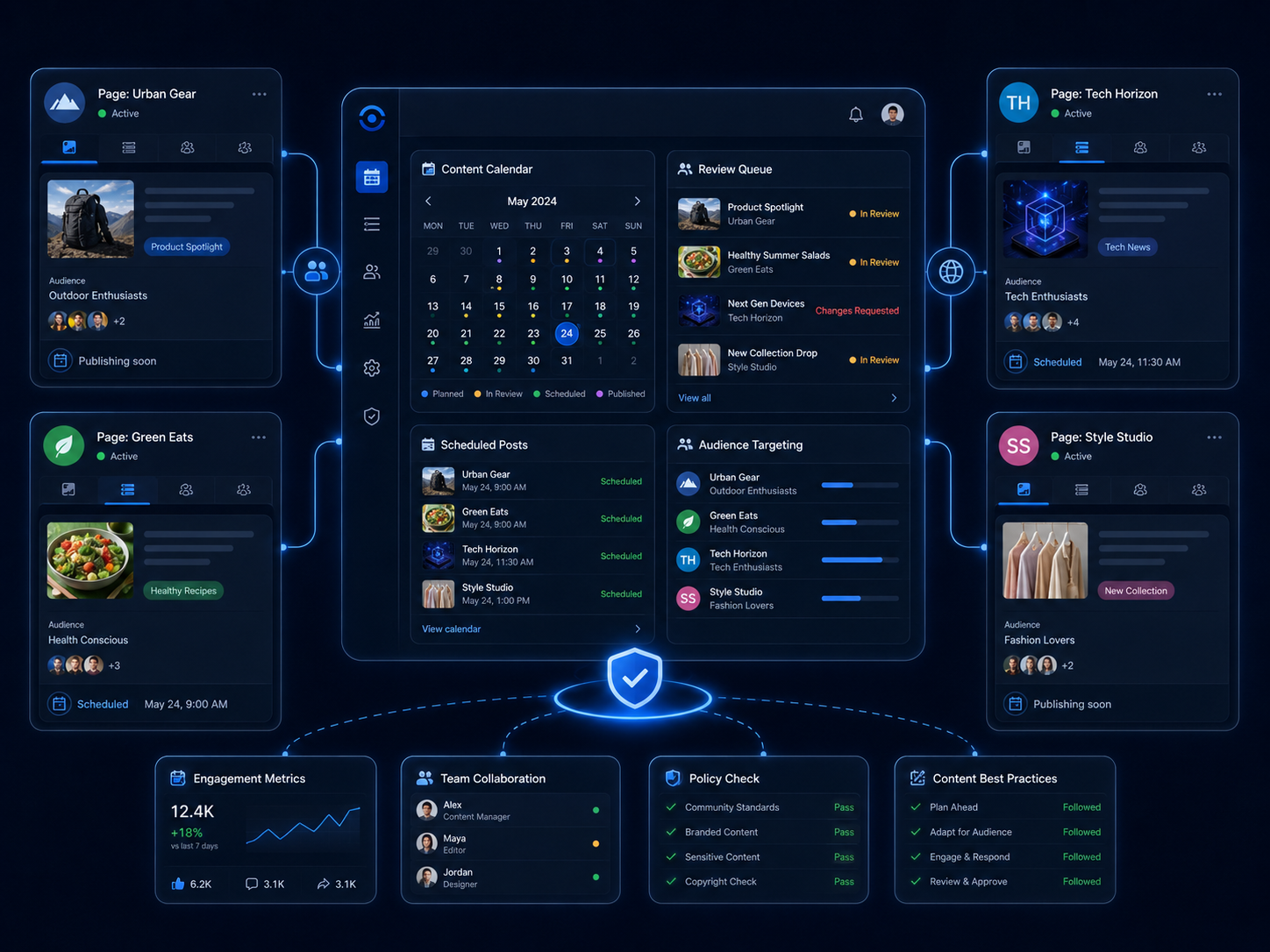
Technical organization is only one part of account safety. Content quality and user behavior remain important.
Avoid Copying Everything Across Every Page
Several Pages may share the same campaign concept, but identical mass publication can produce poor user experiences.
Adapt:
- Language.
- Regional references.
- Product availability.
- Images.
- Calls to action.
- Publishing times.
- Customer-support information.
Create an Approval Workflow
A basic workflow can include:
- Content creation.
- Brand review.
- Policy review.
- Final approval.
- Scheduling.
- Performance monitoring.
- Documentation of removed or restricted content.
Avoid Artificial Engagement
Do not use connected accounts to:
- Like one another’s content artificially.
- Post coordinated fake customer comments.
- Inflate follower counts.
- Leave deceptive reviews.
- Send repetitive promotional messages.
- Manipulate discussions in groups.
These actions create risks that browser separation cannot solve.
What to Do If an Account Is Locked or Restricted
First, identify the type of problem.
It may involve:
- A locked personal account.
- A disabled account.
- A Page restriction.
- A limited feature.
- An advertising restriction.
- A payment review.
- A suspected security incident.
Then:
- Read the notice inside Facebook.
- Check Account Status or Page Status.
- Follow the official recovery process.
- Confirm that the email came from Meta.
- Change the password if compromise is suspected.
- Review logged-in devices and connected applications.
- Remove unauthorized users.
- Save case numbers and screenshots.
- Request a review when the option is available.
- Stop repeating the activity connected to the restriction.
Meta provides an official recovery process for locked accounts and may require users to complete security checks. (Facebook)
Do not immediately create replacement personal accounts or move the same activity to another account. This can spread the operational problem rather than solve it.
Multiple Facebook Accounts Checklist
Before scaling your operation, confirm that:
- Every team member uses an authentic account.
- Brands are represented by Pages.
- Business assets have documented owners.
- Employees receive individual permissions.
- Passwords are not shared through messages or spreadsheets.
- Full control is limited to trusted administrators.
- Two-factor authentication is enabled.
- Recovery information is current.
- Former employees have been removed.
- Browser profiles have clear owners and purposes.
- Proxy configurations reflect legitimate business needs.
- Automation does not create spam or fake engagement.
- Content follows an approval process.
- Account Status is reviewed regularly.
- The company has an incident-response procedure.
Conclusion
Managing multiple Facebook accounts safely is primarily an organizational and compliance challenge—not simply a technical one.
Begin with authentic users, Facebook Pages, Meta Business Suite, and clearly assigned permissions. Protect administrators with two-factor authentication, documented access reviews, and secure devices.
As the operation grows, separate browser profiles may help agencies and distributed teams keep client sessions, cookies, proxy settings, and local data organized. However, this layer should support a legitimate business structure rather than attempt to bypass Facebook’s enforcement systems.
The strongest setup combines official Meta permissions with disciplined security, stable workflows, appropriate browser isolation, and responsible content practices.
Teams that have outgrown ordinary browser tabs can explore Hidemium.io social media management solution and compare its profile isolation and collaboration features with their current workflow. Test it with non-critical accounts first, review internal security requirements, and confirm that every account is authorized and policy-compliant before expanding usage.
Frequently Asked Questions
Can I Have Multiple Facebook Accounts?
Facebook does not allow one individual to maintain several independent personal accounts. You can use one authentic personal account to manage multiple Pages and authorized business assets.
Can I Manage Multiple Facebook Pages From One Account?
Yes. One authentic Facebook account can receive access to multiple Pages. For business operations, organize these Pages through Meta Business Suite and assign permissions according to each person’s responsibilities.
Can I Use Additional Facebook Profiles?
Facebook currently permits up to four additional profiles under one main account. These profiles are not separate independent accounts and should not replace Pages for commercial brands.
Do I Need Hidemium to Manage Multiple Facebook Pages?
Not necessarily. Meta Business Suite may be sufficient for a small team. Hidemium becomes more relevant when an agency or distributed team needs isolated browser sessions, separate cookies, proxy configuration, or controlled profile sharing.
Does Hidemium Guarantee That Accounts Will Not Be Banned?
No. No software can guarantee that. Account restrictions may result from policy violations, content, advertising, identity checks, payment problems, user reports, or compromised credentials.
Can Hidemium Replace Meta Business Suite?
No. Meta Business Suite manages official ownership and permissions. Hidemium organizes browser profiles and work environments. A business may use both, but they serve different purposes.
Is It Safe to Share a Facebook Password With Employees?
No. Invite each employee through Meta’s permission system. Password sharing reduces accountability and makes it harder to revoke access securely.
Do I Need a Different Proxy for Every Facebook Account?
Not always. Proxy requirements depend on the business workflow, location, team structure, and security policy. A proxy should serve a legitimate operational purpose rather than being assigned randomly.
Can an Agency Manage Client Facebook Accounts?
Yes. The preferred method is to receive official partner or asset access from the client. Agencies should not ask clients to send personal login credentials.
What Is the Safest Multiple Facebook Accounts Setup?
Use one authentic account per team member, Facebook Pages for brands, Meta Business Suite for permissions, two-factor authentication for administrators, and isolated browser profiles only where operational separation is genuinely required.
Related Blogs
.png)
Protecting your identity is essential for any business managing multiple accounts. And your IP address is first. In this article, we will guide all you need to know about hiding your IP and using another IP. From information consistency to data center solutions, from proxies to more.How to hide your IP addressWhat do you want to hide your IP address for?Websites track multiple browser[…]

In the digital era, making money online (MMO) has become a popular trend, offering flexible and accessible opportunities for everyone. Whether you want to earn extra income or build a long-term business, there are always suitable options available. However, for beginners, the abundance of information can be overwhelming. Don’t worry! This article will guide you through 22 practical ways to make[…]
What is the best Dolphin Anty alternative in 2026?The best Dolphin Anty alternative in 2026 is Hidemium for teams that need stronger control over browser profiles, proxies, workspaces, team access, and multi-account operations.Dolphin Anty is known among affiliate marketers and media buyers. It can be useful for campaign-focused workflows where speed matters. But not every team wants only a fast[…]
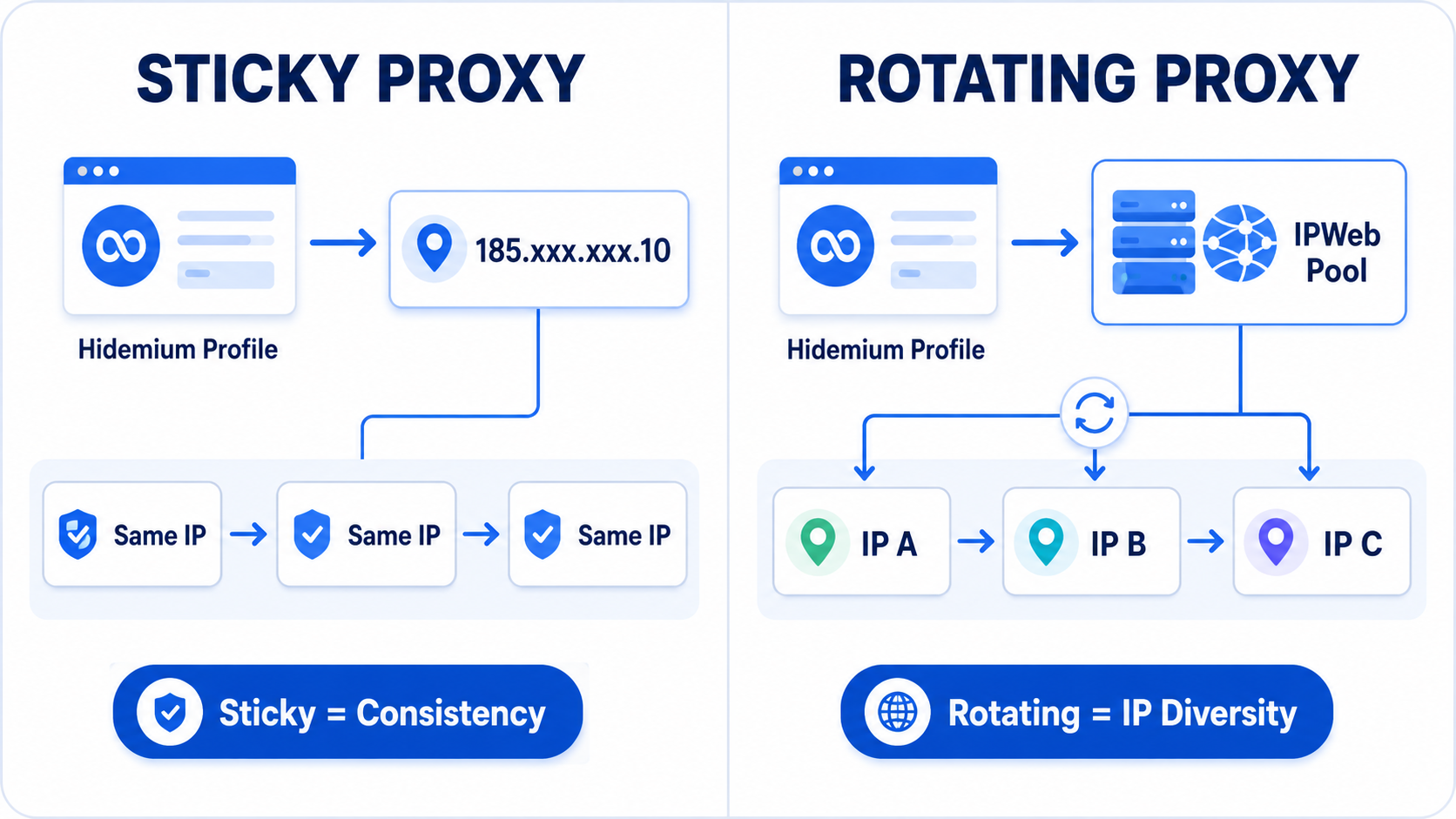
Title:Rotating vs Sticky Proxies for Hidemium: Which IPWeb Setup Should You Use? Meta description:Rotating or sticky proxy for Hidemium? Compare both IPWeb proxy setups, see which works best for stable sessions, research, geo testing and browser profiles. Rotating vs Sticky Proxies in Hidemium: Which IPWeb Proxy Setup Is Right for You?If you're using IPWeb proxies with Hidemium Antidetect[…]

In the modern e-commerce landscape, Amazon is no longer simply a sales website. By 2026, the platform will have evolved into a complex ecosystem, combining direct retail and intermediary platforms for millions of businesses worldwide.To the average user, Amazon.com looks like a single store. However, behind that is a dual model: it's both a retailer (Amazon sells directly) and a marketplace where[…]
.png)
BitBrowser is one of the widely used Antidetect browsers thanks to its ability to change Browser Fingerprint and create multiple independent browser profiles, helping to manage a large number of accounts effectively. However, in the context of many new anti-detection browsers being born with more modern technology, can BitBrowser still remain as competitive and effective as before? Join Hidemium[…]
