
Selling on major e-commerce platforms can generate enormous revenue, but it also comes with extremely strict compliance and review policies. Even a minor slip, such as a leak of device-related data, can lead to account suspension. Let’s explore how to create a clean operating environment for eBay/Amazon using Hidemium in the article below.
1. Why is it necessary to create a clean environment when selling on eBay and Amazon?
In a multi-account management context, a “clean environment” refers to a login setup that includes:
A dedicated and stable IP address
An independent browser fingerprint
Separate cookies and sessions
No shared cache or login data between accounts
Amazon and eBay use advanced behavioral and device analysis systems to detect accounts that may be linked. The factors typically evaluated include:
Login IP address
Browser fingerprint (such as Canvas, WebGL, screen resolution)
Cookies and sessions
User behavior patterns
If multiple accounts are accessed from the same device environment without clear separation, the system may flag them as linked accounts. When one account encounters an issue, others may be affected in a chain reaction (mass account suspension).
This is why creating a clean environment for eBay/Amazon becomes essential if you want to scale your business sustainably.
See also: The most effective way to recover a suspended Amazon account.
2. What is Hidemium and its role in account protection?
Hidemium is a leading anti-detect browser designed to help online sellers manage multiple accounts securely. It enables users to create hundreds or even thousands of completely isolated browser profiles on a single physical device.
Each profile in Hidemium functions like an independent computer, with its own unique digital fingerprint, IP address, and operating system configuration. As a result, platforms perceive each account as being accessed by a different real user, effectively preventing account suspensions caused by linked data.
Important note: No tool can guarantee absolute safety. However, using an anti-detect browser like Hidemium significantly reduces the risk of account suspension due to overlapping environment data when managing multiple accounts.
3. How to Create a Clean Environment for eBay/Amazon Using Hidemium
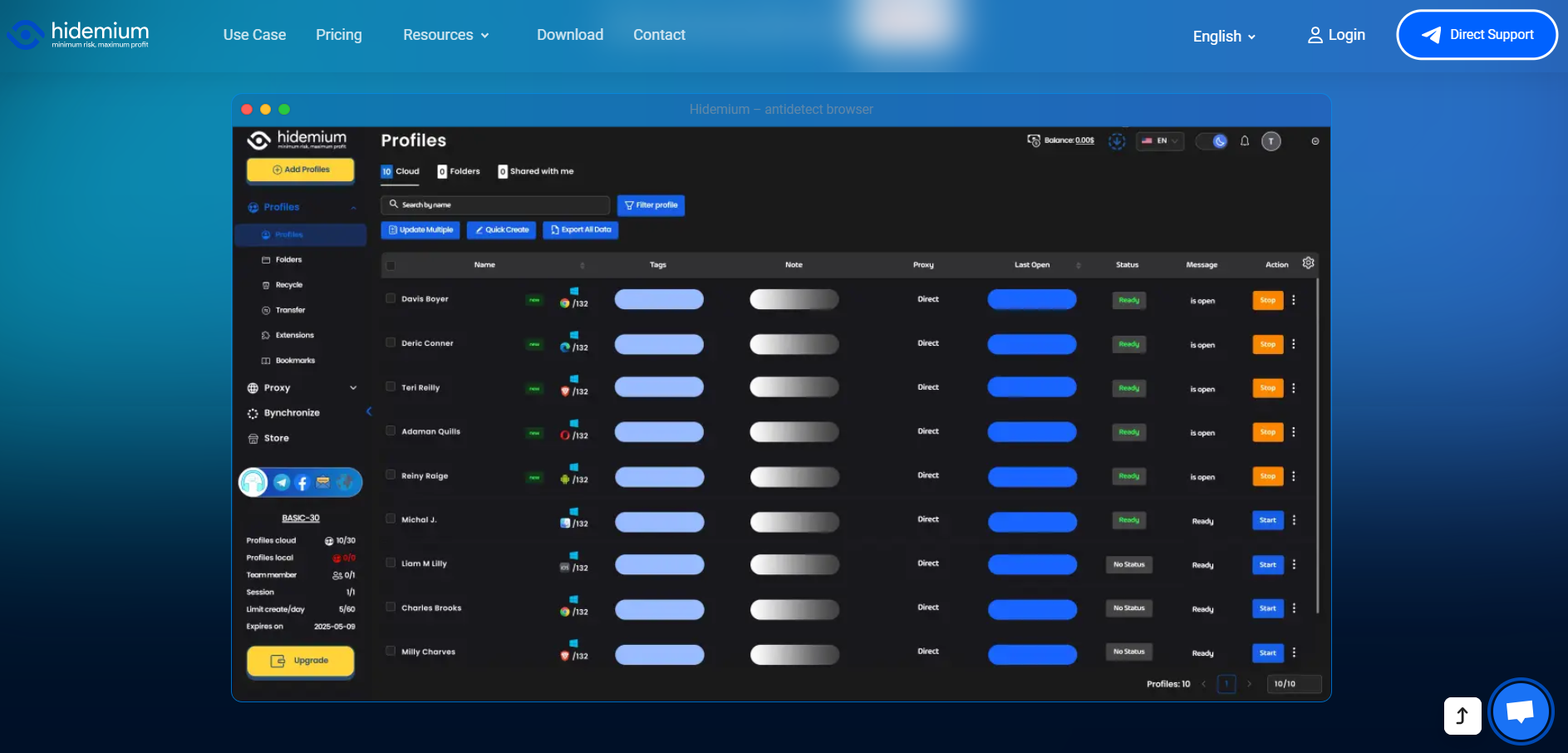
To set up a secure working environment, simply follow these steps:
Step 1: Download and install Hidemium
Visit Hidemium’s official website, sign up for an account, and download the version compatible with your operating system (Windows or macOS). Once installed, log in to the main interface.
Step 2: Create a new browser profile
In the dashboard, select “New Profile.”
Name the profile (e.g., Amazon Store US 01 or eBay UK 02) for easier management.
Choose the target operating system (Windows, macOS, or Linux) based on your needs. Hidemium will automatically generate a logical and randomized browser fingerprint.
Important: Once a profile is created, avoid making sudden changes to the fingerprint, as this may cause the system to flag the device as suspicious.
Step 3: Configure a proxy to change your IP
A clean environment requires a dedicated and reliable IP address.
Go to the Proxy section and enter your proxy details (HTTP, SOCKS4, or SOCKS5).
Click “Check Proxy” to ensure the IP is functioning properly and is not blacklisted by eBay or Amazon.
Step 4: Customize advanced settings and launch
Hidemium allows you to fine-tune advanced parameters such as WebRTC, Canvas, Audio, Fonts, and more. However, if you’re new, it’s best to keep the Auto mode enabled.
After saving your configuration, simply click “Start” to launch the browser. At this point, you can confidently log in or create a new eBay/Amazon store within a secure and isolated environment.
4. Conclusion
Protecting browsing data and preventing platforms from detecting links between your stores is a critical factor in e-commerce success. Without proper safeguards, the risk of account suspension is extremely high. By creating a clean environment for eBay/Amazon with Hidemium, you equip yourself with a strong layer of protection.
Start using Hidemium today to confidently manage multiple accounts, scale your business, and increase revenue—without worrying about account-detection algorithms.
Related Blogs
In response to feedback from our valued users and customers, we are excited to announce that our popular Multibrowser product will now be known as Hidemium.We understand that the name of a product is crucial in conveying its purpose and value, and after careful consideration, we believe that Hidemium better represents the features and benefits of our browser.Hidemium, reflects our commitment to[…]

Multiple internet identities include anything from multiple accounts on a single website to different computers with a different connections. The reason why people need them is various.Within the context of our website and Hidemium, we view identity as a set of computer, browser, and connection parameters that the server can read off your client. Calling those parameters fingerprints. Here we[…]

Scaling a YouTube channel from a side project into a major marketing asset is a high-stakes endeavor. You need rapid growth to capture the algorithm's attention, but aggressive tactics can trigger YouTube's sophisticated detection systems, putting your entire channel at risk. The central challenge for every ambitious marketer is how to push the boundaries of growth without crossing the line into[…]

Have you ever wondered why many Amazon sellers are able to generate more revenue? $10,000 per month? In fact, they are not smarter than you, they just know how to Safe business expansion. While most sellers are limited to a single account and struggle to grow, successful ones leverage Multiple Amazon Accounts to capture niche markets and maximize profits.The problem is, Amazon AI system are[…]
.png)
When managing multiple accounts, performing data scraping, or ensuring online privacy, choosing a stable residential proxy is essential. LokiProxy has recently gained attention for its outstanding performance, global IP coverage, and competitive pricing. It also offers an easy-to-use control panel and integrates smoothly with tools like Hidemium.What is LokiProxy?LokiProxy is a global residential[…]

Are you looking for a way to access websites restricted at school, work, or in your region? Unblocked browsers and related browsing tools may help in certain situations by using proxy servers, privacy networks, or alternative connection methods.However, not every browser works the same way. Some tools focus on privacy and accessing restricted content, while antidetect browsers such as Hidemium[…]
