BitBrowser 2025 – A Simple and Powerful Anti-Detect Browser for Multi-Account Management
Try Hidemium for free.png)

BitBrowser 2025 – A Simple and Powerful Anti-Detect Browser for Multi-Account Management
Managing multiple online accounts across platforms has become a daily necessity for marketers, e-commerce sellers, crypto users, and digital professionals. However, the risks of account linkage, bans, and privacy leaks are more real than ever. That’s where BitBrowser comes in—a robust anti-detect browser designed to give you safe, isolated, and efficient multi-account access in a single tool.
Let’s explore what makes BitBrowser stand out in 2025.
What is BitBrowser?

BitBrowser is an anti-detect browser that allows users to run multiple browser profiles simultaneously, with each window acting as a completely independent environment. Each profile comes with its own device fingerprint and proxy IP, preventing any possibility of account correlation between profiles.
The browser is built on both Chromium and Firefox kernels, with deep customization at the system level to ensure high-level isolation, privacy, and safety. Whether you’re managing ten or a hundred accounts, BitBrowser helps you keep them separated and secure.
What does BitBrowser do?
BitBrowser mainly realizes: multiple browser windows, multiple accounts (FB/TK/X/WS..), to prevent the occurrence of associated accounts between windows. Each window simulates independent computer information and proxy IP addresses to make the environments independent and isolated from each other, thereby improving account security! Deeply developed using Google and Firefox kernels, it achieves a safe and pure environment effect at the physical level. There is 100% no correlation between browser windows. With the multi-employee collaborative management function, it improves your account security and operational efficiency!
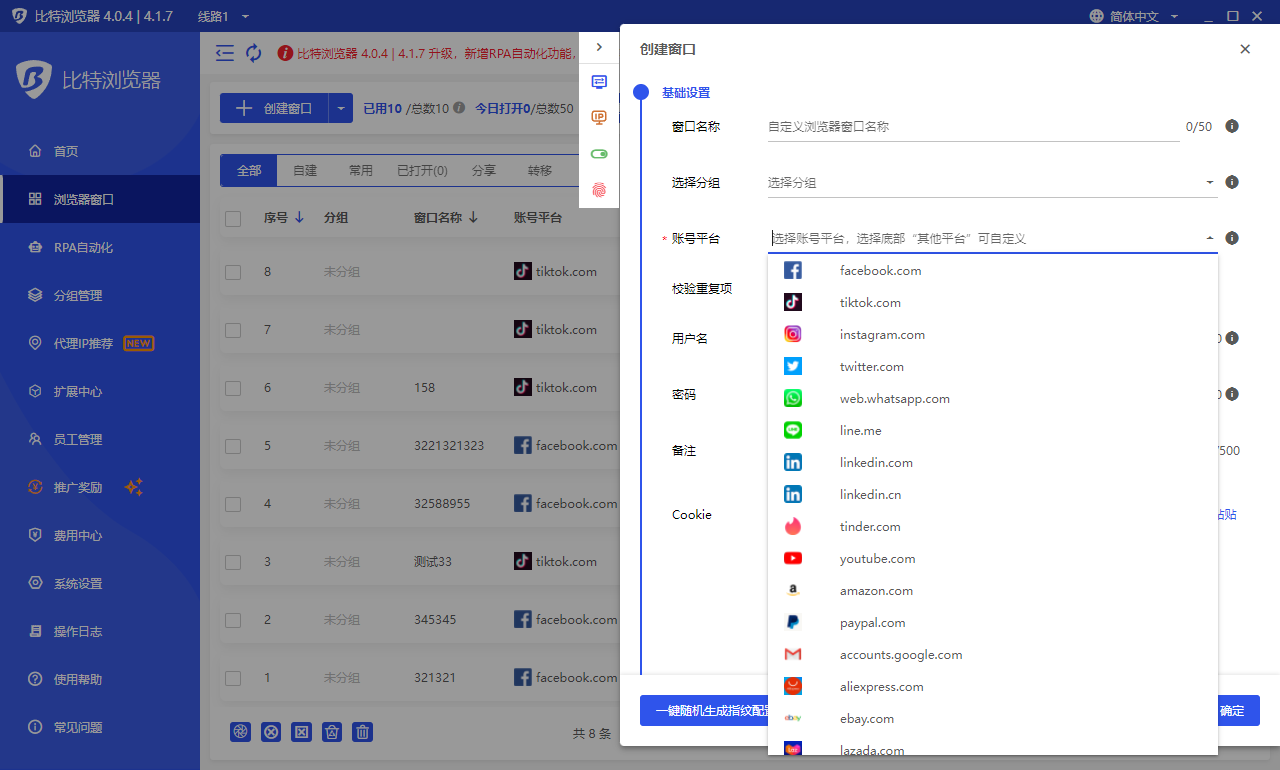
How is BitBrowser Different from Regular Browsers?
BitBrowser can log in to multiple accounts to prevent association. When you open BitBrowser, you can open multiple accounts on the same platform in the browser window to reduce the risk of unrelated accounts.
Which businesses are suitable for BitBrowser?
BitBrowser is ideal for:
- In the cross-border e-commerce industry, you can open multiple store windows to log in to multiple store accounts.
- For social media account maintenance, etc., do social media account matrix, maintenance and other operations.
- For web3.0 virtual business, it has a good effect of preventing multiple logins from being associated, and can also protect local privacy, blockchain, etc.
For advertising placement/SEO optimization, etc., it protects local information very well. Supports changing addresses to protect local information, etc. Research work, etc.

How to use BitBrowser?
The method of using BitBrowser, Bit Fingerprint Browser supports 10 profiles for free (10 windows are set up and opened), and it is necessary to carry static/dynamic proxy IP to the window to set it, and the local environment starts global mode. Only after the fingerprint is generated can it operate normally. If the proxy is not set, the local proxy is used. If 10 windows are not enough, you need to purchase a membership package.
What are the functions of BitBrowser?
- For details, please see the official website link: BitBrowser
- One-click synchronization: control multiple windows at the same time.
- Proxy settings: support global proxy environment construction. Static/dynamic.
- Google/Firefox kernel: supports deep kernel development. You can switch to use the kernel in the browser.
- RPA automation: you can set up automation programs for the creation port, and automatically perform simple and brainless work.
- API interface: Local AP|The software comes with local services, which supports users to operate the software window and run automation scripts through the Local API interface call.
Script market: provides the ecology of the script market and provides a publishing section for more users and developers.

Batch Management Features
- Import/export multiple profiles in one go.
- Batch cookies import/export for selected profiles.
- Batch proxy and fingerprint configuration.
Remote team control: Create sub-accounts and assign tasks to team members securely.
BitBrowser offers a reliable and user-friendly solution for anyone managing multiple online identities or accounts. Whether you're running an e-commerce business, building a social media empire, testing blockchain applications, or protecting your online privacy, BitBrowser helps you work securely, efficiently, and without limits.
Start with 10 free profiles and experience the difference for yourself.
👉 Visit BitBrowser Official Website
If you’d like help creating shorter versions of this content for platforms like Telegram, Twitter, or LinkedIn—just let me know!
Related Blogs
.png)
In the online business and social network management environment, using multiple accounts on the same platform such as Facebook, Twitter or Amazon is a common need. Ghost Browser was born as a convenient solution, helping users easily manage multiple accounts in a single browser interface. This article Hidemium will explain what Ghost Browser is, why it has become the favorite choice of many[…]

In the process of doing business online, many sellers face the problem of accounts being repeatedly suspended even though their content does not violate any rules and their ads fully comply with platform policies. This leads to business disruptions, declining revenue, and major difficulties in scaling operations. The root cause lies in poor digital identity management.That is why more and more[…]
.png)
When you access the internet, you're not only tracked by cookies as in the past. Today, websites can identify users through a more sophisticated method.– browser fingerprint(browser fingerprint). This is a type of "digital signature" created fromYour device and browser environment are the main factors.That's also why tools like BrowserScan were created. Instead of being anonymous, this tool helps[…]

Whether you are a digital marketer gathering competitive intelligence, a sneakerhead trying to cop limited-edition shoes, or an online shopper hunting for exclusive overseas merchandise, your success relies heavily on one crucial tool: the internet. However, the internet is not as borderless as it seems. Geo-blocks, IP bans, and regional restrictions stand in the way. This is exactly why finding[…]

Growing on Facebook isn’t as simple as posting consistently. Pages with low follower counts often struggle to build trust, even if their content is strong. When new visitors land on your page, the first thing they notice is your numbers. If those numbers look inactive, many users leave before engaging.That’s why many creators, brands, and businesses look for the best site to buy Facebook[…]

How to Change MAC Address on Mac: Complete Privacy GuideIn today's hyper-connected world, protecting your digital identity has never been more important. Every time your Mac connects to a network, it broadcasts a unique hardware identifier that can be logged, tracked, and used to build a profile of your behavior. If you've ever wondered how to change MAC address on Mac, you're not alone — it's[…]
