BitBrowser: Open account number, defense number, anti-detect browser - hidemium


BitBrowser is indeed a top-tier software for users who need to manage multiple online accounts with efficiency and security. Here’s a detailed introduction to its key functions
BitBrowser has excellent multi-opening account function, allowing users to open multiple accounts at the same time to improve work efficiency. More importantly, through unique fingerprint technology, it minimizes the correlation between each account and effectively prevent the account from being banned.
Adopting advanced fingerprint technology to generate unique fingerprints for each account to ensure that the information between each account is not leaked, which greatly improves security.
The multi-account is prevented from associating, and the unlimited IP opens multiple sub-account login management. It processs the complex and tedious procedures for batch registration when many e-commerce or social media platform login.
https://www.bitbrowser.net/?code=ab0cdb
Function:
- Multi-opening function: Allow users to open multiple browser windows or tabs on the same device at the same time. Each browser profile or tab can run independently without interference.
- Isolation: Each browser profile or tab in the browser is isolated from each other, with an independent operating profile and resources. This can avoid mutual interference between different tasks and ensure the normal operation of each task.
- Simulate real user behavior: can simulate real user behavior, for automation testing, data crawling and other purposes. For example, during the automation test, users can simulate login, fill in forms, click link and other actions to check whether the website runs normally
- Improve work efficiency: You can open multiple profiles or tabs at the same time, allowing users to perform multiple tasks in different windows or tabs at the same time to improve work efficiency.
- Protecting privacy: Use virtual multi-open browsers to create an independent browser profile. In order to protect user privacy, each browser profile has its own browsing historical records, cookies and other data.
- Innovative Extensions & Scripts: Unleash your creativity with BitBrowser’s Google Extension Center and Script Market. Collaborate with developers and fellow users to create custom solutions tailored to your needs.
Application scenario:
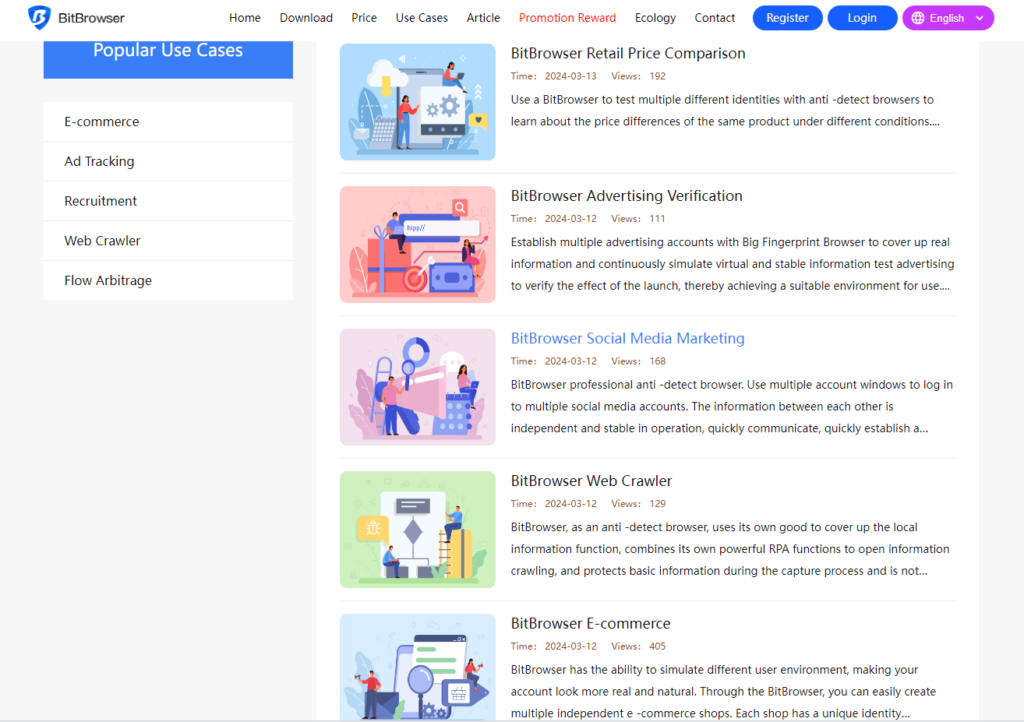
- Social media marketing: BitBrowser uses multiple account profiles to log in to multiple social media accounts. The information between each other is independent and stable operation, quickly communicate, quickly establish a bridge, and use a fingerprint browser to use a BitBrowser.
- E-commerce: BitBrowser has the ability to simulate different user profile, making your account look more real and natural. Through the BitBrowser, you can easily create multiple independent e-commerce shops. Each shop has a unique identity information and browser profile, effectively avoiding the risk of being banned by the store.
- Online advertising and tracking: Advertisers and data analysis companies can use BitBrowser fingerprints to track users’ online activities to put advertising and customized content more accurately. This allows users to identify users through their unique fingerprints even if they use different addresses on different devices.
- Anti-fraud and security: used in the field of anti-fraud and security to identify potential fraud or abnormal activities. Banks and financial institutions can use browser fingerprints to monitor user login mode and detect suspicious activities in time.
- User identity verification: Some websites and applications allow you to use browser fingerprints as identity verification methods. By identifying the user’s browser fingerprint, it can reduce dependence on traditional user names and passwords and improve account security.
- Defense malicious reptile: Browser fingerprint technology can be used to actively defensive automated crawlers on the Internet, such as brushing tickets, comments, crawling personal data, etc.
- Tracking of web attack: running a variety of scripts on our browser, using the browser script to trace the web attack by absolute advantage. You can extract and associate with the characteristic information of the browser fingerprint to perform the attacker Tracking and traceability.
BitBrowser is a browser developed with Google kernel deep development. It has the following characteristics:
- In -depth anonymous: Use the agent IP for deep anonymity to ensure full association between all browser profiles, protect user privacy, and improve security performance.
- API interface and RPA automation process design: comes with API interface, RPA automation process design and other functions. Users can perform multi-profile mouse keyboard synchronization, profile synchronization, tab synchronization and other functions. One-click identification input verification code and other operations.
- Multiple label browsing: Support multiple label browsing, allow users to open multiple labels in a single browser profile, allow users to browse supplier websites, competitors websites, social media, etc.
- Script market: Script market, a script developer, script custom demand for the BitBrowser, developers can publish their own scripts to the “script to provide information” sector.
- Physical separation technology: The use of physical separation technology to completely change the bottom layer of the Chrome kernel, realize the real browser fingerprint hiding effect, the anti-association effect is excellent, and the operation is smooth.
BitBrowser(Fingerprint Browser), in order to prevent the association from being completely, completely physical isolation, deeply hide fingerprint information, and generate different fingerprint information for counter-tracking and recognition Information. In this way, when you visit or browse other websites, you will not be tracked and identified.
BitBrowser redefines online account management, prioritizing privacy, security, and efficiency. It’s the ultimate tool for digital marketers, social media mavens, and anyone who values safeguarding their online identities. In short, the BitBrowser is a powerful privacy protection tool that can protect your online privacy and security. Its multi -label browsing function and fingerprint technology can effectively prevent users from being tracked and identified. It is particularly suitable for privacy protection. Higher users.
Related Blogs
Snapchat has evolved far beyond a simple, ephemeral photo-sharing application. Today, it is a robust platform for communicating with close friends, consuming media, following creators, and even building brand awareness. But as your digital footprint expands, your needs change. You might suddenly find yourself wondering: can you have multiple snapchat accounts?Managing Multiple Snapchat Accounts:[…]

In the context of fierce competition on social networking platforms, THIS IS FACEBOOK is increasingly becoming a key factor to help businesses improve visibility and reach target customers. To support efficient optimization, many Free Facebook SEO software was born, helping users manage Fanpage, improve content quality and automate marketing processes.In this article, Antidetect Browser Hidemium[…]
Reddit Proxy List: Top Sites for Anonymous & Secure BrowsingReddit is famously known as the "front page of the internet", with millions of active communities spanning global news to niche hobbies. However, navigating this massive platform isn't always straightforward. Whether you're a digital marketer building brand awareness, a data scientist scraping sentiment analysis data, or a user who[…]

The rapid advancement of AI and Big Data is profoundly transforming how digital platforms collect, analyze, and evaluate user data. In this context, Antidetect Browsers are playing an increasingly important role in supporting multi-account management and adapting to an ever more complex digital environment, opening up new development trends for the future.1. The impact of AI and Big Data on[…]

Browser emulator is a technique that allows your browser to appear as if it is running on a different device, operating system, or browser. This method is often used for website testing, privacy protection or Access content restricted by region or platform.So how does browser emulation work? Is it really safe and legal? In this article, Hidemium will help you understand how it works, when to use[…]

What Is Web Scraping?Web scraping is the automated process of extracting data from websites. Instead of manually copying information from web pages, web scraping tools send HTTP requests to websites, parse the HTML content, and extract structured data — which can then be saved to a database, spreadsheet, or used directly in applications.In 2026, web scraping has become an essential capability for[…]
