Am I Unique - Check Your Browser's Unique Fingerprint Online
Discover how unique your browser fingerprint is with Am I Unique. Test your online identifiability, assess browser privacy, and ensure anonymity with our free tool. Protect your online presence by learning how websites track your browser. Try it now!
Am I Unique Browser Fingerprint Test: Am I Unique Online?
Am I Unique is a browser fingerprint testing tool that helps you understand how distinguishable your browser appears compared with other users.
When someone searches for “AmiUnique,” “Ami Unique,” or “Am I Unique,” they are usually trying to answer one important question: can websites recognize this browser even without relying only on cookies?
The answer depends on your browser fingerprint.
A browser fingerprint is created from multiple browser, device, hardware, and network-related signals. When these signals form an uncommon combination, your browser may become easier to distinguish across websites and browsing sessions.
AmiUnique helps reveal which attributes contribute to that uniqueness. However, testing is only the first step. For users managing multiple browser identities, advertising accounts, e-commerce operations, testing environments, or separated workflows, the more important goal is creating browser profiles that are both realistic and internally consistent.
What Am I Unique Measure?
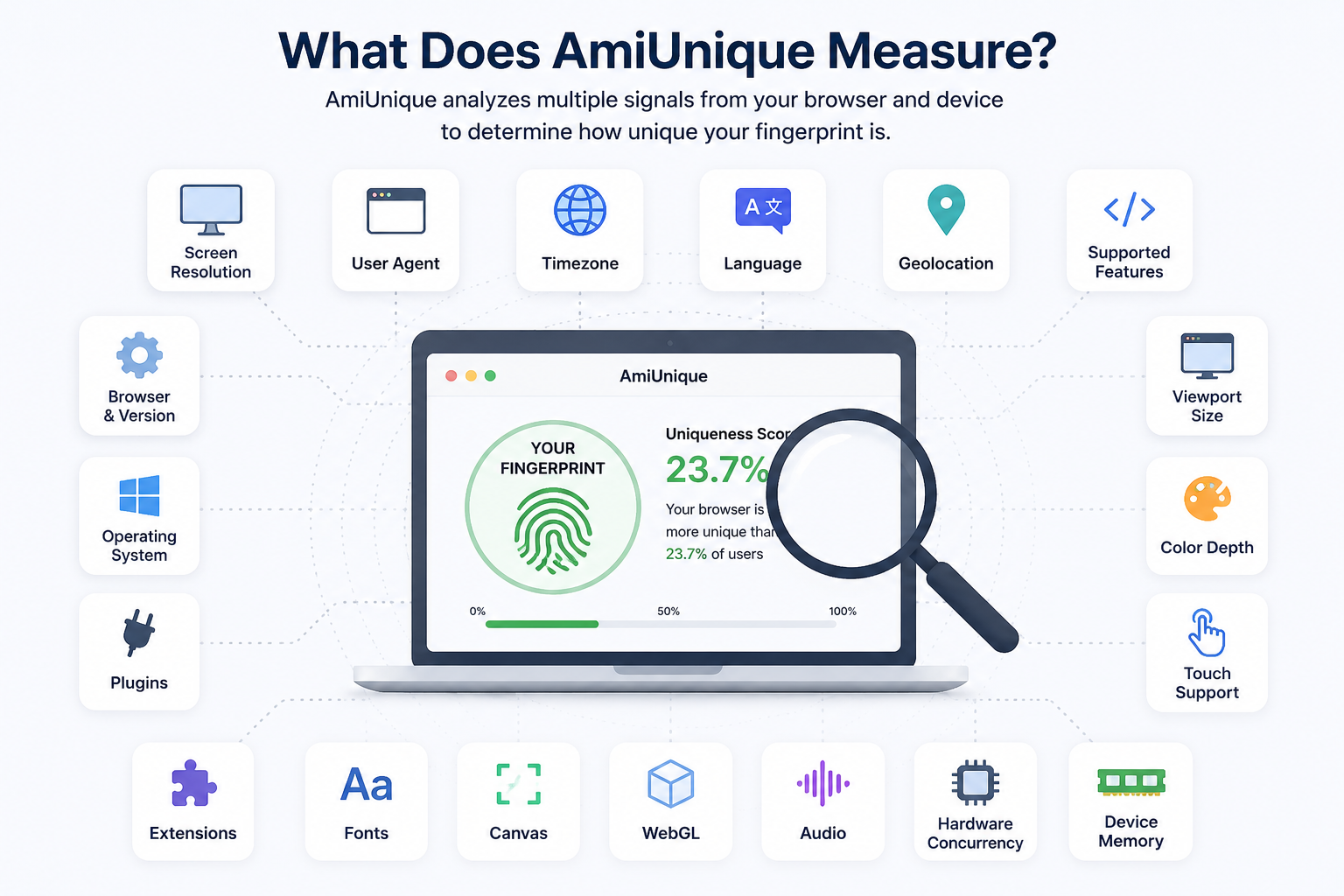
Am I Unique analyzes the information your browser makes available to websites.
These signals can include:
- Browser name and version
- Operating system
- User agent
- Screen resolution
- Viewport size
- Color depth
- Time zone
- Browser language
- System locale
- Installed fonts
- Canvas fingerprint
- WebGL renderer
- WebGL vendor
- Audio fingerprint
- Hardware concurrency
- Device memory
- Touch support
- Browser plugins
- Supported browser features
- HTTP headers
A single signal is usually not enough to identify a browser.
For example, using Chrome on Windows is common. However, using a specific Chrome version with an unusual screen resolution, rare fonts, an uncommon time zone, a distinctive Canvas result, and an unusual WebGL renderer can create a much more unique browser fingerprint.
Why Are Canvas and WebGL Important?
Canvas and WebGL are frequently used in browser fingerprinting because their output can vary depending on the operating system, graphics card, driver, browser version, and rendering environment.
Canvas fingerprinting asks the browser to draw text or graphics, then analyzes the result.
WebGL fingerprinting examines how the browser and graphics system render three-dimensional content.
These signals are especially useful because they can reveal inconsistencies between the browser’s claimed identity and the actual device environment.
How Does the AmiUnique Browser Fingerprint Test Work?
When you open AmiUnique, the website runs several browser-side tests.
It collects the attributes exposed by your browser and compares the resulting combination with other fingerprints in its database.
The results can help you understand:
- Which fingerprint attributes your browser exposes
- Which attributes are common or uncommon
- Whether your browser appears highly distinguishable
- Which signals contribute most to browser uniqueness
- Whether your setup differs significantly from normal users
AmiUnique is useful for browser fingerprint analysis, but its result should not be treated as a complete anonymity score or anti-detection guarantee.
Different websites use different detection systems. A browser can look acceptable on one test while still exposing suspicious inconsistencies on another.
For a broader evaluation, compare your results with a second fingerprint testing tool. Read our guide to Pixelscan and browser fingerprint testing to understand how Pixelscan checks browser, network, WebRTC, Canvas, WebGL, time zone, and location consistency.
Why Is a Unique Browser Fingerprint Easier to Recognize?
Websites do not always need your name, email address, or account details to distinguish your browser.
A highly unique fingerprint can act like a technical identifier.
Even when cookies are removed, websites may still compare browser characteristics such as:
- Screen resolution
- Fonts
- Canvas rendering
- WebGL data
- Time zone
- Language
- Device memory
- CPU-related values
- Browser features
If the same unusual combination appears again, the browser may be recognized as the same or a closely related device.
What Risks Can Browser Uniqueness Create?
A highly distinguishable browser fingerprint may contribute to:
- Cross-session tracking
- Advertising attribution
- Fraud prevention checks
- Account relationship analysis
- Multi-account detection
- Automated risk scoring
- Device recognition
- Session correlation
Browser uniqueness does not automatically mean that a user is unsafe or suspicious.
The main issue is whether the browser exposes a rare, contradictory, or unstable combination of signals.
What Makes a Browser Fingerprint Too Unique?
Uncommon Hardware and Software Combinations
A browser may claim to run on one operating system while exposing graphics, fonts, touch support, or hardware characteristics associated with another platform.
For example, a Windows user agent combined with macOS-specific fonts can create an obvious inconsistency.
Rare Screen and Display Settings
Unusual screen resolutions, viewport dimensions, color depths, or device scale factors can reduce the size of the group your browser blends into.
The smaller that group becomes, the easier the browser may be to distinguish.
Inconsistent Location Signals
A browser may use an IP address from one country while reporting a time zone, language, locale, or geolocation associated with another region.
These inconsistencies can be detected even when individual signals appear normal.
Excessive Browser Modification
Privacy tools, extensions, and aggressive anti-fingerprinting settings can block certain signals.
However, heavy modification may also make the browser behave differently from ordinary users.
A browser that blocks or changes too many APIs can become more noticeable rather than less noticeable.
Randomized Fingerprint Values
Randomization does not automatically create a realistic fingerprint.
Randomly changing Canvas, WebGL, fonts, hardware concurrency, device memory, and screen settings independently can produce combinations that are technically possible but uncommon in real devices.
For anti-detect workflows, realism and consistency are more important than changing every available value.
How to Reduce Browser Fingerprint Uniqueness
Reducing browser uniqueness does not mean making every browser look identical.
The goal is to create a profile that belongs to a common group while keeping all related parameters coherent.
Use Common Browser Configurations
Popular operating systems, browser versions, screen resolutions, and language settings generally blend into larger groups of users.
Avoid combining rare parameters unless they accurately represent a real device.
Keep Fingerprint Parameters Consistent
The following values should describe the same realistic environment:
- Operating system
- Browser version
- User agent
- Fonts
- WebGL vendor
- WebGL renderer
- Canvas behavior
- Screen resolution
- Hardware concurrency
- Device memory
- Touch support
For example, a profile claiming to run on macOS should not expose Windows-only fonts or hardware characteristics associated with an unrelated platform.
Match IP, Time Zone, and Language
Location-dependent signals should align where appropriate.
Review:
- Proxy or IP country
- Time zone
- Browser language
- System locale
- Geolocation
- WebRTC exposure
A mismatch between these values can make a browser profile appear suspicious even when its fingerprint is not highly unique.
Avoid Unnecessary Extensions
Extensions can modify browser behavior, add detectable APIs, or change how pages are rendered.
Only install extensions that are necessary for the workflow.
Using the same unusual extension set across many profiles can also create a repeated identifying pattern.
Avoid Aggressive Randomization
Do not treat every fingerprint value as an independent random field.
A realistic fingerprint should represent a believable device configuration.
Reducing uniqueness does not mean forcing every profile to use identical values. It means avoiding rare combinations while preserving logical relationships between signals.
Maintain Fingerprint Stability
A persistent browser profile should not expose a completely different fingerprint every time it is opened.
Important values should remain stable across sessions unless the underlying browser profile is intentionally updated.
Unexpected fingerprint changes can trigger additional checks because real devices usually retain many of the same characteristics over time.
Why Fingerprint Consistency Matters More Than Randomization
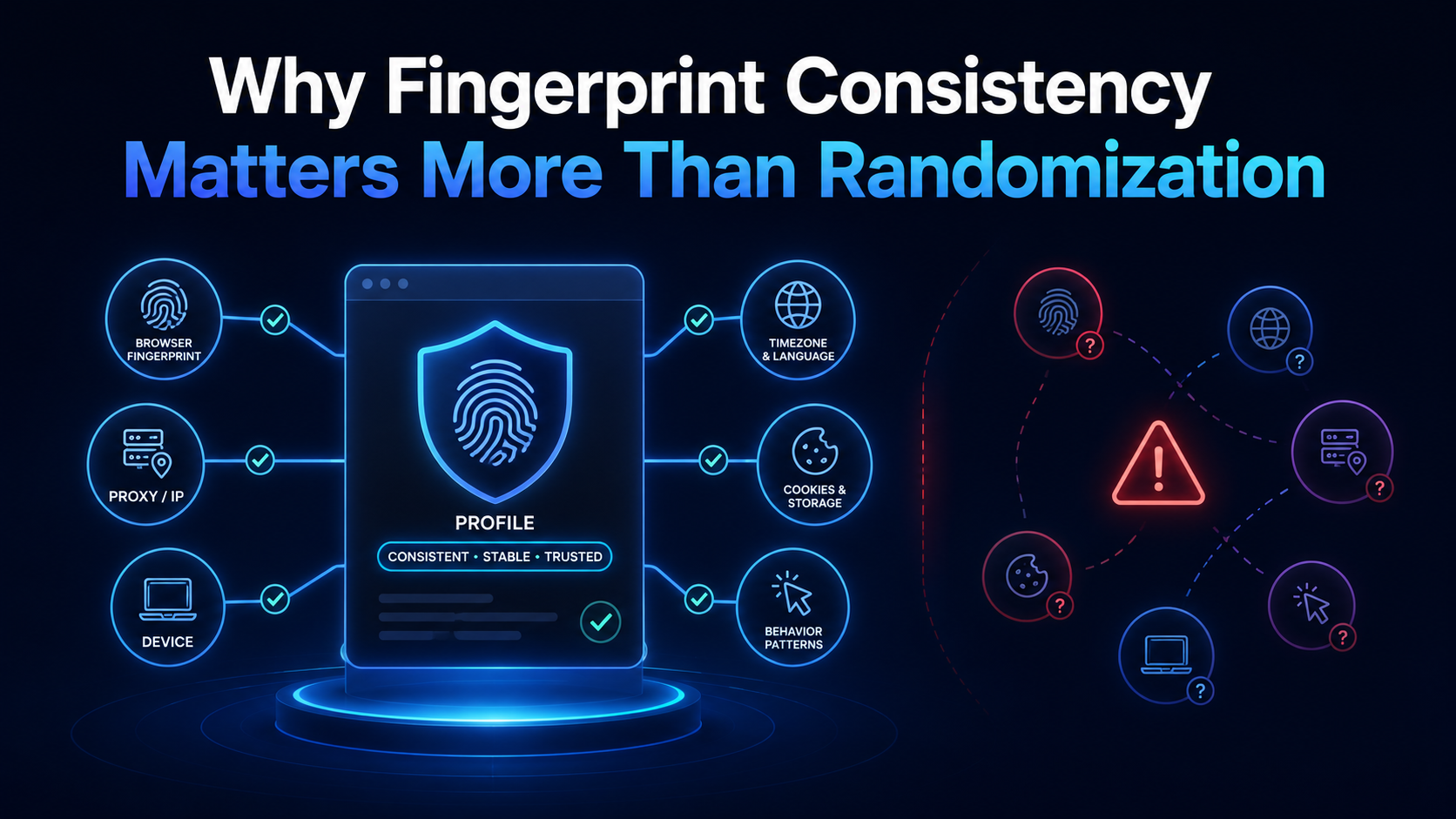
Many users assume that the best way to avoid browser fingerprinting is to randomize as many parameters as possible.
In practice, excessive randomization can create inconsistencies.
A strong browser profile should meet three conditions:
It Should Look Realistic
The combination of browser, operating system, screen, hardware, fonts, and graphics data should resemble a real device.
It Should Be Internally Consistent
All fingerprint parameters should support the same claimed browser identity.
A profile should not claim one operating system while exposing characteristics from another.
It Should Remain Stable
Important fingerprint values should remain predictable across sessions.
This is particularly important for long-term browser profiles used in repeated workflows.
Hidemium antidetect browser helps users create isolated browser profiles with configurable fingerprint environments designed around consistency rather than uncontrolled randomization.
Each browser profile can maintain its own identity, storage, cookies, and fingerprint-related settings, making it easier to separate workflows without relying on one shared browser environment.
Am I Unique vs. Pixelscan
What Am I Unique Is Best For
Am I Unique is useful for understanding:
- Which browser attributes are exposed
- How common or uncommon individual attributes are
- How unique the combined browser fingerprint may be
- Which values make a browser stand out
What Pixelscan Is Best For
Pixelscan is commonly used to inspect:
- Browser fingerprint consistency
- IP address and location alignment
- Time zone consistency
- WebRTC exposure
- Canvas behavior
- WebGL data
- Browser and operating-system mismatches
Using both tools gives you a broader view.
Am I Unique can help answer “How unique is this browser?” while Pixelscan can help answer “Do the browser and network signals make sense together?”
Is a Low AmiUnique Score Enough?
No.
A lower uniqueness score does not guarantee that a browser profile will pass every detection system.
A browser can appear common while still exposing contradictions such as:
- A proxy location that conflicts with the time zone
- A Windows user agent combined with macOS fonts
- A mobile user agent without touch support
- A WebGL renderer that does not match the claimed hardware
- Canvas output that changes unexpectedly between sessions
- A language setting that conflicts with the profile location
- Hardware values that do not fit the operating system
A complete browser fingerprint evaluation should consider three factors:
- Uniqueness
- Consistency
- Stability
Am I Unique mainly helps assess uniqueness.
Pixelscan can help expose consistency issues.
A profile-management tool such as Hidemium can help maintain separated and coherent browser environments over time.
How Hidemium Helps Create Consistent Browser Profiles
AmiUnique can show which attributes make your browser distinguishable, but it does not create or manage browser profiles for you.
Hidemium is designed for users who need separated browser environments with configurable fingerprint settings.
With Hidemium, users can create isolated profiles that maintain their own:
- Browser identity
- Cookies
- Local storage
- Session data
- User agent
- Screen settings
- Language
- Time zone
- WebRTC settings
- Canvas configuration
- WebGL configuration
- Proxy connection
The main benefit is not simply changing fingerprint values.
The benefit is creating browser profiles whose fingerprint, network, location, hardware, and browser signals remain logically connected.
This is important for legitimate workflows such as:
- Multi-profile browser management
- Advertising account operations
- E-commerce management
- Website testing
- Localization testing
- Quality assurance
- Team-based browser profile management
- Isolated account environments
Use AmiUnique to review browser uniqueness, use Pixelscan to check consistency, and use Hidemium to create and maintain separated browser profiles.
Create a More Consistent Browser Profile With Hidemium
A browser fingerprint should not only look less unique. It should also look realistic, consistent, and stable.
Hidemium helps you create isolated browser profiles with configurable fingerprint settings that are designed to work together as one coherent browser identity.
Test your profile with Am I Unique, compare the result with Pixelscan, and review any unusual or inconsistent signals before using the profile in your workflow.
