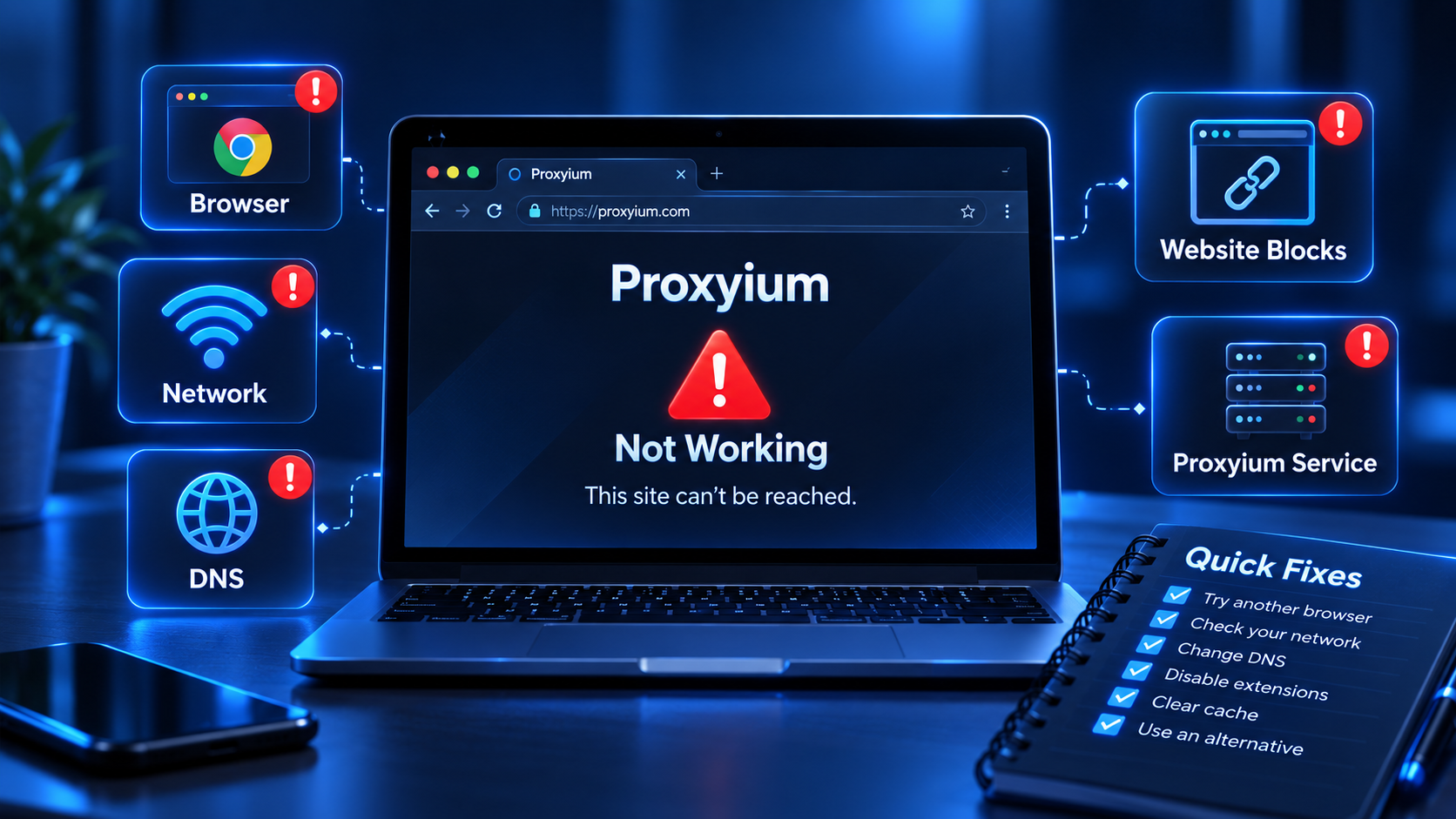

If Proxyium is not working on your device, the problem does not necessarily come from Proxyium itself. The issue may be caused by the website you are trying to access, your network connection, DNS settings, browser, extensions, or the target website blocking proxy traffic.
Before going deeper, run through this quick checklist:
- Check whether Proxyium works in another browser.
- Try another target website to see if the issue is limited to one site.
- Temporarily disable your VPN, ad blocker, or security extensions.
- Clear your browser cache and cookies.
- Switch from Wi-Fi to mobile data, or vice versa.
- Check your DNS settings or try another DNS provider.
- If Proxyium still does not work, consider using another web proxy service.
This guide focuses specifically on identifying why Proxyium is not working and how to fix it, rather than explaining what Proxyium is. If you are new to the service, read our [What is Proxyium](/what-is-proxyium/) guide first.
Symptoms: What Does “Proxyium Not Working” Look Like?
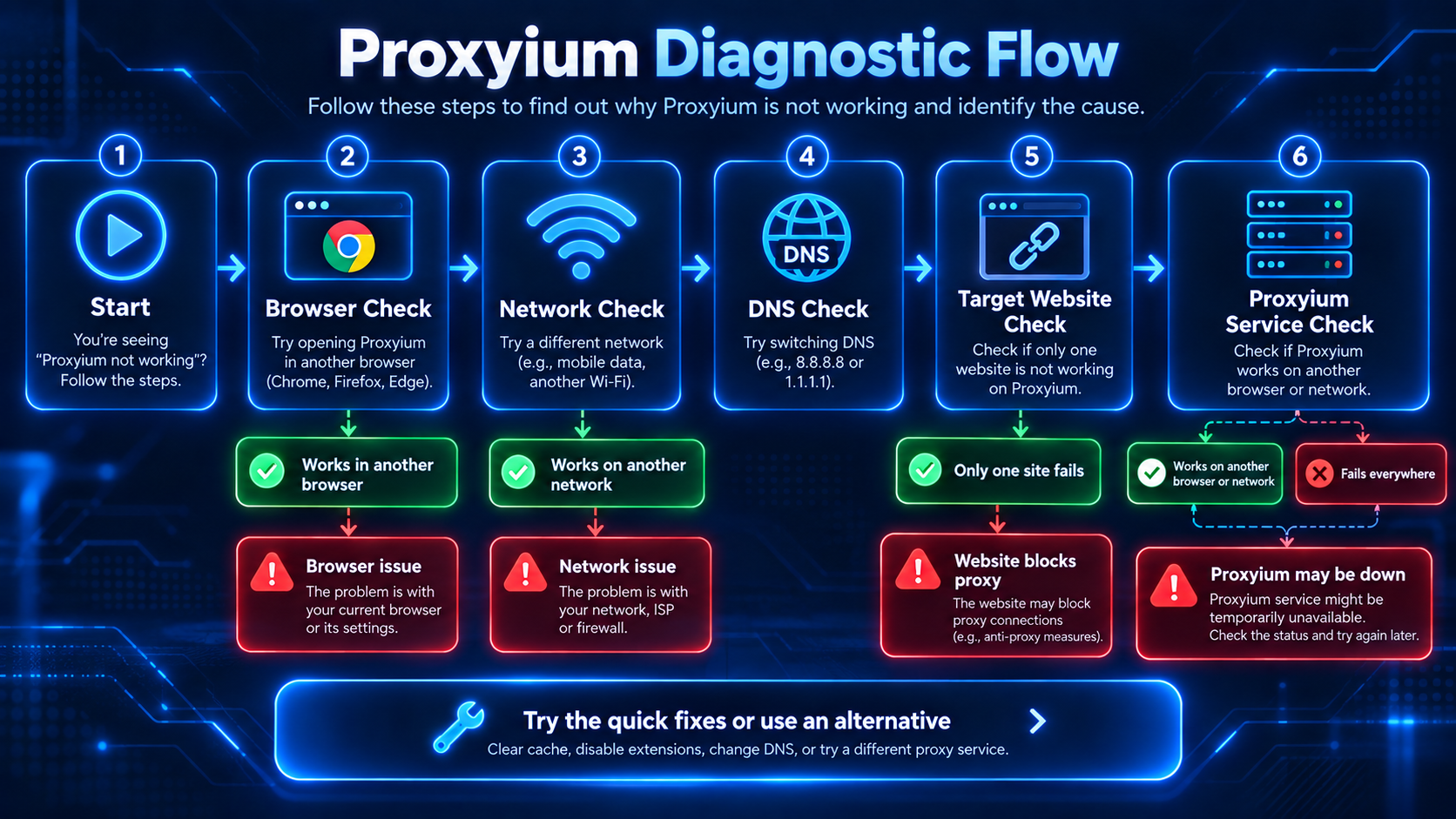
“Proxyium not working” can refer to several different problems. Identifying the exact symptom first will help you avoid trying fixes that are unrelated to the real cause.
Proxyium Website Does Not Open
You enter the Proxyium address, but the page does not load, loads extremely slowly, or your browser displays a connection error.
In this case, the problem usually falls into one of three categories:
- the Proxyium website is currently unavailable from your network;
- your DNS or ISP is having trouble resolving or connecting to the domain;
- your browser, firewall, or security software is blocking the connection.
This is a website- or network-level issue and may have nothing to do with the website you intended to access through Proxyium.
Proxyium Opens but the Target Website Does Not Load
Proxyium itself opens normally, but the website you enter into the proxy does not load.
This is very different from Proxyium being completely offline.
Possible causes include:
- the target website blocks proxy IP addresses;
- the website requires JavaScript, cookies, or functionality that a web proxy cannot fully handle;
- the website uses CAPTCHA or anti-bot protection;
- the URL you entered is incorrect;
- some resources from the target website cannot load through the proxy.
If only one website fails while others work normally, the problem is more likely related to the target website or proxy compatibility.
Proxyium Keeps Loading Forever
Another common symptom is Proxyium or the target website remaining stuck on a loading screen without finishing.
Possible causes include:
- an unstable Internet connection;
- a slow proxy server;
- a target website with many scripts or dynamic resources;
- an important request being blocked by a browser extension;
- slow DNS responses.
Try opening a simple website first. If lightweight websites work but more complex websites do not, compatibility or performance is likely the issue.
Proxyium Shows an Error Message
A specific error message can often help you identify the cause much faster.
For example, the error may relate to:
- DNS;
- connection timeout;
- SSL/TLS;
- connection refusal;
- the target website rejecting proxy traffic;
- the browser failing to complete a request.
Do not assume that every error page means Proxyium itself is down.
Causes: Why Is Proxyium Not Working?
There are four main groups of causes you should investigate.
1. Proxyium Itself May Be Temporarily Unavailable
If the Proxyium website does not open across multiple browsers and different networks, the service may be experiencing a temporary outage.
In this situation, actions such as clearing your browser cache or changing extensions are unlikely to solve the problem.
A simple way to test this is to:
- Open Proxyium in another browser.
- Try accessing it from another network.
- Confirm that other websites are working normally.
If your Internet connection is working but Proxyium fails across multiple environments, the issue may be on the service side.
2. Your Network or ISP Is Blocking the Connection
If Proxyium works on mobile data but not on Wi-Fi, the issue is likely network-related.
The difference may involve:
- DNS;
- firewall rules;
- network filtering;
- router settings;
- company or school network policies;
- ISP restrictions.
This is why testing Proxyium on another network is one of the most useful troubleshooting steps.
3. Your Browser Is Causing the Problem
If Proxyium works in Chrome but not in Firefox, Edge, or a specific browser profile, your browser may be responsible.
Common browser-related causes include:
- corrupted cache;
- outdated cookies;
- extensions interfering with requests;
- ad blockers;
- privacy extensions;
- JavaScript settings;
- browser profile problems.
Browser-related issues are often easy to identify using Incognito or Private Mode.
If Proxyium works in a private window but not in your normal browsing session, an extension or stored browser data is one of the most likely causes.
4. The Target Website Blocks Proxy Traffic
This situation is easily mistaken for “Proxyium not working.”
Many websites may restrict or block traffic coming from:
- shared proxy IPs;
- datacenter IP addresses;
- IP addresses generating unusual amounts of traffic;
- requests that appear automated;
- unexpected geographic locations.
If Proxyium can open Website A but not Website B, Proxyium itself may be working correctly.
Website B may simply be rejecting connections from the proxy IP currently being used.
Fixes: How to Fix Proxyium Not Working
It is best to troubleshoot from the simplest solution to the more advanced ones. This prevents you from changing settings unnecessarily.
Fix 1: Reload Proxyium
Start by refreshing the page.
If it still does not work:
- close the tab;
- reopen Proxyium;
- try the URL again.
A temporary request or connection error may disappear when a new connection is established.
Fix 2: Try a Different Website
If Proxyium opens but the target website does not, enter a different URL.
Try a simple website that you know is currently online.
If the second website works, the problem is probably not “Proxyium being down.” It is more likely related to the first website.
Fix 3: Open Proxyium in Incognito or Private Mode
Private browsing helps eliminate the influence of cached data, cookies, and many browser extensions.
If Proxyium works in Incognito mode:
- disable your extensions one by one;
- clear your cache;
- clear relevant cookies;
- restart the browser.
There is no need to reset your entire browser immediately.
Fix 4: Disable Browser Extensions Temporarily
Extensions that commonly interfere with web proxies include:
- ad blockers;
- anti-tracking tools;
- script blockers;
- antivirus extensions;
- VPN extensions;
- DNS or privacy extensions.
Temporarily disable them and test Proxyium again.
If Proxyium starts working, enable the extensions one at a time to identify the one causing the conflict.
Fix 5: Clear Browser Cache and Cookies
Corrupted cache files or old session data can sometimes prevent websites from loading correctly.
You can clear:
- cached images and files;
- cookies;
- site data.
After clearing the data, close and reopen your browser before testing Proxyium again.
Fix 6: Try Another Browser
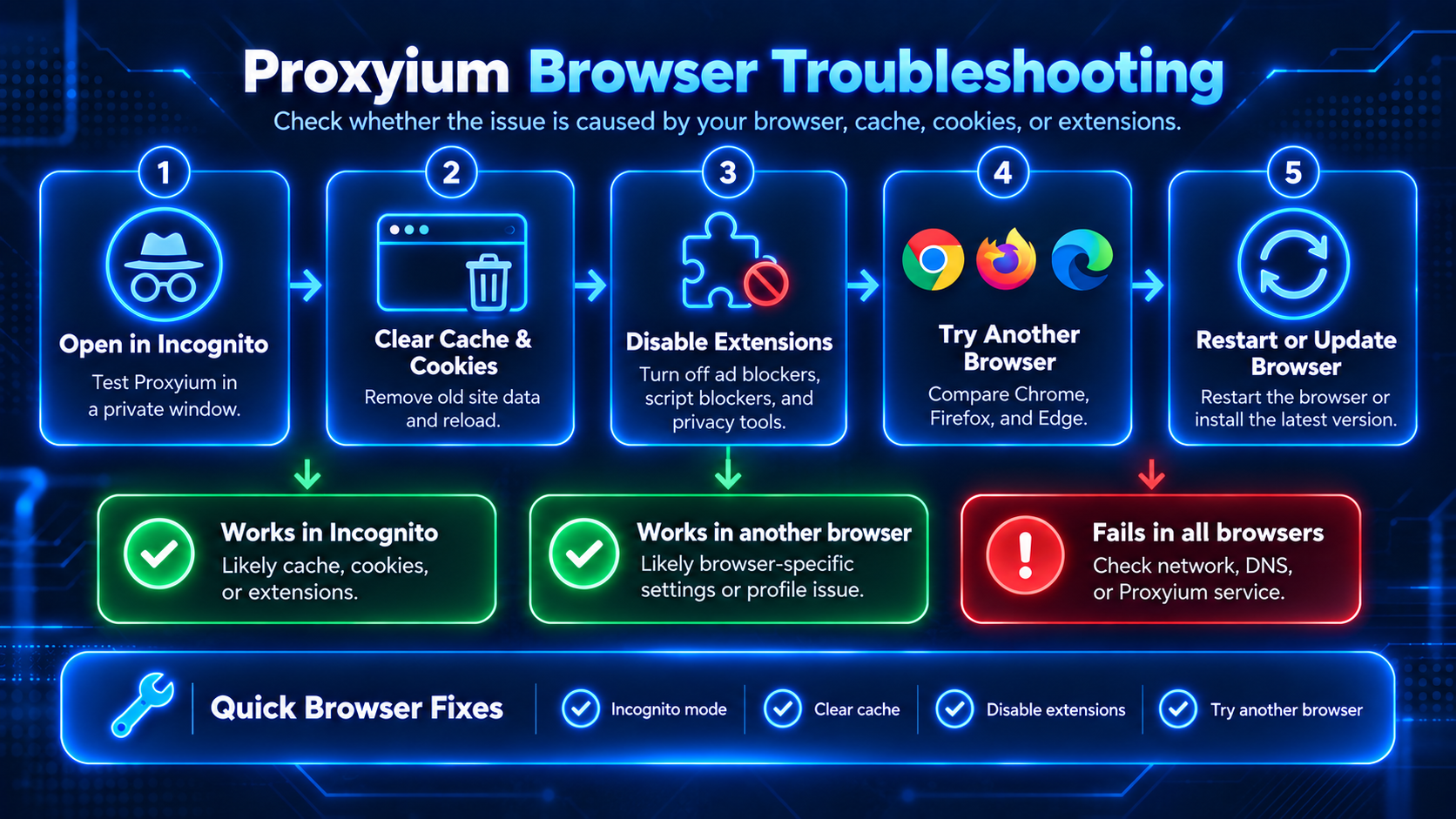
This is one of the quickest ways to distinguish a browser problem from a network or service problem.
For example:
Proxyium fails in Chrome but works in Firefox → the issue is probably related to Chrome, an extension, or the browser profile.
Proxyium fails in every browser → continue checking your network or the Proxyium service.
Fix 7: Switch Networks
Try switching from:
Wi-Fi → mobile data
or:
mobile data → Wi-Fi.
If Proxyium only fails on one network, you can rule out many browser-related causes.
You should then investigate:
- DNS;
- router settings;
- firewall rules;
- network filtering.
Fix 8: Change DNS
DNS translates domain names into addresses your device can connect to.
If your current DNS resolver is having problems, a website may fail to open even though the rest of your Internet connection works normally.
Try switching to another DNS resolver and test Proxyium again.
If changing DNS fixes the problem, the original issue was probably related to DNS resolution rather than Proxyium itself.
Fix 9: Disable Your VPN Temporarily
VPNs and web proxies both change how your traffic reaches the Internet.
Using both at the same time can make your connection:
- slower;
- more likely to appear suspicious to target websites;
- vulnerable to routing issues;
- more likely to trigger CAPTCHAs.
Temporarily disable your VPN and try using Proxyium directly.
Fix 10: Check the URL You Entered
This is especially important for long URLs or URLs containing redirects.
Check that:
- the domain name is correct;
- no characters are missing;
- the website uses the correct HTTP or HTTPS protocol;
- the link still exists.
You can also try opening the target website directly to confirm that it is currently online.
Fix 11: Wait If the Service Is Temporarily Down
If Proxyium fails across several browsers, devices, and networks while other websites continue to work normally, you may have already ruled out most user-side problems.
At that point, repeatedly changing DNS, router settings, or browser configurations is unlikely to help.
A more practical solution is to try again later or use another web proxy.
Website vs Network vs Browser: How to Tell Where the Problem Is
Use the following quick diagnostic table to determine where the issue is coming from.
| Test | Result | Likely Cause |
|---|---|---|
| Proxyium fails in one browser but works in another | Browser-specific | Cache, extensions, or browser settings |
| Proxyium works on mobile data but not Wi-Fi | Network-specific | DNS, router, firewall, or network filtering |
| Proxyium opens but only one target website fails | Target website-specific | Proxy blocking or compatibility issue |
| Proxyium does not open across multiple browsers and networks | Service-specific | Proxyium may be temporarily unavailable |
| Proxyium works in Incognito but not in normal mode | Browser profile-specific | Cookies, cache, or extensions |
This approach helps avoid a common troubleshooting mistake: changing your network configuration when the actual problem is only a browser extension.
Alternatives: What to Use If Proxyium Still Does Not Work
If you have tried the troubleshooting steps above and Proxyium still does not meet your needs, switching to another tool may be faster than continuing to troubleshoot.
When choosing a Proxyium alternative, consider:
- reliability;
- speed;
- HTTPS support;
- compatibility with dynamic websites;
- privacy policies;
- proxy server locations;
- usage limits;
- CAPTCHA frequency.
No web proxy can guarantee access to every website. A site may work through one proxy service while blocking another because of IP reputation or anti-abuse systems.
See our detailed comparison of [Proxyium Alternatives](/proxyium-alternatives/) to explore other options.
When Proxyium Is Not the Right Tool
A web proxy can be useful when you want to access a website through a proxy without configuring your entire device.
However, it may not be suitable for:
- websites with complex login systems;
- applications outside the browser;
- streaming that requires a stable connection;
- websites with aggressive anti-bot protection;
- tasks requiring a long-term stable IP address;
- websites that depend heavily on WebSockets or complex interactive features.
If the same type of website repeatedly causes problems, choosing a different tool may be more effective than continuing to troubleshoot Proxyium.
FAQ
Why is Proxyium not working?
Proxyium may stop working because of a service issue, DNS problems, network filtering, browser cache, extensions, or a target website blocking proxy traffic. Test another browser and network first to determine where the issue is coming from before changing your settings.
Is Proxyium down?
If Proxyium does not open across multiple browsers, devices, and networks while other websites continue to work normally, the service may be temporarily unavailable. If it only fails on one device or one network, the issue is more likely on the user's side.
Why does Proxyium open but websites do not load?
The target website may be blocking shared proxy IP addresses, requiring JavaScript or cookies that the proxy cannot fully handle, or using anti-bot protection. Try another website to determine whether the problem affects every site or only one domain.
Why is Proxyium so slow?
Performance can be affected by your Internet connection, proxy server load, network distance, and the speed of the target website. Running a VPN and web proxy at the same time may also increase latency.
Does clearing cache fix Proxyium?
It can help if the problem is related to browser cache, cookies, or an outdated session. However, clearing the cache will not fix network problems, target website restrictions, or Proxyium server issues.
Why does Proxyium work on mobile data but not Wi-Fi?
This usually indicates a network-specific issue such as DNS problems, firewall restrictions, router configuration, or filtering policies on the Wi-Fi network.
Why does Proxyium work in Incognito mode?
If Proxyium works in Incognito mode but not in your normal browser session, the problem is likely related to cookies, cached data, extensions, or your browser profile.
Can a website block Proxyium?
Yes. Websites can restrict or reject traffic coming from proxy IP addresses, particularly when an IP is shared by many users or generates unusual traffic patterns.
What should I use if Proxyium still does not work?
If Proxyium continues to fail after you have checked your browser, network, and the target website, consider using another web proxy. See [Proxyium Alternatives](/proxyium-alternatives/) to compare other options.
Final Checklist: Fix Proxyium Not Working
If you want to troubleshoot quickly, follow these steps in order:
- Reload Proxyium.
- Try another target website.
- Open Proxyium in Incognito or Private Mode.
- Disable extensions and ad blockers.
- Clear your browser cache and cookies.
- Try another browser.
- Switch between Wi-Fi and mobile data.
- Check or change your DNS.
- Temporarily disable your VPN.
- If the issue persists across multiple browsers and networks, try again later or switch to a Proxyium alternative.
The most important step is identifying whether you are dealing with a website error, network error, browser error, or Proxyium service issue. Once you know which layer is causing the problem, fixing “Proxyium not working” becomes much easier than changing multiple settings at random.
Related Blogs
![Cách Tìm IP Facebook Qua Điện Thoại – Hướng Dẫn Chi Tiết [Android & iPhone]](/photos/blog/1745810991510_thumbnail (1).png)
Bạn đang dùng điện thoại và muốn biết IP Facebook của mình là gì, hoặc xem lịch sử đăng nhập từ thiết bị nào? Chỉ cần vài thao tác đơn giản trên app Facebook, bạn có thể kiểm tra ngay — không cần máy tính, không cần phần mềm thứ ba. Cùng Hidemium hướng dẫn từng bước chi tiết dưới đây.1. IP Facebook là gì? Tại sao cần tìm?Địa chỉ IP Facebook là địa chỉ IP mà thiết bị của bạn đã dùng để đăng nhập[…]

Did you know? More than 25% of professional eBay sellers are using multiple accounts to increase revenue, spread risk, and avoid permanent bans. However, managing multiple eBay accounts without getting caught is a major challenge—unless you have the right tools.If you are really interested in multi-account eBay, selling anonymously or implementing dropshipping at scale, you've probably[…]
.png)
Residential proxies enable breathing of browsing software. Residential proxies are more effective at connecting you than data center proxies since they originate from actual devices. Reading this post right now if you’re unsure about the circumstances under which and from whom to get a residential proxy.What is a residential proxy?Proxies are more difficult to identify than datacenter IPs because[…]
.png)
Creating posters for events, promotions, or announcements used to require detailed design work and hours of manual effort. Today, AI poster makers like VistaCreate can generate visually striking layouts in just minutes using smart templates, automation, and ready-made design elements.While these tools all aim to simplify the design process, they differ in how much creative control they offer, how[…]

Best Antidetect Browser for Ecommerce 2026Managing one online store is usually simple. Managing several stores, brands, client accounts, or regional teams is not.Each ecommerce account may use different cookies, sessions, proxies, extensions, and access permissions. Opening everything in one browser can lead to mixed sessions, wrong-account actions, or insecure password sharing.This is where an[…]
.png)
Best AdsPower Alternatives in 2026: Top Anti-Detect Browsers ComparedIf you're evaluating anti-detect browsers in 2026, AdsPower is likely already on your radar — but it's far from the only option. Whether you're switching because of pricing, performance, automation requirements, or team collaboration needs, there are now several mature alternatives worth considering.This guide compares the most[…]
