

You open a profile in Hidemium, but its status stays stuck on “Running Command” and the browser window never appears. Try these five steps in order, checking after each one to see whether it resolves the issue.
Method 1 — Check Smart App Control in Windows 11
If Windows displays a message saying Smart App Control blocked Hidemium or a related component, check:
Windows Security → App & browser control → Smart App Control settings.
If you’ve confirmed that the app came from an official source and decide to turn this feature off, select Off, then reopen Hidemium and try launching the profile again.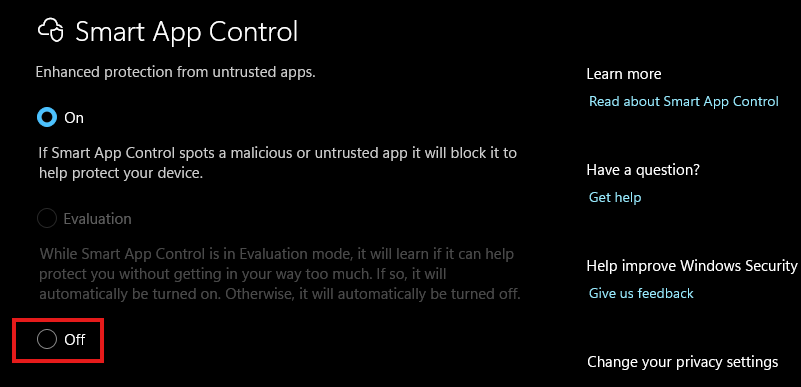
Note: Turning off Smart App Control removes one layer of Windows protection. Whether you can turn it back on may depend on your Windows version. Read the message displayed on your device before confirming. If the feature is already off, continue to the next method.
Method 2 — Disable all extensions and test with a new profile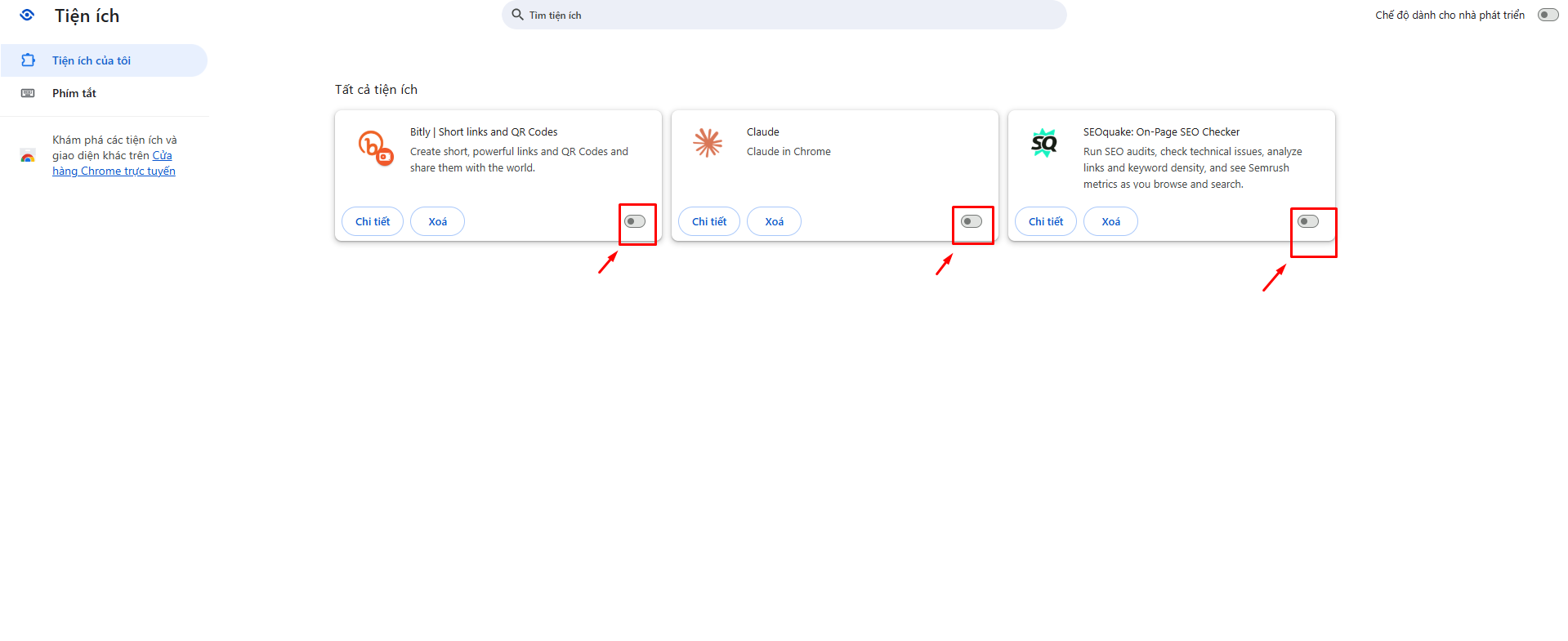
To check whether an extension is causing a conflict:
- Disable all extensions configured for the profile with the issue.
- Try opening the profile again.
- Create a new profile without any extensions and check whether it launches.
If the profile opens after you disable the extensions, turn them back on one at a time and test again to identify the cause. Keep the original profile unchanged while you troubleshoot.
Method 3 — Run Hidemium as an administrator
On Windows, you can try running the app with administrator privileges:
- Fully exit Hidemium.
Right-click the app icon.
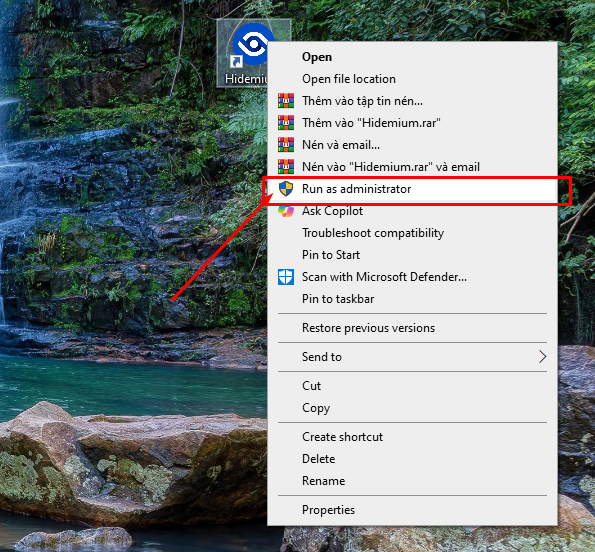
- Select Run as administrator and confirm the Windows prompt.
- Try opening the affected profile again.
Only do this with a copy of Hidemium downloaded from an official source. This is a troubleshooting step and may not resolve every “Running Command” issue.
Method 4 — Switch servers in Hidemium
If your version of Hidemium has a server selection option:
Open the settings and look for the server selection option.
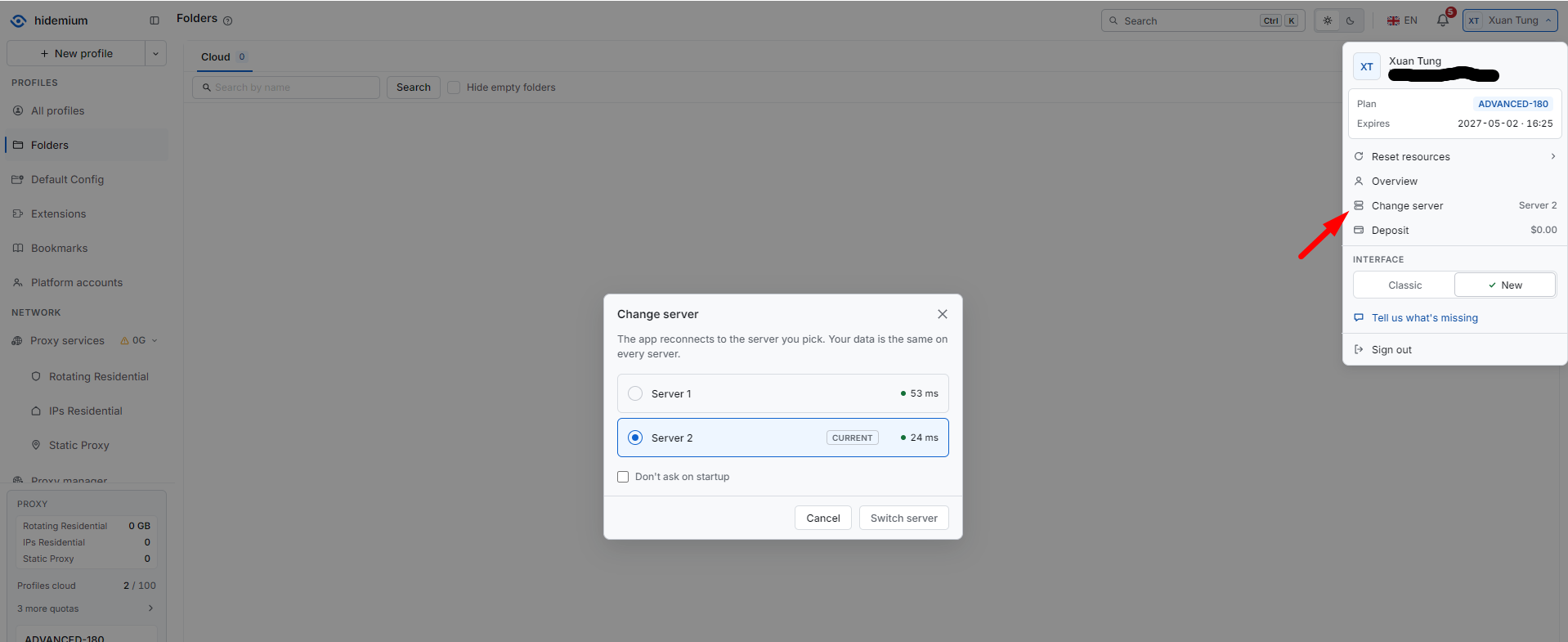
- Note the current server, then switch to another available server.
- Save the change and restart the app if prompted.
- Try opening the profile again.
The name and location of this setting may vary between versions. If you can’t find it, contact Hidemium Support for instructions specific to your version.
Method 5 — Reset resources in the Hidemium app
You can try the Reset Resource feature. Hidemium has previously recommended using this feature to reload the browser core in some cases.
- Close any running profiles.
- Find Reset Resource in the app settings.
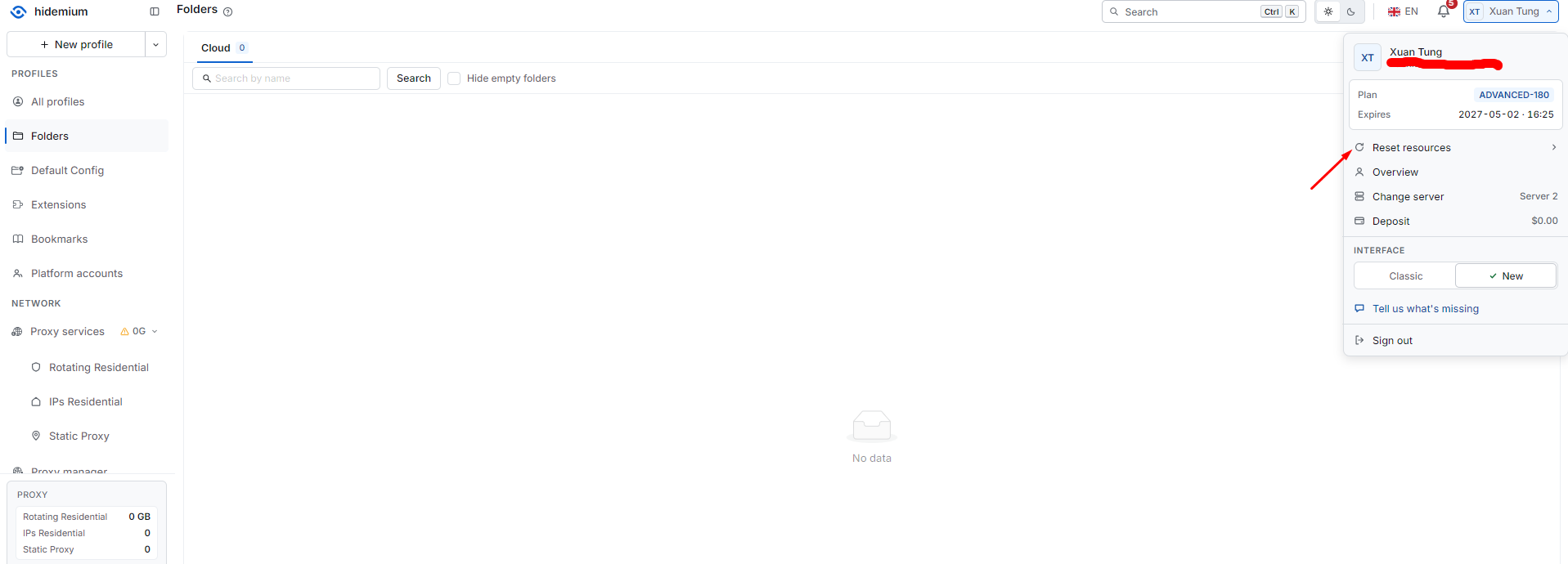
- Read the confirmation message, then proceed with the reset.
- Wait for the resources to finish downloading, then try opening the profile again.
Do not delete the profile folder manually as a substitute for resetting resources.
If the profile is still stuck on “Running Command”: Send Hidemium Support a screenshot of the error, your app version, your Windows version, and the results of testing a new profile without extensions. This information can help narrow down the cause more quickly.
Once the profile launches, you can use HideIP to check your proxy IP.
Related Blogs
Chances are, you are reading this article on a browser built on the Chromium framework. While Google Chrome remains the undisputed heavyweight champion of the internet, an entire ecosystem of fantastic alternatives has quietly taken over the web. These are known as chromium based browsers, and they are reshaping how we experience the internet.If you are tired of your computer slowing down due to[…]
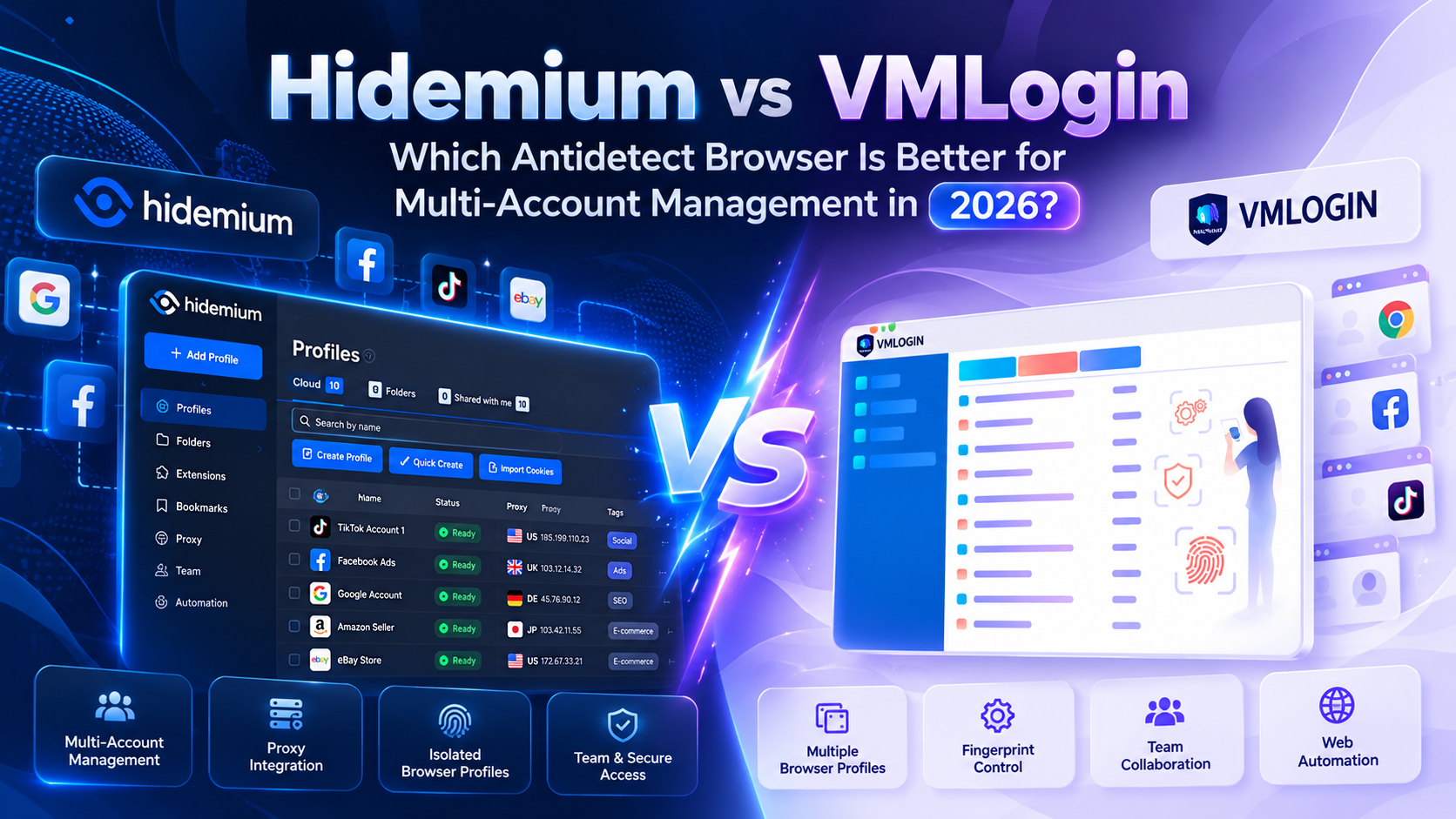
Managing multiple browser environments has become an important operational challenge for digital marketers, affiliate teams, e-commerce businesses, and agencies. As projects grow, keeping account sessions separate, assigning proxies, and managing repetitive browser tasks can become increasingly complicated.Two tools commonly considered for these workflows are Hidemium and VMLogin. Both offer[…]

The world of e-commerce and dropshipping is growing rapidly, with more and more businesses looking to take advantage of the opportunities presented by online sales. However, with this growth comes an increase in online fraud, which can lead to account locks, chargebacks, and other financial losses. To prevent these issues, many businesses are turning to use Anti-detect Browser, which provides a[…]
.png)
Captcha is a popular security tool used on websites to prevent suspicious activities from automated programs (bots). However, Captcha can sometimes be frustrating for users, especially when fast access is needed or when the Captcha becomes overly complex. In this article, we will explore 7 effective ways to bypass Captcha in 2025, allowing you to overcome these barriers legally and safely.1. What[…]

The old story of VPNs is simple. Hide. Mask. Browse. But the world has moved on. So must the tools.Why anonymity alone isn't enoughPeople still think of VPNs as a cloaking device. That belief is narrow. Modern threats are layered. Attacks target devices, cloud apps, telemetry, supply chains, and identities — not just IP addresses. A good encrypted internet connection should do more than hide[…]

Best Antidetect Browser for Affiliate Marketing 2026Affiliate marketing in 2026 is no longer limited to placing referral links on a website and tracking commissions. Agencies, media buyers, and performance marketing teams often work simultaneously across multiple advertising platforms, affiliate networks, client accounts, analytics tools, landing pages, and regional campaigns.As the number of[…]
