.png)

Why You Might Need Two Venmo Accounts
Whether you are launching a new side hustle, organizing payments for a community group, or simply trying to separate your weekend spending from your professional income, you might find yourself wondering about the logistics of your digital wallet. If you are asking yourself, can I have two Venmo accounts, you are certainly not alone. As our financial lives become more complex, keeping track of everything in one single feed can quickly become overwhelming.
Things to Know Before Creating a Second Account
However, before you try to register a completely new account with a different email address, it is crucial to understand the rules. Payment apps have strict regulations to prevent fraud, and violating them could lead to losing access to your funds.
In this comprehensive guide, we will explore everything you need to know about setting up two Venmo accounts, navigating the platform’s terms of service, and managing your finances like a pro.
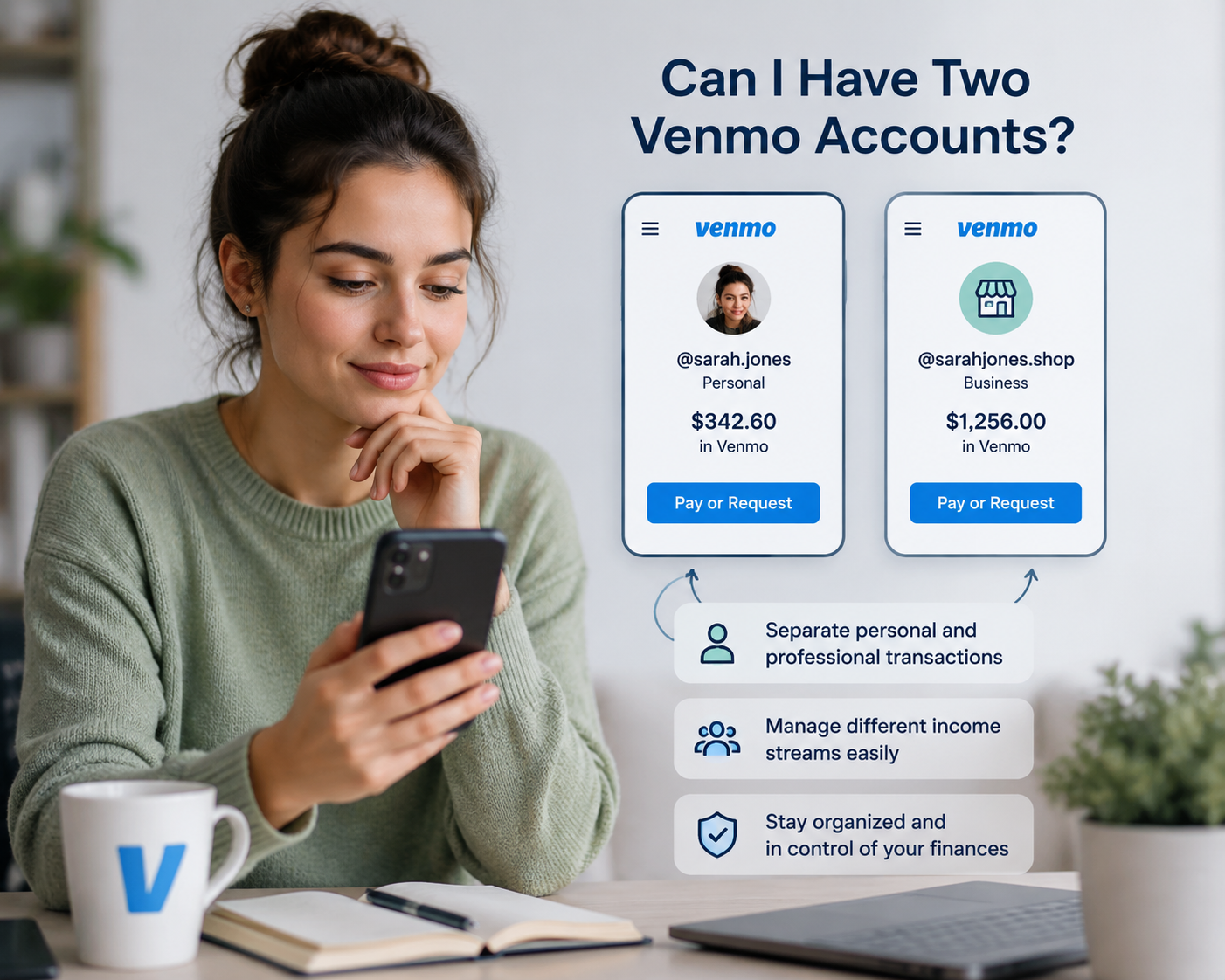
The Short Answer: Can You Have Two Venmo Accounts?
If you are wondering, can you have two Venmo accounts, the answer is both yes and no.
According to Venmo’s strict user policies, a single individual is only allowed to have one personal account. If you attempt to open multiple personal accounts using different email addresses, you run the risk of having all your accounts suspended.
However, if you are asking, can I have more than one Venmo profile, the answer is a resounding yes! Venmo allows users to create a secondary profile attached to their main personal account. This secondary profile is specifically designated as a business profile. Therefore, you can safely and legally operate multiple Venmo accounts as long as one is your personal profile and the other is your business profile.
Creating a Business Profile on Venmo
Creating a business profile on Venmo is an incredibly straightforward process. You do not need to log out and create a brand-new account. Instead, you simply upgrade your existing app experience.
During your Venmo account setup for your business, the platform will guide you through creating a distinct business identity, choosing a category for your services, and setting up a separate feed. This allows you to accept payments for goods and services legitimately while keeping your personal peer-to-peer transfers completely separate.
Understanding the Differences: Venmo Business vs Personal
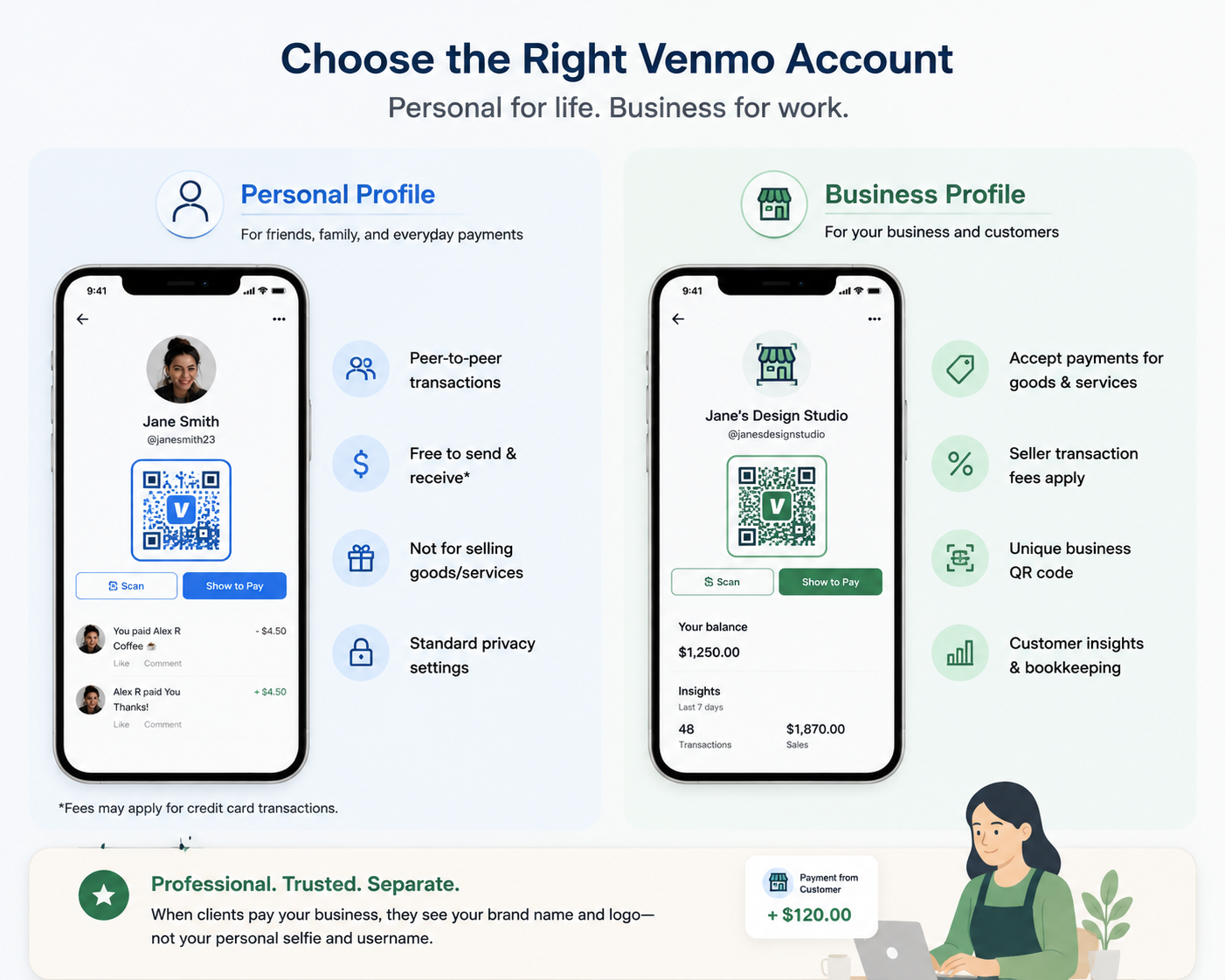
Before taking the plunge, it is helpful to understand the Venmo business vs personal account features.
Personal Profiles:
- Designed for peer-to-peer (P2P) transactions with friends and family.
- Free to send and receive money (unless using a credit card).
- Not intended for selling goods or services.
- Has standard privacy settings (public, friends, or private).
Business Profiles:
- Designed to accept payments for goods and services.
- Subject to seller transaction fees (a standard percentage plus a fixed fee per transaction).
- Allows you to generate QR codes.
- Provides access to customer insights and bookkeeping features.
One of the greatest benefits of separate Venmo business identities is professionalism. When clients pay you, they see your brand name and logo rather than your personal selfie and username.
Logistics: Devices, Phone Numbers, and Names
Managing two profiles often brings up a lot of technical questions regarding how the app handles your data across devices. Let's break down the most common logistical hurdles.
Can I Have Two Venmo Accounts on One Phone?
Yes! In fact, this is exactly how Venmo designed the system to work. You do not need a second smartphone or a clunky workaround to manage your personal and professional finances.
If you are wondering how to switch between Venmo accounts in app, the process is seamless. Once your business profile is active, a profile icon will appear at the top of your main screen. Tapping this icon allows you to instantly toggle between your personal feed and your business dashboard. This eliminates the need to constantly log in and log out.
Using One Phone Number for Multiple Venmo Logins
A common question that arises is: can two Venmo accounts have the same phone number?
Because your personal and business profiles are housed under the same primary login credentials, the answer is yes. You are actively using one phone number for multiple Venmo logins because you only actually log in once. Your phone number verifies your identity for the overarching account, giving you seamless access to both profiles simultaneously.
Can I Have Two Venmo Accounts With Different Names?
Privacy is a big concern for freelancers and small business owners. If you are asking, can I have two Venmo accounts with different names, the answer is absolutely.
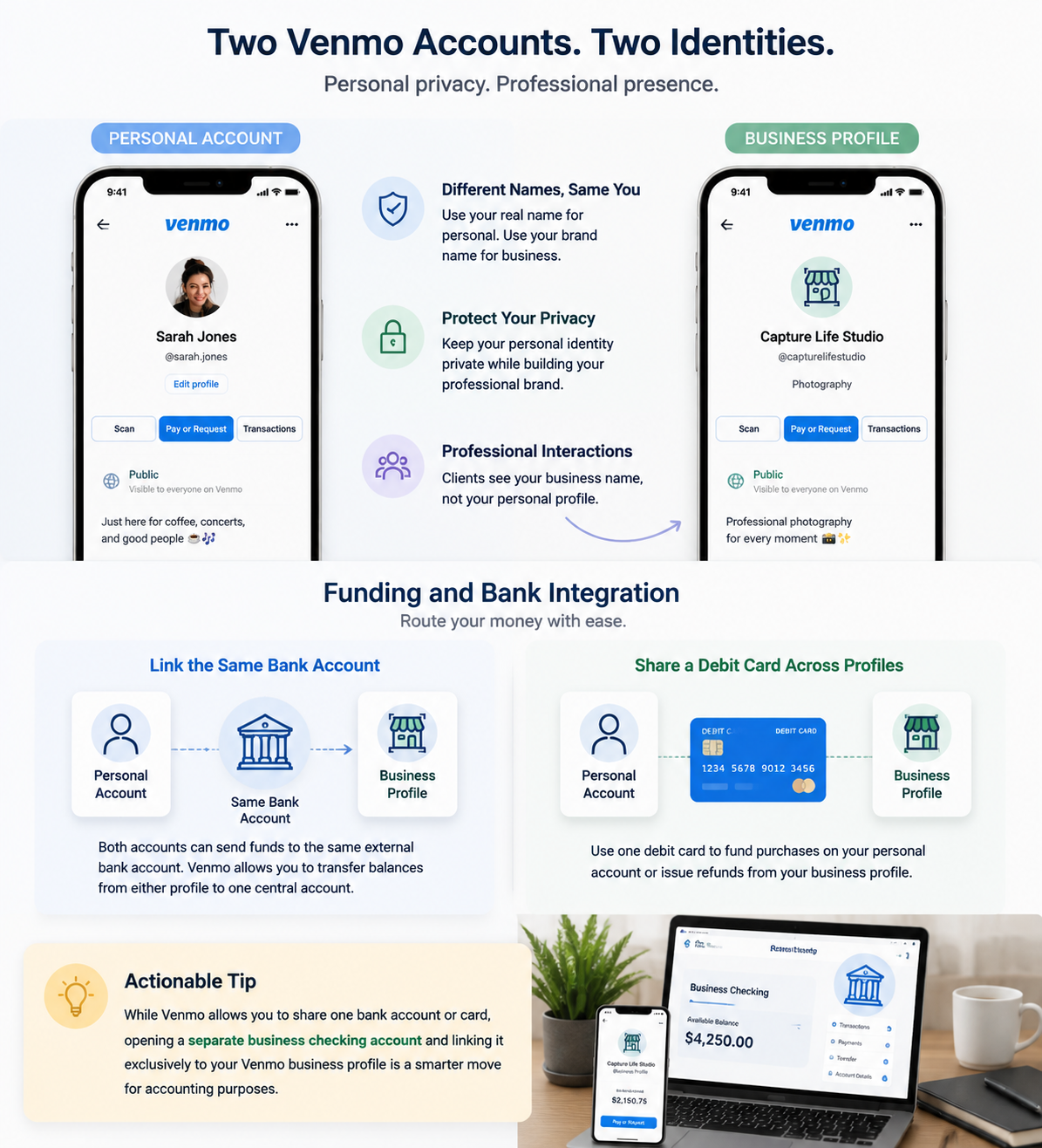
Your personal account must feature your real, legal name to comply with banking regulations. However, your business profile can operate under your "Doing Business As" (DBA) name, your brand name, or a pseudonym related to your side hustle. This ensures that your clients interact with your professional brand, keeping your personal identity private.
Funding and Bank Integration
Setting up the accounts is only half the battle; routing the money is where things can get confusing.
Linking the Same Bank Account to Different Profiles
When operating two profiles, you might want all your funds funneling into one central checking account. Fortunately, linking the same bank account to different profiles within the Venmo ecosystem is entirely permissible. Because both profiles belong to the same verified user, Venmo allows you to transfer your balance from either your personal or business profile into the same external bank account.
Sharing a Debit Card Across Different Venmo Profiles
Similarly, sharing a debit card across different Venmo profiles is allowed. If you only have one main debit card, you can use it to fund purchases on your personal account or issue refunds from your business account.
Actionable Tip: While Venmo allows you to share one bank account or card, opening a separate business checking account at your bank and linking it exclusively to your Venmo business profile is a smarter move for accounting purposes.
Navigating the Rules and Avoiding Suspensions
Venmo is a subsidiary of PayPal, and as such, it operates under strict financial regulations. You must play by the rules to avoid frozen funds.
Venmo Terms of Service Regarding Multiple Logins
The Venmo terms of service regarding multiple logins are clear: you cannot operate multiple standalone personal accounts. Attempting to bypass this rule by using different emails, Google Voice numbers, or fake names violates the User Agreement. If you are caught doing this, Venmo has the right to permanently ban you from the platform.
Why Venmo Flags Duplicate Accounts
If you are wondering why Venmo flags duplicate accounts, it largely comes down to Anti-Money Laundering (AML) laws and "Know Your Customer" (KYC) regulations. Financial institutions are required by federal law to verify the identities of their users. Duplicate personal accounts look highly suspicious to security algorithms, mimicking the behavior of scammers or fraudsters.
Identity Verification for Secondary Venmo Users
When you set up a business profile, you will undergo additional security checks. Identity verification for secondary Venmo users (or, more accurately, secondary profiles) requires you to provide details about your business. You may need to supply your Social Security Number (SSN) or an Employer Identification Number (EIN). This guarantees that Venmo knows exactly who is processing commercial payments.
Merging Multiple Venmo Profiles Into One
What happens if you didn't know the rules and accidentally created two separate personal accounts using different phone numbers? Unfortunately, there is no automatic button for merging multiple Venmo profiles into one.
To fix this, you must manually transfer the balance from your secondary account to your primary one, unlink your bank accounts from the duplicate, and formally close the secondary account in the app settings. Afterward, you can properly open a business profile under your primary account.
Managing Your Dual Venmo Setup
Once your profiles are active and compliant, the day-to-day management begins. Effective dual account management strategies are vital for keeping your finances stress-free.
Managing Personal and Professional Payments Separately
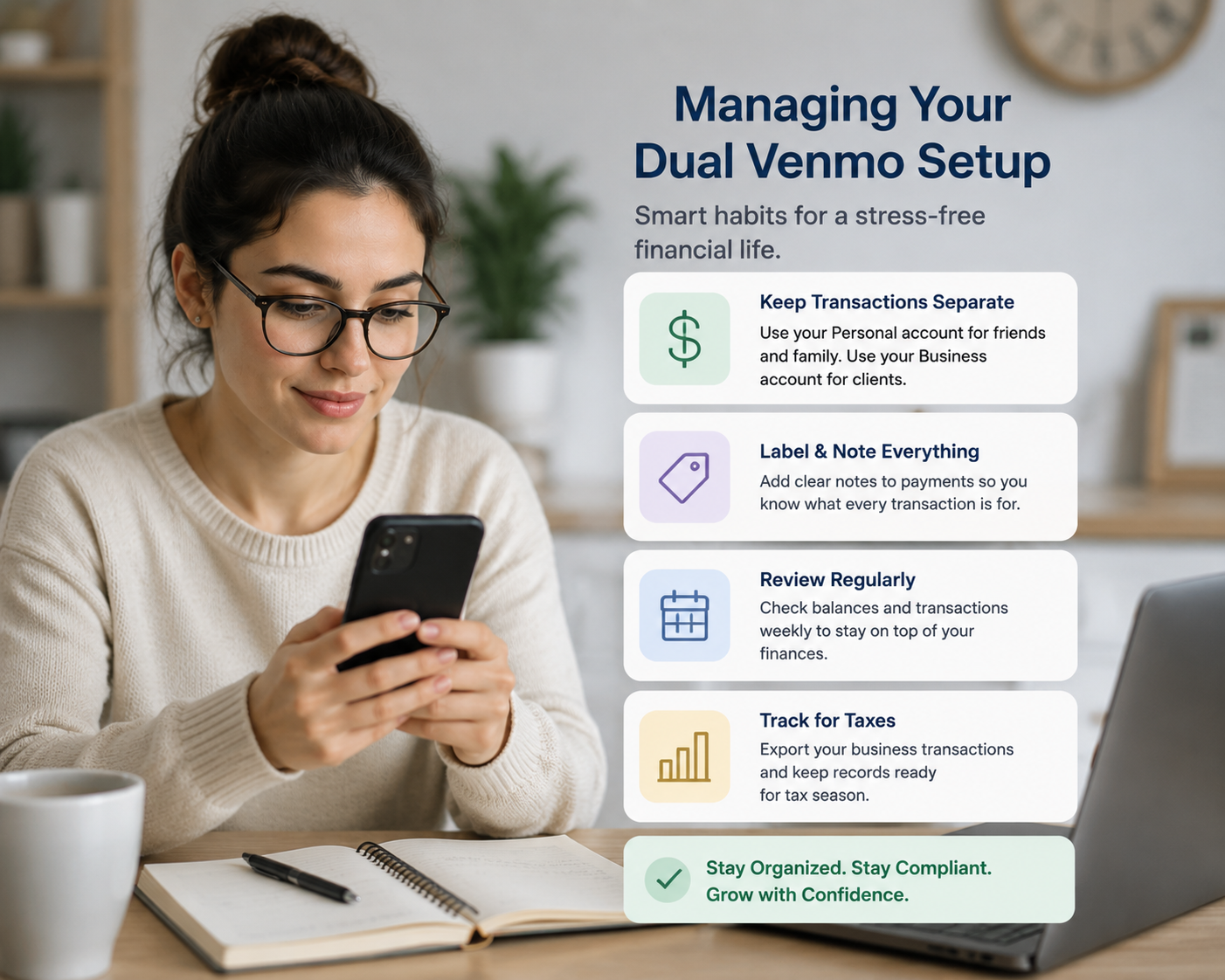
The ultimate goal of having two profiles is managing personal and professional payments separately. Here are a few strategies to ensure you maintain clear boundaries:
- Never mix QR codes: Only share your business QR code with clients. Keep your personal username strictly for friends.
- Set default payment methods: Ensure your personal debit card is set as the default for personal transactions, and your business credit card is set for the business profile.
- Transfer funds regularly: Don’t treat Venmo like a high-yield savings account. Regularly transfer your business funds to an external business bank account.
Tax Reporting for Venmo Business Profiles
Perhaps the most critical reason for maintaining separate profiles is taxation. The IRS requires payment settlement entities to report commercial transactions.
Tax reporting for Venmo business profiles is streamlined because Venmo automatically tracks your commercial revenue. If you meet the IRS reporting thresholds for the tax year, Venmo will issue you a 1099-K form. If you had illegally mixed your business income with your personal dinner reimbursements on a single personal account, untangling what is taxable income and what isn't would be an accounting nightmare. Having a dedicated business profile does the heavy lifting for you at tax time.
Conclusion
In summary, if you are asking, "can I have two Venmo accounts?", the best approach is to embrace Venmo's dual-profile system. While you cannot hold two separate personal accounts, you can safely and easily operate a personal profile and a business profile under a single login.
This built-in feature answers the modern gig-worker's needs flawlessly. It allows you to use one phone, share banking details if necessary, and operate under different names, all while remaining perfectly compliant with Venmo’s terms of service. By understanding how to properly structure your digital wallets, you can effortlessly manage your personal life and scale your professional endeavors without ever missing a beat.
Related Blogs

Have you ever wondered why the SEO rankings you see are completely different from those of your customers or competitors? This is a common problem that causes many businesses to lose millions of dollars in profits every year.The bottom line is this: over 79% of SEO professionals admit that the search results they see don't match the actual results users get. This is because of personalized[…]

CAPTCHAs are designed to distinguish humans from bots, but in the fields of automation and software testing, bypassing this layer of protection is sometimes a necessary requirement. Dedicated CAPTCHA solving services meet that need by combining the power of algorithms with global human resources.In this article, Hidemium will analyze and compare the four leading platforms today — 2Captcha,[…]

Have you ever felt tired eyes from constantly staring at the tiny phone screen to text? If so, you are not alone. With nearly 3 billion WhatsApp users worldwide, many of us are also looking for a more convenient solution.The good news is: WhatsApp Web is the perfect choice to help you get rid of that inconvenience. Now, you can chat on a large screen, type faster with a computer keyboard, and[…]

In a network system, MAC address and IP address Both serve to identify devices, but they perform completely different functions. Understanding the difference between these two types of addresses not only helps you manage your network better, but is also key to ensuringinformation security – especially for those working in the field Cyber Security or digital marketing.Let's go together Hidemium[…]
Gmail is a free email client provided by Google. On average, each person will have at least 1 Gmail account to serve work or log in to necessary social networking platforms such as Facebook, TikTok, Instagram, etc. However, Gmail accounts are easy to manage if you only use one account. But what if you own multiple Gmail accounts at the same time? If you still don’t know how to handle this ironic[…]
.png)
To log in to X/Twitter Web, open x.com, select “Log in,” and enter your email, phone number, or username and password. If login fails, check your credentials, browser cookies, network connection, and account status before trying another browser or device.For businesses managing multiple legitimate X accounts, separate browser profiles can help keep cookies, sessions, and account environments[…]
