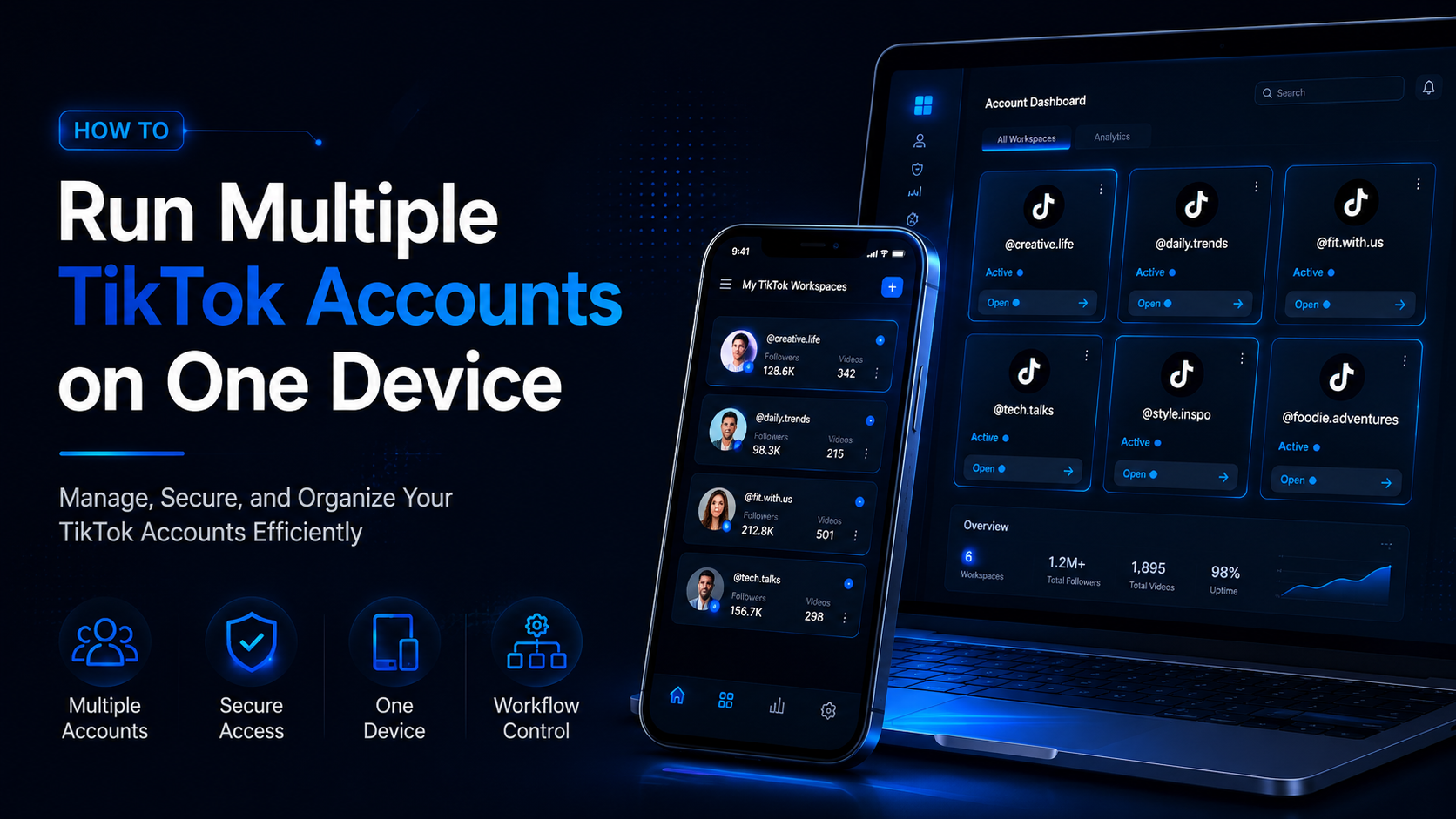

How to Run Multiple TikTok Accounts on One Device
Running multiple TikTok accounts on one device is a practical requirement for agencies, e-commerce sellers, content teams, franchise operators, and businesses managing several brands.
One account may serve a local store, while another supports a different region, product line, client, or content strategy. The challenge is keeping every account secure, organized, and compliant without mixing credentials, publishing to the wrong profile, or giving unnecessary access to team members.
TikTok allows multiple accounts when they are used for authentic purposes. However, the platform prohibits using additional accounts to deceive users, distribute spam, artificially increase engagement, or avoid enforcement. TikTok may also take action against all related accounts when someone seriously violates its rules or attempts to evade a restriction.
The safest approach is therefore not to make several accounts appear unrelated. It is to build a transparent workflow around authorized ownership, unique recovery information, role-based permissions, secure login environments, and responsible content practices.
Quick Answer
To manage multiple TikTok accounts on one device more safely:
- Give every account a clear and legitimate purpose.
- Use separate email addresses or phone numbers for different accounts.
- Keep account ownership and recovery details documented.
- Use TikTok Business Center when managing business, advertising, Shop, or client assets.
- Give each employee individual permissions rather than sharing one login.
- Enable two-step verification for every important account.
- Keep cookies and login sessions separated where operationally necessary.
- Avoid mass commenting, fake engagement, copied posts, and aggressive automation.
- Review devices, security activity, and Account Check regularly.
- Never create replacement accounts to continue activity that TikTok has restricted.
A browser-profile platform such as Hidemium may help organize separate authorized sessions on one computer. However, browser isolation is an operational tool—not a guarantee against account restrictions or a substitute for TikTok’s policies.
Can You Have Multiple TikTok Accounts?
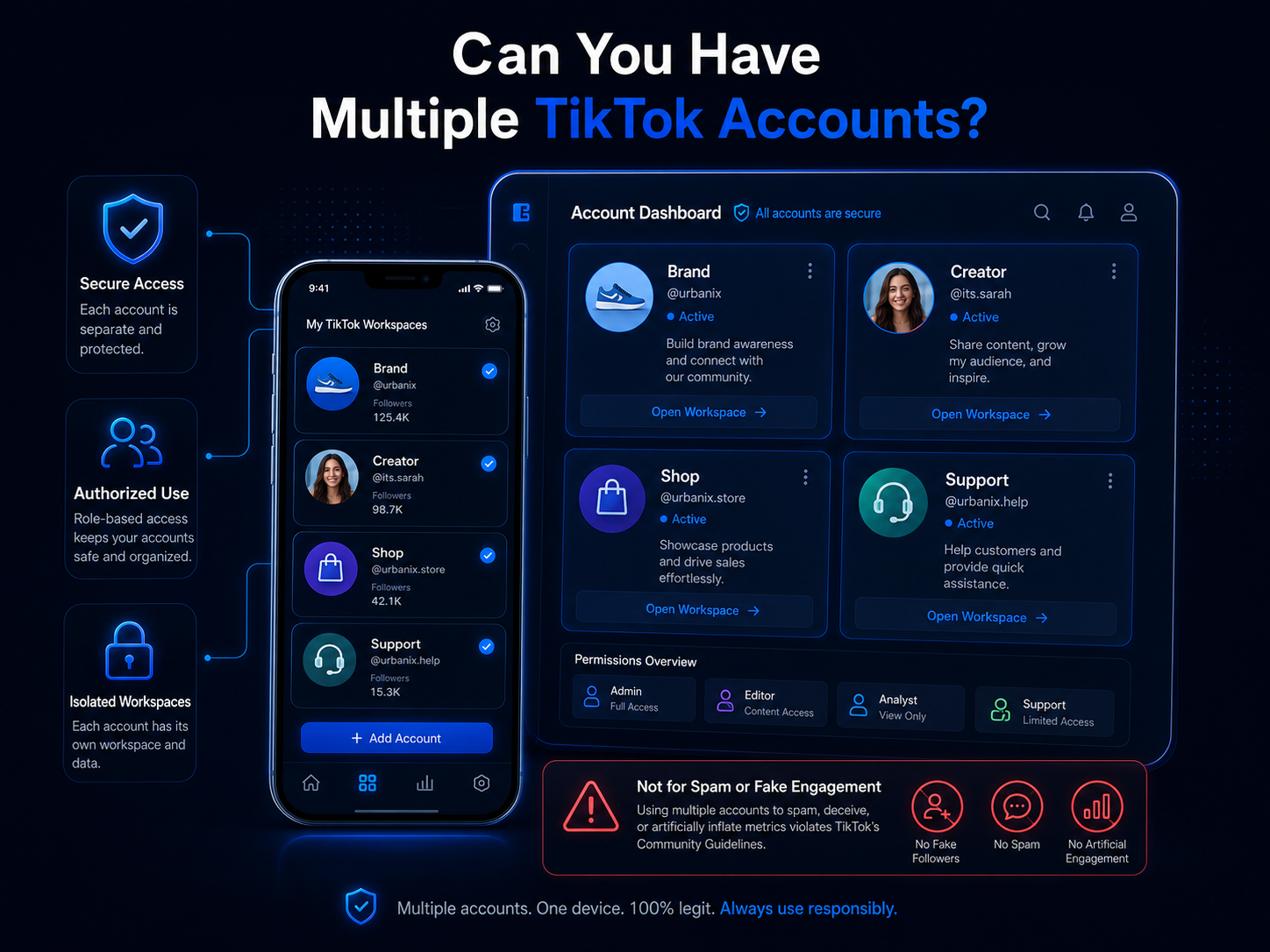
TikTok’s Community Guidelines recognize that people may operate multiple accounts for authentic creative expression or different channels. The platform does not allow those accounts to be used for deception, spam, artificial engagement, impersonation, bulk account operation, or enforcement evasion.
Legitimate reasons for operating multiple TikTok accounts may include:
- Separate accounts for different brands.
- Regional accounts for different markets.
- A main brand account and a customer-support account.
- Client accounts managed by an agency.
- Separate creator and business projects.
- Different product categories.
- TikTok Shop accounts belonging to different businesses.
- Accounts used for authorized quality assurance or market testing.
Operating multiple accounts becomes riskier when they have no clear purpose or are used to coordinate artificial activity.
For example, a business should not use its connected accounts to like the same posts, publish fake customer reviews, send repeated promotional comments, inflate livestream engagement, or continue behavior previously restricted by TikTok.
One Device Does Not Mean One Shared Environment
Using one physical computer or phone does not mean every TikTok account must share the same workflow.
There are three common ways to organize multiple TikTok accounts.
1. TikTok’s Native Account Switching
Native account switching may be sufficient for an individual creator or small business managing only a few accounts.
This approach is convenient because:
- No separate software is required.
- Notifications remain accessible in the app.
- Switching between accounts is relatively simple.
- Publishing and community management stay mobile-friendly.
However, it may become difficult to manage when:
- Several employees require access.
- The business manages many clients.
- Similar usernames or profile images create confusion.
- Employees regularly publish to the wrong account.
- Login and recovery information is not documented.
- Different client sessions must remain separated.
Native account switching is most suitable when one authorized person manages a limited number of accounts.
2. TikTok Business Center
TikTok Business Center is designed to centralize business and advertising assets, members, partners, permissions, billing, and connected TikTok accounts.
Administrators can add members, assign Admin or Standard roles, grant access to selected assets, and apply finance permissions separately. Standard users can only work with accounts and assets that have been assigned to them.
Business Center is particularly useful for:
- Marketing agencies.
- Advertising teams.
- TikTok Shop operators.
- Companies with several departments.
- Businesses working with external partners.
- Brands using Spark Ads.
- Teams requiring separate financial permissions.
TikTok also allows Business Center administrators to grant members access to specific TikTok accounts and define what they can manage.
This is usually safer than giving an agency or employee the account owner’s password.
3. Separate Browser Workspaces
A browser-profile platform creates individual browser workspaces with separate cookies, local storage, sessions, and settings.
This can help when one computer is used to manage several authorized accounts and the team needs to prevent accidental session overlap.
Typical use cases include:
- An agency managing client accounts.
- A remote team sharing approved workspaces.
- A company keeping client cookies separate.
- A quality assurance team testing different account experiences.
- A business replacing a collection of manually configured browsers.
- Operators who need clearer workspace ownership.
A separate browser workspace does not change who owns an account. It only changes how the local browser session is stored and accessed.
Why Multiple TikTok Accounts Encounter Problems
Managing several TikTok accounts is not automatically a violation. Problems usually come from how the accounts are created, secured, accessed, and used.
Reusing the Same Contact Information
TikTok states that one email address can only be associated with one TikTok account. A phone number is also used as a unique account contact and recovery method.
Each important account should therefore have clearly assigned recovery information.
Do not create accounts first and decide who owns the contact details later. This often causes problems when an employee leaves, a client relationship ends, or a password reset is required.
Sharing Passwords Across a Team
Shared passwords reduce accountability.
When five employees use the same credentials, the business may not know who:
- Changed the profile information.
- Deleted a video.
- Responded to a customer.
- Connected an application.
- Changed the password.
- Added a new device.
- Published prohibited content.
Shared credentials may also remain in chat messages, spreadsheets, browser password stores, or former employees’ devices.
Business Center permissions are a better choice when the relevant TikTok account or asset supports them.
Uncontrolled Device Changes
TikTok’s Security Checkup allows account owners to review trusted devices and security activity. When an account is accessed from an unrecognized device or third-party application, TikTok may request a password and one-time verification code.
Frequent, unexplained changes between devices can make security management harder, especially when several people use the same account.
A documented workflow should specify:
- Who is authorized to log in.
- Which device or workspace they should use.
- Who controls recovery information.
- What to do when a new device is required.
- How access is removed when someone leaves.
Weak Security
A legitimate multi-account operation can still be disrupted by phishing, malware, reused passwords, or unsecured recovery information.
TikTok’s Security Checkup supports:
- Email and phone verification.
- Two-step verification.
- Trusted-device management.
- Security activity reviews.
- Passkey setup.
TikTok recommends using unique passwords and more than one verified contact method so that an alternative recovery option remains available.
Spam and Artificial Engagement
TikTok prohibits account behavior that misleads or spams its community. Its guidelines specifically identify bulk account operation, high-volume commercial content, fake engagement, and automation used to circumvent enforcement as prohibited behavior.
Risky behavior includes:
- Using several accounts to like the same video.
- Posting coordinated fake comments.
- Buying followers or engagement.
- Sending large volumes of unsolicited messages.
- Reposting the same commercial video across many accounts.
- Creating accounts mainly to manipulate recommendations.
- Using several accounts to distribute the same livestream.
- Continuing violations through replacement accounts.
No browser, proxy, phone, or account-management platform can make these practices compliant.
Repetitive Content Across Accounts
Several accounts may participate in the same campaign, but publishing identical videos, descriptions, hashtags, and calls to action across all of them can create a poor user experience.
TikTok’s advertising policies also prohibit distributing a high volume of identical or substantially similar content across one or multiple accounts when it forms part of deceptive activity.
Each account should have its own audience, editorial purpose, and localized content plan.
How to Run Multiple TikTok Accounts on One Device
Step 1: Define the Purpose of Every Account
Create an account inventory before changing your technical setup.
Record:
- Account name.
- Username.
- Business or client owner.
- Primary market.
- Content category.
- Recovery email.
- Recovery phone number.
- Responsible employee.
- Device or browser workspace.
- TikTok Business Center status.
- Two-step verification status.
- Last access review.
- Current account status.
Every account should answer a simple question:
Why does this account need to exist separately?
Valid answers may include a different brand, language, market, client, or content category.
“More accounts may produce more views” is not a sufficient operating strategy.
Step 2: Separate Ownership From Daily Operation
The account owner and the person operating it each day may be different people.
For a client account:
- The client should retain ownership.
- The client should control the primary recovery methods.
- The agency should receive authorized access.
- The agreement should state who publishes and moderates.
- Access should be removable when the contract ends.
For an internal brand account:
- The company should control the recovery email.
- At least two trusted people should understand the recovery process.
- Employees should not replace company details with personal contact information.
- Access should be reviewed after staffing changes.
Step 3: Use Unique Recovery Details
Do not depend on one personal email address for an entire business.
Create an organized recovery structure using:
- Company-controlled email addresses.
- Active phone numbers where required.
- A password manager.
- A list of backup account owners.
- Securely stored recovery information.
- Documented account creation dates.
TikTok confirms that the same email address cannot be used to create multiple accounts, so each account needs its own valid contact arrangement.
Step 4: Configure TikTok Business Center
For business and client operations, create or review your TikTok Business Center.
A practical structure may include:
- Two trusted administrators.
- Standard members for routine work.
- Separate finance permissions.
- Partner access for agencies.
- TikTok account access based on job responsibilities.
- Shop access only for relevant employees.
- Ad account access for media buyers.
- Reporting-only access for analysts.
TikTok Business Center permits businesses to add partners, share selected accounts and assets, and set permissions at the asset or account level.
Do not grant Admin access simply because it is more convenient. Standard or asset-level access is sufficient for many roles.
Step 5: Enable Two-Step Verification
Turn on two-step verification for every account that represents an important business asset.
TikTok explains that two-step verification provides additional protection when a password is compromised because a login attempt also requires access to another verification method.
Account owners should also:
- Verify their email.
- Verify their phone number.
- Review trusted devices.
- Remove unfamiliar devices.
- Check recent security activity.
- Consider adding a passkey.
- Avoid reusing passwords.
Do not keep authentication codes in the same shared document as the account password.
Step 6: Assign One Workspace to Each Account
When browser-based access is necessary, assign a dedicated workspace to each authorized TikTok account.
The workspace record should include:
- Account name.
- Business owner.
- Assigned employee.
- Purpose.
- Recovery contact.
- Approved network.
- Access date.
- Status.
- Notes about connected tools.
Do not use one browser tab for one client, sign out, and then immediately reuse the same browser environment for another client without a clear process.
A browser-profile solution can keep cookies and local storage separated. According to its website, Hidemium’s social media management solution supports separate browser profiles, proxy configuration, profile grouping, and team permissions. These are vendor-described operational features and should be evaluated against the business’s security requirements.
Step 7: Use Stable, Authorized Access
The objective is not to make an account appear to belong to someone else.
A stable operating setup means:
- Authorized users.
- Documented devices.
- Approved workspaces.
- Consistent recovery information.
- Secure company networks.
- Predictable access procedures.
- Clear ownership.
Avoid randomly changing locations, devices, languages, and network configurations.
A global agency may have legitimate employees in different countries. In that case, the locations and responsibilities should reflect the real organization rather than an artificial identity.
Step 8: Apply Least-Privilege Access
Give each team member only the access needed for their role.
| Team member | Recommended access |
|---|---|
| Content creator | Drafting or assigned publishing tasks |
| Community manager | Comments, messages, and moderation |
| Media buyer | Assigned ad accounts and campaigns |
| Video editor | Usually no account access |
| Analyst | Reporting and performance data |
| Finance employee | Finance-related permissions |
| Agency partner | Selected client assets |
| Business owner | Ownership and recovery control |
TikTok Business Center separates Admin and Standard roles and provides additional asset and finance permissions. This allows businesses to control access without making every employee an administrator.
Step 9: Create an Account-Specific Content Plan
Each TikTok account should have its own:
- Target audience.
- Content themes.
- Voice and visual style.
- Publishing frequency.
- Language.
- Regional references.
- Product availability.
- Moderation policy.
- Success metrics.
- Approval process.
A US store and a UK store may use the same campaign concept, but pricing, spelling, product availability, references, publishing times, and calls to action should be localized.
Avoid changing only the username while publishing the same content everywhere.
Step 10: Review Account Check
TikTok provides Account Check through TikTok Studio and the Safety Center.
Account Check can indicate whether there is an issue affecting account features or individual posts. A checkmark indicates no identified issue, while a warning symbol indicates a problem that may require attention.
Include this review in a weekly or monthly maintenance routine.
When a warning appears:
- Record the affected account.
- Save the notification.
- Identify the related content or action.
- Pause similar activity.
- Review recent team access.
- Follow TikTok’s appeal process when appropriate.
- Update the internal workflow.
Where Hidemium Fits Into a Multi-Account Workflow
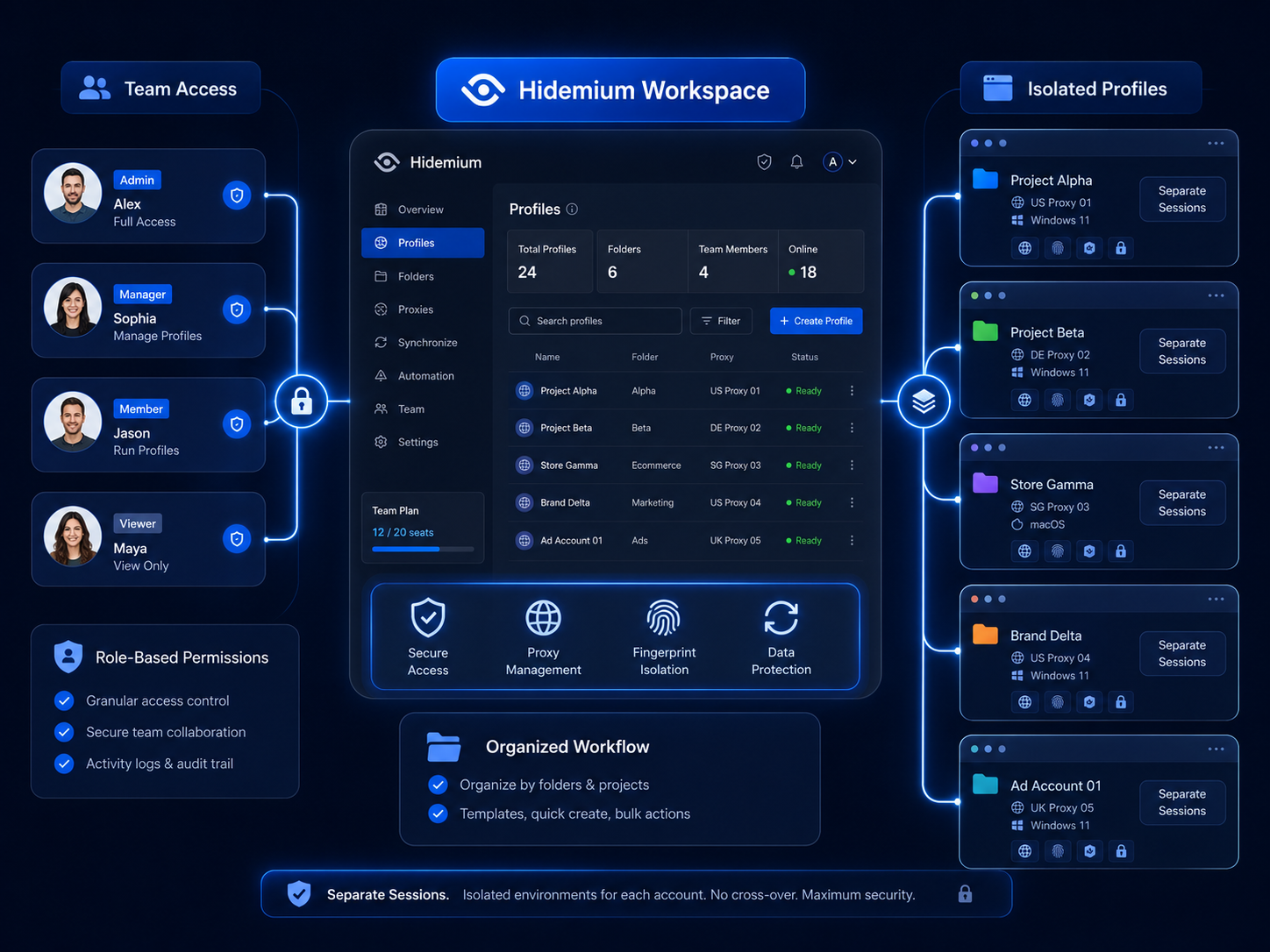
Hidemium is an antidetect browser and browser-profile management platform. Its website describes features such as isolated browser profiles, separate cookies and local storage, proxy assignment, workspaces, team access, and automation capabilities.
For an authorized TikTok operation, these features may help with:
- Keeping client sessions separated.
- Reducing accidental login overlap.
- Assigning a named workspace to each account.
- Giving employees controlled access to selected profiles.
- Keeping project data organized.
- Transferring daily account responsibility.
- Managing browser-based workflows from one computer.
However, Hidemium does not provide ownership or official permission to manage a TikTok account.
Official access should still come from:
- The account owner.
- TikTok Business Center.
- TikTok Shop permissions.
- An agency-client agreement.
- The business’s internal authorization process.
Hidemium should therefore be treated as an additional workspace-management layer, not a replacement for TikTok Business Center.
Hidemium vs. TikTok Business Center
| Function | TikTok Business Center | Hidemium |
|---|---|---|
| Official TikTok permissions | Yes | No |
| Member and partner roles | Yes | Workspace-level controls |
| Ad account management | Yes | Provides browser access only |
| TikTok Shop permissions | Supported | No official ownership control |
| Separate browser cookies | Limited | Yes |
| Isolated browser workspaces | Limited | Yes |
| Account recovery | Through TikTok | No |
| Official appeals | Through TikTok | No |
| Local session organization | Basic | More specialized |
| Guarantees against restrictions | No | No |
The tools address different problems.
TikTok Business Center controls official access to assets. Hidemium organizes the browser environments used to access authorized accounts.
A business may use one, the other, or both depending on team size and operational complexity.
Do You Need a Proxy for Every TikTok Account?
Not necessarily.
A proxy changes the network route used by a browser. It does not establish account ownership, correct policy violations, or make prohibited behavior acceptable.
A proxy may serve a legitimate purpose when:
- A company uses a managed corporate network.
- An employee works remotely through approved infrastructure.
- A QA team performs authorized regional testing.
- A business operates from multiple offices.
- A client requires a dedicated business connection.
Avoid assigning random proxy locations simply because several accounts are being managed.
Network configuration should reflect a genuine operational requirement. Stability, authorization, security, and documentation are more important than constantly changing IP addresses.
Content Practices for Multiple TikTok Accounts
Give Every Account a Distinct Role
Several accounts should not compete with one another using the same content.
For example:
- Main brand account: product stories and campaigns.
- Regional account: localized offers and cultural references.
- Support account: educational videos and common questions.
- Founder account: behind-the-scenes content.
- Product account: demonstrations and use cases.
Each account should provide a reason for users to follow it.
Avoid Coordinated Fake Engagement
Do not use your accounts to:
- Like each other’s posts repeatedly.
- Leave fake customer comments.
- Exchange artificial follows.
- Inflate livestream metrics.
- Post deceptive reviews.
- Manipulate recommendation signals.
- Report competitors without legitimate reasons.
TikTok does not allow services or behaviors that artificially increase engagement or deceive its recommendation system.
Adapt Rather Than Duplicate
When a campaign must appear across several accounts, adapt:
- The hook.
- Voice-over.
- Editing.
- Caption.
- Hashtags.
- Language.
- Product examples.
- Creator.
- Publishing time.
- Call to action.
The core campaign message can remain consistent while the execution reflects each account’s audience.
Be Careful With Automation
Automation is not automatically prohibited, but its purpose and effect matter.
Lower-risk uses may include:
- Organizing content files.
- Generating internal reports.
- Creating publishing checklists.
- Assigning tasks.
- Recording performance data.
Higher-risk uses include:
- Mass following.
- Automatic commenting.
- Bulk messaging.
- Fake engagement.
- Repetitive posting across accounts.
- Automatically creating accounts.
- Continuing activity after enforcement.
TikTok’s guidelines specifically prohibit automation used to register or operate accounts in bulk, distribute high-volume commercial content, manipulate engagement, or circumvent enforcement.
What Hidemium Cannot Guarantee
A neutral review must consider the limits of browser-profile software.
Hidemium cannot:
- Guarantee that an account will never be restricted.
- Make deceptive behavior acceptable.
- Provide official access to client assets.
- Restore every banned account.
- Correct prohibited content.
- Guarantee distribution on the For You feed.
- Replace two-step verification.
- Prevent mistakes made by employees.
- Override TikTok’s policies.
- Make ban evasion compliant.
Hidemium’s website promotes isolated profiles and account-management features, but TikTok retains full control over its own security, content, advertising, and enforcement decisions.
Evaluate the platform based on workspace organization, access control, cost, usability, and security—not on promises of guaranteed account survival.
What to Do If a TikTok Account Is Restricted
First, identify what has been affected:
- A post.
- Direct messaging.
- Comments.
- LIVE access.
- Monetization.
- Advertising.
- TikTok Shop.
- The entire account.
Then:
- Open the TikTok notification.
- Check Account Check in TikTok Studio or Safety Center.
- Review recent account activity.
- Review trusted devices.
- Change the password when compromise is suspected.
- Remove unauthorized devices.
- Pause the behavior associated with the warning.
- Save screenshots and case information.
- Submit an appeal when the option is available.
- Do not repeat the same activity through another account.
TikTok states that users can appeal an account ban or removed content through the relevant in-app notification.
Creating a replacement account to continue the same violation may be treated as enforcement evasion and can place other accounts at risk.
Multiple TikTok Accounts Checklist
Before scaling your TikTok operation, confirm that:
- Every account has a legitimate purpose.
- Ownership is documented.
- Each account has valid recovery information.
- Company accounts use company-controlled email addresses.
- Two-step verification is enabled.
- Trusted devices are reviewed.
- Employees receive individual permissions.
- Admin access is limited.
- Client assets remain owned by clients.
- Each browser workspace has an assigned owner.
- Network configurations have a genuine business purpose.
- Accounts do not create artificial engagement.
- Content is adapted for each audience.
- Automation is not used for spam.
- Account Check is reviewed regularly.
- An incident-response process is documented.
Conclusion
Running multiple TikTok accounts on one device is possible when every account serves an authentic purpose and follows a structured management process.
Begin with documented ownership, unique recovery information, two-step verification, and individual employee access. Use TikTok Business Center for official business, advertising, partner, and asset permissions.
Separate browser workspaces may become useful when an agency or distributed team needs to prevent cookies, sessions, and project data from becoming mixed on the same computer. However, browser isolation should support an authorized operation—not hide ownership, manipulate engagement, or bypass platform restrictions.
The most sustainable setup combines official TikTok permissions, secure devices, stable workflows, responsible content, and clearly assigned workspaces.
Teams evaluating browser isolation can review the Hidemium documentation and test the platform with non-critical, authorized accounts before moving important client or business workflows.
Compare its workspace management, permission controls, profile recovery, support, and operating cost with your existing TikTok Business Center and device-management process. Confirm that every account and team member is authorized before scaling.
Frequently Asked Questions
Can I Have Multiple TikTok Accounts?
Yes. TikTok permits multiple accounts for authentic purposes, such as separate creative channels or brands. They must not be used for spam, deception, fake engagement, or enforcement evasion. (TikTok)
Can I Run Multiple TikTok Accounts on One Phone?
You can manage more than one account through TikTok’s app. For small operations, native account switching may be sufficient. Larger teams may need Business Center permissions or separate browser workspaces.
Can I Use the Same Email for Multiple TikTok Accounts?
No. TikTok states that an email address can only be associated with one TikTok account. Use a separate, valid recovery arrangement for each account.
Is It Safe to Share a TikTok Password With Employees?
Password sharing is not recommended. Use individual permissions through TikTok Business Center where supported and document who can access each account.
Do I Need Hidemium for Multiple TikTok Accounts?
Not always. Individual creators and small businesses may be adequately served by TikTok’s native tools. Hidemium may be more relevant for agencies or teams that need isolated browser sessions and controlled workspaces.
Does Hidemium Prevent TikTok Bans?
No. No browser-profile platform can guarantee that an account will not be restricted. Account status also depends on content, security, advertising, engagement practices, ownership, and compliance.
Can Hidemium Replace TikTok Business Center?
No. TikTok Business Center manages official permissions and assets. Hidemium manages browser profiles and local sessions. The two systems perform different functions.
Should Every TikTok Account Have a Different Proxy?
Not necessarily. A proxy should address a legitimate business, security, or testing requirement. Assigning random proxies does not make an account safer or compliant.
Can an Agency Manage Its Clients’ TikTok Accounts?
Yes. Agencies should receive official member, partner, or asset access where available. The client should normally retain ownership and recovery control.
What Is the Safest Multiple TikTok Accounts Setup?
Use legitimate accounts with documented owners, separate recovery details, two-step verification, Business Center permissions, stable authorized access, and isolated browser workspaces only when operational separation is necessary.
Related Blogs
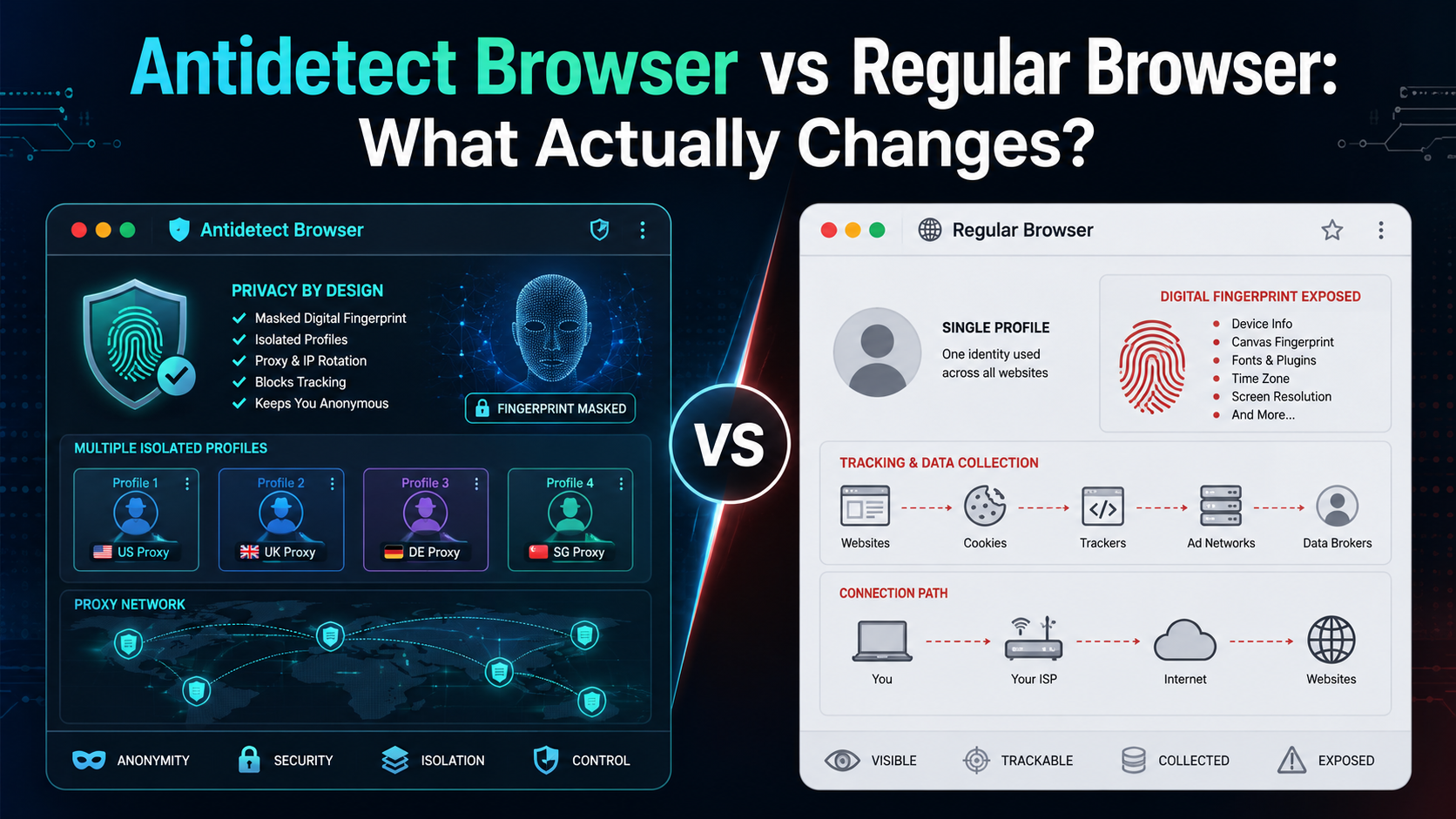
If an antidetect browser looks almost the same as Chrome, Firefox, or Edge, what actually makes it different?The biggest difference is not how websites look or how fast pages load. It is how the browser manages your digital environment.A regular browser is designed mainly for everyday browsing. An antidetect browser is designed to create and manage multiple isolated browser profiles, each with[…]

In the digital era, online platforms such as Facebook, Google, TikTok, Amazon, Shopee, and others continuously leverage AI and Big Data to analyze browser fingerprints, user behavior patterns, and connections between accounts. This puts individuals and businesses managing multiple accounts at high risk of suspension if they lack the right solution. Antidetect browsers have emerged as a “shield,”[…]
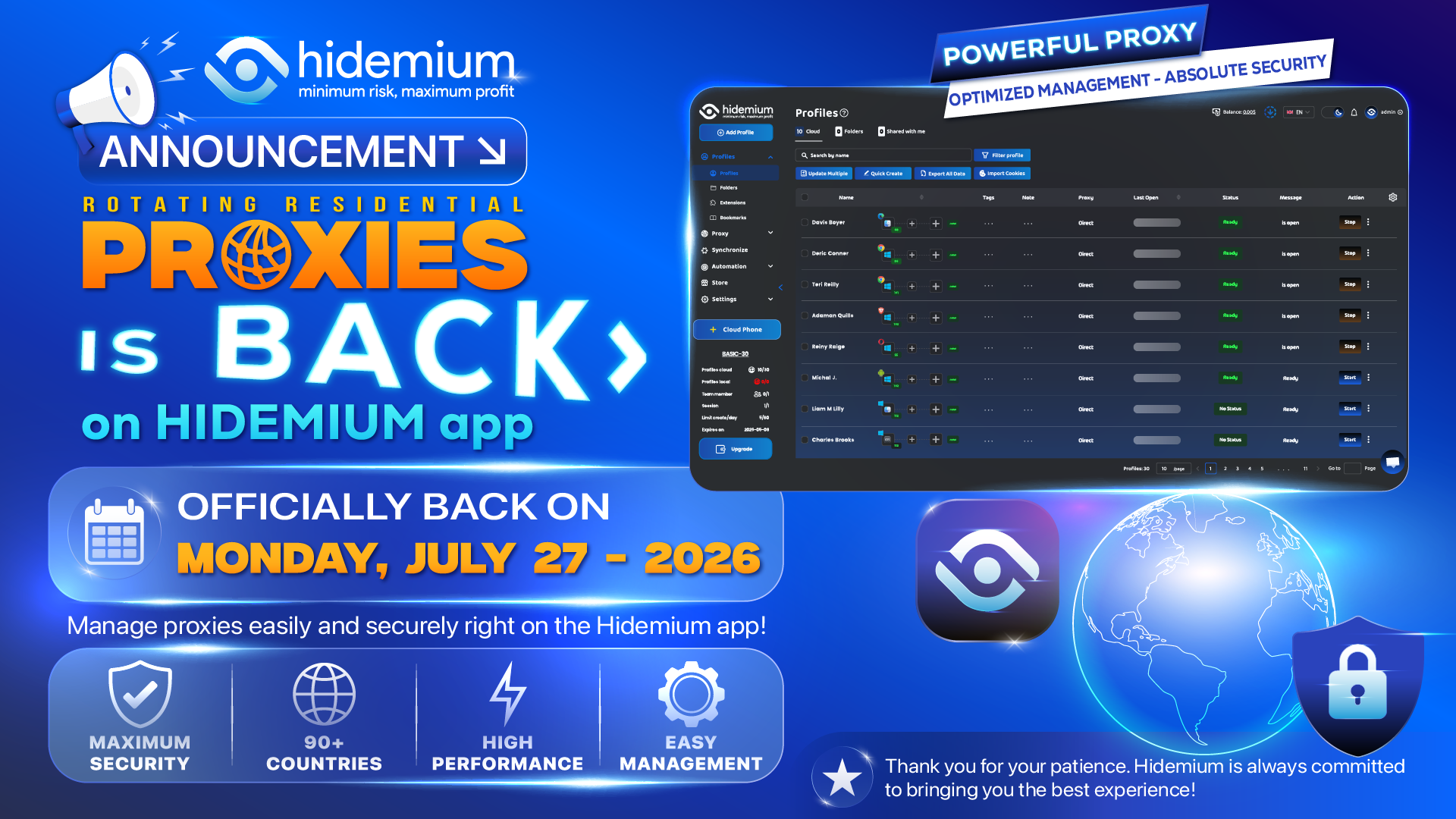
Over the past few weeks, some customers using Hidemium with Rotating Residential Proxies experienced an issue that temporarily prevented the Proxy feature in the Hidemium application from working as expected. We understand that this disruption may have affected the daily work and overall experience of many customers.On behalf of the entire Hidemium team, we sincerely apologize for the[…]
.png)
In an era where artificial intelligence is increasingly developing, anti-bot systems and automatic detection mechanisms are also increasingly sophisticated, making finding a antidetect browser Being truly effective is more difficult than ever. However, Hidemium and MuLogin still stand out as two options worth considering with strong anonymity capabilities, helping to maintain stable operations[…]
Why Marketers Are Searching for AdsPower Alternatives in 2026AdsPower has long been a popular choice for marketers who need to manage Facebook multiple accounts, run large-scale advertising operations, or conduct Facebook account farming. But in 2026, the landscape has shifted significantly — and so have the threats.Facebook's detection systems have grown far more sophisticated, leveraging[…]

Accessing blocked websites in Vietnam is no longer too difficult if you know how to use it. Proxy through firewall properly. This is an ideal solution, which helps free internet access, just to make sure safety and security of personal information. Together Hidemium Antidetect Browser Discover the 3 most effective methods of using Proxy to bypass firewalls today.1. Use free Proxy websites to[…]
